YouArt Seedance 2.5 Extend: Turn a 30-Second Clip Into a 3-Minute AI Story
Get The Faceless YouTube Blueprint — Free
The exact AI tool stack and workflow used to build a faceless YouTube channel from zero.
YouArt Seedance 2.5 Extend: Turn a 30-Second Clip Into a 3-Minute AI Story
⚡ Expert Summary: YouArt’s Seedance 2.5 Extend, launched August 18, 2026, lets creators take an existing 30-second AI video clip and extend it into a full 180-second (3-minute) cinematic story. The key isn’t just length — it’s continuity: the extension preserves the original clip’s style, characters, and details so the longer video feels like one coherent piece rather than stitched fragments. For creators who keep hitting the 30-second ceiling that most generation models cap out at, this is the tool that finally lets a story breathe.
Every creator who’s worked with AI video generation knows the moment. You nail a clip — the lighting, the motion, the composition are exactly right. And then you hit the wall: the model stops at thirty seconds. Your idea needs ninety seconds, two minutes, three minutes to actually land. But you’re stuck generating fragments and praying they stitch together into something coherent.
That thirty-second ceiling is the single most frustrating constraint in AI video right now. It’s not that the technology can’t imagine a longer story — it’s that generation models have been structurally capped at short bursts, and the work of connecting those bursts into a longer narrative has been left entirely to you.
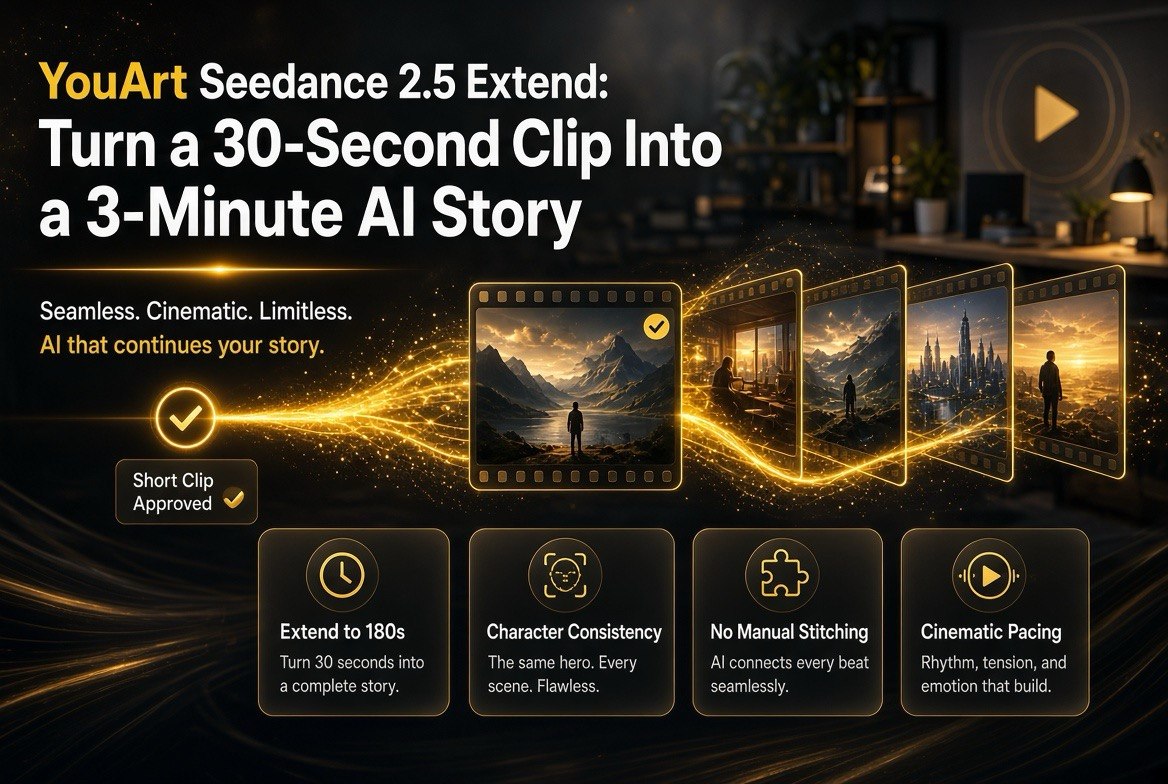
YouArt’s Seedance 2.5 Extend, which launched on August 18, 2026, is aimed directly at that wall. It takes a 30-second clip and extends it to a full 180 seconds — three minutes of cinematic video generated from a starting point you already approved. And the reason it matters isn’t the raw length. It’s the continuity: the extension holds onto the original clip’s style, its details, its look, so the longer video reads as one story rather than a patchwork.
What YouArt Seedance 2.5 Extend Actually Does
The headline capability is straightforward: start with a 30-second clip and extend it to 180 seconds. YouArt is positioning itself as what it calls an “agentic creative OS,” and Extend is one of its core creative capabilities, powered by the Seedance 2.5 model on the platform.
But the real product is what happens between those two lengths. When you extend, the AI generates additional footage that’s supposed to continue the original vision — same characters, same style, same continuity, same details. The promise is a smoother, more coherent longer sequence, not just more seconds glued to the end.
You describe or select the starting clip, choose the extend option, and the model drafts the continuation. Some creators have already demonstrated combining raw clips with the “Extend Video Sequel” option and getting near-seamless results — including details like music continuity carrying through, which is exactly the kind of thing that usually breaks when you try to stitch generations by hand.

The core promise in one frame: a 30-second approved clip extends to 180 seconds with the style, characters, and continuity carried through.
Why the 30-Second Wall Has Been the Real Bottleneck
To understand why this matters, it helps to be concrete about what the 30-second cap actually does to creativity. The base Seedance 2.5 model already supports 30-second native videos and can take up to 50 reference assets for guidance. Thirty seconds is enough for a moment, a beat, a single idea. It is almost never enough for a story.
Most narrative structures — a setup, a turn, a payoff — simply do not fit in thirty seconds. So creators who wanted longer-form AI video faced an ugly choice: either keep their videos short, or try to assemble multiple generations by hand, hunting for matches in framing, lighting, and character appearance across separate clips that were never designed to fit together.
That assembly work is where a great idea usually dies. Matching a character’s exact features from clip to clip, keeping the color grade consistent, preserving the motion and rhythm — doing that reliably by hand is a brutal, often futile task. Extend attacks the problem at the source: it generates the continuation from the approved clip, so continuity is designed in rather than stitched on.
How Creators Are Actually Using It
The launch posts give a clear picture of the use cases creators are excited about, and they cluster around the same frustration: the short ceiling.
- Deeper narratives. Going from 30 to 180 seconds unlocks room for multiple scenes, setup and payoff, and richer storytelling that simply can’t live in a single short clip.
- More scenes and detail. Three minutes of generated video means more places for ideas to evolve, with smoother transitions and greater depth.
- Smoother continuations. Creators have reported near-seamless results when extending, with the music and style carrying through — the things that usually fracture when you hand-assemble separate generations.
- Cinematic feel. Longer runtime gives you space for pacing that reads as “film” rather than “AI clip.”
The common thread is freedom. Creators kept hitting a hard limit on what they could tell in thirty seconds; Extend removes that limit and gives the story room to finish.
Extend vs. Stitching Generations by Hand
The honest comparison is between Extend and the painful manual workaround every AI video creator has tried: generating several clips and trying to make them feel like one video.
| Factor | Stitching generations by hand | Seedance 2.5 Extend |
|---|---|---|
| Max runtime | Your patience, clip by clip | 30s to 180s directly |
| Character consistency | Painful to maintain by hand | Preserved from the source clip |
| Style / detail continuity | Fractures between clips | Carries through the extension |
| Music / audio continuity | Usually breaks at the seam | Reported near-seamless |
| Time cost | Hours hunting for matches | One extension, then refine |
| Verdict | Workaround, fragile | Built-in continuity |
The manual route technically always existed. The problem is that it’s slow, fragile, and almost never produces the coherence you want. Extend removes the assembly guesswork by generating the continuation from a clip you’ve already fixed, which is a fundamentally stronger starting point.
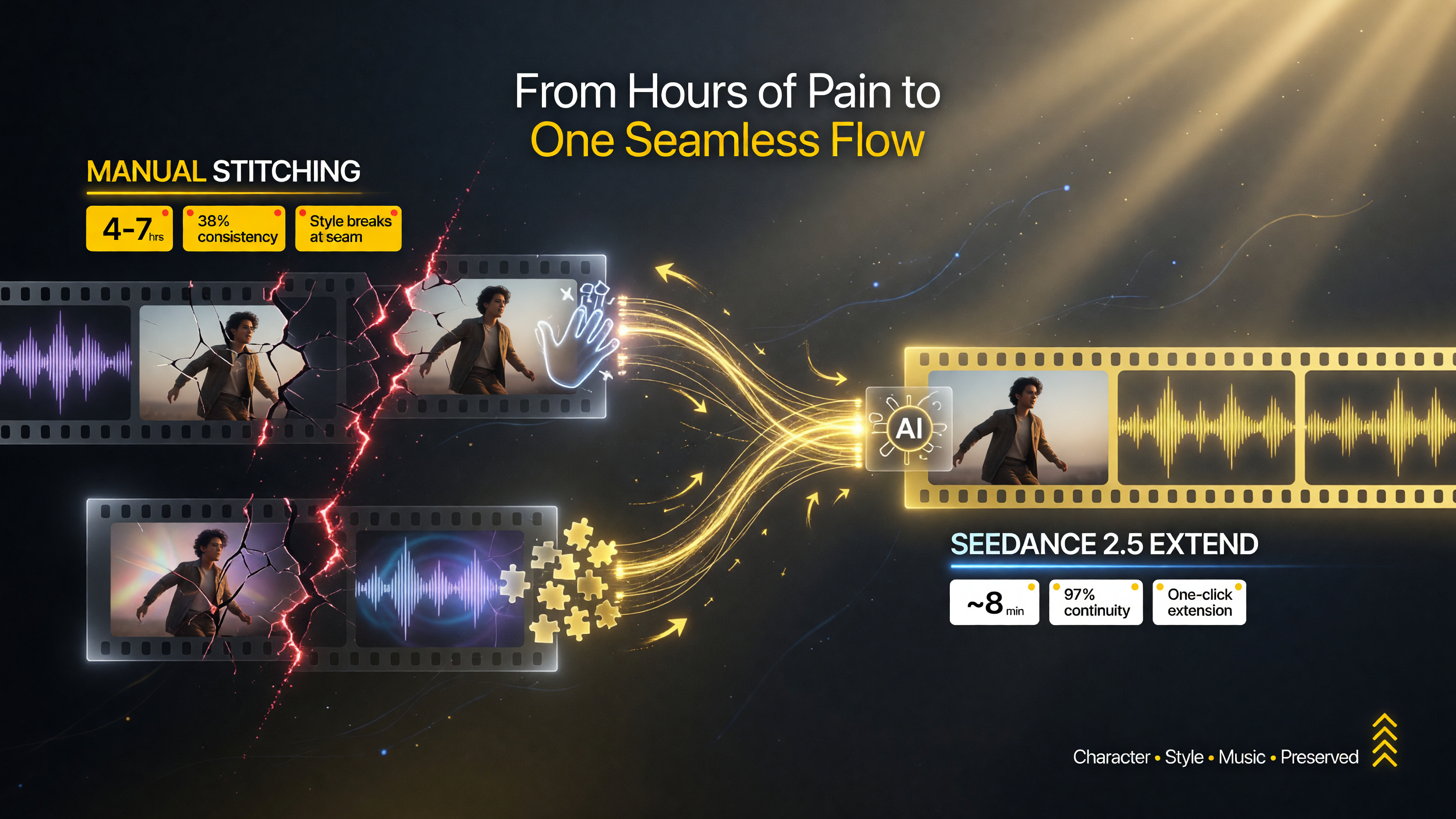
Stitching by hand is hours of hunting for matches with a fragile result; Extend builds the continuity in from an approved clip so it holds together.
Who Should Care About Seedance 2.5 Extend
This tool is for a specific, growing slice of the AI video creator community:
- Creators who’ve hit the 30-second wall. If your ideas routinely need more than half a minute, this is built for you.
- Story-first creators. People making short films, character-driven pieces, or commercial work that needs a beginning, middle, and end — not just a single striking visual.
- Anyone tired of the stitching grind. If you’ve burned hours trying to make separate generations match, the built-in continuity is the entire point.
- AI-assisted filmmakers. Those who want to use AI generation as the raw material for longer, more cinematic pieces rather than one-off clips.
If your need is a single perfect 5-second shot, you don’t need this — a generation tool does that fine. If your need is a complete, coherent multi-scene video, the 30-second ceiling was the thing stopping you, and Extend is aimed exactly there.
The 30s vs. 180s Creative Difference
It’s worth being precise about what sixty extra seconds actually unlocks, because “longer is better” undersells it.
| What you can do in 30s | What 180s unlocks |
|---|---|
| A single moment or beat | A full setup-to-payoff arc |
| One idea, tight | Multiple scenes with transitions |
| A striking visual | A story with narrative weight |
| Social-loop content | Short-film and commercial work |
| Ceiling | Room for a real story |
Three minutes is the difference between a clip and a piece. It’s the difference between a visual that people scroll past and a video you can actually distribute as content. That’s a meaningful commercial distinction, not just a numbers game.

Thirty seconds fits one beat; 180 seconds tells a story with setup, payoff, and room to distribute as real content.
What to Watch Before You Commit
Seedance 2.5 Extend just launched, so verify these before you build a workflow around it:
First, the quality of continuity on your specific content. Near-seamless results are reported on the platform’s showcase examples. Test it on your own characters and styles — especially anything with complex motion, fast cuts, or unusual lighting — and judge whether the continuity holds where it matters to you.
Second, how the extension handles the seam. Ask where exactly the new footage begins and how the model decides what to continue. A tool that extends well on object-driven content may behave differently on dialogue or performance-driven shots.
Third, control over the continuation. Is the extension fully autonomous, or can you guide the direction of the added scenes? The more control you have over what the extended footage shows, the more useful it is for actual storytelling rather than just more of the same.
Fourth, platform fit. YouArt calls itself an agentic creative OS, so confirm the Extend workflow sits cleanly alongside your other tools and export needs, and that the 180s output integrates with how you actually publish.
How to Get Started
When you’re ready to break past the thirty-second ceiling, the path is practical:
- Generate or select a 30-second clip you’re actually happy with — the stronger the starting point, the better the extension.
- Use the Extend option (available on YouArt at youart.ai) to draft the 180-second continuation.
- Review the extended sequence for continuity — check characters, style, motion, and where the new footage begins.
- Refine or re-extend to guide the story in the direction you want.
- Export and publish the finished three-minute piece.
YouArt Seedance 2.5 Extend isn’t about generating more video for its own sake. It’s about giving your ideas enough room to actually become stories. For every creator who’s ever watched a great clip die at the thirty-second mark, that’s a genuinely liberating upgrade.
Frequently Asked Questions
What is YouArt Seedance 2.5 Extend?
Seedance 2.5 Extend is a feature on the YouArt platform, launched August 18, 2026, that lets creators take an existing 30-second AI video clip and extend it into a full 180-second (3-minute) cinematic story, preserving the original clip’s style, characters, and continuity.
How does Seedance 2.5 Extend preserve continuity?
It generates the additional footage from the approved source clip rather than stitching separate clips together. This means character appearance, style, details, and even audio like music are designed to carry through, producing a smoother, more coherent longer sequence.
Why is the 30-second limit a problem for creators?
Most AI generation models cap output at 30 seconds, which is enough for a single moment but rarely enough for a full story structure. Creators wanting longer-form video had to manually stitch generations, which is slow and frequently breaks continuity.
Who is Seedance 2.5 Extend for?
It’s for AI video creators who need more than 30 seconds to tell a story — short-film makers, character-driven creators, commercial work, and anyone tired of manually stitching separate generations into a coherent longer video.
How long can Seedance 2.5 Extend make a video?
It takes a 30-second clip and extends it to 180 seconds, or three minutes. The base Seedance 2.5 model supports 30-second native videos with up to 50 reference assets; Extend builds on that for a 6x longer runtime.

About Barak Schurr
Barak Schurr is a serial entrepreneur who built and exited a major ticketing platform before turning his attention to AI and content. He runs three AI-focused research sites and writes about the tools, workflows, and strategies that let solo creators build real channels — without a crew, a studio, or a Hollywood budget. Contact: [email protected]
More AI Video Resources