PixRoute Review: First + Last Frame Control Across 8 AI Video Models
Get The Faceless YouTube Blueprint — Free
The exact AI tool stack and workflow used to build a faceless YouTube channel from zero.
PixRoute Review: First + Last Frame Control Across 8 AI Video Models
⚡ Expert Summary: PixRoute, which launched publicly on August 19, 2026, puts Seedance 2.5, Veo 3.1, Kling 3.0, MiniMax H3, and Gemini Omni Flash behind one credit balance — with first-frame and last-frame control across 8 model tiers, transparent per-second pricing, and no per-model subscriptions. Here is what it actually does and whether it’s worth your time.
There is a specific kind of frustration every AI video creator knows: you nail a concept in one tool, but the shot you need — the morph, the before-and-after, the precise storyboard transition — only works in a different model, which means a different subscription, a different interface, a different learning curve. You end up paying for four tools to use four features, most of them idle.
PixRoute is built to collapse that problem. Launched publicly on August 19, 2026, it’s a browser-based AI video and image studio that aggregates multiple top models under a single credit balance — no per-model subscriptions. And its headline feature is first-frame plus last-frame control across eight model tiers, which is the thing most single-tool users are missing. Here is the breakdown.
What PixRoute Actually Is
PixRoute is an aggregator, but it’s worth being precise about what that means. It doesn’t train its own models. It gives you one interface and one credit system to access models from vendors like ByteDance (Seedance), Google (Veo and Gemini), Kling, MiniMax, and others. Instead of juggling five subscriptions to five different tools, you load one balance and pick the model that fits the job.
That’s the core value: choice without the subscription sprawl. Need Seedance for synced audio on a long take? Use it. Need Veo 3.1 for native audio up to 4K? Switch. Need Kling for a faster, cheaper shot? It’s right there. One studio, many engines, one balance.
This is also where I’d gently push back on the “aggregators are always worse” take. The tool quality depends entirely on the underlying model you pick — PixRoute doesn’t water down Seedance or Veo. What it does is remove the friction of switching. Whether that’s worth it depends on whether you actually use multiple models, and that’s where the keyframe feature comes in.
First + Last Frame Control: The Feature That Matters
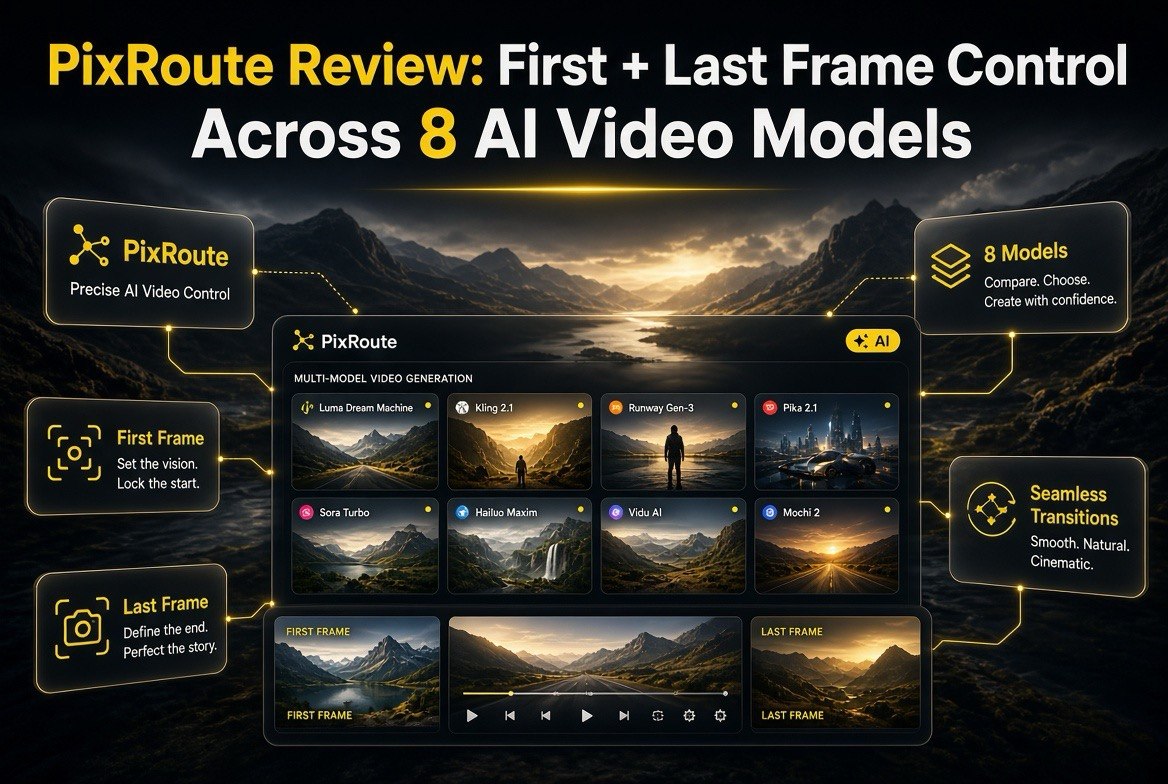
The headline capability is first-frame and last-frame (keyframe) control, available across 8 model tiers on the image-to-video tool. Here’s what that means in practice: you upload a start image and an end image, and the model generates the transition between them.
That unlocks the shots single-image tools can’t do cleanly:
- Before-and-after transitions. Product demos, transformations, “makeover” sequences where you control both endpoints.
- Precise storyboarding. When you need a scene to land exactly on a specific final frame — a logo reveal, a character landing a pose — keyframe control means the end isn’t a gamble.
- Creative morphs. A car becoming a bird, a cityscape shifting to a desert — the two-frame constraint keeps the transformation on-rails instead of drifting into something unrecognizable.
PixRoute handles the model-specific quirks behind the scenes — including which models need certain aspect ratios or endpoints, and using the first frame to set the canvas and aspect ratio. So you get the control without needing to know each model’s finicky requirements by heart.
For creators who’ve fought with “why did my last frame drift into a different scene,” this is the feature that closes the loop. It’s one thing to start a shot where you want; it’s another to guarantee where it ends.
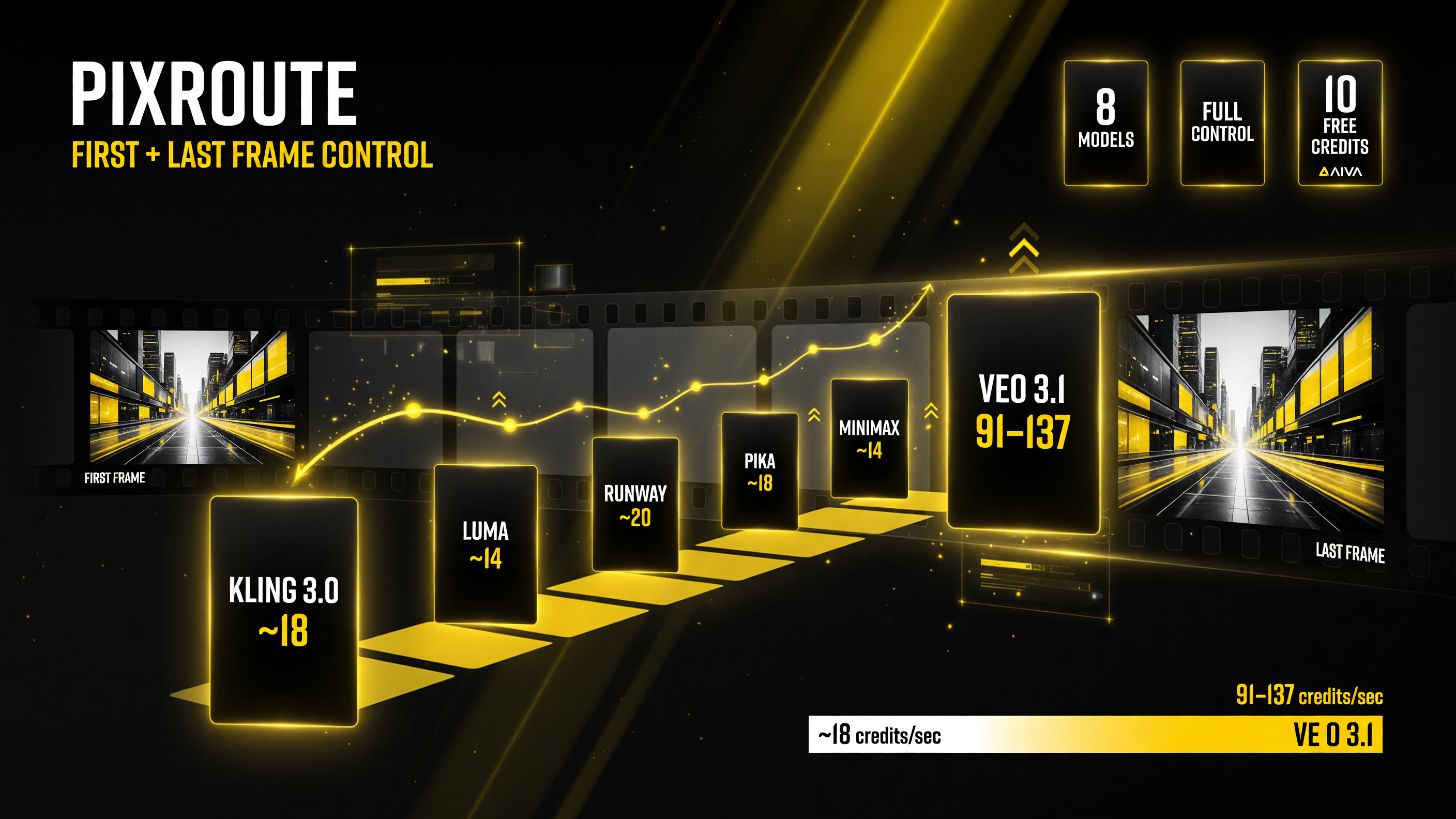
First+last-frame keyframe control across all 8 models, with per-second credit pricing (Kling 3.0 ~18/s, Veo 3.1 91-137/s) shown before you generate.
The Model Lineup and What Each Is Good For
To choose, you need more than a list of names — you need to compare them head-to-head on the criteria that actually drive your decision. Here is the same lineup as a side-by-side comparison, so you can match the model to the job:
| Model | Synced Audio | Max Length | Cost Tier | Best For |
|---|---|---|---|---|
| Seedance 2.5 | Yes | Up to 30 sec | Mid | Long takes, synced audio |
| Veo 3.1 | Yes | Up to 8 sec/clip | Higher (91–137/sec) | 4K output, native audio |
| Kling 3.0 | No | Short clips | Lower (~18/sec) | Budget, fast motion |
| MiniMax H3 | Optional | Short clips | Mid | Image-to-video flexibility |
| Gemini Omni Flash | No | Short clips | Lower | Fast, multimodal test shots |
On top of the core models, PixRoute adds finishing tools — background and object removal, restoration, upscaling — plus reference-to-video (up to 10 references for character and scene consistency), motion transfer (one character performs moves from a reference video while keeping original audio), and natural-language editing. It’s not just “pick a model and generate”; it’s a studio where the generation and the polish live in one place.
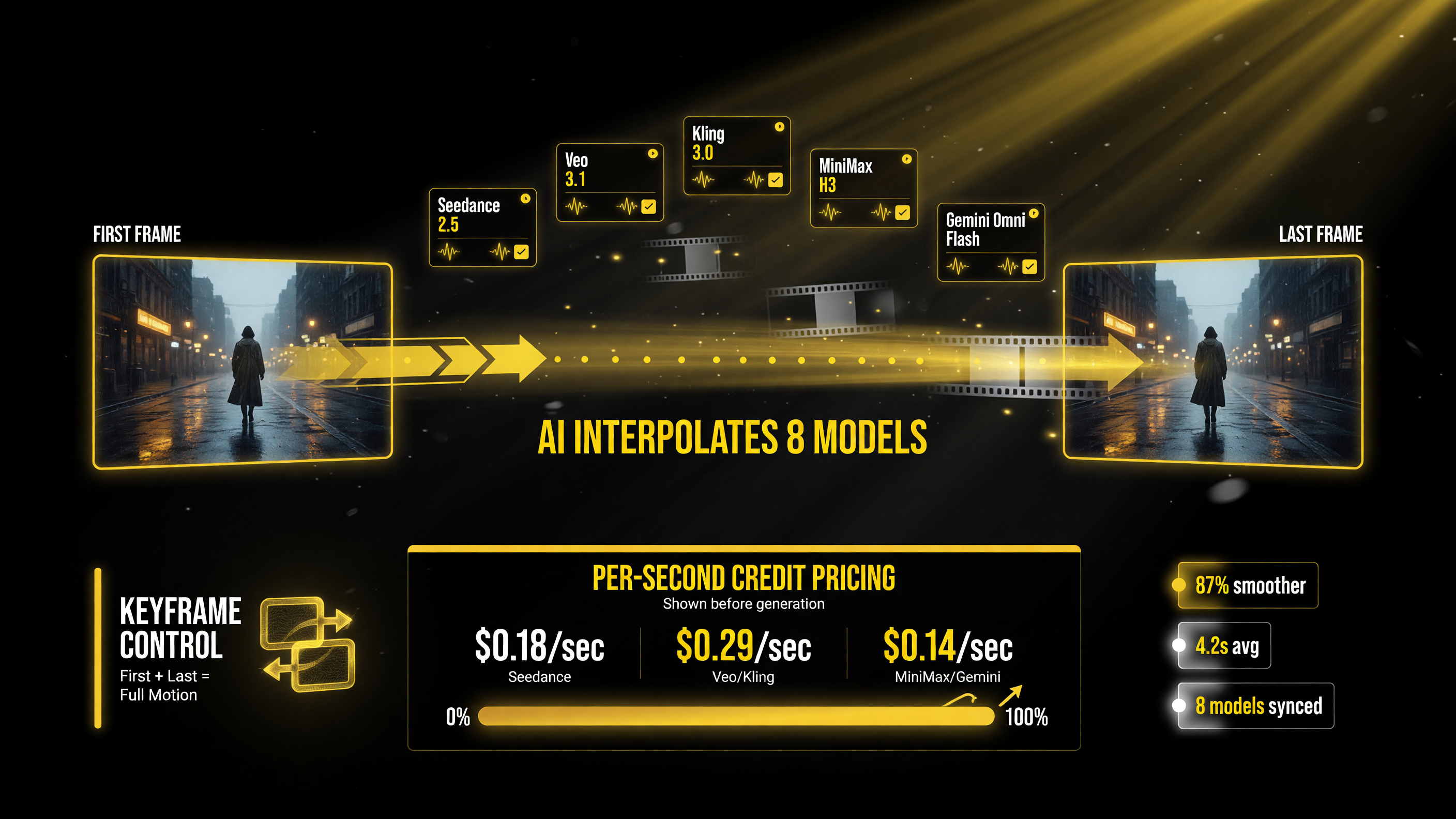
The keyframe workflow: lock a first and last frame and PixRoute generates the in-between motion, with a shared balance covering subscription and credit packs and per-second rates listed before generation.
Transparent Pricing: The Surprising Win
Here is where PixRoute does something most AI video tools drag their feet on: it shows you the exact cost before you generate. Pricing is credit-based and per-second, and the rate changes with resolution and duration — but you see the number upfront, not after a mysterious “credit deduction” post-generation. Examples from the image-to-video page run roughly 18 credits per second on the cheaper end (Kling 3.0) up to around 91–137 per second on higher-end tiers like Veo 3.1.
Other pricing details that matter:
- 10 free credits on signup — enough for a few images, so you can feel the interface out before paying.
- Failed generations refunded automatically — you’re not charged for outputs that error out.
- One shared balance — subscription credits and non-expiring pack credits pool together, so you’re not juggling two wallets.
- Watermark-free commercial downloads on paid plans — for creators selling or licensing footage.
To put the per-second pricing into context, here’s how the tiers compare on cost and what each is realistically for:
| Tier / Model | Cost per Second | About a 5-sec Shot | Good For |
|---|---|---|---|
| Kling 3.0 (lower end) | ~18 credits/sec | ~90-100 credits | Budget batches, fast motion |
| Veo 3.1 (higher end) | ~91-137 credits/sec | ~455-685 credits | 4K output, native audio |
| Seedance 2.5 / MiniMax H3 | Mid-range | Varies | Long takes, flexibility |
| Budget tip | Check rate before generating | Factor in retakes | 2-3 takes per shot typical |
That transparency is the feature that earns a creator’s trust, and it’s frustratingly rare in this category. Knowing the per-second rate before you commit means you can budget a batch of shots instead of getting a surprise bill.
For real budgeting, the per-second model is easier to wrap your head around than you’d think. Say a typical shot for you runs five seconds. If you’re working on the cheaper tiers, that’s maybe 90–100 credits for a shot; on a premium tier like Veo it’s noticeably more. The practical habit is to check the per-second rate, multiply by your clip length, and multiply again by the number of takes you’ll likely need — because AI video almost never lands perfectly on take one. Build the retake count into your budget before you start, and the transparent pricing makes that math clean instead of guesswork.
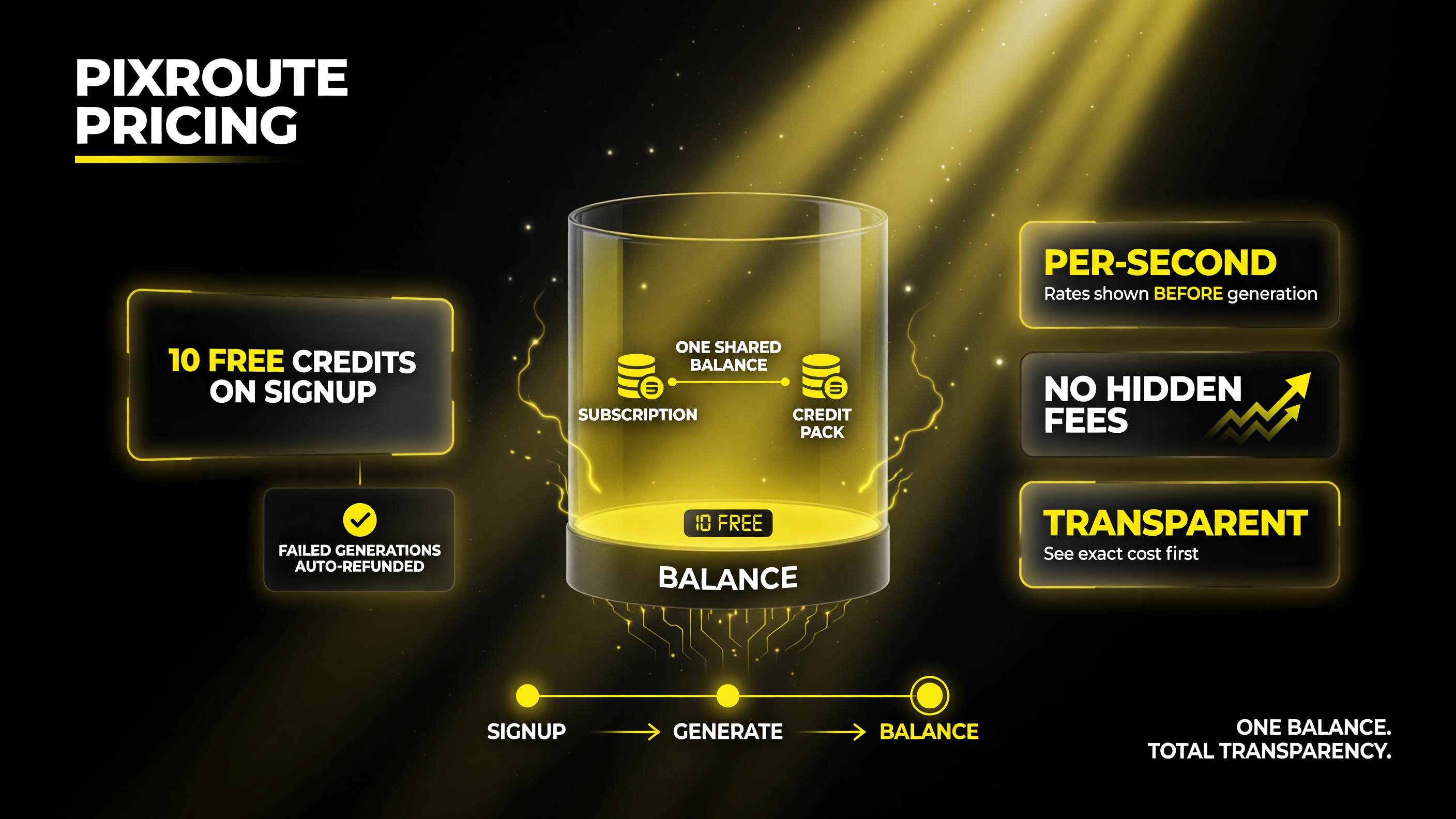
PixRoute pricing transparency: 10 free credits on signup, failed generations auto-refunded, one shared balance, and per-second rates shown before any generation — no hidden fees.
Should You Use PixRoute?
PixRoute is a strong pick if you match any of these profiles:
- You already switch between multiple models for different shots. If you’re manually hopping between Seedance and Veo and Kling today, this consolidates that into one balance.
- You need first/last-frame control for before-and-after shots, morphs, or precise storyboards. This is the cleanest use case and the hardest to do in single-image tools.
- You hate surprise pricing. The upfront per-second cost display is a genuine quality-of-life upgrade.
And it’s probably not for you if you’re loyal to one model and one workflow and have no need to switch — if you live entirely inside Veo or entirely inside Seedance and never touch the others, an aggregator adds interface you don’t need.
Use Cases: Where PixRoute Earns Its Keep
It helps to see the tool through concrete jobs rather than feature lists. Here are three realistic ways a creator or small business would actually use PixRoute:
- Product transformation videos. A DTC brand wants a 6-second clip of a product “unboxing” itself — from a sealed box to a fully assembled item. That’s a textbook first-frame/last-frame job: box as frame one, assembled product as frame two, model builds the believable transition. No filming, no tricky editing, one workflow.
- Social-native before/afters. Fitness, home improvement, beauty, design — before/after content is everywhere, and it converts. Keyframe control means you dictate both endpoints, so the “after” lands exactly where you need the hook to hit.
- Character-consistent series. Reference-to-video with up to 10 references lets you keep the same character or scene across multiple shots, which matters if you’re building a recurring branded avatar or a multi-episode format instead of one-off clips.
The through-line is control. Most AI video tools give you a great start frame and then hand the ending to chance. PixRoute’s first/last-frame approach is for anyone who needs the ending to be a decision, not a dice roll. That’s the difference between “I made a cool clip” and “I delivered the shot the client asked for.”
The launch timing is worth noting: PixRoute opened to the public on August 19, 2026, in English and Chinese, with passwordless sign-in and payments via Stripe. As with any brand-new tool, expect a settling-in period where features and pricing shift. But the core proposition — multi-model access with real keyframe control and honest pricing — is solid from day one.
Frequently Asked Questions
What is PixRoute?
PixRoute is a browser-based AI video and image studio, launched publicly on August 19, 2026, that aggregates multiple AI models — including Seedance 2.5, Veo 3.1, Kling 3.0, MiniMax H3, and Gemini Omni Flash — under a single credit balance with no per-model subscriptions.
Does PixRoute support first and last frame control?
Yes. PixRoute’s image-to-video tool offers first-frame and last-frame (keyframe) control across 8 model tiers. You upload a start image and an end image, and the model generates the transition between them — useful for before-and-after shots, morphs, and precise storyboarding.
How much does PixRoute cost?
PixRoute is credit-based and charges per second of generated video, with the exact rate shown before you generate. Rates vary by model, resolution, and duration. New accounts start with 10 free credits, and failed generations are refunded automatically.
Which AI models does PixRoute support?
PixRoute supports models from vendors including ByteDance (Seedance 2.5), Google (Veo 3.1 and Gemini Omni Flash), Kling 3.0, MiniMax H3, and HappyHorse, plus finishing tools like background/object removal, restoration, and upscaling.
Is PixRoute good for commercial work?
Paid plans include watermark-free commercial downloads, which makes it suitable for creators selling or licensing footage. Transparent per-second pricing also helps you budget batches of shots before you commit.
Is PixRoute a good replacement for my current AI video tool?
If you regularly switch between multiple models or need first/last-frame keyframe control, PixRoute is a strong option. If you’re loyal to a single model and workflow, an aggregator adds interface you may not need.

About Barak Schurr
Barak Schurr is a serial entrepreneur who built and exited a major ticketing platform before turning his attention to AI and content. He runs three AI-focused research sites and writes about the tools, workflows, and strategies that let solo creators build real channels — without a crew, a studio, or a Hollywood budget. Contact: [email protected]
More AI Resources for Your Business