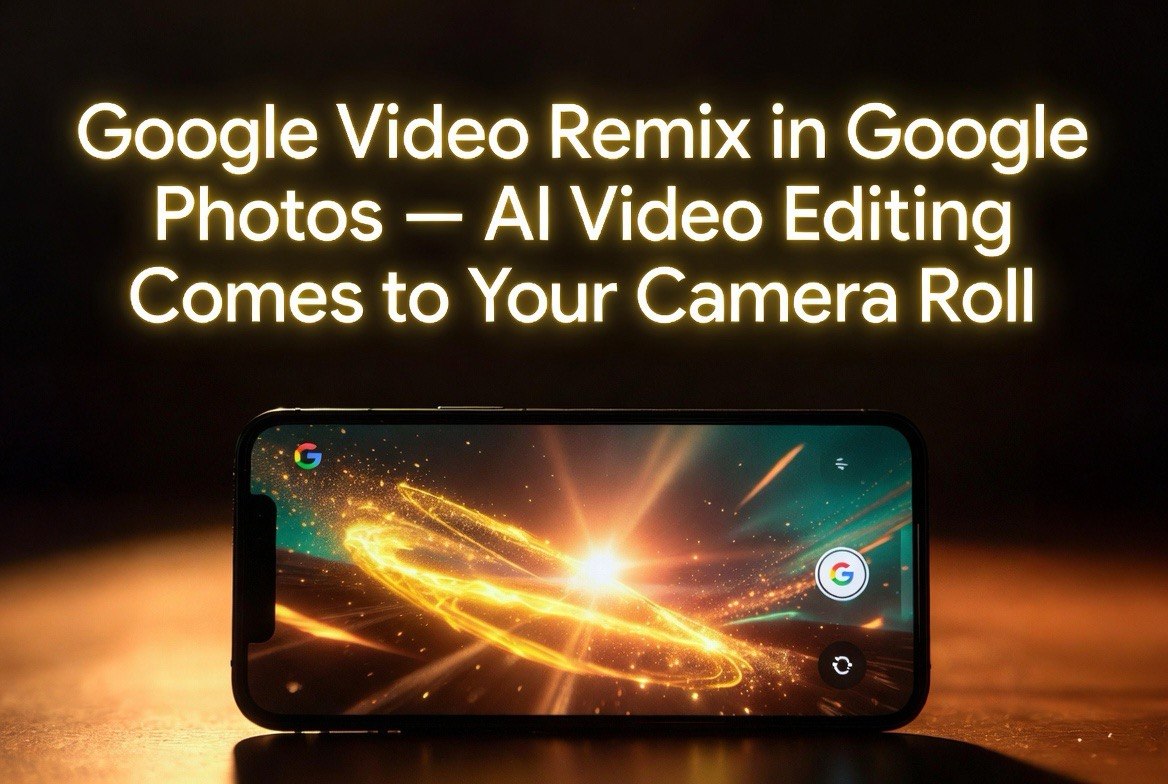
Google Video Remix in Google Photos — AI Video Editing Comes to Your Camera Roll
Get The Faceless YouTube Blueprint — Free
The exact AI tool stack and workflow used to build a faceless YouTube channel from zero.
Google Video Remix in Google Photos — AI Video Editing Comes to Your Camera Roll
⚡ Expert Summary: Google launched Video Remix in Google Photos, powered by Gemini Omni AI, letting users transform and remix existing video clips into new styles and formats directly inside the Photos app. Available for Google AI Plus, Pro, and Ultra subscribers. For content creators, this marks the moment AI video editing moves from specialized tools to consumer apps, making casual video creation accessible to every creator with an Android phone.
Google just made AI video editing something you do in your camera roll instead of a separate app.
Video Remix, launched in early July 2026 for Google AI Plus, Pro, and Ultra subscribers in select countries, is the first major Gemini Omni-powered feature to land in consumer Google Photos. It lets users take existing video clips and transform them into entirely new formats with a text description. Describe the new style, and the AI reinterprets your footage accordingly.
For content creators, this is the most significant consumer AI video feature since Google added Magic Editor to Photos two years ago. It signals that AI video editing is no longer a specialized tool for dedicated creators. It is becoming a built-in feature of the apps every smartphone user already has.
What Video Remix Actually Does
Video Remix is not a video generator. It is a video transformer. You start with footage you already shot or downloaded. You describe how you want it reimagined, and Gemini Omni generates a new version that follows your description while maintaining the core content of the original.
Practical use cases include:
- Style transfer: Turn a standard talking-head video into an animated, cinematic, or retro-styled version while keeping the audio and timing intact.
- Format conversion: Remix a horizontal video into a vertical format optimized for Shorts or Reels, with the AI intelligently recomposing the frame rather than simply cropping.
- Background and environment changes: Replace the background of a video clip with a different setting while maintaining realistic lighting and perspective on the subject.
- Visual enhancement: Upgrade lower-resolution or poorly lit footage into cleaner, better-looking versions with improved color grading and detail.
- Creative reinterpretation: Provide a creative prompt like “make this look like a vintage film” or “turn this into a cyberpunk night scene” and receive a reimagined version of your footage.
The feature runs entirely in the cloud through Gemini Omni, so there are no hardware limitations on device. Processing happens on Google servers, and the result is saved back to your Google Photos library.
How Video Remix Changes the AI Video Tools Landscape
The AI video editing market has been dominated by specialized tools: Runway for professionals, CapCut for social media creators, and an expanding field of AI video generators like Seedance, Kling, and Veo for creating footage from scratch. Video Remix occupies a different position entirely.
It is not the most powerful AI video editing tool available. Runway Gen-4 offers far more granular control through motion brushes, timeline editing, and Director Mode. CapCut offers deeper timeline editing and template-based workflows. Seedance 2.5 generates entirely new footage rather than remixing existing clips.
But Video Remix is the easiest to access. It lives inside an app that hundreds of millions of Android users already open daily. There is no separate subscription for the feature. There is no new tool to learn. If you have Google Photos and an AI subscription tier, you already have it.
This matters for the same reason Instagram Stories won over Snapchat: distribution beats features when the feature is good enough. For the content creator who needs to repurpose existing footage into multiple formats for different platforms, Video Remix eliminates the most painful step in the workflow: opening a separate editing tool, importing footage, and navigating a timeline.
The result is more content iteration. Creators who might have shot one video and left it as is can now generate multiple variations in minutes. The barrier to trying a different format, style, or treatment drops to effectively zero.
What Google AI Subscription You Need
Video Remix is not available on the free tier of Google Photos. It requires one of three subscription levels:
- Google AI Plus: The entry-level AI subscription, priced competitively against other AI services, includes Video Remix along with other Gemini features across Google apps.
- Google AI Pro: Adds higher usage limits, faster processing, and priority access to new features as they roll out.
- Google AI Ultra: The top tier with maximum usage limits, 4K output support, and early access to experimental features before general availability.
For most content creators, AI Plus is sufficient for casual use. Pro makes sense for creators producing multiple remixed clips daily. Ultra is appropriate for professionals who need high-volume, high-resolution output for client work.
The feature initially launched in select countries with English language support. Broader language and region availability is expected to roll out over the following weeks as Google tests infrastructure capacity.
What Creators Should Know About Video Remix Limitations
Video Remix is powerful, but it is not a complete video editing solution. Understanding its limitations helps creators decide when to use it versus dedicated tools.
Output resolution varies by tier. AI Plus and Pro users may receive output at lower resolutions than their source footage. Ultra tier is required for full-resolution 4K output. For creators needing high-resolution deliverables, the tier matters.
Processing time is not instant. Each remix generation takes 15 seconds to several minutes depending on clip length, complexity of the transformation, and current server load. This is faster than manual editing but slower than a filter. It is best suited for non-real-time workflows.
Audio is preserved but not regenerated. Unlike Seedance 2.5 unified audio-video generation, Video Remix keeps the original audio track and transforms the visual component only. For projects needing synchronized audio changes, additional tools are required.
The feature is cloud-dependent. No internet connection means no Video Remix. For creators who work in locations with unreliable connectivity, local editing tools remain necessary for production work.
Style consistency is not guaranteed across multiple remixes. Each remix is an independent generation. If you need a consistent visual style across dozens of clips, you will need to use the same prompt and reference settings carefully to maintain coherence.
Why Google Entered Consumer AI Video Editing Now
The timing of Video Remix is not accidental. Google has been building toward this moment since the Gemini Omni unveiling at I/O 2026, where the company demonstrated a multimodal AI that could process text, images, audio, and video in a single unified model. Video Remix is the first consumer-facing application of that capability at scale.
Google strategy is visible in the rollout structure. By launching on the AI subscription tiers rather than the free tier, Google is testing demand and usage patterns while collecting data on how creators and consumers actually use AI video editing. The feature set will expand based on real usage data, not product manager assumptions.
For the broader AI video market, this signals the beginning of a platform shift. When a company with Google distribution and infrastructure enters consumer AI video editing, it raises the baseline expectation for every other tool. Features that were premium selling points for specialized apps last year become table-stakes features this year. The winners will be the tools that offer either significantly more capability for professionals or significantly better integration for the mass market.
Video Remix is clearly aiming for the mass market. It is not trying to compete with Runway on creative control. It is trying to make AI video editing so easy that casual users do it without thinking. That is a bigger market than professional video editors, and Google knows it.
For content creators, the practical implication is straightforward: the AI video editing features you will use most often are increasingly going to be built into the apps you already use. Google Photos for casual remixing. CapCut for social media templates. Adobe Premiere Pro for professional production. The market is stratifying by skill level, and the middle ground is getting crowded.
How US Content Creators Can Use Video Remix Today
The most immediate value for content creators is format expansion. Most creators shoot in one format — horizontal for YouTube, vertical for Shorts, square for Instagram — because reformatting footage is tedious. Video Remix eliminates that friction.
A creator shooting a horizontal product review can remix it into vertical format for TikTok and a square format for Instagram in minutes, with the AI handling the recomposition. The original video becomes the source for three platform-specific versions with no manual editing.
The style transformation feature opens another workflow: A/B testing creative directions. Shoot one clip, generate five visual treatments, and test which performs best across platforms and audiences. The cost of creative experimentation drops from hours of manual editing to minutes of AI processing.
For creators managing multiple client accounts or content categories, Video Remix also serves as a quick turnaround tool for unexpected needs. A client requests a different visual treatment of existing footage? Generate and deliver in minutes rather than scheduling a studio session.
This is not a replacement for professional editing tools. It is a bridge between raw footage and finished content for the scenarios where professional editing is overkill. For every creator who posts multiple times per week across platforms, those scenarios are most of their workflow.
Frequently Asked Questions
Is Google Video Remix free?
No. Video Remix requires a Google AI Plus, Pro, or Ultra subscription. It is not available on the free tier of Google Photos.
What countries is Video Remix available in?
The feature launched in select countries in early July 2026. Google has announced broader rollout over subsequent weeks, with English language support available at launch and additional languages following.
Can I use Video Remix on existing videos in my library?
Yes. Video Remix works with any video already stored in Google Photos. You select a clip from your library, describe the transformation, and the AI generates the remixed version alongside the original.
Does Video Remix work on iPhone?
Yes. Google Photos is available on iOS, and Video Remix works through the app on iPhone and iPad. However, deeper Google AI integration advantages may favor Android users.
How does Video Remix compare to CapCut or Runway?
CapCut and Runway offer deeper editing controls and more precise output. Video Remix wins on convenience and speed for quick transformations. For edited multi-layer timelines, use CapCut or Runway. For quick remixes of existing footage, use Video Remix.
Will Video Remix eventually be available without a subscription?
Google has not announced plans to offer Video Remix on the free tier. The feature is positioned as a premium AI offering alongside other Gemini capabilities across Google products.

About Barak Schurr
Barak Schurr is a serial entrepreneur who built and exited a major ticketing platform before turning his attention to AI and content. He runs three AI-focused research sites and writes about the tools, workflows, and strategies that let solo creators build real channels — without a crew, a studio, or a Hollywood budget.
Email: [email protected]