Runway Aleph 2.0 Keyframe Editing: How to Direct AI Video With Precise Control
Get The Faceless YouTube Blueprint — Free
The exact AI tool stack and workflow used to build a faceless YouTube channel from zero.
Runway Aleph 2.0 Keyframe Editing: How to Direct AI Video With Precise Control
⚡ Expert Summary: Runway’s Aleph 2.0 brings keyframe-level editing to AI video, giving creators precise control over subject appearance, camera angles, lighting, and scene composition. The new Figma Weave integration turns prompt-based generation into a structured, node-based workflow. For video creators and small business owners, this means AI video stops being a guessing game and becomes a real production tool — but only if you understand the workflow.
What Is Aleph 2.0 and Why Does It Matter?
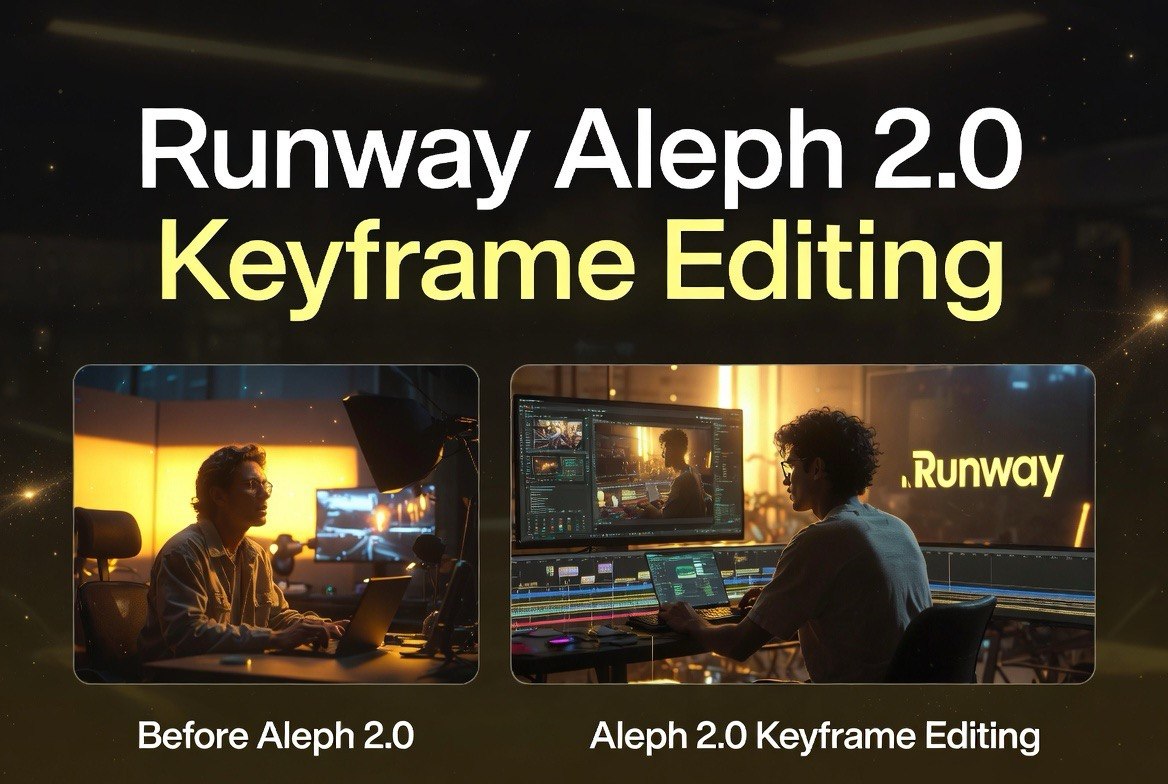
Runway launched Aleph 2.0 in late May 2026 as an upgrade to its in-context video editing model. Unlike earlier AI video tools where you typed a prompt and hoped for the best, Aleph 2.0 lets you edit individual keyframes and propagate those changes across a clip while preserving everything else.
That’s a bigger shift than it sounds. Since Sora launched in early 2024, most AI video has worked like a slot machine — pull the lever, see if you win. Want a blue car instead of a red one? Better luck next pull. Aleph 2.0 flips that model. You upload footage, select a keyframe, edit it (change the color, swap an object, adjust the lighting), and the model applies that edit consistently through the rest of the timeline.
Runway claims the model handles clips up to 30 seconds long and supports multi-shot sequences with consistent characters and environments. According to Runway’s official product page, Aleph 2.0 “lets you direct every frame without reshooting or regenerating from scratch.”
For small businesses creating video ads, product demos, or social content, that’s the difference between a tool you experiment with and a tool you actually work with.
Keyframe Editing in Practice
The core workflow runs inside Runway’s Edit Studio:
Step 1: Upload your source footage. This can be live-action video, AI-generated clips from Gen-4.5, or screen recordings for product walkthroughs.
Step 2: Select one or more keyframes as reference points. These are the frames you want to change.
Step 3: Edit the keyframe using text prompts or direct manipulation. Want to change the background from a coffee shop to a modern office? Edit the keyframe, and Aleph 2.0 figures out how that transformation should play across adjacent frames.
Step 4: Preview, iterate, and render. Because the model tracks subjects through the clip, changes to a character’s appearance in frame 12 persist through frame 200.
This matters most for commercial video. A restaurant owner shooting a short promo can change the menu board, adjust the lighting, or swap the featured dish in post without reshooting. A product creator can change packaging colors or add seasonal elements. A real estate agent can edit a virtual walkthrough to match different staging styles.
The Medium article on Aleph 2.0’s capabilities put it bluntly: “You filmed it wrong. Aleph 2.0 just fixed it.” That’s the value proposition — edit after the fact, not during production.
Figma Weave: Where the Magic Happens
Figma Weave (the rebranded Weavy platform) launched a node-based AI workflow canvas around mid-June 2026, and Aleph 2.0 is now available as a node inside it. This is where the tool goes from impressive to genuinely useful.
Instead of running each edit as a one-off task inside Runway’s interface, Weave lets you chain multiple Aleph 2.0 nodes together in a visual canvas. You can build a workflow that starts with a reference image, runs it through Aleph 2.0 for environment transformation, feeds the output into a compositing step, then routes to a final render node.
The Figma team positioned Weave as “a creative operating system for AI” — not a single tool, but a workspace where models like Aleph 2.0, Stable Diffusion, and GPT-4o can coexist and pass data between each other. According to Figma’s official blog post announcing the integration, users can “build multi-step sequences on the Weave canvas for precise, frame-level direction.”
For content creators, this means repeatable workflows. You design a “product ad” template once in Weave (reference image → keyframe edits → background swap → final render), then run new products through it without reinventing the process each time.
What Is the Recipes API?
Runway also launched Recipes — pre-built API endpoints for specific use cases. Instead of building custom pipelines from scratch, you can call a Recipe for product background swaps, character consistency across multiple scenes, or automated social media clip generation.
Each Recipe is essentially a pre-configured Aleph 2.0 workflow designed for a specific commercial need. Runway’s documentation indicates these are available through their API tier, letting developers and agencies integrate Aleph 2.0-powered editing directly into their production pipelines.
For a video agency serving restaurant clients, a Product Swap Recipe could batch-replace menu items across 50 videos in minutes. For a real estate team, a Virtual Staging Recipe could apply different furniture styles to the same walkthrough without re-editing every frame.
The Recipes approach signals where Runway is heading — not just a creative tool, but a production infrastructure play competing with platforms like Kling’s API on fal.ai and Pika’s MCP agent network.
Comparison: Aleph 2.0 vs. Kling 3.0 Turbo vs. Pika MCP
Aleph 2.0 isn’t the only AI video tool pushing for precise control in mid-2026. Here’s how the three leading platforms compare on editing control:
| Feature | Runway Aleph 2.0 | Kling 3.0 Turbo | Pika MCP |
|---|---|---|---|
| Editing approach | Keyframe-based editing | Multi-shot storyboarding | Agent-driven skill pipeline |
| Max clip length | ~30 seconds | 3-15 seconds (4K), longer in standard | Short-form clips |
| Resolution | Up to 1080p | Native 4K (dedicated endpoint) | 1080p |
| Best for | Post-production editing, corrections | Cinematic generation, style reference | Social content, creator workflows |
| API access | Recipes API + SDK | fal.ai endpoints | MCP protocol |
| Key differentiator | Edit existing footage with keyframes | Style reference + native 4K | AI agent automation |
Who Should Invest in the Aleph 2.0 Workflow?
Aleph 2.0 plus Figma Weave is a serious tool, but it’s not free. Runway’s professional tier starts at $50/month for higher-resolution exports and API access, while the Recipes API is billed per-generation. For a small business producing 5-10 video ads per month, the cost is manageable — roughly equivalent to one hour of professional editing time.
The real ROI comes from iteration speed. A video editor who charges $150/hour can adjust one or two elements per session. With Aleph 2.0 and Weave, a business owner can test 10 different product angles, lighting setups, and background styles in the time it takes to schedule a single editing session.
Startups and solo creators should focus on the Figma Weave workflow first. The node-based canvas lowers the barrier to building repeatable production pipelines, and the Recipes API handles the heavy lifting for common use cases like product swaps and background changes.
Agencies and production houses should explore the API tier for batch processing. If you’re producing 50+ videos per month, the time savings from automated keyframe editing versus manual post-production easily justify the subscription cost.
Restaurant groups and retail chains — both common audiences for AIVA’s content — should look at the Product Swap Recipe specifically. Running seasonal promotions across multiple locations means swapping menu items, pricing cards, and logo overlays. Aleph 2.0 does in minutes what a video editor would bill half a day for.
The Bottom Line
Aleph 2.0 represents a genuine step forward for AI video: editing control that actually works. The combination of keyframe-based editing, Figma Weave for workflow automation, and Recipes for production-scale tasks makes Runway the most practical option for creators who need to produce consistent commercial video at scale.
The main limitations are resolution (1080p caps compared to Kling’s 4K) and the learning curve around the Weave canvas — it’s not a one-click tool. But for the use case it targets (edit footage you already have, don’t regenerate from scratch), Aleph 2.0 is the strongest option available in mid-2026.
Runway’s London HQ opening and expanded Lionsgate partnership suggest the company is betting on professional adoption over consumer virality. For video creators who think of AI as a production partner rather than a toy, that’s a good sign.
Frequently Asked Questions
What’s the difference between Aleph 2.0 and Gen-4.5?
Gen-4.5 generates video from prompts and images. Aleph 2.0 edits existing video by changing individual keyframes. They work together: generate with Gen-4.5, edit with Aleph 2.0.
Can I use Aleph 2.0 without Figma Weave?
Yes. Aleph 2.0 works inside Runway’s own Edit Studio. Figma Weave adds the node-based workflow canvas for chaining multiple AI tools together.
Does Aleph 2.0 require original footage?
No. You can upload any footage — live-action, AI-generated, screen recordings — as long as you have the rights to edit it.
How long does each edit take?
Most keyframe edits process in 30-90 seconds on Runway’s servers, depending on clip length and resolution.
Is Aleph 2.0 available on the mobile app?
Currently only through Runway’s web interface and API. The mobile app supports basic Gen-4.5 generation but not Aleph 2.0 keyframe editing.
How much does Runway cost for Aleph 2.0 access?
Aleph 2.0 is included in Runway’s Pro plan at $50/month. Higher usage tiers and API access are priced per-generation above that.

About Barak Schurr
Barak Schurr is a serial entrepreneur who built and exited a major ticketing platform before turning his attention to AI and content. He runs three AI-focused research sites and writes about the tools, workflows, and strategies that let solo creators build real channels — without a crew, a studio, or a Hollywood budget.
Email: [email protected]