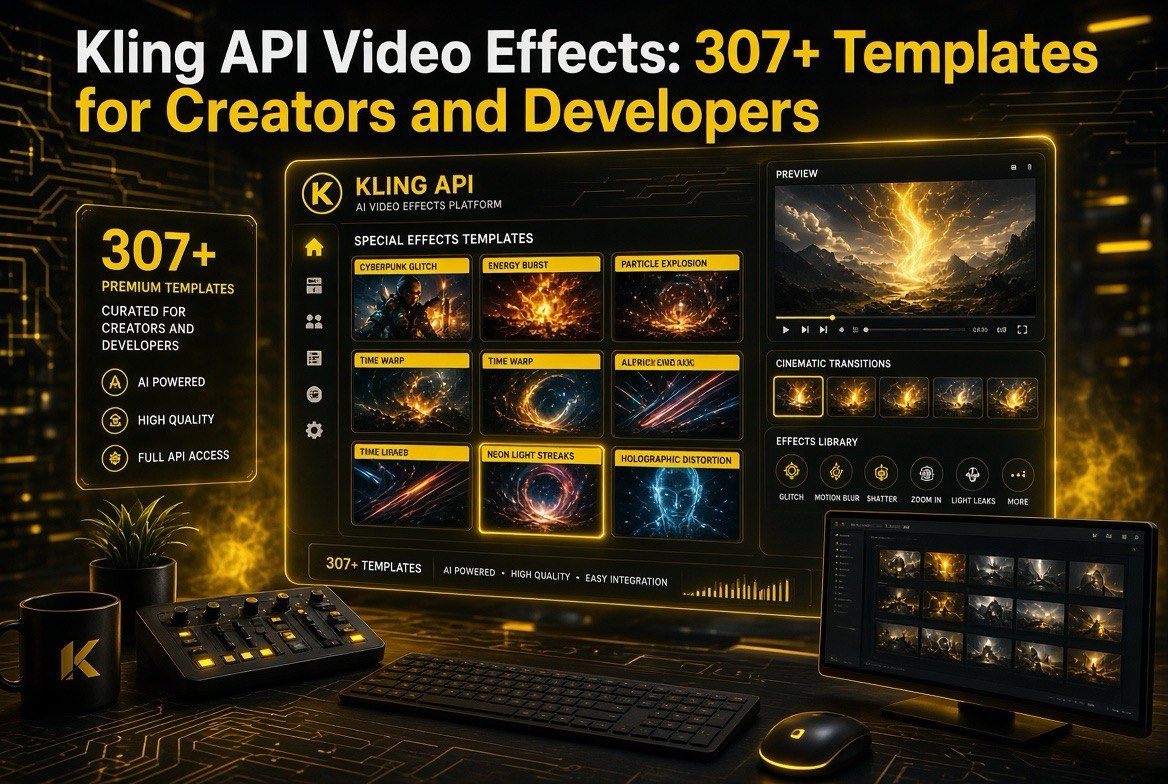
Kling API Video Effects: 307+ Templates for Creators and Developers
Get The Faceless YouTube Blueprint — Free
The exact AI tool stack and workflow used to build a faceless YouTube channel from zero.
Kling API Video Effects: 307+ Templates for Creators and Developers
Expert Summary: Kling AI has rolled out a dedicated video-effects API with over 307 special-effect templates, letting developers and creators apply finished effects — sports-style overlays, anime looks, cinematic transitions — through a simple endpoint instead of manual editing. It pairs with Kling 3.0’s native audio and lip-sync so you get effects, sound, and speech in one call. This matters if you build video tooling or want to stop hand-eyeballing every effect in a timeline editor.
Kling AI just expanded its developer API with a dedicated video-effects system — 307+ special-effect templates, three effects endpoints, and webhook-triggered task completion. For a creator or indie developer, this is the difference between hand-building every transition in an editor and calling one endpoint to apply a finished effect. Here is what actually launched, how the effects API works, what it costs, and whether it belongs in your video workflow.
Every serious AI video workflow eventually hits the same wall. You can generate great footage with a text-to-video model, but then the content still needs polish — a transition here, an effect there, a look applied across a whole clip. That polish is where most creators fall back to a timeline editor and spend an afternoon clicking. Kling’s new effects API is aimed at that exact gap: the ability to apply a finished, consistent effect to a video programmatically, in a single API call.
It is the kind of update that does not make a flashy headline, but it quietly changes how much manual work a video pipeline needs. Here is what shipped, what it does, and who should care.
What the New Video Effects API Still Needs to Be Clear
Let me be upfront about nomenclature. Kling’s developer platform has been expanding quickly through 2026, and the effects system is part of that broader push. The core pieces, as documented on the Kling developer platform:
- A dedicated effects API with its own templates list, create-task, and query endpoints — separate from the text-to-video and image-to-video flows.
- 307+ special-effect templates, described as continuously updated for new scenarios and interactive effects.
- Webhook support so your app gets pinged when a task finishes instead of polling.
- Signature and secret management for reliable, authenticated integrations.
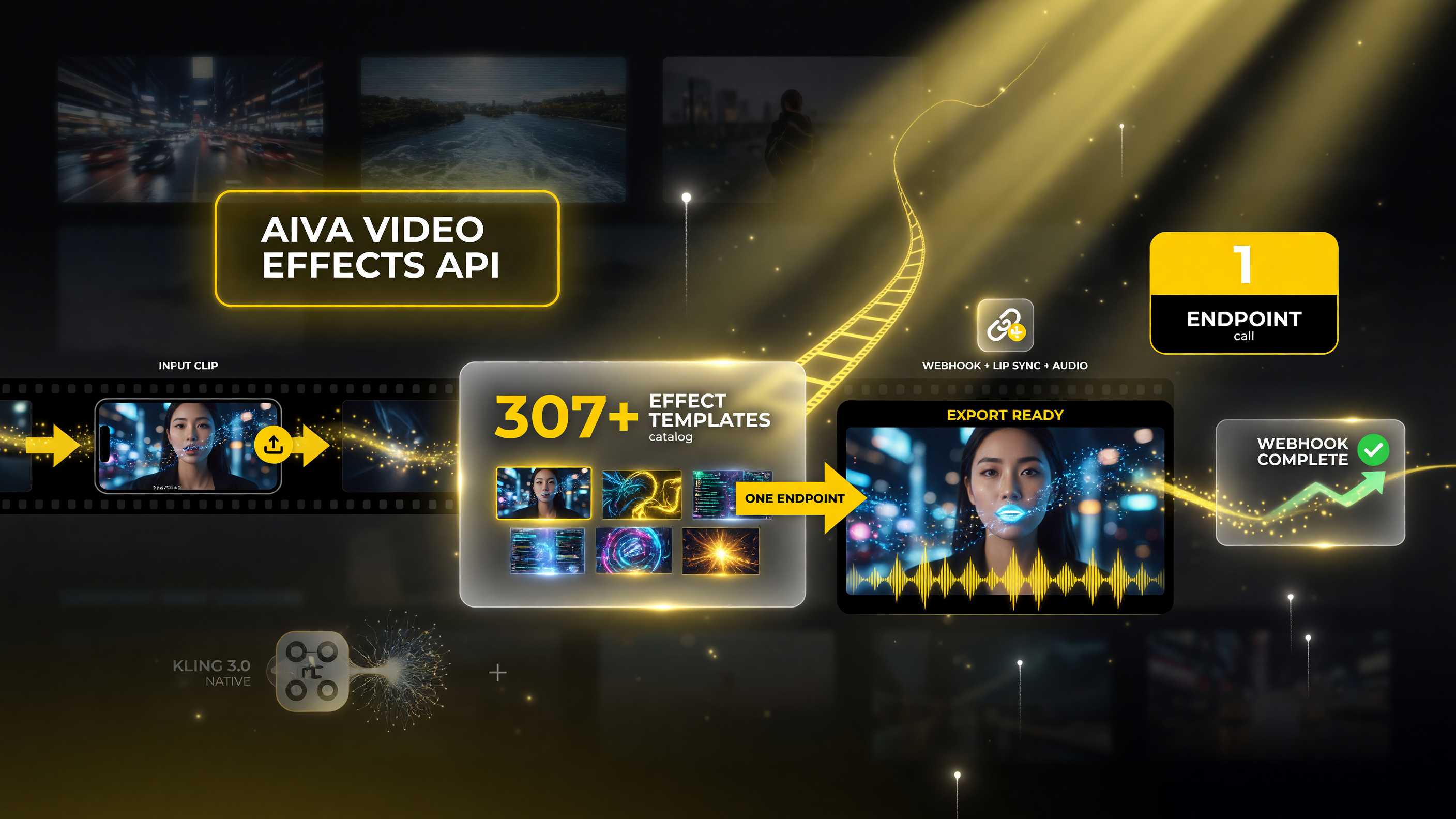
The effects catalog: a finished template applied through one endpoint instead of manual editing.
In plain terms: you send a video, pick a template, and the API returns the version with that effect applied. No keyframe animation, no rotoscoping, no manual color pass. You call the endpoint and move on.
That may not sound dramatic if you have never done the manual version. But anyone who has built short-form content at volume knows how quickly the finishing work stacks up. Apply a speed-ramp here, a color grade there, a transition between two clips — across a week of output, that is hours. The effects API compresses those hours into a few requests, and because the templates are consistent, your whole batch comes out looking uniform instead of slightly off from clip to clip.
How the Kling Video Effects API Fits the 3.0 Lineup
To understand where effects sit, it helps to see the whole Kling 3.0 stack, because the effects work best when it is combined with what the 3.0 models already do. The 2026 lineup is built around Kling 3.0 and 3.0 Omni, both unified multimodal models that do a lot in a single call:
- Native audio — music, ambient sound effects, and voice narration generated in sync, in multiple languages including Chinese and English.
- Lip sync — dialogue with precise mouth movement, built in rather than bolted on after.
- Multi-shot storyboarding — up to roughly six shots with automatic transitions, for longer narratives without stitching clips manually.
- Camera trajectory controls — presets like dolly, orbit, and tilt, or keyframe-defined camera paths.
- Element and character consistency — using video references so the same character or prop carries across shots.
The effects API sits on top of that. Generate your base footage with 3.0, apply an effect template through the effects endpoint, and the result keeps the quality rather than feeling like a filter slapped over the top.
The Three Ways Creators Actually Use This
The practical value differs by what you produce. Here are the three workflows where the effects API pulls real weight:
1. Short-form social content. If you publish to TikTok, Reels, or Shorts, you already know the game: the same base clip, restyled or re-effected for each platform and each trend. Instead of re-editing by hand, you call the template, get the styled version, and post. When a new effect trend hits, you apply it to a batch of clips rather than manually recreating it across every one.
2. E-commerce and product ads. Kling’s 3.0 models are widely used for product videos with consistent characters and props via references. Adding the effects layer means a clean product shot becomes a cinematic ad spot programmatically — motion, glow, or transition applied consistently across a full catalog, not one video at a time.
3. Programmatic pipelines and AI agents. For developers, this is the big one. Instead of a human editing each output, an agent can generate footage, apply an effect, add native audio, and export — all through API calls with webhooks keeping the loop alive. That is how you scale video production to hundreds of clips without scaling headcount.
| Workflow | What It Needs | Effect Role | Best Fit |
|---|---|---|---|
| Short-form social | Daily clips, trend-reactive, fast turnaround | Restyled effects applied per platform/trend | Creators posting on Reels, Shorts, TikTok |
| E-commerce product ads | Consistent characters/props across a catalog | Cinematic transitions and glow applied en masse | Product teams with many similar clips |
| Programmatic pipelines | Generate, effect, export without human editing | API call + webhook-driven task completion | Developers and AI agents scaling to hundreds of clips |
How the effects API maps onto the three highest-value creator workflows.
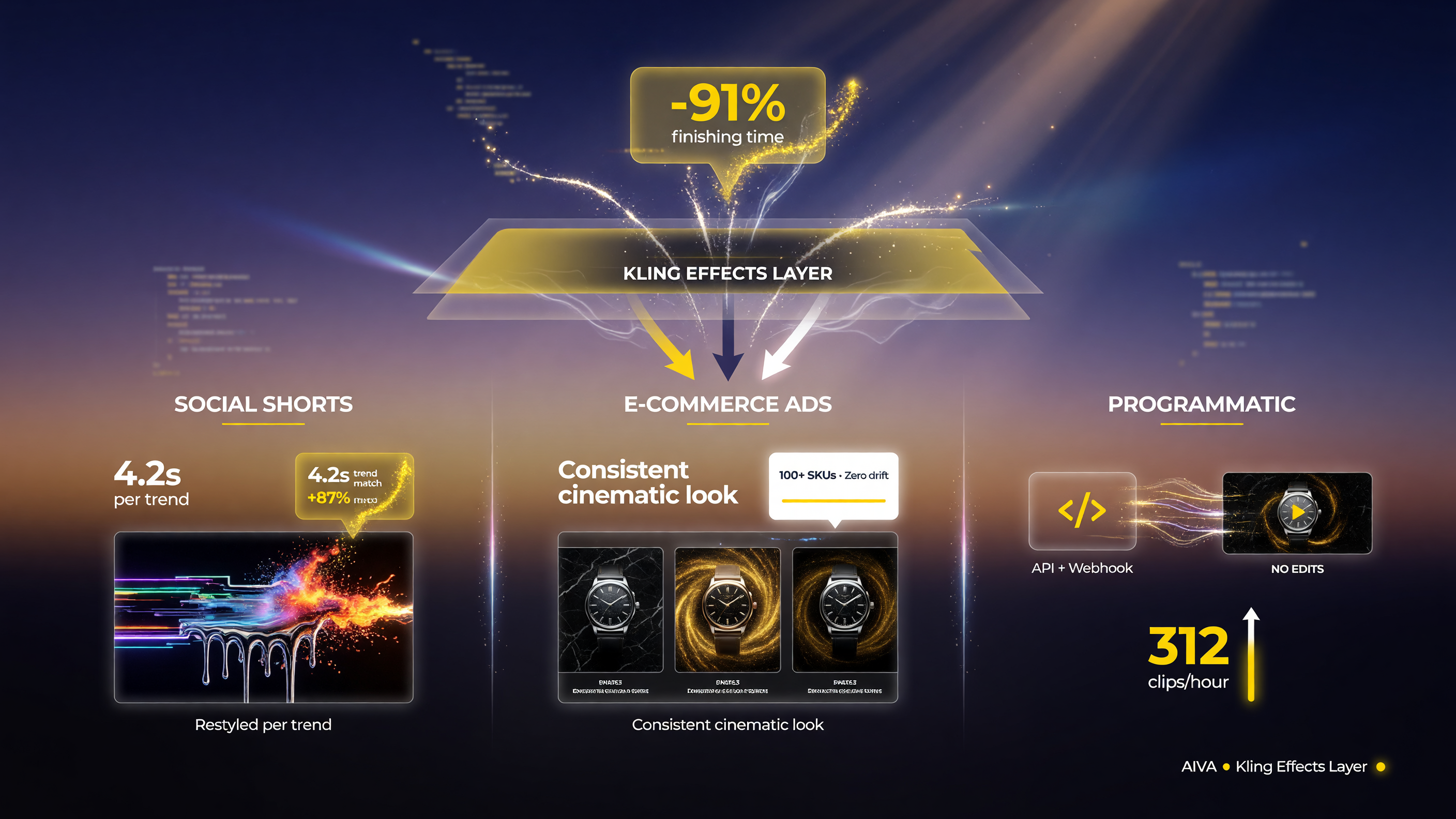
Three ways the effects layer compresses finishing time across social, ads, and pipelines.
What It Costs and the Video Effects Pricing
Pricing varies by template and model tier, and Kling works on a unit/credit system where a unit is roughly $0.14 at reference rates. Effects templates carry their own cost on top of the base video generation. A practical way to think about it: generating a short clip runs in the range of about $0.14 to $0.56 for a several-second output across different modes, and the effect template adds its own charge. Third-party providers like PiAPI and EvoLink often broker the same models at lower rates if you are building on someone else’s console.
The honest cost picture is this: the effects API is not going to be cheaper than doing nothing. It is going to be cheaper than paying a human editor to apply the same effect by hand across dozens of clips. If you produce at volume, the per-clip API cost almost always beats the per-clip editing labor.
Do not take these numbers as fixed — Kling updates pricing regularly and templates have individual costs. Check the developer console for current rates before you build a budgeting model around it.
Kling 3.0 vs. the Effects API vs. Editing Software
The question most creators ask is whether the effects API replaces their editor. It does not, and you should know the boundary now:
- Kling 3.0 models generate the footage — the shots, the motion, the characters, the native audio.
- The effects API applies a finished effect template to that footage — the look, the transition, the stylized finish.
- A timeline editor still owns fine control — precise cuts, exact timing, layered audio, anything custom.
Think of the effects API as automating the repetitive 20% that currently eats most of your finishing time, not as a replacement for deliberate creative editing on the pieces that truly need a human touch. The creators and teams getting the most out of it are the ones who let the API handle the bulk work and save the editor for the hero shots.
There is also a reliability angle worth naming. When a human edits fifty clips, fatigue sets in and consistency drifts — the third clip’s effect looks different from the fortieth’s. A template applied through an API is identical every time. For brands that need a uniform look across a product line or a creator who posts daily, that consistency is not a small perk; it is the entire point. The audience sees the same signature style on every post, which is exactly what builds a recognizable channel.
And because the effects tier sits inside the same developer platform as the generation models, you are not stitching together five separate vendors. Generate, effect, add audio, export — the whole chain lives behind one set of credentials and one billing relationship. Fewer integrations means fewer things to break when you scale from a side project to a real pipeline.
There is a distinct advantage here for anyone building a product rather than just making content. Because the effects are exposed as a real API with documented endpoints and webhooks, you can build user-facing features around them — let your customers upload a clip and pick an effect from a gallery, then deliver the finished video back to them automatically. That is a whole category of product you could not build if the effects only lived behind a manual web editor. It turns a creative capability into a building block for software, which is where the developer angle becomes genuinely interesting.
Getting Started: The Developer Flow
If you want to try it, the flow is straightforward. Sign up at the Kling developer platform (kling.ai/dev), grab your API credentials, and hit the effects templates endpoint to see what is available. The create-task endpoint kicks off an effect job; the query endpoints check status; webhooks notify you when it completes. The documentation at kling.ai/document-api walks through the request shapes and includes the template catalog.
Because the effects system supports both single-task and batch parameters, you can fire off several effect jobs at once rather than waiting on each. That matters if you are processing a library of clips rather than a single video.
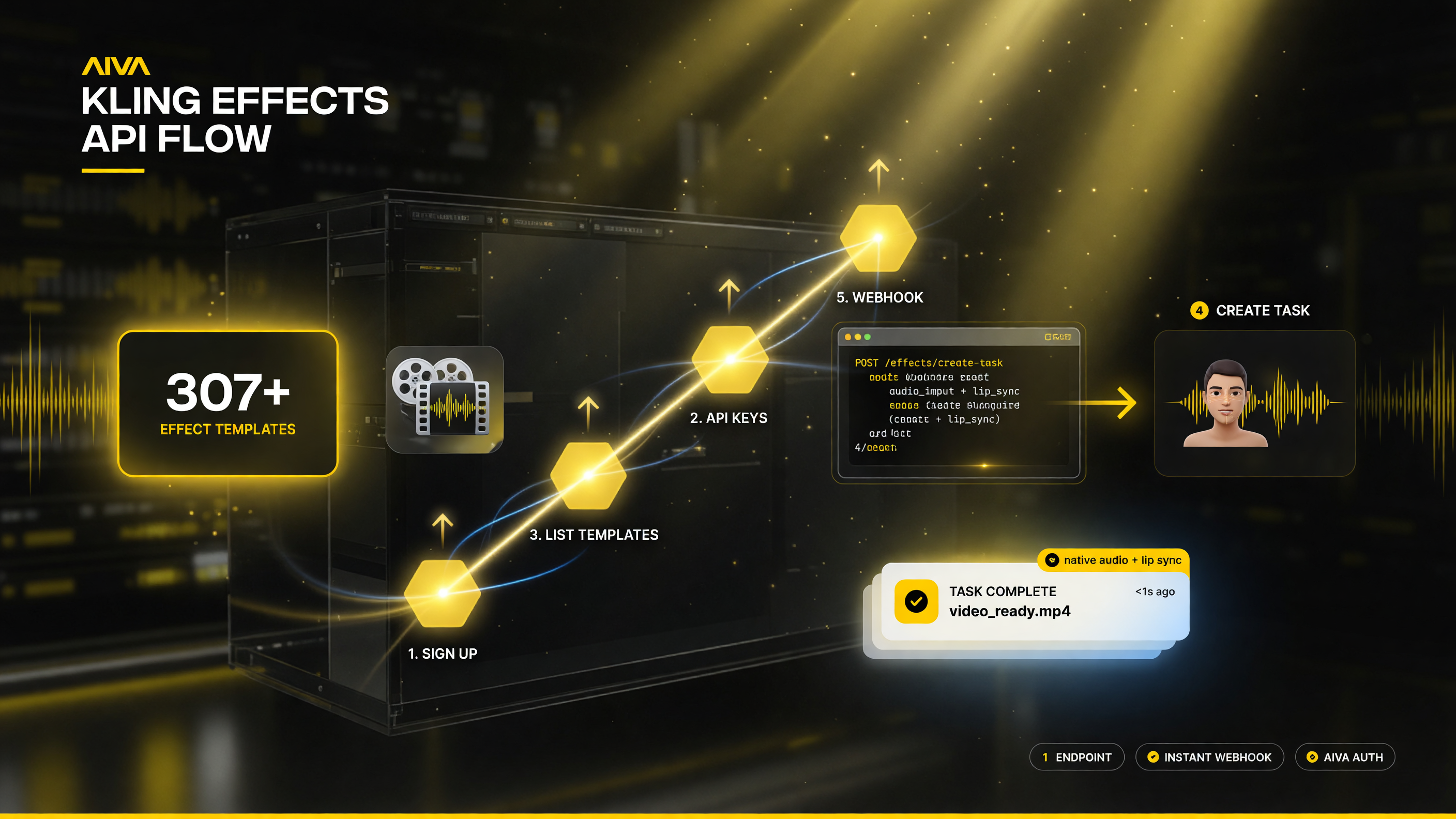
The full effects flow: sign up, grab credentials, list templates, create the task, get webhook completion.
One practical tip: start with the template list before you build anything. The right template changes the whole result, and scanning the catalog early saves you from wiring a workflow around an effect that does not actually fit your content style.
A second tip for teams: think about the effects catalog as something that will keep changing. The platform describes the templates as continuously updated for new scenarios and interactive effects, which means the ceiling is moving upward. An effect that fits your brand today may be joined by a better one next month, so keep the template lookup in your pipeline as a live call rather than a hard-coded ID. Design for change and the API keeps improving your output for free.
Frequently Asked Questions
What is the Kling video effects API?
It is a dedicated Kling developer API for applying special-effect templates to videos, with its own endpoints for listing templates, creating effect tasks, and checking results. It launched with over 307 templates and webhook support.
How many Kling effect templates are there?
Kling’s documentation lists over 307 special-effect templates, continuously updated for new scenarios and interactive effects.
Does the effects API include audio?
Kling 3.0 and 3.0 Omni generate native audio and lip-synced dialogue, so effects can be combined with synchronized sound and speech in a single workflow rather than requiring a separate pipeline.
How much does the Kling effects API cost?
Pricing varies by template and model tier, using a unit/credit system where a unit is roughly $0.14 at reference rates. Base clip generation and effect templates each carry their own cost; check the developer console for current rates.
Can I use Kling effects API for social media content?
Yes. It is well suited to short-form content, product ads, and programmatic pipelines where the same effect must be applied consistently across many clips without manual editing.
Is the effects API priced differently from text-to-video?
Effects templates have their own pricing on top of the base video generation cost, so a clip with an effect applied costs more than a bare generated clip. Providers like PiAPI and EvoLink may broker lower rates.

About Barak Schurr
Barak Schurr is a serial entrepreneur who built and exited a major ticketing platform before turning his attention to AI and content. He runs three AI-focused research sites and writes about the tools, workflows, and strategies that let solo creators build real channels — without a crew, a studio, or a Hollywood budget.
Email: [email protected]
More AI Resources