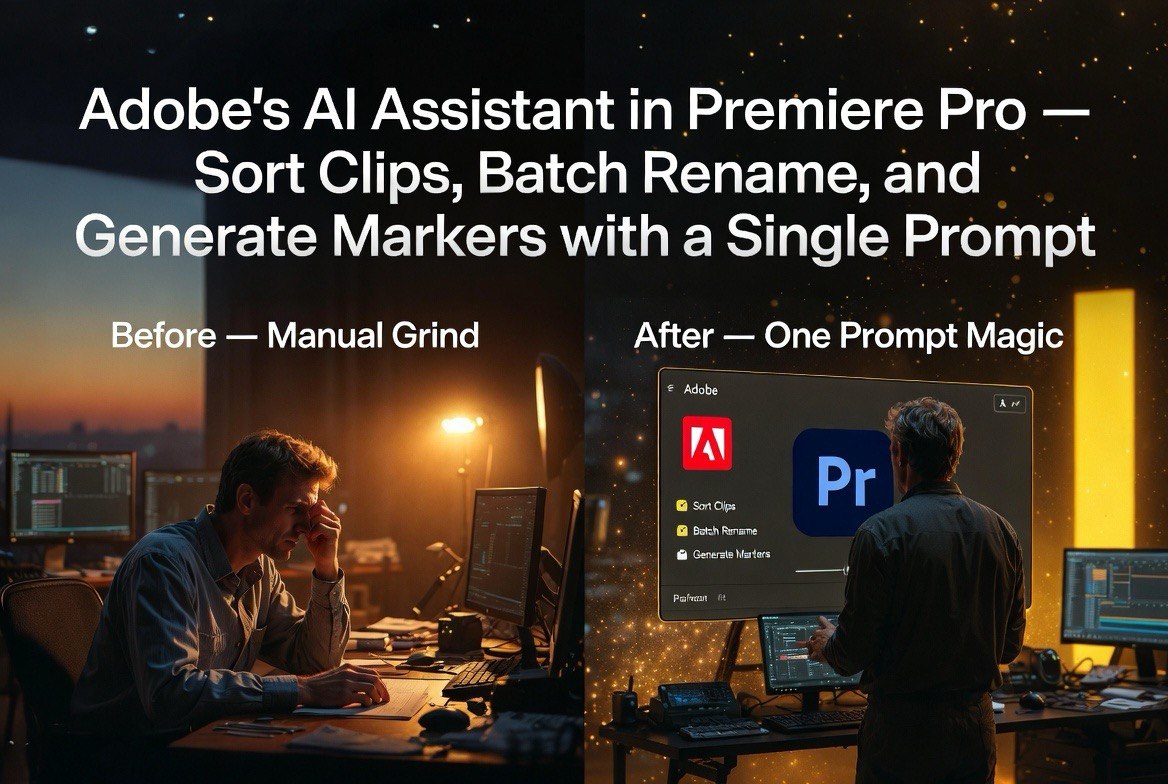
Adobe’s AI Assistant in Premiere Pro: Sort Clips, Batch Rename, and Generate Markers With a Single Prompt
Get The Faceless YouTube Blueprint — Free
The exact AI tool stack and workflow used to build a faceless YouTube channel from zero.
Adobe’s AI Assistant in Premiere Pro: Sort Clips, Batch Rename, and Generate Markers With a Single Prompt
⚡ Expert Summary: Adobe expanded its Firefly AI assistant into Premiere Pro, Illustrator, InDesign, and Frame.io on June 18, 2026 — giving video creators the ability to sort raw footage into organized bins, batch-rename clips, automatically identify interview questions across hours of footage, and add markers at relevant points. Beyond the per-app features, the update adds cross-app brand kit generation, reusable Elements (AI-generated characters and objects), and Project-based asset management. For video creators, this moves Adobe’s AI from a novelty that generates content into a practical assistant that makes the editing workflow dramatically faster. Here is exactly what changed and how it changes your daily editing process.
What Adobe Announced
Adobe’s Firefly AI assistant, previously available in Photoshop, Express, and Acrobat, has expanded to four more Creative Cloud applications: Premiere Pro, Illustrator, InDesign, and Frame.io. The update, announced June 18, 2026, represents Adobe’s most significant push to embed AI directly into professional creative workflows rather than offering it as a separate generative tool.
Each app gets assistant capabilities tailored to its specific workflow. For Premiere Pro users, the assistant can sort raw footage into labeled bins, batch-rename clips according to user-defined rules, identify interview questions and answers across hours of unmarked footage, and add markers at every relevant point. For video creators, these are not nice-to-have features — they replace tasks that currently consume 30-40% of pre-editing workflow time.
The assistant works through a combination of speech-to-text analysis (for interview identification), visual content understanding (for clip categorization), and natural language processing (for interpreting user instructions like “rename all interview clips with the format GuestName_Date_Take”).
What This Changes for Video Creators
Every video editor knows the pain of the “ingest hour.” You import 2-3 hours of raw footage, and before you can start editing, you need to scrub through everything, identify usable takes, rename clips from their camera-generated filenames (DJI_00145.MP4, C0035.MXF) to something meaningful, and organize them into a logical folder structure. For a one-hour interview edit, the ingest process alone can take 45-90 minutes.
The Premiere Pro AI assistant handles the first pass automatically. Import your footage, tell the assistant you want it sorted by shot type or date, and it processes the clips into labeled bins. If the footage contains interviews, the assistant identifies the question-answer structure — it can recognize segments where the interviewer is speaking versus the subject — and places markers at each transition.
Batch renaming is a smaller feature but one that saves disproportionate time. Anyone who has downloaded footage from multiple cameras knows the chaos of files named like “A001_C002_0618PC_R0T1.MOV” alongside “20260618-145523-0001.MP4.” The assistant can apply renaming rules across the entire project, standardizing filenames to your format in seconds.
These features do not replace the editor’s creative judgment. They remove the mechanical drudgery that precedes creative work. The difference between opening a project with 90 minutes of ingest ahead of you versus opening one where the footage is already organized and marked is the difference between dreading a project and diving into it.
The New Features Beyond Premiere Pro
While the Premiere Pro assistant is the headline for video creators, three additional features in the June 2026 update deserve attention because they change how video projects are structured across the Creative Cloud ecosystem:
Brand Kits: The Firefly AI assistant can now generate complete brand kits from a description or uploaded collateral. A creator producing videos for a client describes the brand — industry, style, audience — and the assistant outputs logo variations, color palettes, and typography recommendations. For video creators who work with multiple clients, this means starting every project with a pre-built visual system that ensures consistency across titles, lower thirds, and end cards.
Elements: AI-generated characters, objects, and locations can now be saved and reused across projects. If you create an AI-generated character for an explainer video series, you save it as an Element. The same character can then appear in a social media graphic in Illustrator, a presentation in InDesign, and a video thumbnail in Premiere Pro — all using consistent visuals created once.
Projects: Firefly now stores campaign assets in a shared workspace where team members can access the same context. A team working on a video series can keep all assets — scripts, storyboards, generated backgrounds, brand assets — in a single Projects folder with shared context. This is particularly useful for creators working with virtual assistants or small teams, where asset organization across tool boundaries has historically been a friction point.
How It Compares to the January 2026 Premiere AI Updates
Adobe’s January 2026 Premiere Pro update introduced Object Mask (AI-powered rotoscoping), 20x faster shape masks, and Firefly Boards integration for storyboarding. The January features were about improving specific editing operations — masking a subject, creating graphics, planning a project.
The June 2026 update addresses a different part of the workflow: the organizational and preparatory tasks that happen before creative editing begins. The two updates complement each other. January made the editing chair faster. June makes the preparation faster. Together, they compress the start-to-finish timeline for professional video production.
| Feature | January 2026 | June 2026 |
|---|---|---|
| AI masking / Object Mask | ✅ | ✅ (included) |
| Shape mask acceleration | ✅ | ✅ (included) |
| Firefly Boards storyboarding | ✅ | ✅ (included) |
| AI clip sorting and binning | ❌ | ✅ New |
| AI batch rename | ❌ | ✅ New |
| Interview marker detection | ❌ | ✅ New |
| Brand kit generation | ❌ | ✅ New (Firefly) |
| Cross-app Elements + Projects | ❌ | ✅ New (private beta) |
| ChatGPT / Claude / Copilot integration | ❌ | ✅ New |
The Bigger Picture: AI Assistant Becomes a Creative Co-Pilot
The June 2026 update reveals Adobe’s strategy for AI in Creative Cloud. Rather than building a single super-tool that can generate everything (the approach taken by Canva and some AI-native startups), Adobe is embedding AI assistance into each application individually, with cross-app connections that grow over time.
This approach has advantages for professional creators. The AI in Premiere Pro understands video editing workflows. The AI in Illustrator understands vector design. The AI in InDesign understands page layout. Each assistant is specialized rather than generalized, which means fewer hallucinations, more relevant suggestions, and a shorter path from instruction to usable output.
The ChatGPT, Claude, and Copilot integration is also significant. Users can trigger Adobe AI actions from within their existing AI chat tools. If you are planning a video project in Claude and need to generate initial assets, you can prompt Claude to create them in Firefly without switching interfaces. Adobe has announced plans to add Google Gemini and Slack support in the coming months, expanding the integration footprint further.
For video creators who work within a single Creative Cloud subscription, the cumulative effect of the January and June 2026 updates is a genuinely different editing experience. Object Mask changed how you handle complex footage. The AI assistant changes how you start every project. Neither is revolutionary alone. Together, they represent a measurable reduction in the time between opening Premiere and having a first draft ready.
Cross-App Automation: The Future Coming Later This Year
Adobe demonstrated a prototype in April 2026 of cross-app AI workflows that execute multi-step tasks across applications from a single instruction. A prompt like “extract the key scene from my Premiere project, color correct it in Photoshop, create a social media template in Express, and schedule it for posting” would trigger a chain of actions across four applications without manual handoffs.
That capability is not yet in general release, but it is coming. The June 2026 update — with Elements, Projects, and the expanded assistant — lays the technical foundation. For video creators, this means the current AI assistant is useful today, and it becomes significantly more useful as Adobe connects the pieces.
Pricing and Availability
The AI assistant features in Premiere Pro, Illustrator, InDesign, and Frame.io are included in existing Creative Cloud subscriptions at no additional cost. There is no premium AI tier — if you have a subscription that includes these applications, the AI assistant is available to you immediately upon updating.
Firefly as a standalone web app has a free tier with limited monthly generations. For full access to brand kit generation, Elements, and Projects features, a Creative Cloud subscription is required. The Photography plan starts at $10/month, single-app plans at $23/month, and the full suite at $55/month.
For video creators already paying for Premiere Pro — whether through the single-app plan at $23/month or the full Creative Cloud suite — the June 2026 AI assistant is a free upgrade that meaningfully reduces the time spent on pre-editing organizational tasks. The brand kit generation and Elements features add value for creators who produce content across multiple formats and need consistent visual systems.
How It Compares to AI-Native Video Tools
The June 2026 Adobe AI assistant update has been met with a predictable question from the aivideoadvisor.com community: does this make dedicated AI video tools like Descript, Runway, or Kling less relevant for editing?
The answer is no — but the relationship is shifting. Descript has dominated the AI-powered video editing space by offering features like text-based editing, filler word removal, and AI-powered clip organization. Adobe’s Premiere Pro assistant now offers similar organizational intelligence without requiring the user to switch tools or learn a new interface.
Where Descript still wins is accessibility. Its interface is designed for non-editors — podcasters, marketers, educators — who need to produce video without learning a traditional NLE. Premiere Pro, even with AI assistance, remains a professional tool with a steep learning curve. The AI assistant makes Premiere faster for people who already know it, but it does not make it accessible to beginners.
For video creators who use both tools, the optimal workflow is becoming clearer: use Descript for rapid editing and AI-powered content repurposing (turning a long-form video into clips), then use Premiere Pro with the AI assistant for projects requiring precise control, color grading, and multi-track audio management. The AI assistant handles the organizational overhead; the editor handles the creative decisions.
For creators who work exclusively in Runway or Kling for AI video generation, the Premiere Pro AI assistant is not relevant — those workflows are fundamentally about generating new footage rather than editing existing material. But for creators who shoot original footage and edit it in Premiere, the June 2026 update is the most practical AI improvement to the editing workflow since the January 2026 Object Mask release.
What Creators Should Do Today
If you use Premiere Pro, there are four things worth doing immediately after updating:
Update your ingest workflow. Set up a project template that includes your preferred bin structure and naming conventions. When you import new footage, run the AI assistant to sort and rename before you start editing. This changes the muscle memory of how you begin a project.
Test the interview marker detection on archived footage. Take a completed project with raw interview footage and run the assistant on it. Compare where it placed markers to where you would have placed them manually. This builds trust in the feature before you rely on it for a deadline project.
Create a brand kit in Firefly. Even if you work solo, creating a brand kit with your standard logo, color palette, and typography gives you a reusable starting point for titles, lower thirds, and end cards. The time invested now saves setup time on every future project.
Explore the export partner ecosystem. Claude Design exports to nine platforms including Canva, Adobe, and Vercel. If you use multiple tools in your workflow, the ability to start in one tool and finish in another without file conversion problems is a meaningful productivity gain.
Creators who watch for the cross-app automation update later this year — the feature that triggers a chain of actions across Premiere, Photoshop, and Express from a single instruction — should also be thinking now about how their workflows could be redesigned around automated task sequences. The creators who plan for that today will have a structural advantage when the feature arrives.
Frequently Asked Questions
What new AI features did Adobe add to Premiere Pro in June 2026?
The Firefly AI assistant in Premiere Pro can now sort raw footage into organized bins, batch-rename clips, automatically identify interview questions and answers across hours of footage, and add markers at relevant points. The assistant also integrates with ChatGPT, Claude, and Copilot for trigger actions from external AI tools.
How is the June 2026 Premiere AI update different from January 2026?
January 2026 focused on editing operations — Object Mask for AI rotoscoping, faster shape masks, and Firefly Boards for storyboarding. June 2026 focuses on pre-editing organization — clip sorting, batch renaming, interview markers, and cross-app features like brand kits and Elements. The two updates address different parts of the video production workflow.
Does the Adobe AI assistant cost extra?
No. The AI assistant features in Premiere Pro, Illustrator, InDesign, and Frame.io are included in existing Creative Cloud subscriptions at no additional cost. There is no premium AI tier. If your subscription includes these apps, the assistant is available upon updating.
Can the AI assistant work across multiple Adobe apps?
Currently, the assistant works within individual apps. The new Elements and Projects features enable asset sharing across applications. Adobe demonstrated full cross-app automation in April 2026 and expects to release it in a future update. The assistant already works with ChatGPT, Claude, and Copilot, with Google Gemini and Slack integration coming soon.
Will the AI assistant replace the need for an editor?
No. The AI assistant handles organizational and preparatory tasks — clip sorting, renaming, marker placement — that currently consume 30-40% of pre-editing workflow time. Creative decisions about pacing, narrative structure, transitions, audio mixing, and color grading still require human judgment and skill.
Is there a free version of the Adobe AI assistant?
Firefly has a free tier as a standalone web app with limited monthly generations. Full access to the AI assistant inside Creative Cloud applications — including Premiere Pro, Photoshop, Illustrator, and InDesign — requires a Creative Cloud subscription starting at $10/month for the Photography plan or $23/month for a single app.

About Barak Schurr
Barak Schurr is a serial entrepreneur who built and exited a major ticketing platform before turning his attention to AI and content. He runs three AI-focused research sites and writes about the tools, workflows, and strategies that let solo creators build real channels — without a crew, a studio, or a Hollywood budget.
Email: [email protected]
More AI Resources for Your Business