YouTube’s AI Content Labels & Likeness Protection: What Creators Must Know
Get The Faceless YouTube Blueprint — Free
The exact AI tool stack and workflow used to build a faceless YouTube channel from zero.
YouTube’s AI Content Labels & Likeness Protection: What Creators Must Know
\n\n
Here is the part of AI video nobody warns you about: the content is easy, and the disclosure is where creators get burned. YouTube just made that disclosure a whole lot more visible — and it is no longer optional if your AI content looks real.
\n\n
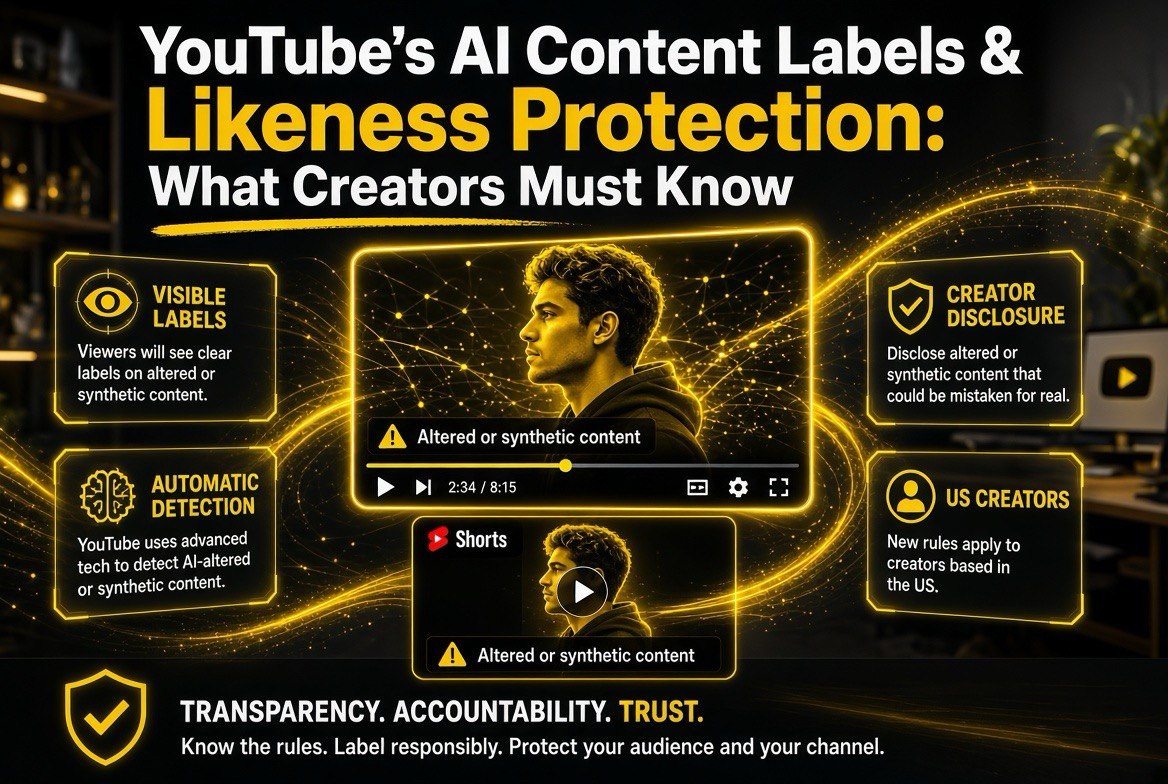
If you use AI to create, alter, or edit video, this update changes what happens the moment you hit upload. YouTube”s announced (May 27, 2026) new rules move the “Altered or synthetic content” label from the hidden confines of the description into a spot viewers actually see — below the video player on long-form, and overlaid directly on Shorts. Combined with automatic AI detection and permanent disclosure requirements for certain tools, this is the clearest signal yet that disclosure is now a core part of the creator job.
\n\n
For US creators especially, this is not a far-off policy debate. American audiences are among the most exposed to AI-generated video on the platform, and US regulators are watching how platforms handle synthetic media. The creator who understands these rules now — rather than after a flag or a takedown — is the one who keeps a clean channel, protects their audience”s trust, and avoids the scramble that hits everyone who treats disclosure as an afterthought.
\n\n
\n\n
The Old Label Was Easy to Miss. That Was the Problem.
\n\n
YouTube has required creators to disclose AI content since 2024. The label existed — it just lived in the description, buried below the fold where almost nobody looked. YouTube has admitted, based on feedback from the community, that this was not working well enough.
\n\n
The problem was not a lack of rules; it was a lack of visibility. A viewer could watch an entire video and never once register that it was AI-generated. For photorealistic content — realistic faces, realistic scenes, realistic movement — that is exactly the kind of thing viewers want to know.
\n\n
So YouTube made a simple call: if the label matters, put it where people will actually see it.
\n\n
What Exactly Changed — The New Label Placement
\n\n
YouTube”s update is built around one idea: the disclosure label for photorealistic and meaningfully AI-altered or generated content moves to the main stage. This is now the single label format for that category of content across the platform.
\n\n
| Content Type | Where the Label Now Appears |
|---|---|
| Long-form videos | Directly below the video player, above the description |
| Shorts | Overlay directly on the video itself (bottom-left) |
| Unrealistic / animated / slightly altered | In the expanded description (less prominent) |
\n
\n\n
The key distinction: the prominent label is reserved for content that could fool a viewer — photorealistic AI that looks real, or content meaningfully altered by AI. If your content is obviously animated or stylized, it still gets disclosed, but in the description where it does not interrupt the experience. That is a sensible split, and it matters for how you think about your own AI usage.
\n\n
\n\n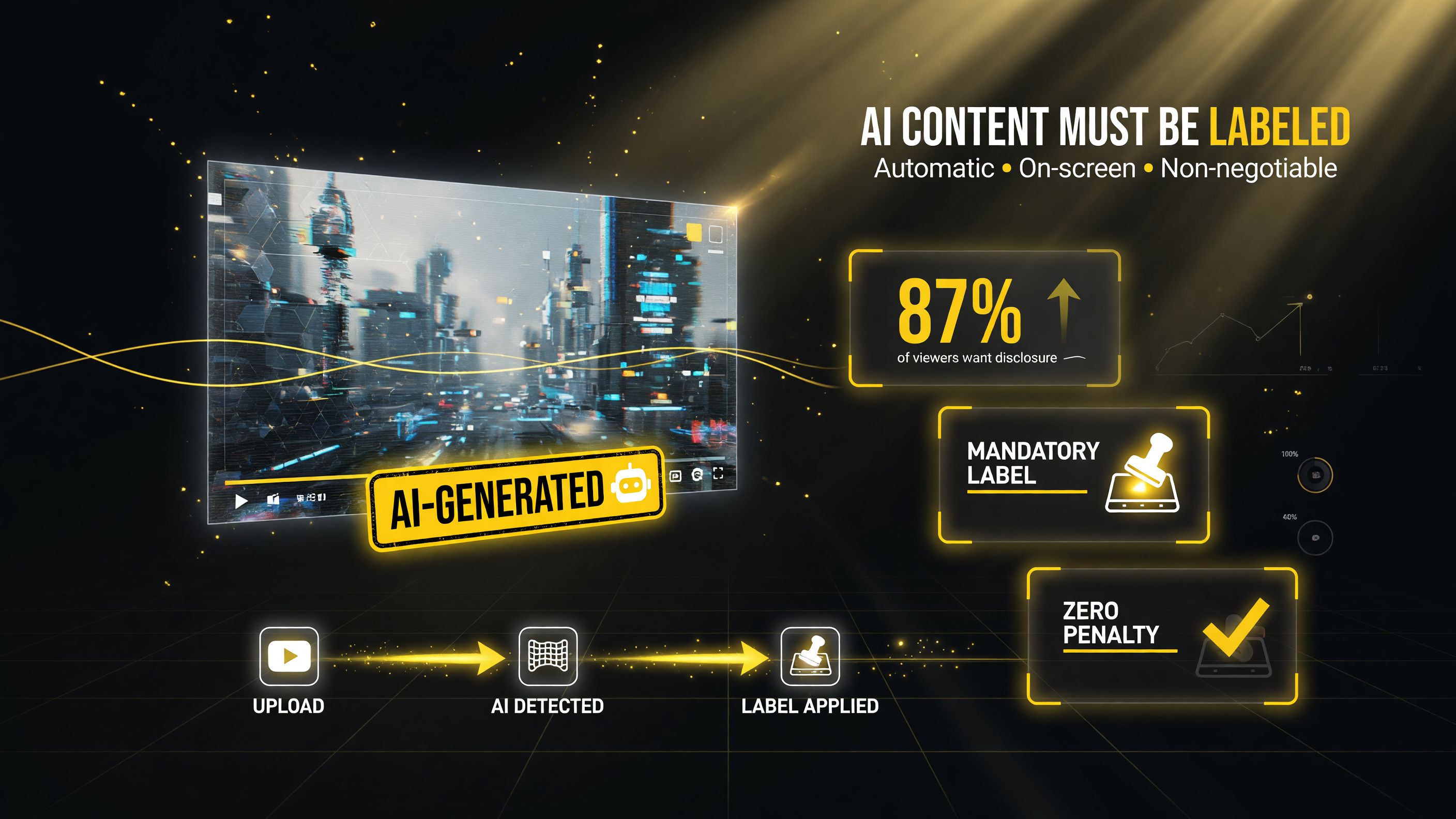 \n
\n
Realistic AI-generated or altered content gets an automatic, on-screen label — creators no longer skip the disclosure question.
\n
Automatic AI Detection: You No Longer Get to Skip the Question
\n\n
Here is the update most creators will feel. YouTube is rolling out automatic AI detection (starting May 2026) using new internal signals to identify AI-generated content. If you do not specify whether you used AI, and YouTube”s systems detect significant photorealistic AI use, a label will be applied to your video automatically.
\n\n
That changes the math from “disclose or hide” to “disclose accurately.” The old trust-but-verify setup assumed creators would self-report. Now the platform has its own detection to back it up. If you are doing heavy photorealistic AI work — face swaps, realistic scene generation, deepfake-style edits — and you do not label it, there is a real chance YouTube labels it for you.
\n\n
This is not a theoretical concern. It is the trajectory of the platform, and it maps directly onto the bigger regulatory picture: the EU AI Act and other frameworks are already pushing platforms toward exactly this kind of automated transparency. YouTube is moving before it is forced to.
\n\n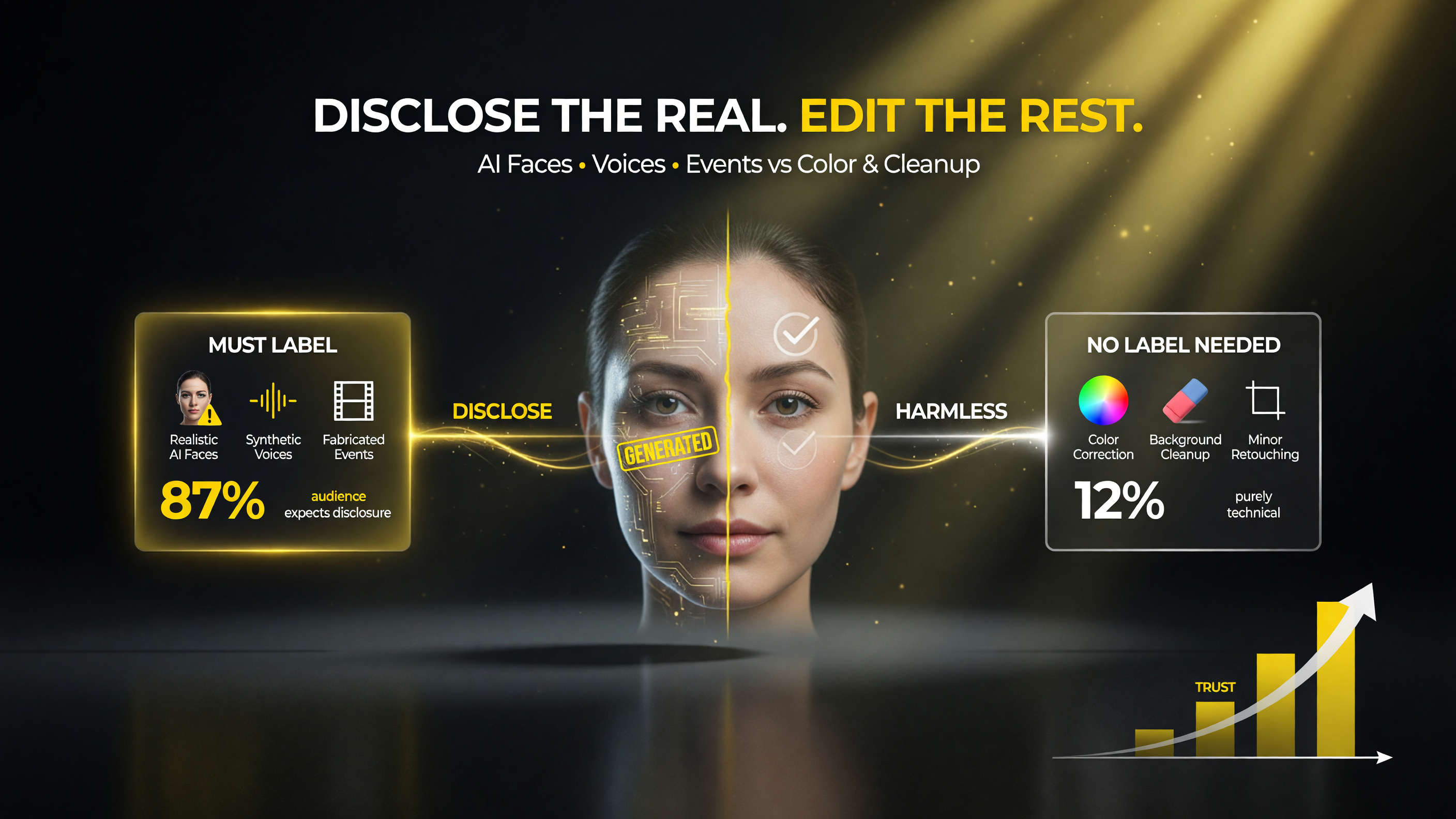 \n
\n
Disclose realistic AI faces, voices and fabricated events; no label needed for color correction, background cleanup or minor retouching.
\n
Creators Stay in Control — With Two Permanent Exceptions
\n\n
YouTube is careful to frame this as balancing transparency with creator control. The good news: if your content is incorrectly flagged as AI, you can correct it. YouTube explicitly says creators can update the disclosure status in YouTube Studio if they believe their content was wrongly identified.
\n\n
The less flexible news: in a couple of cases, the disclosure is permanent and cannot be removed. This applies to:
\n\n
- \n
- Content created with YouTube”s own AI tools — Veo, Dream Screen, and similar. YouTube knows exactly what those tools produce, so the label is baked in.
- Content with C2PA metadata indicating it was fully generative AI. C2PA is the content-credential standard that cryptographically links a file to how it was made. If the metadata says “made entirely by AI,” that fact is not going away.
\n
\n
\n\n
For creators, the practical takeaway is sharp: if your content is fully AI-generated, assume the label is permanent and plan around it. Do not build a channel strategy that depends on AI content being labeled as human — that door is closing.
\n\n
| Situation | Can the Label Be Removed? |
|---|---|
| Wrongly flagged by automatic detection | Yes — update disclosure status in YouTube Studio |
| Made with Veo / Dream Screen / YouTube AI tools | No — permanent |
| C2PA metadata confirming fully generative AI | No — permanent |
| Photorealistic AI, undisclosed | Likely auto-labeled by detection |
\n
\n\n
Does a Label Hurt Your Channel? Short Answer: No.
\n\n
Here is the reassurance creators need to hear, straight from YouTube: a disclosure label alone does not change how a video is recommended or whether it is eligible to earn money. Being labeled AI-generated does not tank your reach, and it does not demonetize you.
\n\n
That is the fear that keeps creators from being honest, and it is unfounded. The label is informational, not punitive. Viewers want transparency, but transparency does not equal penalty.
\n\n
So the strategic play is clear: disclose first, disclose accurately, and win the trust game. Audiences are getting sharper about AI content, and the creator who labels honestly looks credible while the one who hides it risks being caught — either by YouTube”s detection or by viewers who sniff it out. In a crowded niche, honest AI disclosure is becoming a differentiator, not a liability.
\n\n\n
| Factor | Labeled AI Content (Disclosed) | Unlabeled AI Content (Hidden) |
|---|---|---|
| Reach and recommendations | No penalty; video is recommended normally | Same reach on paper, but risks auto-flagging |
| Monetization | Remains fully monetizable | Still monetizable until caught; then trust damage |
| Viewer trust | Builds credibility; transparency is a differentiator | Risk of being exposed by detection or viewers |
| Long-run channel strategy | Sustainable; audiences expect honesty | Fragile; depends on not being caught |
\n
\n\n\n
\n\n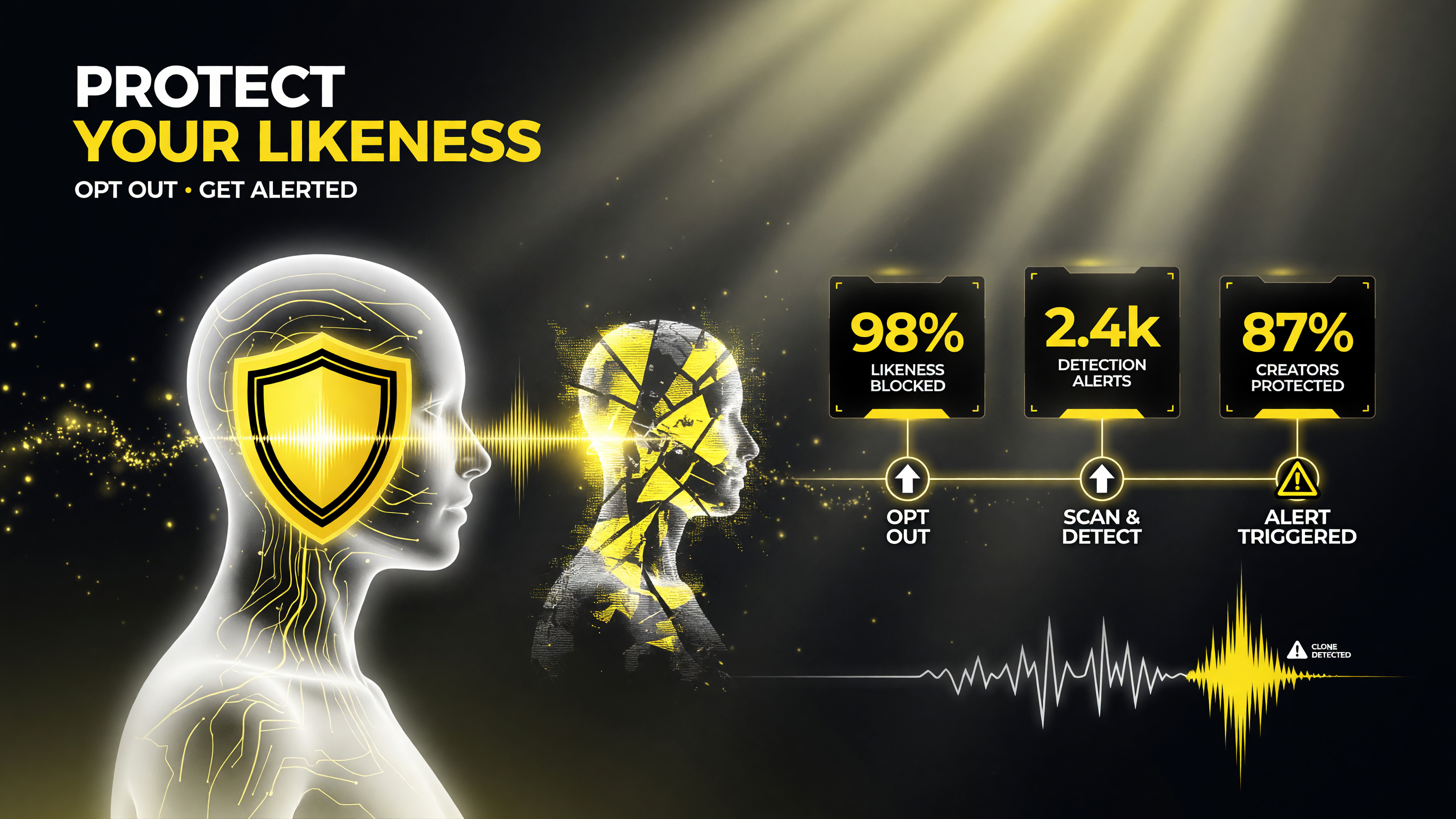 \n
\n
Opt out of having your face or voice cloned by AI, then get an alert whenever a synthesized likeness of you is detected.
\n
Why This Connects to the AI Video Tools You Already Use
\n\n
If you are reading this on an AI video site, you are probably already using tools that this update cares about. Every AI-generated clip, every AI upscale, every AI-driven edit is now part of a disclosure decision. The tools are not the issue — the transparency around them is.
\n\n
This is also where YouTube”s broader push lands. At Google I/O 2026, YouTube expanded features that let channels create AI content based on other creators” works — including new Shorts remix capabilities. More AI creation means more need for clear labels. The two updates are opposite sides of the same coin: YouTube is opening the door wider to AI creation while tightening the rules on how that content is presented.
\n\n
HowTo straight from a working creator: treat disclosure as part of your upload checklist, right next to title, thumbnail, and tags. Know which of your tools are YouTube-native (Veo, Dream Screen — permanent label) versus external (label-removable or detection-driven). Set your disclosure in YouTube Studio before you publish, not after a viewer complains.
\n\n
The revenue angle matters here too. With US advertisers tightening brand-safety standards around synthetic media, an undisclosed AI video is the kind of thing that can get a campaign pulled or an advertiser skittish. A clearly labeled video, by contrast, signals a creator who operates above board — and that is increasingly the kind of channel brands want to attach their budgets to. Transparency is quietly becoming a monetization asset, not just a compliance chore.
\n\n
What US Creators Should Do Right Now
\n\n
The rules are rolling out, so the practical window to get ahead is now. US-based channels face one extra consideration: state-level AI disclosure laws are already appearing, and they mix with platform policy in ways you do not want to learn the hard way. Getting your YouTube disclosure right is the first line of defense, but it is worth checking whether your state has its own synthetic-media requirements on top of it.
\n\n
Here is your checklist:
\n\n
- \n
- Audit your recent uploads. Which of your last videos used AI in a photorealistic or significantly altered way? Make sure those disclosures are set correctly in YouTube Studio.
- Learn your tools” label status. Anything made with Veo or Dream Screen is permanent-label territory — budget for that in your content plan.
- Watch for automatic flags. If a video gets auto-labeled and it is a mistake, correct the disclosure status promptly.
- Check C2PA metadata on files you export from fully-generative pipelines — permanent labels may already be attached.
- Make disclosure a habit, not an afterthought. The honest creator is the one who survives platform changes.
\n
\n
\n
\n
\n
\n\n
Frequently Asked Questions
\n\n
Will an AI label hurt my video”s reach or ad revenue?
\n
No. YouTube states that a disclosure label alone does not change how a video is recommended or whether it is eligible to earn money. Being labeled AI-generated is informational, not a penalty.
\n\n
Can I remove an AI label if YouTube applied it by mistake?
\n
Yes. If your content was incorrectly identified as AI-generated, you can update the disclosure status in YouTube Studio to correct it.
\n\n
Which AI content gets a permanent label that cannot be removed?
\n
Content created with YouTube”s own AI tools (like Veo or Dream Screen) and content with C2PA metadata indicating it was fully generative AI cannot have its disclosure removed.
\n\n
Where does the AI label now appear on videos?
\n
On long-form videos the label appears directly below the video player, above the description. On Shorts it appears as an overlay on the video itself. Unrealistic or animated content is disclosed in the expanded description instead.
\n\n
Does YouTube automatically detect AI content?
\n
Starting in May 2026, YouTube rolls out automatic AI detection using internal signals. If a creator does not disclose significant photorealistic AI use, YouTube can automatically apply a label.
\n\n
Does this affect videos made with external AI tools?
\n
Yes. Disclosure applies across the platform regardless of tool. External AI tools are not automatically permanently labeled the way YouTube-native tools are, but significant photorealistic AI use still requires disclosure and is subject to automatic detection.
\n\n\n\n\n
 \n
\n
About Barak Schurr
\n
Barak Schurr is a serial entrepreneur who built and exited a major ticketing platform before turning his attention to AI and content. He runs three AI-focused research sites and writes about the tools, workflows, and strategies that let solo creators build real channels — without a crew, a studio, or a Hollywood budget. Contact: [email protected]
\n
\n
\n\n\n
More AI Video Resources
\n
 \n
\n\n
 \n
\n\n
\n