Luma Scenes: Approve Every AI Video Frame Before You Render
Get The Faceless YouTube Blueprint — Free
The exact AI tool stack and workflow used to build a faceless YouTube channel from zero.
Luma Scenes: Approve Every AI Video Frame Before You Render
\n\n
Here is the tax on AI video nobody puts in the marketing: you pay full price for a render before you know if it is usable. One bad frame costs the whole shot. Ten generations for one usable spot is normal. Luma just built the workflow that kills that tax.
\n\n
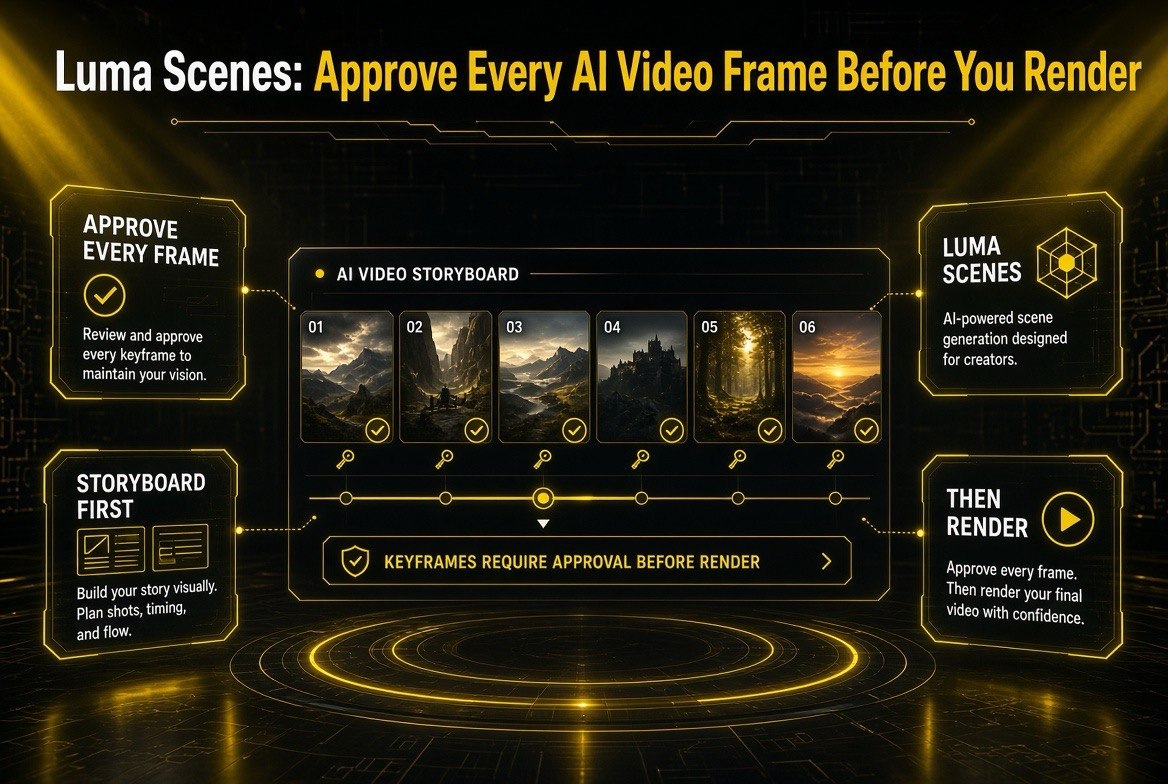
Luma Scenes, live as of August 11, 2026, flips the AI video process inside out. Instead of typing a prompt and gambling on a render, you build a visual storyboard of editable keyframes first — generated together so the look holds — review and approve every scene, and only then render. Approve every scene. Then render. That is the entire point, and for creators who have burned credits on unusable outputs, it is a genuinely different way to work.
\n\n
\n\n
The Problem Scenes Solves: Paid Renders Before You Know It Works
\n\n
Think about how AI video works for most creators today. You write a prompt, you hit generate, and you burn credits on a full clip — hoping it matches what you imagined. If one frame is wrong, or the character drifts, or the environment shifts between shots, you are back to start, spending again on another full render.
\n\n
Multiply that across a multi-scene commercial and the waste becomes the story. Ten generations — often more — for one usable spot is the default experience on every major platform. The credits vanish, the iteration loop drags, and the version you actually ship is still a compromise on the second or third attempt because you are out of patience and budget.
\n\n
That is the “tax” Luma is talking about: paying for the whole production when what actually failed was one scene. It is inefficient, it is expensive, and it is the single biggest reason AI video pipelines stall before they ever reach a finished spot.
\n\n
Scenes attacks this at the root. You never render a full video until you have seen and approved the plan for it.
\n\n
How Luma Scenes Works: Storyboard First
\n\n
The workflow is built around one insight: a storyboard is the cheapest possible mistake. Catch an error in a keyframe and it costs you one regenerate. Catch it in a full render and it costs you the whole spot.
\n\n
Here is how the flow runs:
\n\n
- \n
- Start with a brief, brand assets, or both. A script, a product shot, a one-line brief — that is enough to begin.
- Luma Scenes, powered by Uni-1, turns it into a storyboard. You get a sequenced set of editable keyframes, generated together in one context so the look, environment, and spatial logic hold from the first scene to the last.
- Review and refine every keyframe. Regenerate one, comment to adjust it, or replace it — the frames you have already approved stay exactly as they are.
- Set the timing. Just drag a keyframe to the moment it should land.
- Then render. Nothing renders before your approval.
\n
\n
\n
\n
\n
\n\n
\n\n
Approve Every Scene. Then Render.
\n\n
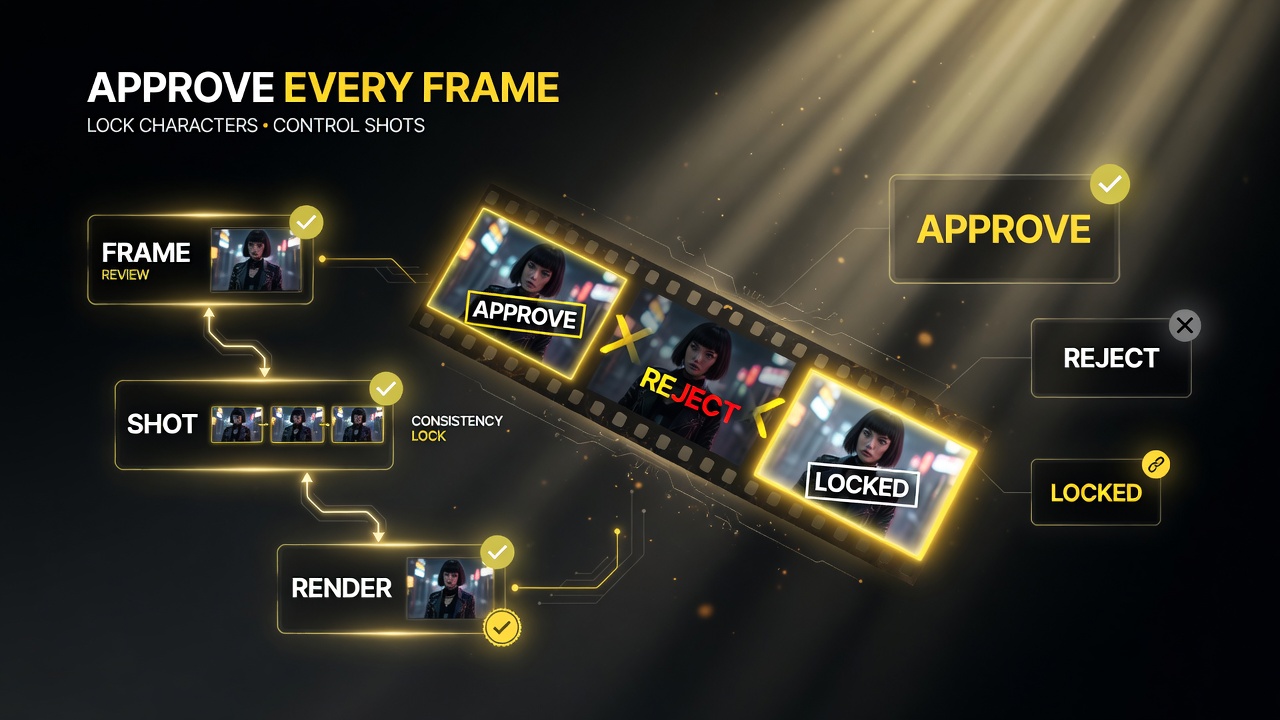
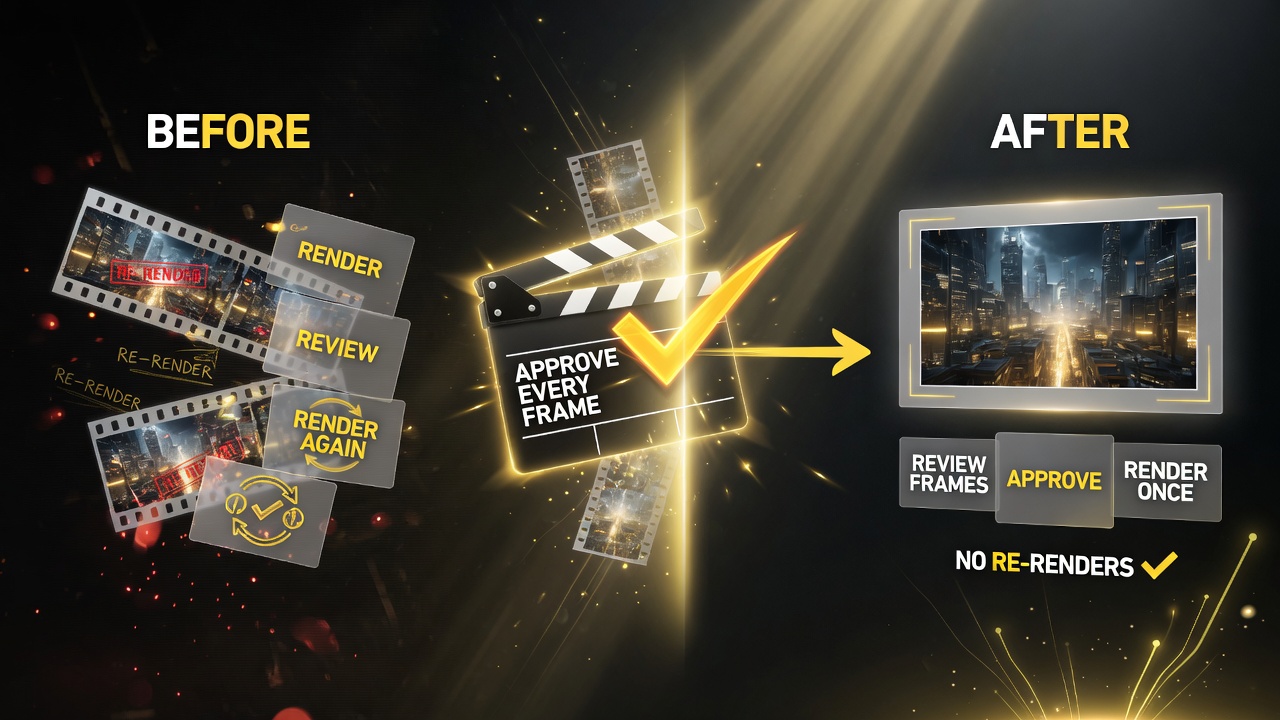
The core rule is worth restating because it is the whole product: nothing renders before your approval. Luma is explicit about it. And the payoff compounds: fix one scene, and it costs one scene — not the whole commercial.
\n\n
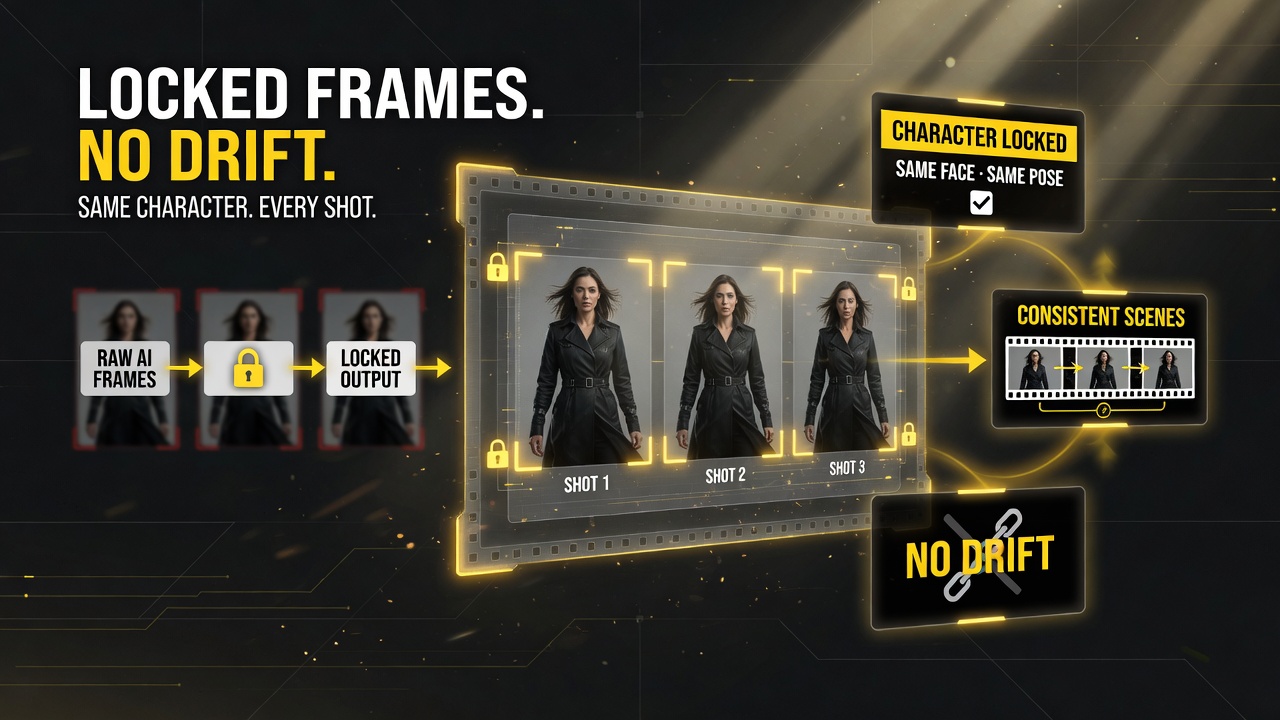
This matters most for consistency. Because every scene is generated together in one context, the character, the environment, and the spatial logic hold across the entire sequence. In a normal workflow, generating shot-by-shot invites drift — the hero looks slightly different in scene three, the lighting shifts, the room geometry wobbles. Scenes eliminates that by building the whole storyboard at once, so the approved frames anchor everything downstream.
\n\n
And once you approve a sequence, it becomes the base for everything after it. Re-run an approved sequence with one variable changed — same spot, new market, one change — and the rest carries over. One flow: plan, approve, render.
\n\n
\n
Approving every frame before rendering gives creators shot-by-shot control over the final video.
Two Render Engines, Used Honestly
\n\n
Luma is refreshingly direct about the fact that its two render engines are not interchangeable. That honesty saves you real production headaches.
\n\n
| Render Engine | Strength | Best Use |
|---|---|---|
| Ray 3.2 | Leans toward several short clips | Cut-heavy commercial spots, multipler shots per narrative |
| Seedance 2 | Often returns one longer clip | Single continuous sequence, one-take storytelling |
\n
\n\n
This distinction is what makes commercial video at volume possible instead of a single hero clip. Ray 3.2 gives you a batch of short, controllable clips you can cut toge
\n
Locking approved frames prevents AI drift, keeping characters and scenes consistent across every shot.
ther. Seedance 2 gives you one sustained take when the narrative calls for it. You choose based on the job, not on one-size-fits-all.
\n\n
That honesty is a feature, not a limitation. Many platforms treat their render models as interchangeable and let you discover the hard way that a model tuned for long takes produces awkward cuts, or that a clip-heavy model loses coherence on a single extended sequence. Scenes sidesteps that by matching the engine to the structure of your storyboard up front, so the thing you approve is the thing you render.
\n\n
What You Get With a Scenes Project
\n\n
Beyond the workflow itself, Scenes handles output in ways that fit real production pipelines:
\n\n
- \n
- Storyboard built from a brief, reference images, or both — no keyframe experience required
- Editable keyframes — regenerate, comment to adjust, or replace any scene
- Timing control — drag a keyframe to the moment it should land
- 9:16 vertical or 16:9 horizontal rendering
- Multiple export options — full clip, separate clips, or open as Ray 3.2 panels
\n
\n
\n
\n
\n
\n\n
| Capability | Benefit to Creator |
|---|---|
| Uni-1 storyboard generation | Sequenced keyframes with consistent look across the whole spot |
| Approve-before-render | No wasted credits on full renders of an unusable plan |
| Per-keyframe edits | Fix one scene, cost one scene; approved frames stay intact |
| Drag-to-timeline timing | Set pacing without a full reshoot or re-render |
| Ray 3.2 / Seedance 2 engines | Short multi-clips or one long take, chosen for the job |
| 9:16 / 16:9 + full exports | Vertical ads or horizontal cuts; single or separate clips |
\n
\n\n
\n
Validating frames before the final render means a single render pass instead of repeated re-renders.
\n\n\n
Who Should Use Luma Scenes
\n\n
Scenes earns its keep in production, not in one-off experiments. If you make ads, client spots, branded content, or any video where consistency across shots matters and wasted credits add up, this is built for you. The storyboard-first model is exactly what a creator or agency needs when a client says “change the third scene” and everyone groans at the re-render cost that used to follow.
\n\n
For solo creators it is just as valuable the moment your output has to be on-brand, on-message, and repeatable — not a lucky single clip. If you have ever run ten generations to get one usable spot, Scenes is the direct answer to that specific pain.
\n\n
Why US Agencies and Freelance Creators Should Pay Attention
\n\n
The US market runs on revision cycles. A typical American client brief does not end at the first approved cut — it moves through “change the third scene,” “can we try a different product angle,” and “do one for the other region.” In a conventional AI video workflow, each of those requests is a near-full-price restart. With Scenes, they are single-keyframe edits on an already-approved storyboard.
\n\n
That is the difference between an AI video pipeline that turns a profit and one that bleeds credits. US agencies and freelancers billing by the deliverable care about two numbers: how many renders a job costs, and how fast revisions turn around. Scenes hits both — fewer wasted full renders, and revisions that cost one scene instead of the whole commercial. For a busy US creator juggling multiple client spots, that compounds into real hours and real margin.
\n\n
There is also a consistency angle that matters for any brand working across a series. When a client wants a matching set of spots — same hero, same environment, same “look” — Scenes holds the look across the sequence because every scene is generated together in one context. That brand consistency is exactly what US advertisers and their agencies are being asked to deliver more and more with AI.
\n\n
How You Start
\n\n
Luma Scenes is live now. You start in the Luma app with a brief or your brand assets, Scenes builds the storyboard, you review and approve, then render when you are ready. There is no switching between tools for planning and generating — the whole concept-to-video pipeline lives in one flow.
\n\n
The practical move: run your next multi-shot project through Scenes instead of generating clip-by-clip. Compare the credits you burn and how much of it is usable. The storyboard-first approach is designed to make that comparison obvious.
\n\n
Frequently Asked Questions
\n\n
What is Luma Scenes?
\n
Luma Scenes is a storyboard-first AI video workflow launched August 11, 2026. It turns a text brief or brand assets into a sequenced storyboard of editable keyframes using Uni-1, lets you review and approve every scene, and only renders when you approve.
\n\n
Does Luma Scenes render before I approve?
\n
No. Nothing renders before your approval. You review and refine keyframes in a visual storyboard, then render only when you are ready. Fixing one scene costs one scene, not the whole spot.
\n\n
Which render engines does Luma Scenes support?
\n
Luma Scenes renders with Ray 3.2 or Seedance 2. Ray 3.2 leans toward several short clips for cut-heavy work, while Seedance 2 often returns one longer continuous clip.
\n\n
What aspect ratios and exports does Luma Scenes support?
\n
Scenes renders in 9:16 vertical or 16:9 horizontal, and exports as a full clip, separate clips, or opens as Ray 3.2 panels for further editing.
\n\n
Do I need storyboarding or keyframe experience to use it?
\n
No. Luma Scenes builds the storyboard for you from a brief or reference images, so no keyframe experience is required. You simply review, adjust, and approve the frames it generates.
\n\n
Is Luma Scenes the same as Luma”s other video tools?
\n
Luma Scenes is a distinct workflow layered on top of Luma”s existing generation tools. It adds the storyboard-first planning and approval step, then renders with Ray 3.2 or Seedance 2, which are the same engines used across Luma”s platform.
\n\n\n\n\n
 \n
\n
About Barak Schurr
\n
Barak Schurr is a serial entrepreneur who built and exited a major ticketing platform before turning his attention to AI and content. He runs three AI-focused research sites and writes about the tools, workflows, and strategies that let solo creators build real channels — without a crew, a studio, or a Hollywood budget. Contact: [email protected]
\n
\n
\n\n\n
More AI Video Resources
\n
 \n
\n\n
 \n
\n\n
\n