Faceless YouTube Channels Are Crushing It in 2026 — Here’s the AI Stack
Get The Faceless YouTube Blueprint — Free
The exact AI tool stack and workflow used to build a faceless YouTube channel from zero.
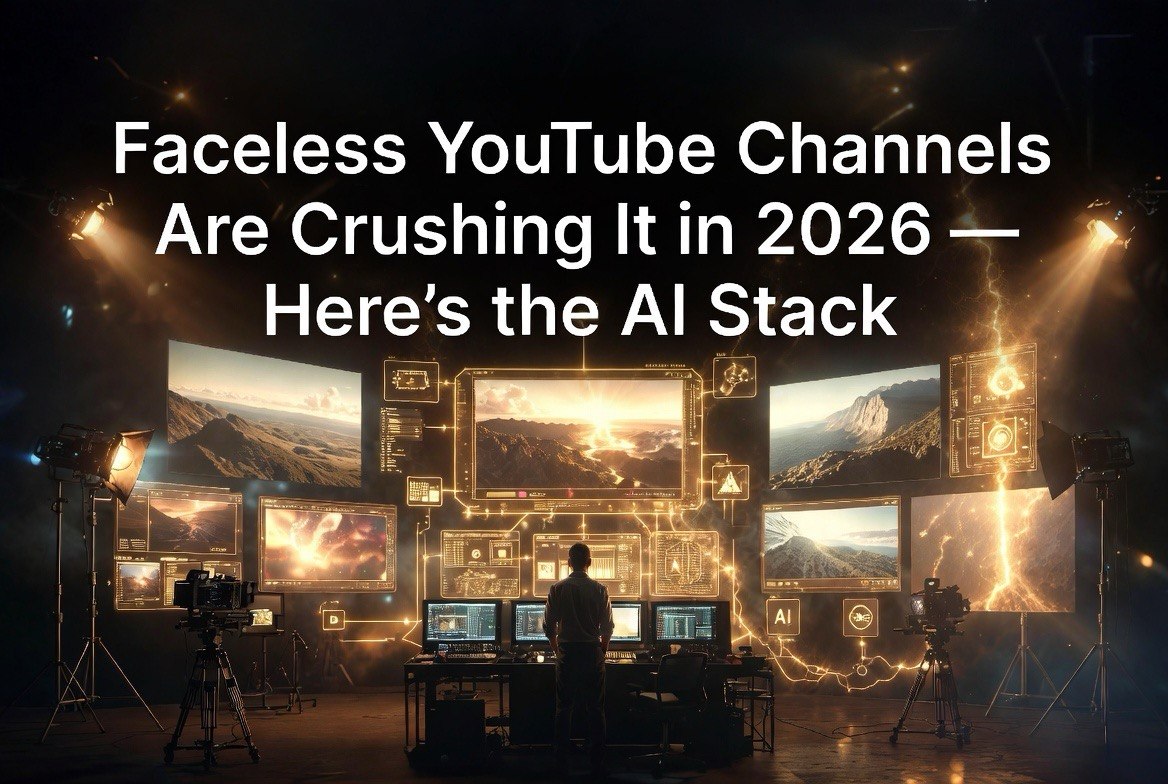
Faceless YouTube Channels Are Crushing It in 2026 — Here’s the AI Stack
⚡ Expert Summary: Faceless YouTube channels powered by AI are one of the biggest content opportunities in 2026. Creators are generating five-figure monthly incomes without ever showing their face on camera, using AI for scripting, voiceovers, video assembly, and thumbnails. This article breaks down the exact AI tool stack used by top faceless creators, the niches that pay best, and the step-by-step workflow that turns a laptop into a content production pipeline running on autopilot.
The Faceless YouTube Revolution
In 2023, faceless YouTube was a niche. Creators who didn’t want to appear on camera used stock footage and text overlays to produce basic content. The results were often mediocre. Retention rates were low. Monetization was hit or miss.
In 2026, the landscape is unrecognizable. AI has evolved to handle every phase of video production — scripting, voiceover, visual assembly, captioning, thumbnail design, and SEO optimization — with quality that rivals professional productions. Creators who master this AI stack are producing content at volumes and quality levels that were previously impossible for solo operators.
The numbers back this up. A 22-year-old creator recently shared earnings of $12,275 in a single month from a faceless Shorts channel built entirely with AI tools. The channel remixes viral emotional stories — animal rescues, human kindness moments — using AI to script, voice, and edit. That is 24 million views in 30 days from content that took roughly 20 hours to produce. The creator spent more time picking niches than editing videos.
The AI Stack That Powers Faceless Channels
The winning tool stack in 2026 combines five core AI tools that handle the entire production pipeline. Here is the stack used by the top faceless creators.
Scripting: Claude and ChatGPT
AI scripting has moved beyond “write me a video script.” Top creators use structured prompting that generates scripts optimized for YouTube retention metrics. The AI writes hooks designed to capture attention in the first three seconds, structures content around retention patterns, and includes natural engagement triggers throughout.
The prompt structure that works: specify the niche, target audience, video length, desired emotional tone, and specific call to action. A well-structured prompt generates a complete script ready for voiceover production. Most creators spend more time crafting prompts than editing the AI’s output.
Voiceover: ElevenLabs
ElevenLabs remains the gold standard for AI voice generation in 2026. The quality gap between ElevenLabs and competitors has widened, not narrowed. Their latest models produce voices that are indistinguishable from human recordings in blind tests — including emotional inflection, natural pauses, and contextual emphasis.
Top faceless creators use ElevenLabs voice cloning to create a consistent narrator voice across all their videos. The cloned voice becomes the channel’s brand identifier. Viewers recognize the voice and associate it with the channel’s content quality, building the same trust that on-camera personalities develop through visual presence.
Settings that matter: adjust speaking rate to 90 to 95 percent of default for educational content, 105 to 110 percent for high-energy storytelling. Add 50 to 100 millisecond pauses between major sections. These micro-adjustments transform robotic-sounding AI voices into natural narrations.
Video Assembly: CapCut and Runway
CapCut dominates the faceless video editing space because it is free, fast, and includes AI-powered features that automate the most tedious aspects of video production. Auto-captioning, background removal, scene detection, and text-to-speech integration are built in. A 10-minute video that required 4 hours of manual editing in 2024 takes 30 minutes in CapCut with AI assistance.
Runway supplements CapCut for creators who want more advanced AI video features. Runway’s text-to-video generation creates b-roll footage from descriptions, eliminating the need to search stock footage libraries. The combination of CapCut for primary editing and Runway for asset generation covers the full production spectrum.
The workflow: export your AI-generated voiceover from ElevenLabs, import the audio file into CapCut, let AI auto-generate synchronized captions in your chosen font style, search for stock footage from Pexels or Pixabay integrated into CapCut’s library, generate additional b-roll via Runway’s text-to-video for concepts that stock footage cannot cover, apply transitions from preset templates that match your channel’s visual identity, add background music from royalty-free libraries, adjust audio levels so voiceover sits above background music, and render in 1080p at 30 or 60 frames per second depending on content type. This pipeline produces a publishable video in 45 to 60 minutes for standard formats.
For Shorts — YouTube’s short-form vertical video format — the production time drops to 15 minutes per video. The AI handles vertical cropping automatically. Captions are larger and more stylized to accommodate mobile viewing. The shorter format requires fewer visual elements, which means less time searching for or generating b-roll. Many creators batch produce 10 to 20 Shorts in a single production session, then schedule them to publish daily over the following weeks.
Thumbnails: Midjourney and Canva
Thumbnails drive click-through rates more than any other single factor. AI-generated thumbnails using Midjourney produce clickable designs in minutes. The winning formula: high contrast colors, emotional facial expressions, curiosity gaps (text that implies information the viewer does not have), and consistent branding across all thumbnails.
Top creators maintain a thumbnail style guide and generate 10 to 20 thumbnail variations for each video. They test variations against each other using YouTube’s thumbnail testing feature and keep the highest-performing version.
SEO and Optimization: TubeBuddy and VidIQ
Content that does not get found does not generate revenue. AI-powered YouTube optimization tools analyze search volume, competition, and keyword trends to recommend titles, tags, and descriptions that maximize discoverability.
These tools have shifted from optional to essential in 2026. The YouTube algorithm prioritizes content that is well-optimized at publish time. Videos with poor SEO start at a ranking disadvantage that compounds over time.
Highest-Paying Niches for Faceless Channels
Not all niches pay the same. RPM — revenue per thousand views — varies dramatically by niche. Here are the niches that faceless creators are targeting in 2026 ranked by RPM potential.
Personal finance and investing ($8 to $15 RPM) — The highest-paying niche. Content about saving money, investing strategies, and financial independence generates high RPMs because advertisers pay premium rates for financially-motivated audiences. The challenge: content must be accurate and original to avoid demonetization flags. AI-generated finance content that rehashes the same basic advice without fresh angles does not perform.
Self-improvement and motivation ($6 to $12 RPM) — Consistently high RPMs with evergreen content that stays relevant for years. Story-driven motivational content performs particularly well in faceless format. The AI narrates stories of successful people, historical events, or psychological concepts while stock footage and animations play on screen.
Technology and AI news ($5 to $10 RPM) — Fast-growing niche that benefits from constant news cycles ensuring a steady stream of content topics. The challenge is that AI-generated tech content faces competition from authoritative human creators. Winning approach: focus on practical tutorials and tool comparisons rather than news aggregation.
History and facts ($4 to $8 RPM) — The easiest niche to produce at scale. Historical facts, “did you know” content, and list-based videos require minimal research when generated by AI. Content stays evergreen for years. The tradeoff: RPMs are lower than finance or self-improvement, so volume matters more.
Scaling Beyond One Channel
The creators earning five figures monthly from faceless content almost never operate a single channel. They run multiple channels, each targeting a different niche, all using the same AI production pipeline.
The math: one channel producing 10 videos per week in a $6 RPM niche with 100,000 monthly views generates $600 per month. Three channels at the same volume generate $1,800. Ten channels generate $6,000. The production pipeline scales linearly because the AI does the work — adding a new channel means changing the niche prompt and thumbnail template, not hiring additional staff.
Creators who have scaled to this level report that the bottleneck is not production capacity but content quality control. Maintaining consistent quality across multiple channels requires a review system. Some creators use a second-pass AI that evaluates each video’s script, voiceover, and visual quality before publishing, flagging anything below the channel’s quality threshold.
For creators who want a complete system covering niche selection, tool configuration, production workflows, and scaling strategy, the Faceless YouTube Blueprint provides everything in one package. It includes the exact prompts, tool settings, and quality control checklists used by creators running multiple profitable channels.
Getting Started This Week
You do not need a large budget or technical skills to start a faceless YouTube channel in 2026. The minimum viable setup costs under 00 per month: 0 for Claude or ChatGPT, 2 for ElevenLabs starter plan, free for CapCut, 0 for Canva Pro. Total monthly tool cost: roughly 2. If you want Runway for AI video generation, add 5 for the starter plan. Total: 7 per month for a complete professional production pipeline.
Compare that to the cost of traditional YouTube production. A decent camera setup runs ,000 to ,000. Lighting equipment adds 00 to 00. Microphone and audio treatment adds 00 to 00. Video editing software subscription adds 0 to 0 per month. Studio space may require dedicated room or rental. The traditional setup costs 20 to 50 times more upfront and produces content at a fraction of the speed.
This cost advantage is the reason faceless channels are proliferating rapidly in 2026. The barrier to entry is so low that the competitive advantage shifts from production quality to niche selection and content strategy. A creator who picks the right niche and publishes consistently with basic AI tools will outperform a creator with professional equipment who publishes infrequently and picks the wrong topics.
The path: pick one niche from the list above. Set up Claude for scripting, ElevenLabs for voiceover, CapCut for editing, and Canva for thumbnails. Publish your first video. Analyze performance. Improve. Publish the next. Consistency — three to seven videos per week — matters more than any individual video’s quality.
You do not need a large budget or technical skills to start a faceless YouTube channel in 2026. The minimum viable setup costs under $100 per month for AI subscriptions and stock assets. The first video can be published within hours, not days.
The path: pick one niche from the list above. Set up Claude for scripting, ElevenLabs for voiceover, CapCut for editing, and Canva for thumbnails. Publish your first video. Analyze performance. Improve. Publish the next. Consistency — three to seven videos per week — matters more than any individual video’s quality.
Faceless content is not a shortcut to easy money. It is a legitimate content business that requires consistent effort, continuous improvement, and strategic niche selection. But compared to traditional YouTube production that requires on-camera presence, studio equipment, and editing skills, the AI-powered version reduces the barrier to entry by orders of magnitude. The creators who start this week will have a six-month head start on those who wait.
Choosing Your Stack and What It Costs
Each layer of the workflow is handled by a different tool, and most of them have a usable free tier. The table below maps each one to the job it does and what it costs at the entry level.
| AI Tool | Job in the Faceless Workflow | Typical Cost |
|---|---|---|
| Claude / ChatGPT | Scripting and hooks | Free tier; ~$20/mo paid |
| ElevenLabs | AI voiceover and narration | ~$5 to $22/mo |
| CapCut | Video assembly and auto-captions | Free |
| Runway | AI-generated B-roll and clips | ~$15/mo |
| Midjourney / Canva | Thumbnails and graphics | Free; ~$10 to $30/mo |
| TubeBuddy / VidIQ | SEO, keywords and optimization | Free tier; ~$10 to $39/mo |
Faceless vs. Traditional: What Actually Changes
The faceless format is not simply a cheaper version of being on camera. It changes what you spend money on and where the bottleneck sits. Side by side, the differences come down to five factors.
| Factor | Traditional On-Camera Channel | Faceless AI-Assisted Channel |
|---|---|---|
| On-screen talent | Required, per video | None |
| Time per video | Several hours including filming | Roughly 30 to 60 minutes |
| Setup cost | Camera, lighting, audio gear | Software only |
| Scaling to a 2nd channel | Requires another person | Duplicate the stack and templates |
| Main constraint | Your availability on camera | Niche selection and retention |
Frequently Asked Questions
What is a faceless YouTube channel?
A faceless YouTube channel publishes video content without the creator appearing on camera. The narration is handled by AI voiceover tools like ElevenLabs, visuals are assembled from stock footage or AI-generated clips, and scripting runs through Claude or ChatGPT. The format lets a solo operator run multiple channels without filming anything.
Which AI tools do you actually need to run a faceless channel?
A working stack is four layers: scripting with Claude or ChatGPT, voiceover with ElevenLabs, video assembly with CapCut or Runway, and thumbnails with Midjourney or Canva. YouTube optimization then runs through TubeBuddy or VidIQ. Most creators start with three tools and add the rest once a format is proven.
How much does it cost to run a faceless YouTube channel?
A lean stack can run on free tiers: CapCut is free, and Claude, ChatGPT and Canva all have usable free plans. Paid tiers start around $20 to $30 per month for ElevenLabs, plus optional optimization tools. The realistic floor for a serious setup is roughly $50 to $80 per month in software.
How long does it take to produce one faceless video?
With AI assistance in place, a single video moves from script to export in roughly 30 to 60 minutes once the workflow is established. The first few videos take considerably longer while the tooling and templates are set up. Speed comes from templating, not from rushing any individual step.
Are faceless channels still worth starting in 2026?
Yes, but the advantage has shifted. Publishing volume alone no longer wins; AI tools are widely available, so the differentiator is niche selection and retention quality. Channels that target specific audiences with a defined format still scale, while generic AI-scripted content competes on price and struggles to hold watch time.

About Barak Schurr
Barak Schurr is a serial entrepreneur who built and exited a major ticketing platform before turning his attention to AI and content. He runs three AI-focused research sites and writes about the tools, workflows, and strategies that let solo creators build real channels — without a crew, a studio, or a Hollywood budget.
Email: [email protected]
More on Faceless YouTube Automation
This post is part of our comprehensive Faceless YouTube Channel Guide: AI-Powered Automation 2026. Check the full guide for tool stacks, workflows, monetization strategies, and step-by-step launch instructions.
More AI Video Resources