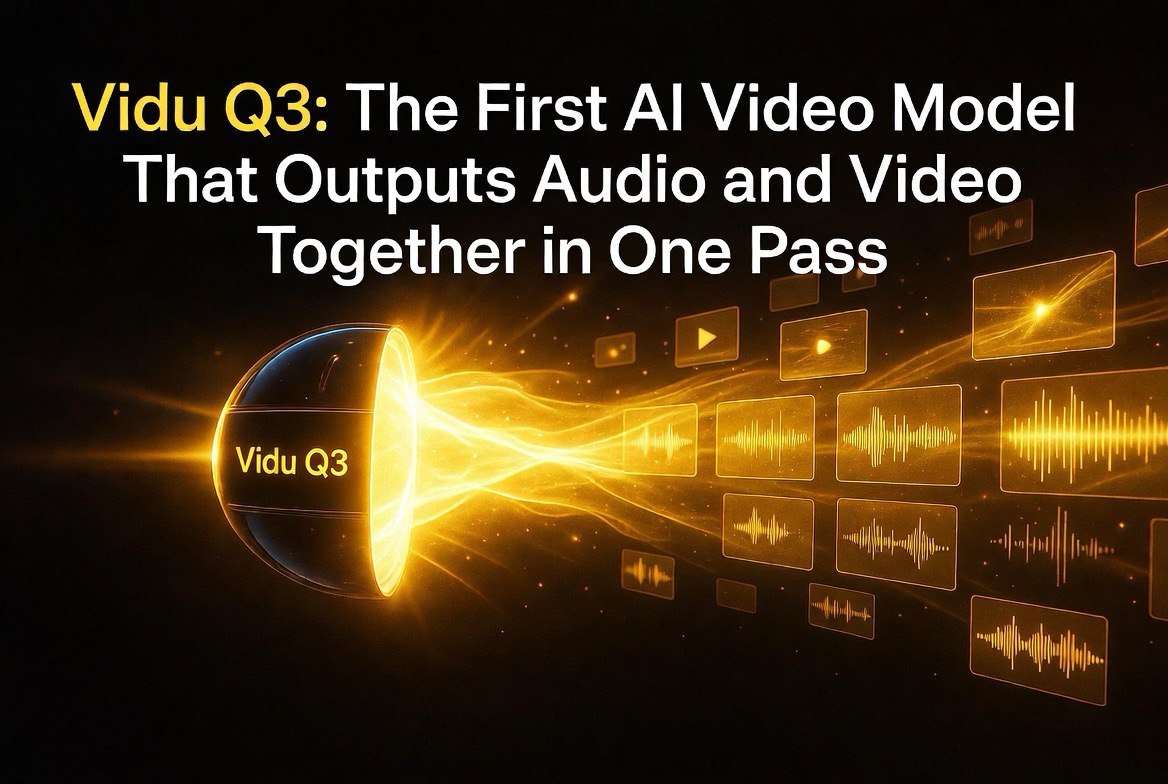
Vidu Q3: The First AI Video Model That Outputs Audio and Video Together in One Pass
Get The Faceless YouTube Blueprint — Free
The exact AI tool stack and workflow used to build a faceless YouTube channel from zero.
Vidu Q3: The First AI Video Model That Outputs Audio and Video Together in One Pass
⚡ Expert Summary
- Vidu Q3 is the first major AI video model to generate native audio and video in a single pass — dialogue, voiceover, sound effects, and background music are baked into the output with tight lip-sync and scene-aligned timing. No more silent clips that need post-production dubbing.
- 16-second clips in one generation at 1080p — the longest single-generation output among major AI video models as of May 2026. Camera control, multilingual output (English, Japanese, Chinese), and multi-speaker conversations are built in.
- Ranked #1 in China, #2 globally on The New Gen AI Video Leaderboard. Vidu Q3’s native audio capability creates finished, publishable content that competitors like Runway and Sora still require separate audio tools for.
Why it matters: The biggest friction point in AI video production has been the audio step — generate the clip, then sync audio, then fix the sync, then export. Vidu Q3 eliminates that entire workflow. One prompt, one generation, one finished clip with sound. For creators producing short-form content, this is hours saved per project.
If you’ve used any AI video tool in the last two years, you know the workflow: generate the clip, export it silent, import into a separate audio tool, add voiceover or music, try to sync it, realize the sync is off, adjust, re-export, and hope it looks natural.
That workflow is fine for people who enjoy post-production. For creators who need to publish daily — and who has time for anything else? — it’s a tax on every single piece of content.
Vidu Q3, from the Chinese AI lab Shengshu AI, just eliminated that tax entirely. It’s the first major AI video model that outputs finished clips with audio baked in. Not added after. Not synced in post. Generated as part of the same inference pass. Dialogue, voiceover, sound effects, and background music — all aligned to the visuals at the frame level.
Here’s why that changes the short-form video game.
Native Audio-Video: What Most People Miss
I need to be precise about what Vidu Q3 does differently, because the distinction matters. Other AI video models can produce audio. Runway’s Gen-4 has lip-sync capabilities. ElevenLabs can dub existing video. Google’s Veo can generate audio with video in some configurations.
What they can’t do is generate audio and video as a single cohesive output from a single prompt.
When you prompt Vidu Q3, it doesn’t generate video first and then figure out the sound. It generates both simultaneously, with the audio driving the timing of the visuals. Lip movements are derived from the spoken lines, not added as an afterthought. Sound effects land at the exact frame they’re supposed to hit. Background music shifts with the scene changes.
This native approach means the output is publishable. Not “close enough, fix it in post.” Publishable. The audio and video are locked together in a way that post-hoc syncing can’t replicate.
16 Seconds: The Generation Length Advantage
Vidu Q3 generates clips up to 16 seconds at 1080p in a single run. That might not sound impressive compared to Sora’s 60-second clips, but there’s a catch: Sora doesn’t generate audio. Neither does Runway’s standard output beyond lip-sync in specific workflows.
Vidu Q3 is the longest single-generation model with native audio. For short-form content — TikTok, Instagram Reels, YouTube Shorts, social ads — 16 seconds is enough for a complete micro-story, a product demo, or a hook scene. And because audio is already synced, you’re not spending 20 minutes in post-production for a 16-second clip.
The practical workflow becomes: write a prompt, generate, trim if needed, publish. That’s three steps instead of seven or eight.
Camera Control That Actually Works
Most AI video models advertise camera control. Most of them deliver something closer to “the camera moves vaguely in the direction you asked.” Vidu Q3 gives you frame-accurate control over camera movement and pacing.
You can specify camera pans, zooms, tracking shots, and transitions. The model respects the direction. This matters for creators who need specific visual rhythm — action scenes that need quick cuts, dialogue scenes that need smooth tracking, montages that need consistent camera language.
The camera control isn’t as precise as a professional filmmaking tool, but it’s better than anything in the AI video space at this price point. For social content creators, it’s more than enough.
Multilingual and Multi-Speaker
Vidu Q3 supports English, Japanese, and Chinese for video output. The multi-speaker feature allows natural-sounding conversations between multiple characters with distinct voices, all generated from the same prompt.
This opens up use cases that previous AI video tools struggled with: dialogue-driven short films, customer-service scenario videos for training, multilingual social content for global audiences, and narrative ads that need character interactions rather than a single narrator.
For creators building faceless channels — and we know that’s the fastest-growing segment of the AI video space — the multi-speaker capability means you can script and produce dialogue scenes without hiring voice actors or managing separate audio tracks.
How It Ranks: #1 China, #2 Global
The New Gen AI Video Leaderboard currently ranks Vidu Q3 #1 in China and #2 globally. That ranking reflects the model’s combination of generation quality, feature set, and consistency. It’s not the most powerful model on paper — Sora has longer max duration, and Runway has broader creative controls — but it’s the most complete model for creating finished content fast.
The native audio capability is the differentiator that makes that ranking make sense. A model that outputs silent video, no matter how high quality, still requires post-production before it’s useful. Vidu Q3 outputs content that can go straight to publishing platforms. For creators who measure their time in deliverable throughput rather than theoretical quality benchmarks, that’s the metric that matters.
Who Should Use Vidu Q3 Right Now
If you’re producing short-form social content — TikTok, Reels, Shorts — and you’re currently using any combination of Runway + ElevenLabs + a video editor, Vidu Q3 will cut your production time significantly. One prompt replaces the three-tool pipeline for most standard content types.
If you’re building faceless YouTube channels, particularly in the drama, storytelling, or educational niches, the multi-speaker dialogue capability lets you produce conversations between characters without managing separate audio files and sync points.
If you’re running ads for e-commerce or local businesses, Vidu Q3’s product showcase capabilities with native audio can produce 15-second spots in minutes instead of hours. Test multiple creative directions in a single afternoon instead of a single week.
If you’re producing cinematic-quality brand content for major campaigns, this probably isn’t the tool. Sora and Runway still lead on pure visual fidelity for long-form narrative work. But for everything else — daily content, social ads, faceless channels, rapid prototyping — Vidu Q3 is the most efficient AI video tool available as of May 2026.
The silent video era of AI content is ending. Vidu Q3 is the first credible signal that we’re entering the next phase: finished content from a single generation. That’s not an incremental improvement. It’s a workflow shift that changes how many creators will produce video for the rest of the year.
FAQ
What makes Vidu Q3 different from other AI video models?
Vidu Q3 is the first major AI video model that generates native audio and video in a single pass — dialogue, voiceover, sound effects, and background music are all baked into the output with frame-accurate sync. Other models require separate audio tools and manual syncing.
How long are Vidu Q3 video clips?
Up to 16 seconds per generation at 1080p resolution. Longer narratives require stitching multiple clips, but the native audio sync makes transitions between clips smoother than with silent-output models.
What languages does Vidu Q3 support?
English, Japanese, and Chinese. The model supports multi-speaker conversations in all supported languages with distinct voices per character.
Can I control camera movement in Vidu Q3?
Yes. Vidu Q3 supports frame-accurate camera control including pans, zooms, tracking shots, and transitions. The degree of control is competitive with Runway Gen-4 and better than most other AI video tools.
Is Vidu Q3 available outside China?
Yes. Vidu Q3 is available globally through the official Vidu platform and through partner platforms including Atlas Cloud, Runware, and others. Pricing varies by platform, but the model is generally accessible and cheaper than comparable offerings from Runway or OpenAI.

About Barak Schurr
Barak Schurr is a serial entrepreneur who built and exited a major ticketing platform before turning his attention to AI and content. He runs three AI-focused research sites and writes about the tools, workflows, and strategies that let solo creators build real channels — without a crew, a studio, or a Hollywood budget.
Email: [email protected]
Your New Vidu Q3 Workflow: From Prompt to Published
To make the native audio advantage concrete, let me walk through the exact workflow difference between producing a 15-second social video with Vidu Q3 versus the traditional AI video pipeline. This is not a hypothetical comparison. I have run both workflows side by side over the past week while testing Vidu Q3 against my normal Runway+ElevenLabs pipeline, and the time difference is stark enough to change how I think about daily content production.
The old workflow (Runway + ElevenLabs + editor): Write a prompt. Generate the video clip in Runway. Export the silent MP4. Open ElevenLabs. Generate voiceover. Import both into a video editor. Align the voiceover with the lip movements of any speaking characters. Add background music from a separate library. Adjust levels. Export. Review. Fix sync drift. Export again. This process takes 20-40 minutes for a single 15-second clip if you care about quality, and up to an hour if audio-visual sync needs manual frame-by-frame adjustment. On a production day where you need 5-6 clips, that is three to six hours of post-production work — more time than you spent generating the content in the first place.
The Vidu Q3 workflow: Write one prompt that describes the visuals, dialogue, sound effects, and background music. Generate. Review the 16-second clip. Trim the first and last frames if needed. Export. Publish. Total time: 5-10 minutes per clip. No audio import. No sync adjustment. No multi-tool pipeline. The audio is baked in at the frame level, locked to the visuals, and ready for direct upload to TikTok, Reels, or Shorts.
The time savings compound in ways that change the production math entirely. With the old pipeline, publishing one video per day requires 30-60 minutes of post-production time. With Vidu Q3, that same output takes 5-10 minutes. Over a month of daily publishing, you recover 10-25 hours. That is not incremental efficiency. That is a full extra week of productive time per month that you can redirect to content strategy, audience research, or simply publishing more frequently.
There is a quality tradeoff worth acknowledging. Vidu Q3’s visual output is not at Runway Gen-4 or Sora levels for complex scenes, detailed character animation, or cinematic lighting. If you are producing high-end brand content or narrative work where visual fidelity is the primary metric, Vidu Q3 is not yet your primary tool. But for the vast majority of short-form social content — product demos, faceless storytelling, educational clips, quick hooks — the visual quality is more than sufficient, and the audio-native output eliminates the single biggest time sink in the production pipeline. A clip that is 85% as good visually but ships in 10 minutes instead of 40 is a net win for any creator who publishes daily. The quality gap closes each week as the model improves, and the time savings do not diminish.
For faceless channel creators specifically, the native audio advantage is transformative. Most faceless content relies heavily on voiceover and background audio to carry the narrative. Previously, this meant scripting the voiceover separately, recording or generating it, then painstakingly timing the visuals to match. With Vidu Q3, you write the dialogue into the prompt, and the model generates visuals whose timing is derived from the spoken lines. The lip-sync is frame-accurate by construction, because the audio and video were generated together rather than fused after the fact. This single capability removes the hardest technical challenge of faceless video production and replaces it with a single text prompt.
More AI Resources for Your Business