MiniMax H3: Video and AI Audio From a Single Prompt
Get The Faceless YouTube Blueprint — Free
The exact AI tool stack and workflow used to build a faceless YouTube channel from zero.
MiniMax H3: Video and Audio From One Prompt
⚡ Expert Summary: MiniMax H3 is an omni-modal AI video model that generates video and synchronized audio together from a single prompt — instead of generating footage and adding sound in post. It supports up to 2K resolution at roughly $0.13 per second of video. The practical significance is workflow: native synced audio means the voice, sound effects, and dialogue arrive aligned with the picture, cutting out a whole stage of manual audio work. This guide breaks down how H3 works, why synced audio matters in practice, how it compares to Runway, Kling, and Sora, and the real cost math you should run before adopting it.
What Omni-Modal Actually Means for Video
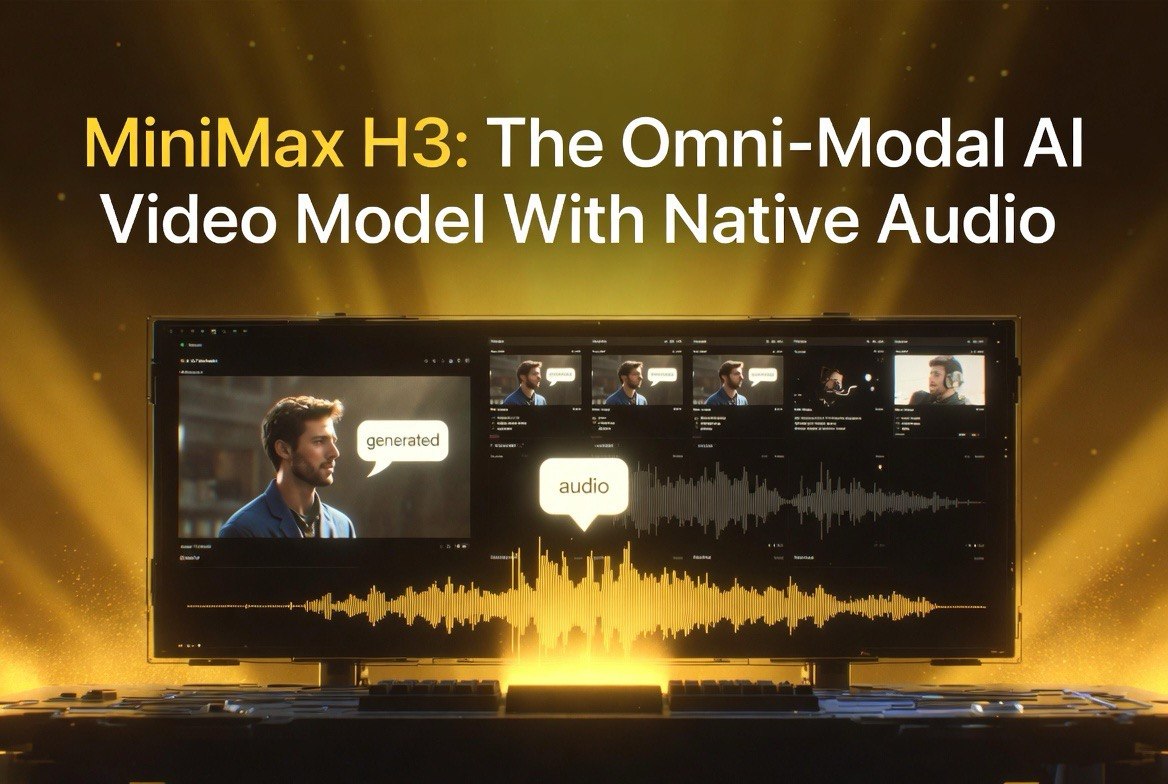
“Omni-modal” is the term MiniMax uses for a model that processes and generates more than one type of content from a single input. In H3’s case, that means one prompt produces both the video and its audio. Most AI video models are video-only: they output silent footage, and you add voice, music, and sound effects with a separate tool, then sync everything by hand. H3 collapses that into one generation step.
The difference isn’t just convenience — it’s alignment. When video and audio are generated together from the same prompt, the sound matches the picture by design. A character speaking generates dialogue that’s already timed to their mouth movements. A car driving through rain generates the corresponding tire and rain sounds. You’re not guessing where to drop a sound effect and hoping it lines up; the model produces the two together, so they agree.
For creators and editors, that’s the headline feature. Audio has historically been the most tedious part of AI video production — the part that feels most manual and least “automated.” H3 targets exactly that pain point by treating audio as a first-class output rather than an afterthought.
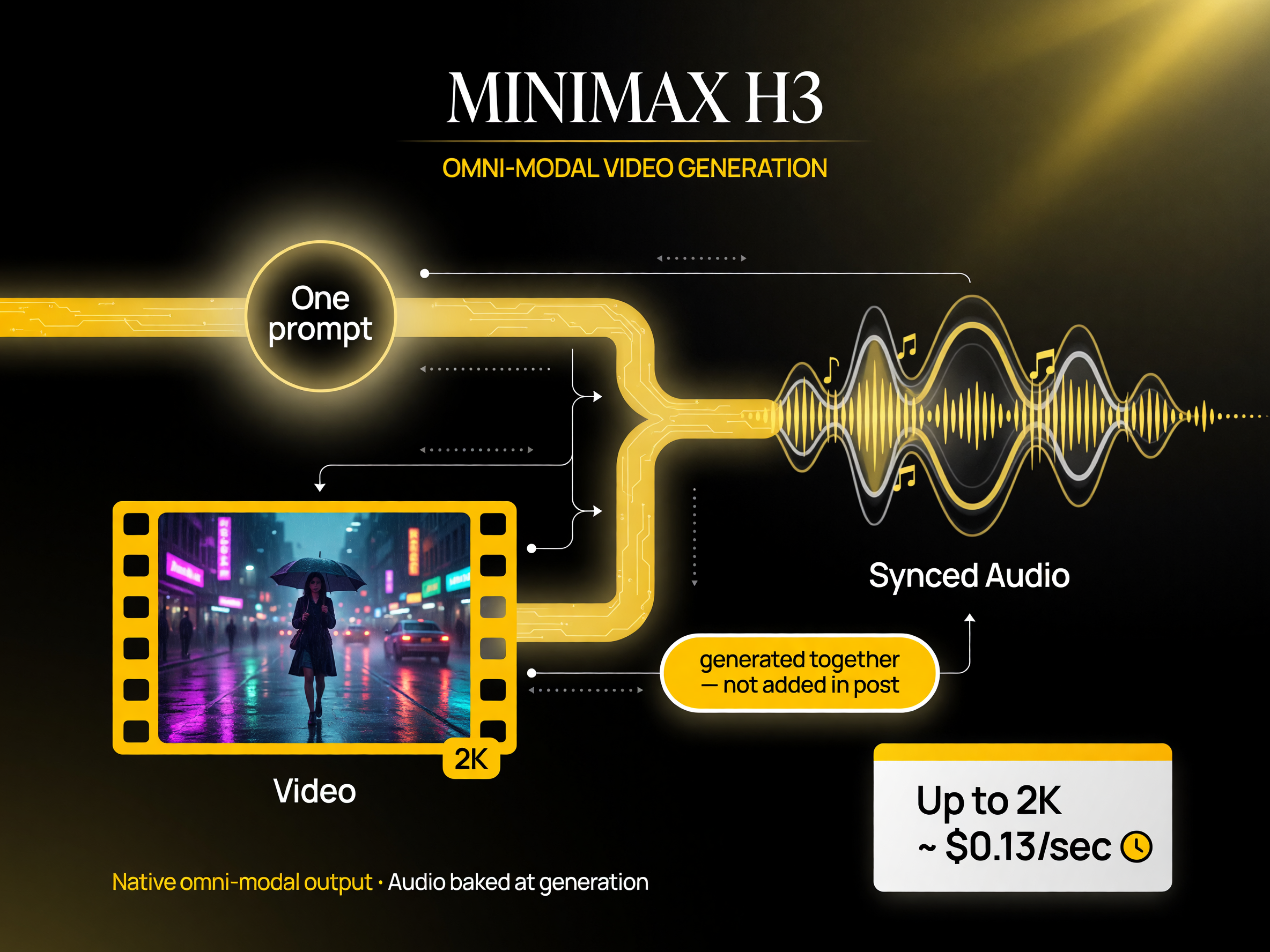
Omni-modal generation: one prompt produces both video and synchronized audio, instead of adding sound in post.
Native Synced Audio: The Real Difference Maker
Synced audio is the feature that separates H3 from most of the current field, so it’s worth understanding precisely what it does and why it saves time.
In a traditional AI video workflow, you generate footage, then open an audio tool, generate or source the sound separately, then manually sync it to the timeline. Syncing is fiddly: dialogue has to align with mouth movement, sound effects have to land at the right frame, and any drift looks unprofessional. That step is a real time sink, and it’s easy to get wrong.
H3 skips most of that. Because the audio is generated natively with the video, the sync is baked in. Dialogue aligns to the speaker, effects land where they should, and the result is a finished piece rather than a set of parts waiting to be assembled. For anyone producing talking-head content, product demos, or narrative clips, this removes one of the most annoying manual stages in the pipeline.
It’s not a substitute for professional sound design in every case — a complex multi-layered mix with music beds and precise foley still benefits from a dedicated audio workflow. But for the large share of AI video work that just needs decent, aligned sound, native synced audio is a genuine step forward.
Resolution and Output Quality
H3 supports up to 2K resolution. That’s below the 4K ceiling of some competitors, so it’s worth being honest about what it buys you and where it falls short.
2K (roughly 2560×1440) is a solid working resolution for most digital distribution: it looks sharp on typical screens, handles online video platforms well, and gives you some room to crop or reframe without obvious degradation. For social video, web content, and even some broadcast-adjacent work, 2K is plenty. If your primary output is short-form vertical clips or YouTube, you’re unlikely to feel constrained.
The caveat is large-format work. If you need 4K mastering, aggressive crops, or the headroom to reframe heavily in post, H3’s 2K ceiling is a genuine limitation you should plan around. The trade-off is baked into the pricing model — lower resolution keeps per-second cost down — so it’s a reasonable bargain for most creators, but it isn’t a 4K tool.
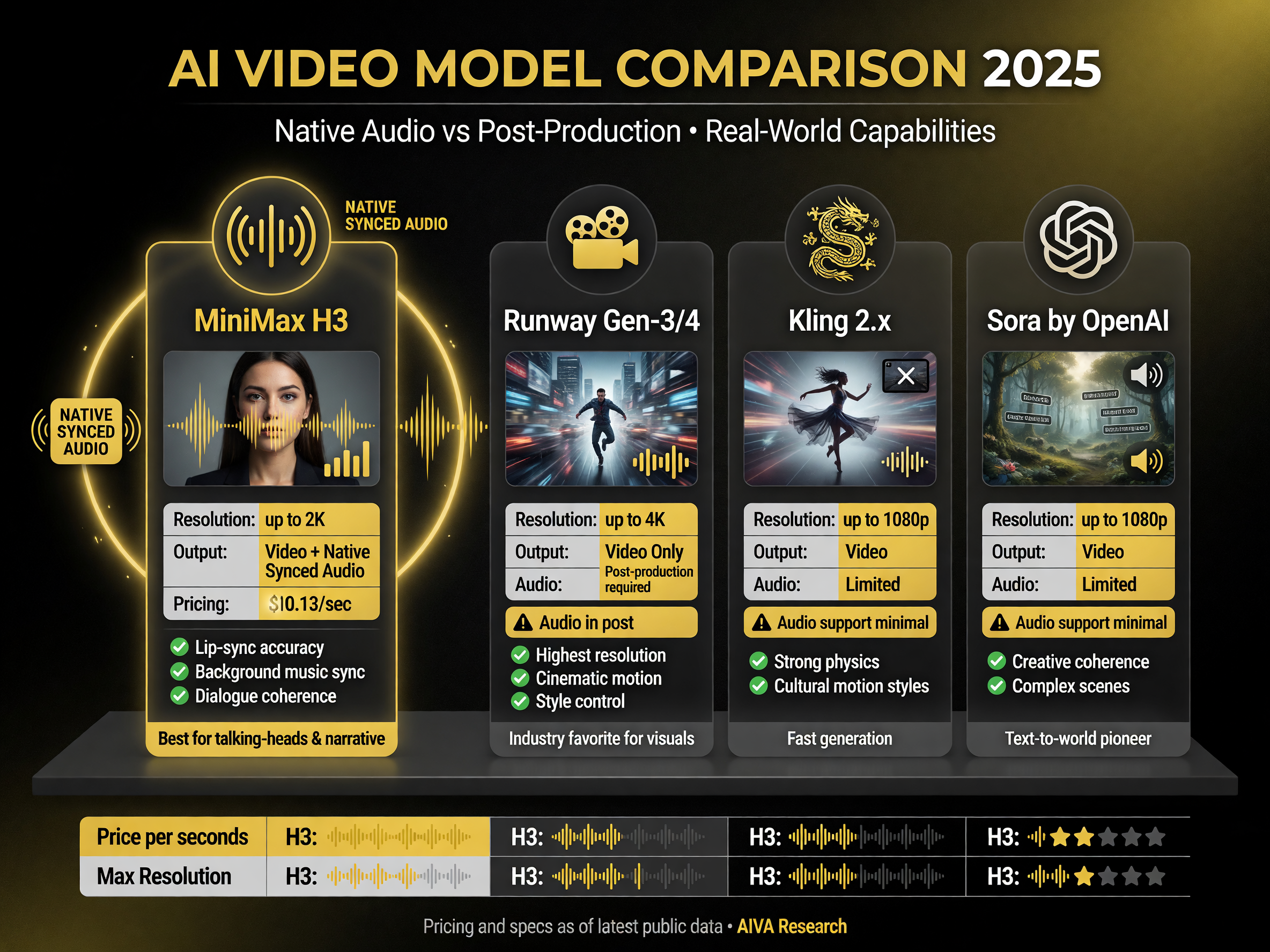
MiniMax H3 vs the field: native synced audio is the differentiator; 2K and $0.13/sec are the trade-offs.
How MiniMax H3 Compares to the Field
H3 competes with the main video-generation models, and the comparison is most meaningful around audio and resolution. The table below keeps it practical.
| Model | Audio | Resolution | Approx. Cost |
|---|---|---|---|
| MiniMax H3 | Native synced audio | Up to 2K | ~$0.13/sec |
| Runway Gen-3/4 | Video only (audio in post) | Up to 4K | Varies by plan |
| Kling 2.x | Limited audio | Up to 1080p | Credit-based |
| Sora (OpenAI) | Limited audio | Up to 1080p | Varies |
The positioning is clear: H3’s advantage is native synced audio, and its trade-off is resolution. If aligned audio saves you real production time and 2K is enough for your output, H3 is a strong fit. If you need 4K headroom and handle your own audio, a higher-resolution video-only model might serve you better.
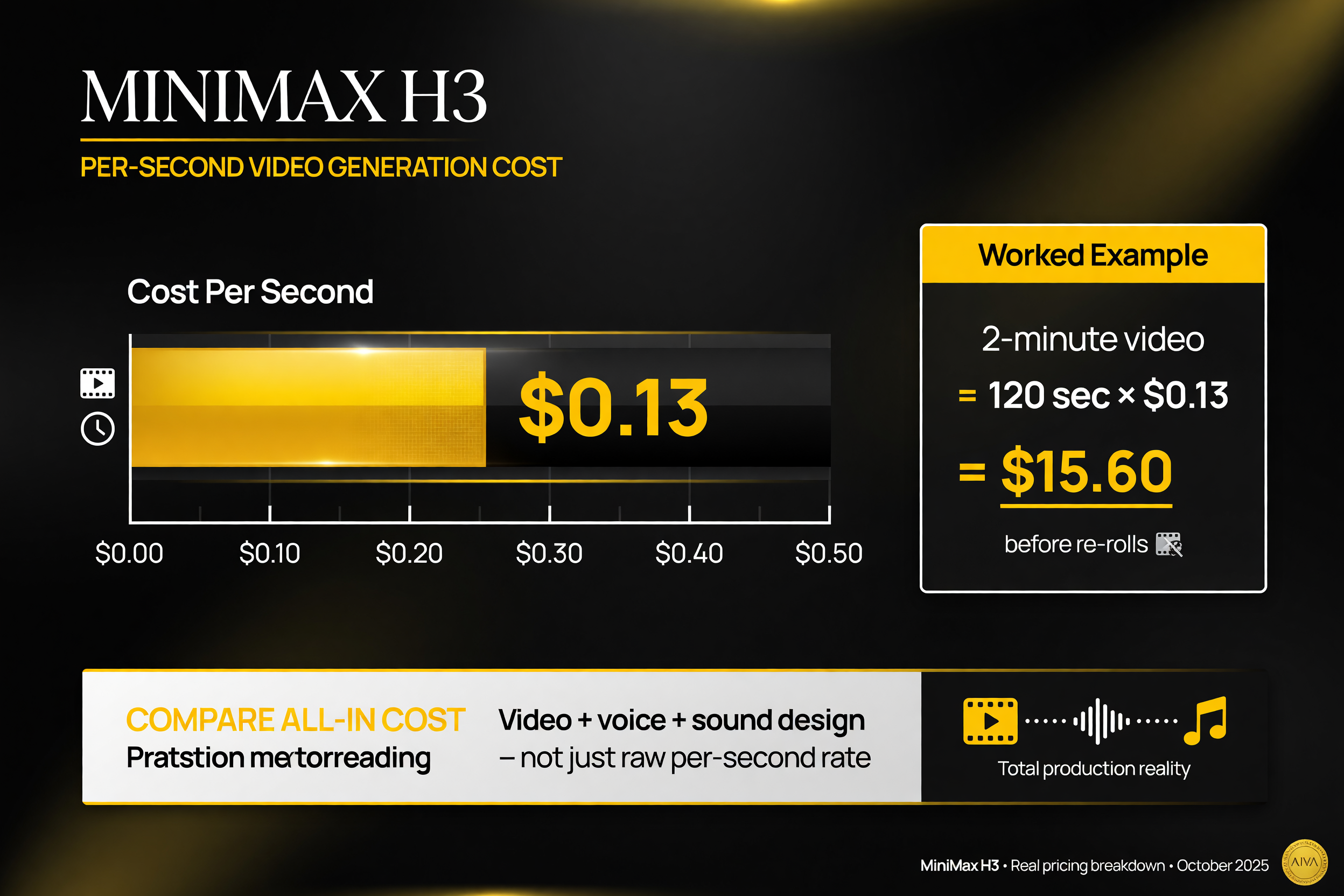
Real cost math: a 2-minute video is ~$15.60 per pass before re-rolls — and the price includes the audio.
The Cost Math: Know What You’re Paying
At roughly $0.13 per second of video, the per-second rate sounds cheap — but it adds up fast, and there’s an important caveat about what you’re actually comparing.
Let’s run the numbers on a realistic project. A 2-minute video is 120 seconds. At $0.13 per second, that’s 120 × $0.13 = $15.60 for a single pass. Most people don’t get a usable render on the first pass — expect to regenerate and re-roll, so a finished 2-minute piece might consume two or three times that. A 30-second ad is $3.90 per pass; a 5-minute piece is $39 per pass before corrections.
Here’s the caveat that most cost comparisons miss: H3’s per-second price includes the audio. A video-only model at a similar or lower per-second rate looks cheaper on paper, but you then pay separately (in money, time, or both) for voice generation, sound effects, and syncing in post. To compare honestly, add up the all-in cost — video plus audio plus the labor of syncing — not just the raw per-second rate.
The practical advice: budget for re-rolls on every project, and add the audio savings into your mental math. H3’s real value case is often not that it’s the cheapest per second — it’s that it produces an aligned, finished piece in one shot, which saves the cost of a separate audio workflow.
Use Cases That Win With H3
Not every project benefits equally from omni-modal generation. The strongest fits are the ones where aligned audio is a big part of the effort.
1. Talking-head and interview content
When a character or presenter speaks, syncing dialogue to mouth movement is exactly the kind of tedious manual work H3 removes. A prompt that includes spoken lines generates footage where the audio already aligns. For any content built around a voice, this is the clearest win.
2. Product demos and ads with voiceover
Ads and demos typically need a voiceover plus the visuals. If the audio is generated natively, the narration and the action arrive in sync without you assembling them. That’s a meaningful speedup for a high-volume format like paid social ads.
3. Narrative and atmospheric clips
For short narrative pieces where sound effects and ambient audio carry mood, having them generated with the picture means the atmosphere is baked in rather than layered on later. It shortcuts a lot of sound-design fiddling for storytelling content.
Where It Falls Short
For balance, here are the honest limitations.
2K ceiling. If your work needs 4K mastering or heavy reframing, H3 isn’t your tool. Plan for that constraint or combine it with a 4K model where needed.
Complex audio still needs polish. Native synced audio is great for aligned voice and simple effects, but sophisticated multi-layer mixes — music beds, precise foley, ducking, spatial audio — still benefit from a dedicated sound workflow. Don’t expect a full audio post-production suite.
Generation cost compounds. At $0.13 per second, heavy projects with lots of re-rolls get expensive. Budget per project, not per render.
Newer model, evolving behavior. H3 is a recent release, so quality and consistency are still maturing. Expect variation across generations and plan to re-roll as you would with any AI video model.
Should You Build Your Workflow Around It?
MiniMax H3 earns its place in any AI video stack where aligned audio saves real time — talking-head content, voiceover ads, and narrative clips — and where 2K is enough resolution. Its differentiator is native synced audio, which most competitors don’t offer, and its honest trade-offs are the resolution ceiling and per-second cost.
Run your own math with re-rolls included, compare all-in cost rather than raw per-second rate, and test it on the specific content you actually produce. If the audio alignment saves you meaningful production time, H3 is genuinely worth adding to the stack. If you need 4K headroom and handle your own audio, keep it as a specialist tool rather than the center of your workflow.
A Simple Test Before You Commit
If you’re weighing whether H3 belongs in your stack, you don’t need to run a full production trial to find out. A short, focused test will tell you most of what you need to know in a few renders and a fraction of the cost.
Pick one real piece of content you actually produce — a single talking-head clip, a product ad, or a short narrative scene — and run it through H3 end to end. Note three things as you go. First, how many re-rolls does it take to get a usable render? That number drives your real per-video cost more than the headline per-second rate. Second, how well does the native audio actually sync? Mouth movement on dialogue and sound-effects placement are the two spots where alignment either proves itself or falls apart. Third, does a 2K render hold up at your actual output size, or do you feel the resolution ceiling?
That’s the entire test, and it will typically cost you a few dollars and less than an hour. The result is a concrete data point: your true cost per finished video, whether the audio saves you production time, and whether 2K is enough. That beats comparing spec sheets, because it’s your content, your re-roll rate, and your output standard that decide whether H3 is worth it — not a benchmark that has nothing to do with your workflow.
FAQ: MiniMax H3
MiniMax H3 represents the direction AI video is heading: from generating footage to generating a finished, synchronized piece. Native synced audio is its real differentiator, and for creators producing talking-head, ad, or narrative content at 2K, it can genuinely cut a tedious manual stage out of the workflow. Understand the cost math and the resolution ceiling, and you’ll know exactly where H3 fits in your stack.

About Barak Schurr
Barak Schurr is a serial entrepreneur who built and exited a major ticketing platform before turning his attention to AI and content. He runs three AI-focused research sites and writes about the tools, workflows, and strategies that let solo creators build real channels — without a crew, a studio, or a Hollywood budget. Contact: [email protected]