The 10-Second vs 60-Second Generation Gap — Why Length Still Matters More Than Quality in AI Video
The 10-Second vs 60-Second Generation Gap — Why Length Still Matters More Than Quality in AI Video
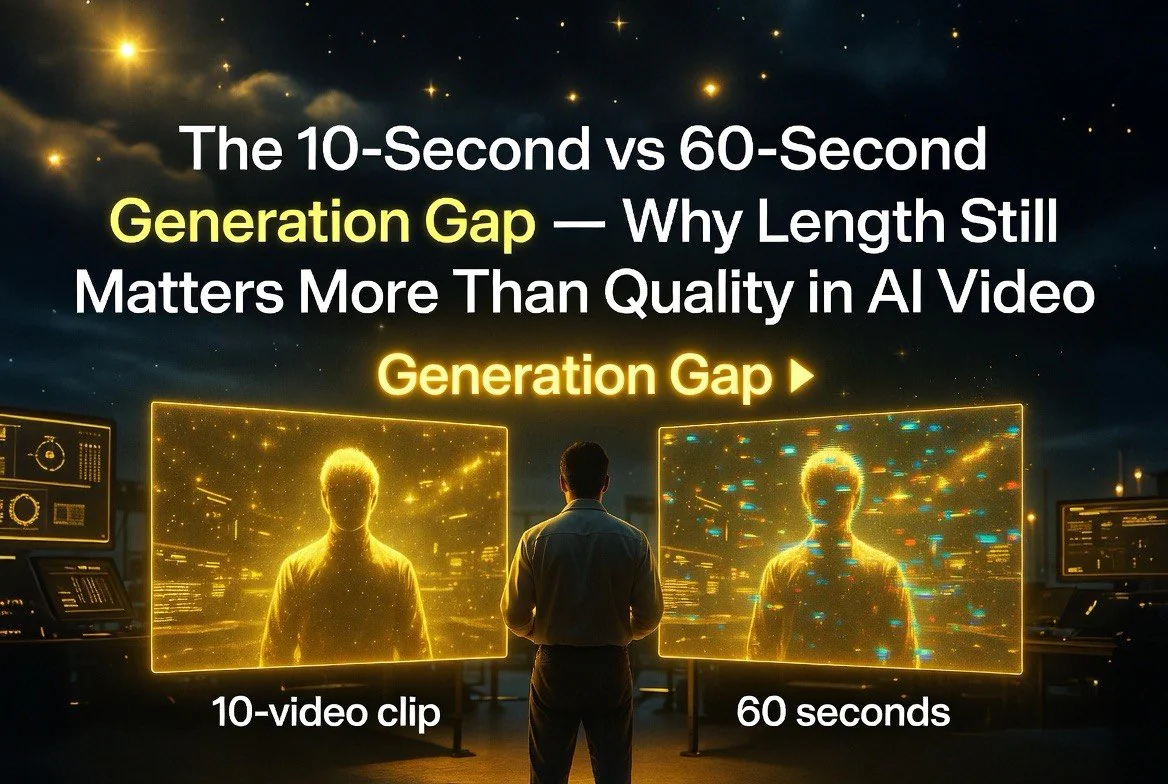
Most coverage of AI video generation in 2026 focuses on a single question: which model creates the best-looking clip. It’s the wrong question. The real dividing line isn’t quality — it’s length. A 10-second clip from Kling 3.0 looks almost indistinguishable from a 10-second clip from Seedance 2.0 or Runway Gen-4 to most viewers. But push any of them to 60 seconds and the cracks appear fast.
This gap is the most important practical constraint in AI video right now, and it determines which tools are useful for actual production work versus which ones are only good for social media teasers.
The Baseline: 10 Seconds Is the Sweet Spot
Every major AI video tool generates base clips of 5-10 seconds natively. This isn’t a technical limitation that will disappear next year — it’s the length at which the models maintain temporal consistency. Frame-to-frame coherence in character appearance, lighting, motion, and physics holds steady within this window.
Runway Gen-4 delivers reliable 10-second clips with their Gen-4 model. Kling 3.0 matches this. Seedance 2.0 and Luma Ray both produce strong results in the 5-10 second range. Pika 2.0 and Hailuo both sit in the same band. The consistency at this length is good enough for professional use in ads, social content, and short-form marketing.
The Atlas Cloud 2026 model guide notes that 10-second clips across all leading tools now achieve “near-broadcast quality” for static scenes and simple motion. Character identity, lighting, and physics hold together. The differences between tools at 10 seconds are marginal — subtle style preferences and rendering speeds.
The Problem Wall: What Happens After 20 Seconds
Push any AI video tool past 20-25 seconds and coherence starts breaking down. The patterns are consistent across every model:
Character identity drifts first. Facial features shift subtly between frames, then noticeably. Hairstyles change. Clothing details morph. By 40-50 seconds, the character on screen may look like a different person than the one who appeared at the start, even with consistent prompting.
Lighting shifts next. A scene that starts in warm afternoon light gradually cools, or shadows shift direction mid-clip. Backgrounds drift as the model adjusts textures frame by frame. Physics becomes unreliable — objects that should stay still wobble, water movements become unnatural, hair physics glitch.
The Hailuo AI team published a technical breakdown explaining why this happens. Video diffusion models generate frames in relation to neighboring frames, not the first frame. Errors accumulate. Each frame introduces tiny inconsistencies that compound over time. At 10 seconds, the error is negligible. At 60 seconds, the accumulated drift is obvious to any viewer.
Google’s Veo 3.1 leads in native long-form coherence, managing the most consistent 60-second clips among all tools. But even Veo 3.1 shows degradation past 30 seconds for complex scenes with multiple subjects or dynamic lighting.
Why Some Models Claim Longer Clips
Several tools advertise longer generation windows in 2026. Kling 3.0 offers extended generation modes. Veo 3.1 can produce clips up to 60 seconds natively. Runway’s Gen-4 supports multi-shot storyboard features.
The marketing claims are technically true and practically misleading. These tools can generate longer clips, but the quality at the tail end of a 60-second generation is noticeably worse than the head. The extended modes typically use one of two approaches: lower resolution generation that gets upscaled, or temporal compression that reduces frame count and interpolates.
The IS4 AI 2026 guide explicitly warns that single-pass 60-second generations show “obvious flaws that shorter clips avoid.” Their testing showed coherence failures in 60-second clips across every tool tested, including the most expensive enterprise-tier tools.
The Practical Workflow: Stitching Over Single-Pass
The dominant production workflow in 2026 isn’t single-pass long generation — it’s stitching. Generate multiple 5-10 second clips with consistent prompts and reference images, then combine them in traditional video editing software.
Runway’s storyboard feature supports this workflow natively, allowing users to chain clips with character consistency maintained across scenes. Kaolin AI and other dedicated character consistency tools help maintain subject identity across multiple generations by locking reference images and style parameters.
For creators who need 60-second clips for commercial production, the recommended approach is:
– Generate 8-12 short clips (5-10 seconds each)
– Select the best 6-8 takes
– Stitch with cross-fades at edit points
– Use consistent reference images across all generations
– Lock camera motion types for visual continuity
This workflow takes more time and more credits than a single long generation, but the final output is significantly more consistent. Viewers notice the quality difference even if they can’t articulate what’s wrong with a stitched vs single-pass long clip.
When 60 Seconds Natively Actually Makes Sense
Native long-form generation has legitimate use cases. Simple scenes with static subjects — talking heads, product shots, landscape pans — hold up better at longer durations. A 60-second clip of a person speaking directly to camera with minimal background motion will look more consistent than a 60-second clip of someone walking through a crowded market.
Training data patterns explain this. The models have more examples of static or simple motion scenes in their training sets, so they interpolate more accurately. Complex scenes with multiple subjects, dynamic lighting, or rapid camera motion push the error accumulation past acceptable thresholds faster.
For product videos, explainer content, and most corporate applications, native 60-second generation from Veo 3.1 or Kling’s extended mode produces usable results. For narrative storytelling, action sequences, or any content that requires character consistency across changing environments, the stitching workflow remains the professional standard.
Real-World Examples: Where Each Approach Wins
Social media content is the clearest win for short-form generation. A 10-second Kling 3.0 clip for a Reel or TikTok requires one generation, one quality check, and one export. Total production time: under five minutes. The same content at 60 seconds would require 12 short generations, a stitching pass, and cross-fade adjustments. For platforms that reward volume and speed, the 10-second workflow produces more content with less friction.
E-commerce product videos sit in the middle. A 15-20 second product showcase — zooming around a pair of shoes or showing a piece of furniture from multiple angles — is achievable with two or three short clips stitched together. Most product shots involve static backgrounds and controlled lighting, which reduces the consistency demands.
Narrative storytelling is the hardest case. A 60-second brand commercial with a character walking through multiple environments, interacting with objects, and maintaining consistent appearance across cuts requires significant production effort. The James Palm 2026 guide on character consistency across AI video clips shows that even with dedicated reference tools, maintaining visual identity across five or more clips requires careful prompt engineering, seed locking, and manual quality checks.
Music videos and visual art projects are the exception. These genres often benefit from the dreamlike quality of AI video drift. The morphing, the shifting textures, the surreal inconsistencies — for artistic applications, these are features rather than bugs. Some creators deliberately push models past the 30-second mark to capture the hallucinatory quality of degraded generation.
Licensing Clarity: Length Doesn’t Matter
One question that comes up frequently: does clip length affect commercial licensing? The answer is no. Licensing depends on the platform and plan tier, not clip duration. Paid subscriptions across all major tools — Runway, Kling, Luma, Pika, Veo, Adobe Firefly, Synthesia — grant full commercial rights for outputs regardless of length.
The Credit Economics of Generation Length
Clip length affects your credit burn rate, which is the hidden cost most users discover after their first production run. Most tools charge by generation count, not by cumulative seconds of video. A 60-second generation costs the same as a 10-second generation on Runway. The same on Kling 3.0. The same on Seedance 2.0.
This creates a counterintuitive economic incentive: stitching workflow proponents are right about quality, but they’re wrong about cost efficiency. If you generate eight 10-second clips for a single 60-second video, you pay for eight generations. If you generate one 60-second clip, you pay for one generation. The stitching workflow costs 8x more credits per finished minute of content.
The question is whether the quality difference justifies the cost difference. For most commercial applications, the answer is yes — quality matters more than credit efficiency when the output is customer-facing. For internal drafts, A/B testing, or rapid prototyping, a single lower-quality 60-second generation may be more economical.
Free tiers, as always, restrict commercial use. The SWFTE 2026 comparison guide confirms that commercial licensing is uniform across clip lengths within the same account tier. No tool charges more for 60-second clips than 10-second clips under the same plan.
The practical implication: there is no licensing reason to prefer short clips over long ones. The only constraint is quality, and that varies by tool and scene complexity.
What This Means for Your Production Workflow
The 10-second vs 60-second gap defines how you should approach AI video in 2026. For short-form content — Instagram Reels, TikTok, YouTube Shorts — native 10-second clips are good enough. Generate once, maybe generate a second take, pick the best one, publish.
For long-form content — YouTube videos, product demos, ads longer than 30 seconds — the stitching workflow is mandatory. Budget time and credits for 8-12 generations per final cut. Invest in a consistent character reference library. Build a prompt library for scene types you reuse.
The models are improving rapidly. The IS4 AI guide projects that native 60-second coherence will reach commercial quality within 12-18 months. But for right now, anyone producing AI video for professional use needs to design their workflow around the 10-second baseline and treat longer generations as experimental rather than reliable.
If you want a detailed breakdown of which AI video tools deliver the best per-clip consistency at 10 seconds and which handle extended generation best for specific use cases, I covered the complete comparison on AI Video Advisor: https://aivideoadvisor.com/best-ai-video-generators-2026-comparison-kling-runway-gen-4-pika/
Frequently Asked Questions
Why are most AI video clips limited to 5-10 seconds?
Video diffusion models generate frames in relation to neighboring frames, not the first frame. Errors accumulate over time. At 5-10 seconds the error is negligible, but past 20-25 seconds, accumulated drift makes character identity, lighting, and physics unreliable. This is a fundamental architectural constraint, not a marketing limitation.
Can AI video tools generate 60-second clips in 2026?
Several tools claim 60-second generation including Google Veo 3.1 and Kling 3.0 Extended. However, per-clip consistency degrades noticeably past 20-25 seconds for most scenes. Google Veo 3.1 leads in native long-form coherence but still shows drift in complex scenes. The professional standard is stitching multiple short clips together.
Which AI video tool has the best consistency at 10 seconds?
At 10 seconds, the leading tools are nearly indistinguishable for most applications. Kling 3.0, Runway Gen-4, Seedance 2.0, and Google Veo 3.1 all produce reliable 10-second clips. Differences are stylistic rather than functional. Choose based on your preferred visual style and workflow integration rather than consistency at this length.
Does commercial licensing differ between 10-second and 60-second clips?
No. Licensing depends on the platform and plan tier, not clip duration. Paid subscriptions across all major tools grant full commercial rights for any output length. Free tiers restrict commercial use regardless of clip length. No major tool charges more for longer clips under the same plan.
What’s the best workflow for creating long AI videos?
Generate 8-12 short clips (5-10 seconds each) with consistent prompts and reference images. Select the best 6-8 takes. Stitch them in traditional video editing software with cross-fades at edit points. Use Runway’s storyboard or Kaolin AI for character consistency tools. This workflow produces significantly better results than single-pass long generation.

About Barak Schurr
Barak Schurr is a serial entrepreneur who built and exited a major ticketing platform before turning his attention to AI and content. He runs three AI-focused research sites and writes about the tools, workflows, and strategies that let solo creators build real channels — without a crew, a studio, or a Hollywood budget.
Email: [email protected]
More AI Resources for Your Business