MiniMax Hub Turns AI Video Creation Into a Desktop Studio With Multi-Agent Orchestration
Get The Faceless YouTube Blueprint — Free
The exact AI tool stack and workflow used to build a faceless YouTube channel from zero.
MiniMax Hub Turns AI Video Creation Into a Desktop Studio With Multi-Agent Orchestration
⚡ Expert Summary: MiniMax Hub launched in June 2026 as a desktop-based AI creative studio that combines video generation, image creation, audio, music, voiceover, and editing into a single application, using a multi-agent system on a node-based visual canvas. Unlike standalone AI video tools that handle one task at a time, Hub orchestrates specialized sub-agents for each creative function — copy, image, video, audio — that work in parallel and feed into each other. The result is a workflow that mirrors a professional post-production pipeline, but operated entirely through natural language and visual node connections.
The problem with AI video creation in 2026 isn’t a lack of capability. It’s fragmentation. You need one tool for generating the video, another for voiceover, another for music, another for editing, and a desktop video editor to assemble everything. Each tool has its own interface, its own pricing model, and its own learning curve. The workflow between them is manual — export, import, align, export again. A single 30-second video can involve toggling between four or five different applications.
MiniMax Hub, launched at the Shanghai International Film Festival in June 2026, takes a different approach. Instead of another standalone AI video generator, it’s a desktop application (available for macOS and Windows) that brings the entire creative pipeline into one workspace. Video generation, image creation, voiceover synthesis, music composition, and video editing all live in the same application, connected by a visual node-based canvas that shows how each element feeds into the final output.
The product was developed by MiniMax, the Chinese AI company behind the Hailuo video generation platform and a family of multimodal foundation models covering text, audio, image, video, and music. Hub represents their bet that the market is ready for an integrated creative tool rather than another point solution.
For creators in the United States who’ve been watching the AI video space explode with new tools every week, Hub offers something that none of the point solutions have delivered: a single workspace where the entire production pipeline runs. No uploads to six different services. No file format conversion headaches. No toggling between browser tabs trying to remember which tool generated which clip. Whether you’re producing content for a US-based marketing agency, a small business YouTube channel, or a creator brand on Instagram, the value proposition is the same — less time managing tools, more time creating.
How MiniMax Hub Works: The Multi-Agent Orchestration Model
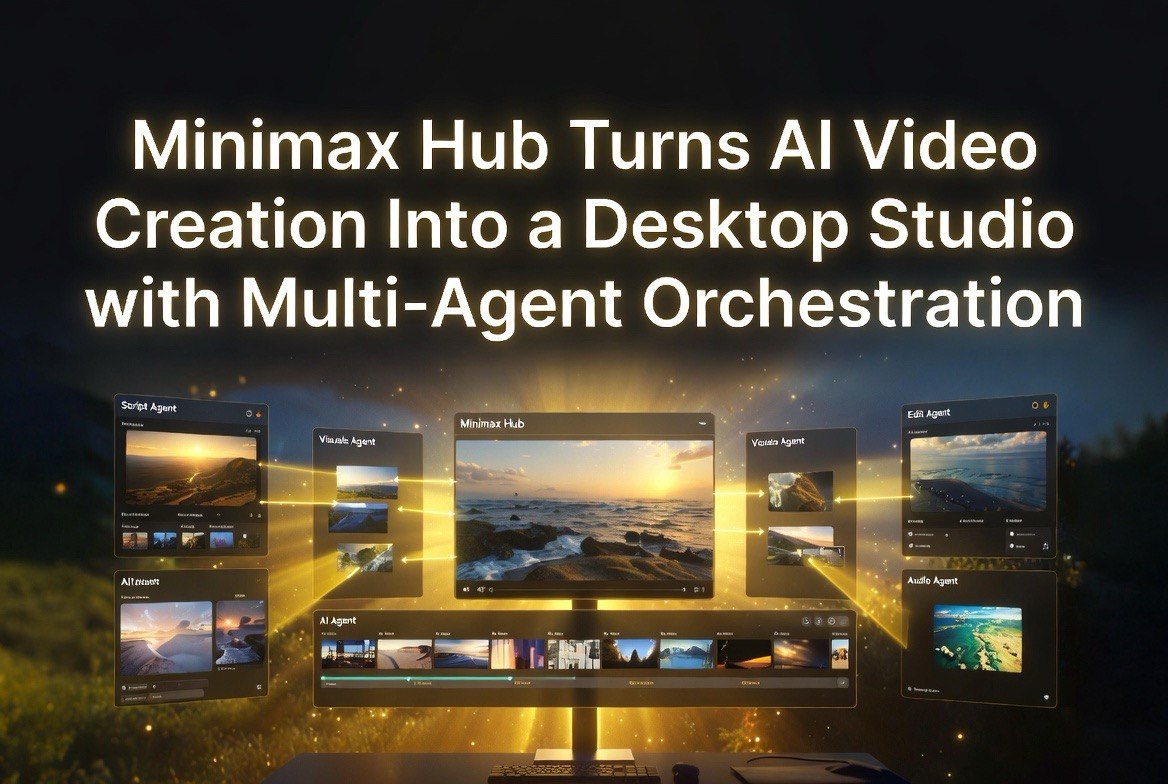
Hub’s defining feature is its multi-agent orchestration system. Instead of a single AI model trying to do everything, Hub operates with a main “director” agent that decomposes your creative brief into specialized tasks and routes each one to the appropriate sub-agent. A copywriting agent handles scripts and descriptions. An image generation agent produces visual assets. A video generation agent creates the footage. An audio agent synthesizes voiceover and music.
These agents work in parallel on a visual node canvas. You can see the flow from input to output — the copy node feeds into the image node, which feeds into the video node, which feeds into the editing node — and intervene at any point. If you don’t like the music the audio agent generated, you can regenerate just that node without redoing the entire pipeline.
This approach has two major advantages over standalone AI video tools. First, it eliminates the manual export-import cycle that currently makes AI video production a multi-tool chore. Second, it gives creators fine-grained control over individual elements without forcing them to manage the entire production pipeline themselves.
MiniMax demonstrated Hub at the Shanghai International Film Festival around June 15, 2026, and the response from attendees highlighted the same point: the problem with AI video tools isn’t what any single one can do — it’s that creators spend more time moving assets between tools than actually creating. Hub’s multi-agent architecture is designed to collapse that overhead.
The Creative Studio Features That Matter
Hub includes several features that differentiate it from the crowded AI video field. The combination is what makes it stand out — no other tool in the AI video space across the US or international markets offers this complete a pipeline in a single desktop application.
Node-based visual canvas. The canvas shows your entire project as a flow diagram. Nodes represent different creative functions — script, image, video, audio, edit — and lines between them show how outputs connect to inputs. This makes complex multi-step productions manageable because you can see the full pipeline at a glance. If something goes wrong at the audio stage, you don’t need to dig through menus — you just find the audio node and fix it.
Skills system and market. Hub allows users to create reusable “Skills” — packaged workflows that capture a specific aesthetic, prompt structure, and processing chain. A Skill might be “cinematic product showcase” or “social media vertical with voiceover.” Instead of rebuilding the pipeline from scratch for each project, you load a Skill and customize it. MiniMax plans a Skills Market where creators can share and sell their workflows, creating an ecosystem around the platform.
Local-first architecture. Hub is a desktop application, not a web platform. This means all your source files, generated assets, and project data stay on your machine unless you choose to export them. For creators working with sensitive client footage or proprietary brand assets, local-first processing is a meaningful advantage over cloud-based tools that require uploading everything to remote servers. This is particularly relevant for US-based creators who work with clients bound by data privacy agreements — Hub keeps everything local by default, removing a potential compliance headache.
Multi-format export. Hub can output finished videos in formats optimized for different platforms — vertical for TikTok and Reels, horizontal for YouTube, square for Instagram, with platform-specific aspect ratios and encoding settings. This is a small feature that saves significant time when distributing content across multiple channels. For American social media managers who publish across three or four platforms, the ability to export all formats from a single project without manual re-rendering is a genuine productivity gain — the kind of thing that saves 15-20 minutes per video project.
Multi-format export. Hub can output finished videos in formats optimized for different platforms — vertical for TikTok and Reels, horizontal for YouTube, square for Instagram, with platform-specific aspect ratios and encoding settings. This is a small feature that saves significant time when distributing content across multiple channels.
How It Compares to Standalone AI Video Tools
MiniMax Hub enters a market dominated by point solutions. Runway, Pika, Kling, Seedance, Veo, and HappyHorse all produce impressive video from text or image prompts, but none of them handle the full production pipeline. You still need a separate tool for voiceover, another for music, and a video editor for assembly. Hub steps into this fragmented landscape as the first widely available integrated desktop studio, and for American creators who value workflow efficiency, that integration may be worth more than incremental quality improvements in any single tool.
Hub’s closest competitors aren’t other AI video generators — they’re the workflows creators have built by chaining multiple AI tools together. A typical workflow might involve: Claude or ChatGPT for scriptwriting → Midjourney or DALL-E for images → Runway or Kling for video → ElevenLabs for voiceover → Suno for music → Adobe Premiere for editing. That’s six tools, six subscriptions, and a lot of manual file management.
Hub collapses this into one application. The output quality isn’t necessarily better than what you’d get from the best point solution in each category — Runway’s video might be higher quality than Hub’s video, ElevenLabs’ voices might be more natural than Hub’s synth — but the workflow efficiency gain is substantial. For creators who prioritize speed and iteration over maximum quality in every individual element, Hub’s integrated pipeline delivers faster results.
For professional creators who need best-in-class quality at every stage, the multi-tool workflow may remain the better choice. But for the growing segment of creators, marketers, and small business owners who need good-enough video content fast, Hub’s tradeoff — slightly lower peak quality for dramatically faster end-to-end production — is likely to win.
Who Should Use MiniMax Hub
Based on the platform’s capabilities and positioning, three types of creators will benefit most:
Social media content creators who need to produce multiple short-form videos per week across different platforms. Hub eliminates the tool-switching overhead that currently consumes 30-40% of production time. A creator who spends two hours per video today might cut that to 45 minutes with an integrated pipeline.
Small business marketing teams (or solo operators) who need product demos, social ads, and promotional content but don’t have dedicated video editors. Hub’s conversational interface and skills system mean someone with zero video editing experience can produce a passable product showcase by describing what they want and loading the right Skill.
Freelance video producers who handle high volume but variable quality projects. For clients who need fast turnaround and good-not-great quality, Hub lets freelancers take on more projects by compressing the production timeline. The local-first architecture also matters here — no client data uploaded to third-party servers.
Professional filmmakers and high-end commercial producers will likely stick with best-in-class point solutions for now. Hub’s quality ceiling, while improving, isn’t at the level of a custom Runway pipeline with manual retouching. But for the 90% of video content that doesn’t need cinema-grade production values, Hub is a serious time-saver.
Getting Started With MiniMax Hub
Hub is available as a free download from hub.minimax.io for macOS and Windows. Operation requires Hailuo credits, which are MiniMax’s usage-based pricing system. The free tier is sufficient for experimentation and light production; heavy users will need a paid plan.
The onboarding process guides you through creating your first project with a template or starting from scratch. The node canvas is intuitive if you’ve used any visual programming or node-based editor (like Blender’s geometry nodes or Unreal Engine’s material editor), but the AI handles enough of the configuration that even first-time users can produce something usable within an hour.
The Skills system is worth exploring early. Before starting a custom project, browse the available Skills to see if one matches your use case. Loading an existing Skill and modifying it is significantly faster than building a pipeline from scratch, and you’ll learn the platform’s capabilities by seeing how others have structured their workflows.
FAQs About MiniMax Hub
What is MiniMax Hub?
MiniMax Hub is a desktop-based AI creative studio that combines video generation, image creation, audio synthesis, music composition, and editing into a single application with multi-agent orchestration on a node-based visual canvas.
What platforms is MiniMax Hub available on?
Hub is available for macOS and Windows as a desktop application, with local-first processing that keeps your project files on your machine.
How does the multi-agent orchestration work?
A main “director” agent decomposes your creative brief into specialized tasks and routes each one to the appropriate sub-agent — script, image, video, audio — which work in parallel on a visual node canvas.
Is MiniMax Hub free?
Hub is free to download. Usage requires Hailuo credits, with a free tier for experimentation and paid plans for heavy production.
How does MiniMax Hub compare to Runway or Kling?
Unlike standalone AI video generators, Hub handles the full production pipeline — script, images, video, audio, music, editing — in one application. Individual video quality may be lower than best-in-class point solutions, but end-to-end production speed is significantly faster.

About Barak Schurr
Barak Schurr is a serial entrepreneur who built and exited a major ticketing platform before turning his attention to AI and content. He runs three AI-focused research sites and writes about the tools, workflows, and strategies that let solo creators build real channels — without a crew, a studio, or a Hollywood budget.
Email: [email protected]