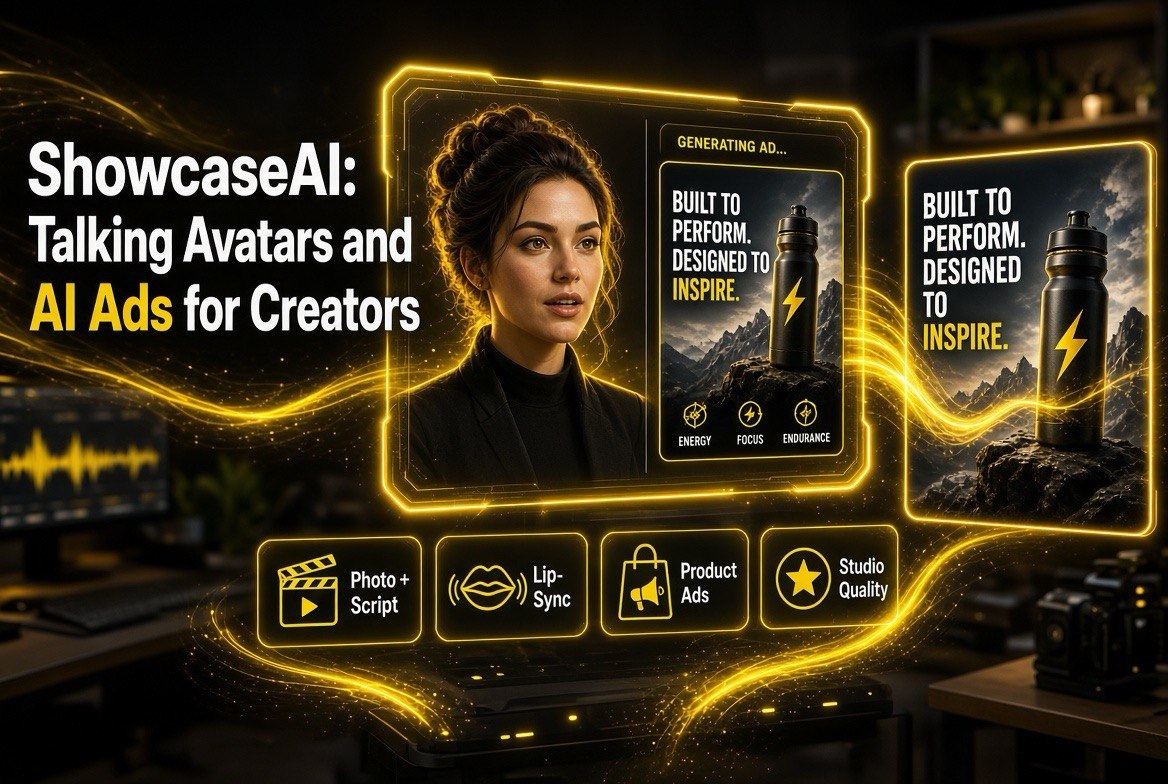
ShowcaseAI: Talking Avatars and AI Ads for Creators
Get The Faceless YouTube Blueprint — Free
The exact AI tool stack and workflow used to build a faceless YouTube channel from zero.
ShowcaseAI: Talking Avatars and AI Ads for Creators
⚡ Expert Summary: ShowcaseAI launched August 6, 2026 as an all-in-one AI video platform for creators, eCommerce brands, and marketers who want talking avatars and cinematic product ads without filming or editing. You upload a clear photo, add a script, and the tool generates realistic talking-avatar videos — or you drop in a product image and get a studio-quality ad with script, voiceover, motion, and lighting generated automatically. For a YouTube creator or small brand, the value is speed and cost: no studio, no actors, no post-production.
What Is ShowcaseAI?
ShowcaseAI is an all-in-one AI video creation platform that launched on August 6, 2026, aimed squarely at eCommerce brands, Shopify merchants, marketers, and content creators. The pitch is direct: get studio-quality video without hiring a crew, renting a studio, or acting. Its two headline capabilities are talking avatars and cinematic AI ads, built around turning a product or a face into polished, commercially usable video.
If you create videos for a living — or make product videos for a brand — the tool’s positioning should sound familiar. It belongs to the 2026 wave of AI video tools alongside platforms like HeyGen, Reloop, Arcads, and Creatify, but it leans hardest on the product-ad and talking-avatar use cases. That is a meaningful difference: rather than trying to be everything to everyone, ShowcaseAI optimizes for the two jobs creators actually monetize. For more on the broader toolkit of AI video tools, our AI video tools hub is a good starting point.
The core workflow is simple. For a talking avatar, you upload a clear photo, add a script (or audio), and the AI generates a video where the avatar speaks with natural lip-sync, expressions, and gestures. For a product ad, you drop in a product image and the system generates the full ad — script, voiceover, model, motion, lighting, angles, and background — all synchronized into a cinematic result.
The Feature Set, Broken Down
Here is what ShowcaseAI actually offers, organized by how a creator or brand would use it:
| Feature | What It Does | Best Use Case |
|---|---|---|
| Talking Avatar Videos | Upload a photo + script; AI creates a speaking avatar with lip-sync and expressions | Intros, tutorials, testimonials, social content |
| Cinematic AI Ads | Product image becomes a full studio-quality ad with script, VO, motion, lighting | Meta, TikTok, YouTube ad creative |
| Product Avatar Videos | Avatar demonstrates or holds the product | Showcase and demo videos |
| Virtual Try-On | Clothing and fashion try-on visuals | Apparel and fashion eCommerce |
| AI Voice Cloning | Replicate your own voice or a chosen style | Consistent brand voice across videos |
| TTS + Multilingual | Text-to-speech with multiple languages | Localized ad and content versions |
| Style Templates | Presets: UGC, beauty, fitness, automotive, CGI | Rapid on-brand creative for different niches |
Two features stand out for creators specifically. AI voice cloning lets you keep a consistent voice across every video without recording each one, which is a real time-saver if you publish regularly. And the style templates (UGC, beauty, fitness, automotive, CGI) let you match a niche’s expected look without learning that aesthetic from scratch.
Why the Talking-Avatar and AI-Ad Combo Matters
For a YouTube creator or eCommerce marketer, the combination of talking avatars and cinematic product ads covers most of the video you actually need. Talking avatars handle the “person talking to camera” content — intros, tutorials, and faceless-channel pivots where a consistent presenter matters. Cinematic ads handle the “selling the product” content that feeds paid media.
The overlap is where the efficiency lives. If you can generate both a presenter-style tutorial and a polished product ad from the same material — without filming either — you collapse the biggest bottleneck in content production: the shoot. For a solo creator or a small brand without a video department, that is the difference between publishing a few videos a month and publishing a few a week.
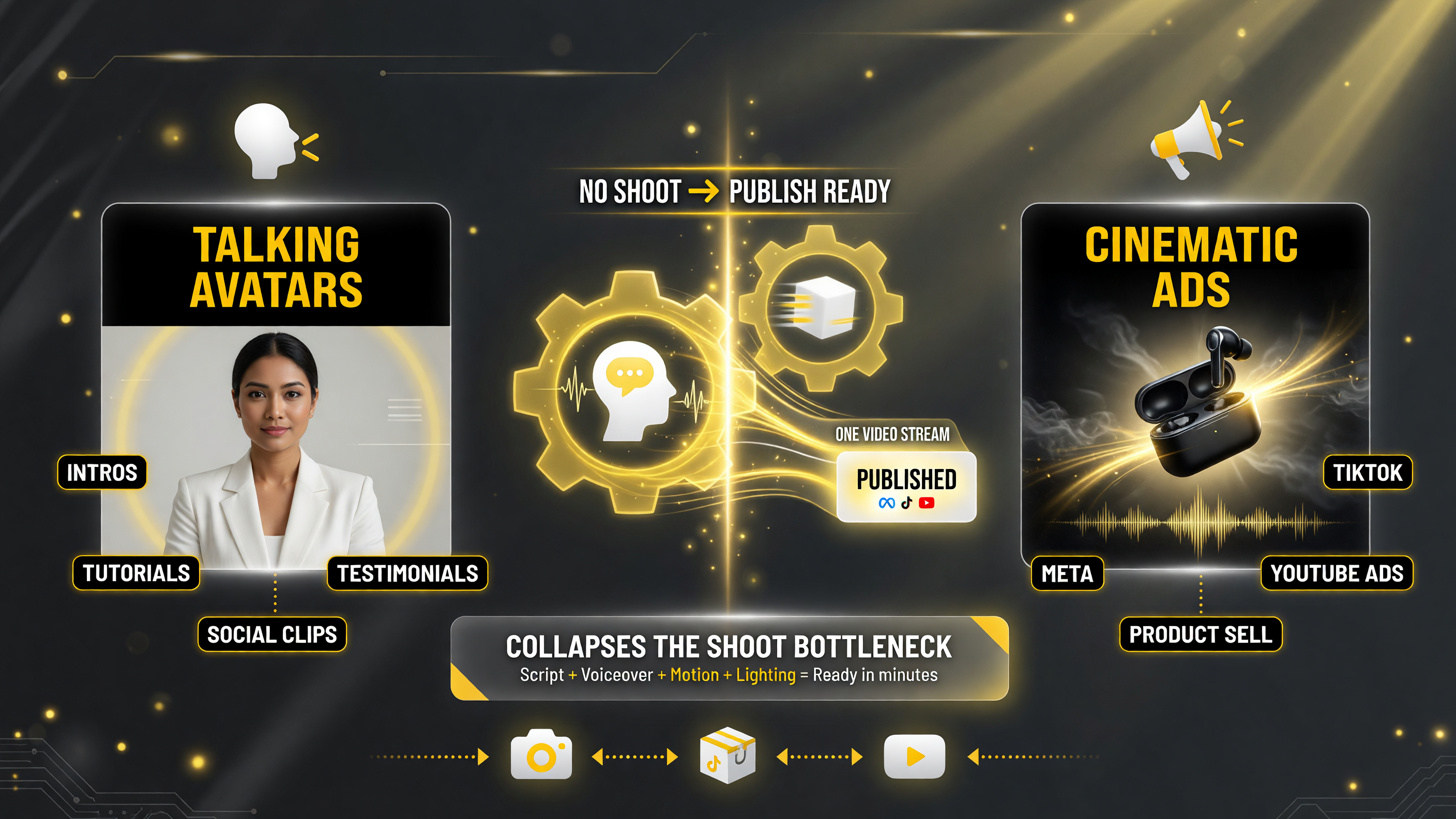
The combo covers most creator video needs: avatars handle the person-talking-to-camera work, cinematic ads handle selling the product — both generated without a shoot.
The other advantage is cost. There is no studio rental, no actor fee, no camera gear, and no post-production editor. For a small operation, those are the costs that make video advertising feel out of reach. Tools like ShowcaseAI are part of a broader trend that is bringing video production cost down far enough for small creators to compete with much larger teams.
How It Compares to the Field
ShowcaseAI is not the only tool doing AI avatars or AI ads, so it helps to know where it sits relative to what is already on the market.
| Tool | Primary Focus | Where ShowcaseAI Differs |
|---|---|---|
| HeyGen | Avatar video at scale, enterprise | ShowcaseAI leans harder on product ads and try-on |
| Arcads / Reloop | AI ad creative for performance marketing | Adds talking avatars and try-on beyond ads |
| Creatify | Product-link-to-video ad agent | ShowcaseAI bundles avatar + cinematic + try-on in one platform |
The differentiators to watch are the bundling (avatars + ads + try-on in one tool) and the eCommerce tilt. If your video needs are mostly product-led, ShowcaseAI’s package may reduce the number of subscriptions you need. If you are a general-purpose creator making long-form content, a dedicated avatar platform or editor might fit better.
Who Should Consider ShowcaseAI
Here is a practical fit checklist:
- eCommerce and Shopify brands: Strong fit — product ads, product-avatar demos, and virtual try-on all target the sales video you need for paid social.
- Marketers running paid ads: Strong fit — generating multiple ad variants quickly is exactly what performance marketing demands.
- Faceless YouTube creators: Good fit — talking avatars give you a consistent presenter without showing your face.
- Solo creators monetizing tutorials: Decent fit — avatar intros and tutorials are covered, though a general editor may be more flexible.
- Brands needing long-form cinematic video: Evaluate carefully — ShowcaseAI is optimized for ads and product showcases, not feature-length content.
If you have been paying for a photoshoot or an editor to produce ad creative, the economics of a tool like this are worth modeling: one subscription replaces several per-project costs, and the iteration speed lets you test more hooks in the same budget.
The Practical Test Before You Pay
Before subscribing, run the same short test you would apply to any AI video tool:
- Test the lip-sync quality: Generate a talking avatar from a real photo and a natural script. Check that the mouth movement and expressions look believable, not robotic.
- Test a real product ad: Drop in one of your actual product images and see whether the generated ad looks like something you would run on Meta or TikTok.
- Check commercial rights: Confirm the license covers paid ads and client work if you are a freelancer or agency.
- Compare the voice cloning: If consistent brand voice matters, test voice cloning against your expectation for accuracy and naturalness.
- Time-box the trial: Give yourself a set window to produce a small batch of finished videos. If the workflow does not fit your cadence in that window, it will not after you pay either.
The strongest signal is whether the tool gets you to a publish-ready video faster than your current process. If it does, the specific feature list matters less than the speed. If it does not, no amount of extra features will fix the workflow.
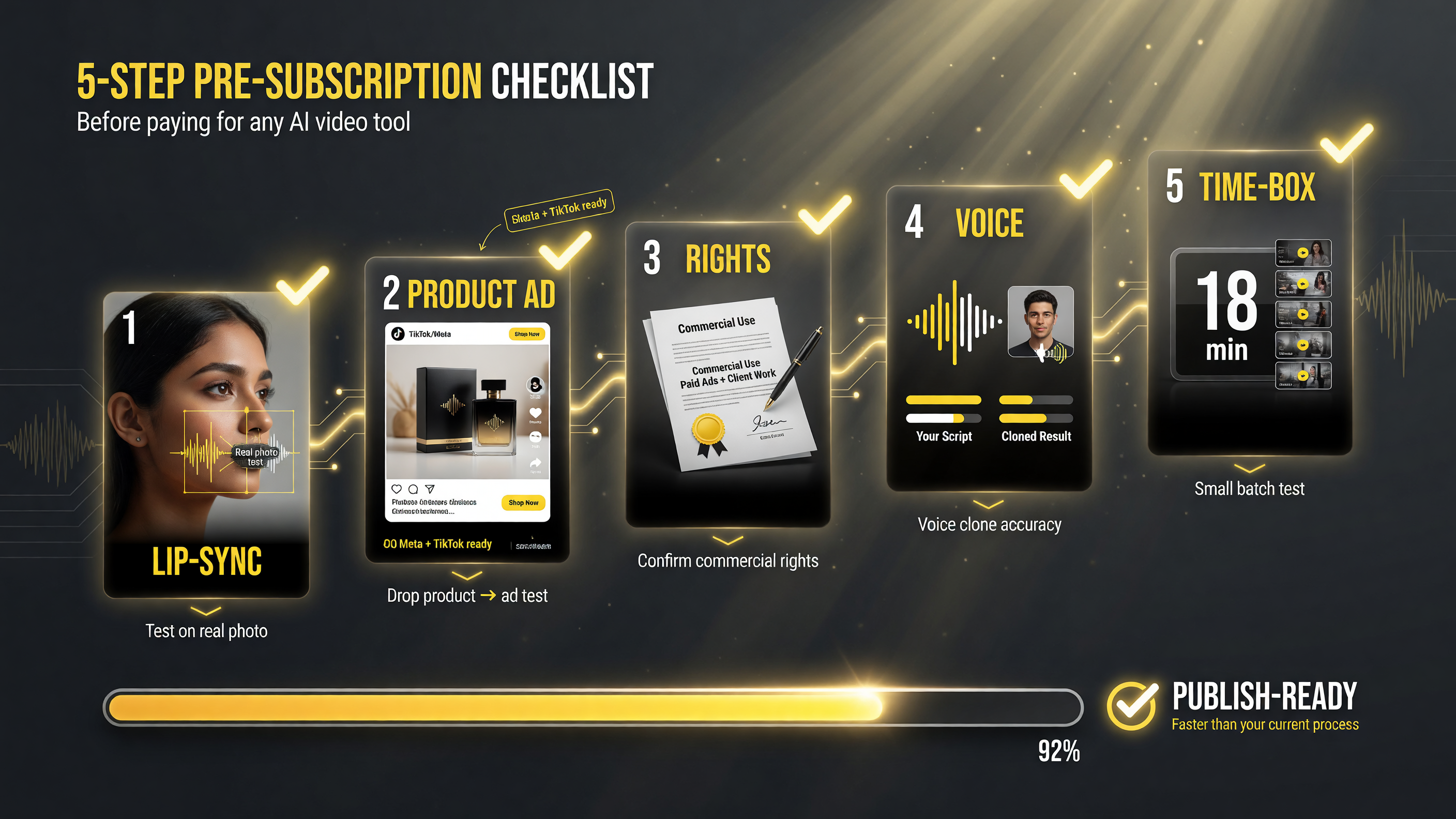
Run a short pre-subscription test on any AI video tool: lip-sync quality, a real product ad, commercial rights, voice cloning, and a time-boxed trial — before you pay.
The Economics of AI Video Production
To understand whether ShowcaseAI is worth it, it helps to model the cost of the old way. A single studio-quality product video traditionally involves a shoot, an editor, and a round of revisions. At freelance rates, a short polished ad can easily land in the hundreds of dollars per video, and a photoshoot or agency creative can run far higher. Multiply that by the number of ad variants a performance marketer wants to test and the budget grows fast.
An AI video platform changes the shape of that cost. Instead of paying per project for a shoot, you pay a flat subscription and generate as many variants as you need. The real advantage is not that a single video is free — it is that the marginal cost of the fifth, tenth, or thirtieth video drops to nearly zero. That unlocks an approach performance marketers already value: batch-testing multiple hooks and angles to see which one a platform rewards.
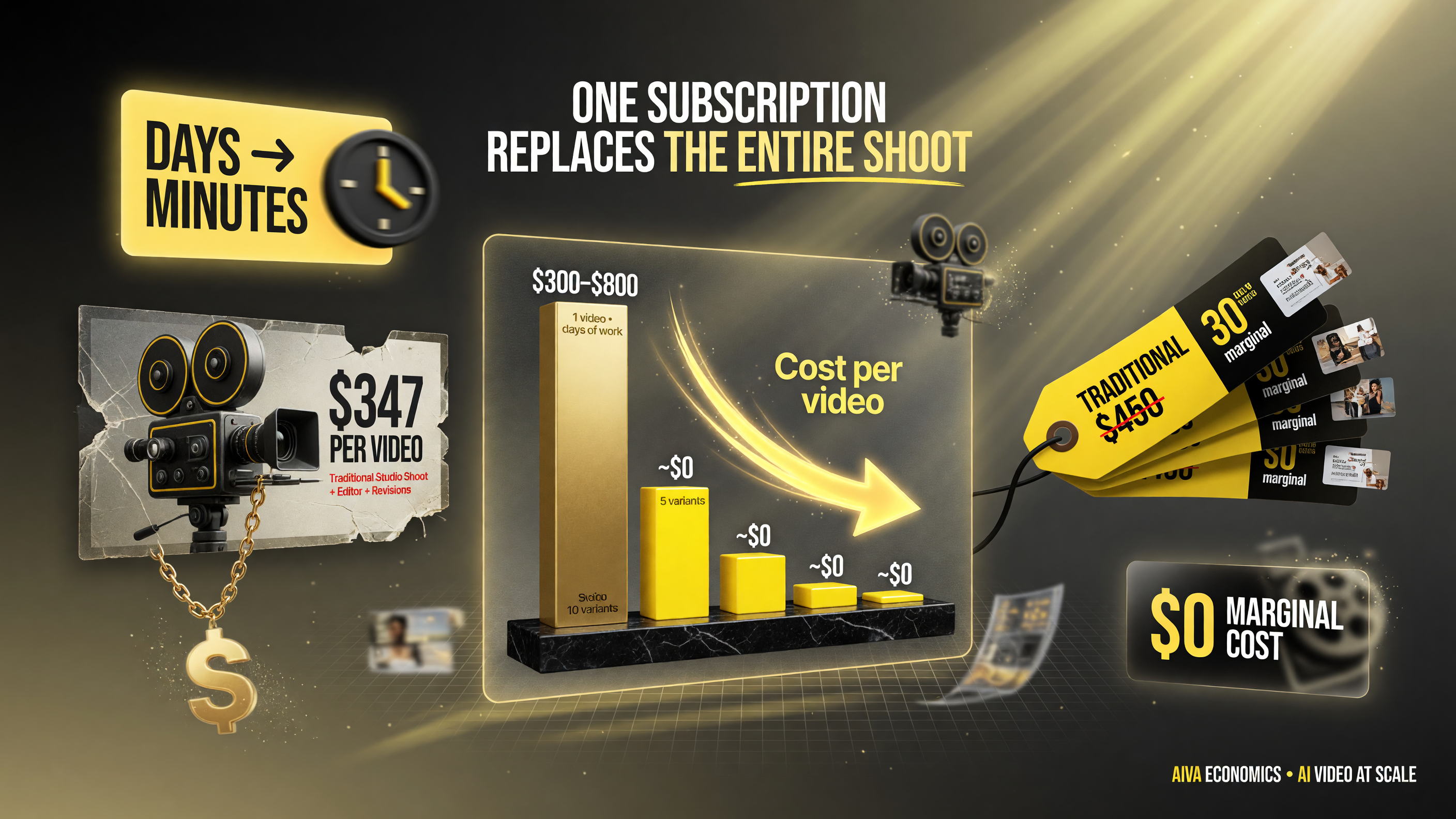
The economics flip: a traditional shoot can cost hundreds of dollars per video, while an AI platform makes the fifth, tenth, or thirtieth ad variant nearly free — and turns a days-long shoot into minutes.
The speed works the same way. A shoot might take days to schedule and edit. An AI-generated ad takes minutes. For a creator trying to keep a consistent publishing cadence, that is the difference between a channel that posts weekly and one that posts daily. Consistency is what builds an audience and what feeds algorithms, so the speed advantage compounds.
That said, the economics only work if the quality clears the bar for what you are running it on. A mediocre AI ad on a paid campaign burns budget on impressions that do not convert. The right use of a tool like this is to generate multiple candidates, screen them for quality, and only put the strong ones in front of paid audiences.
Creative Workflow Tips That Separate Good From Bad Results
The difference between a believable AI avatar and an uncanny one often comes down to how you use the tool, not the tool itself. Here are the habits that tend to produce better results:
- Use a clear, well-lit source photo. A grainy, side-lit, or partially obstructed face produces a weaker avatar. The input quality sets the ceiling for the output.
- Write scripts the way a human speaks. Short sentences, natural pauses, and plain language produce more believable lip-sync and delivery than dense, formal copy.
- Match the template to the platform. A crop and pacing that works for TikTok is not the same as what works for YouTube or Meta. Use each platform’s expected format.
- Add a hook early. Paid ads live and die by the first two seconds. Front-load the benefit or the question that stops the scroll.
- Test multiple voice options. If voice cloning is available, compare it against the preset voices. The best-sounding option is not always your own clone.
None of these are complicated, but they are the difference between content that looks generated and content that looks produced. The tools are converging in capability; the output still depends on the operator’s craft.
Where This Sits in Your Creative Stack
One honest note: an AI ad generator does not replace all of video creation. Projects that need genuine narrative, complex editing, or a real human performance still warrant a proper tool or a human editor. Where ShowcaseAI and tools like it earn their keep is the high-volume, template-shaped work — ads, social clips, product demos — that previously ate hours and budget.
The creators who win in 2026 are not necessarily the ones with the most gear. They are the ones who can ship consistent, on-brand, commercially usable video at a pace their competitors cannot match. That is the exact problem ShowcaseAI is built to solve for the product and avatar niche.
FAQ
What is ShowcaseAI?
ShowcaseAI is an all-in-one AI video platform that launched August 6, 2026, for creating talking-avatar videos and cinematic product ads from a photo and a script, without filming or editing.
Who is ShowcaseAI for?
It targets eCommerce brands, Shopify merchants, marketers, and content creators who need studio-quality video for ads, product demos, and social content quickly and cheaply.
Can ShowcaseAI make a talking avatar from my photo?
Yes. You upload a clear photo, add a script or audio, and the AI generates a video where the avatar speaks with natural lip-sync, expressions, and gestures.
Does ShowcaseAI include AI voice cloning?
Yes, ShowcaseAI offers AI voice cloning to replicate your own voice or a chosen style, plus text-to-speech with multilingual support.
Is ShowcaseAI good for paid ads?
Yes. It is built for creating cinematic AI ads for Meta, TikTok, and YouTube, with style templates for UGC, beauty, fitness, automotive, and CGI niches.

About Barak Schurr
Barak Schurr is a serial entrepreneur who built and exited a major ticketing platform before turning his attention to AI and content. He runs three AI-focused research sites and writes about the tools, workflows, and strategies that let solo creators build real channels — without a crew, a studio, or a Hollywood budget. Contact: [email protected]
More AI Video Resources