Runway Gen-4 Turbo Review — 5x Faster AI Video at 60% Less Cost. Is It Worth the Quality Trade-Off?
Get The Faceless YouTube Blueprint — Free
The exact AI tool stack and workflow used to build a faceless YouTube channel from zero.
Runway Gen-4 Turbo Review — 5x Faster AI Video at 60% Less Cost. Is It Worth the Quality Trade-Off?
⚡ Expert Summary: Runway Gen-4 Turbo generates a 10-second AI video clip in about 30 seconds at 5 credits per second, compared to Gen-4 standard’\”s “up to a few minutes” at 12 credits per second. For US creators and small businesses, the trade-off is clear: Turbo handles drafts, social content, and A/B testing at 5x the speed and 60% lower cost, while Gen-4 standard remains the choice for final-quality production shots. But is the quality gap wide enough to matter for everyday use? This review breaks down the real-world difference.
Runway launched Gen-4 in late March 2025 and followed with Gen-4 Turbo on April 7, 2025 (Runway research blog, Runway changelog). A year later, the twin models have found their respective niches. Gen-4 standard is the premium tool for high-budget production houses. Gen-4 Turbo is the daily driver for everyone else.
This guide covers exactly what Gen-4 Turbo delivers, where it cuts corners, and how to decide which tier to use for each project.
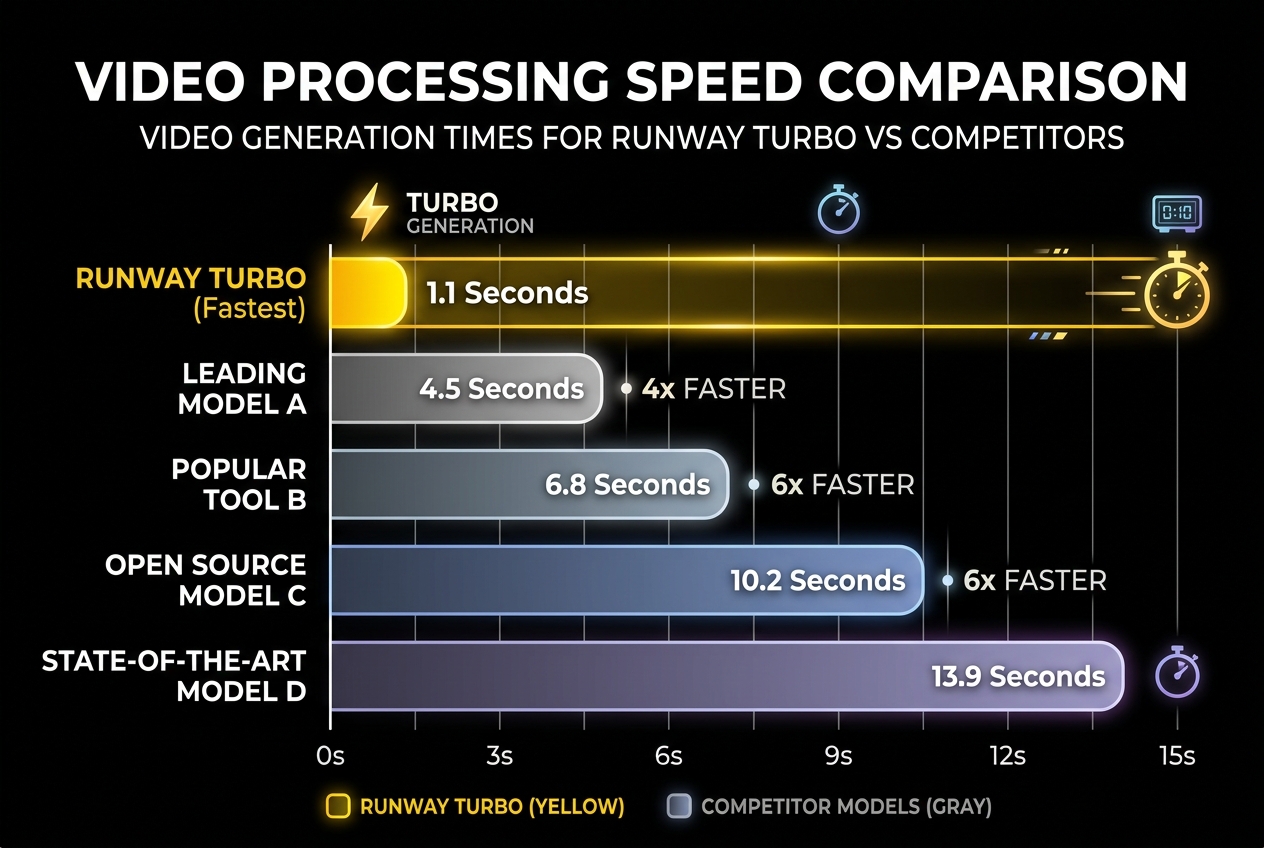
Gen-4 Turbo generates a 10-second clip in about 30 seconds at 5 credits per second. Gen-4 Standard takes up to a few minutes at 12 credits per second. That’s 5x faster at 60% lower cost.
Gen-4 Turbo vs Gen-4 Standard: The Numbers
| Gen-4 Turbo | Gen-4 Standard | |
|---|---|---|
| Generation time (10s clip) | ~30 seconds | Up to several minutes |
| Speed vs Gen-4 | ~5x faster | Baseline |
| Credits per second | 5 credits/s | 12 credits/s |
| Cost for 10s clip | 50 credits | 120 credits |
| Clip length | 5 or 10 seconds, 24fps | 5 or 10 seconds, 24fps |
| Input | Reference image + text prompt | Reference image + text prompt |
| Best for | Drafts, iteration, social content | Final production shots |
The speed difference is not subtle. A 10-second Gen-4 standard clip can take anywhere from 90 seconds to 3 minutes depending on server load, complexity, and aspect ratio. Gen-4 Turbo delivers the same length in roughly 30 seconds, consistently. Over a batch of 10 clips, that is the difference between 5 minutes of waiting and 20-30 minutes of waiting.
The credit cost difference is even wider. At 5 credits per second vs 12, Turbo uses less than half the credits for the same output length. On Runway’\”s Standard plan ($12/month, 625 credits), a single 10-second Gen-4 standard clip costs 120 credits — consuming nearly 20% of your monthly credit allowance. The same clip on Turbo costs 50 credits — about 8%. (AI Wiki, Runway Gen-4 Turbo details)
Where Gen-4 Turbo Wins
Rapid Iteration and Pre-Visualization
The biggest practical advantage of Turbo is not the credit savings — it is the iteration speed. When you are refining a concept, the ability to generate a draft, adjust the prompt, and regenerate in under a minute changes your creative workflow. With standard Gen-4, a three-minute generation time discourages experimentation. You tend to overthink the prompt before hitting generate. With Turbo, you can afford to explore. Generate 10 variants of the same scene in 5 minutes. Pick the best one. Refine.
Social Content at Scale
A US social media manager producing daily video content for a small business needs volume. One 10-second clip per social platform per day = 30 clips per month for a three-platform strategy. On Gen-4 standard, 30 clips at 120 credits each = 3,600 credits = well beyond the Standard plan and a significant chunk of the Max plan (9,500 credits at $76/month). On Turbo, 30 clips at 50 credits each = 1,500 credits — within the Standard plan if you use credits efficiently with Explorer mode for experiments. (Gadgets 360, Gen-4 Turbo pricing)
A/B Testing Marketing Variants
Marketing teams running ad creative tests need multiple video variants to optimize performance. Turbo lets you generate 5-10 variants of the same concept in a single session, test them against each other, and double down on the winning approach. The credit cost is low enough that you can treat test variants as disposable — if a concept does not work, you lost 50 credits, not 120.
Where Gen-4 Turbo Falls Short
Runway’\”s own positioning is transparent: Turbo is for speed, standard is for final quality. The question is whether the quality gap is visible in your use case.
On close inspection, Gen-4 Turbo output shows slightly less consistent motion physics. Objects may drift marginally from frame to frame in a way that standard Gen-4 controls better. Fine details — particularly text in generated scenes and small object motions — are crisper on standard Gen-4. For a 10-second Instagram Reel viewed on a phone, the difference is negligible. For a broadcast-quality commercial or flagship YouTube video, the difference is visible.
Turbo also requires more careful prompting. Because the generation is faster, the model has fewer inference steps to resolve ambiguous instructions. A vague prompt like “a person walking down a street” produces more variable results on Turbo than on standard Gen-4. The solution is to be more specific: “A man in a blue jacket walks down a wet street at night, neon reflections on the pavement, slow pace.” Turbo responds well to detailed prompts but struggles with loose direction.

Credit usage breakdown: Turbo (5 credits/sec) handles drafts, social content, and A/B testing. Standard (12 credits/sec) remains the choice for final-quality production shots. The 60% cost savings makes rapid iteration practical.
Runway Gen-4 Turbo Pricing in Context
| Plan | Monthly Price | Credits | Turbo 10s Clips | Standard 10s Clips |
|---|---|---|---|---|
| Standard | $12 | 625 | ~12 | ~5 |
| Pro | $28 | ~2,000 | ~40 | ~16 |
| Max | $76 | 9,500 | ~190 | ~79 |
On the Standard plan, Turbo gives you over twice as many usable clips per month than standard Gen-4. On the Max plan, Turbo delivers 190 clips compared to 79. For most US small businesses and independent creators producing social content, the Standard plan combined with Turbo is a practical sweet spot: $12/month for roughly 12 finished 10-second clips, plus unlimited experimentation through Explorer mode (which uses no credits for low-resolution drafts).
Real-World Credit Math for Different Creator Profiles
To make the credit math concrete for different types of creators, here is how Turbo vs Standard play out across common monthly content volumes:
Social media manager (30 clips/month, 10 seconds each):
- All Turbo: 30 × 50 credits = 1,500 credits. Fits on Pro plan ($28/month).
- All Standard: 30 × 120 credits = 3,600 credits. Requires Max plan ($76/month).
- Saving: $48/month by using Turbo.
Freelance creator (10 clips/month, mix of drafts + finals):
- 8 Turbo drafts + 2 Standard finals: (8 × 50) + (2 × 120) = 640 credits. Fits on Standard plan ($12/month).
- All Standard: 10 × 120 = 1,200 credits. Needs Pro plan ($28/month).
- Saving: $16/month, plus lower commitment.
Agency producing 50 clips/month:
- 40 Turbo + 10 Standard: (40 × 50) + (10 × 120) = 3,200 credits. Needs Max plan ($76/month).
- All Standard: 50 × 120 = 6,000 credits. Still Max plan, but you run out of credits by day 18.
- Saving: Not just money — you actually stay within your plan instead of topping up.
The pattern is clear: Turbo makes lower-tier plans viable for higher-volume workflows. A creator on the $12 Standard plan can produce roughly 12 Turbo clips per month. The same plan on all-Standard generation would produce only 5 clips. For creators operating on tight margins, that difference determines whether the tool is financially viable or not.
The Recommended Workflow
Based on creator reports across Runway’\”s community and independent reviews, the optimal workflow in mid-2026 uses both models strategically:
- Ideate in Turbo. Generate 5-10 concept variants. Do not worry about quality. Find the direction that works.
- Refine in Turbo. Take the winning concept and iterate on the prompt. Adjust camera angle, motion description, lighting. Generate 3-5 refined versions.
- Final in Gen-4 or Gen-4.5. Once the concept and prompt are locked, generate the final version using standard Gen-4 (or Gen-4.5 if available on your plan) for the highest quality output. Because you already validated the concept in Turbo, you only pay the 120 credits once.
This workflow saves roughly 60-70% on credit costs compared to generating everything in standard Gen-4, while still delivering a final clip at maximum quality. It adds about 5 minutes of iteration time and saves approximately $40-50 worth of credits per project on the Standard plan.
Quality comparison: Gen-4 Standard (left) preserves fine detail for final production. Gen-4 Turbo (right) shows minor quality reduction — acceptable for social drafts but noticeable in side-by-side comparison.
Gen-4 Turbo vs Competitors at Similar Price
At $12-28/month, Gen-4 Turbo competes directly with Pika’\”s paid plans ($10-30/month) and Seedance 2.0 via CapCut (free with the app but limited outputs). The comparison is instructive:
- Gen-4 Turbo vs Pika 2.2: Turbo generates faster but Pika offers longer clips (up to 30 seconds on paid plans) and the audio-driven Pikaformance lip-sync tool. For pure video generation, Turbo has better motion consistency. For projects that need character voices and longer runtime, Pika has the edge.
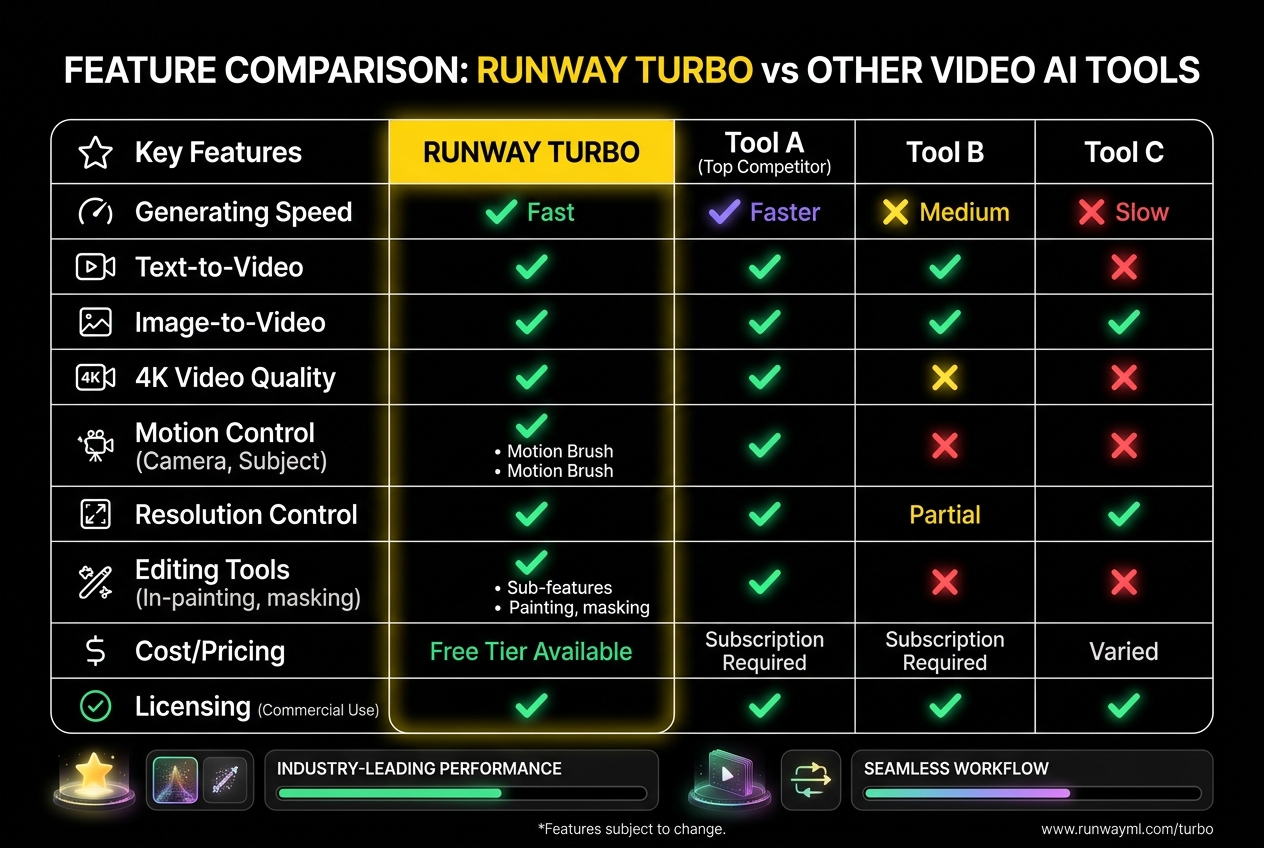
- Gen-4 Turbo vs Seedance 2.0 (via CapCut): Seedance offers superior realism and 4K output, but CapCut integration limits creative control. Turbo gives you Runway’\”s full editing suite — scene extension, style transfer, frame-based refinement — which CapCut does not match. Seedance wins on pure output quality; Turbo wins on the complete creation pipeline.
- Gen-4 Turbo vs Kling 3.0: Kling offers competitive quality at a similar price point but lacks Runway’\”s world-consistency features and multi-model aggregation. For creators who need consistent characters across multiple clips, Gen-4’\”s reference-image workflow is more reliable than Kling’\”s prompt-based approach.
The value of Gen-4 Turbo is not that it produces the best-looking 10-second clip in its class — it is that it produces a good clip faster and cheaper than any competitor, with access to Runway’\”s editing tools for polish. For a US small business or solo creator producing daily social content, speed and iteration matter more than marginal quality gains.
Frequently Asked Questions
How much faster is Gen-4 Turbo than standard Gen-4?
Gen-4 Turbo is approximately 5x faster than standard Gen-4, generating a 10-second clip in about 30 seconds versus up to several minutes for standard Gen-4.
How many credits does Gen-4 Turbo cost per clip?
Gen-4 Turbo costs 5 credits per second of video. A 10-second clip costs 50 credits, compared to 120 credits for standard Gen-4.
What plan do I need for Runway Gen-4 Turbo?
Gen-4 Turbo is available on all paid Runway plans starting at $12/month (Standard) with 625 monthly credits.
Is Gen-4 Turbo quality good enough for professional use?
Gen-4 Turbo quality is good for social media, drafts, and A/B testing. For final production-quality shots where motion physics and fine detail matter most, standard Gen-4 or Gen-4.5 delivers better results.
Can I use Gen-4 Turbo with 4K output?
Yes, Gen-4 Turbo clips can be upscaled to 4K on Standard and higher plans, though the base generation runs at lower resolution.

About Barak Schurr
Barak Schurr is a serial entrepreneur who built and exited a major ticketing platform before turning his attention to AI and content. He runs three AI-focused research sites and writes about the tools, workflows, and strategies that let solo creators build real channels — without a crew, a studio, or a Hollywood budget. Contact: [email protected]
More AI Video Resources