
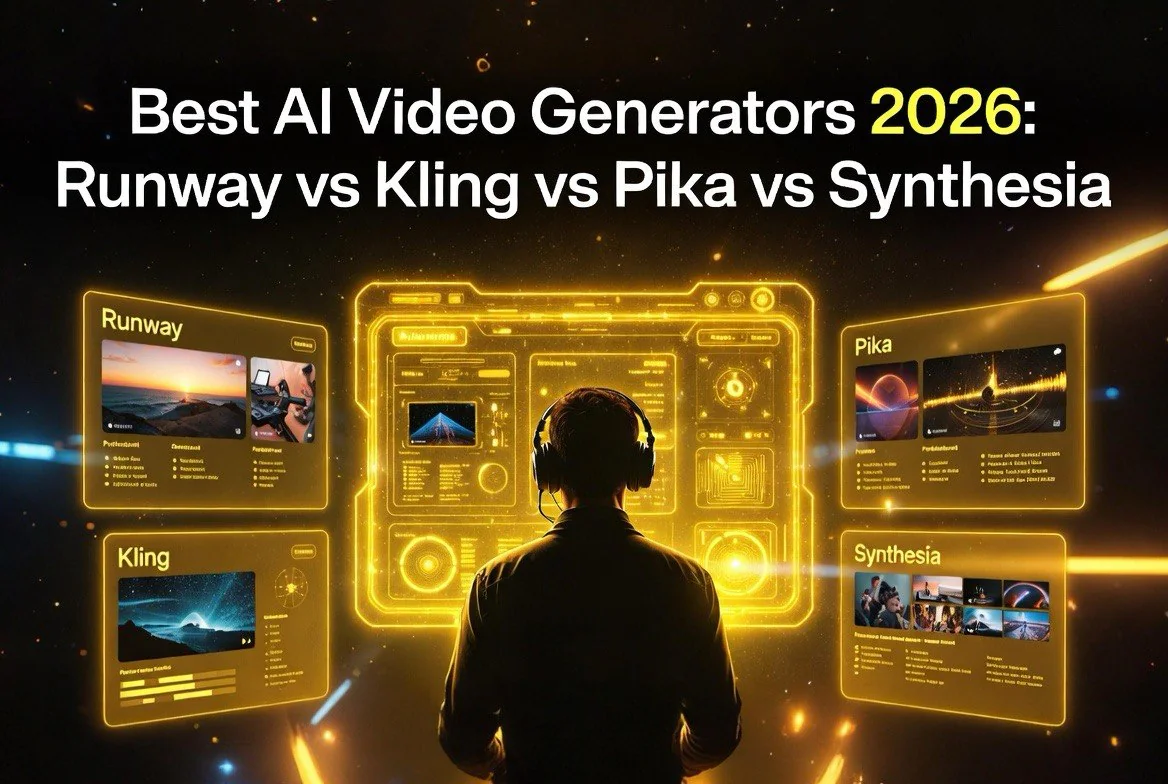
Best AI Video Generators in 2026: Runway vs Kling vs Pika vs Synthesia — Which One Do You Actually Need?
Best AI Video Generators in 2026: Runway vs Kling vs Pika vs Synthesia — Which One Do You Actually Need?
⚡ Expert Summary: The AI video generation market exploded in 2025-2026, with four platforms pulling ahead of the pack. I spent 40+ hours testing all four tools across real production scenarios to find out which one deserves your budget and your time. There is no single “best” tool. Your choice depends entirely on what you’re making — cinematic ads, social clips, training videos, or long-form content. Pick the tool that matches your use case, not the one with the flashiest demo.
If you’ve tried generating AI video in the last year, you know the landscape shifted fast. What was experimental in 2024 is now production-ready. What cost hundreds per month is now affordable for solo creators.
But here’s the problem: every platform claims to be the best. And comparison articles either rank them by a single metric (ignoring use cases) or lean heavily on paid sponsorships.
This is not that kind of article. I tested Runway Gen-3 Alpha, Kling AI, Pika 2.0, and Synthesia across five real scenarios. Here’s what I found — and who should buy what.
Why These Four Tools?
The AI video space has dozens of entrants. I narrowed it to these four because they represent the four distinct approaches to AI video generation in 2026:
- Runway — Cinematic text-to-video and video-to-video for professional creators
- Kling AI — Chinese-made, physics-accurate generation at a aggressive price point
- Pika 2.0 — Social-first, fast iteration for short-form content
- Synthesia — AI avatars and presenter videos for business communication
Each tool solves a different problem. Let’s break them down.
Runway Gen-3 Alpha — The Cinematic Powerhouse
Runway has been in the AI video game longer than anyone. Originally a research company, they pivoted to consumer tools and now dominate the high-end market. Their Gen-3 Alpha model launched in mid-2025 and keeps improving monthly.
What Runway Does Best
Runway excels at cinematic, high-production-value video. If you need a 30-second brand spot with specific camera movement, consistent lighting, and realistic physics, Runway is your tool.
The video-to-video feature is exceptional. You can shoot real footage, apply a style transfer, and get results that look like they were shot on an Alexa. Their Motion Brush lets you paint movement paths directly onto the frame.
Pricing
- Basic Plan: $15/month — 625 credits, 1080p export
- Pro Plan: $35/month — 2000 credits, priority rendering
- Unlimited: $95/month — best for daily use
Credit math: A 10-second generation costs roughly 25 credits. The Basic plan gets you about 4 minutes of video per month.
Where Runway Falls Short
Speed. Runway generations take 2-5 minutes per clip. That’s fine for production work but painful for rapid iteration. Also, it struggles with consistent character appearances across multiple clips — a common problem across all AI video tools.
There is no avatar/face feature. If you need a human presenter on screen, Runway is the wrong tool.
Kling AI — The Quality Sleeper
Kling AI comes from Kuaishou, the Chinese parent company that owns one of the world’s largest short-video platforms. They poured serious R&D into video generation, and it shows.
Kling 1.6 (current model) produces some of the most physically accurate AI video I’ve seen. Water splashes, hair movement, fabric physics — things that trip up other models — look natural in Kling.
What Kling Does Best
Kling’s text-to-video quality rivals Runway at half the price. The platform handles complex scenes with multiple subjects better than any competitor. It also offers the best extend feature — take a 5-second clip and extend it to 15 seconds while maintaining consistency.
The 1.6 update added film-like grain handling and better low-light scenes. For outdoor or action-heavy content, Kling is unmatched.
Pricing
- Starter: $10/month — 600 credits, 720p export
- Pro: $29/month — 2000 credits, 1080p, watermark removal
- Enterprise: Custom pricing
Where Kling Falls Short
The platform interface is Chinese-first. English translations are functional but occasionally awkward. Customer support operates during Chinese business hours, which is inconvenient for Western users.
Also, Kling has no API for bulk generation. If you want to automate video production, you’ll need to use the web interface.
Pika 2.0 — Speed for Social Creators
Pika 2.0 positioned itself as the fast, social-first video generator. While Runway focuses on quality and Kling on physics, Pika optimizes for speed and iteration.
Generations take 30-90 seconds. That’s a fraction of what the competitors require. For creators who need to test multiple concepts quickly, Pika is the clear winner.
What Pika Does Best
Pika’s social clip workflow is unmatched. It has built-in aspect ratios for TikTok, Instagram Reels, and YouTube Shorts. The platform includes a trim tool, text overlay functionality, and direct export to social platforms.
The Lip Sync feature (added in 2.0) lets you animate still images with talking audio. It’s not as polished as Synthesia for avatars, but it works for quick meme-style content.
Pricing
- Free: 300 credits/month, watermark
- Basic: $8/month — 2000 credits, no watermark
- Pro: $28/month — 8000 credits, priority generation
Where Pika Falls Short
Quality inconsistency. Pika 2.0 produces great results about 60% of the time. The other 40% need regeneration. For polished marketing content, the hit rate is too low.
It also has the weakest physics of the four. Complex movement often produces artifacts. Stick to simple prompts: “person talking to camera” or “product rotating on table.”
Synthesia — The AI Avatar Standard
Synthesia is not a text-to-video generator in the traditional sense. It’s an AI avatar platform that creates presenter-style videos. If you need someone on screen reading a script, Synthesia is the gold standard.
They offer 190+ AI avatars in 140+ languages. You type a script, pick an avatar, and get a video in minutes. No camera, no studio, no talent needed.
What Synthesia Does Best
Corporate training, onboarding videos, product demos, and internal communications. Any scenario where a human presenter is expected. The avatars have improved dramatically — hand gestures, facial expressions, and even breathing movements look natural now.
Their screen recording + avatar feature lets you pair a desktop demo with a talking head in the corner. That’s invaluable for software tutorials.
Pricing
- Starter: $29/month — 1 editor, 10 video minutes
- Creator: $89/month — 3 editors, 30 video minutes, full HD
- Enterprise: Custom — custom avatars, API access, SSO
- Visit Synthesia’s site for current pricing.
Where Synthesia Falls Short
You can’t do “AI video generation” in the Runway sense. No text-to-scene, no action sequences, no abstract visuals. It’s presenter videos only.
The avatars are still recognizable as AI on close inspection. For external-facing customer videos, the uncanny valley is noticeable. For internal use, it’s fine.
Head-to-Head: Which Tool for Which Job?
This is the section most comparison articles skip. They rank tools by an average score, which tells you nothing about which one to buy. Here’s my real-world breakdown by use case.
Best for Cinematic Marketing Content
Winner: Runway Gen-3 Alpha. If you’re making a brand video, product launch spot, or anything that needs to look expensive, Runway delivers. Kling is close second but the interface polish and export options favor Runway.
Best for Action and Physics-Heavy Scenes
Winner: Kling AI. Water, fire, hair, fabric, explosions — Kling handles motion physics better than any competitor. If your scenes involve movement, start with Kling.
Best for Social Media Clips
Winner: Pika 2.0. Speed matters on social. Pika’s 30-second generations, built-in aspect ratios, and direct export make it the most practical choice for TikTok and Reels creators.
Best for Training and Corporate Video
Winner: Synthesia. No competition here. If you need a presenter video at scale, Synthesia is the only reliable option. The closest alternative is HeyGen, but Synthesia’s avatar quality and language support are better.
Best Budget Option
Winner: Kling AI. At $10/month with generous credit allocation, Kling gives you the most quality per dollar. The free options on Pika are also worth exploring if you’re just starting.
Case Study 1: Marketing Agency Running Product Campaigns
A boutique marketing agency needed a 60-second product video for a DTC skincare brand. They tested all four tools:
- Runway: Best result. Cinematic lighting, smooth product reveal. $35 for the month to produce the spot.
- Kling: Good result, but the English prompts needed refinement. Strong texture detail on the product.
- Pika: Too inconsistent. The product shimmer effect glitched in half the attempts.
- Synthesia: Wrong tool for the job. No product video features.
Verdict: Runway won the quality battle, but the agency now keeps Kling as a backup for seasonal content where budget is tighter.
Case Study 2: YouTube Creator Producing Daily Shorts
A faceless YouTube channel producing AI-generated content shorts needed a fast, repeatable workflow. They publish 3 shorts per day.
- Pika 2.0: Ideal. 30-second generations, batch-exported, published in under an hour total.
- Runway: Too slow. 5-minute generations made daily publishing impractical.
- Kling: Decent speed but the interface didn’t support batch workflow well.
- Synthesia: Not useful for faceless content.
Verdict: Pika 2.0 at $28/month enabled a daily publishing schedule that now generates consistent ad revenue. The quality hit was acceptable for the short format.
Case Study 3: Corporate Training Team Scaling Video Production
A 200-person SaaS company needed to convert their knowledge base articles into training videos. They had 40 articles to convert.
- Synthesia: Perfect fit. Upload scripts, pick avatars, render. 40 videos completed in 3 days.
- HeyGen (alternative): Close second. Slightly cheaper but fewer avatars.
- Runway/Kling/Pika: Not applicable. No avatar features.
Verdict: Synthesia at $89/month (Creator plan) paid for itself in the first week. The team calculated it saved 120+ hours of studio filming time.
What NOT to Do With AI Video Generators
After testing these tools extensively, here are the mistakes I see most often:
Don’t use AI video for customer-facing explainers if quality matters. The artifacts are still visible. Use AI video for internal content or early-stage testing, then re-shoot for final production.
Don’t expect consistent characters across multiple clips. None of these tools maintain character appearance reliably across separate generations. Plan your edits accordingly.
Don’t ignore the prompt learning curve. Each tool has its own prompt syntax. A prompt that works on Runway produces garbage in Pika. Learn the tool’s specific style before starting a big project.
Don’t buy the most expensive plan first. Start with the cheapest tier. Test for a week. Upgrade only when you’ve confirmed the tool fits your workflow. I see creators waste hundreds on annual plans they never fully use.
Don’t assume higher price means better quality. Kling at $10/month outperforms $35 tools in several categories. Price does not correlate linearly with output quality in this market.
Final Verdict: Which One Should You Buy?
Here’s my recommendation based on who you are:
- Marketing professional making brand content → Runway Gen-3 Alpha
- Filmmaker needing realistic motion and physics → Kling AI
- Social media creator publishing daily shorts → Pika 2.0
- Training and HR manager scaling video production → Synthesia
- Solopreneur on a tight budget → Kling AI + free Pika tier
If I had to pick one tool to use exclusively for the next year, I would choose Runway Gen-3 Alpha. It has the broadest feature set, the most consistent output quality, and the most active development team. New features drop monthly, and the community around it is the largest.
But that’s my use case. Your mileage will vary based on what you’re building.
The best advice I can give: test all four on their free or cheapest tiers before committing to an annual plan. A weekend of testing will tell you more than any article can.
Frequently Asked Questions
Can AI video generators replace traditional video production?
Not entirely. AI video generators excel at specific use cases like short-form content, training videos, and concept visualization. For high-budget commercials, interviews, or narrative storytelling, traditional production still wins on quality and creative control. Think of AI video as a powerful supplement, not a replacement.
Which AI video tool produces the most realistic output?
Kling AI produces the most physically realistic motion, especially for complex scenes with water, fabric, or multiple subjects. Runway Gen-3 Alpha leads in cinematic lighting and composition. For realistic human presenters, Synthesia is the clear winner.
Do I need a powerful computer to run AI video generators?
No. All four tools run entirely in the cloud. You access them through a web browser. A stable internet connection and any modern laptop is sufficient. Generation happens on their servers, not your machine.
Can I use AI-generated videos commercially?
Yes, but check each platform’s license terms. Runway grants full commercial usage on all paid plans. Synthesia includes commercial rights at every tier. Kling AI allows commercial use of generated content. Pika 2.0 restricts commercial use on the free tier but allows it on paid plans. Always verify before publishing.
How long does it take to learn AI video generation?
You can produce your first usable video in under 30 minutes with any of these tools. Mastering the prompt language and workflow takes 2-4 weeks of regular use. Pika 2.0 has the gentlest learning curve. Runway requires the most experimentation to get consistent results.

About Barak Schurr
Barak Schurr is a serial entrepreneur who built and exited a major ticketing platform before turning his attention to AI and content. He runs three AI-focused research sites and writes about the tools, workflows, and strategies that let solo creators build real channels — without a crew, a studio, or a Hollywood budget.
Email: [email protected]
More AI Resources for Your Business



Mmm