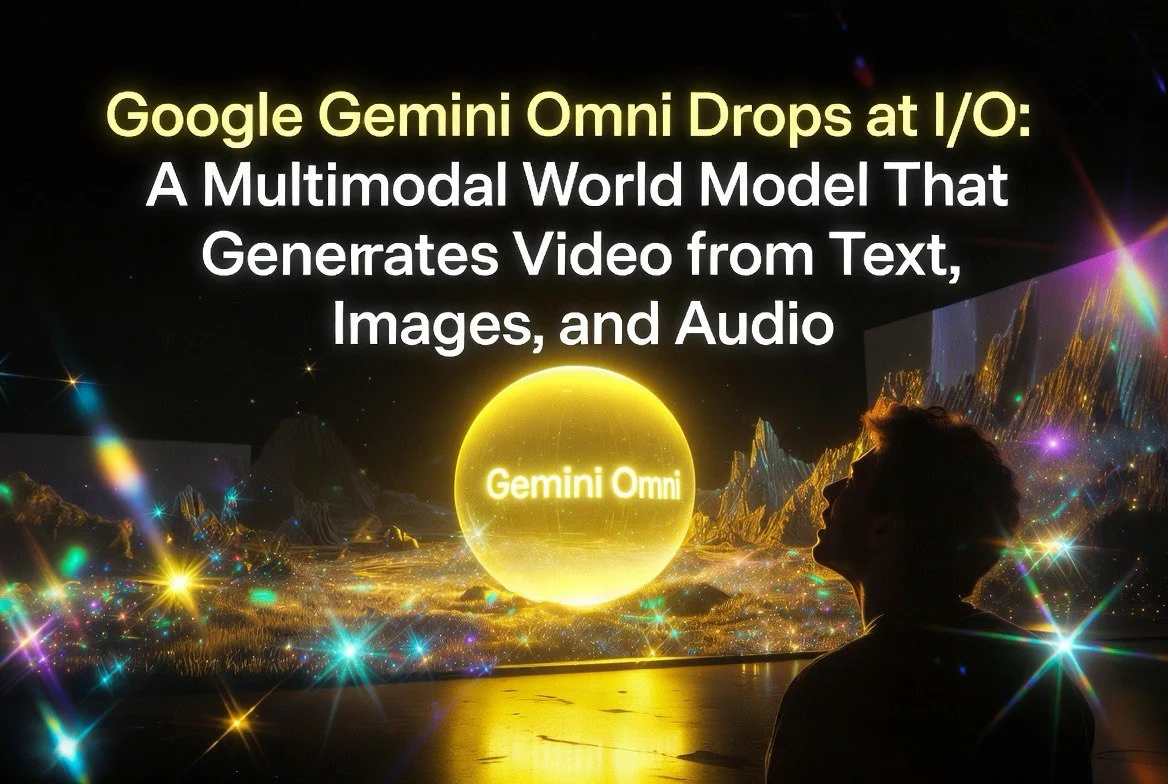
Google Gemini Omni Drops at I/O — A Multimodal World Model That Generates Video from Text, Images, and Audio
Google Gemini Omni Drops at I/O — A Multimodal World Model That Generates Video from Text, Images, and Audio
⚡ Expert Summary: Google unveiled Gemini Omni at I/O 2026 — a single multimodal model that can generate video from text prompts, still images, and audio inputs combined. Unlike video generators that work from a single modality, Gemini Omni processes and creates across text, image, audio, and video simultaneously. Here’\”s what it can do and what it means for creators.
If you were watching Google I/O 2026 on May 19, you saw something that made even the jaded AI crowd sit up straight. Demis Hassabis walked on stage, ran through the usual suite of Gemini updates, and then dropped what might be the most significant AI video announcement of the year: Gemini Omni.
This isn’\”t just another text-to-video model. Google is calling it a “world model” — and for once, the marketing language undersells it. Gemini Omni is a single multimodal model that takes in text, images, audio, and existing video simultaneously, reasons across all of them, and outputs coherent, physics-aware video with native audio. No stitching, no post-processing pipelines, no Frankenstein’\”ing together outputs from separate tools. One model, one pass, any input mix.
Let’\”s break down exactly what this means for video creators, how it stacks up against the competition, and whether you should care — because if you make video content, you absolutely should.
What Is Gemini Omni, Exactly?
Gemini Omni is Google DeepMind’\”s new family of multimodal models that sit alongside the existing Gemini 3.5 lineup. The first release is Gemini Omni Flash, a model optimized for video generation and editing that shipped immediately after the I/O keynote. It replaces Veo as the default video model in the Gemini app and powers video creation in Google Flow and YouTube Shorts.
The core technical breakthrough is simple to describe but absurdly hard to build: Gemini Omni processes text, images, audio, and video as first-class inputs within a single model, reasons about their relationships, and generates a cohesive video output. If you give it three storyboard images, a voiceover track, and a text prompt saying “animate this as a smooth 10-second product reveal,” it doesn’\”t paste the images together and add audio on top. It understands the narrative arc across the images, syncs motion to the voiceover’\”s pacing, and produces a single generated video where lighting, physics, and continuity are consistent from frame to frame.
This is fundamentally different from how every other video generator works. Sora, Kling 3.0, and even Google’\”s own Veo 3.1 all operate on a text-to-video or image-to-video basis — you give them one input type, they generate video. If you want to add audio, you do it in post. If you want to combine images with a specific narration, you generate the video first and sync the audio using external tools. Gemini Omni bypasses all of that by being natively multimodal from input to output.
Beyond generation, Gemini Omni supports conversational video editing. Once you’\”ve generated a clip, you can refine it through natural language without leaving the chat interface. “Change the camera angle to a Dutch tilt at second four,” “make the lighting warmer,” “replace the background with an evening cityscape” — the model processes your instructions while maintaining character identity, scene structure, and audio sync. This turns video creation into a conversation, not a series of one-shot generations where you pray the dice roll your way.
The World Model Difference
Google didn’\”t call Gemini Omni a “world model” by accident. The distinction matters.
Standard video generation models are essentially next-token predictors trained on video data. They’\”re good at generating convincing pixels, but they don’\”t understand what they’\”re generating. A ball rolls off a table because the training data contained balls rolling off tables, not because the model understands gravity. That works most of the time, but it falls apart on edge cases — objects morph into unrelated objects, shadows move independently of their light sources, characters gain and lose accessories between frames.
Gemini Omni, by contrast, was explicitly designed to reason about physics, object permanence, lighting, and spatial relationships. Google DeepMind’\”s work on the Genie series (interactive world models that simulate game-like environments) fed directly into Gemini Omni’\”s architecture. The result is a model that doesn’\”t just generate video — it simulates scenes with internal consistency.
In practice, this means:
- Object permanence: If a character walks behind a pillar, they emerge from the other side with the same appearance. Not a morph, not a glitch — a consistent identity.
- Physics-aware motion: Objects fall with realistic acceleration, liquids splash and flow naturally, cloth drapes and flutters according to plausible physics.
- Lighting continuity: A scene lit by a single window maintains consistent shadow direction. Move the light source via an edit, and everything updates coherently.
- Character consistency: Reusable “you” avatars and character templates maintain identity across generations and edits.
None of this is perfect yet — we’\”re still in the early innings — but the architectural approach is fundamentally different from anything shipping today. This isn’\”t a video generator with better training data. It’\”s a model built from the ground up to simulate reality.
Every Gemini Omni output also carries mandatory SynthID watermarking, Google’\”s imperceptible digital watermark that survives re-encoding, resizing, and color grading. Upload any Gemini Omni-generated video to the Gemini app and ask if it was created by Google AI; SynthID’\”s signal confirms or refutes it. Combined with C2PA provenance credentials, this is the industry’\”s most robust content authentication system for AI video.
Specs and Performance
Let’\”s talk numbers, because that’\”s what matters when you’\”re deciding whether to build a workflow around this thing.
Resolution: Gemini Omni Flash outputs at up to 1080p in standard configurations, with Pro and Ultra tiers offering up to 4K. Frame rate is 24 FPS, matching standard cinematic delivery. Aspect ratios include 16:9 and 9:16 vertical — essential for YouTube Shorts, TikTok, and Instagram Reels creators.
Clip length: The initial release caps single generations at roughly 10 seconds. This is shorter than Kling 3.0 (up to 15 seconds) and Sora 2 (up to 25 seconds in storyboard mode). However, the conversational editing and scene extension features in Google Flow let you stitch or extend clips into longer narratives. Google has explicitly stated that longer duration support is actively in development.
Generation speed: Being Flash-class, Gemini Omni Flash is fast — we’\”re talking seconds per clip, not minutes. On-device and cloud latency varies by subscription tier, but the general ballpark is 10-30 seconds for a 10-second 1080p clip. That’\”s competitive with Kling 3.0’\”s fast tier and faster than Sora’\”s standard generation times.
Multimodal input: Accepts any combination of text, images (JPEG, PNG, WebP), audio (WAV, MP3), and existing video (MP4). Each input type can be assigned a specific role — reference subject, style guide, motion template, narration track — and the model reasons across them all simultaneously.
Audio output: Generated video includes native synchronized audio — dialogue, sound effects, ambient sound, and music — all produced in the same pass as video. You can also feed in an audio track as a reference and have the model generate video that syncs to its rhythm and pacing.
Compared to Veo 3.1 (still Google’\”s dedicated video model available via API), Gemini Omni trades raw resolution ceiling for flexibility. Veo 3.1 pushes to 4K more reliably and has more mature extension pipelines for longer clips. But Veo 3.1 doesn’\”t do multimodal input fusion, conversational editing, or native multi-input generation. It’\”s a video model. Gemini Omni is a world model that generates video. The use cases overlap but the capabilities diverge.
How Gemini Omni Stacks Up Against Sora, Kling 3.0, and Veo 3.1
The AI video landscape in May 2026 is more competitive than ever. Here’\”s a direct comparison to help you understand where Gemini Omni fits.
Gemini Omni vs. Sora 2 (OpenAI)
Sora 2, released in September 2025, was the photorealism benchmark for most of the past year. Its physics simulation — accurate buoyancy, momentum, object interactions — remains excellent. It supports clips up to 25 seconds in Pro/storyboard mode and produces stunning cinematic output when it lands.
The problem: OpenAI discontinued the Sora web and app interface on April 26, 2026. The API is available until September 2026, but that’\”s a ticking clock. For practical purposes, Sora is no longer a first-class tool you can build a production workflow around. It’\”s a benchmark — a historical reference point — not a current working tool.
Gemini Omni wins on accessibility, multimodal input, and longevity. Sora wins on maximum clip length and physics simulation in ideal conditions. But you can’\”t reliably access Sora anymore. That alone makes the comparison largely academic.
Gemini Omni vs. Kling 3.0 (Kuaishou)
Kling 3.0, which rolled out in February 2026, is the dark horse that keeps delivering. It offers native 4K output, multi-shot storyboarding (up to 6 shots per narrative), element and character consistency across shots, motion control using reference videos, and native multilingual audio with lip-sync. It handles English, Chinese, Japanese, Korean, and Spanish out of the box. Pricing is roughly $0.10 per second of generated video, making it the most affordable premium option on the market.
Where Gemini Omni leads: Multimodal input flexibility. Kling 3.0 is primarily text-to-video and image-to-video. It doesn’\”t accept audio as a first-class input, and it doesn’\”t offer conversational editing. If you want to upload a voiceover track and have the video generated to match its pacing and tone, Kling can’\”t do that natively. Gemini Omni can.
Where Kling leads: Cost, clip length (15 seconds vs. 10), native 4K output, and multi-shot storyboarding. Kling also has a more mature API with published per-generation pricing, whereas Gemini Omni’\”s API pricing is still in preview.
For budget-conscious creators who need longer clips and multi-shot narratives, Kling 3.0 is still the value king. For creators who need multimodal control and conversational iteration, Gemini Omni opens new workflows.
Gemini Omni vs. Veo 3.1 (Google)
This is the interesting one because they’\”re both Google products. Veo 3.1 is the dedicated video specialist. Gemini Omni is the multimodal generalist. Google hasn’\”t deprecated Veo — both models are active and available through different access points.
Veo 3.1 offers higher maximum resolution (reliable 4K), more mature scene extension, and better documented API integration via Vertex AI. If you’\”re building a pipeline that needs professional 4K video with specific camera controls and don’\”t need multimodality, Veo 3.1 is still the call.
Gemini Omni is the creative tool. It’\”s designed for the Gemini app, Google Flow, and YouTube Shorts — environments where iteration speed and multimodal input matter more than absolute resolution. The conversational editing alone makes it more useful for quick turnaround content than Veo’\”s more rigid generation cycle.
The smart play: Use both. Veo 3.1 via API for high-fidelity production work. Gemini Omni Flash via the Gemini app or Flow for rapid ideation, storyboard-to-video, and social content. They complement each other.
What About Seedance and Other Players?
Seedance 2.0 (Japan’\”s leading AI video model) and Runway Gen-4 are also in the conversation. Seedance excels at anime and stylized content with strong motion control. Runway Gen-4 remains the best option for precise camera controls and green-screen-style editing. But neither offers the multimodal input fusion or world-model reasoning that defines Gemini Omni. They’\”re video generation tools — very good ones — in a world that’\”s moving toward video generation models.
Practical Use Cases for Content Creators
Let’\”s get concrete. Here’\”s how Gemini Omni changes real workflows for people who make video for a living.
Storyboard-to-Video for Pre-Visualization
You’\”ve got a storyboard — rough sketches, maybe simple digital panels. You know the pacing you want, and you’\”ve recorded a scratch voiceover track to establish timing. Today, you’\”d hand that to a producer, build an animatic, and iterate. With Gemini Omni, you upload the storyboard images and the voiceover, add a text prompt describing the camera moves, and get back a 10-second generated video that follows the storyboard sequence with synchronized audio.
The conversational editing is where this gets wild. “Extend the second panel’\”s camera pan by two seconds.” “Add a slow zoom on the character expression in panel three.” “Change the lighting to golden hour.” Every edit maintains character identity and scene continuity because the model remembers the full context — it’\”s not regenerating from scratch. You can iterate through a dozen variations in the time it would take to render a single pass in a traditional pipeline.
For indie creators, this means you can pre-visualize a 60-second narrative in roughly four minutes of generation and editing. That’\”s not a productivity gain — that’\”s a category change in what’\”s feasible as a solo creator.
Product Demos from Photos and Narration
This might be the single most powerful use case for marketers. You have product photography — a few clean shots on a white background. You’\”ve written a 30-second script and recorded a voiceover. What if you could generate a lifestyle product demo video where the product moves through different environments, feature callouts animate on cue with your narration, and the whole thing looks like it was produced by a mid-tier production agency?
Upload your product images and voiceover to Gemini Omni. Describe what you want: “Create a 10-second product reveal with smooth camera moves. The product rotates slowly while feature highlights pulse in sync with voiceover key points. Background transitions from studio white to lifestyle kitchen setting.” The model generates your clip. Don’\”t like the pacing? “Hold on the product’\”s rear panel for an extra beat at second seven.” Want a version for vertical social? “Regenerate in 9:16 with tighter framing on the product.”
Marketing teams can iterate through multiple ad variants in minutes instead of days. Different backgrounds, different camera angles, different pacing — all anchored to the same product assets and narration, all maintaining visual identity. This isn’\”t theoretical. This shipped on day one.
Avatar-Driven Content with AI “You” Templates
Google showcased reusable “you” avatars — digital likenesses that Gemini Omni can animate consistently across generations. The implications for faceless creators and personal branding are significant. Record yourself once (or generate a stylized avatar from photos), and Gemini Omni can reuse that identity across different videos with different backgrounds, actions, and contexts.
Combine this with audio input — record a voiceover, upload your avatar template, and Gemini Omni generates video of your avatar speaking the narration with synchronized lip movements and natural expressions. Need to change the script? Edit the text prompt. The avatar stays consistent. The lighting stays consistent. The audio re-syncs automatically.
This turns one-time production effort into an ongoing asset, much like how Canva Pro‘\”s brand kits let you lock visual identity across static graphics. Gemini Omni does the same for video — your avatar, your environment, your style, stored as templates and reusable across projects.
User-Generated Content and Short-Form Social
YouTube Shorts, TikTok, Instagram Reels — Gemini Omni’\”s 10-second clip length is clearly aimed at short-form content. The integration with YouTube Shorts means you can generate and publish without leaving Google’\”s ecosystem. Upload a reference clip, describe the style you want, get a remix that keeps your brand identity while changing the creative direction.
For creators who produce daily short-form content, the conversational editing workflow is a time-saver. Instead of regenerating a clip ten times to get the right look, you refine it conversationally. “Make this more energetic.” “Add a lens flare at the midpoint.” “Reduce the motion blur — I want it sharp.” Each edit takes seconds. You can generate a week’\”s worth of Shorts variants in a single session.
B-Roll Generation and Filler Footage
Every video editor knows the pain of needing b-roll that doesn’\”t exist. You’\”ve cut an interview, but you need establishing shots, transition footage, or atmospheric clips to bridge scenes. Gemini Omni can generate custom b-roll from text descriptions or reference images, complete with appropriate ambient audio.
Upload an exterior photo of the building you’\”re featuring. “Generate a 10-second establishing shot, cinematic, golden hour lighting, slight camera pan from left to right, natural wind sounds.” The model produces consistent b-roll that matches your real-world location rather than generic stock footage. That alone saves hours of searching through stock libraries or scheduling pick-up shoots.
Availability and Pricing
Gemini Omni Flash is available now through several channels:
Gemini App (Consumer): Accessible on the web, iOS, and Android for Google AI subscribers. The subscription tiers are:
- Google AI Plus – $7.99/month: 200 GB storage, limited Omni Flash access
- Google AI Pro – $19.99/month: 5 TB storage, broader Omni Flash access
- Google AI Ultra – $99.99/month: 20 TB storage, priority access, highest usage limits, and Google Flow credits
Google Flow: Google’\”s creative workspace offers a more production-oriented interface for Omni Flash, including timeline-based editing, multi-clip projects, and template management. Flow credits are bundled with Pro and Ultra subscriptions.
YouTube Shorts and YouTube Create: Free-tier access is rolling out, letting users generate and remix short-form content directly within the YouTube ecosystem. Limited generations per day, but genuinely free — no subscription required.
API and Vertex AI: Developer Access via the Gemini API and Vertex AI was announced for “the coming weeks” after I/O. Pricing hasn’\”t been published for Omni Flash specifically, but comparable Gemini Flash models run $1.50/1M input tokens and $9.00/1M output tokens. Expect Omni Flash to command a premium given the compute required for video + audio generation. Enterprise access via Vertex AI includes the usual security, compliance, and VPC controls.
If you’\”re launching a creator site or portfolio showcasing AI-generated video work, you’\”ll need reliable hosting. Hostinger offers cheap, fast hosting with one-click WordPress setup — perfect for throwing up a portfolio or blog to show off what Omni can do. Their Business plan ($3.99/month) handles video-heavy sites without breaking a sweat.
What This Means for the AI Video Landscape
Gemini Omni is a pivot point, not just an incremental update. Here’\”s why.
The multimodal threshold has been crossed. Every AI video tool until now has been a single-modality system with optional post-processing. Gemini Omni proves that combined inputs within one model produce qualitatively better results — not because the video is sharper, but because the coherence between modalities is fundamentally better. The video matches the audio because the model reasoned about both simultaneously, not because a separate alignment pass was applied in post.
Over the next 12 months, every major video generation tool will either add multimodal input support or become obsolete for professional use. Kuaishou will likely add audio input to Kling. Runway will build multimodal fusion into their next major model. The “text-to-video” framing will feel as outdated as “keyboard-only computer” does today.
World models are the new battleground. Google called their shot by framing Gemini Omni as a world model rather than a video generator. This is the direction the entire field is heading. NVIDIA’\”s Cosmos, Meta’\”s V-JEPA, and DeepMind’\”s Genie series are all converging on the same idea: models that understand and simulate the physical world produce better, more reliable video than models that just predict pixels.
The practical implication for creators is more consistent output. Fewer glitches, less object morphing, better spatial reasoning. The world model approach reduces the failure modes that make AI video frustrating to use in production — characters who change appearance between shots, objects that vanish and reappear, physics violations that break suspension of disbelief.
The editing workflow is being reinvented. Conversational editing — the ability to refine video through natural language conversation — is Gemini Omni’\”s killer feature. Every creator who has spent hours inside a timeline, tweaking keyframes and adjusting transitions, understands the appeal of saying “try a Dutch angle here” and watching it happen instantly.
This doesn’\”t eliminate the need for traditional editing tools. Complex multi-track projects, precise frame-by-frame work, and color grading will remain the domain of dedicated NLE software for years to come. But for the first 80 percent of video production — rough cuts, ideation, variations, social content — conversational editing is faster than any timeline-based workflow. It changes who can make video. It changes how fast they can make it. And it changes the economics of content production for small teams and solo creators.
Accessibility vs. Capability. The most important question about any AI tool is: can I actually use it? Gemini Omni Flash is available today to anyone willing to pay $7.99 a month for Google AI Plus. That’\”s trivial compared to the cost of a freelance video editor, a green-screen shoot, or even a Canva Pro subscription ($12.99/month) if you’\”re already creating visual content. The barrier to entry for high-quality AI video just dropped to the price of a streaming service.
For creators in regions or budget brackets where professional video production was out of reach, this is transformative. The gap between consumer and professional video creation is narrowing faster than almost anyone predicted.
The Bottom Line
Gemini Omni Flash is the most significant AI video release of 2026 so far. It’\”s not the highest-resolution model (that’\”s still Veo 3.1 or Kling 3.0 at 4K). It doesn’\”t produce the longest clips (Sora 2 and Kling 3.0 both beat it on duration). It’\”s not the cheapest per second (Kling 3.0’\”s $0.10/sec pricing is hard to beat).
But it’\”s the first model that genuinely rethinks what video generation is. Not text-to-video with better quality. Not image-to-video with better consistency. A model that treats text, images, audio, and video as interchangeable modalities in a unified reasoning system. A model that simulates physics and maintains object permanence instead of just interpolating pixels. A model that you edit by talking to it.
For content creators, the practical upshot is clear: if you’\”re not exploring multimodal video workflows, you’\”re leaving speed and creative flexibility on the table. Set up a Gemini app subscription. Upload a storyboard and a voiceover. See what comes back. Iterate with conversation. The workflow is different enough from what you’\”re used to that you need to experience it to understand the shift.
And if you’\”re building a presence around AI video content, get your hosting sorted now. Hostinger Business hosting at $3.99/month handles video portfolios and blogs without drama. Canva Pro handles your static assets and brand kits. Gemini Omni handles the video. The creator stack for 2026 is coming together, and it’\”s cheaper and more capable than anything that’\”s existed before.
Google isn’\”t done here either. The “any input to any output” vision extends beyond video — image generation, audio generation, and text output from any modality are on the roadmap. Gemini Omni Flash is the first step. The second step, if I/O’\”s roadmap is any indication, makes everything we’\”re talking about today look like the warm-up act.
Frequently Asked Questions
What exactly is Gemini Omni?
Gemini Omni is Google DeepMind”’s multimodal world model announced at Google I/O 2026. It processes text, images, audio, and video inputs simultaneously to generate and edit video with native synchronized audio. The first release, Gemini Omni Flash, is available now in the Gemini app, Google Flow, and YouTube Shorts.
How is Gemini Omni different from Veo 3.1?
Veo 3.1 is a dedicated video generation model optimized for high-fidelity output up to 4K. Gemini Omni is a multimodal world model that accepts any combination of input types (text, images, audio, video) and supports conversational editing. They complement each other — Veo for production-grade video pipelines, Gemini Omni for creative iteration and multimodal workflows.
How long are Gemini Omni-generated clips?
The initial Gemini Omni Flash release generates clips up to approximately 10 seconds. Google has indicated longer durations are in active development. Scene extension and stitching features in Google Flow allow you to build longer narratives from multiple clips.
What resolution does Gemini Omni support?
Gemini Omni Flash outputs up to 1080p in standard configurations. Pro and Ultra subscription tiers offer up to 4K output. Frame rate is 24 FPS, and aspect ratios include 16:9 and 9:16 vertical.
Can I use Gemini Omni for free?
Limited free access is rolling out through YouTube Shorts and the YouTube Create app, with daily generation caps. Full access requires a Google AI Plus subscription ($7.99/month), Pro ($19.99/month), or Ultra ($99.99/month).
Can developers access Gemini Omni via API?
Developer API access through the Gemini API and Vertex AI was announced for the weeks following I/O 2026. Pricing for the Omni Flash API has not been published yet. Comparable Gemini Flash API rates are $1.50/1M input tokens and $9.00/1M output tokens.
Does Gemini Omni support audio input?
Yes. Audio (voiceover, sound effects, music) is a first-class input modality. You can upload an audio track as a reference and have the model generate video that syncs to its rhythm and pacing. Generated video includes native synchronized audio in the same pass.
How does Gemini Omni handle content safety?
Every Gemini Omni output carries mandatory SynthID watermarking, Google”’s imperceptible digital watermark that survives re-encoding and editing. C2PA provenance credentials are also applied. The watermark can be verified through the Gemini app to confirm AI-generated origin.
When did Gemini Omni launch?
Gemini Omni and the first release variant, Gemini Omni Flash, were announced on May 19, 2026, at Google I/O. The model became available immediately after the keynote in the Gemini app and Google Flow for paid subscribers.
Will Gemini Omni replace Veo?
Not immediately. Veo 3.1 remains Google”’s advanced video model for high-fidelity production work, accessible via the Gemini API and Vertex AI. Gemini Omni is the default video generation model in the Gemini consumer app and creative tools. Both are active products with different positioning.

About Barak Schurr
Barak Schurr is a serial entrepreneur who built and exited a major ticketing platform before turning his attention to AI and content. He runs three AI-focused research sites and writes about the tools, workflows, and strategies that let solo creators build real channels — without a crew, a studio, or a Hollywood budget.
Email: [email protected]
More AI Resources for Your Business