OpusClip vs Vizard 2026: Which AI Shorts Tool Wins for Solo Creators?
Get The Faceless YouTube Blueprint — Free
The exact AI tool stack and workflow used to build a faceless YouTube channel from zero.
OpusClip vs Vizard 2026: Which AI Shorts Tool Wins for Solo Creators?
⚡ Expert Summary: OpusClip wins for most solo creators in 2026 because it returns more publishable shorts per source video and costs less at every tier where you would actually work. Vizard wins on a narrower but real front: cheaper entry pricing, a genuinely generous free allowance, and a transcript editor that makes surgical trims faster than any timeline. If you measure success in clips shipped per dollar, take OpusClip. If you want the lowest cost of entry and you already know exactly which moment you want, Vizard is the sharper tool.
Quick Verdict: OpusClip wins on clip yield, virality scoring, and workflow depth for creators shipping at volume; Vizard wins on entry price and speed-to-clip for creators who already know the moment they want to cut.
You just uploaded a 50-minute interview. Somewhere in it are eight clips that could each do 100,000 views — and you have about forty minutes before your kids get home to find them. That is the entire job description of an AI shorts tool: find the moments you would have missed, cut them to vertical, caption them, and hand them back ready to post. The gap between a tool that surfaces fourteen usable clips and one that surfaces six is not a feature difference. It is a publishing difference, and over a year it is the difference between a channel that compounds and one that stalls.
OpusClip and Vizard are the two tools most US solo creators put head to head in 2026, and they are cheaper and closer in price than the big editing suites. They also disagree about what the job even is. OpusClip is built to cast a wide net and rank what it catches. Vizard is built to execute your decision fast. For anyone in the United States repurposing YouTube videos, podcasts, webinars, or long-form interviews into Shorts, Reels, and TikTok clips, that philosophical split decides which subscription earns its place.
Why This Decision Costs More Than the Subscription
Here is the math that most creators get wrong. At an average of $15 to $40 a month, the subscription is not the expensive part. Your time is. A creator publishing three shorts a week manually spends roughly two hours per clip between scrubbing, cutting, reframing, and captioning. That is six hours a week — a part-time job you are doing instead of scripting the next video.
Both tools collapse that work to minutes. But the value is not in the editing time saved. It is in the clips a tool surfaces that you never would have found. A short you never saw cannot go viral, cannot drive subscribers, and cannot convert into product sales. That is why volume of usable clips, not raw processing speed, is the metric that matters for most creators. A tool that is 20 percent faster but returns 40 percent fewer viable clips is a net loss every single week.
The second cost is the upgrade trap. Both tools meter you with credits, and both will happily let you run out mid-week with a client deliverable due Friday. Understanding exactly how each spends its credits, and what happens when they run dry, matters more than the headline price on the pricing page.
OpusClip vs Vizard: The Side-by-Side Comparison Table
| Factor | OpusClip | Vizard |
|---|---|---|
| Free tier | 60 credits/mo, watermarked, 3-day storage | Generous monthly free minutes, watermark-free trial window |
| Entry price | $15/mo Starter (150 credits, no watermark) | From roughly $14–$19/mo depending on annual vs monthly |
| Mid-tier price | $29/mo Pro, 300 credits, 2 seats | Roughly $29–$39/mo range for higher clip volumes |
| Usable clips per 40-min source | 14–18 in independent tests | Fewer, but accuracy on known moments is high |
| Clip ranking signal | 0–100 virality score on every candidate | Editorial relevance and transcript search |
| Transcript editing | Text-based trim, solid | Best-in-class — delete a word, cut the frame |
| Imports | YouTube, Drive, Zoom, local files, more | YouTube, Drive, Zoom, uploads, links |
| Multi-language dubbing | Available on higher tiers | Broad language coverage on paid plans |
| Best fit | Volume producers who want the tool to find moments | Creators who know their best moment and want speed |
That table is the honest spread: OpusClip takes the volume and discovery category, Vizard takes entry cost and precision editing. Everything below is the reasoning behind each column, so you can decide with your own workflow in mind rather than on a feature checklist.
OpusClip Deep Dive: The Discovery Engine
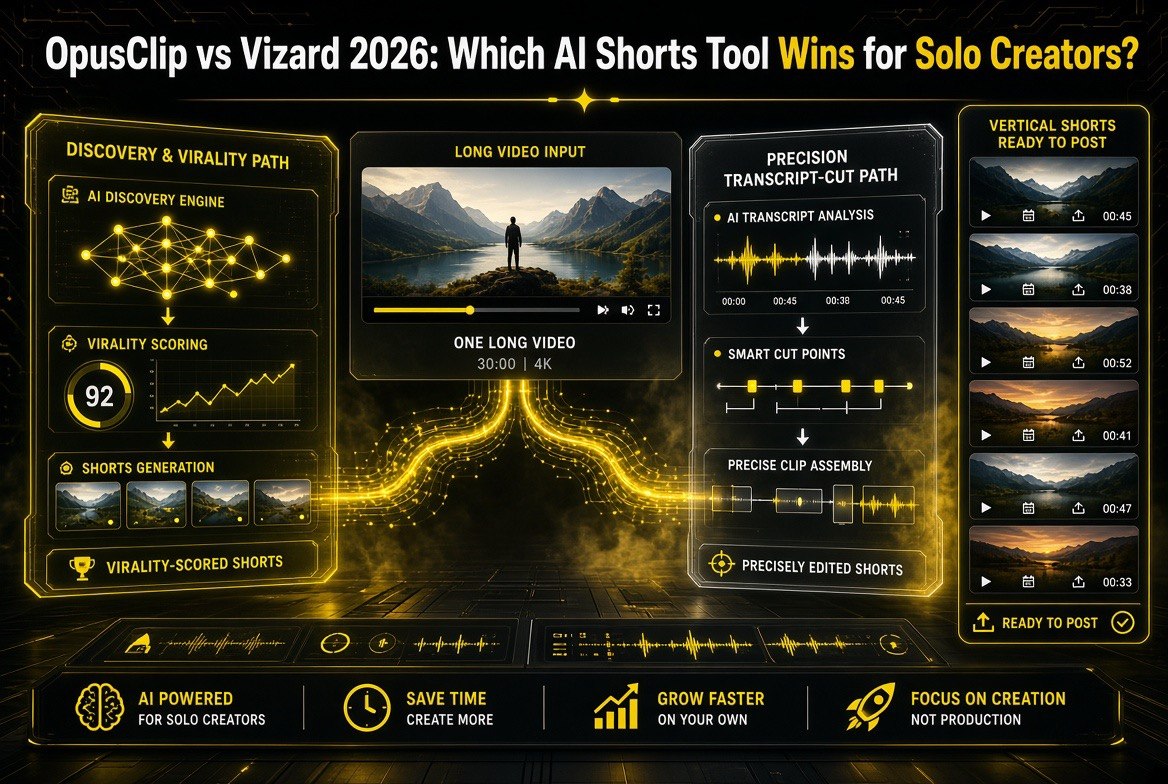
OpusClip has been the benchmark in short-form repurposing since it moved to a virality-score model, and in 2026 that maturity is the whole product. Paste a link, and its ClipAnything engine reads the entire transcript, slices every candidate moment, and ranks each one on a 0-to-100 scale. You are not hunting for the good parts. They are already sitting at the top of the grid with a number stamped on them.
What it excels at: clip yield. In head-to-head tests across talking-head videos and podcasts, OpusClip reliably returns 14 to 18 publishable shorts from a single 40-minute episode. That volume is not vanity — it means the tool is doing discovery for you, surfacing moments you would have cut past while scrubbing for something else. Its scheduler lets you queue a week of posts in one sitting, and the virality score removes the guesswork about which clip to lead with on a Monday versus a Thursday.
Imports and workflow: OpusClip is the most flexible of the two on where your footage lives. Beyond YouTube it pulls from Google Drive, Zoom recordings, local file uploads, and other sources, which matters if you record in one place, edit in another, and clip somewhere else entirely. Its transcript-based editor lets you trim by reading text instead of dragging a playhead, and the AI B-roll and emoji highlighting features add production value without you opening a second app.
Where it is weaker: OpusClip’s captions are good, not beautiful. The templates are numerous but you will notice the house style on other creators’ shorts, which flattens brand differentiation. Export tops out at 1080p on most plans, so if you cross-post to platforms that re-encode aggressively you are starting from a lower ceiling. And the credit system punishes you for reprocessing: fix a typo in a caption and you are spending credits again, which is an irritation at the Pro tier and a genuine budget problem if you are disciplined about revisions.
Pricing reality: The free tier is real. Sixty credits a month processes roughly an hour of source video, watermarked and at 1080p with clips that expire after three days — enough to confirm the tool performs on your content before you commit a dollar. Starter at $15 a month removes the watermark and extends storage. Pro at $29 a month (or $14.50 billed annually) is where a serious creator should live: 300 credits, AI B-roll, the scheduler, multiple aspect ratios, and two seats for a collaborator or editor.
Who it is for: the solo creator, faceless channel operator, or small media team pushing out a steady stream of YouTube videos and podcasts in English. If your priority is the maximum number of publishable shorts per dollar with minimal manual chasing, this is the default answer in 2026.
Vizard Deep Dive: The Precision Cutter
Vizard attacks the same problem from the opposite direction. Instead of asking which moments are most likely to perform, it asks which moment you already decided on and how fast it can give it to you. The result is a tool that feels less like a discovery engine and more like a very fast pair of scissors attached to your transcript.
What it excels at: the transcript editor is genuinely the best available at this price point. You find a sentence in the text, highlight it, and the corresponding video range is selected. Need to cut the filler words, the false start, and the um in the middle? Delete them in the text and the timeline follows. For interviewers, podcasters, and anyone working from a long conversation where the gems are already known, that precision saves real minutes per clip and removes the tedious scrubbing that makes manual clipping so draining.
Pricing and free access: Vizard’s entry point is cheaper and its free allowance is more generous than OpusClip’s, which matters if you are testing tools across a portfolio of channels or running tight margins. Paid plans scale into the $29 to $39 range at higher clip volumes, which puts it roughly level with OpusClip’s Pro tier depending on annual versus monthly billing.
Where it is weaker: discovery. Vizard surfaces fewer candidates per source video, and it has no equivalent of a virality score ranking every possibility. If you do not already know where your best moment is, you are relying on your own judgment about a 50-minute video you recorded a week ago. Its auto-clip selection is competent but not as aggressive as OpusClip’s, which in practice means you publish fewer shorts per source hour. It also lacks the depth of scheduling and AI B-roll tooling that makes OpusClip a one-stop shop.
Language coverage and export: Vizard offers broad dubbing and subtitle language coverage on paid plans, which is useful for creators serving bilingual or international audiences. It is a real strength, but it applies to a narrower slice of creators than OpusClip’s volume advantage applies to — most US solo creators are publishing primarily in English.
Who it is for: creators who already have a strong editorial instinct about their own footage, interviewers and podcasters with a clearly identified highlight reel in mind, and anyone whose priority is the lowest possible cost of entry with the fastest path from decision to finished clip.
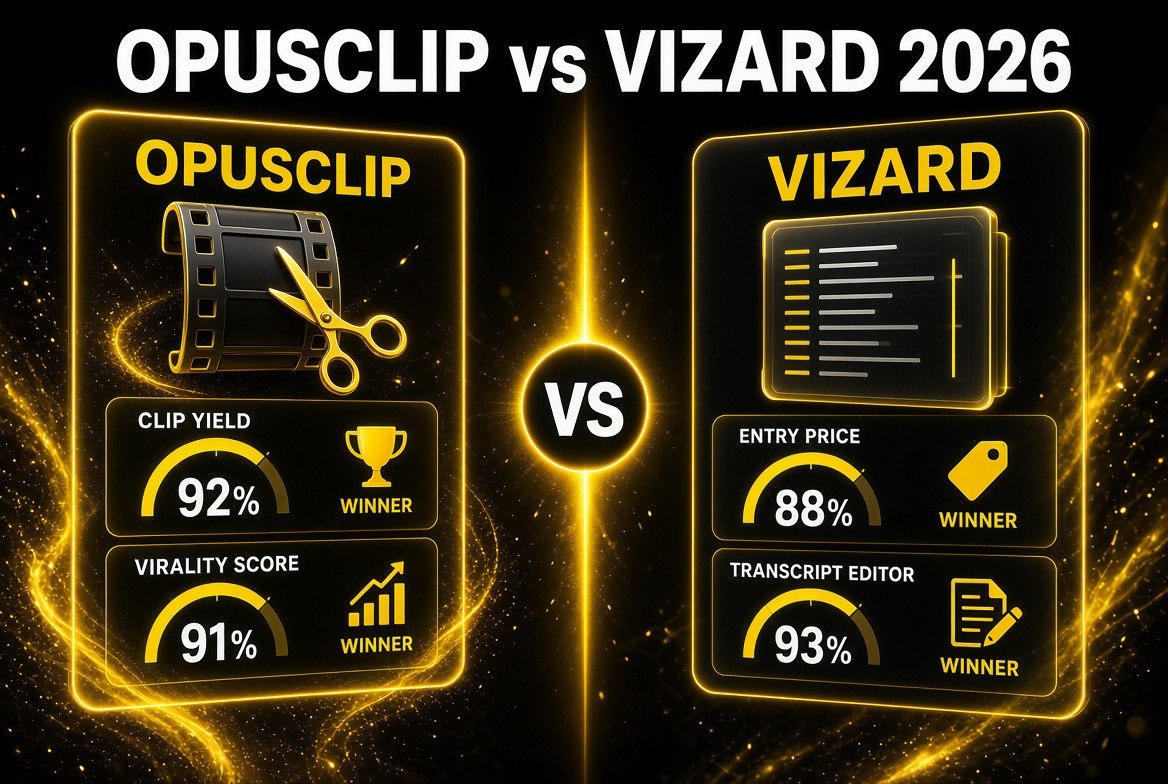
The head-to-head breakdown: each tool takes two categories — OpusClip leads on clip yield and virality scoring, Vizard on entry price and transcript editing. That split is the whole decision.
OpusClip vs Vizard: How They Compare for Three Real Workflows
1. The weekly podcaster repurposing one episode
This is OpusClip’s home turf. One 40-minute episode feeds your entire week, and OpusClip surfaces 14 to 18 candidates so you never sit down on Monday with nothing to post. The free tier lets you prove it on your actual episode before paying. Vizard works here, but you will be relying on your own memory of where the good moments were, and you will publish fewer clips per episode. Edge: OpusClip.
2. The faceless channel running multiple sources in parallel
Faceless channels live and die on throughput. More sources processed means more shots at a breakout short, and OpusClip’s broader import support and higher clip yield per source directly increase that throughput. The credit system is the constraint to watch, but at the Pro tier the volume math still favors OpusClip. Edge: OpusClip.
3. The interviewer cutting a known highlight
If you just finished a conversation and you know the exact ninety seconds that will perform, Vizard’s transcript editor gets you from decision to exported clip faster and cheaper than anything else at this price. You are not paying for discovery you do not need. Edge: Vizard.

Entry pricing at a glance: OpusClip starts at $29/month, Vizard at $19/month. Ten dollars a month is the entire price gap — which is why the choice should never come down to cost alone.
Who Should Choose Which: The Decision Framework
| If your priority is… | Choose | Why |
|---|---|---|
| Maximum clips per source video | OpusClip | 14–18 usable clips vs a smaller curated set |
| A ranking signal for what to post first | OpusClip | 0–100 virality score on every candidate |
| Lowest cost to start | Vizard | Cheaper entry tier and a more generous free allowance |
| Fastest editable transcript trim | Vizard | Best-in-class text-based cutting |
| Scheduling a full week in one session | OpusClip | Built-in scheduler and batch workflow |
| Cutting a specific known highlight | Vizard | You skip paying for discovery you do not need |
| Broadest import sources | OpusClip | Drive, Zoom, local uploads, and more |
The practical way to decide is to name your bottleneck out loud. If your bottleneck is “I do not know which parts of my video are good,” you are paying for discovery and you should be on OpusClip. If your bottleneck is “I know exactly what I want cut but it takes me an hour to do it,” you are paying for speed and Vizard is the correct and cheaper answer. Creators who cannot name their bottleneck should start on OpusClip’s free tier, because discovery is the more common and more expensive problem.
For context on how fast this category is moving, our breakdown of the AVCLabs vs Topaz Video AI 2026 upscaling matchup is still the best place to see how quickly AI video tools leapfrog each other on quality and price — the same pattern applies to shorts tools, which is why both of these subscriptions change their terms at least once a quarter.
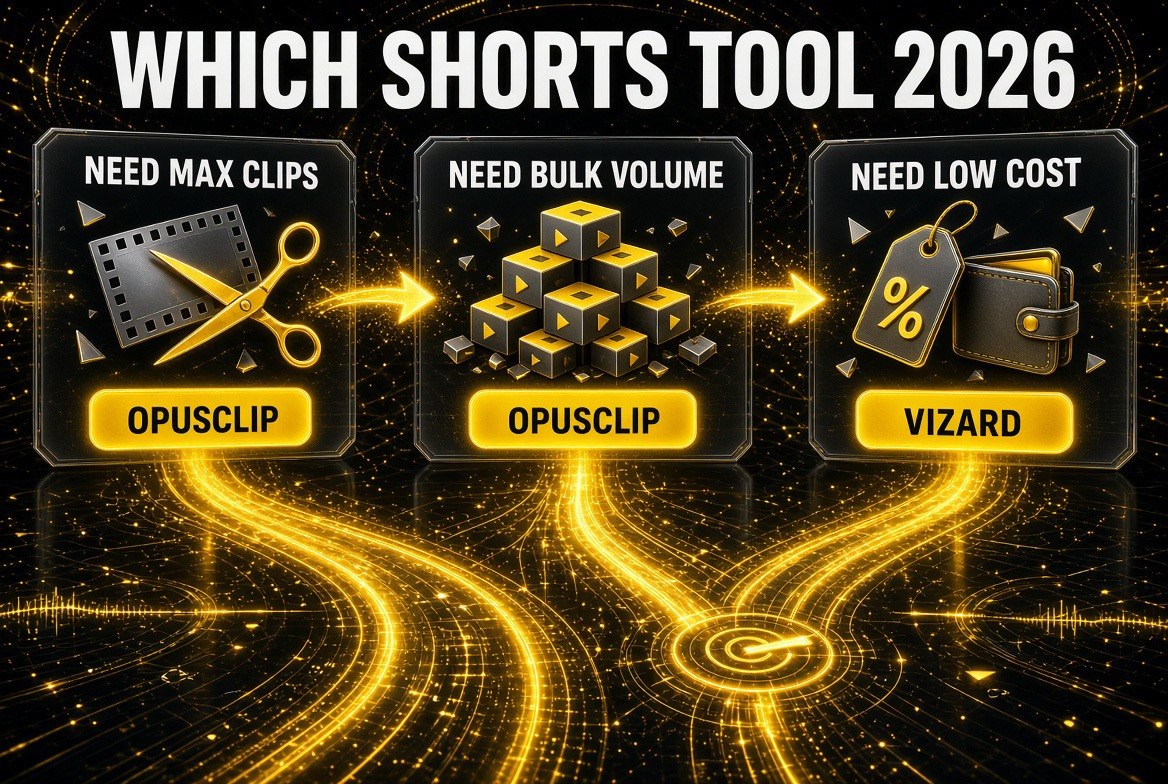
The decision path in one frame: need maximum clips or bulk volume, go OpusClip. Need the lowest monthly cost and a transcript-first editor, go Vizard.
Frequently Asked Questions (FAQ)
Is OpusClip or Vizard better for beginners?
OpusClip is better for beginners because it does the hard part for you. Its virality scoring surfaces the moments most likely to perform, so a creator with no editing instinct still gets a ranked list of viable clips. Vizard assumes you already know what you want to cut, which is a skill beginners typically have not built yet.
Does Vizard have a free plan?
Yes, Vizard offers a free allowance that is more generous than OpusClip’s in terms of monthly minutes, and it includes a watermark-free trial window. It is a legitimate way to test the transcript editor before committing to a paid tier, though the free allowance will not sustain a full publishing schedule.
Which tool produces more shorts from one video?
OpusClip produces more. In 2026 testing it consistently returned 14 to 18 usable clips from a standard 40-minute talking-head video, while Vizard returns a smaller, more curated set. If output volume is your metric, OpusClip is the stronger choice.
Can I use OpusClip and Vizard together?
Yes, and some creators do exactly that. A sensible split is OpusClip as the primary discovery and volume tool, with Vizard used only when you need a precise transcript-based cut on a specific highlight. That means paying for two subscriptions, so it only makes sense once each tool has proven it earns its keep in your workflow.
Which tool is cheaper overall in 2026?
Vizard is cheaper to start, with a lower entry tier and a more generous free allowance. At the mid tier the two converge into roughly the same $29 to $39 band. Once you factor in clips produced per dollar, OpusClip tends to deliver more output for the same money because it surfaces more usable clips per source video.
Do both tools support vertical 9:16 reframing?
Yes. Both automatically reframe horizontal footage into vertical 9:16 with subject tracking, which is the core function of the category. Both also handle the standard 1:1 and 16:9 aspect ratios for cross-posting, and both export captions as burned-in text by default.
Prices and plan details verified as of September 2026 against official pricing pages at opus.pro and vizard.ai. Independent clip-yield comparisons inform the volume claims above. Feature sets and credit rules in this category change frequently, so confirm current plans before you commit.

About Barak Schurr
Barak Schurr is a serial entrepreneur who built and exited a major ticketing platform before turning his attention to AI and content. He runs three AI-focused research sites and writes about the tools, workflows, and strategies that let solo creators build real channels — without a crew, a studio, or a Hollywood budget.
Email: [email protected]
More AI Video Resources