SlideSpeak August 2026 Update: AI Video Presentations & Courses
Get The Faceless YouTube Blueprint — Free
The exact AI tool stack and workflow used to build a faceless YouTube channel from zero.
SlideSpeak August 2026 Update: AI Video Presentations & Courses
⚡ Expert Summary: SlideSpeak’s August 2026 release turns the AI deck tool into a full presentation workflow. Beyond .pptx generation, it now ships an editable AI video editor with per-slide timelines, cloned and stock voice-overs, cue-by-cue captions, and an on-screen AI avatar with synced mouth movements. A new Course Builder drafts a full curriculum for approval before generating content, and Quizzes integrate with LMS exports (QTI 1.2 and D2L Brightspace CSV) plus live QR code quizzes. For creators and educators, the takeaway is clear: SlideSpeak now competes with video tools on narration and delivery, not just slide layout. (AIVA yellow/black/white palette)
A presentation tool that only makes slides is no longer enough. In its August 2026 release, SlideSpeak closed that gap by adding an editable video editor, an on-screen AI presenter, a course builder, and LMS-ready quizzes — all on top of its core AI .pptx generation. This write-up walks through what’s actually new, what it costs, and how it fits into a creator’s or educator’s workflow in 2026. If you have been using SlideSpeak purely to generate decks, the video layer changes how you should think about the tool.
What This Update Changes About SlideSpeak
SlideSpeak’s identity up to now has been “generate an editable PowerPoint from a prompt, document, or existing file.” The August 2026 release keeps that core but layers a video-and-course engine on top of it. The practical effect is that a single prompt can now take you from idea → slide deck → narrated video presentation → quiz, inside one tool, and every layer remains editable rather than being a one-shot render.
| Feature | What’s New in August 2026 | Who It Matters For |
|---|---|---|
| AI Video Editor | Scrubbable timeline, per-slide durations, side-panel export, in-app narration script editor | Creators who batch several narrated presentations |
| Voice-Over & Captions | Stock or cloned voices, delivery markers, narration speed control, cue-by-cue captions from script | Anyone producing multi-language or training narration |
| On-Screen AI Presenter | AI avatar on slides with mouth movements synced to narration | Brands that want a talking presenter without a studio |
| Course Builder | Generates curriculum plan for approval before generating content | Educators and multi-site training teams |
| Quizzes & LMS Exports | QTI 1.2, D2L Brightspace CSV, QR-code live quizzes, in-deck quiz slides | Course sellers and L&D teams tracking completion |
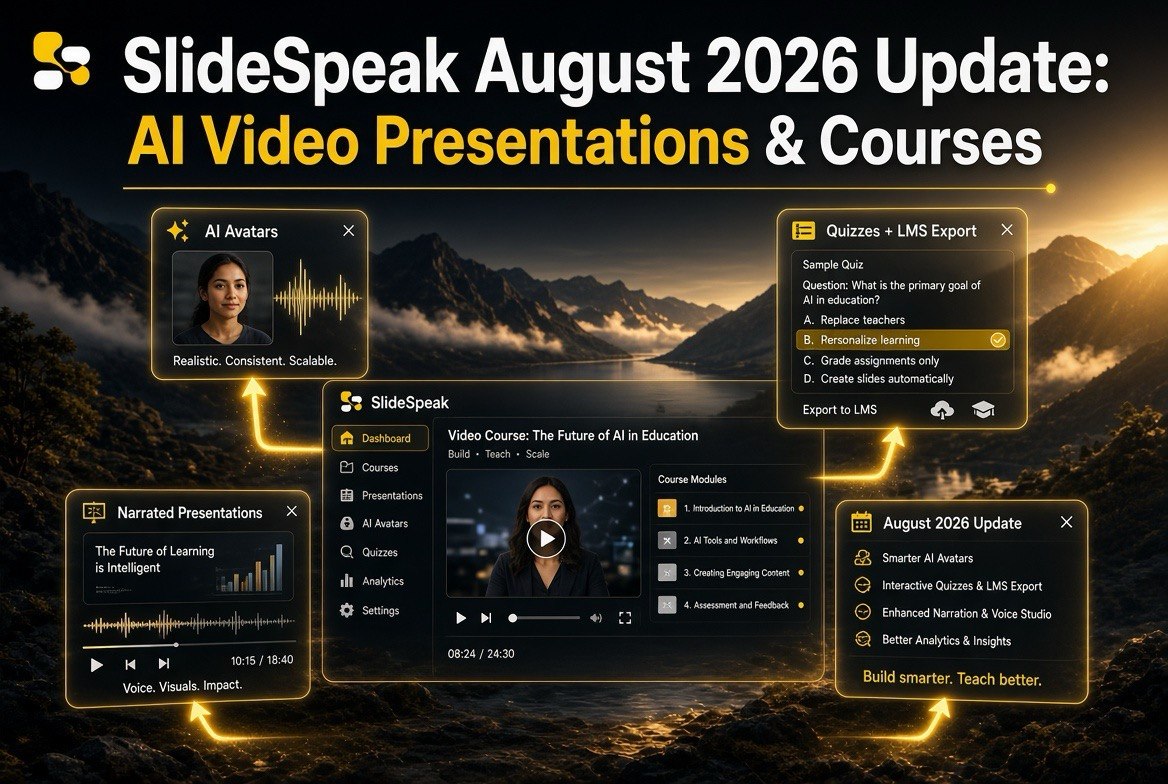
The August 2026 update bundles an editable video editor, AI presenter, course builder, and LMS-ready quizzes onto SlideSpeak’s existing deck generation.
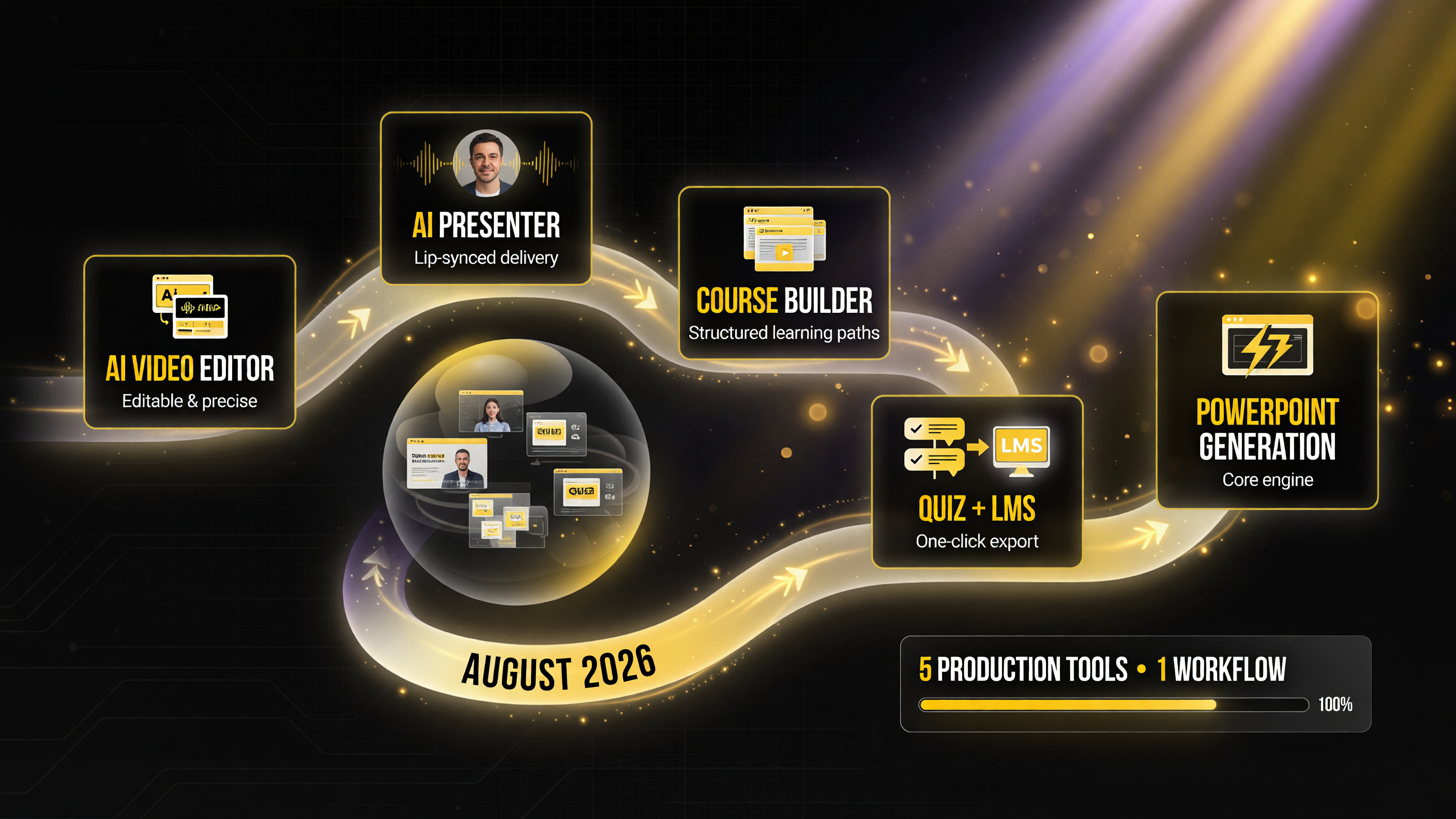
Five production tools now live inside one SlideSpeak workflow — editable video, a lip-synced presenter, course building, quiz generation with LMS export, and the core PowerPoint engine.
That shift matters because it moves SlideSpeak from the “deck generator” category into the practical AI video workflow category that tools like Runway, HeyGen, and Pika occupy. The difference is SlideSpeak’s starting point: instead of a blank video canvas, it starts from structured slides, which means the narration, captions, and pacing map cleanly onto content you already approved. For creators who think in slides and business owners who need consistent training content, that is a more natural workflow than a raw text-to-video model.
The New AI Video Editor, Explained
The most significant addition is a full video editor that replaces the older one-shot generation. It gives you a scrubbable timeline where each slide has its own duration, a side-panel export system that lets you render one version while still editing another, and an in-app narration script editor so you can fix wording before you render rather than after.
The voice-over system lets you pick from stock voices or your own cloned voice in one list, add delivery markers for pacing and emphasis, and control narration speed separately from the slide timing. Captions are generated directly from the narration script, which means acronyms and technical terms are handled correctly in the first pass instead of being garbled by post-recognition cleanup. There is also an on-screen presenter: an AI avatar that appears on the slide with mouth movements synced to the narration, using either a stock or cloned voice.
Output-wise, HD exports at 900p are available on paid plans, and you can publish to public share links with branded pages and viewer analytics. That combination — script control, accurate captions, a synced avatar, and shareable HD output — is what turns a static deck into a real video presentation without needing a separate video editing tool.
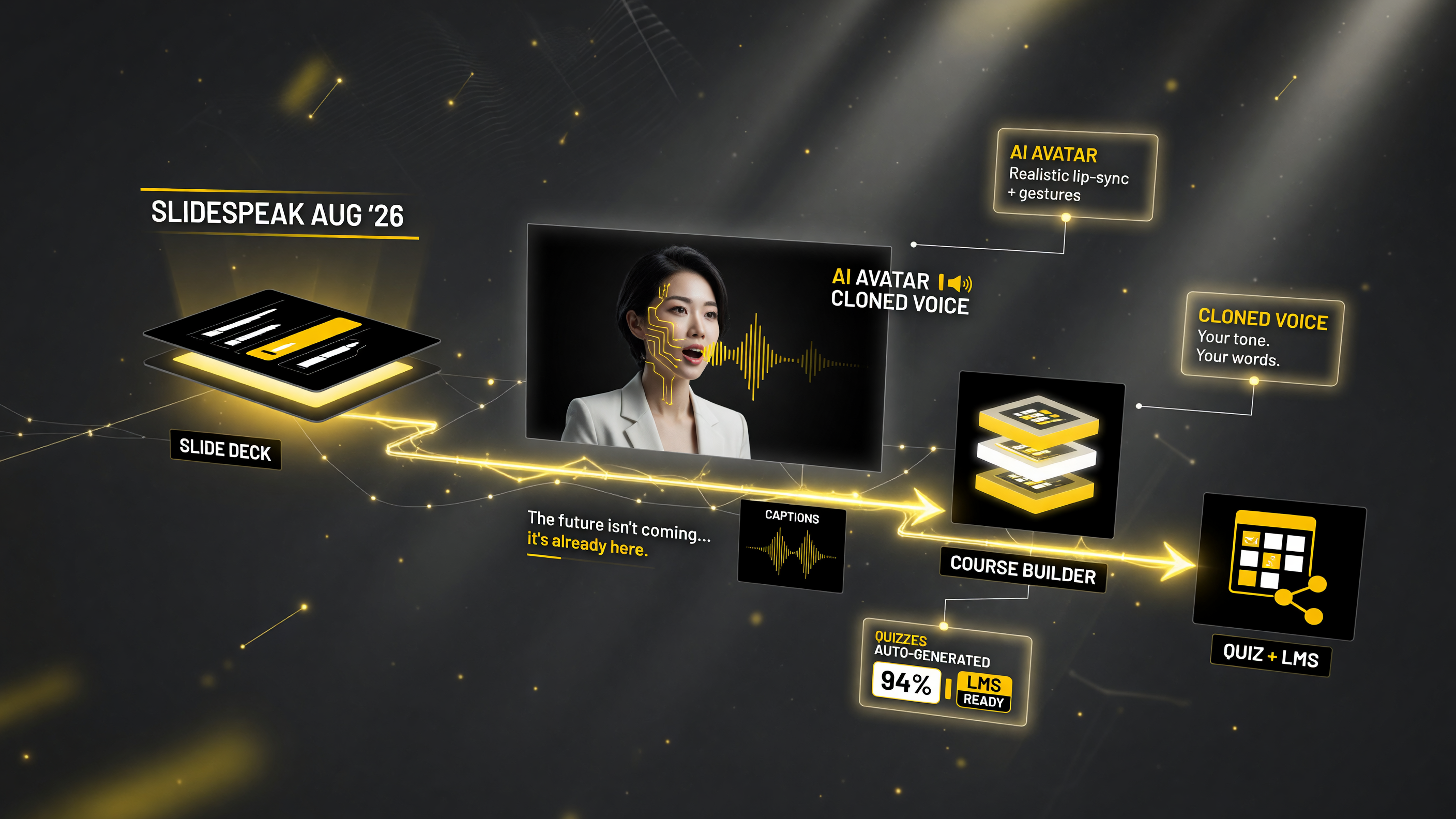
The August 2026 release connects a generated slide deck to an AI-avatar video with cloned voice and captions, then into course building and LMS-ready quizzes — one workflow from prompt to assessment.
How to Create an AI Video Presentation in SlideSpeak
If you want to test this workflow today, the steps are straightforward.
- Generate or import your deck. Start from a prompt, an uploaded document, or an existing .pptx so you have approved slide content to build on.
- Open the video editor. Set per-slide durations on the timeline and adjust pacing so each point gets the time it needs.
- Add a voice and script. Choose a stock or cloned voice, then use the script editor to fix wording, add delivery markers, and set narration speed.
- Switch on captions and the presenter. Generate captions from the script and enable the AI avatar so it appears on-slide with synced narration.
- Render and share. Export at HD and publish to a share link with viewer analytics, or download for your own platform.
The whole loop is designed so nothing is locked in until you render it. Kicking off an export in the side panel and continuing to edit elsewhere is a small quality-of-life win, but it changes how you batch production across several presentations at once.
Course Builder: From Subject to Curriculum
The Course Builder is a second major addition aimed squarely at educators and training teams. You input a subject, and SlideSpeak generates a full curriculum plan first: a title, a description, modules, and per-lesson slide outlines. You approve that plan before any content is generated. That approval gate is the important design decision — it keeps the tool from barreling ahead and generating hours of off-target content that you then have to throw away.
For use cases like a semester-long lecture series or consistent training across multiple locations, the Course Builder plus the brand and style consistency features means the output can stay on-message across many lessons. Reusable sections (saved intros, disclaimers, or closing slides inserted anywhere) and version history with snapshots and restore round out the workflow so teams can iterate without losing earlier states.
Quizzes and LMS Integration
The third new capability is assessment. SlideSpeak can generate quizzes directly from any deck, and it offers several export paths: QTI 1.2 for standard learning management systems, a dedicated D2L Brightspace CSV format, live quizzes launched via a QR code on a slide, or quiz question slides embedded directly in the deck itself. The quiz generator uses the deck’s context to suggest relevant questions, with optional result limits, so the assessment matches the actual material rather than being generic.
There is also a standalone dashboard quiz tool with improved mobile editing. For a business running internal training or a creator selling a course, the ability to take the same deck you presented and turn it into a graded quiz that exports to your LMS closes the loop between content, delivery, and measurement.
Pricing and Practical Notes
Two pricing and engine notes are worth flagging. SlideSpeak moved to a newer SlideSpeak 2.0 engine with better layout handling, and on the AI 5.0 engine slides now cost a consistent 5 credits each (previously quoting was inconsistent). HD 900p video exports sit on paid plans, so the video layer is primarily a paid-tier feature rather than something the free tier fully unlocks.
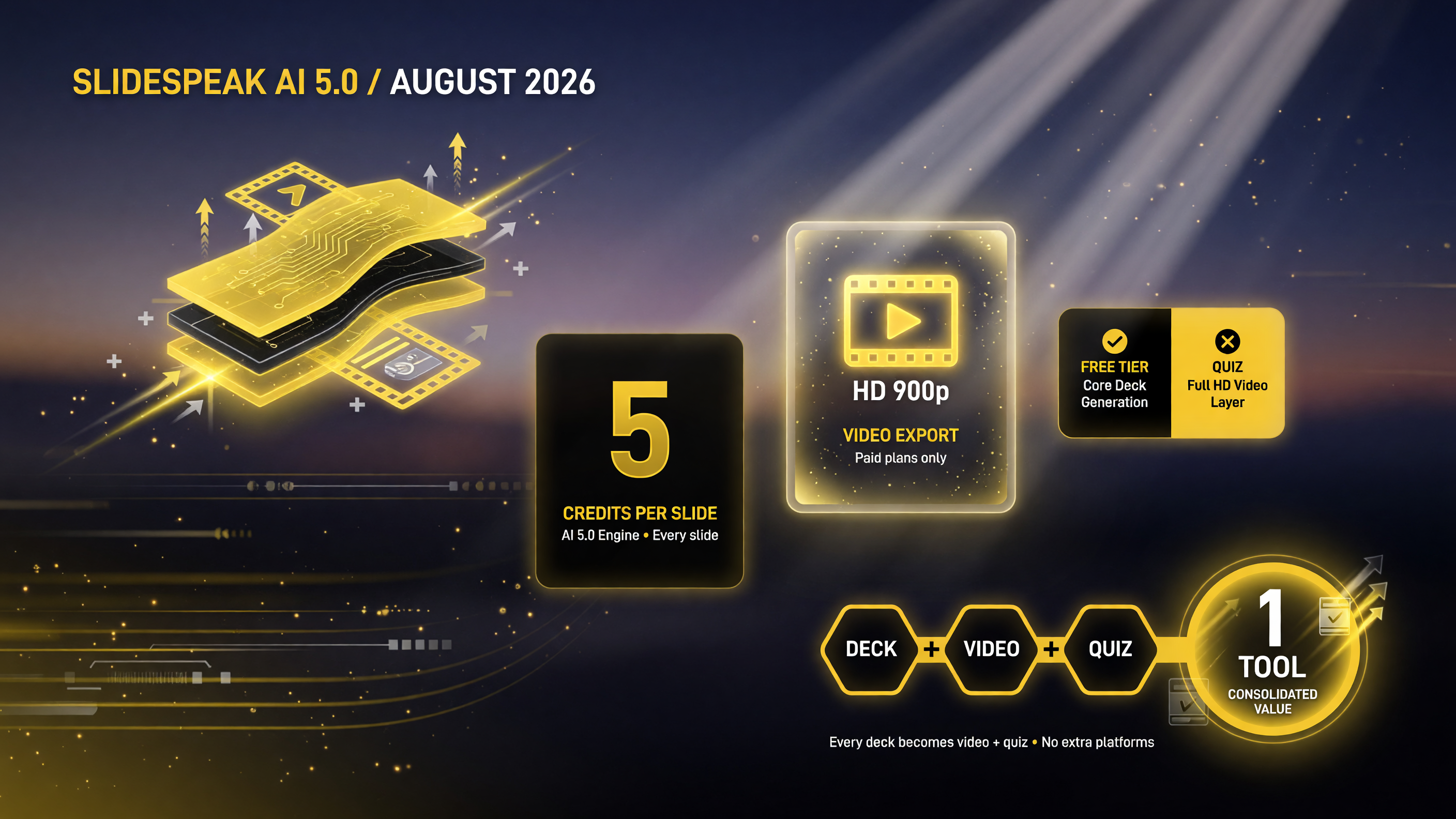
On the AI 5.0 engine every slide costs a consistent 5 credits, HD 900p video lives on paid plans, and the free tier covers core deck generation — the value is consolidating deck, video, and quiz in one tool.
If you are price-conscious, the practical way to evaluate this is against the cost of a separate video tool plus a separate quiz tool. SlideSpeak’s value is consolidation: one prompt becomes a deck, a narrated video, and a quiz that exports to your LMS. That bundling can make the per-credit cost easier to justify even if SlideSpeak alone is not the cheapest deck generator on the market.
SlideSpeak vs. Dedicated AI Video Generators
It is worth being honest about where SlideSpeak fits against tools whose entire focus is video. If your goal is a cinematic, shot-by-shot AI film with dynamic camera moves, you will still get better results from a video-first model. SlideSpeak’s edge is different: it is presentation-native. It starts from structured, approved slides and treats video as the delivery layer, which means the narrative, captions, and pacing are coherent before you ever hit render.
| Consideration | SlideSpeak | Dedicated AI Video Generator |
|---|---|---|
| Starting point | Structured, approved slides | Blank canvas / text prompt |
| Best for | Explainer, training, course, corporate updates | Cinematic shots, artistic motion |
| Consistency across segments | Brand, presenter, cloned voice stay consistent | Harder to keep identical across shots |
| Narration & captions | Built-in, script-driven, accurate acronyms | Often separate tool or post-recognition cleanup |
| Assessment | Quiz generation + LMS export built in | Not included; separate tool needed |
Choose SlideSpeak when communication and measurement matter more than cinematic motion; choose a video generator when artistry is the goal.
That makes SlideSpeak the better fit for explainer content, training material, corporate updates, and educational lessons — anything where the information matters more than the spectacle. It also means less prompt-chasing: you are not fighting a generation model to keep the same brand, the same talking points, or the same speaker across multiple segments. The on-screen presenter and cloned voice keep the output consistent even when you assemble a multi-lesson course.
The practical rule of thumb: if you need motion and artistry, use a video generator. If you need to communicate structured information consistently and measure whether people learned it, SlideSpeak’s slides-to-video-to-quiz loop is the more efficient path.
Who Should Care About This Update
Three groups get the most from this release. Course creators and educators get the curriculum plan → video lessons → quiz → LMS export pipeline, which removes a lot of repetitive assembly work. Corporate training teams get consistent, branded, narrated training that extends across sites and can be versioned. And business owners who currently juggle separate slide, video, and assessment tools get one workflow that starts from approved slide content.
Where SlideSpeak still lags dedicated AI video generators is in open-ended motion: if your goal is a cinematic shot-by-shot AI film, a video-first model is a better fit. SlideSpeak’s advantage is that it is presentation-native — the structure, the narrative, and the assessment are all in one place, and the video is the delivery layer on top.
Sources: SlideSpeak, August 2026 Release Notes (slidespeak.co/blog/august-2026-release-notes); SlideSpeak product documentation (slidespeak.co). Feature descriptions and credit/pricing details as published by SlideSpeak for the August 2026 release.
Frequently Asked Questions
Is SlideSpeak only for making PowerPoint decks now? No. The August 2026 release adds a full editable video editor, an on-screen AI presenter, a Course Builder, and quiz generation with LMS exports. SlideSpeak now covers slide generation, video delivery, and assessment in one workflow, while still producing editable .pptx files.
Can SlideSpeak make a video with an AI avatar? Yes. The video editor includes an on-screen presenter: an AI avatar that appears on slides with mouth movements synced to the narration, using either a stock or a cloned voice.
Does SlideSpeak integrate with learning management systems? Yes. Quizzes can be exported as QTI 1.2 for standard LMS platforms as well as a dedicated D2L Brightspace CSV format, or launched live via QR code on a slide.
How much does SlideSpeak’s video feature cost? HD (900p) video exports are part of paid plans. Slides on the AI 5.0 engine cost a consistent 5 credits each as of the August 2026 update, replacing previously inconsistent quoting. The free tier covers core deck generation but does not fully unlock the HD video layer.
Is SlideSpeak good for building online courses? Yes. The Course Builder generates a full curriculum plan (title, modules, lesson outlines) for your approval before generating content, and pairs with the video editor and LMS quiz exports to produce complete, assessable lessons.

About Barak Schurr
Barak Schurr is a serial entrepreneur who built and exited a major ticketing platform before turning his attention to AI and content. He runs three AI-focused research sites and writes about the tools, workflows, and strategies that let solo creators build real channels — without a crew, a studio, or a Hollywood budget. Contact: [email protected]
More AI Video Resources