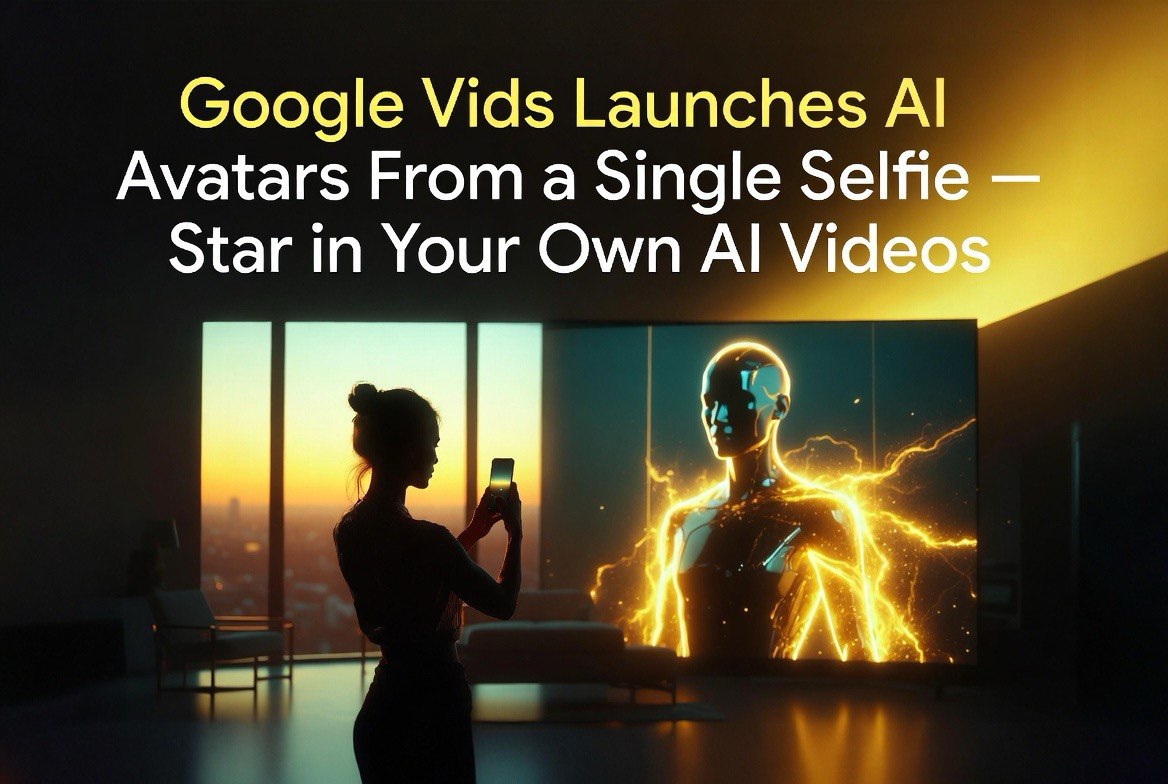
Google Vids Launches AI Avatars From a Single Selfie — Star in Your Own AI Videos
Get The Faceless YouTube Blueprint — Free
The exact AI tool stack and workflow used to build a faceless YouTube channel from zero.
Google Vids Launches AI Avatars From a Single Selfie — Star in Your Own AI Videos
⚡ Expert Summary: Google Vids now lets users create a personal AI avatar from a single selfie and voice recording, then generate videos starring that avatar using Gemini Omni. Text-to-video, image-to-video, AI chat-based editing, background replacement, and polished production combine in one consumer-friendly platform. For businesses without video production resources, this changes the economics of professional-looking content.
Creating a professional-looking video used to require a camera, a studio setup, good lighting, editing software, and either video production skills or a budget to hire someone who has them.
Google Vids, the latest evolution of Google’s consumer AI video platform, just changed that equation. You upload a selfie and a 30-second voice recording. The system builds a personalized AI avatar that looks and sounds like you. Then you type a description of the video you want, and Google Vids generates it — with your avatar delivering the content.
See more AI video tools and strategies for creators and businesses.
The leap here is not the avatar technology itself — AI avatars have existed for years. It is the single selfie requirement. Competing tools either require a multi-angle studio recording session (Synthesia, HeyGen’s premium tier) or a significant video upload of yourself speaking for several minutes. Google Vids constructs a usable avatar from one photo and thirty seconds of audio. That lowers the initial effort from hours to minutes, and removes the most common reason small businesses give for not creating video content in the first place.
How Google Vids Works
Google Vids combines several AI capabilities into a single workflow. The platform was originally positioned as a presentation-to-video tool, but the July 2026 update — integrating Gemini Omni — transformed it into a full AI video production suite.
The workflow breaks down into four steps:
1. Avatar creation. Upload a selfie (one clear photo of your face) and a 30-second voice recording of yourself speaking. Google Vids uses these to construct a digital avatar that reproduces your facial movements, expressions, and voice patterns. The process takes approximately 2-3 minutes and runs entirely in the browser. The quality depends on the photo: front-facing, well-lit, no glasses glare, neutral expression yields the best results. Multiple angles are not needed — the system infers your 3D facial structure from the single image using Gemini Omni’s multimodal understanding.
2. Script and direction. Describe the video you want in natural language. “Create a 90-second explainer video about how our lawn care service works, with me as the presenter, targeting homeowners in the Midwest.” The system generates a script, storyboard, and scene breakdown based on your description.
3. Generation. Gemini Omni handles the text-to-video generation, combining your AI avatar with generated backgrounds, animations, text overlays, and transitions. The output is a full video with your avatar speaking the script.
4. AI chat-based editing. After generation, you can request changes through a chat interface. “Make the background a suburban front yard instead of an office.” “Shorten the intro by 10 seconds.” “Add a call to action at the end with our phone number.” The system applies these edits conversationally without requiring timeline or layer manipulation. This is the feature that separates Google Vids from competitors — you edit the video the same way you edit a ChatGPT conversation. The AI handles all the underlying timeline adjustments.
The integration with Gemini Omni means the entire pipeline — avatar creation, script generation, scene composition, video generation, and editing — runs on a single unified model rather than stitching together separate AI services. That matters for consistency. When you ask the system to change the background, it does not just swap a layer; it regenerates the scene with the new background incorporated naturally, adjusting lighting, shadows, and camera perspective to match.
How It Compares to Other AI Avatar Tools
Google Vids enters a competitive space. AI avatar video tools have existed for several years — Synthesia, HeyGen, and Colossyan are established players with millions of users. What differentiates Google Vids is the integration depth and the Gemini Omni engine.
The comparison matters because the established tools have a multi-year head start on avatar quality. Synthesia’s avatars have been trained on thousands of hours of studio-quality footage and produce highly natural lip-sync and micro-expressions. HeyGen’s avatar pipeline supports real-time translation and cross-language lip-sync. Google Vids is newer and the avatar quality is not yet at parity with these dedicated platforms. However, the gap is narrower than the head start suggests, and Google’s advantage in generative AI — the ability to regenerate scenes conversationally — may be more valuable to most users than marginal improvements in avatar fidelity. The trade-off is clear: you trade some avatar polish for dramatically simpler creation and editing, and for most small business use cases, that trade-off favors speed over perfection.
| Feature | Google Vids | Synthesia / HeyGen |
|---|---|---|
| Avatar creation | Selfie + 30s voice recording | Studio recording or uploaded footage |
| Script generation | Built-in (Gemini-driven) | Built-in (GPT-powered) |
| Scene generation | AI-generated from prompt | Template-based + AI backgrounds |
| Editing interface | Conversational chat | Timeline + manual adjustments |
| Pricing | Google account (tiered) | $29-99+/month per creator |
| Integration | Google Workspace native | Standalone + API |
The conversational editing interface is potentially the most significant differentiator. Competitors require timeline-based editing for post-generation changes — essentially traditional video editing with AI-assisted components. Google Vids lets you edit by chatting, which lowers the technical barrier to the point where anyone who can type a sentence can produce a finished video.
Real-World Use Cases for Small Businesses
The target audience for Google Vids is not professional video creators — it is the millions of small businesses, educators, and marketers who need video content but cannot afford a production budget.
Customer testimonial-style videos. A real estate agent can create a video walkthrough of a listing with themselves as the presenter, without visiting the property with a camera crew. Upload photos of the property, describe the walkthrough arc, and the system generates a video with the agent’s avatar guiding the tour.
Product explainers. A local service business — plumber, electrician, landscaper — can produce an explainer video for their most common service call. The avatar explains what the service involves, how long it takes, and what it costs. Upload once to Google Business Profile and website, and the video works as a conversion tool indefinitely.
Social media content at scale. A marketing agency managing five client accounts can generate weekly video content for each client without hiring a dedicated video producer. The same avatar content re-rendered for different platforms — 60-second YouTube Short, 30-second Reel, 15-second TikTok — without re-recording or re-editing.
Internal training and onboarding. A 15-person company hiring a new employee can generate an onboarding video with the CEO’s avatar explaining company policies, culture, and expectations. No need to schedule the CEO for a recording session. The avatar delivers the content consistently every time. For franchises and multi-location businesses, this is particularly powerful — a franchisor can generate a single training video and distribute it to all locations, with each franchisee’s operations manager providing the local context.
The Limitations to Know
AI avatars are not indistinguishable from real video. Google Vids produces compelling results for standard talking-head formats, but the avatar’s facial expressions and hand gestures follow learned patterns rather than your actual mannerisms. For high-stakes content — a keynote presentation, a client proposal, a public-facing brand video — the uncanny valley effect is still noticeable in close-up shots or extended monologues.
Voice cloning quality depends heavily on the quality of your recording. A 30-second recording captured on a phone in a noisy environment produces a noticeably less natural result than a clean recording captured with a basic USB microphone in a quiet room. The system processes the voice pattern and syncs it to the avatar’s lip movements, but artifacts in the source recording become artifacts in the output.
The pricing model is also worth watching. Google Vids is available through standard Google account tiers during the initial rollout, with higher usage limits tied to Google One premium plans. If Google follows its typical pattern, heavy usage will eventually require a paid tier, potentially priced at $10-20 per month for business-grade access.
The broader context is that Google is making a strategic bet on AI video as a consumer and small business productivity layer, not just a creative tool. By embedding Vids into the Google Workspace ecosystem — alongside Docs, Sheets, Slides, and Meet — Google positions video creation as a standard business communication channel rather than a specialized production task. That positioning shift is arguably more significant than the avatar feature itself. If Google succeeds, video generation becomes as routine as creating a slide deck.
Frequently Asked Questions
Is Google Vids free?
Google Vids is available through standard Google accounts with limited monthly video generation. Higher usage limits require Google One premium plans. Business-grade pricing has not been finalized.
Can I use my own background images and footage?
Yes. Google Vids supports uploading your own images and video clips as scene elements. You can mix AI-generated backgrounds with your own media within the same project.
How long does it take to create an avatar?
Approximately 2-3 minutes from selfie upload to ready-to-use avatar. The processing runs entirely in the browser and does not require any special software.
Does the avatar support multiple languages?
Yes. Gemini Omni handles multilingual script generation and avatar speech. Your avatar can deliver content in any language Gemini supports, including English, Spanish, French, German, Japanese, and Mandarin.
Can I export videos for use on other platforms?
Yes. Google Vids exports standard MP4 files that can be uploaded to any platform — YouTube, Instagram, TikTok, LinkedIn, your website, or Google Business Profile.

About Barak Schurr
Barak Schurr is a serial entrepreneur who built and exited a major ticketing platform before turning his attention to AI and content. He runs three AI-focused research sites and writes about the tools, workflows, and strategies that let solo creators build real channels — without a crew, a studio, or a Hollywood budget.
Email: [email protected]