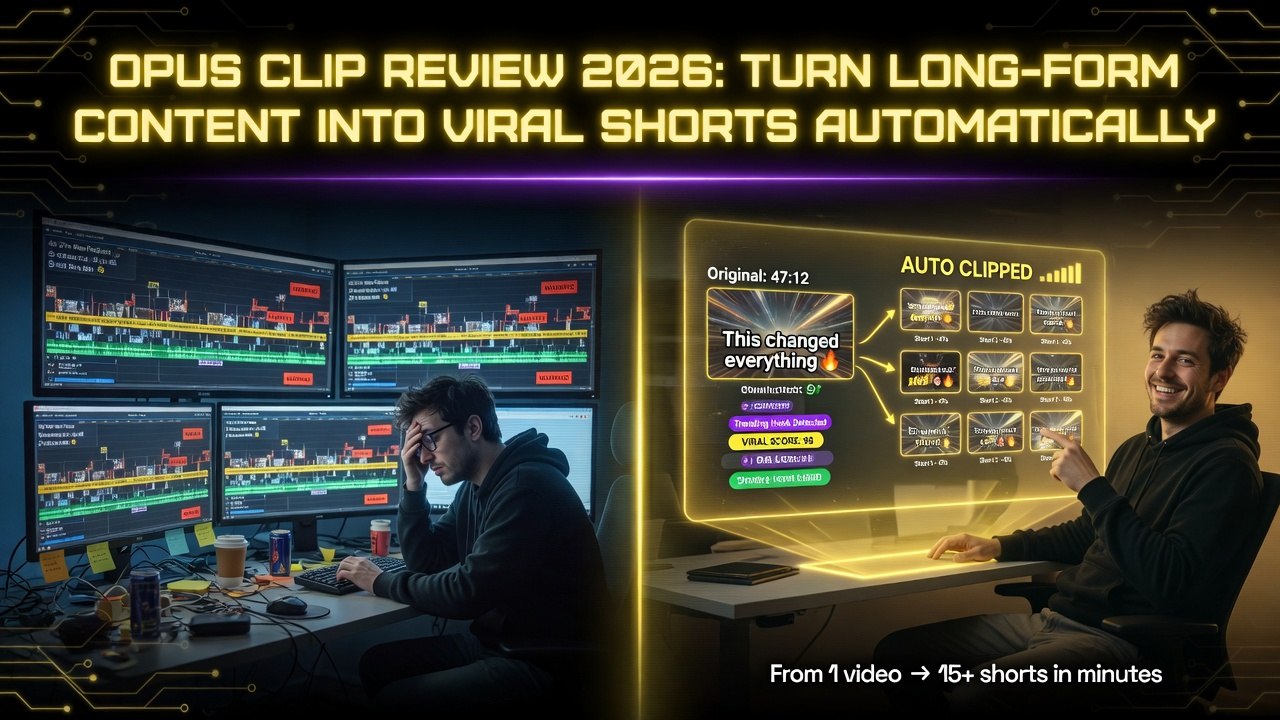
Opus Clip Review 2026: Turn Long-Form Content Into Viral Shorts Automatically
Get The Faceless YouTube Blueprint — Free
The exact AI tool stack and workflow used to build a faceless YouTube channel from zero.
Opus Clip Review 2026: Turn Long-Form Content Into Viral Shorts Automatically
⚡ Expert Summary: Key Takeaways
- Opus Clip automatically extracts short-form clips from long videos — upload any long-form content (podcasts, streams, tutorials, webinars) and the AI identifies the most engaging moments.
- AI-powered highlight detection outperforms manual editing — Opus analyzes vocal energy, topic changes, laughter, and audience engagement signals to find clip-worthy segments.
- Auto-captioning, vertical reframing, and engagement hooks — each clip is automatically captioned, resized for TikTok/Reels/Shorts, and optimized with intro hooks for maximum retention.
- Pricing from $19/month — the Pro plan at $19/month covers 10 hours of video processing per month, ideal for solo creators and small teams.
- Bottom line: Opus Clip is essential for any creator publishing long-form content who wants to repurpose it for short-form platforms without manual labor.
You’re sitting on a goldmine of long-form content. Hours of podcasts. Livestreams. Tutorials. Webinars. Every single one contains 10-20 moments that could be short-form videos. But manually watching, clipping, captioning, and resizing each moment takes hours per video. Most creators don’t bother. Most creators leave money on the table.
Opus Clip automates the entire process. Upload a long video. The AI analyzes it for highlights, extracts the best clips, captions them, resizes them for vertical formats, and adds engagement-optimized hooks. You review, approve, and schedule. A 60-minute podcast becomes 15-20 short-form clips in under 30 minutes of total work.
I’ve been using Opus Clip to repurpose my weekly content since 2024. Here’s the full breakdown of what it does, how well it works, and whether it’s worth the subscription.
What Is Opus Clip?
Opus Clip (formerly Opus.pro) is an AI-powered short-form video creation platform. It analyzes long-form video content, identifies the most engaging segments, and automatically generates short-form clips optimized for TikTok, Instagram Reels, YouTube Shorts, and other vertical platforms.
Founded in 2022 by a team of AI researchers and content creators, Opus Clip has quickly become the go-to tool for podcasters, YouTubers, streamers, and media companies. The platform processes millions of hours of content monthly and supports multiple languages, auto-captioning, and social media scheduling.
The core value proposition is simple: creators produce long-form content anyway. Opus Clip extracts the short-form content automatically, multiplying a creator’s output without multiplying their workload.
Key Features Breakdown
1. AI Clip Generation
This is the core feature. You upload a long-form video (or paste a URL from YouTube, Twitch, Zoom, or local file). Opus Clip transcribes the entire video and analyzes it for highlight-worthy segments. The AI looks for several signals: topic shifts, audience engagement cues, emotional peaks, and conversational highlights.
The AI generates clips in 15-90 second lengths. You get a dashboard with thumbnails, timestamps, and preliminary virality scores for each clip. You can accept clips, reject them, or adjust the start/end points before exporting.
The clip detection accuracy is impressive. For structured content like podcasts and interviews, Opus Clip catches 80-90% of the best moments. For unstructured content like casual streams, it catches 60-70%. You’ll still review and manually clip some moments, but the AI handles the heavy lifting.
2. Virality Scoring
Each generated clip gets a virality score (0-100). The score is based on engagement modeling — the AI predicts how likely a clip is to retain viewers based on pacing, caption density, topic interest, and emotional impact.
The scoring isn’t perfect, but it’s useful for prioritization. I publish 3-5 clips per long-form video. The top-scored clips consistently outperform the lower-scored ones by 2-3x in views and engagement. I trust the scoring enough to use it as my primary sorting mechanism.
3. Auto-Captioning
Opus Clip generates captions for every clip. The captions use the viral “text highlight” style — words highlight in sync with the speaker. This style dominates TikTok, Reels, and Shorts because it increases watch time significantly.
The AI handles caption styling, positioning, and timing automatically. You can customize fonts, colors, and animation styles. Default settings work well for most content. I changed the highlight color to match my brand and haven’t touched the settings since.
Caption accuracy is excellent for English content. Non-English languages have more errors, and heavy accents or background noise degrade accuracy. Always review captions before publishing.
4. Social Media Optimization
Clips are automatically formatted for vertical platforms — 9:16 for TikTok, Reels, and Shorts. Opus Clip handles the resizing, framing, and aspect ratio adjustments. The AI detects the speaker and keeps them centered in the frame, even during movement.
You can export clips in platform-specific formats or download a master file for manual uploading. Opus Clip also integrates with social media scheduling tools for direct publishing.
5. Hook Generation
Each clip gets an AI-generated hook — the first 3-5 seconds designed to grab attention. Hooks are text overlays that appear before the clip starts playing. They include questions, bold statements, or intriguing previews of what’s coming.
Hook quality varies. About 60% of AI-generated hooks are useable. The rest need manual rewriting. I spend 5 minutes per batch replacing weak hooks with stronger ones. The feature saves time but isn’t set-and-forget.
6. Multi-Platform Export
Export clips individually or in batches. Download as MP4 files with captions baked in or as separate caption files (SRT). Opus Clip supports direct publishing to TikTok, YouTube Shorts, Instagram Reels, and LinkedIn through integrated scheduling.
Pricing Breakdown
| Plan | Price | Hours/Month | Clips/Video | Custom Branding | Priority Processing |
|---|---|---|---|---|---|
| Free | $0 | 1 hour | 5 clips | No | No |
| Pro | $19/mo | 10 hours | 10 clips | Yes | No |
| Growth | $49/mo | 30 hours | 25 clips | Yes | Yes |
| Enterprise | $99/mo | 150 hours | Unlimited | Yes | Yes |
The Pro plan at $19/month is sufficient for casual repurposing. The Growth plan at $49/month is the sweet spot for regular creators. The Enterprise plan at $99/month is for media companies and agencies processing large volumes of content.
Opus Clip vs. Competitors
Opus Clip vs. Descript
Both platforms offer AI-powered editing from long-form content, but they focus on different workflows. Descript is a full production suite — you edit video and audio by editing the transcript. Opus Clip is a repurposing tool — it extracts short clips from finished long-form content.
If you’re editing a podcast episode, Descript is the tool — it handles transcription, editing, filler word removal, and export. Once the episode is done, Opus Clip repurposes it into short clips. They’re complementary, not competitors.
If you need to pick one and your primary goal is short-form clip creation from existing content, Opus Clip wins. If you need to produce, edit, and polish long-form content plus create clips, you need both.
Who Should Use Opus Clip?
- Podcasters: Turn episode highlights into daily short-form content. One 60-minute episode generates 15-20 clips that last you a week or more.
- YouTubers: Repurpose long-form videos for Shorts. YouTube Shorts drive massive discovery for main channel content. Opus Clip makes the process automatic.
- Streamers: Twitch and YouTube streamers produce hours of content daily. Opus Clip extracts the best moments for TikTok and Reels, driving cross-platform growth.
- Media companies: News outlets, sports channels, and entertainment brands repurpose broadcasts into social clips. The Enterprise plan handles the volume.
- Coaches and educators: Turn course recordings and webinar replays into promotional short clips for social media.
What Opus Clip Doesn’t Do Well
- Clip detection misses nuance: The AI finds topics and emotional peaks, but it misses subtle humor, inside references, and context-dependent moments. You’ll still manually clip a few gems per video.
- No video editing: Opus Clip clips, captions, and formats. It doesn’t edit. You can’t add effects, transitions, overlays, or B-roll within the platform.
- Voice quality limitations: The AI hook voiceover quality is decent but robotic. I use my own recorded hooks for higher quality.
- No API access on lower tiers: API access is limited to Enterprise plans. If you need automated bulk processing, you’re paying $99/month minimum.
Performance and Results
In my 18 months using Opus Clip, the results have been consistent. Each weekly podcast episode produces 12-18 clips across 30 minutes of AI processing. Those clips generate 5,000-50,000 combined views across TikTok, Instagram, and YouTube Shorts. That’s traffic my long-form content never would have captured on its own.
The virality scoring is particularly valuable. I prioritize the top 5 scored clips from each batch. Those clips consistently outperform the bottom-scored clips by 3-5x. The scoring isn’t perfect — I’ve seen low-scored clips go viral — but as a prioritization tool, it works.
Final Verdict
Opus Clip does one thing and does it well: turn long-form video into short-form clips automatically. It’s not a video editor. It’s not a production suite. It’s a repurposing engine, and it’s the best in class.
At $19-$99/month, it pays for itself in saved time alone. A single 60-minute podcast manually clipped, captioned, and formatted would take 3-4 hours. Opus Clip does it in 30 minutes of review time. Multiply that across a year of weekly content, and you’re saving 130-170 hours annually.
For any creator producing regular long-form content, Opus Clip is the fastest path to a thriving short-form presence. Pair it with Descript for editing and HeyGen for avatar content, and you have a complete AI video stack.
Frequently Asked Questions
Frequently Asked Questions
Does Opus Clip work with any video platform?
Yes. Opus Clip accepts uploads from YouTube, Twitch, Zoom, Google Drive, and local files. It supports both live and recorded content.
How many clips does Opus Clip generate per video?
For a 60-minute video, Opus Clip typically generates 12-20 clips. The free plan limits you to 5 clips per video. Paid plans allow 10-25+ clips per video.
How accurate is the virality scoring?
Useful but not definitive. Top-scored clips outperform lower-scored clips 2-5x on average. But low-scored clips occasionally outperform — treat the score as a guide, not a guarantee.
Can I customize captions in Opus Clip?
Yes. You can customize caption fonts, colors, highlight styles, position, and animation. Branded caption styles can be saved and applied automatically to all clips.
Does Opus Clip work for non-English content?
Yes. Opus Clip supports multiple languages. Caption accuracy is best for English. Other languages may need more manual editing.
What’s the difference between Opus Clip and Descript?
Descript edits long-form video/audio by editing the transcript — it’s a production tool. Opus Clip extracts short clips from finished long-form content — it’s a repurposing tool. They work best together.
Is Opus Clip worth it for casual creators?
The Pro plan at $19/month is worth it if you produce at least 2-3 hours of long-form content per month. The free plan is a good trial but too limited for consistent use.
Can I schedule clips directly to social media?
Yes. Opus Clip integrates with social media scheduling tools for direct publishing to TikTok, YouTube Shorts, Instagram Reels, and LinkedIn.
2. How many clips does Opus Clip generate per video?
For a 60-minute video, Opus Clip typically generates 12-20 clips. The free plan limits you to 5 clips per video. Paid plans allow 10-25+ clips per video.
3. How accurate is the virality scoring?
Useful but not definitive. Top-scored clips outperform lower-scored clips 2-5x on average. But low-scored clips occasionally outperform — treat the score as a guide, not a guarantee.
4. Can I customize captions in Opus Clip?
Yes. You can customize caption fonts, colors, highlight styles, position, and animation. Branded caption styles can be saved and applied automatically to all clips.
5. Does Opus Clip work for non-English content?
Yes. Opus Clip supports multiple languages. Caption accuracy is best for English. Other languages may need more manual editing.
6. What’s the difference between Opus Clip and Descript?
Descript edits long-form video/audio by editing the transcript — it’s a production tool. Opus Clip extracts short clips from finished long-form content — it’s a repurposing tool. They work best together.
7. Is Opus Clip worth it for casual creators?
The Pro plan at $19/month is worth it if you produce at least 2-3 hours of long-form content per month. The free plan is a good trial but too limited for consistent use.
8. Can I schedule clips directly to social media?
Yes. Opus Clip integrates with social media scheduling tools for direct publishing to TikTok, YouTube Shorts, Instagram Reels, and LinkedIn.

About Barak Schurr
Barak Schurr is a serial entrepreneur who built and exited a major ticketing platform before turning his attention to AI and content. He runs three AI-focused research sites and writes about the tools, workflows, and strategies that let solo creators build real channels — without a crew, a studio, or a Hollywood budget.
Email: [email protected]
More AI Resources for Your Business