InVideo AI Review 2026: Can This All-in-One Editor Replace Your Stack?
Get The Faceless YouTube Blueprint — Free
The exact AI tool stack and workflow used to build a faceless YouTube channel from zero.
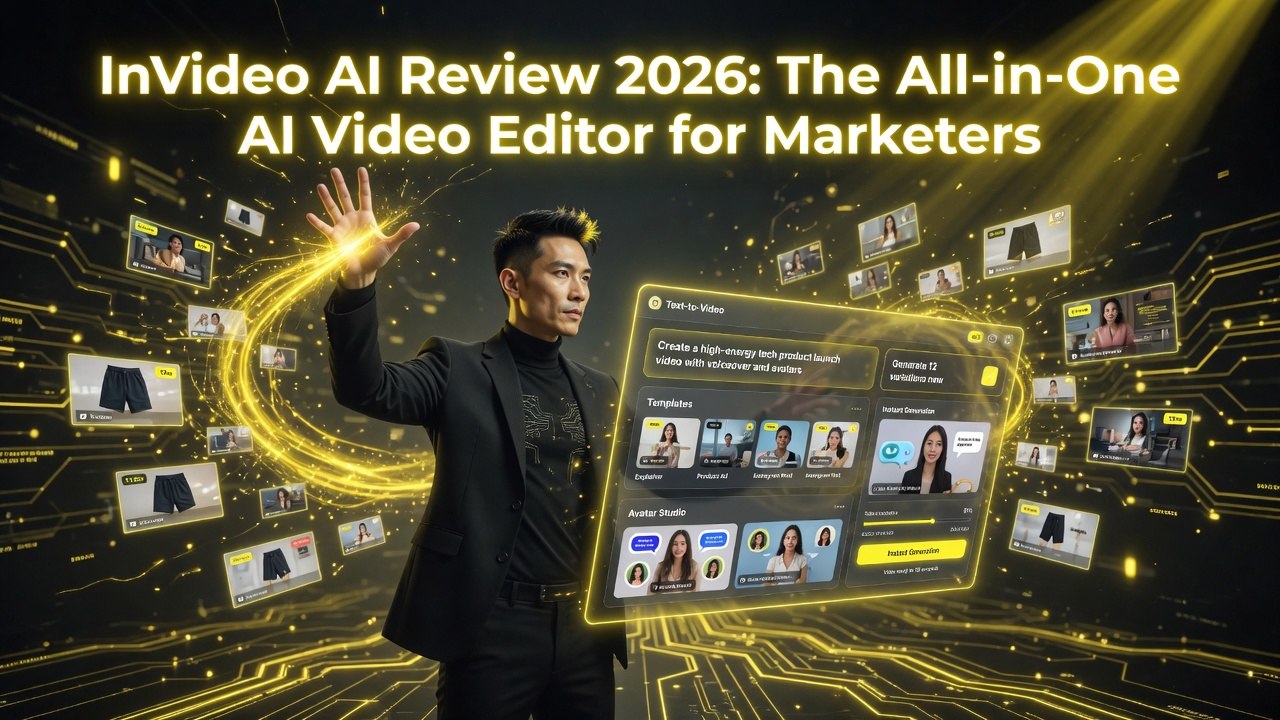
InVideo AI Review 2026: The All-in-One AI Video Editor for Marketers
⚡ Expert Summary: Key Takeaways
- InVideo AI is the most versatile AI video tool on the market — it generates videos from text, edits like a traditional NLE, offers 5,000+ templates, and integrates iStock footage in one platform.
- Text-to-video generation with full editing control — type a prompt, get a draft video, then fine-tune every scene, transition, and audio track without switching tools.
- 5,000+ templates for every format — YouTube intros, Instagram Reels, TikTok ads, product demos, explainer videos, and more. The template library is the largest in the AI video space.
- Pricing from $20/month (billed annually) — the Business plan at $30/month unlocks commercial rights, team collaboration, and premium stock footage access.
- Bottom line: InVideo AI is the best all-in-one video tool for marketers who need speed without sacrificing editing flexibility.
Every other AI video tool forces a tradeoff. Pictory is fast but limited. HeyGen has avatars but no real editor. Descript edits like a word processor but doesn’t generate from scratch. InVideo says you don’t have to choose — it does all of it.
InVideo AI is the Swiss Army knife of AI video tools. It generates videos from text. It edits like a traditional NLE. It offers 5,000+ templates for almost any video format. It integrates iStock for premium footage, supports team collaboration, and handles everything from a 15-second TikTok to a 30-minute explainer.
I’ve used InVideo since 2022 and watched it transform from a template-based editor into a full AI video production suite. Here’s the complete 2026 breakdown.
What Is InVideo AI?
InVideo AI is an all-in-one video creation platform. It offers AI-powered text-to-video generation, a full-featured video editor, 5,000+ customizable templates, iStock integration for premium stock footage, and team collaboration tools. It’s designed for marketers, content creators, and agencies who need to produce professional video content without learning complex editing software.
Founded in 2019 and headquartered in Singapore, InVideo has raised over $52 million and serves more than 25 million users globally. The platform Web, desktop, and mobile versions, and supports real-time team collaboration.
Key Features Breakdown
1. 5,000+ Video Templates
InVideo’s template library is the largest I’ve seen in any AI video platform. 5,000+ templates organized by use case — social media ads, YouTube intros, product demos, explainers, event promos, real estate walkthroughs, e-commerce listings, and more. Each template has multiple scenes, pre-placed text, transitions, and background music.
Template quality varies. The most popular categories (social media, YouTube, e-commerce) have polished, on-trend designs. Niche categories have fewer options and show their age. The templates are fully customizable — swap footage, change text, adjust colors, replace music.
You can also save custom templates. Create a video with your brand’s style, save it as a template, and reuse it for future content. For recurring content series (weekly tips, product updates, client testimonials), this saves hours.
2. AI Text-to-Video
InVideo’s text-to-video feature works like Pictory — paste a script or article, and the AI generates a video with footage, captions, and voiceover. The difference is the output quality. InVideo gives you more control over the final result.
The AI parses your script and assigns scenes. Each scene has a text overlay, background footage, and voiceover. You can switch to the full editor and make detailed adjustments — resize text, change transitions, add effects, layer elements. Pictory locks you into a simpler workflow. InVideo gives you the full toolset.
3. Full Video Editor (Timeline)
InVideo includes a proper timeline-based video editor. You can split clips, adjust timing, add transitions, overlay text and images, apply effects, adjust audio levels, and keyframe animations. It’s not as powerful as Premiere Pro or DaVinci Resolve, but it’s the most capable editor among AI-first video platforms.
The editor supports multiple video and audio tracks. You can layer B-roll over the main video, add background music, overlay voiceover, and adjust the volume of each track independently. Text animations include entry, exit, and emphasis effects with customizable timing.
4. iStock Integration
InVideo integrates directly with iStock by Getty Images. You get access to millions of premium stock photos, videos, and music tracks without leaving the editor. The iStock content is higher quality than typical stock libraries — professional footage, cinematic B-roll, and trending music.
iStock content costs extra beyond your InVideo subscription. You pay per asset or via credits. The pricing varies — some assets cost $5, others cost $50. For professional marketing videos, the quality justifies the cost. For internal or low-stakes content, the free stock library is sufficient.
5. AI Script Generator
InVideo includes an AI script generator similar to Synthesia‘s assistant. You describe your video topic, target audience, and desired tone. The AI produces a script with scene suggestions. It’s useful for overcoming writer’s block and generating first drafts quickly.
The script generator integrates with the text-to-video pipeline. Once the AI generates your script, you can click “Create Video” and jump directly to the video editor with your script parsed into scenes.
6. Team Collaboration
InVideo supports team workspaces, comment-based feedback, role management, and shared brand assets. The collaboration features are similar to Canva’s team functionality — invite members, assign roles (admin, editor, viewer), and review videos with timestamped comments.
Brand kits sync across the team. Upload your logo, set brand colors and fonts, and create reusable templates. Every team member produces on-brand content automatically.
7. Voiceover and AI Voices
InVideo offers 50+ AI voices across multiple languages and accents. The premium voices are good — natural pace, proper emphasis, and minimal robotic artifacts. The free voices sound like text-to-speech from 2018. Upgrade to premium voices for any customer-facing content.
You can also upload custom voiceover audio and sync it with the timeline. InVideo handles multi-track audio — voiceover on one track, background music on another, with individual volume and fade controls.
Pricing Breakdown
| Plan | Price | Videos/Month | Template Access | iStock Access | Export Quality |
|---|---|---|---|---|---|
| Free | $0 | 5 videos | Limited | No | 720p (watermark) |
| Plus | $20/mo | 20 videos | Full | No | 1080p |
| Max | $60/mo | Unlimited | Full | Yes | 1080p + 4K |
| Enterprise | Custom | Unlimited | Full + custom | Yes | 4K |
The Plus plan at $20/month is the minimum viable option. The Max plan at $60/month is the sweet spot — unlimited videos, iStock access, 4K export, and no watermarks. Enterprise plans include API access, SSO, dedicated support, and custom training.
InVideo vs. Competitors
InVideo vs. Canva
Canva has more features overall — design, presentations, docs, and video. But InVideo is better for dedicated video production. The timeline editor is more capable. The AI text-to-video pipeline is more robust. The template library is video-focused rather than design-focused.
Canva’s video editor has improved significantly (they now support multi-track editing), but InVideo still wins for video-first workflows. If you’re already in the Canva ecosystem for design, Canva’s video tools may be enough. If video is your primary output, InVideo is the better investment.
InVideo vs. CapCut
CapCut is a mobile-first video editor from ByteDance. It’s free, powerful, and widely used. But CapCut is a manual editing tool — there’s no AI text-to-video, no template-based generation, and limited team collaboration. InVideo automates the creation process. CapCut is better for manual editing skills. InVideo is better for speed and scale.
InVideo vs. Pictory
Pictory is faster for blog-to-video conversion. Paste a URL, get a video in 60 seconds. InVideo takes longer but produces better results with more control. InVideo’s editor is vastly superior. If speed is your only priority, choose Pictory. If you want control and quality, choose InVideo.
Who Should Use InVideo?
- Social media content creators: Produce platform-optimized videos at scale. Use templates for recurring content series, AI generation for first drafts, and the editor for final polish.
- Marketing teams: Create product demos, ad creatives, landing page videos, and social ads. InVideo’s team collaboration keeps everyone on brand.
- Agencies: Manage multiple clients with brand kits and team workspaces. The Max plan ($60/month) supports unlimited videos — enough for agency-scale production.
- E-commerce brands: Product videos, listing videos, and shoppable content. InVideo’s e-commerce templates are some of the best on the platform.
- Content repurposers: Turn blog posts, podcasts, and webinars into social clips. InVideo’s text-to-video handles the initial conversion. The editor handles the fine-tuning.
What InVideo Doesn’t Do Well
- No AI avatars: Like Pictory, InVideo doesn’t have AI presenters. You get voiceover + visuals, not a talking head. For avatar-led content, you need HeyGen or Synthesia.
- Learning curve: The editor is powerful, which means it takes time to learn. InVideo’s interface is more complex than Pictory’s or Canva’s. Budget a few hours to get comfortable.
- Export times: Longer videos take significant time to render. A 10-minute video at 4K can take 15-20 minutes. During peak hours, queues add more time.
- Template quality variance: Not all 5,000+ templates are good. Some are dated, poorly designed, or niche to the point of uselessness. The top 500 templates get 90% of the use.
- iStock costs add up: Premium footage from iStock costs extra. If your content requires frequent premium assets, budget $50-200/month additional.
Final Verdict
InVideo AI is the most versatile AI video platform I’ve tested. It’s not the fastest (Pictory wins speed), not the best for avatars (HeyGen wins realism), and not the best for editing (Premiere Pro wins power). But it’s the only platform that competes in all three categories at once.
At $20-$60/month, InVideo offers the best value-for-versatility ratio in the market. If you’re a marketer, content creator, or agency producing diverse video content — social clips, ads, explainers, demos, repurposed content — InVideo covers your workflow end to end.
Frequently Asked Questions
Frequently Asked Questions
Is InVideo free to use?
InVideo offers a free plan with 5 videos per month, limited templates, 720p export, and a watermark. Paid plans start at $20/month and remove the watermark.
Does InVideo have AI avatars?
No. InVideo does not have AI presenter avatars. It creates narrated video content using stock footage, text overlays, and voiceover. For avatar-based videos, use HeyGen or Synthesia.
How good is InVideo’s template library?
5,000+ templates covering almost every video use case. Quality varies — the most popular categories have excellent templates. Niche categories have fewer, older options. Custom template saving is available.
Can I edit videos manually in InVideo?
Yes. InVideo includes a full timeline editor with multi-track support, transitions, effects, text overlays, and keyframe animations. It’s the most capable editor among AI-first video platforms.
Does InVideo support 4K video?
Yes, on the Max ($60/month) and Enterprise plans. 4K exports require more rendering time. Free and Plus plans are limited to 720p and 1080p respectively.
Is InVideo good for team collaboration?
Yes. InVideo supports team workspaces, role-based permissions, comment-based feedback, shared brand kits, and custom template libraries. Enterprise plans add SSO and advanced admin controls.
How does InVideo compare to Canva?
Canva is broader (design, presentations, video). InVideo is deeper in video-specific features — better timeline editor, AI text-to-video, more video templates, iStock integration. Choose Canva for all-in-one design; choose InVideo for video-first production.
Can I use my own footage in InVideo?
Yes. Upload your own video clips, images, and audio. You can mix custom assets with InVideo’s free stock library and premium iStock content in the same project.
2. Does InVideo have AI avatars?
No. InVideo does not have AI presenter avatars. It creates narrated video content using stock footage, text overlays, and voiceover. For avatar-based videos, use HeyGen or Synthesia.
3. How good is InVideo’s template library?
5,000+ templates covering almost every video use case. Quality varies — the most popular categories have excellent templates. Niche categories have fewer, older options. Custom template saving is available.
4. Can I edit videos manually in InVideo?
Yes. InVideo includes a full timeline editor with multi-track support, transitions, effects, text overlays, and keyframe animations. It’s the most capable editor among AI-first video platforms.
5. Does InVideo support 4K video?
Yes, on the Max ($60/month) and Enterprise plans. 4K exports require more rendering time. Free and Plus plans are limited to 720p and 1080p respectively.
6. Is InVideo good for team collaboration?
Yes. InVideo supports team workspaces, role-based permissions, comment-based feedback, shared brand kits, and custom template libraries. Enterprise plans add SSO and advanced admin controls.
7. How does InVideo compare to Canva?
Canva is broader (design, presentations, video). InVideo is deeper in video-specific features — better timeline editor, AI text-to-video, more video templates, iStock integration. Choose Canva for all-in-one design; choose InVideo for video-first production.
8. Can I use my own footage in InVideo?
Yes. Upload your own video clips, images, and audio. You can mix custom assets with InVideo’s free stock library and premium iStock content in the same project.

About Barak Schurr
Barak Schurr is a serial entrepreneur who built and exited a major ticketing platform before turning his attention to AI and content. He runs three AI-focused research sites and writes about the tools, workflows, and strategies that let solo creators build real channels — without a crew, a studio, or a Hollywood budget.
Email: [email protected]
More AI Resources for Your Business