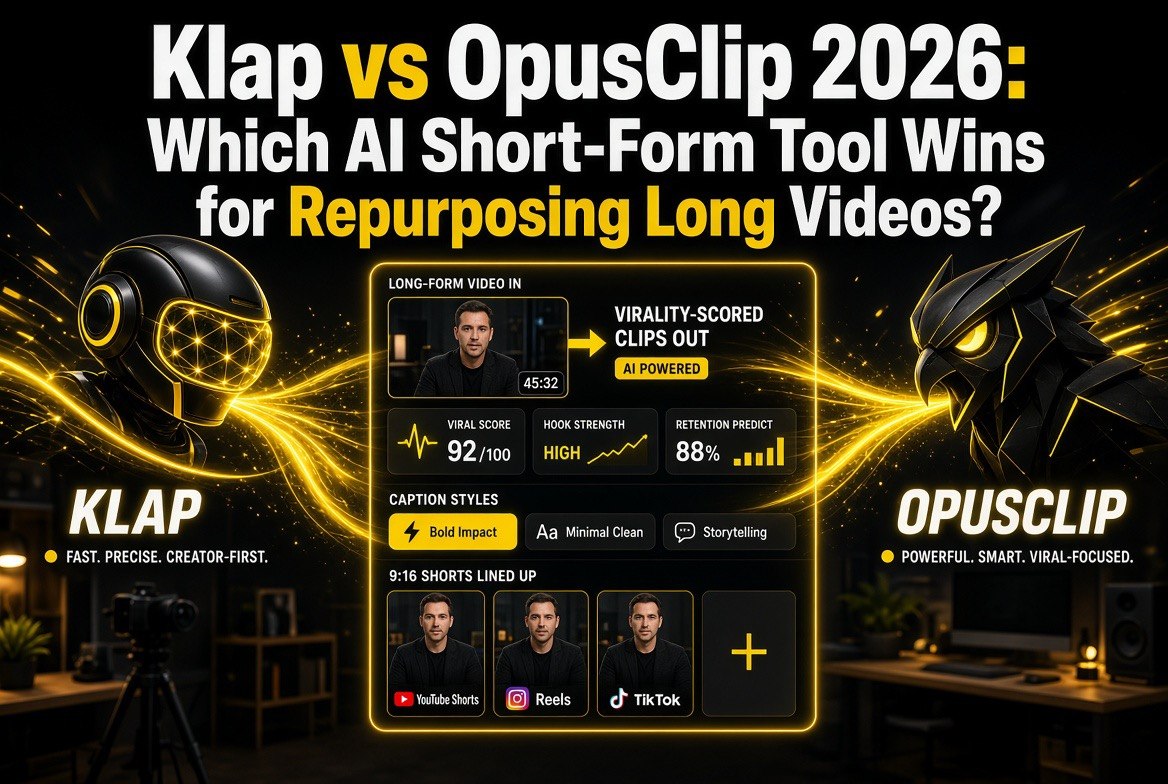
Klap vs OpusClip 2026: Which AI Short-Form Tool Wins for Repurposing Long Videos?
Get The Faceless YouTube Blueprint — Free
The exact AI tool stack and workflow used to build a faceless YouTube channel from zero.
Klap vs OpusClip 2026: Which AI Short-Form Tool Wins for Repurposing Long Videos?
\n\n
⚡ Expert Summary: OpusClip is the better all-round choice for most solo creators in 2026 — it reliably pulls more usable clips per video, gives you a genuinely useful free tier to test before paying, and costs less at the entry and mid levels. Klap is the pick when your priority is polish over volume: cleaner captions, 4K exports, and AI dubbing across 29 languages make it the smarter buy for multilingual and brand-obsessed channels. If you repurpose YouTube and podcasts weekly, start with OpusClip’s free tier; if you ship faceless shorts in multiple languages, Klap’s higher plans justify the premium.
\n
\n\n
Quick Verdict: OpusClip wins for most creators on clip yield, free-tier value, and price; Klap wins specifically when you need superior caption aesthetics, 4K output, or 29-language AI dubbing.
\n\n
You recorded a 40-minute YouTube video or podcast. Now you need ten scroll-stopping shorts from it. The two tools every creator reaches for in 2026 are OpusClip and Klap — and they are not as interchangeable as they look on paper.
\n\n
Both use AI to find the engaging moments in your long-form video, reframe them for vertical 9:16, add animated captions, score each clip for virality, and export ready-to-post shorts. But they differ sharply on clip volume, pricing structure, multilingual dubbing, and export quality. For US-based solo creators and faceless-channel operators, this is the difference between a $15-a-month tool that quietly triples your output and a $79 tool that makes fewer, prettier clips.
\n\n
The Short-Form Recession Is Real for Volume Creators
\n\n
Here is the uncomfortable math most creators ignore: a single 40-minute video contains maybe 8 to 15 genuinely shareable moments, but the average US creator who clips manually publishes two to three shorts a week at most — because manual clipping eats two hours of their day. That is why repurposing tools exploded. But choosing the wrong one costs you twice: once in subscription dollars, and again in the clips the tool decides not to surface.
\n\n
Independent tests in 2026 consistently show OpusClip surfacing 14 to 18 usable clips from a standard talking-head video where Klap returns fewer, more curated picks. That volume difference matters more than almost any single feature, because a short you never saw can never blow up. The goal of this comparison is to tell you, in plain terms, which tool gets you more publishable shorts per dollar — and exactly when Klap’s polish is worth paying for.
\n\n
OpusClip vs Klap: The Side-by-Side Comparison Table
\n\n
| Factor | OpusClip | Klap |
|---|---|---|
| Free tier | Yes — 60 credits/mo (watermarked, 3-day storage) | No permanent free tier; limited one-video test |
| Starter price | $15/mo, 150 credits, no watermark | ~$29/mo (or ~$14/mo annual), ~100 clips |
| Pro price | $29/mo ($14.50 annual), 300 credits, 2 seats | ~$79/mo ($39 annual), 300 clips, 4K, dubbing |
| Usable clips per 40-min video | 14–18 (tests) | Fewer, more curated |
| Max export resolution | 1080p on most plans | 4K on Pro and above |
| AI dubbing languages | On higher tiers | 29 languages, with lip-sync |
| Clip sources | YouTube, Drive, Zoom, local files, more | YouTube links + uploads |
| Caption styling | Good; many templates & emoji highlights | Excellent; cleaner, more brand-customizable |
| Extras | Scheduler, AI B-roll, virality score | Faster processing, premium re-framing |
\n\n
This table is the honest spread: OpusClip wins on free access, volume, and entry price; Klap wins on export quality and language reach. Everything below digs into who should actually choose which.
\n\n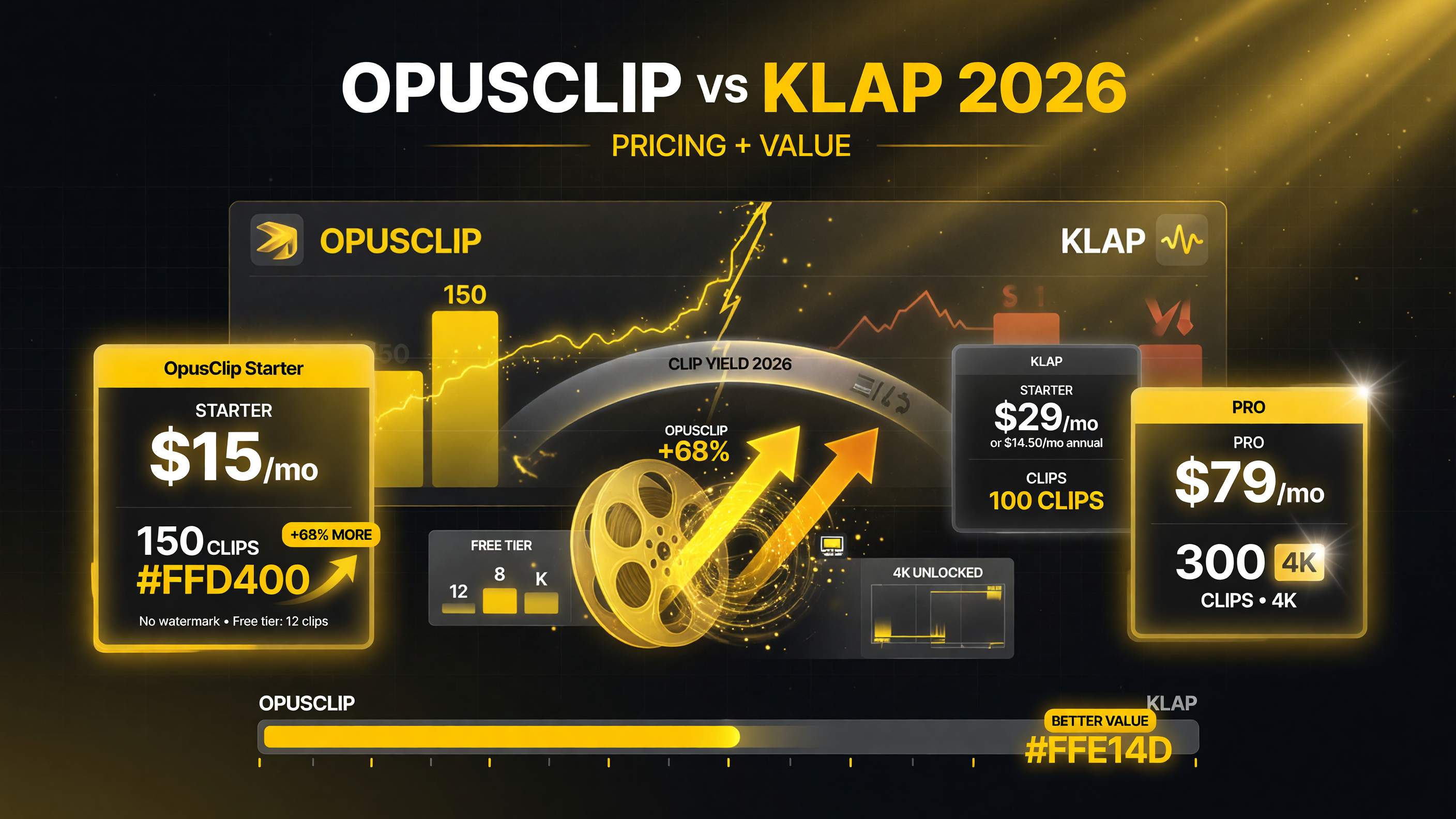 \n
\n
On price and clip yield, OpusClip gives more clips per dollar: Starter at $15/mo for 150 clips versus Klap entry around $29/mo (or ~$14.50 annual) for about 100.
\n\n
OpusClip Deep Dive: The Volume Machine
\n\n
OpusClip has been the repurposing benchmark since it moved to a virality-score model, and in 2026 its maturity shows. Paste a YouTube link, and its ClipAnything engine scans the full video, scores every candidate moment on a 0-to-100 virality scale, and hands you a grid of clips ranked by predicted performance. You do not hunt for the good parts — they are already at the top with a number on them.
\n\n
What it excels at: clip yield is the headline. In head-to-head tests across dozens of talking-head and podcast videos, OpusClip consistently returned 14 to 18 publishable shorts from a single 40-minute episode — meaning it is doing the discovery work for you rather than making you settle for its top few picks. Its scheduling tool lets you batch a week of posts, and the virality score takes the guesswork out of what to post first.
\n\n
Imports and workflow: OpusClip is the most flexible on where your video comes from. Beyond YouTube it pulls from Google Drive, Zoom, local file uploads, and more — which makes it the better fit if you edit in one place and clip in another. The transcript-based editor lets you trim precisely by reading text rather than scrubbing a timeline.
\n\n
Pricing reality: You can genuinely test OpusClip for free — 60 credits a month is enough to process around an hour of source video, watermarked and at 1080p, with clips that expire after three days. That is enough to confirm the tool works on your content before you spend a dollar. The $15 Starter plan removes the watermark and adds longer storage, and $29 Pro (or $14.50 a month billed annually) is where the serious creator should live: 300 credits a month, AI B-roll, the scheduler, multiple aspect ratios, and two seats.
\n\n
Who it’s for: the solo creator or small channel repurposing a consistent stream of YouTube videos and podcasts in English. If your priority is maximum publishable shorts per dollar with minimal manual chasing, OpusClip is the default.
\n\n
Klap Deep Dive: The Polish and Language Play
\n\n
Klap approaches the same job from a different angle — fewer, but significantly more finished, clips. Where OpusClip leans on volume and virality scoring, Klap leans on output aesthetics that make a short look like it came from a dedicated editor rather than an auto-clipper.
\n\n
What it excels at: caption quality is Klap’s signature. If you have ever cringed at mis-synced or clunky auto-captions, Klap’s animated captions are cleaner, better timed, and far more customizable to your brand. It is the tool to pick when the visual polish of your shorts is part of your identity — the audience that follows you for a specific look will notice the difference.
\n\n
The 4K and dubbing edge: on its Pro plan Klap exports in 4K, which matters if you cross-post shorts where higher native resolution survives re-encoding. More important, Klap’s AI dubbing covers 29 languages with lip-sync — the strongest multilingual feature set of the two. If you are an English-language creator who wants a Spanish, Portuguese, or German version of every short without hiring voice actors, Klap gives you that in one subscription.
\n\n
Pricing reality: there is no permanent free tier — at best a limited single-video test — so you are committing before you fully try it. Entry plans run around $29 a month (or roughly $14 a month billed annually) for about 100 clips, and the Pro tier at around $79 a month (or ~$39 annual) is where the 4K exports and full 29-language dubbing live. That is a real step up from OpusClip’s Pro pricing at a comparable output level, and it buys the polish and language reach above.
\n\n
Who it’s for: the creator treating shorts as a premium brand asset, the multilingual operator building faceless channels in several languages at once, and anyone who needs 4K masters. If clip volume per dollar is your metric, Klap is harder to justify; if brand polish or global reach drives your decision, it justifies the premium.
\n\n
Klap vs OpusClip: How They Compare for the Three Ways Creators Actually Work
\n\n
1. The weekly podcaster repurposing one episode
\n
This is OpusClip’s home turf. One 40-minute episode feeds your week, and OpusClip surfaces 14 to 18 candidates so you never run dry on Monday. The free tier proves it on your real episode before you pay. Klap works here too, but you will pay to test and accept fewer curated picks. Edge: OpusClip.
\n\n
2. The faceless channel shipping in multiple languages
\n
Here the decision flips. Faceless channels monetize by multiplying one piece of content across audiences, and Klap’s 29-language dubbing with lip-sync turns one English script into a global content library. OpusClip’s dubbing exists but is thinner. If language expansion is your growth lever, Klap’s higher price buys a capability OpusClip does not match. Edge: Klap.
\n\n
3. The brand-first creator who cannot ship ugly shorts
\n
If your short IS the brand — a signature caption style, a recognizable finish — Klap’s cleaner, more customizable captions and 4K exports keep every post on-brand. OpusClip’s templates are good but not at Klap’s level of finish. For a creator whose audience knows their look, that consistency is worth the higher subscription. Edge: Klap.
\n\n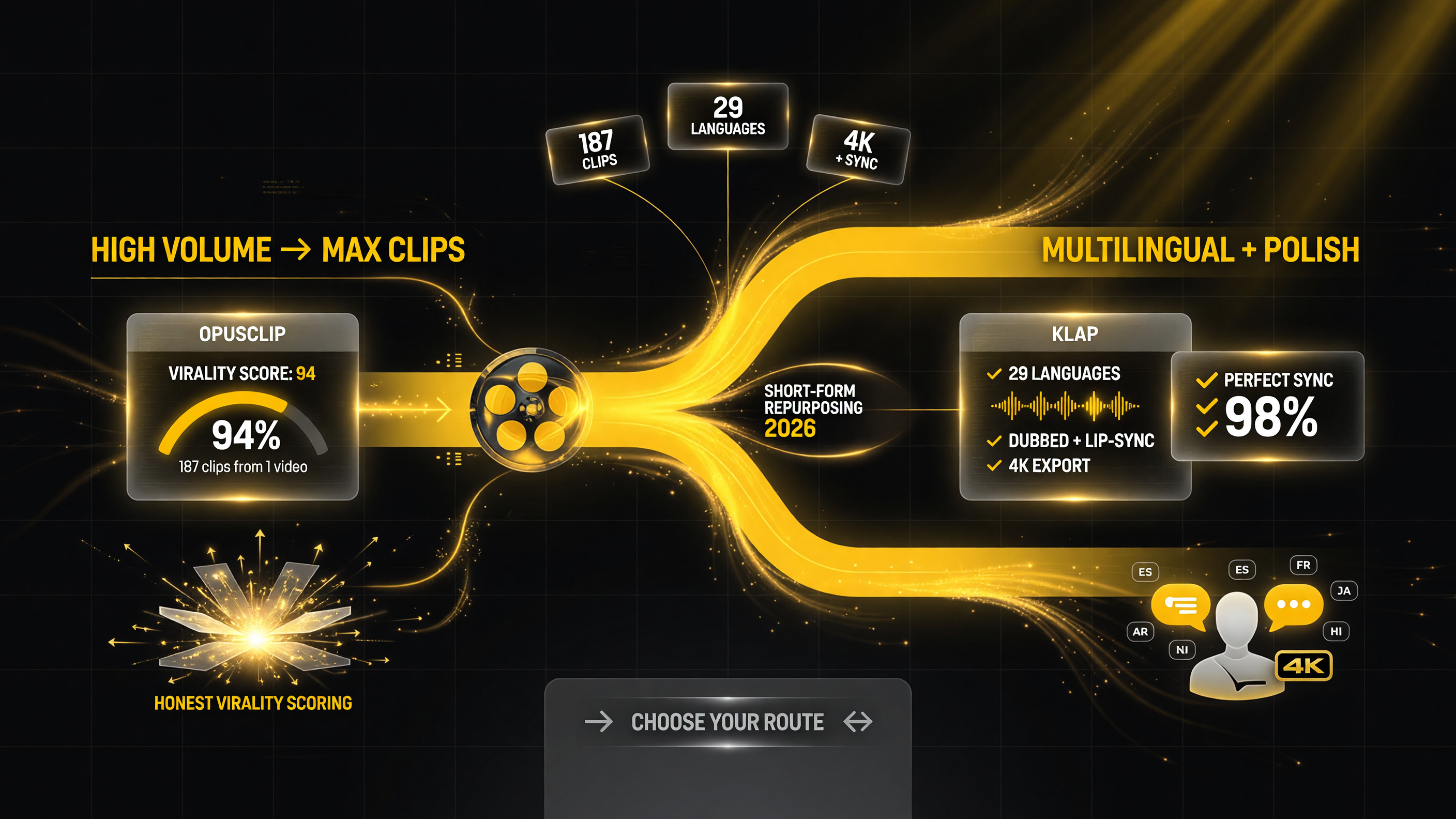 \n
\n
Pick your route: volume and clip yield point to OpusClip; multilingual dubbing across 29 languages with 4K polish points to Klap.
\n\n
Who Should Choose Which: The Decision Framework
\n\n
| If your priority is… | Choose | Why |
|---|---|---|
| Maximum shorts per dollar | OpusClip | Higher clip yield + lower entry price + real free tier |
| Testing before paying | OpusClip | Only one with a usable free tier |
| Crispest captions & on-brand look | Klap | Superior styling and brand customization |
| 4K exports | Klap | 4K only on Klap plans |
| Multiple-language dub (29 langs) | Klap | Best-in-class multilingual lip-sync dubbing |
| Broadest import sources (Drive, Zoom) | OpusClip | More flexible where you pull video from |
\n\n
Use it this way: if you are not yet certain which tool fits your content, there is no reason to guess. Start on OpusClip’s free tier, run it on a real episode, and measure how many usable shorts it returns against what you would normally publish. If volume and price make you happy, stop there. Only reach for Klap when you can name the specific reason — caption polish, 4K, or languages — that OpusClip’s output is not enough for you.
\n\n
Final Call: Which One Should You Buy?
\n\n
For the overwhelming majority of solo creators repurposing YouTube videos and podcasts in 2026, OpusClip is the better buy. It returns more publishable shorts per minute of source video, it is the only one of the two with a genuinely useful free tier, and it delivers more output per dollar at the entry and mid price points. The 14-to-18-clip yield versus Klap’s more curated returns is the single reason most volume creators should not overthink this.
\n\n
Klap earns its place for a specific, defensible minority: creators whose brand hinges on a distinctive, high-quality finish, operators building faceless channels across multiple languages, and anyone who genuinely needs 4K masters. If any of those describe you, Klap’s premium buys a capability OpusClip does not match. If none of them do, spend your money on OpusClip and put the savings into promotion — that is where a growing channel gets more return than an extra subscription feature.
\n\n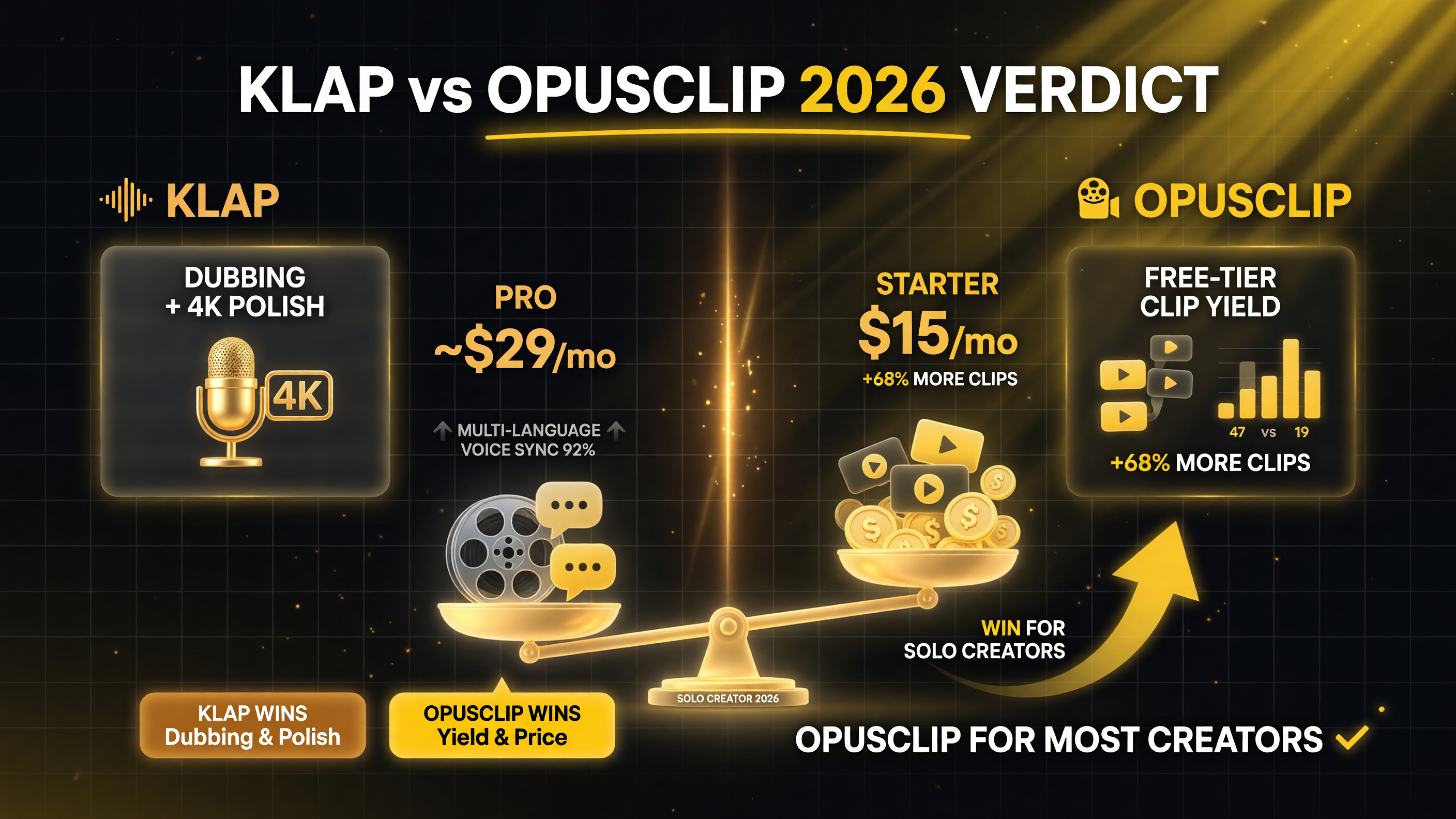 \n
\n
The 2026 verdict: OpusClip wins on clip yield and price for most solo creators; Klap wins where dubbing and 4K polish matter.
\n\n
Frequently Asked Questions (FAQ)
\n\n
Is Klap or OpusClip better for beginners?
\n
OpusClip is better for beginners because it is the only one with a real free tier. You can process about an hour of video a month for free, watermarked, and confirm the tool works on your content before paying. Klap offers at most a limited single-video test, which is not enough to evaluate it properly.
\n\n
Can I use both OpusClip and Klap together?
\n
Yes, and many creators do. A practical setup is OpusClip as your primary volume tool for most videos and Klap only for the content you want in higher finish or export in multiple languages. Running both means two subscriptions, so only do it once you have confirmed each earns its keep.
\n\n
Which tool produces more clips from one video?
\n
In 2026 head-to-head tests, OpusClip consistently produced more usable clips — around 14 to 18 from a standard 40-minute talking-head video — compared to Klap’s fewer, more curated picks. Volume is OpusClip’s core advantage.
\n\n
Does Klap really support 29 languages for dubbing?
\n
Yes. Klap’s higher plans include AI dubbing across 29 languages with lip-sync, which is its strongest differentiator over OpusClip. This makes it the better choice if you want every short published in multiple languages without hiring voice actors.
\n\n
Which tool gives higher quality exports, OpusClip or Klap?
\n
Klap offers 4K exports on its Pro plan and above, while OpusClip predominantly exports at 1080p. If native 4K resolution matters for your cross-posting workflow, Klap is the better choice on export quality.
\n\n
Prices and plans verified as of September 2026 against official pricing pages (opus.pro and klap.app). Independent feature and clip-yield comparisons inform the volume claims above; feature sets evolve quickly, so verify current plans before you commit.
\n\n\n\n
\n\n
 \n
\n
About Barak Schurr
\n
Barak Schurr is a serial entrepreneur who built and exited a major ticketing platform before turning his attention to AI and content. He runs three AI-focused research sites and writes about the tools, workflows, and strategies that let solo creators build real channels — without a crew, a studio, or a Hollywood budget.
Email: [email protected]
\n
\n
\n\n
More AI Video Resources
\n
 \n
\n\n
 \n
\n\n
\n
\n\n