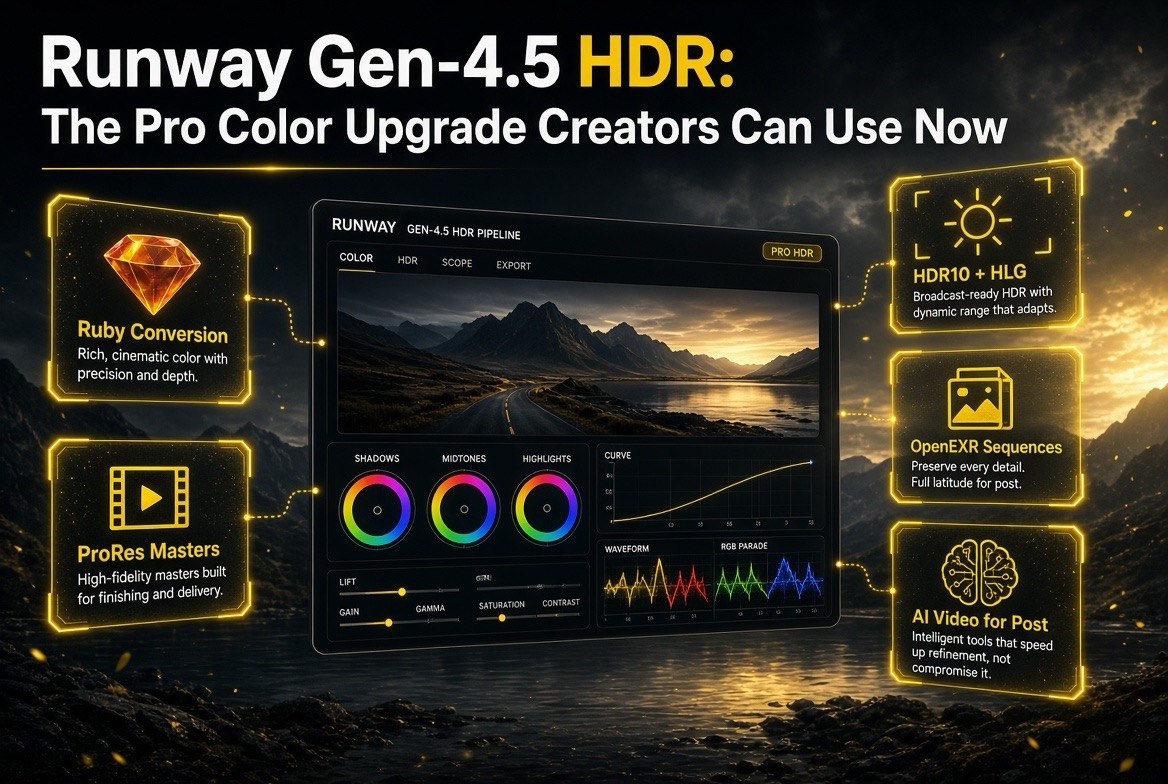
Runway Gen-4.5 HDR: The Pro Color Upgrade Creators Can Use Now
Get The Faceless YouTube Blueprint — Free
The exact AI tool stack and workflow used to build a faceless YouTube channel from zero.
Runway Gen-4.5 HDR: The Pro Color Upgrade Creators Can Use Now
⚡ Expert Summary: Runway’s Gen-4.5 HDR upgrade — powered by the new Ruby model — converts standard SDR footage into true HDR while preserving the original pixels and audio. Launched around August 20–21, 2026, Ruby works with any Runway-generated or uploaded SDR clip, not just Gen-4.5, and outputs professional formats: 10-bit HDR10 or HLG HEVC, BT.2020+PQ ProRes (422/422 HQ/4444), and half-float OpenEXR frame sequences. Pricing runs about 20 credits per second (~40 for 4K+ sources). This is a serious step toward treating AI video as broadcast-grade footage.
There has always been a gap between AI video and “real” footage. AI can generate a stunning scene, but what comes out is flat SDR — standard dynamic range with limited brightness and color headroom. When you drop that clip into a professional timeline next to footage shot on a cinema camera, it looks washed out. Until now, fixing it meant a manual color grade in Resolve or After Effects, and even then, SDR data could only do so much.
Runway just closed that gap in a meaningful way. With the release of the Ruby model around August 20–21, 2026, Runway Gen-4.5 users (and anyone with a Runway SDR clip) can convert their footage to true HDR — BT.2020 color space, HDR10 metadata, and up to professional 16-bit ProRes and OpenEXR deliverables. It is a color upgrade that treats AI video like footage worth putting on a broadcast monitor.
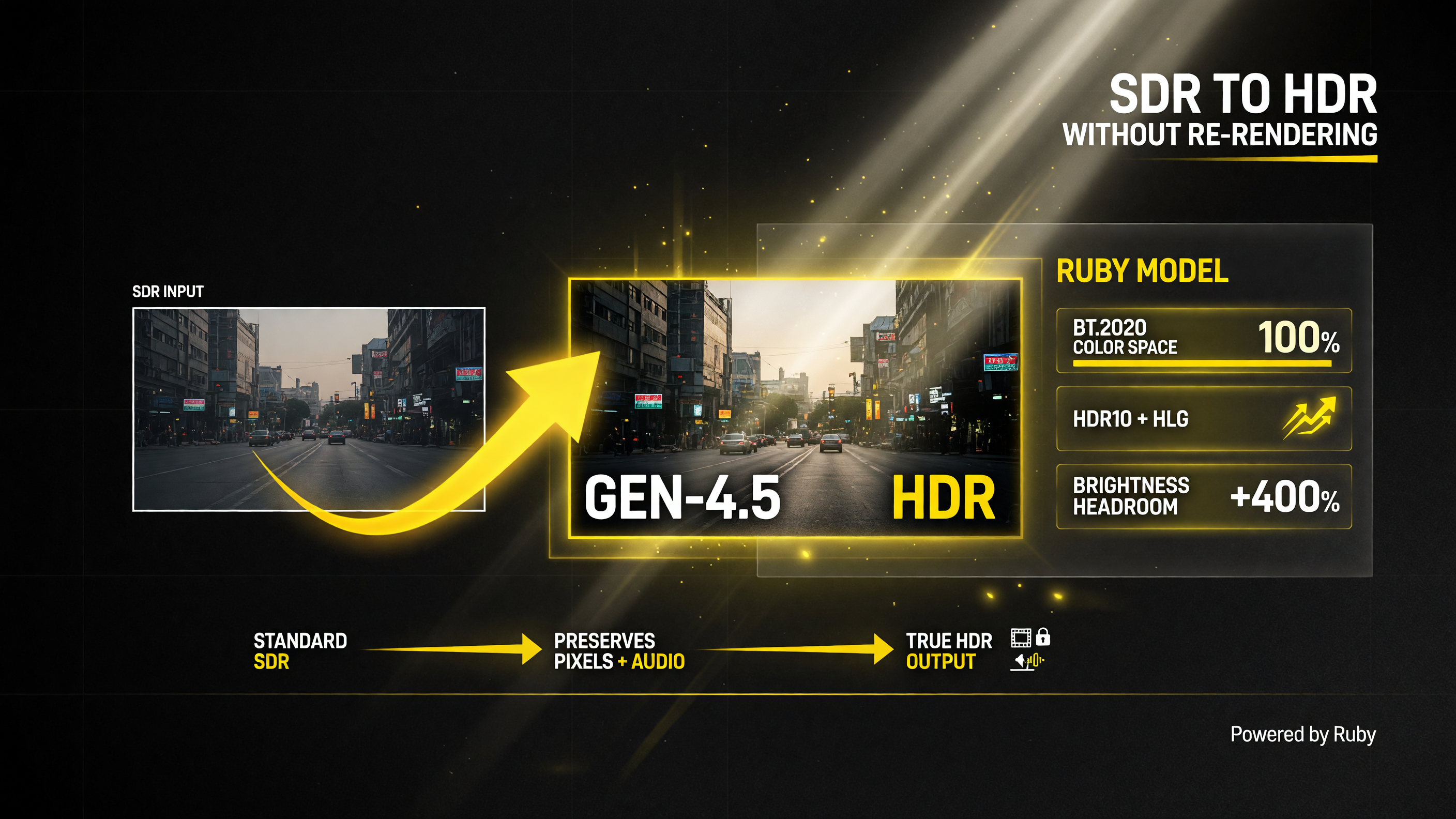
Runway’s Ruby model takes a standard SDR clip and converts it to true HDR — widening it into the BT.2020 color space with HDR10 or HLG metadata — without re-rendering, so the original pixels and audio stay intact.
What Ruby Actually Does
Ruby is a dedicated SDR-to-HDR conversion model. Give it an SDR video — a Gen-4.5 generation or any uploaded clip — and it upgrades it to true HDR while preserving the original pixels and audio. It is not re-rendering your scene from scratch; it is an intelligent, color-preserving grade that extends brightness into HDR headroom. The source content stays intact; the light range expands.
There is one input constraint to know: HDR-tagged sources are rejected (it expects SDR to convert), and clips are limited to roughly 40 seconds (about 30 seconds in some references) and under 4096 pixels per side. If you are working with a longer or higher-resolution Gen-4.5 clip, you may need to work in segments.
The Output Formats That Matter
The real story of this upgrade is not just “it makes colors pop” — it is the deliverable formats. Runway is handing creators and post houses files they can actually grade and composite with:
- HDR10 (default): 10-bit HEVC HDR10 .mp4 — the universal HDR delivery format for playback.
- HLG: 10-bit HEVC HLG .mp4 — the other major HDR standard, common for broadcast and live.
- ProRes: BT.2020 + PQ .mov in 422, 422 HQ (default), or 4444 — the mezzanine codec editors actually cut with.
- OpenEXR sequence: a .zip of half-float OpenEXR frames (linear BT.2020 light) with colorimetry metadata and optional audio — the compositor-native format for VFX and Nuke-grade work.
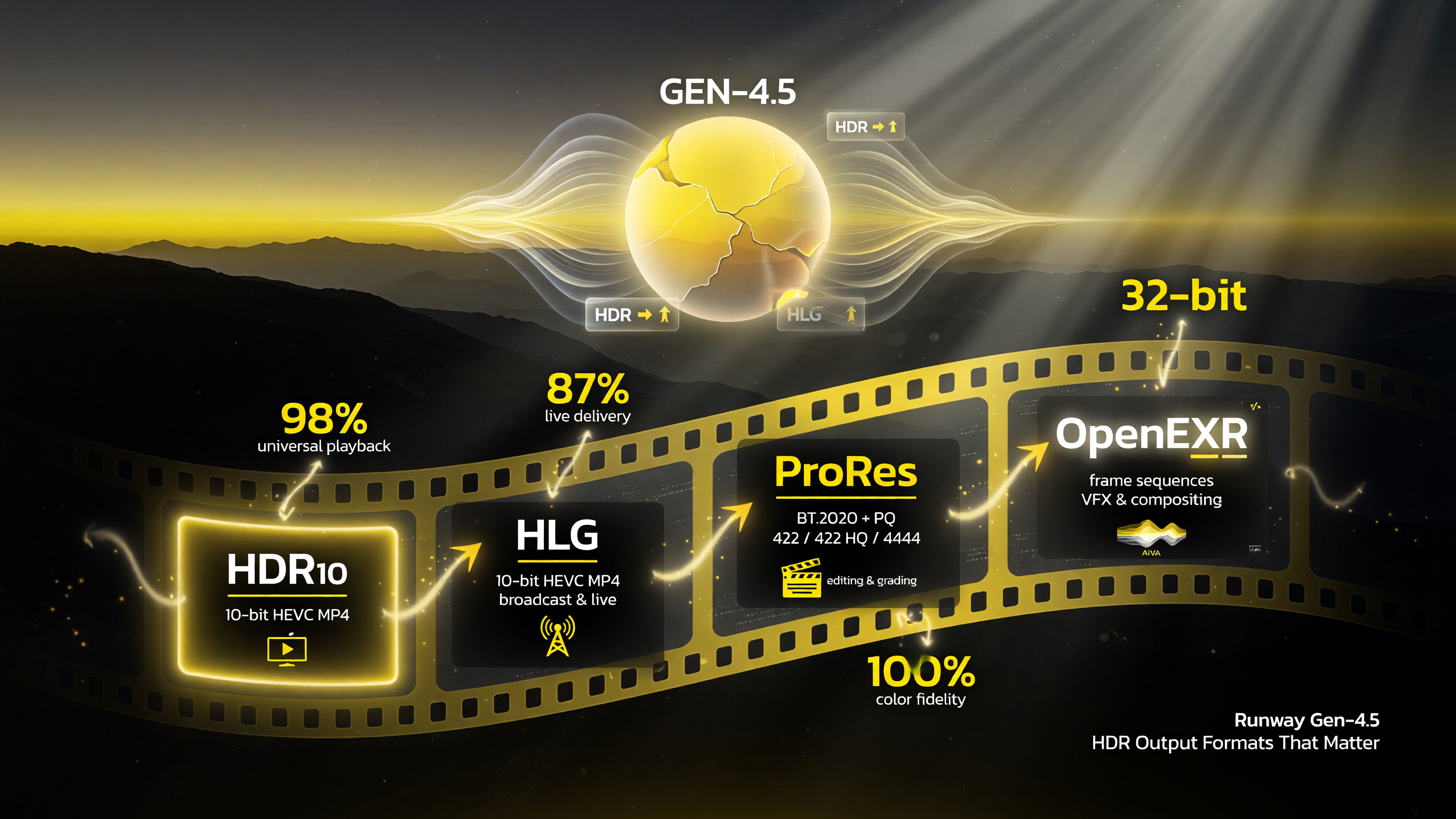
Runway HDR’s deliverable formats cover the whole pipeline — HDR10 for universal playback, HLG for broadcast and live, ProRes for editing and color grading, and half-float OpenEXR frame sequences for VFX and compositing.
For post-production, the ProRes and EXR options are the headline. These are not web-delivery formats; they are the files you take into DaVinci Resolve, After Effects, or Nuke for real color grading and compositing. Runway is effectively saying AI video is ready for serious pipelines, not just social uploads.
Gen-4.5 Native HDR, Too
Ruby is the star, but Gen-4.5 itself can also generate directly in HDR and post-production formats through its output parameters — including hdr_prores, hdr_exr_sequence, and 12-bit masters. So you have two paths: generate straight to a pro format, or generate in SDR and convert through Ruby. Aleph 2.0 users can even chain models through Ruby for HDR, giving more control over the end result.
Pricing and Availability
The cost is roughly 20 credits per second of output, and about 40 credits per second for sources above 4 megapixels (roughly 4K and up). Additional surcharges apply for non-mp4 professional formats, which makes sense given the heavier compute and file sizes. Availability is rolling out progressively, initially through Max plans and Enterprise via the Runway API and web app.
| Output Format | Codec / Spec | Best For |
|---|---|---|
| HDR10 (default) | 10-bit HEVC HDR10 .mp4 | HDR playback & delivery |
| HLG | 10-bit HEVC HLG .mp4 | Broadcast & live HDR |
| ProRes | BT.2020 + PQ .mov (422/422 HQ/4444) | Editing & color grading |
| OpenEXR sequence | Half-float EXR frames + audio | VFX compositing & finishing |
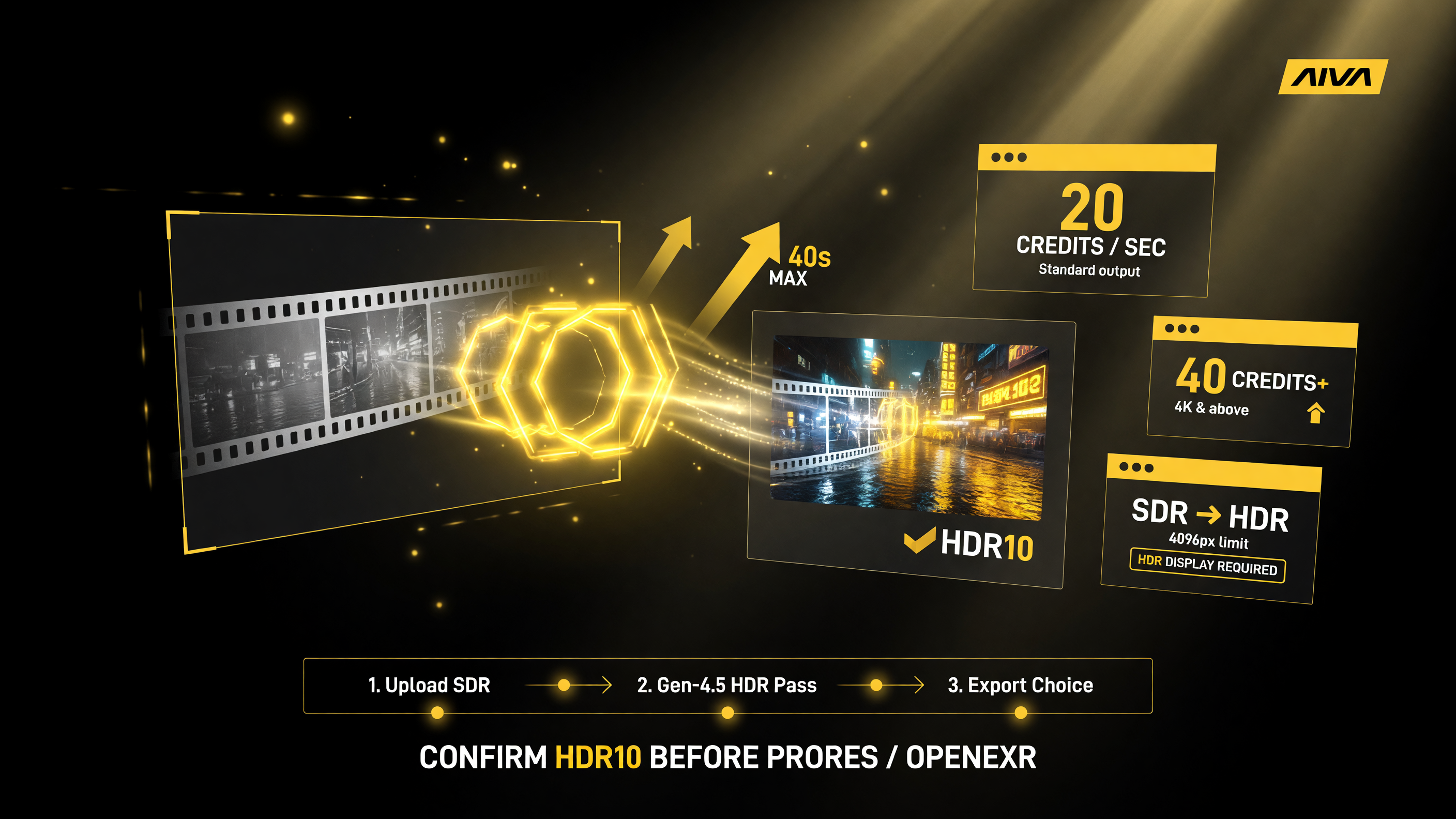
Runway HDR runs about 20 credits per second (roughly 40 for 4K and up) on SDR clips up to ~40 seconds — and you need an HDR display to actually see the value, so confirm an HDR10 pass before paying for ProRes or OpenEXR.
Early adopters have already been putting Ruby through its paces on calibrated OLED and HDR reference monitors, and the early verdict leans positive: AI filmmakers and VFX artists treating it as the missing bridge between generation and delivery. The consensus is that for cinematic and commercial use, the jump from SDR-AI to HDR-AI is unmistakable on a proper display — highlights that used to clip now hold detail, and the color space matches what post tools expect. That is the difference between an AI clip you post to social and an AI clip you hand to a colorist.
Who Should Care
This upgrade is aimed squarely at people who felt AI video was close-but-not-quite for professional work:
- AI filmmakers and directors who want their Gen-4.5 shots to hold up next to real footage on a reference monitor.
- VFX and motion designers who need EXR sequences and ProRes masters to drop into Nuke, After Effects, or DaVinci Resolve without a rec601-to-rec709 guesswork conversion.
- Commercial and broadcast creators delivering HDR content who do not want to hand-grade every AI-generated asset.
- Studio and Enterprise teams with access through Max or Enterprise plans, who can chain Aleph 2.0 models through Ruby for color-managed pipelines.
The Honest Reality Check
As with any new pro feature, there are caveats worth knowing before you commit a whole project to it.
“True 16-bit” is doing some work here. Early creator feedback noted some banding in EXR sequences and debate about whether the files hit genuine 16-bit depth or effective range expansion. For most work this is a non-issue, but if you are pushing extreme grades, test on your own footage first and check for banding before you rely on it.
Credits add up. At ~20 credits/second (or ~40 for 4K+), a full project can burn credits fast. Plan your conversion budget: confirm you are happy with an HDR10 pass before paying for ProRes or EXR on everything.
Rollout is progressive. Not every account has every format enabled yet. It is initially Max/Enterprise via the API and app, rolling out gradually. If a format is not available to you today, it likely will be soon, but do not assume universal access immediately.
You need an HDR display to see the value. HDR footage looks like flat SDR on a standard monitor. If your grading display or deliverable target is SDR, the ProRes/EXR pipeline is still useful for headroom later, but you will not see the promised pop on a normal screen. Calibrated OLED or HDR monitors reveal the real difference.
Gen-4.5 HDR vs. Standard SDR AI Video
To put it plainly, here is the difference the upgrade makes in practical terms:
| Factor | SDR Gen-4.5 Output | HDR Ruby Output |
|---|---|---|
| Dynamic range | Standard (limited brights) | True HDR (BT.2020 + PQ/HLG) |
| Deliverables | Basic mp4 | HDR10, HLG, ProRes, EXR |
| Post-production fit | Limited grading headroom | Pro-grade grading/compositing |
| Cost | Included in generation | ~20 credits/sec (40 for 4K+) |
| Content preserved | N/A | Yes — pixels & audio kept |
The Bottom Line
Runway Gen-4.5 HDR through Ruby is one of the clearest signs yet that AI video is moving out of the “fun experiment” bucket and into professional post-production. For creators who have felt limited by flat, washed-out AI footage, this delivers the missing piece: real HDR range and deliverable formats that a colorist or compositor actually wants to work with. It works on any SDR clip, preserves your pixels and audio, and bridges AI video to broadcast and post standards.
If you are a professional creator, the smart move is to test it on a short clip first — check banding, confirm the format you need is enabled, and review on an HDR display before committing a full project. If you are a hobbyist, the headline version (HDR10 from an SDR clip) already makes your AI footage look noticeably richer. Either way, the era of treating AI video as broadcast-grade footage just got a serious head start — and for more breakdowns of AI video tools, browse the AI video tools archive.
There is a workflow question worth settling early: when should you generate straight to HDR versus generate SDR and convert? For most projects, generating in Gen-4.5’s native HDR output is the cleaner path when you know the deliverable is HDR from the start — it avoids a conversion step and keeps the grade in your control from the beginning. Ruby is the better fit when you already have SDR footage on the timeline, whether it came from an older Runway model, an upload, or another generator entirely, and you want to lift it to HDR without rebuilding the shot. Many creators land on a hybrid: generate wide in SDR for flexibility, then convert the selects that actually make the cut to ProRes or EXR through Ruby. That keeps your credit spend on the footage that matters.
If you are weighing whether the upgrade is worth the credits, think about the deliverable, not just the monitor glow. For a project that will live only on social or web, an HDR10 pass is a nice-to-have. For anything going to a client, a broadcast network, an ad buy, or a professional reel, the ProRes and EXR options are the difference between handing over a finished asset and handing over footage that still needs work. That is where Ruby pays for itself: not in brighter colors for its own sake, but in making AI-generated footage behave like a proper professional asset in the tools your post-production partners actually use.
One final practical note: because Ruby accepts uploaded SDR footage, you can test the entire workflow before committing any credits to a full Gen-4.5 render. Drop in any short clip, run an HDR10 pass, and review it on an HDR display. That five-minute test tells you everything you need to know about whether the pipeline fits how you work.
Related Reading
If you are getting deeper into Runway’s pro workflow, pair this with our breakdown of AI camera choreography in Gen-4.5, and compare how it stacks up against the top generators in our Luma Ray 3.14 vs. Runway Gen-4.5 test. Runway’s official docs at docs.dev.runwayml.com have the full Ruby and video_to_hdr API reference.
Frequently Asked Questions
What is Runway Gen-4.5 HDR?
Runway Gen-4.5 HDR is a color upgrade powered by the new Ruby model that converts standard SDR video into true HDR — BT.2020 color space with HDR10 or HLG metadata — while preserving the original pixels and audio. It also supports professional ProRes and OpenEXR deliverables.
What is the Ruby model?
Ruby is Runway’s dedicated SDR-to-HDR conversion model, released around August 20–21, 2026. It works with any Runway-generated or uploaded SDR clip (not just Gen-4.5), extending brightness into HDR headroom without re-rendering content.
What output formats does Runway HDR support?
Runway HDR supports HDR10 (10-bit HEVC), HLG (10-bit HEVC), ProRes (BT.2020 + PQ in 422, 422 HQ, or 4444), and half-float OpenEXR frame sequences with colorimetry metadata and audio.
How much does Runway HDR cost?
Runway HDR runs about 20 credits per second of output, and roughly 40 credits per second for sources above 4 megapixels (about 4K and up). Additional surcharges apply for non-mp4 professional formats.
Does Runway HDR work on any video?
It works on any SDR video up to roughly 40 seconds (about 30 in some references) and under 4096 pixels per side, whether generated by Runway or uploaded. HDR-tagged sources are rejected, since Ruby converts from SDR to HDR.

About Barak Schurr
Barak Schurr is a serial entrepreneur who built and exited a major ticketing platform before turning his attention to AI and content. He runs three AI-focused research sites and writes about the tools, workflows, and strategies that let solo creators build real channels — without a crew, a studio, or a Hollywood budget. Contact: [email protected]
More AI Video Resources