YouTube Studio’s New AI Editing Tools Roll Out to Creators
Get The Faceless YouTube Blueprint — Free
The exact AI tool stack and workflow used to build a faceless YouTube channel from zero.
YouTube Studio’s New AI Editing Tools Roll Out to Creators
⚡ Expert Summary: At Made on YouTube on September 23, 2026, YouTube rolled out a new generation of creator tooling: Ask Studio feedback on drafts, channel-matched and dynamic thumbnails, Insights and Research destinations, AI comment moderation, and — coming soon — video A/B testing that pits up to three separate cuts of the same video against each other. This is the first time the platform’s own testing engine moves past thumbnails and titles into the video itself. If you are a solo creator, the useful move is not to adopt everything at once; it is to switch on the two tools that replace paid subscriptions you are already paying for.
Most solo creators run their channel with the tooling of a three-person team and the budget of one person. You research, script, shoot, cut, thumbnail, title, publish, and then moderate the comments. Every step has a paid third-party subscription attached to it because, until recently, the platform itself only handled publishing and analytics. The rest was on you.
On September 23, 2026, that division of labour changed. At its Made on YouTube event, YouTube announced a new generation of tools designed to cover the creation journey “from start to finish” — research, drafts, thumbnails, editing, comment moderation, and testing. Aparna Pappu, VP of YouTube, framed the announcement around a plain truth: running a channel means you are not just a video creator, you are a researcher, an editor, and a community manager too.
For anyone making videos alone, the significance is not that AI can generate a thumbnail. It is that the platform that owns your distribution is now also running your tests and handing you the results. That changes which paid tools are still worth paying for.
Ask Studio: What Actually Shipped
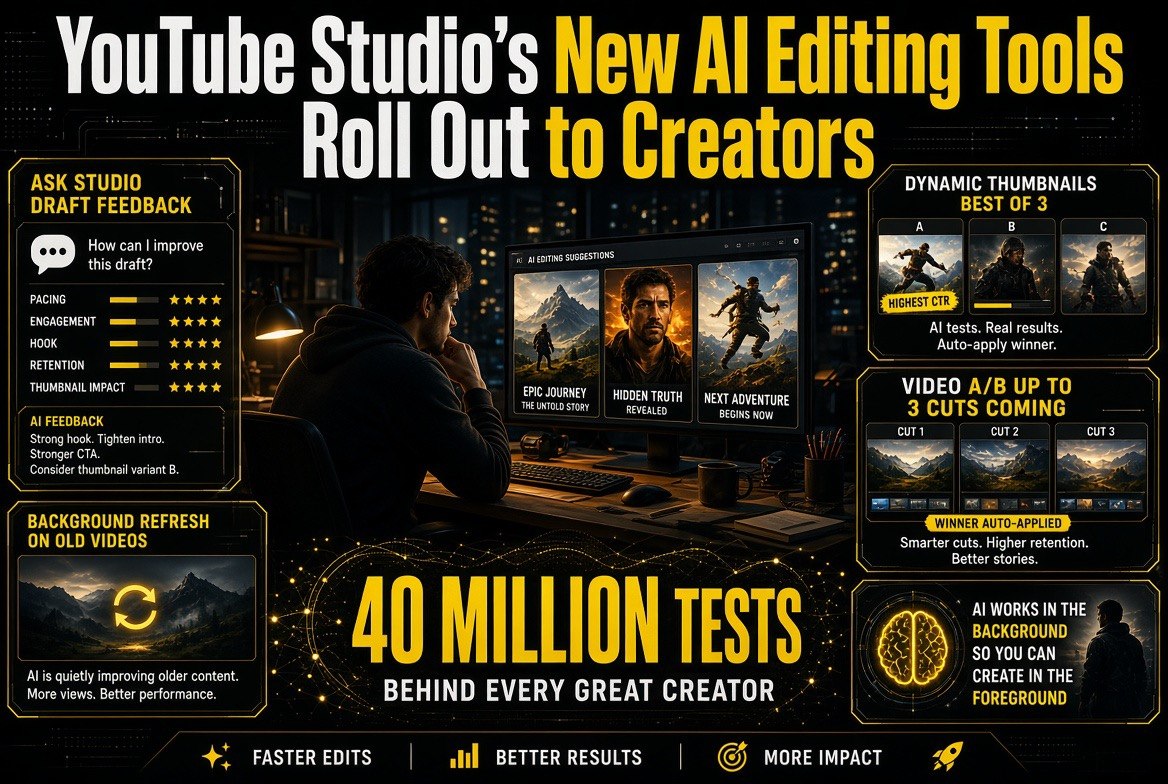
Ask Studio feedback is the headline feature. Inside YouTube Studio, if you have a draft ready, the new feedback feature gives you personalized advice on pacing, structure, and storytelling. Not a generic checklist — an assessment of the specific draft you uploaded.
Two supporting destinations come with it. Insights helps you understand past video performance; Research surfaces outlier videos in your space to spark the next idea. Together they replace the manual version of the workflow that most creators run: scroll your own analytics, scroll your competitors’ channels, guess, then shoot.
Then there are thumbnails, and this is where the tooling gets genuinely useful. Studio can now generate channel-matched thumbnails, and dynamic thumbnails let YouTube recommend the best of three options to different segments of your audience — automatically, without you running a manual test. Ask Studio can also run in the background reviewing your older videos, suggesting refreshed thumbnails and testing them on classic content that has stopped getting impressions.
The scale behind that feature is the part worth registering. Since the A/B testing tool for titles and thumbnails formally launched in 2024, creators have run more than 40 million experiments on the platform. That is not a beta feature nobody uses. It is the standard way successful channels pick a thumbnail, and YouTube is now automating the decision.
Video A/B Testing: The Feature That Moves the Goalposts
The tool to watch is the one still marked coming soon. YouTube says creators will soon be able to test up to three video cuts to see which hook performs best, via a new video A/B testing feature.
Read that again, because the category it lands in is different from everything above it. Thumbnail testing optimizes the packaging. Title testing optimizes the label. Video A/B testing optimizes the actual product — the first thirty seconds of the thing you made. For years that job belonged to paid third-party tools and to editors who knew what they were doing. Now it becomes a native surface inside Studio, on the same platform that already holds your analytics.
For a solo creator this is the highest-value item in the announcement, and it is also the one you cannot use yet. Plan for it: when it lands, the winning workflow is to structure shoots so you capture two or three distinct hooks for the same video, rather than retrofitting a test after the edit is locked.
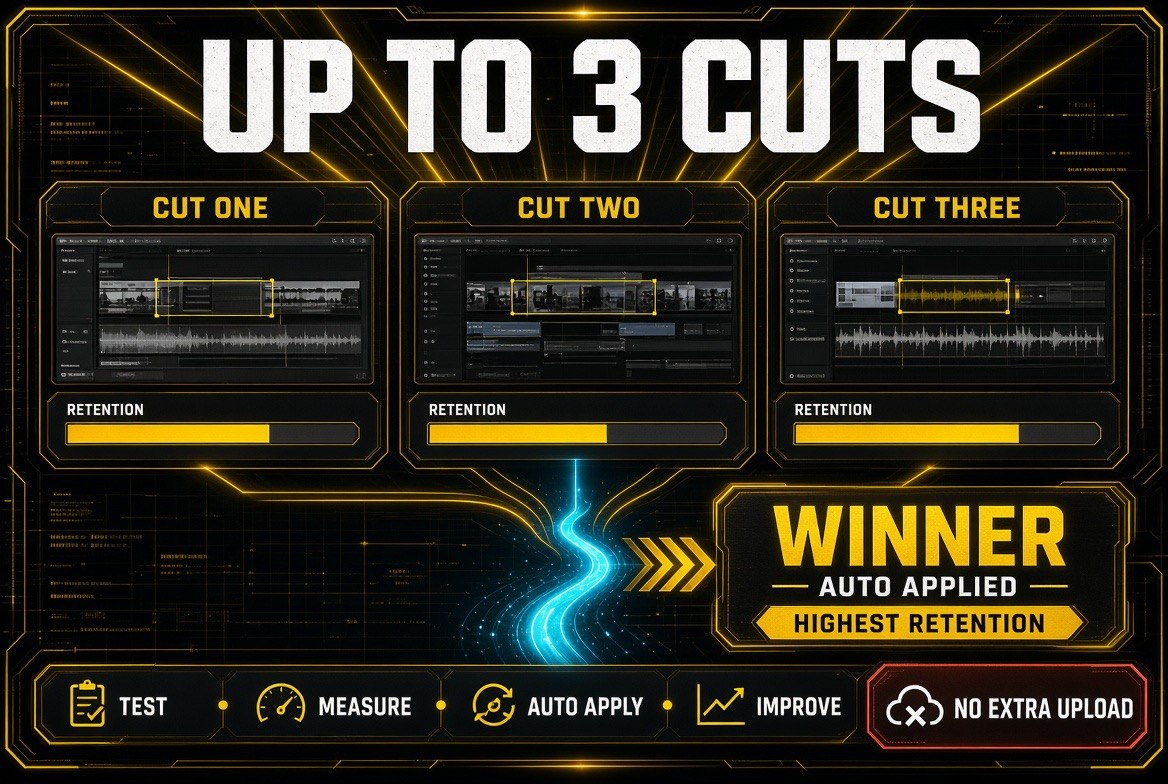
Up to three cuts, one winner, applied automatically. This is the feature that changes the release rhythm: you stop guessing which edit holds attention and let the platform measure it.
What to Switch On First (and What to Ignore for Now)
Announcement posts are deliberately long. You do not need most of what was announced on day one, and adopting everything at once is how creators spend a weekend in settings instead of filming. Here is the honest split.
| Tool | Status | Time Cost | Verdict For Solo Creators |
|---|---|---|---|
| Dynamic thumbnails (best of three, auto) | Live | Minutes to enable | Switch on today — free CTR upside, zero work |
| Ask Studio draft feedback | Live | One upload per draft | Use on your next three videos, then judge it |
| Insights + Research destinations | Live | Weekly review, 15 minutes | Replace one competitor-research session per week |
| Background thumbnail refresh on old videos | Live | Set and forget | Enable it — free second life for your back catalogue |
| Conversational editing assistant | Rolling out (Shorts + Create app) | Real learning curve | Trial for Shorts; keep your main editor |
| Video A/B testing, up to three cuts | Coming soon | Changes how you shoot | Prepare now: capture multiple hooks on set |
| AI-powered comment moderation | Testing, opt-in | Setup plus weekly tuning | Optional — enable only if comments eat your time |
The pattern in that table is deliberate. The two cheapest wins — dynamic thumbnails and background refreshing of old videos — cost you nothing and run on their own. The features that demand real time get adopted only when you can point at a specific problem they solve.
Why the Platform Running Your Tests Changes the Economics
The specific tools matter less than the direction they represent. Your thumbnail, your hook, your title, and your edit are the four levers that decide whether a video gets watched. Historically, three of those four were tested somewhere outside YouTube, using tools that inferred performance from imperfect data.
Native testing removes the inference. The platform that decides who sees your video is now the platform running the experiment on the first thirty seconds of it — with your own audience segments, from your own traffic. That is a structurally better test than anything a third-party can offer, and it is the reason to re-examine every subscription in your stack that promises to improve click-through rate.
Some of the numbers behind this are worth noting. YouTube brought Gemini Omni’s intelligence into Shorts and the YouTube Create app earlier this year, and in August 2026 alone, hundreds of thousands of channels used it per day. The company’s first GenAI trends report found that 72 percent of U.S. video posters aged 14 to 44 had already used AI to help them create or edit in the previous year. This is not an edge case for early adopters. It is the base rate for the audience making videos in the United States right now.
There is a protection layer in the same announcement that creators should not skip. Billions of channels are now eligible to sign up for automated deepfake detection, and creators can control their visual likeness through the likeness detection tool. Later this year, YouTube plans to integrate speaking voice detection with facial detection to improve match accuracy, and it is bringing likeness detection into the mobile app so creators can set up, review, and act from their phone. If you publish your face or your voice, that is a five-minute setup with asymmetric downside protection.
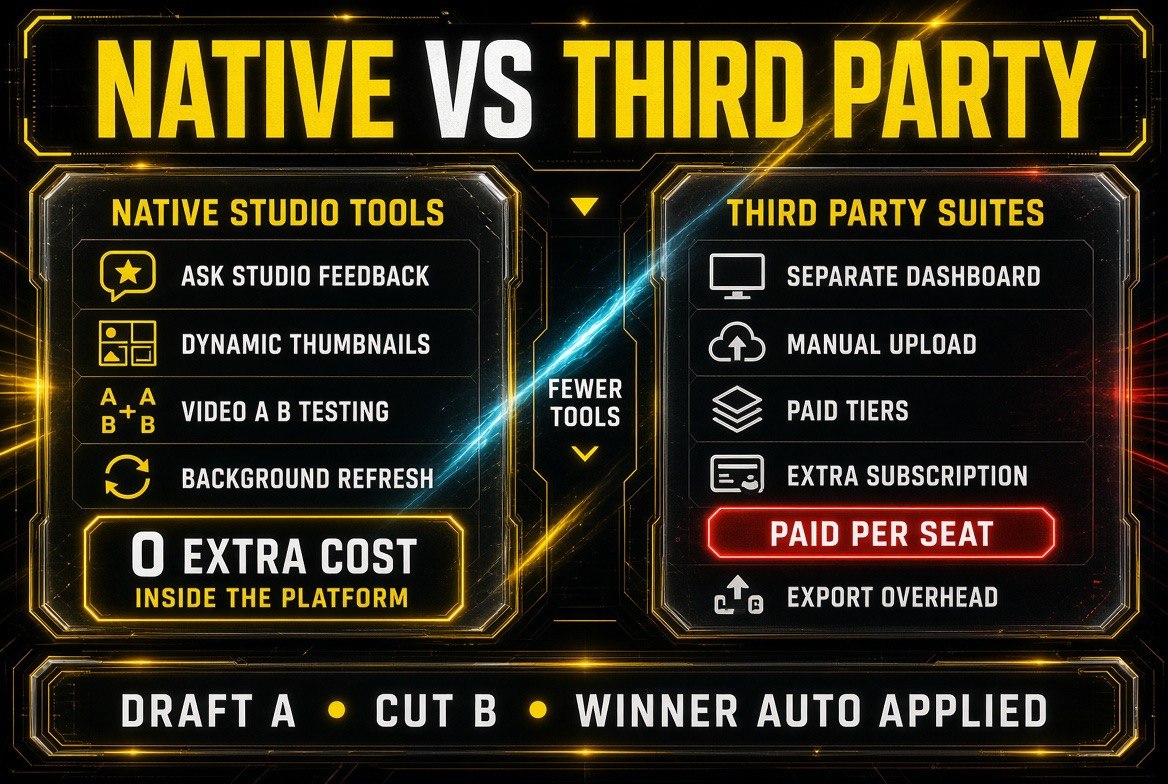
Native versus third-party, side by side. The features are converging but the economics are not — testing inside the platform removes a separate dashboard, a manual upload step, and a second subscription.
YouTube Studio’s Native Tools vs. Third-Party AI Video Tools
The practical question for a solo creator is not “are the new tools good.” It is “which subscriptions do they replace.” Here is the honest comparison, feature by feature, on the two things native tooling does best and the two things it still does not do.
| Factor | YouTube Studio Native AI | Third-Party AI Video Tools |
|---|---|---|
| Test data source | Your own audience segments, from platform traffic | Inferred estimates and indirect signals |
| Thumbnail variants | Channel-matched generation plus automatic best-of-three | Generation only — you still run and read the test |
| Cost | Included with the platform | Monthly subscription, often per seat |
| Video A/B testing | Coming soon, natively, up to three cuts | Limited — tests packaging far more than the video |
| Long-form editing control | Basic — conversational edits, frame reordering | Full timeline, multicam, colour, audio mastering |
| Cross-platform publishing | YouTube only | Multi-platform export and scheduling |
| Best for | Discovery, packaging, and testing on YouTube | Production quality and non-YouTube distribution |
That split is the reason both categories survive. Native tooling wins wherever the decision depends on YouTube’s own data — packaging, hooks, and testing. Third-party tooling still wins wherever the work is craft: colour, sound, multicam, and distribution beyond one platform. If you are carrying four subscriptions, this announcement is a strong argument for cutting the one that only did thumbnails.
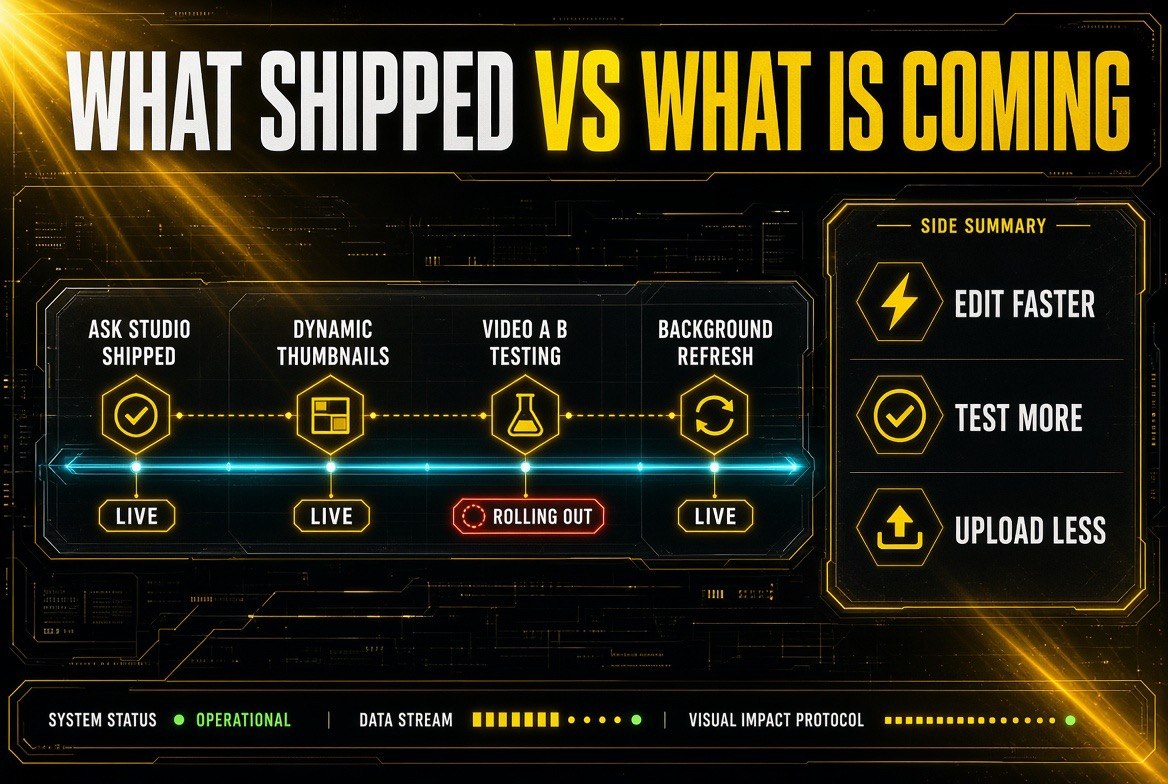
What has shipped versus what is still arriving. Ask Studio, dynamic thumbnails and background refresh are live now; video A/B testing is the piece still rolling out to creators.
What This Means for Solo Creators in the US
Start with the free wins this week. Enable dynamic thumbnails, turn on the background refresh for older videos, and run your next draft through Ask Studio feedback. None of that costs money, and together it covers the two levers — thumbnail and hook — that decide whether anyone sees the work you already did.
Then audit your stack. Any tool whose entire value proposition is “better thumbnails” or “title testing” is now competing with a free, better-informed native feature. Cancel it and put the money into the two things YouTube Studio still does not do: production craft and multi-platform reach. Our breakdown of the AI video editing tools actually worth paying for covers where that budget is best spent.
And change how you shoot before the video A/B testing feature arrives, not after. If you capture two or three distinct openings for every video, you will be ready to use the tool on day one instead of wishing you had the footage. The solo creators who win the next twelve months will not be the ones who adopted the most tools. They will be the ones who stopped paying for tools the platform now gives away.
Frequently Asked Questions
What is Ask Studio feedback in YouTube Studio?
Ask Studio feedback is a new YouTube Studio feature that reviews a draft you upload and gives personalized advice on pacing, structure, and storytelling. It sits alongside new Insights and Research destinations that help you understand past performance and find outlier videos for your next idea.
What are dynamic thumbnails on YouTube?
Dynamic thumbnails let YouTube recommend the best of three thumbnail options to different segments of your audience automatically. Studio can also generate channel-matched thumbnails and, with Ask Studio, run in the background reviewing older videos to suggest and test refreshed thumbnails.
When is YouTube’s video A/B testing feature coming?
It is listed as coming soon. YouTube says creators will be able to test up to three video cuts to see which hook performs best. It is the first time the platform’s testing engine moves beyond thumbnails and titles into the video content itself.
Should I cancel my paid thumbnail tool?
If thumbnail generation or title testing is the tool’s only real value, yes — native Studio features now do both using your own audience data and cost nothing extra. Keep paying for tools that handle production craft, such as colour, audio, multicam editing, and publishing to platforms other than YouTube.
Is AI comment moderation worth enabling?
It is opt-in and still being tested. The feature learns your moderation style over time to shape the tone of your comment section. Enable it if community management consistently eats your creation time, and skip it if you rely on comments for research and audience connection.

About Barak Schurr
Barak Schurr is a serial entrepreneur who built and exited a major ticketing platform before turning his attention to AI and content. He runs three AI-focused research sites and writes about the tools, workflows, and strategies that let solo creators build real channels — without a crew, a studio, or a Hollywood budget.
Email: [email protected]
More AI Video Resources