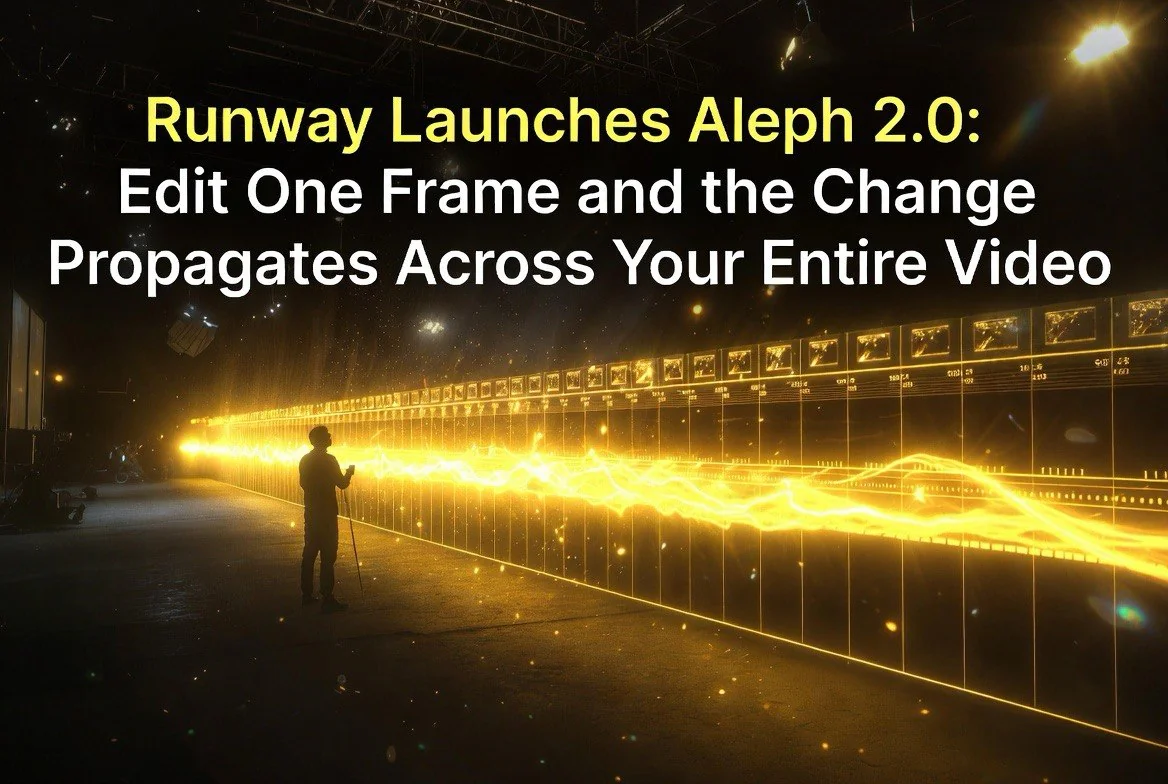
Runway Launches Aleph 2.0: Edit One Frame and the Change Propagates Across Your Entire Video
Runway Launches Aleph 2.0: Edit One Frame and the Change Propagates Across Your Entire Video
⚡ Expert Summary: Runway released Aleph 2.0 on May 21, 2026, upgrading its in-context AI video editing model to support single-frame editing that propagates changes across entire video clips up to 30 seconds at 1080p. The new Edit Studio workflow lets creators select a keyframe, edit it directly or through an external image tool, and generate the change across the full timeline — preserving motion, composition, and unrelated visual elements. Multi-shot support allows edits to carry across cuts for visual consistency. It’s the most significant AI video editing advancement since the category emerged.
Runway, the AI video platform that has become the go-to tool for creative professionals, launched Aleph 2.0 on May 21, 2026 — and it solves one of the most frustrating problems in AI video production: making precise edits without regenerating everything.
The new model, available through Runway’s Edit Studio, allows creators to edit a single frame of a video and automatically propagate that change across the entire clip. Change a shirt color in frame 15, and the edit carries through the whole 30-second clip. Swap a background element in one shot, and the system applies it consistently across cuts. The result is a workflow that feels more like traditional video editing than the prompt-and-regenerate loop that AI video has been stuck in.
The Technical Leap: Why Aleph 2.0 Matters
To appreciate what Aleph 2.0 achieves, it helps to understand why AI video editing has been so difficult. Most AI video models generate video from text prompts — there’s no underlying understanding of scenes, objects, or motion in the way a human editor understands them. When you ask an AI to “change the shirt color from blue to red,” it doesn’t know what a shirt is or where the blue pixels are. It generates a new video that it hopes matches the description, and the result is unpredictable.
Aleph 2.0 approaches the problem differently. Instead of generating from scratch, it takes existing video as input and performs targeted modifications based on reference edits and prompts. This is closer to how Photoshop’s generative fill works for images — you select an area, describe the change, and the model modifies only that area while preserving everything else.
The technical challenge for video is exponentially harder than for images. A video has temporal continuity — objects move, lighting changes, and the camera may be in motion. An edit that looks correct on one frame might look wrong a second later when the object rotates or the lighting shifts. Aleph 2.0 solves this by building a spatiotemporal understanding of the video — it understands how objects move and change over time, and it applies edits in a way that respects that movement.
Runway’s documentation highlights that Aleph 2.0 uses a diffusion-based architecture trained specifically on video editing tasks rather than general video generation. This specialization is why it outperforms general-purpose models on editing quality — it has learned what constitutes a good edit versus a bad one across millions of training examples.
How Aleph 2.0 Works
Aleph 2.0’s core capability sounds simple but represents a significant technical achievement. Here’s the workflow:
1. Select a keyframe. From your video timeline, pick a representative frame that shows what you want to change. The system uses this frame to understand the visual context.
2. Edit that frame. You can edit the frame directly within Runway’s Edit Studio, or upload a version edited in an external tool like Photoshop or GPT Image 2. The edited frame becomes your reference for the change.
3. Add a prompt describing the change. A natural language description of what you want to edit — “change the jacket from blue to red,” “swap the background for a city street at night,” “turn this into an anime style.”
4. Generate. Aleph 2.0 propagates the edit across the full clip, modifying only what you specified while preserving everything else — motion, lighting, composition, and unrelated visual elements.
The preview-first approach is a critical feature. Before generating the full clip, you see the exact look of your edit on the keyframe. This eliminates the trial-and-error loop that plagues prompt-only AI video tools, where you describe a change and hope the model interprets it correctly.
What Makes Aleph 2.0 Different
The original Aleph, released in late 2025, was impressive but limited. It could propagate edits across short clips, but the results were inconsistent — especially for complex scenes or longer durations. Aleph 2.0 represents a generational leap in three areas:
Duration and resolution. Aleph 2.0 supports clips up to 30 seconds at 1080p resolution. The original Aleph struggled with anything over 10 seconds and topped out at 720p. This makes Aleph 2.0 viable for real production work rather than just short tests and social media clips.
Preservation quality. The model excels at changing only what you specify. Earlier AI video editing tools would often introduce visual drift — small changes in lighting, texture, or composition that accumulated across the clip and made the edit look unnatural. Aleph 2.0’s preservation quality eliminates this problem, keeping the original motion and visual feel intact while applying the targeted edit.
Multi-shot consistency. Perhaps the most impressive feature is the ability to propagate edits across cuts. If you have a multi-shot sequence — a product shown from different angles, for example — editing one frame in one shot can carry the change to matching elements in other shots. This solves the consistency problem that has made multi-shot AI video editing impractical for commercial work.
Comparison to Other AI Video Editing Approaches
Aleph 2.0 is not the only AI video editing tool on the market, but it operates differently from the alternatives:
Prompt-based editing. Tools like Pika and some Runway Gen-4.5 features allow prompt-based video editing — describing a change and having the model regenerate the affected portion. These tools work well for broad changes but struggle with precision. A prompt like “make the sky sunset” might produce a great result or a completely different video. Aleph 2.0’s reference-frame approach gives the model an exact visual target, reducing ambiguity.
Frame-by-frame manual editing. Traditional video editors like After Effects and DaVinci Resolve allow precise frame-by-frame edits but require significant manual work and technical skill. Aleph 2.0 automates the propagation step, reducing a 30-minute manual rotoscoping task to a 30-second generation.
Style transfer. Earlier AI video style transfer tools like EbSynth required users to paint keyframes manually and the tool would interpolate the style across frames. Aleph 2.0’s approach is more flexible — it handles object swaps, color changes, background replacements, and stylistic transformations through the same interface.
Aleph 2.0’s advantage is not that it does one thing better than every alternative. It’s that it consolidates multiple editing capabilities into a single workflow, reducing the number of tools a creator needs to master for post-production AI editing.
Real-World Use Cases
Aleph 2.0 opens up several practical applications that were previously difficult or impossible with AI video tools:
Production fixes. You shot a commercial but the talent’s shirt color clashes with the brand. Instead of reshooting, you edit one frame and Aleph propagates the color change across the entire video. This saves days of production time and thousands of dollars.
Seasonal ad variations. You have a video ad that works well, but you need a version with winter backgrounds instead of summer. One frame edit, one propagation, done. The same base video can be adapted for multiple seasons, markets, or campaigns without recreating it.
Object swaps and removals. Need to remove a logo, swap a product, or change a background element across an entire video? Select the frame, make the edit, propagate. Previously this required frame-by-frame masking in traditional editing tools or regenerating the entire video with a new prompt.
Stylistic transformations. Apply a consistent art style — anime, oil painting, noir — across an entire video by editing a single reference frame. The style propagates naturally without the visual artifacts that earlier style-transfer approaches produced.
Character and wardrobe consistency. For AI-generated video content, keeping character appearance consistent across scenes has been one of the hardest problems. Aleph 2.0’s multi-shot propagation allows creators to lock in character appearance in one frame and carry it across all shots.
Where Aleph 2.0 Fits in the Workflow
Aleph 2.0 is not a replacement for AI video generation tools like Veo or Seedance. It’s a post-production editing tool that works on videos that have already been generated. The typical workflow looks like this:
1. Generate base video. Use Veo, Runway Gen-4.5, Seedance, or another platform to create your initial video content.
2. Review and identify edits. Watch the generated video and note what needs to change — color, background, objects, style.
3. Edit with Aleph 2.0. Select keyframes, make your edits, and propagate across the clip or sequence.
4. Composite and polish. Bring the edited video into your traditional editing workflow for color grading, audio, and final compositing.
The key insight is that Aleph 2.0 makes AI video generation more production-friendly. Instead of regenerating a video multiple times to get every detail right, you can generate once and edit precisely. This reduces generation costs, improves quality, and makes the process feel more like professional video production.
What This Means for Video Creators
Aleph 2.0 changes the economics of AI video editing in meaningful ways. For creators who have been avoiding AI video because the results looked too generic or lacked production polish, this tool addresses the most common criticism — that AI video is a one-shot tool with no room for precision editing.
For existing AI video users, Aleph 2.0 reduces the number of generations needed to get a usable result. Instead of generating 10 versions and picking the best one, you generate one good version and edit the specific elements that need changing. This cuts API costs and production time simultaneously.
For professional post-production teams, Aleph 2.0 represents a new category of tool. It’s not quite a traditional editor and not quite an AI generator — it’s a hybrid that sits between the two, handling the precise visual edits that have always required frame-by-frame manual work in tools like After Effects or DaVinci Resolve.
Pricing and Availability
Aleph 2.0 is available now through Runway’s web platform as part of the Edit Studio feature set. It’s included in all paid Runway plans without additional charges — no per-edit fees or premium tier required.
Runway’s pricing starts at $12 per month for the Basic plan, which includes standard generation features and access to the Edit Studio. The Pro plan at $28 per month adds higher resolution exports, priority generation, and expanded credit limits. For heavy users, the Team plan at $76 per month per seat offers unlimited generations and commercial licensing.
Compared to the cost of traditional video editing for comparable results — hiring a post-production editor for frame-by-frame work can run $500-2,000 per project — Aleph 2.0’s subscription model offers a dramatic cost advantage for any creator producing regular video content.
The Bottom Line
Aleph 2.0 is the most significant AI video editing release of 2026. It solves the precision problem that has kept AI-generated video out of professional production workflows and opens up practical use cases — production fixes, seasonal variations, object swaps — that have immediate commercial value.
For any creator working with AI video, Aleph 2.0 is worth testing this week. The 30-second, 1080p capability covers the majority of commercial and social media use cases, and the multi-shot propagation feature is genuinely new — no other platform offers anything comparable.
Frequently Asked Questions
What is Runway Aleph 2.0?
Aleph 2.0 is an in-context AI video editing model released by Runway on May 21, 2026. It allows creators to edit a single frame of a video and automatically propagate that change across the entire clip up to 30 seconds at 1080p resolution, preserving motion, composition, and unrelated elements.
How is Aleph 2.0 different from the original Aleph?
Aleph 2.0 supports longer clips (30 seconds vs. ~10 seconds), higher resolution (1080p vs. 720p), better preservation of original visual elements, and multi-shot propagation that carries edits across cuts for consistent multi-angle sequences.
Does Aleph 2.0 replace AI video generation tools?
No. Aleph 2.0 is a post-production editing tool that works on already-generated video. It complements generation tools like Veo, Runway Gen-4.5, and Seedance by allowing precise edits without regenerating entire videos.
What practical use cases does Aleph 2.0 support?
Production fixes (color corrections, object swaps), seasonal ad variations, background changes, stylistic transformations (anime, oil painting, noir), and character/wardrobe consistency across multi-shot sequences.
Is Aleph 2.0 available to all Runway users?
Yes, Aleph 2.0 is available through Runway’s Edit Studio on their web platform. It’s included in existing Runway subscription plans starting at $12-15 per month.

About Barak Schurr
Barak Schurr is a serial entrepreneur who built and exited a major ticketing platform before turning his attention to AI and content. He runs three AI-focused research sites and writes about the tools, workflows, and strategies that let solo creators build real channels — without a crew, a studio, or a Hollywood budget.
Email: [email protected]
More AI Resources for Your Business