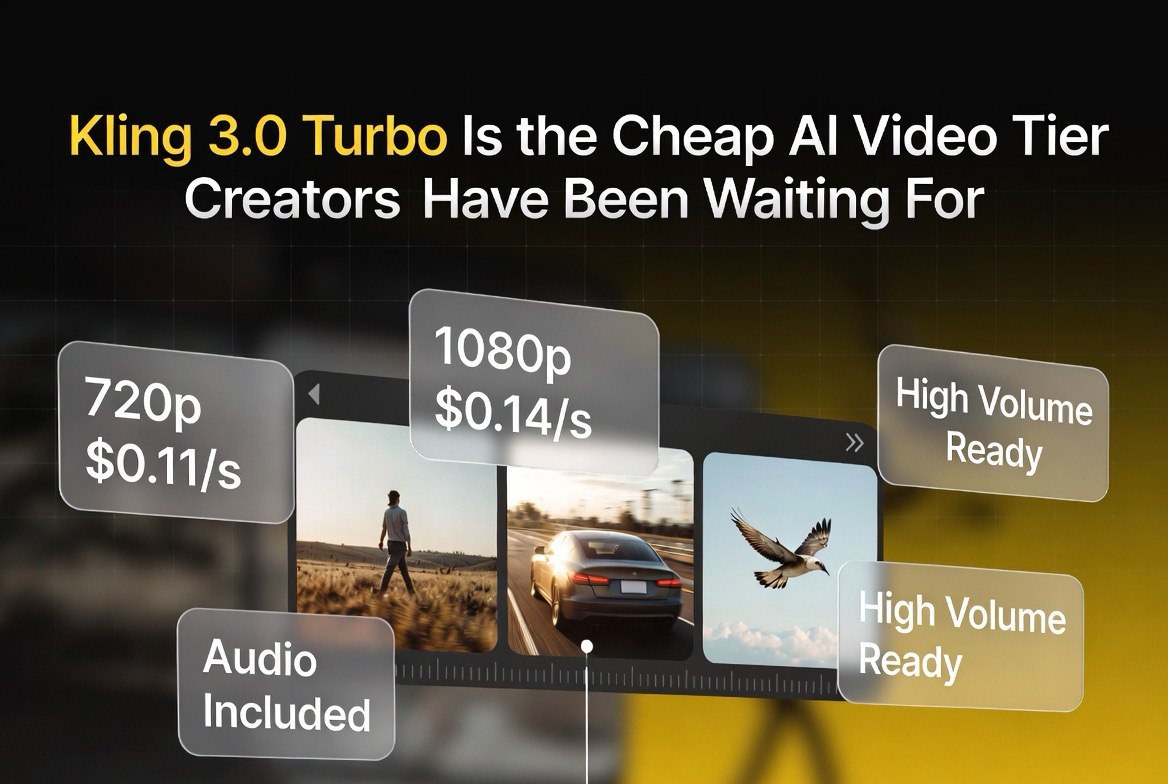
Kling 3.0 Turbo Is the Cheap AI Video Tier Creators Have Been Waiting For
Get The Faceless YouTube Blueprint — Free
The exact AI tool stack and workflow used to build a faceless YouTube channel from zero.
Kling 3.0 Turbo Is the Cheap AI Video Tier Creators Have Been Waiting For — Here’s What It Costs and Whether It’s Good Enough
Expert Summary: Kling 3.0 Turbo is the budget-friendly variant in Kuaishou’s Kling 3.0 lineup, trading native 4K and advanced storyboard tools for dramatically lower per-second pricing and faster generation. At roughly $0.11 per second for 720p and $0.14 per second for 1080p — with synced audio baked in at no extra charge — a 10-second clip costs well under $1.50. A free tier on kling.ai lets creators preview the model before spending anything. For independent creators and small businesses burning through credits on high-volume work, Kling 3.0 Turbo is the most cost-effective path into quality AI video in 2026.
The AI video market has a pricing problem. Most flagship models charge $0.20 or more per second without audio, and the cost of iterating adds up fast when you are generating twice as many clips as you actually use. For independent creators, small marketing teams, and businesses producing regular video content across the United States, the gap between “the best model” and “the model you can actually afford to iterate with” has been the real bottleneck. US creators working in dollars feel this cost pressure more acutely than anyone, because every credit pack bought and every render run has a direct line to the bottom line of a small operation.
Kling 3.0 Turbo attacks that bottleneck directly. Launched by Kuaishou as the speed-and-cost-optimized member of the Kling 3.0 family, Turbo strips out the features that drive up price — native 4K, advanced multi-shot storyboarding — and keeps the motion quality, character consistency, and synced audio that make Kling competitive in the first place. The result is a model built for volume: fast generations, low per-second cost, and audio included.
This matters for a specific reason. In AI video, the quality of your final output is usually the quality of your worst iteration, not your best one. When a creator can afford to run a scene ten times instead of twice, the winning take is dramatically harder to miss. Kling 3.0 Turbo is priced so that those extra iterations are affordable.
What Kling 3.0 Turbo Actually Is
Kling 3.0 Turbo is not a separate model with worse quality. It is the same Kling 3.0 generation engine tuned for throughput and cost. Where the standard Kling 3.0 and the Turbo Pro tier push toward maximum resolution and cinematic tooling, Turbo optimizes for how fast you can generate and how little each clip costs. For American creators who bill by the deliverable rather than by the hour, the cost per usable clip is the number that decides whether a project stays profitable or quietly runs into the red.
That trade-off is the whole point. Most creators do not need native 4K for social clips, product shots, background footage, or internal mockups. They need clean 720p or 1080p footage that moves realistically, keeps a consistent subject between shots, and includes audio that syncs with the picture. Kling 3.0 Turbo delivers exactly that, at roughly half the per-second cost of the higher tiers.
For a 30-second brand spot, the difference is meaningful. On the premium tier, thirty seconds of generation can run several dollars per pass. On Turbo, the same thirty seconds costs well under $5 total, often closer to $3.50, and you can run multiple passes without watching the credit meter drain.
Kling 3.0 Turbo Pricing, Broken Down
The headline number is the one that matters for budget tracking. Kling 3.0 Turbo runs about $0.11 per second at 720p and about $0.14 per second at 1080p, with audio included in both cases. That means a standard 10-second clip costs around $1.10 to $1.40, and even a full 30-second cut comes in under $5. Compare that with the reality most US creators face on premium tiers, where a single thirty-second pass can eat several dollars before you even review the first frame.
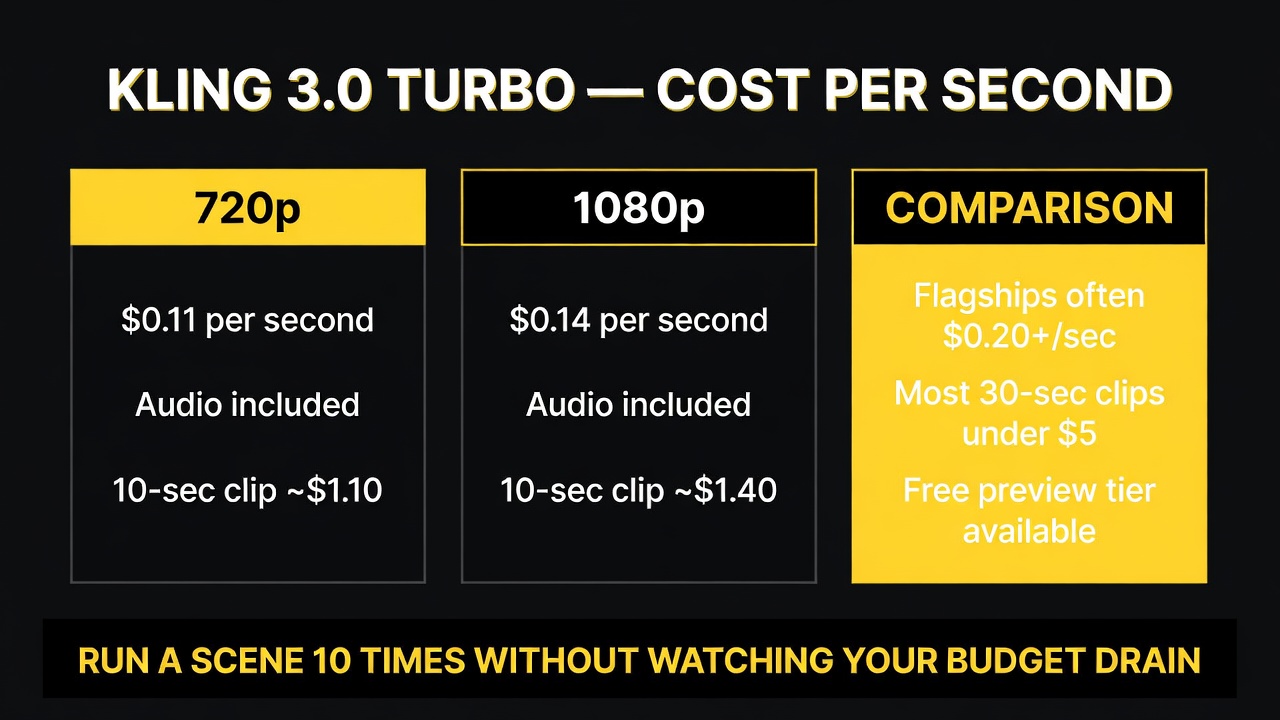
Kling 3.0 Turbo prices per second: about $0.11 for 720p and $0.14 for 1080p, with audio included and most 30-second clips under $5.
That is a structural advantage over many competitors. Runway and several other flagships commonly charge $0.20 or more per second and may bill audio separately. At scale — say, a creator producing fifty clips a week — that difference compounds quickly. A week that costs $250 on a premium flagship can run closer to $80 to $120 on Kling 3.0 Turbo, with comparable motion quality for most practical uses.
There is also a free preview tier on kling.ai itself. The free plan provides a limited daily credit allotment — enough for a handful of short clips — which is how creators can test Kling 3.0 Turbo’s style and motion before committing any money. Free-tier generations are typically restricted from commercial use, so it is a testing ground rather than a free production pipeline.
The Quality Trade-Off Creators Need to Understand
Let’s be direct about what Kling 3.0 Turbo gives up. The Turbo tier does not output native 4K, it does not include the full multi-shot storyboard tooling found on the Pro tier, and heavy cinematic use cases will still favor the higher-end models. If your work is narrative film, brand films that must hit broadcast specs, or long-form projects requiring complex scene planning, the premium tier remains the right call.
But for the majority of independent video work in 2026 — social content, product demos, real estate walkthroughs, short ads, explainer clips, ambient b-roll — the trade-off barely registers. At 1080p, most 4K source footage gets downscaled for delivery anyway. The motion physics, subject consistency, and synced audio that Kling 3.0 is known for carry over to Turbo.
The real question for any creator is not “is Turbo the best model?” It is “does Turbo produce footage good enough for this specific deliverable, at a cost that lets me iterate?” For a growing share of work, the answer is yes.
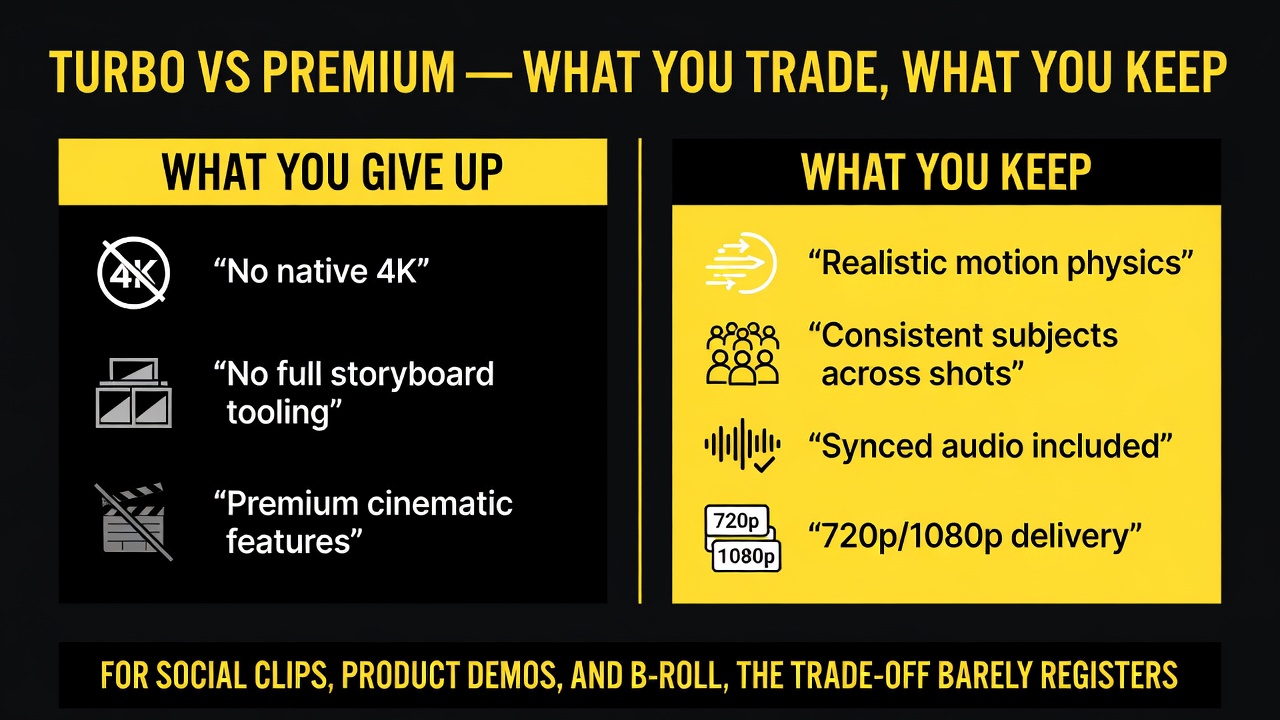
The trade-off, visualized: Turbo gives up native 4K and full storyboard tooling, but keeps realistic motion, consistent subjects, synced audio, and 720p/1080p delivery.
When Kling 3.0 Turbo Makes Sense for Your Workflow
Kling 3.0 Turbo is the pragmatic pick for creators who generate in high volume and care more about usable output than marginal resolution. It fits three clear scenarios.
First, social and short-form content. Reels, TikToks, and YouTube Shorts are consumed on phones at 1080p or below, frequently compressed by the platform itself. Paying a premium for 4K that gets crushed in delivery is wasted spend. Turbo matches the final format at a fraction of the cost.
Second, rapid iteration during concepting. When a client or a campaign needs twenty variations of a scene to pick from, per-second cost determines how many options you can actually produce. Turbo makes iteration cheap enough that you explore more directions instead of locking the first pass.
Third, b-roll and background assets. Ambient footage, texture shots, and establishing scenes rarely need flagship resolution. Turbo fills these slots at a cost that keeps the project budget intact.
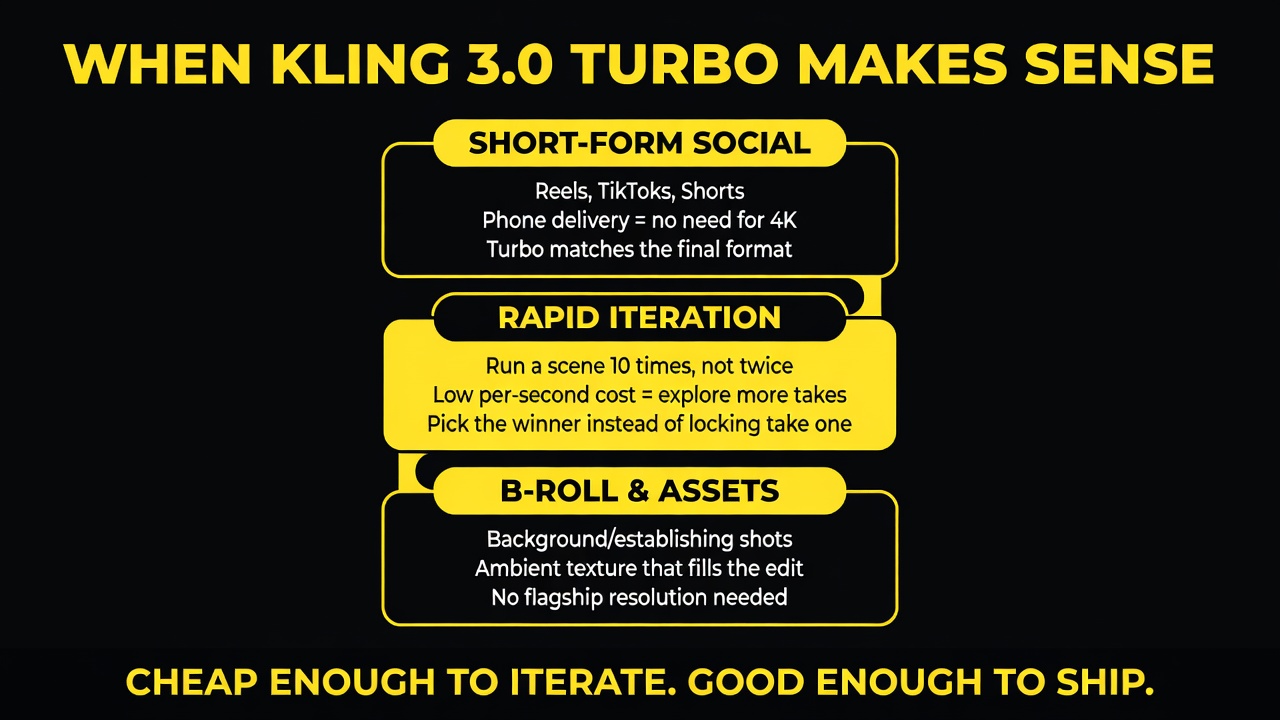
Three scenarios where Turbo’s cost profile wins: short-form social, rapid iteration, and b-roll and asset generation.
How to Start With the Free Tier and Scale Up
The smartest entry point is kling.ai’s free tier. Create an account, claim the daily credit allotment, and generate a handful of clips at 720p and 1080p to evaluate motion quality, subject consistency, and audio sync before you spend a cent. This is the lowest-risk first step a US creator can take: no card required, just the daily allotment, and enough runs to tell whether Turbo’s motion style fits the work you produce.
One practical note for US users: Kling is a Kuaishou product with its own regional pricing and credit structures, so the rates you see in USD can vary slightly depending on whether you buy directly through kling.ai or through a third-party API reseller. The value of a dollar stretches furthest when you run your test batches, lock in your per-second rate, and only then commit to a larger credit pack.
From there, move to the low-end paid plans, which start around $7 to $10 per month for a set credit allowance. That is enough for meaningful experimentation and small production runs. As your volume grows, per-second pricing applies to whatever tier you scale into, and the annual subscription discounts of 10 to 34 percent drop the effective rate further.
Budget first, then scale. Set a per-project cap for AI video spend, run your early tests on Turbo, and only move up to premium tiers when a specific deliverable genuinely requires it. For the majority of independent and small-business video work in 2026, Turbo’s combination of price and quality means you will rarely need to upgrade at all.
Real Dollar Math for a Weekly Production Schedule
To make the cost difference concrete, consider a creator producing three finished thirty-second clips per week for social and client work. On a premium flagship at roughly $0.20 per second, each thirty-second pass costs about $6, and with two to three passes per clip to nail the take, the weekly spend lands between $36 and $54 before any audio or upscaling surcharge.
On Kling 3.0 Turbo at roughly $0.14 per second for 1080p, each pass runs about $4.20, and the same number of passes costs between $25 and $38 weekly. That is a difference of roughly $500 to $800 across a full year for essentially the same usable output on short-form work. For a small studio or a solo creator in the United States, that is the difference between reinvesting in more tooling and capping a project early.
Volume is where Turbo earns its keep. The math favors it more the more you generate, which is exactly why it is the right engine for creators whose business depends on producing a steady stream of clips rather than a single flagship piece.
Bottom Line: Affordability Changes the Math
AI video tooling became genuinely usable in 2026, but the cost of iteration remained the quiet blocker for independent creators. Kling 3.0 Turbo removes that blocker with per-second pricing that makes running a scene ten times affordable.
It is not the highest-end model. It is the most practical one for a huge share of real-world video work: clean motion, consistent subjects, synced audio, 1080p delivery, and a price that encourages the iteration that separates good AI video from great AI video.
If you are spending real money on AI video and every clip counts twice — once for the generation and once for the version you throw away — Kling 3.0 Turbo is the tier that finally makes the economics work. Test it on the free plan, run your first paid batch, and judge it on the output that actually ships, not the spec sheet.
Frequently Asked Questions
What is Kling 3.0 Turbo and how is it different from Kling 3.0?
Kling 3.0 Turbo is the budget-optimized variant of Kuaishou’s Kling 3.0 video generation model. It trades native 4K output and advanced multi-shot storyboarding for much lower per-second pricing, faster generation, and synced audio included. It keeps the motion quality and subject consistency of Kling 3.0 while being significantly cheaper to run.
How much does Kling 3.0 Turbo cost per second?
Kling 3.0 Turbo costs roughly $0.11 per second at 720p and about $0.14 per second at 1080p, with audio included at no extra charge. A typical 10-second clip runs about $1.10 to $1.40, and a 30-second clip generally comes in under $5.
Is there a free tier for Kling 3.0 Turbo?
Yes. The kling.ai platform offers a free tier with a limited daily credit allotment, enough for several short preview clips. It is designed for testing the model before committing money, though free-tier generations are typically restricted from commercial use.
Is Kling 3.0 Turbo good enough for professional video work?
For social content, product demos, b-roll, short ads, and explainer clips delivered at 1080p, yes. It does not output native 4K or include the full storyboard tooling of the premium tier, so long-form cinematic or broadcast-spec work still favors higher-end models. Most independent video work in 2026 fits Turbo’s capability and budget profile.

About Barak Schurr
Barak Schurr is a serial entrepreneur who built and exited a major ticketing platform before turning his attention to AI and content. He runs three AI-focused research sites and writes about the tools, workflows, and strategies that let solo creators build real channels — without a crew, a studio, or a Hollywood budget. Contact: [email protected]
More AI Video Resources