Pinterest’s AI ‘Restyle’ Feature: What It Means for Video Creators in 2026
Get The Faceless YouTube Blueprint — Free
The exact AI tool stack and workflow used to build a faceless YouTube channel from zero.
Pinterest’s AI ‘Restyle’ Feature: What It Means for Video Creators in 2026
⚡ Expert Summary: Pinterest has teased a new AI ‘Restyle’ feature that lets users redesign a room — or any photographed scene — from a single prompt. On the surface it looks like a consumer decorating toy. In practice it signals that visual search platforms are turning image generation into an editing layer, and that changes how creators should think about thumbnails, b-roll, backgrounds, and set design. This breakdown covers what Restyle actually does, what it means for your production workflow, the real cost comparison against current tools, and a concrete way to use scene-restyling in your next video without rebuilding your studio.
Most AI video news is loud: a new generator, longer clips, better motion. This one is quiet, and it is more useful. Pinterest — a platform most creators file under “where my thumbnails get pinned” — is rolling out a feature that rewrites a photograph’s scene from a text prompt.
If you make video for a living, that announcement is not about interior design. It is about the background of every shot you take, the frame of every thumbnail you publish, and the question of whether you need to physically rebuild a set to change how a video looks.
What Pinterest Restyle Actually Does
Restyle is an image-editing feature built on generative AI. You give it a photograph and a prompt, and it regenerates the scene while preserving the underlying composition. Pinterest has demonstrated it on interiors — “make this room mid-century modern” or “restyle this space with warmer light” — which is natural for a platform whose core use case is home, style, and planning.
The mechanics matter more than the demo. This is not text-to-image generation, which creates a scene from nothing. It is image-to-image editing with structural preservation — the walls stay where they are, the furniture positions hold, the camera angle holds. Only the surface changes: materials, colors, lighting, styling, era.
That distinction is the entire reason it is useful to a video creator. Generative fill tools are good at adding a thing. Restyle-class tools are good at changing the character of a thing while keeping it recognizable.
Why This Is a Creator Story, Not a Decor Story
Three production problems eat creator time and money, and all three are scene problems rather than story problems.
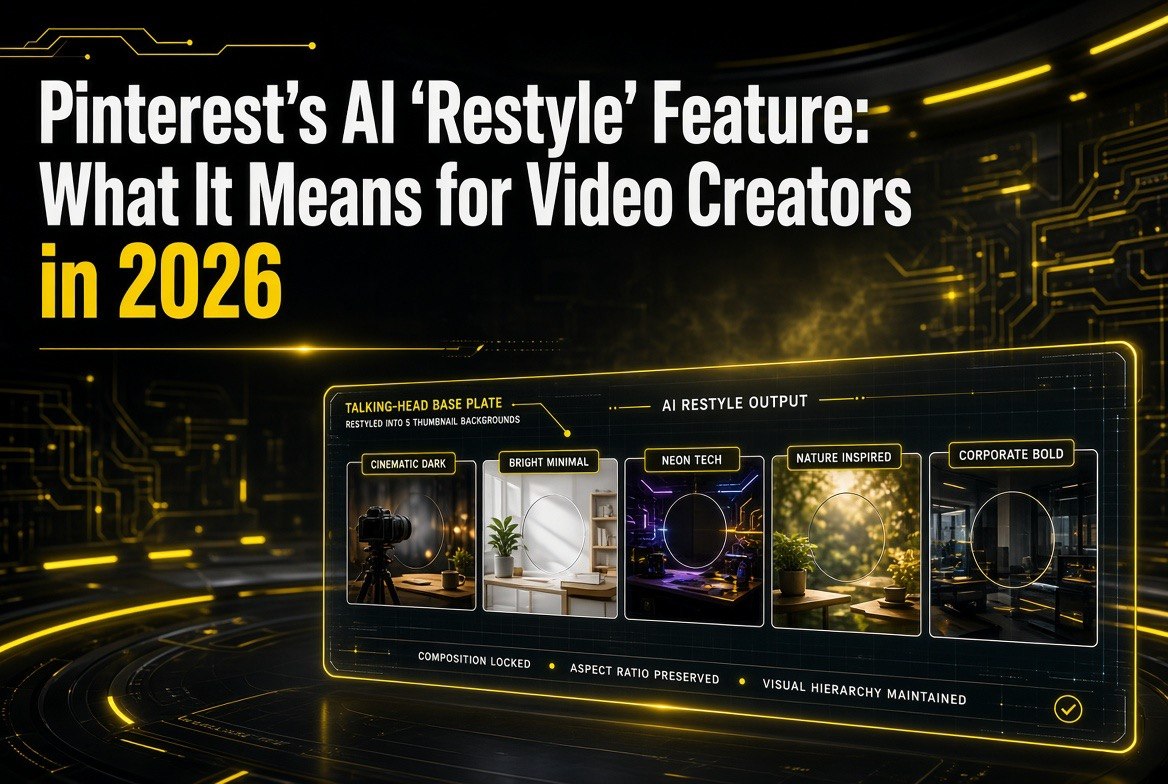
Thumbnail backgrounds. A talking-head thumbnail performs on face plus contrast plus curiosity. If your background is a beige wall and your competitor’s is a controlled, high-contrast set, you lose the click before the title is read. Scene restyling lets you test five background treatments of the same shot without booking a studio.
B-roll continuity. Explainer videos need visual variety that still reads as one production. Shooting in three locations is expensive; restyling one location into three visual treatments is not. Same camera position, same lighting rig, three distinct looks.
Set design on a schedule. If your channel’s visual identity changes seasonally, rebuilding a physical set every cycle is a real cost. Restyling a stable shot gives you a new look without touching a paint can.
None of these are new problems. What is new is that the fix is moving from expensive physical work to a prompt.
How Scene Restyling Compares to the Tools You Already Use
Creators already have a stack for this, and it is worth comparing honestly. The restyle approach is not a replacement for every tool — it is a different position on the cost and control curve.
| Approach | Time to New Look | Cost | Best For |
|---|---|---|---|
| Rebuild the physical set | Days to weeks | $500–$5,000+ | Permanent channel rebrand |
| Shoot at a second location | 1 day per setup | Travel + permits + crew | Scenes needing real depth |
| Generative fill in an editor | Minutes per object | $10–$30/month | Adding or removing single elements |
| Scene restyling from a prompt | Seconds per variation | $0–$25/month | A/B testing looks, seasonal refreshes |
| Full AI image generation | Seconds | $0–$40/month | Scenes with no real footage to start from |
The important column is the last one. Restyling wins where you already have a good shot and want a different version of it. It loses where you need genuine new geometry — a scene that has to look like a different room, not a restyled version of this one.
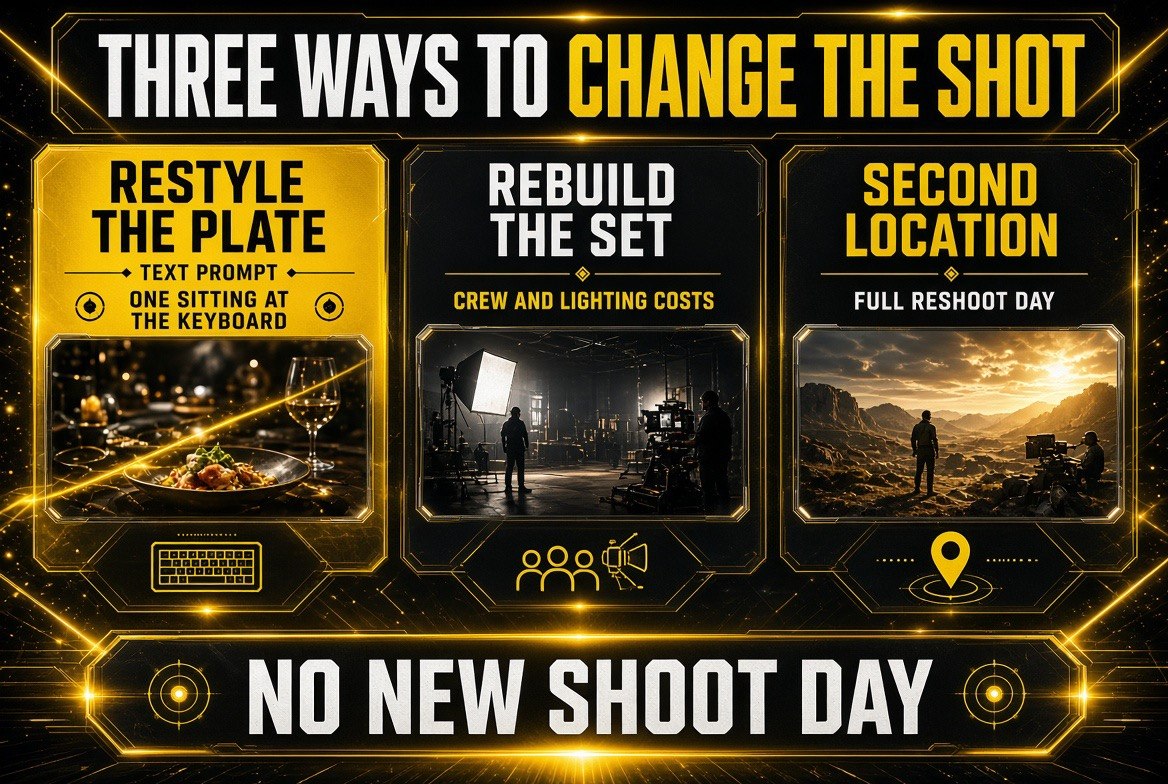
Three ways to change a finished shot: restyle the plate from a prompt, rebuild the set with crew and lighting, or book a second location. Only one of them costs a sitting at the keyboard instead of a production day.
The Tool Stack This Fits Into
Scene restyling is one layer. Here is where it sits against the rest of a working creator stack in 2026.
| Production Stage | Typical Tool | What Scene Restyling Changes |
|---|---|---|
| Thumbnail creation | Dedicated thumbnail tools | Generates background variants to test |
| Footage capture | Camera + lighting setup | Reduces number of setups needed |
| Editing | Non-linear editor | Replaces some manual background work |
| B-roll generation | Text-to-video platforms | Restyles real footage instead of inventing it |
| Distribution | Publishing + scheduling tools | No change — but better CTR inputs |
The Distribution Detail Creators Keep Missing
There is a second reason this story belongs on a video site. Pinterest is not just an image board anymore. It is a discovery surface where video pins are actively promoted, and it sits upstream of a lot of consumer purchase and planning behavior.
That means a creator who learns to restyle a scene well is not just making better thumbnails for YouTube. They are producing assets for a discovery channel where a single well-styled visual can keep circulating for months. The same restyled frame can serve as a YouTube thumbnail, a Pinterest pin, a Shorts cover, and a blog header — four placements from one source photograph.
Most creators treat each of those as a separate design task. The restyle approach collapses them into one base image plus prompt variations.
The Cost Question Nobody Prices Correctly
Ask a creator what a background costs and they will quote a paint can or a studio hour. Neither is the real number. The real number is the cost of every future video that has to match the old look, plus the cost of the videos you did not make because changing the look was too expensive.
That second number is the one scene restyling attacks. A creator with a beige apartment and a ring light does not skip a video because the content is bad. They skip it because the frame will look amateur next to the channels they compete with. Remove the cost of a new look and the whole category of “I will shoot that once I fix the room” disappears.
The practical math for a one-person channel: a half-day set rebuild with materials runs into the upper hundreds. Three restyled variations of an existing shot cost nothing beyond the tool subscription you may already pay for. If two of those three variations beat your current thumbnail in a click-through test, the work paid for itself in the first week.
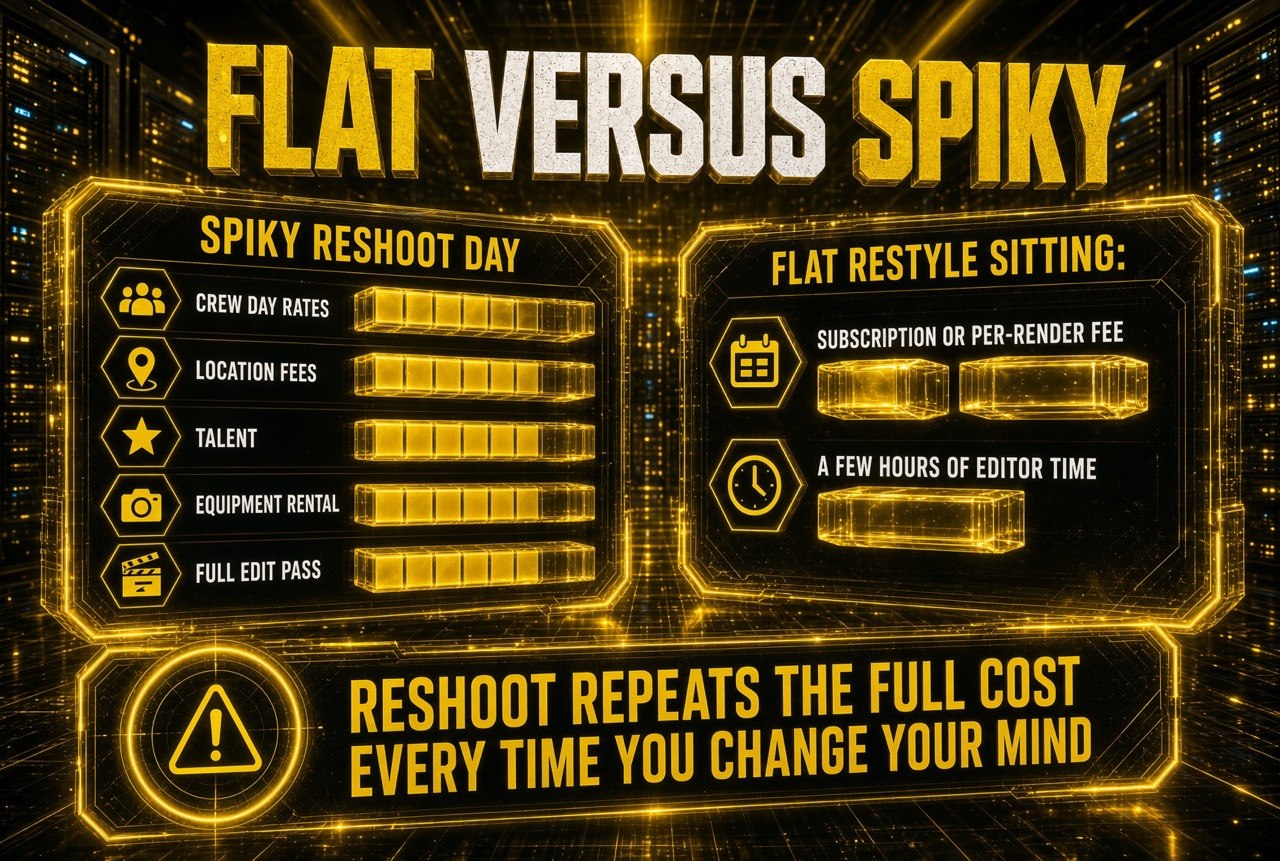
The reshoot path is spiky: crew, location, talent, equipment and an edit pass every single time you change your mind. The restyle path is flat — and that difference is what compounds over a channel’s production year.
Where This Breaks Down for Real Channels
There is a version of this story that is pure hype, and it goes like this: generate a new background, never worry about production again. That is not how a channel actually works.
The failure is subtle. A restyled background that does not match your lighting will look composited, and audiences detect composited frames faster than almost any other production flaw. A restyled scene that contradicts your established visual identity will confuse returning viewers who recognize your channel by its look before they read the title. And restyling a shot that has real motion in it — hands moving, fabric shifting, hair catching light — creates edge artifacts that only appear at full resolution.
The creators who get value from this treat it the way they treat a color grade: a controlled adjustment inside a locked visual system, not a free-for-all. Restyle the background. Never restyle your identity.
What to Actually Do With This
Here is the practical sequence if you want to test scene restyling in your next production cycle instead of waiting for the feature to reach you directly.
1. Shoot one clean, neutral base plate
Whatever background you use for talking-head shots, capture one version with even lighting and no strong color cast. This is your base plate. Every restyle operation starts from it, so the cleaner the original, the better every variation looks.
2. Generate five background treatments, then test them
Do not pick your favorite and ship it. Generate a spread — warm, cool, high-contrast, dark, minimal — and run them as a thumbnail test across your next five uploads. Let click-through rate pick the look instead of your taste. This is the single highest-leverage use of the tool and the one most creators will skip.
3. Keep your channel identity locked while the scene moves
The failure mode of restyling is a channel that looks like five different channels. Hold your logo placement, your font, your face framing, and your title style constant. Let only the scene change. Consistency in the frame is what makes variation in the background feel intentional rather than sloppy.
4. Stop treating the background as an afterthought
The reason scene restyling matters is that it makes background a variable instead of a constraint. Once background is a variable, an editor can test it. Once you can test it, you can win it.
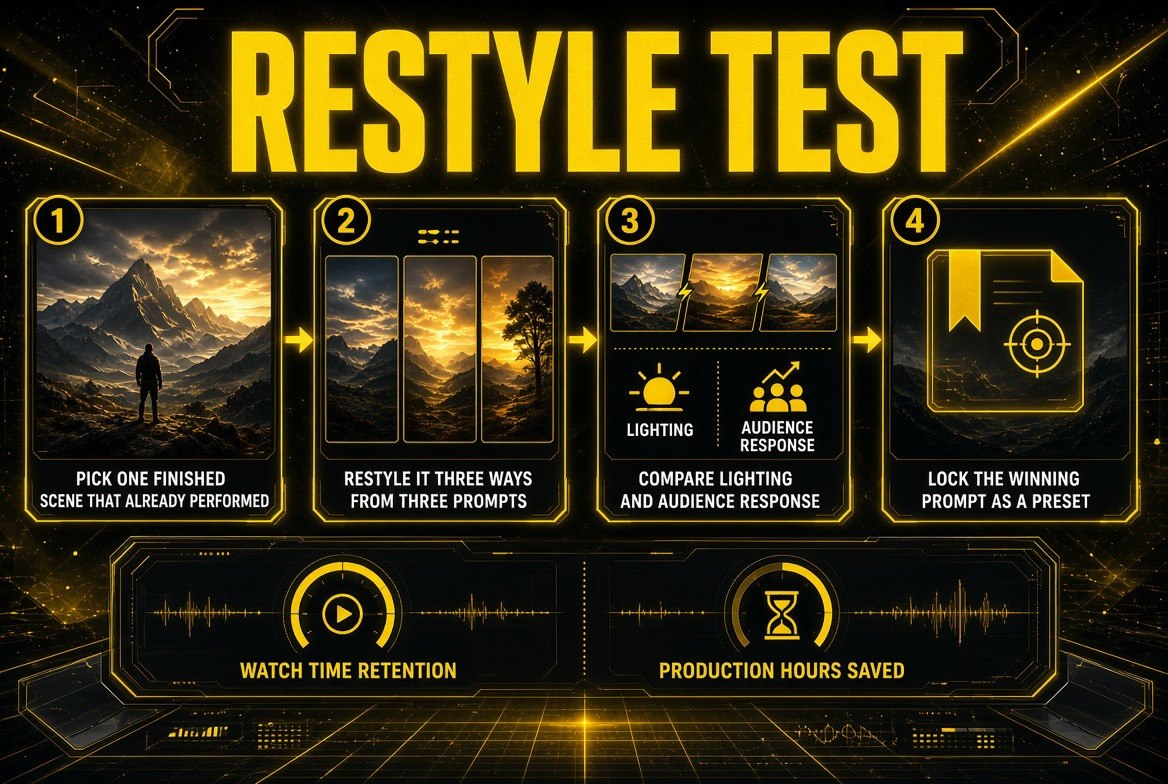
Run this on one scene before you commit anything to the pipeline: three restyles, one comparison against the original, and a locked preset you reuse on the next episode. The measurements that matter are watch time retention and production hours saved.
The Honest Limits
Scene restyling is not a crew replacement. It cannot fix bad lighting at capture, it cannot create genuine camera movement, and it cannot invent a location that has to feel real and lived-in. On anything requiring authenticity — a documentary segment, a client testimonial, a factory tour — a restyled background reads as fake to the audience you are trying to convince.
Use it where the background is decoration: thumbnails, studio segments, explainers, product framing, promotional cutaways. Do not use it where the background is evidence.
Also watch the render: restyled frames occasionally produce artifacts at edges where foreground and background meet. Always review at full resolution before publishing. A 4K frame viewed at thumbnail size hides problems that your audience will see on a TV screen.
The Bottom Line
Pinterest’s Restyle feature is a small announcement with a large implication. The visual layer of video production — backgrounds, sets, styling, frame design — is shifting from physical work to prompt work, and the platforms adjacent to video are the ones shipping it first.
Creators who adopt it will shoot less, test more, and publish better-looking thumbnails from the same footage. Creators who ignore it will keep paying for set changes and location shoots that a prompt can now handle in an afternoon.
Start with one base plate. Generate five looks. Let the numbers decide.
Frequently Asked Questions
What is Pinterest’s Restyle AI feature?
Restyle is an AI image-editing feature that regenerates a photograph’s scene from a text prompt while preserving the original composition, camera angle, and layout. Pinterest has demonstrated it on interior spaces, but the underlying technology applies to any photographed scene.
Can video creators use scene restyling for thumbnails?
Yes, and it is the highest-value use case. You can generate multiple background treatments from a single base shot and A/B test them across uploads, letting click-through rate decide which look performs rather than guessing.
Does scene restyling replace AI video generators?
No. Text-to-video generators create scenes from nothing. Scene restyling edits footage you already shot. They solve different problems — restyling is for when you have a good shot and want a different look, generation is for when you have no footage at all.
Is restyled footage safe to use commercially?
That depends on the terms of the specific tool and the rights to your source image. Since restyling is built on a photograph you supplied, you generally control the source — but always check the platform’s commercial-use terms before using output in monetized content.
What is the biggest mistake creators make with scene restyling?
Changing too much at once. If the scene, the framing, the title style, and the color grade all shift between uploads, the channel stops looking like one channel. Lock everything except the background, and let only that variable move.

About Barak Schurr
Barak Schurr is a serial entrepreneur who built and exited a major ticketing platform before turning his attention to AI and content. He runs three AI-focused research sites and writes about the tools, workflows, and strategies that let solo creators build real channels — without a crew, a studio, or a Hollywood budget.
Email: [email protected]
More AI Video Resources