Mirage ‘Clips’ Turns Any Long Video Into 30+ Viral Shorts Automatically
Get The Faceless YouTube Blueprint — Free
The exact AI tool stack and workflow used to build a faceless YouTube channel from zero.
Mirage “Clips” Turns Any Long Video Into 30+ Viral Shorts Automatically
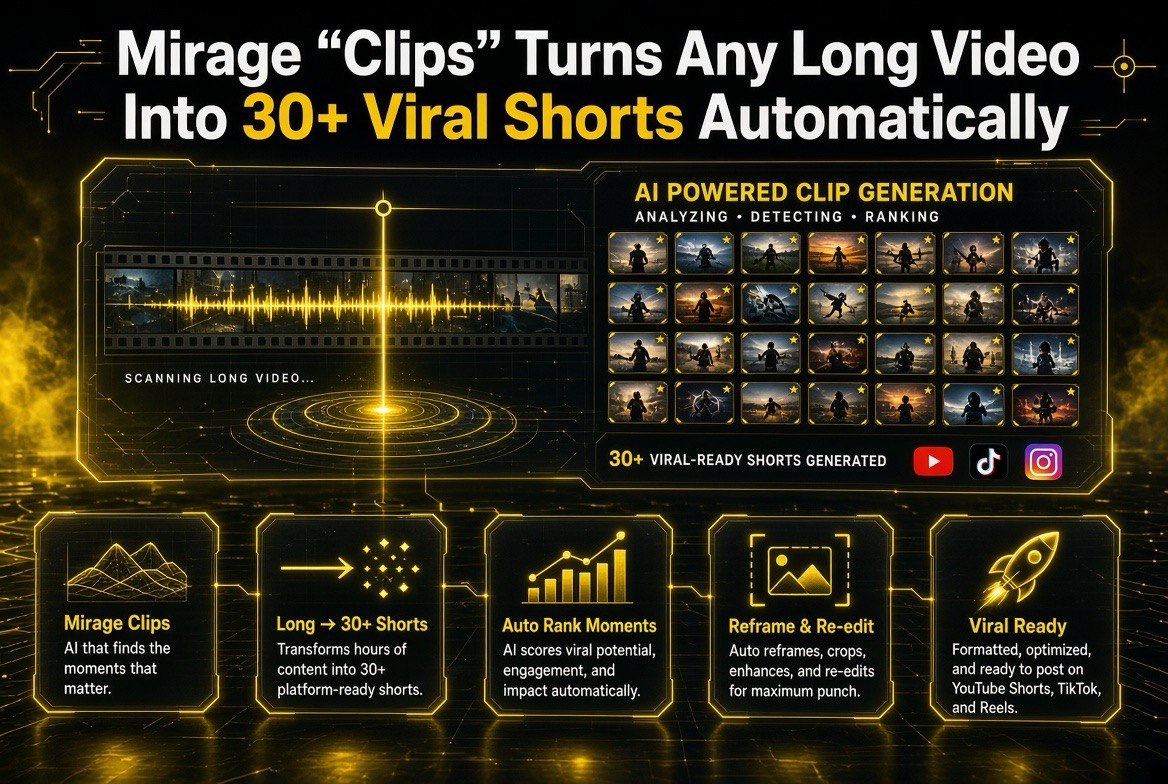
⚡ Expert Summary: On August 19, 2026, Mirage — the video platform from the Captions app team — launched “Clips,” a feature that turns any long video into 30 or more viral-ready short clips automatically. It scans your footage, finds and ranks the most engaging moments, removes unwanted edits and dead air, then reframes and re-edits each moment for social platforms like YouTube Shorts, TikTok, and Reels. It’s available on iOS and Web. For YouTube creators drowning in the long-to-short grind, Clips attacks the most repetitive part of the job: a single documentary, podcast, or talking-head video can become a month’s worth of Shorts without you scrubbing through the timeline yourself. It is squarely aimed at creators who already have long-form content and want more short-form reach without hiring an editor.
There’s a running joke among YouTubers that the real job isn’t making videos — it’s making shorts from those videos. Every long-form upload is supposed to spin off three or four clips for Shorts, TikTok, and Reels, and doing that by hand means rewatching the whole thing, marking moments, cutting each one, captioning, and reframing. It eats hours. Mirage Clips, launched August 19, 2026, is built to collapse that whole pipeline into a single step.
Here’s what Mirage Clips actually does, where it fits for US creators, and how it stacks up against the other auto-clipping tools you may already be considering.
What Mirage Clips Does (and Why It’s Different)
Mirage’s Clips feature takes a long video — a podcast episode, a documentary, a streamable talking-head piece — and returns a batch of short clips. The technology does three jobs in sequence. First, it finds the moments: it scans the footage and ranks segments by how likely they are to hold attention, looking for the punchy soundbites, strong reactions, and self-contained story beats. Second, it cleans each moment: it removes the unwanted in-out edits, stumbles, filler, and dead air that make raw clips feel amateur. Third, it reframes and re-edits each clip for vertical social platforms, so it’s not just a horizontal crop but a proper short formatted for where you’ll post it.
The differentiator versus a basic “cut the silence” tool is that ranking. Most auto-clippers give you clips; Mirage tries to give you the good clips — the moments a human editor would have flagged anyway. It’s the same philosophy as the Captions team’s existing work: understand the content, not just the timestamps.

Mirage Clips takes a single long video and auto-splits it into 30 or more short clips, each ranked by viral potential — no manual timeline scrubbing required.
Why This Matters for US Creators
For an independent creator in the United States, the math is simple. Short-form is where discovery happens, but producing it competes for the same limited editing hours as your main channel. A feature that turns one long video into 30+ shorts fundamentally changes the cost of being present on multiple platforms:
- You stop re-watching. The single biggest time sink in repurposing is scrubbing the timeline to find moments. Mirage does the finding.
- You get volume without burnout. Posting consistently is what grows Shorts reach; Clips lets you publish far more than you could edit by hand.
- It fits an existing asset. You already make long-form. Clips monetizes the footage you’ve already shot instead of demanding new production.
It’s worth being honest about the intended use: this is a repurposing tool, strongest when you already have a library of long video. If you only make native vertical shorts from scratch, a different tool will serve you better.
Mirage Clips vs. Other Auto-Clipping Tools
Clips enters a crowded field. Opus Clip and Klap are the long-standing names in long-to-short, and Instagram’s First Draft (launched the same week) takes a different angle on auto-assembly. Here’s how the main contenders compare:
| Factor | Mirage Clips | Opus Clip | Klap |
|---|---|---|---|
| Core job | Find rank + clean + reframe clips | Clip + caption long videos | Clip + caption long videos |
| Cleanup | Removes edits, stumbles, dead air | Removes filler, joins segments | Removes filler, trims |
| Reframing | Reframes for vertical social | Reframes to social aspect | Focus + reframe |
| Platforms | iOS and Web | Web | Web + API |
| From the makers of | Captions (creator app) | Opus AI | Klap AI |
The realistic takeaway: any of these will save you time, but they’re tuned differently. Mirage Clips leans heaviest into the “clean it like a human editor would” angle and ships a native iOS app, which suits creators who edit on the go. Opus and Klap are more established as web-first workhorses with refined captioning. The right pick depends on whether you value the cleanest possible draft (Mirage) or the most battle-tested pipeline (Opus/Klap).

Where manual repurposing forces you to pick a handful of clips by hand, Mirage auto-scores every moment and generates 30+ formatted shorts — ready for Reels, TikTok, and Shorts.
What Mirage Clips Won’t Do (Yet)
Set expectations before you build a workflow around it:
- It repurposes, it doesn’t originate. Clips needs source long-form. It won’t create new b-roll or generate footage.
- Its ranking is an opinion. The “most viral moments” it picks are a strong first draft, not gospel. Review the clips before bulk-publishing, especially a channel’s hook consistency.
- Bulk quality varies. With 30+ clips from one video, some will be stronger than others. Expect to curate, not blindly post everything.
| Capability | What It Means For You | Action To Take |
|---|---|---|
| Moment ranking | AI flags the most engaging segments | Curate — don’t post all 30 blindly |
| Auto-cleanup | Removes stumbles, filler, dead air | Check first 2 sec of each clip |
| Vertical reframe | Clips formatted for Shorts/TikTok/Reels | Confirm framing on motion-heavy shots |
| Batch output | 30+ clips from one upload | Schedule them over weeks, not days |
The Real Cost Math: Why Repurposing Is Worth Automating
To understand whether Mirage Clips earns its place, it helps to put a number on the manual it replaces. A typical 30-minute YouTube video, repurposed by hand, easily takes a creator two to three hours of editing to spin off five or six decent Shorts — re-watching, marking moments, cutting each one, captioning, and reframing for vertical. That’s roughly five minutes of editing per finished second of short-form. Do that four videos deep and you’ve spent most of a working day on repurposing alone, almost none of it on the parts that actually grow a channel (hooks, thumbnails, community, the next long-form idea).
Automation changes the arithmetic in two ways. First, the raw conversion: what took hours of passive scrubbing becomes a review pass over clips the AI already picked and cleaned. Second — and arguably more important — it changes your relationship to consistency. The reason most YouTube channels post Shorts irregularly isn’t a lack of material; it’s that the effort-per-post feels too high to sustain. When a single long video yields 30+ clips, the marginal cost of one more short is nearly zero, which is exactly the condition under which publishing habits actually stick. For a US creator treating Shorts as a discovery engine for the main channel, consistency is the whole game, and that’s the lever Clips pulls most directly.

Repurposing a 30-minute video by hand typically costs two to three hours of editing; once automated, the marginal cost of one more short drops to almost nothing.
How to Get Real Value From Mirage Clips
The creators who win with auto-clipping treat it as a pipeline stage, not a publish button. A strong workflow: take your best-performing long-form video (the one already proven to retain attention), run it through Clips, then spend your saved time reviewing the top-ranked clips and investing in the first two seconds of each — that’s where Shorts retention is decided. Publish the strongest clips over several days rather than dumping them at once; platforms reward consistent output, and it stretches one video’s value across a month.
Use the ranking as a second opinion, too. If Mirage consistently picks segments that underperform on your channel, that’s useful signal about what your audience actually watches versus what you think they watch. Over time, feed it your best-performing content and let its calibration learn your niche’s rhythm — the drafts get closer to post-ready the more you use it.
Fact Check: The Right Way to Test Mirage Clips
Because it runs on iOS and Web, the fastest test is to take one solid recent video you already have and generate the clips. You’re not committing a workflow yet — you’re checking three things: whether its moment ranking matches your own editorial instincts, whether the cleanup produces genuinely watchable clips (not just technically trimmed ones), and whether vertical reframing holds up on motion-heavy shots. That single test against your own proven content will tell you more than any spec sheet.
Who Should Use Mirage Clips (and Who Should Skip It)
Mirage Clips is a strong fit for a specific profile. If you produce regular long-form — podcast, documentary, talk-show, streamer recap, educational deep-dive — and you want a steady drip of shorts to feed discovery, this is built exactly for you. The value is highest when you already have a growing library of proven long video and a real audience on the main channel that a shorts funnel can push toward. For that creator, turning ten long videos into a few hundred shorts over a quarter is a genuine channel-growth lever.
It’s a much weaker fit if you make only native, one-off vertical videos and have no long-form library — repurposing tools need source material, so you’d be paying for a feature you can’t feed. It’s also not a substitute for a thoughtful shorts strategy: if your problem is weak hooks or unclear calls to action, no auto-clipper fixes that. And if you outsource editing entirely, the tool’s time savings matter less to you than to a solo creator. Match the tool to the workflow you actually have, not the one you wish you had.
Final Verdict: Should You Try Mirage Clips?
If you’re a US YouTube creator with an existing library of long-form content and a goal to grow your Shorts reach without burning your editing hours, Mirage Clips is worth a serious test. It directly attacks the highest-cost, lowest-satisfaction part of the repurposing workflow — the passive scrubbing — and replaces it with a ranked, cleaned, reframed draft you can review in minutes. The freemium model means you can validate it against your own proven content before committing anything.
The honest caveat is that no auto-clipper removes the need for editorial judgment. Your hooks, your storytelling, and your consistency are still yours to manage; the tool just removes the mechanical toll that used to stand between you and posting more often. Treated as a pipeline stage rather than a publish button, Mirage Clips can genuinely turn one strong piece of long-form into a sustainable month of shorts — and for the creator who’s been deferring short-form because of the effort, that’s exactly the unlock the feature promises.
Frequently Asked Questions
How many clips does Mirage Clips generate from one video?
Mirage’s launch messaging targets 30 or more short clips from a single long video, depending on its length and density of engaging moments. The exact count varies with your source footage.
Is Mirage Clips available on iOS and Web?
Yes — Clips launched on both iOS and Web on August 19, 2026. That covers mobile-first creators and those who prefer a desktop editing workflow.
Does Mirage Clips work with YouTube Shorts?
Yes. Clips reframes moments for vertical social platforms including YouTube Shorts, TikTok, and Reels, so the output is ready to post to Shorts as well as the other vertical apps.
Is Mirage Clips free?
Mirage offers a freemium model, where a free tier lets you try the core experience and paid plans unlock higher volume and more advanced features. Check the current pricing in-app or on the Mirage site, as promotional terms change.
What is the difference between Mirage and the Captions app?
Mirage is a separate video platform built by the Captions team, focused on turning long-form into viral short-form. Clips is one of its flagship features. The Captions app itself continues to handle on-device captioning and editing.

About Barak Schurr
Barak Schurr is a serial entrepreneur who built and exited a major ticketing platform before turning his attention to AI and content. He runs three AI-focused research sites and writes about the tools, workflows, and strategies that let solo creators build real channels — without a crew, a studio, or a Hollywood budget. Contact: [email protected]