Google Gemini Omni Flash Hits the API — Enterprise Video Production Becomes a Conversation
Get The Faceless YouTube Blueprint — Free
The exact AI tool stack and workflow used to build a faceless YouTube channel from zero.
Google Gemini Omni Flash Hits the API — Enterprise Video Production Becomes a Conversation
⚡ Expert Summary: Google’s Gemini Omni Flash — the first model in its new “Omni” family — is now available through an enterprise API after debuting to consumers at I/O 2026. The key capability: creating, editing, and refining video through natural conversation rather than multi-tool pipelines. Priced at $0.10/second for 720p output, it collapses scriptwriting, image generation, video synthesis, lip-sync, and voice generation into a single model. For video creators and businesses producing training content, product demos, or social media assets, this changes the production workflow fundamentally.
What Gemini Omni Flash Actually Does — and What Changed with the API
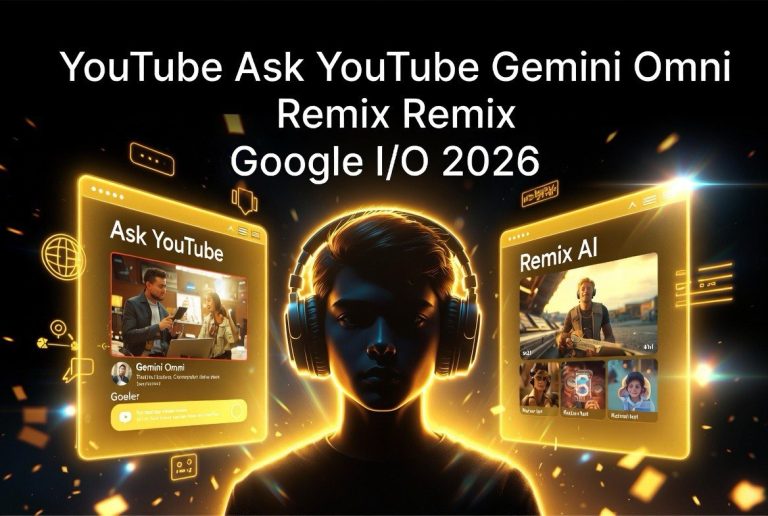
Gemini Omni Flash launched to consumers at Google I/O 2026 in May, but it launched with a catch: no programmatic interface. It was a consumer and prosumer tool, not a production API that enterprise teams could integrate into their workflows.
That limitation is now gone. The API rollout gives marketing teams, learning-and-development departments, and video production workflows direct access to the model. The headline feature is conversational video editing — the ability to generate a clip, then refine it through plain-language instructions without regenerating from scratch.
Here is the workflow problem this solves: most internal video production today requires five separate tools. An LLM for the script, a text-to-image model for frames, an image-to-video model for motion, a separate lip-sync tool for any on-camera speaker, and a voice generator for narration. Each comes with its own contract, billing, data path, and learning curve. Many teams simply skip video production because stitching the tools together isn’t worth the overhead.
Omni collapses all five tools into one model. Input text, images, or existing video clips. Output a finished clip with synced audio. One API. One data pipeline. One vendor to audit for compliance.
Conversational Editing: The Feature That Changes Production Speed
The most practical capability for working video creators is conversational editing. Instead of regenerating an entire clip when you want to change one element, you tell the model what to change, and it applies the edit while preserving everything else.
Need to relight a product shot? Say so. Want to reframe from close-up to wide? Type it. Need to change the wardrobe, the background setting, or add rain? Each instruction builds on the last, maintaining the parts of the scene that already worked.
This is significant because the bottleneck in AI video production has never been generation speed — it is the iteration loop. Every regeneration risks losing the happy accidents that made the first version work. Conversational editing keeps the good parts and only changes what you specify. It is the difference between booking a full reshoot versus sending a revision note.
For creators producing social media content, training videos, or product demos, this means: generate a base clip, review it, make three specific edits in three exchanges, and have a finished asset in minutes rather than hours.
Multimodal References: How to Control What the Model Generates
Omni accepts far more than text prompts. You can feed it multiple reference images, existing video clips, and the model carries those specifics into the result. Hand it a photograph of your actual product, ask it to place that product in a scene, and it reproduces the real thing’s coloring and rough shape rather than inventing a generic version.
This matters for brand work. A product photo, a logo, or a specific location can be dropped in as an ingredient rather than described in a text prompt and hoped for. The match is not pixel-perfect, but it is close enough to be recognizable — and far more consistent than text-prompt-only generation.
Google highlights two capabilities that are directly relevant to commercial video production:
- World model physics: Add light rain and puddles to an existing shot, and the model renders reflections of the people and objects in the wet pavement. This physical consistency — objects reflecting in surfaces, lighting that matches the scene — is what separates usable AI video from obvious AI generation.
- Text and logo insertion: Point Omni at a scene with signage, and it can rewrite that signage in another language or insert a company logo. Results are not flawless — sign tracking in complex scenes slips, and some text reverts between frames — but for training videos needing on-screen labels or ads needing in-scene branding, this is a capability worth understanding.
Pricing: Aggressive, but with a Resolution Ceiling
| Model | 720p | 1080p | 4K |
|---|---|---|---|
| Gemini Omni Flash | $0.10/sec | N/A | N/A |
| Veo 3.1 Lite | $0.05/sec | $0.08/sec | N/A |
| Veo 3.1 Fast | $0.10/sec | $0.12/sec | $0.30/sec |
| Veo 3.1 | $0.40/sec | $0.40/sec | $0.60/sec |
At $0.10 per second for 720p output — roughly $1 per ten-second clip — Omni Flash matches Veo 3.1 Fast at the same resolution and undercuts standard Veo 3.1 by 75%. It is aggressively priced for the capabilities it bundles.
The tradeoff is the resolution ceiling. Omni Flash only generates 720p. There is no 1080p or 4K option. For internal training videos, social media content, and most web-based marketing, 720p is adequate. For premium brand work destined for large screens or broadcast, Veo 3.1’s higher tiers remain necessary.
This means Omni Flash is not a replacement for Veo 3.1 — it is a complementary tool optimized for speed, iteration, and the all-in-one pipeline. Use Omni for rapid prototyping, iterative editing, and high-volume production at 720p. Use Veo 3.1 for final frame premium assets at higher resolutions.
Technical Constraints You Need to Know
Under the hood, Omni runs on Google’s new interactions API — a stateful interface built for multi-turn tasks rather than open-ended chat. Each turn carries the previous video and its forward references, which is what lets edits accumulate coherently. Developers can chain generations, produce a clip, edit it, restyle it, and store each version for branching later.
The constraints that matter for production planning:
- Clip length capped at 10 seconds. For longer videos, generate chunks and edit them together externally. This is standard for AI video models currently.
- Uploaded footage is editable as long as it runs 10 seconds or under and you hold the rights. This means existing video assets can be fed into Omni for style transfers, relighting, or text overlay changes.
- Text rendering is imperfect. On-screen text can slip between frames or revert to the original language. Expect to review and potentially regenerate text-heavy clips.
- Holding consistency across multiple edits is an open problem. Each edit turn introduces a small drift. Google’s own model card is candid about this limitation.
Safety, Provenance, and Enterprise Compliance
Google has baked in several guardrails that make Omni Flash viable for regulated enterprise environments:
- SynthID watermarking on every generated clip — invisible to the eye but detectable by Google’s analysis tools.
- C2PA Content Credentials support across Google’s generative tools, providing cryptographic provenance for generated assets.
- AI Content Detection API that can flag AI-generated media from any vendor, not just Google’s own tools.
- Deliberate anti-deepfake constraints: The model will not take a still photo of a person plus an audio clip and lip-sync them into speech. Translation of an existing speaker’s recorded words into other languages is supported — useful for localizing training content without reshooting.
For video creators working with enterprise clients or regulated industries, these guardrails are features, not friction. They make Omni-generated content more likely to pass legal review and compliance audits than unmarked AI video.
What This Means for AI Video Production in Practice
Gemini Omni Flash through the API changes the economics and speed of video production for one specific but important use case: high-volume, iterative, internal video. Training videos, product explainers, social media ads, internal communications — the kind of content that most organizations need more of but currently produce too little of because multi-tool pipelines are too expensive and too slow.
The $1-per-clip pricing, combined with conversational editing, makes it practical to generate, review, and iterate on video content at speeds that were previously impossible. A marketing team that currently produces one product demo video per week at a cost of $2,000-5,000 through traditional production can now produce multiple variants per day at a fraction of the cost — and iterate on feedback without going back to the full production cycle.
The resolution ceiling (720p only) and clip length limit (10 seconds) mean Omni Flash is not replacing professional video production for premium content. But it is filling the gap between “too expensive to produce” and “good enough to publish” — and that gap is where most of the untapped video content demand lives.
Who Should Use Gemini Omni Flash First
The most logical early adopters are teams that produce a high volume of short-form video content and currently outsource it or skip it due to cost. Three types of operations fit this profile:
Learning and development teams producing internal training content. These teams typically have tight budgets and high volume demands. A training module that walks through a software interface, demonstrates a procedure, or explains a policy is the ideal Omni use case — short clips, iterative editing, no need for cinematic quality. At $1 per ten-second clip, a five-minute training video costs roughly $30 in generation costs plus iteration time.
Marketing teams producing social media video. Short-form social content (TikTok, Reels, Shorts) is the fastest-growing video format, and it lives at 720p. Omni’s resolution ceiling is not a limitation for vertical social video. The conversational editing workflow lets social media managers iterate on concepts rapidly — generate a base, change the hook, update the call to action, repurpose for a different platform.
E-commerce teams producing product demos. Product imagery is the one area where Omni’s multimodal reference capability is most valuable. Dropping in an actual product photo as a reference, then generating multiple scenes showing that product in different contexts, creates consistent product representation across variants without reshooting or manual compositing.
For creators who fit one of these profiles, Gemini Omni Flash is worth testing immediately. For high-end commercial video production destined for broadcast or large-format display, the resolution ceiling means it is not ready yet — but the trajectory is clear, and higher resolution tiers are likely to follow as the Omni family matures.
FAQ
What is Google Gemini Omni Flash?
How much does Gemini Omni Flash cost?
Can Gemini Omni Flash edit existing video?
Does Gemini Omni Flash support 1080p or 4K video?
What safety features does Gemini Omni Flash include?

About Barak Schurr
Barak Schurr is a serial entrepreneur who built and exited a major ticketing platform before turning his attention to AI and content. He runs three AI-focused research sites and writes about the tools, workflows, and strategies that let solo creators build real channels — without a crew, a studio, or a Hollywood budget.
Email: [email protected]
More from the Barak Schurr Network