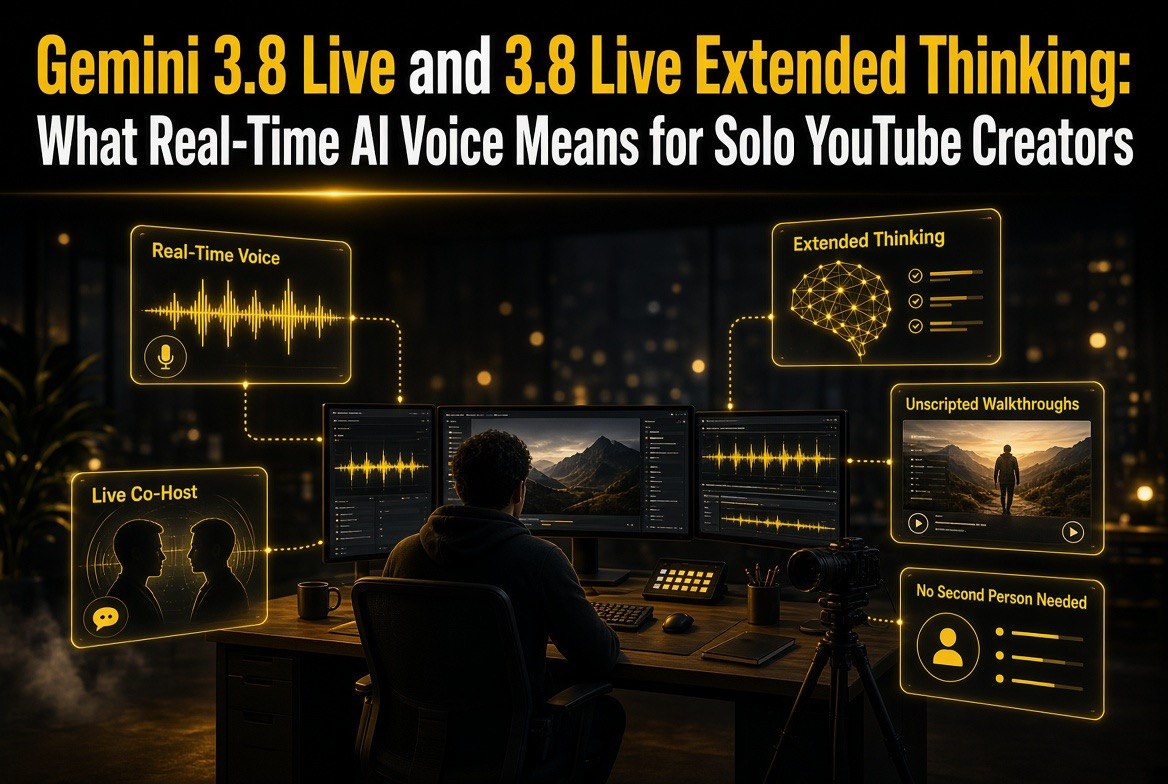
Gemini 3.8 Live and 3.8 Live Extended Thinking: What Real-Time AI Voice Means for Solo YouTube Creators
Get The Faceless YouTube Blueprint — Free
The exact AI tool stack and workflow used to build a faceless YouTube channel from zero.
Gemini 3.8 Live and 3.8 Live Extended Thinking: What Real-Time AI Voice Means for Solo YouTube Creators
⚡ Expert Summary: Google released Gemini 3.8 Live and Gemini 3.8 Live Extended Thinking on September 15, 2026 — two real-time voice models built for near-instant dialogue, background tool execution, and multi-step reasoning that happens while the model is still talking to you. Extended Thinking took the #1 spot on Artificial Analysis’ Speech-to-Speech Quality Index at 82.6 and scored 35.1% on Sierra’s τ-Voice-banking benchmark. For solo creators, this is the missing piece for live-format content: real-time co-host segments, unscripted interviews, and narrated screen demos without a second person in the room or a post-production rescue edit.
If you run a YouTube channel alone, you know the wall you keep hitting. Talking-head content works, but it’s slow to make and it’s just you. Live formats, interviews, reactions, and co-hosted commentary perform better — but they need a second person, a second schedule, and a tolerance for retakes.
On September 15, 2026, Google shipped the closest thing yet to removing that wall. Gemini 3.8 Live and Gemini 3.8 Live Extended Thinking are the company’s most advanced live dialogue models — built for voice agents, real-time conversation, and tasks that unfold over multiple steps while you keep talking.
This isn’t another text model with a voice wrapper bolted on. The two models are aimed at different jobs, and understanding which one matters for which part of your production is the whole game.
What Google Actually Shipped on September 15
Two models, one release, two very different production roles. Here’s the split straight from Google’s announcement:
| Factor | Gemini 3.8 Live | 3.8 Live Extended Thinking |
|---|---|---|
| Primary purpose | Scale and cost efficiency — fluid dialogue, visual grounding | High-complexity tasks, increased intelligence, multi-step reasoning |
| Speech-to-Speech Quality Index | Second place in the Speech Agent Arena | #1 overall — 82.6 |
| Agentic task completion | Built for fast, high-volume interaction | 68.6% on τ-Voice · 35.1% on Sierra τ-Voice-banking |
| Reasoning while speaking | Tools and API calls run in background mid-conversation | Reasons and speaks simultaneously, with live progress narration |
| Best creator use | Live co-host chat, reactions, visual callouts on screen | Technical walkthroughs, tutorials, research-heavy commentary |
Note what isn’t in that table: a claim that either model writes your script, edits your video, or generates your thumbnail. That’s not the pitch. Google is selling a conversational layer — and for creators, the conversational layer is exactly where solo production hurts most.
The Six Capabilities That Actually Change a Solo Creator’s Workflow
Strip the marketing and there are six concrete things these models do that matter on a one-person channel.
1. Mid-conversation language switching — 97 languages. 3.8 Live automatically detects and transitions between any of 97 supported languages mid-conversation. For a creator with an international audience, that’s the difference between dubbing as a separate post-production project and simply speaking to your audience in their own language as part of the take.
2. Background tool execution. The model executes tools and API calls in the background while continuing to talk. This is the technical heart of the release. A real co-host doesn’t stop dead to look something up — they say “hold on, let me check” and keep the energy up. That’s now modeled behavior, not a workaround you have to engineer.
3. Reasoning while speaking. Extended Thinking “reasons and speaks simultaneously.” Google’s own description is that it uses early verbal cues — things like “Let me check that…” — to acknowledge a prompt naturally, then narrates live progress through multi-step background tasks. For tutorial creators, that’s an unscripted spoken walkthrough of a real process, generated in real time.
4. Near-real-time visual input. 3.8 Live processes visual inputs in near real-time, which means it can react to what’s on your screen or in frame as the conversation continues. That unlocks the “react to what I’m showing you” format without a human partner.
5. Benchmark-verified quality. Extended Thinking captured the #1 overall spot on Artificial Analysis’ Speech to Speech Quality Index at 82.6, leads agentic task completion at 68.6% on τ-Voice and 35.1% on Sierra’s τ-Voice-banking benchmark, and scores 97.7% on Big Bench Audio. Google also notes the models pushed the Pareto frontier on ServiceNow’s EVA-Bench for complex workflows when balancing accuracy against conversational quality.
6. SynthID watermarking on all audio. Every piece of audio Google’s AI products generate is watermarked with SynthID, woven directly into the output. For creators building a channel on trust — especially in niches like finance, health, or news commentary — knowing the provenance story up front matters more than it used to.
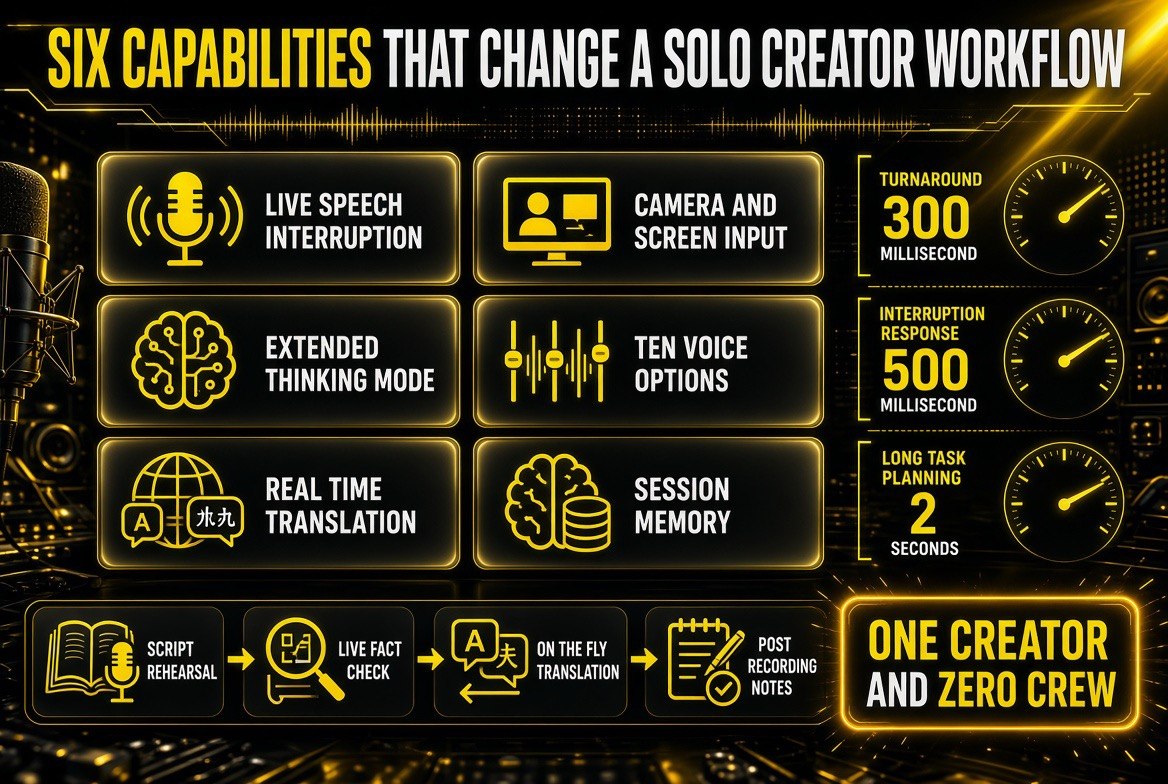
The six capabilities, and the latency numbers that decide whether they are usable on camera: about 300 milliseconds turnaround, roughly 500 milliseconds to interrupt, and around 2 seconds for long-task planning.
What This Unlocks for YouTube Creators Specifically
Three formats get meaningfully cheaper to produce, and one of them has historically been flat-out blocked for solo operators.
Live co-host segments. The single hardest format to do alone is two-voice commentary — the back-and-forth where someone reacts in real time and keeps the pacing tight. With a real-time voice model on the other side of the conversation, the format stops requiring a second person. Your half is still yours, and the quality of the exchange is what determines whether it lands, so this is a format that rewards creators with strong opinions and a clear point of view — exactly the people who already do well on YouTube.
Unscripted technical walkthroughs. This is where Extended Thinking earns its price. A tutorial where the model reasons aloud through a multi-step process — narrating progress as it goes — is a fundamentally different artifact from a scripted explainer. It’s slower, it’s more honest about uncertainty, and audiences in technical niches genuinely prefer it because it shows the work rather than a polished recap.
Multi-language expansion without dubbing. Dubbing is a project. Producing a take in a second language with native conversational flow is a setting. That changes the unit economics of international growth for a solo channel from “hire a service, wait a week” to “run the segment again.”
The Latency Question Nobody Asks About Until It Ruins a Take
Every real-time voice model gets judged on two things creators never see in a launch post: how fast the first syllable comes back, and what happens when two people try to talk at once. Google’s framing — background tool execution, early verbal cues like “let me check that,” live progress narration — is essentially a description of how the model handles the second problem.
Here’s why that matters more than benchmark scores for a solo creator. In a scripted video, latency is invisible: you cut it out in the edit. In a live segment, latency becomes part of the performance. A pause that lasts a beat too long reads as uncertainty, and a co-host that talks over you reads as broken. The benchmark scores tell you the model can produce good speech; the interruption behavior tells you whether it can hold a conversation on camera.
That is the test worth running before you commit a format to it. Run sixty seconds of unscripted back-and-forth, deliberately interrupt mid-sentence, and watch whether it yields the floor or pushes through. Models that push through are unusable for co-host work no matter what they score on a quality index — and no launch post is going to tell you which one you have.
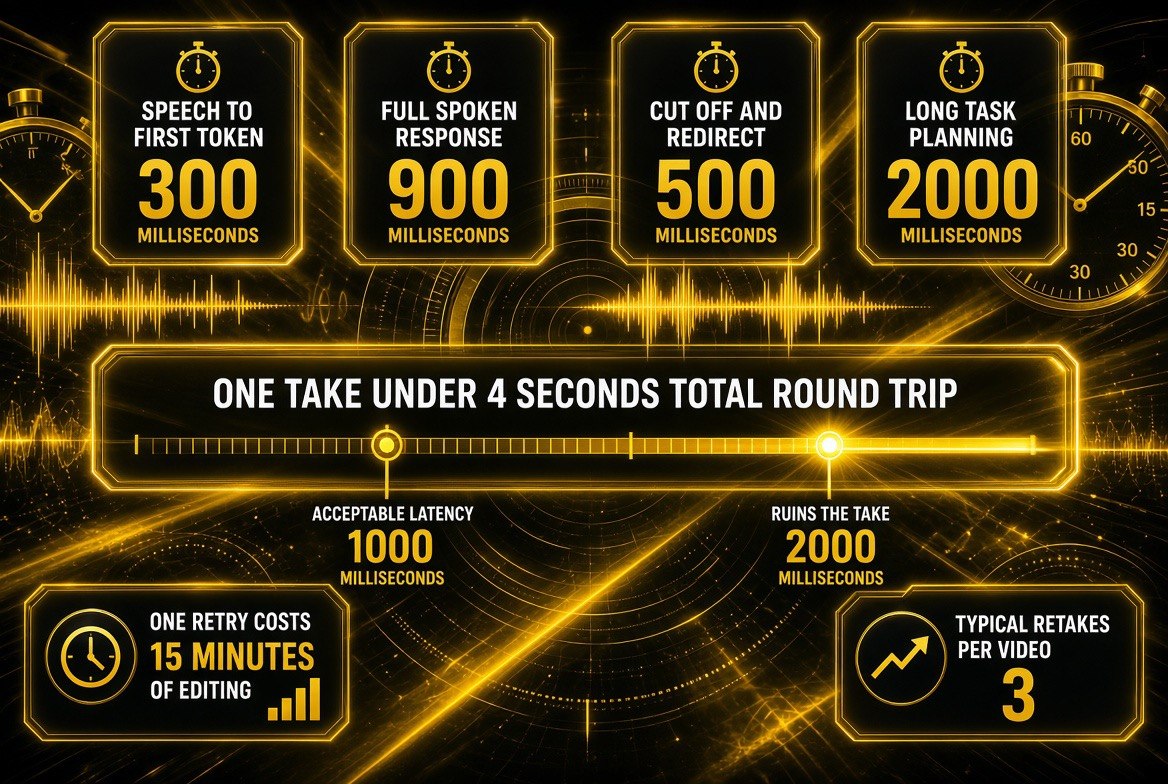
The latency budget that decides a take: sub-second response is usable on camera, and anything past two seconds forces a retake — roughly fifteen minutes of editing each time.
Creator Adoption: Where Real-Time Voice Fits in a Content Stack
It’s worth being precise about the slot this fills, because “AI video” gets used loosely and creators make bad purchasing decisions when they blur categories. There are already mature tools for nearly every other stage of production, and Gemini 3.8 Live is not competing with them. It is filling the one gap that has no substitute.
| Production Stage | Mature Tool Category | Does Gemini 3.8 Live Replace It? |
|---|---|---|
| Ideation and scripting | Text models, script-to-video studios | No — it is built for speech, not drafting |
| Voiceover | TTS voiceover tools | No — those are scripted; this is live |
| Thumbnails | AI thumbnail optimizers | No — unrelated |
| Repurposing long video to shorts | Clip-cutting and shorts pipelines | No — post-production workflow |
| Real-time conversational presence | Nothing that solved it for one person | Yes — this is the gap it fills |
Read that table as a budget instruction. If your bottleneck is scripting, thumbnails, or repurposing, this release does nothing for you and your money belongs elsewhere. If your bottleneck is that your content is a monologue because there is only one of you, this is the first serious answer to that problem — and it is worth testing this week, before your niche is full of channels that already did.
Where Creators Should Be Skeptical
Availability is tiered and, in places, gated. 3.8 Live is available to developers via the Gemini API and Google AI Studio, in private preview for enterprises in Gemini Enterprise, and to everyone in Search Live. Extended Thinking reaches developers the same way, but for enterprise it’s private preview — with Google Workspace business customers, Gemini Live, Docs, Gmail, and Keep access following the subscriber tiers. Read the rollout list before you build a workflow that assumes access you don’t have.
This is a conversation layer, not an editing suite. It will not cut your footage, clean your audio, write your hooks, or produce your thumbnails. The other tools on this site do that. Gemini 3.8 Live is the piece that makes spoken, real-time content possible for one person — and if your content isn’t spoken or live, this release changes very little for you.
Watermarking is a two-edged sword. SynthID is good for trust and bad for anyone hoping synthetic voice will pass as fully human without disclosure. Plan your audience disclosure now, before a comment section does it for you.
| Creator Goal | Old Solo Workflow | With Gemini 3.8 Live |
|---|---|---|
| Two-voice commentary | Book a co-host, align schedules, coordinate takes | Real-time voice partner available on your schedule |
| Technical tutorial | Write script, rehearse, reshoot on mistakes | Reasoning narrated live as the task is completed |
| International audience | Commission dubbing per video, wait for delivery | Speak the language into the take — 97 supported |
| Screen-based reaction | Record alone, fake the reaction in voiceover | Near-real-time visual grounding responds in the moment |
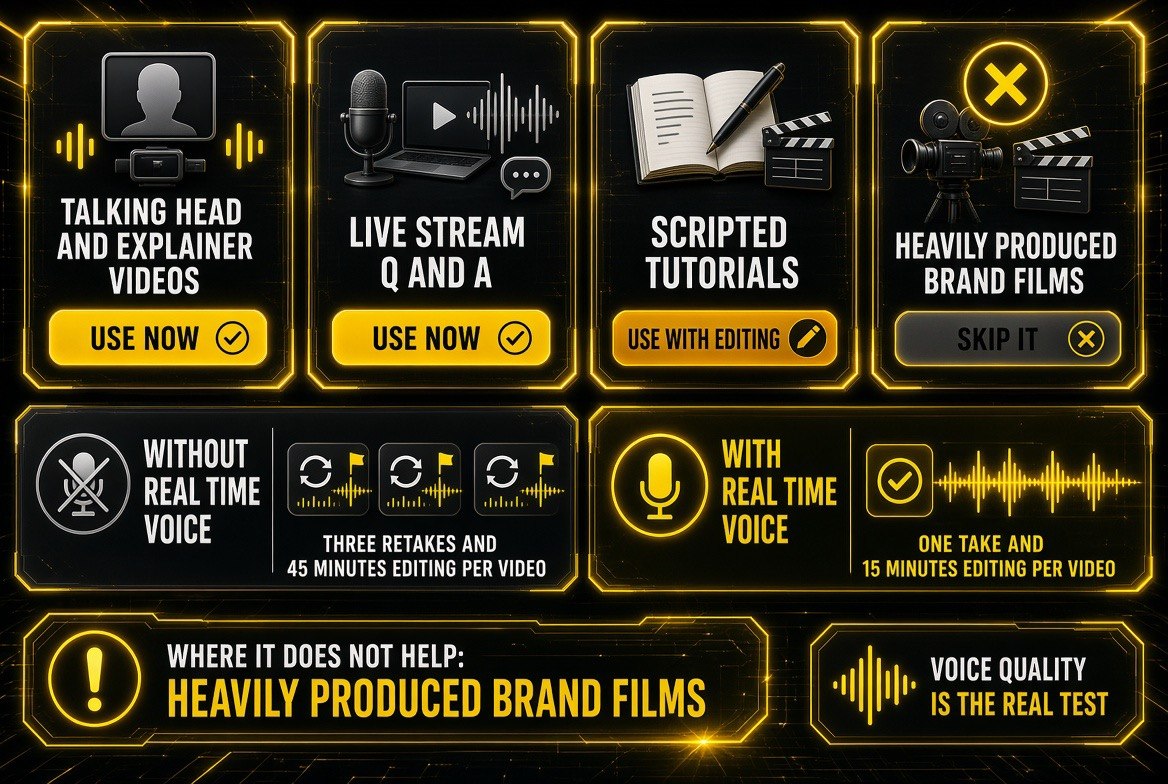
Where real-time voice pays off and where it does not: three retakes and 45 minutes of editing without it, one take and 15 minutes with it — but skip it for heavily produced brand films.
How to Get Started in the Next 30 Minutes
- Decide which model matches your format. If your bottleneck is conversational energy, start with 3.8 Live. If it’s depth on complex material, start with Extended Thinking and test the spoken-reasoning behavior.
- Open Google AI Studio and run one test segment. Do not evaluate this on a demo video — run one live segment in your actual format and listen for whether the pacing holds your attention.
- Test the interruption. The real test of any real-time voice model is what happens when you talk over it. Talk over it. If it recovers naturally, it can carry a co-host format. If it stalls, it can’t yet.
- Test one non-English language if you have an international audience. Confirm the mid-conversation transition sounds natural to a native speaker before you plan a series around it.
- Plan your disclosure. With SynthID watermarking live on all Google audio output, get ahead of the transparency question with your audience rather than reacting to it.
The pattern across the last year of AI video releases is consistent: the tools that change a solo creator’s output are the ones that remove a dependency on another person, not the ones that shave minutes off an edit. Gemini 3.8 Live removes a dependency. That’s why it’s worth your thirty minutes this week.
Frequently Asked Questions
What is Gemini 3.8 Live?
Gemini 3.8 Live is a real-time voice dialogue model Google released on September 15, 2026, built for scale and cost efficiency. It combines conversational intelligence with fluid dialogue and visual grounding, executes tools and API calls in the background mid-conversation, and auto-detects and transitions between 97 languages.
What is the difference between Gemini 3.8 Live and 3.8 Live Extended Thinking?
3.8 Live is optimized for high-volume, fluid conversation at lower cost. 3.8 Live Extended Thinking is built for high-complexity tasks with increased intelligence and multi-step reasoning — it reasons and speaks simultaneously and narrates live progress. Extended Thinking took the #1 spot on Artificial Analysis’ Speech-to-Speech Quality Index at 82.6.
Can I use Gemini 3.8 Live to make YouTube videos if I’m a solo creator?
Yes, for spoken and live formats specifically. It enables live co-host segments, unscripted technical walkthroughs, and multi-language takes without a second person. It does not edit footage, clean audio, write hooks, or generate thumbnails — it’s a conversational layer, not an editing suite.
How much does Gemini 3.8 Live cost?
Google describes both models as competitively priced against other frontier models, with 3.8 Live specifically built for scale and cost efficiency. Check the Gemini API pricing page for current per-token rates, since voice sessions are metered differently from text.
Is audio from Gemini 3.8 Live watermarked?
Yes. All audio generated by Google’s AI products is watermarked with SynthID, an imperceptible watermark woven directly into the audio output so AI-generated content remains detectable. Plan audience disclosure accordingly if you use synthetic voice on your channel.
Where can I try Gemini 3.8 Live right now?
Developers can access it in the Gemini API and Google AI Studio. Enterprise customers get private preview in Gemini Enterprise, with Gemini Enterprise for Customer Experience coming soon. Everyone can use it in Search Live, and Extended Thinking also reaches Gemini Live and Workspace subscribers based on tier.

About Barak Schurr
Barak Schurr is a serial entrepreneur who built and exited a major ticketing platform before turning his attention to AI and content. He runs three AI-focused research sites and writes about the tools, workflows, and strategies that let solo creators build real channels — without a crew, a studio, or a Hollywood budget.
Email: [email protected]
More AI Video Resources