
Your $299 Final Cut Plugins Are Now a $12.99 Apple Bundle
Your $299 Final Cut Plugins Are Now a $12.99 Apple Bundle
⚡ Expert Summary:
Apple’s November update drops MotionVFX templates, titles, transitions and rotoscoping/tracking/color tools directly inside Final Cut Pro — for subscribers paying $12.99 a month. Apple bought MotionVFX in March, and until now those were separate purchases from the developer’s own store. Apple has not published which plugins are included, and has not confirmed the one-time-purchase version of Final Cut Pro gets them. If you bought plugin packs at full price, this is the moment to audit what you own before the value resets.
The headline number is not the interesting part. The interesting part is what Apple did not say.
In November, Apple ships what it calls the biggest update to Apple Creator Studio since the bundle launched in January. Final Cut Pro for Mac gets MotionVFX templates, titles, transitions and graphics built directly into the app, alongside tools for rotoscoping, tracking and color grading. Apple says editors get access to “thousands of elements” from MotionVFX. The update is free for existing subscribers, who pay $12.99 a month or $129 a year.
Now the part that matters if you’re an editor with a plugin library: Apple acquired MotionVFX — the Polish developer best known for its Final Cut Pro plugins and templates — in March 2026. Until this update, MotionVFX products were separate purchases from the developer’s own store. That means a working editor could easily have spent several hundred dollars on packs that now sit inside a subscription they may or may not already pay for.
And Apple has not told anyone which ones. No list of included plugins. No statement on whether the one-time-purchase version of Final Cut Pro — the roughly $300 perpetual licence, still sold — receives the same content. That silence is doing a lot of work, and it’s the reason this post exists.

Six windows, six different things: MotionVFX templates now sitting inside Final Cut Pro, LUT and grade packs, an edit console, a cinema camera, and the $12.99 Creator Studio tier.
What Actually Ships in November
Strip out the marketing and the update has three genuinely useful pieces for editors, plus a set of smaller quality-of-life fixes that experienced Final Cut users have wanted for years.
MotionVFX inside Final Cut Pro for Mac.
Templates, titles, transitions and graphics sit directly in the app rather than living in a separate library you manage yourself. The same update adds rotoscoping, tracking and color grading tools drawn from MotionVFX. Motion — Apple’s motion graphics app — gets its own built-in MotionVFX plugins for cinematic color grading, 3D camera tracking and one-click selection for visual effects.
Pixelmator Pro round-trip.
Any still image on your timeline can be opened in Pixelmator Pro, edited, and the saved version replaces the original in the project automatically — no reimport, no re-linking, no export-import dance. Pixelmator Pro also gains Generate Fill, a prompt-based editing tool where you circle a region and describe the change you want. Apple says it matches lighting, perspective and texture, with Super Resolution upscaling so the generated content stays sharp at larger sizes. Motion gets the same round trip, and Freeform follows in December.
Content Hub video.
Apple’s curated stock asset library, previously photos and backgrounds, now includes video and is available inside Final Cut Pro. Useful for filling gaps and building quick mockups. But Apple has not disclosed the size of the video library or the licence terms, so client work needs the usage conditions checked before you build a deliverable on a clip.
Then the fixes that will quietly save hours. Keyframe easing gets more options for finer control over animation curves. Connected clips can now be disconnected from the primary storyline and placed anywhere on the timeline — which removes one of the longest-standing irritations for editors arriving from track-based NLEs. Transcription adds 23 new languages, extending caption creation and transcript-based search well beyond English.
| What changed | App affected | Why an editor cares |
|---|---|---|
| MotionVFX templates, titles, transitions built in | Final Cut Pro (Mac), Motion | Packs you may have paid for separately are now bundled |
| Rotoscoping, tracking, color grading tools | Final Cut Pro (Mac) | Replaces paid third-party tools for common jobs |
| Pixelmator Pro round-trip on timeline stills | Final Cut Pro, Pixelmator Pro, Motion | No reimport; edits update in the project |
| Generate Fill (prompt-based image edits) | Pixelmator Pro | Clean up stills and extend backgrounds without Photoshop |
| Content Hub gains stock video | Final Cut Pro | Filler footage in-app; licence terms undisclosed |
| 23 new transcription languages | Final Cut Pro | Captions and transcript search outside English |
| Disconnectable clips, more keyframe easing | Final Cut Pro | Track-style timeline control finally arrives |
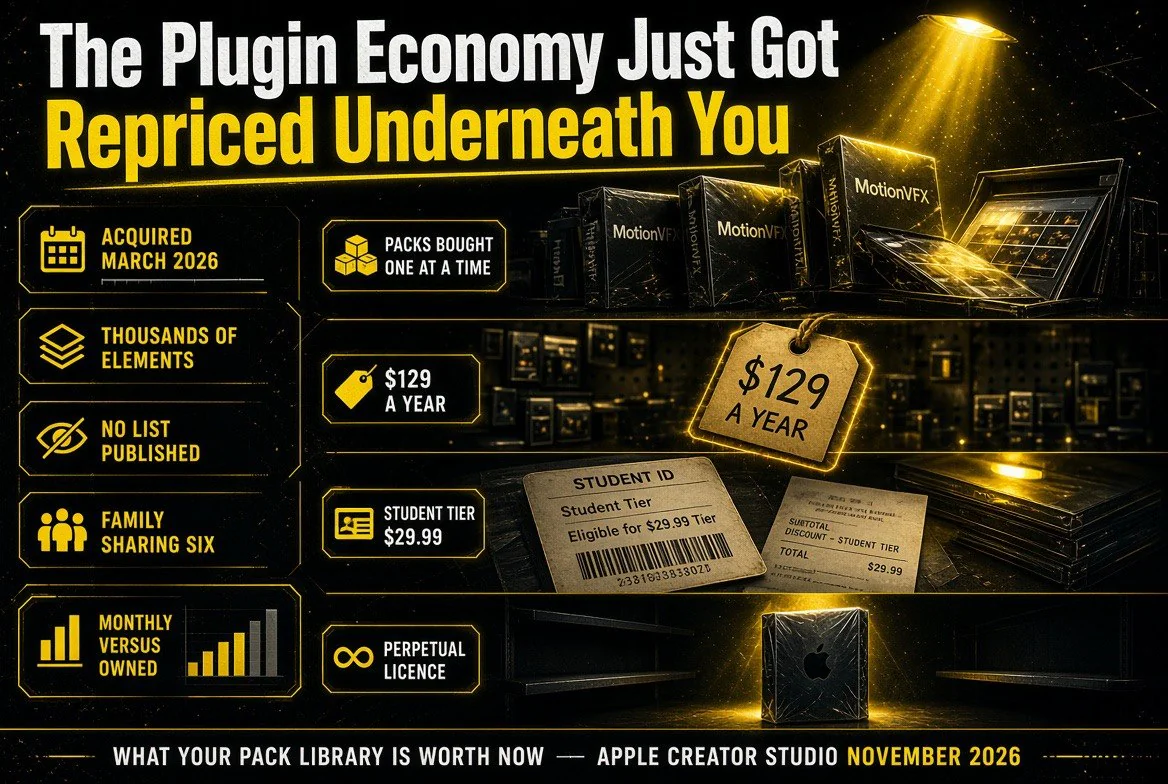
The shelf view: packs editors bought one at a time now sitting inside a $129 annual subscription, with the perpetual-licence box left unconfirmed beside them.
The Plugin Economy Just Got Repriced Underneath You
MotionVFX built its business on a simple and entirely reasonable premise: Final Cut Pro did not ship with the templates, titles and transitions that professional editors need, so someone would sell them. That market was real. Editors paid per pack, sometimes per bundle, and the packs were good enough that a working freelance editor could justify the spend against a single client job.
Apple buying the developer and folding the content into a $12.99 subscription does not make that decision wrong in hindsight. It does change what your library is worth. A plugin pack’s value comes from scarcity — the fact that not everyone has it. Once it’s included in the default app every subscriber opens, the pack stops being a competitive edge and becomes furniture.
This is not unique to Apple, and it is not new. It is the standard mechanism by which platform owners absorb the most popular layer of the ecosystem above them. The pattern is consistent enough that anyone building a toolchain on one platform should price the risk in: if your workflow depends on third-party add-ons, the platform owner may eventually buy them, bundle them, or build them, and your purchase becomes a subscription line item you no longer control.
What is genuinely different here is the opacity. When a platform bundles in a clearly identified acquisition, customers can at least audit the delta. Apple has said editors get “thousands of elements.” It has not said which products those elements came from. If you own MotionVFX packs right now, you cannot determine from Apple’s announcement whether the specific pack you paid for is inside the subscription or excluded from it.
There is one more wrinkle, and it’s the one perpetual-licence buyers should care about most. Apple sells Final Cut Pro as a standalone Mac app for a one-time purchase of roughly $350 (or around €350 in Germany). The press release does not say whether that version receives the MotionVFX content. Reporting from MacRumors suggests the one-time-purchase versions will get the new features in November, but Apple has not specified which features, and a subscription bundle is precisely the kind of thing a perpetual licence tends to be excluded from.
| Access route | Annual cost | Confirmed to get MotionVFX content? |
|---|---|---|
| Creator Studio monthly | $12.99/month | Yes — the bundle is the target |
| Creator Studio annual | $129/year | Yes |
| Student / educator | $2.99/month or $29.99/year | Yes |
| Family Sharing (up to six) | Included with one subscription | Yes |
| Standalone Final Cut Pro purchase | ~$350 one-time | Not confirmed by Apple |
| Existing MotionVFX store purchases | Already paid, per pack | Unknown overlap; no mapping published |

Five steps, twenty minutes: inventory what you own, check your tier, run the $129-a-year against the licence maths, and test the round trip on a copy before a client job.
What to Do Before November
This is the practical sequence, and it takes about twenty minutes.
Inventory what you actually own.
Open your MotionVFX account history and list every pack, bundle and template set you paid for, with the amount. You need the number before Apple’s update lands, because after it lands you will not be able to reconstruct what was a separate purchase and what came bundled.
Check whether you’re already a subscriber.
Plenty of editors bought a standalone Final Cut licence years ago and never returned to the App Store. If you’re not on Creator Studio, the MotionVFX content may not reach you — and if you are, you may be double-paying for plugins you already purchased outright.
Do the maths on the subscription.
$129 a year against a $350 perpetual licence is a three-year breakeven, before you count Motion and Compressor and Logic Pro and Pixelmator Pro, which the bundle also includes. If you use three or more of those apps, the subscription has probably already won. If you use Final Cut alone and bought it outright, the calculus is different and the plugin content is the deciding factor — which is exactly the factor Apple has not clarified.
Wait for the App Store listing, not the press release.
When the update ships in November, the App Store description and the in-app content browser will list what is actually included. That is the only authoritative source. Do not renew or upgrade on the strength of a marketing page.
Test the round-trip before you rely on it.
The Pixelmator Pro round-trip is the feature most likely to enter your real workflow this month. Try it on a live project with a copy of the still, not on a client deliverable, and confirm the saved version lands where you expect before you build a title card around the assumption.
The Bigger Read: Apple Is Buying Its Way Into the Plugin Layer
Step back and the strategy is legible. Apple did not build MotionVFX’s library, it bought it. It did not build Pixelmator, it bought it. It is assembling a creative subscription by acquiring the tools that editors were already paying for elsewhere, then folding them into a recurring price that undercuts buying them individually.
For a creator, that is mostly good news in the short term and a real question in the medium term. The good news is obvious: better tools, less money, tighter integration, and the round-trip features that only a platform owner can build. The question is what happens to the price once the alternatives have been absorbed. A $12.99 subscription is a remarkable deal today. It is also a number Apple controls, with no perpetual fallback once the standalone apps stop being updated.
And the AI additions in this same release point the same direction. Logic Pro gets an intelligent assistant in beta built on a combination of Apple’s models and OpenAI. The iWork apps get assistants that read the open document’s context, plus Model Context Protocol support letting external agents read content, make edits and run automated actions in Keynote, Pages and Numbers. Both assistants launch in US English only, and both require macOS 27 Golden Gate and an Apple Intelligence-capable Mac.
That last set of requirements is the tell. Apple is pairing the software you subscribe to with the hardware and OS that unlocks it. The plugin library was the first layer to be absorbed. The AI assistant is the next one, and it ships with an upgrade path attached.
So price your stack accordingly this month. Count what you own, count what you pay, and decide which side of the line you want to be on before Apple’s November update makes the decision for you by making your purchased plugins redundant.
Frequently Asked Questions
Does the November Final Cut Pro update cost extra?
No. It is a free update for existing Apple Creator Studio subscribers when it arrives on the App Store in November. New subscribers pay $12.99 a month or $129 a year, with a one-month free trial and three months free for buyers of a new Mac or qualifying iPad.
Will I get the MotionVFX content if I bought Final Cut Pro outright?
Apple has not confirmed this. The press release does not state whether the one-time-purchase version of Final Cut Pro receives the MotionVFX content, and reporting suggests the standalone versions will get new features in November without specifying which. Check the App Store listing when the update ships.
Which MotionVFX plugins are included?
Apple has not published a list. It says editors get access to “thousands of elements” including themed templates, graphics, titles and transitions, plus rotoscoping, tracking and color grading tools. It does not name which individual products are included.
Can I use Content Hub stock video in client work?
Apple has not disclosed the licence terms or the size of the video library in the press release. Check the usage conditions before building any client deliverable on a Content Hub clip.
What is Generate Fill in Pixelmator Pro?
A prompt-based editing tool. You circle an area of an image and describe the change you want, or use the existing selection tools, and Apple says it matches the lighting, perspective and texture of the surrounding image. Super Resolution upscales the result so it stays sharp at larger sizes, and it can be merged into an existing layer or placed on a new one with a mask.
What are the system requirements?
The Creator Studio version of Final Cut Pro for Mac requires macOS 26.6 or later on Intel or Apple silicon Macs, though some features require Apple silicon. Final Cut Pro for iPad requires iPadOS 26.6 or later and an A16, A17 Pro or M1 chip or newer. Logic Pro for Mac requires macOS 26.1 and Apple silicon. Motion and Compressor require macOS 15.6 or later.

About Barak Schurr
Barak Schurr built and exited a major ticketing platform, ran global operations at Eventbrite, and now tests AI video and creative tools against real production deadlines. He writes about what actually ships, what it costs, and which subscriptions earn their place in a working edit bay.
Email:
[email protected]
More Resources for Creators