Runway Dev API Is Now the Cheapest Way to Generate AI Video at Scale
Get The Faceless YouTube Blueprint — Free
The exact AI tool stack and workflow used to build a faceless YouTube channel from zero.
Runway Dev API Is Now the Cheapest Way to Generate AI Video at Scale
⚡ Expert Summary: Runway’s developer platform — the Runway Dev API — is the fastest-growing way US creators and developers are generating AI video programmatically in 2026. Instead of renting a subscription and clicking render buttons, you pay per generation: credits cost $0.01 each, and you route each shot to whatever model fits the job — Gen-4.5 at 12 credits per second, Seedance 2.5, Grok Imagine Video 1.5, or Google Veo 3.1 — all through one REST endpoint. For a solo creator or a small agency, this changes the math: you stop paying for idle capacity and start paying only for finished video. This guide breaks down what the API actually costs, which models you get, and how to run your first image-to-video generation in minutes.
Why the Runway API Changes the Game for Video Creators
Here is the problem most US content creators hit in 2026: AI video tools are powerful, but they are sold as monthly subscriptions with limits. You pay $30, $50, or more a month whether you render ten clips or a thousand. The moment you start producing video at volume — faceless YouTube channels, product ads, client deliverables — the subscription model stops making sense. You are paying for a ceiling you either hit or waste.
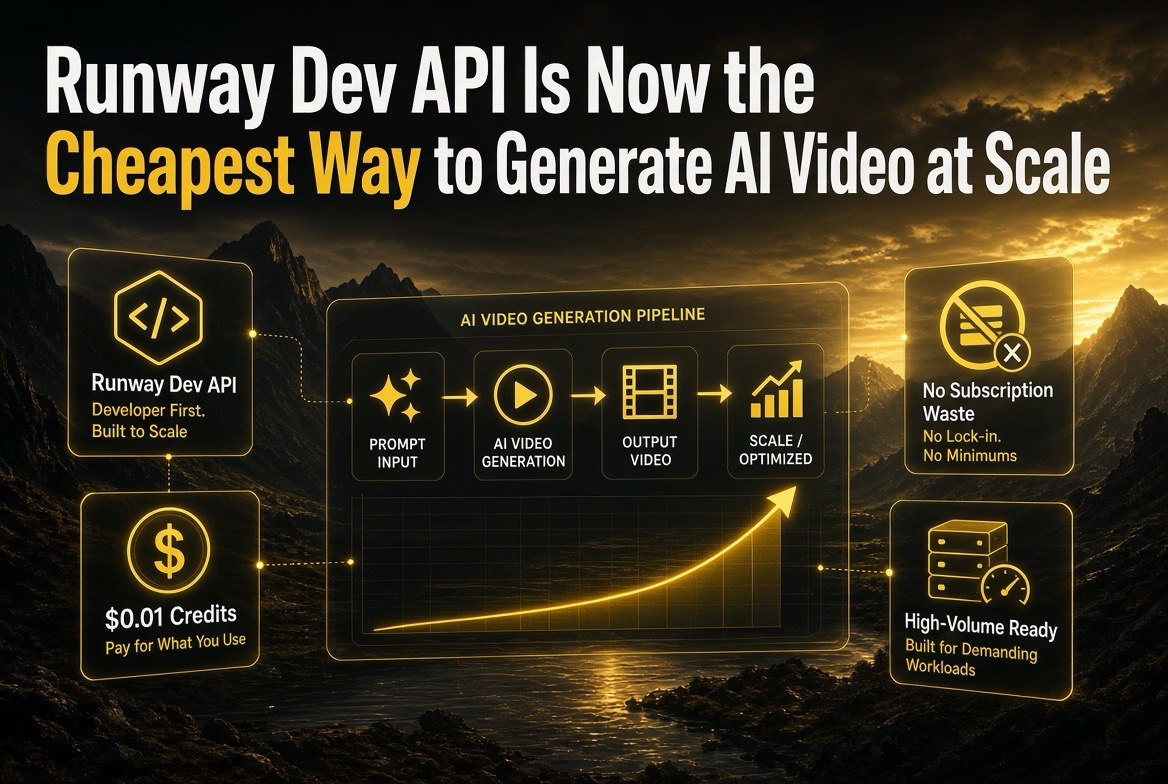
The Runway Dev API changes that. It is a simple, credit-based, pay-as-you-go developer platform. You buy credits ($0.01 each), and every generation deducts credits based on the model, resolution, and duration you choose. No plan limits, no idle cost. If you render nothing in a week, you pay nothing. If you suddenly need a hundred ads, you scale up overnight and pay only for what you generate.
Runway reports the API has been used for millions of generations by companies of every size — from solo creators to enterprise teams. And critically for US creators, the API puts every major frontier model in one place, so you are never locked into a single vendor’s output style.
The Real Cost Breakdown: What the Runway API Actually Prices
Let me lay out the pricing in a way you can actually compare, because the per-second credit rates are where the savings appear once you know how to read them.
| Model | Credits / Second | Best For |
|---|---|---|
| Gen-4.5 | 12 | Cinematic, high-detail shots that need the strongest model |
| Gen-4 Turbo | 5 | Fast, lower-cost renders for b-roll and test shots |
| Seedance 2.5 (720p) | 30 (+15/ref sec) | Heavy character and motion work from ByteDance |
| Grok Imagine Video 1.5 | 10–29 | High-quality image-to-video by resolution |
| Google Veo 3.1 | 10–40 | Photorealistic scenes, audio-inclusive output |
To make that concrete: a 5-second Gen-4.5 clip runs 60 credits, or exactly 60 cents. The same clip on Gen-4 Turbo runs 25 credits, or a quarter. At $0.01 per credit, a two-minute finished video at Gen-4.5 quality costs you around $14 in raw generation — before factoring in retries. That is the number that matters: when API pricing drops generation to pennies per second, the economics of faceless channels and ad production change completely.
Every Major Model in One API
The biggest practical advantage of the Runway Dev API is that it is not just Runway’s own models. The same key and the same REST endpoints let you call third-party frontier models — Grok Imagine Video, Seedance, Hailuo, and Google Veo — alongside Runway’s Gen-4.5 and Gen-4 Turbo. That means you can build a routing strategy where a test shot goes to the cheap model and the hero shot goes to the expensive one, all from one integration.
Runway also exposes a Model Router, a saved configuration that automatically picks the best model for each request based on cost, latency, or quality — which is genuinely useful if you are generating at scale and do not want to hand-tune every call. You configure the router once, and it keeps your average cost down without you micromanaging each render.
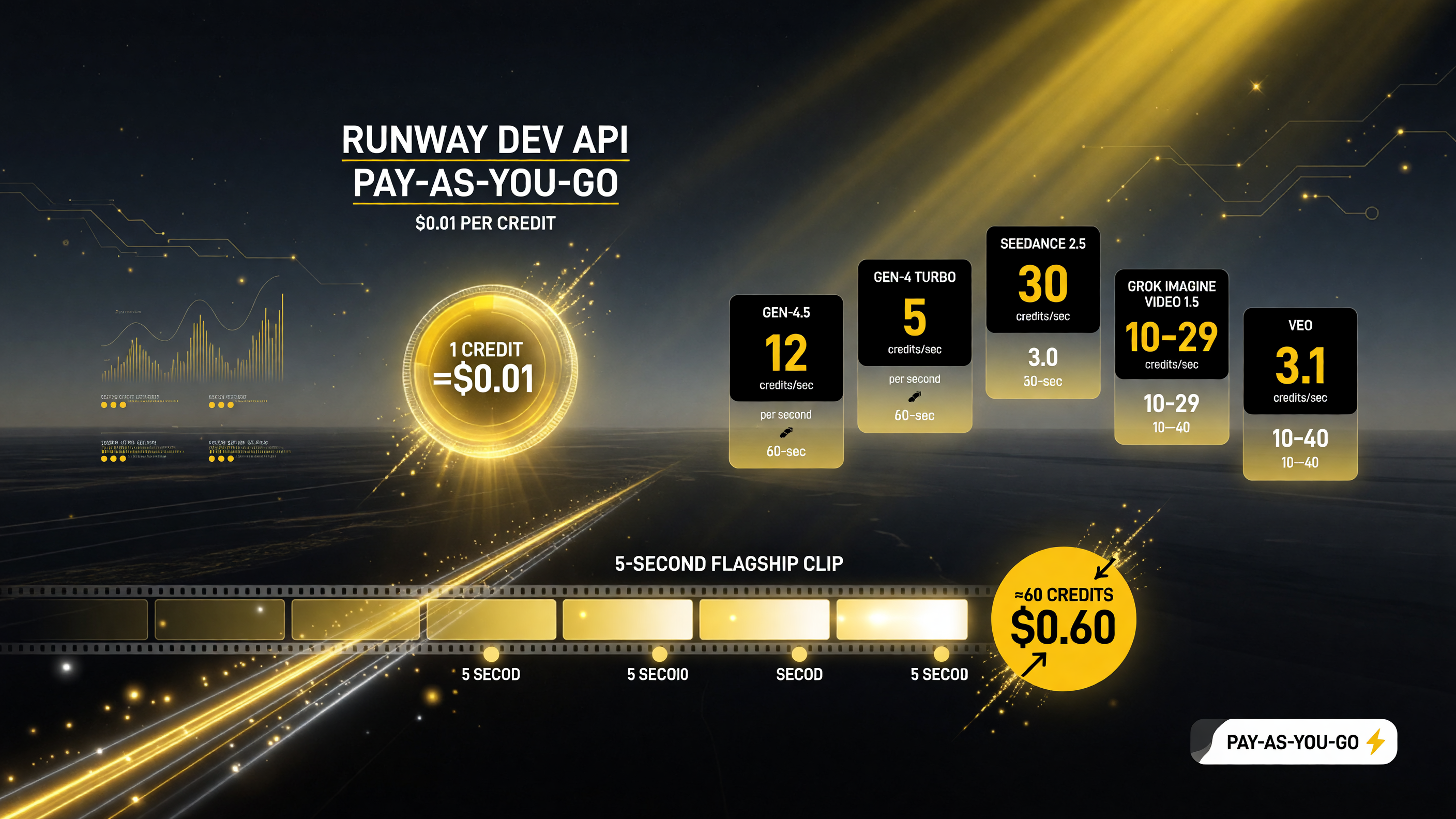
Credit pricing is the whole story of the Runway Dev API. A 5-second Gen-4.5 clip runs about 60 cents, so you pay only for finished video instead of a fixed subscription.
The Practical Workflow: From Image to Video in Minutes
For most creators, the fastest on-ramp is image-to-video. You generate or source a strong still — a product shot, a character frame, a landscape — then pass it to the API to bring it to life. Here is the order of operations you will actually use.
First, you sign up for an API key at dev.runwayml.com. There is a self-serve tier with rate limits you can start on immediately, and enterprise options if you need higher limits and dedicated support. Second, you add credits to your account — they are purchased in the developer portal at $0.01 each. Third, you fire your first request against the image-to-video endpoint, passing the prompt text, a reference image, a ratio, a duration, and a resolution. Fourth, you poll for the result, download the rendered clip, and stitch it into your edit.
There is an official Node.js/TypeScript SDK called @runwayml/sdk that makes the whole thing a few lines of code, and the API reference includes a quickstart and a go-live checklist. If you can write a basic script, you can integrate AI video generation into your pipeline today — no need to become a machine-learning engineer.
Use Cases That Immediately Pay for the API
The creators getting the most out of programmatic video generation in 2026 are the ones who turned a subscription cost into a per-render cost and then scaled. Let me give you three real patterns.
Faceless YouTube channels are the obvious one. If you publish daily, you are rendering clips constantly — with the API you build one pipeline, generate your b-roll and scene transitions automatically, and pay only for the seconds you actually keep. Product ad testing is second: instead of committing to a full commercial, you render five short ad variations for a few dollars each, put them in front of your audience, and double down only on the winner. Client work is third — a small agency can render drafts and revisions on demand and bill the exact generation cost, so no more eating render-time in a subscription.
Watch Out for These Three Costs Before You Scale
The API is cheaper at volume, but it is not free, and a few details will catch you if you are not careful.
First, minimum charges apply to some models and generations. A short clip might still hit a minimum credit floor, so rendering a hundred two-second test clips is not always cheaper than a few longer ones. Second, resolution drives cost fast — 4K output on the higher models burns far more credits than 720p, and for most social cuts 720p or 1080p is indistinguishable to the viewer. Third, references add cost. The input and reference video or image on some models (like Seedance 2.5, which bills input seconds separately) can quietly double your bill if you are feeding long reference files. Keep your references short and your resolution honest, and the economics stay in your favor.
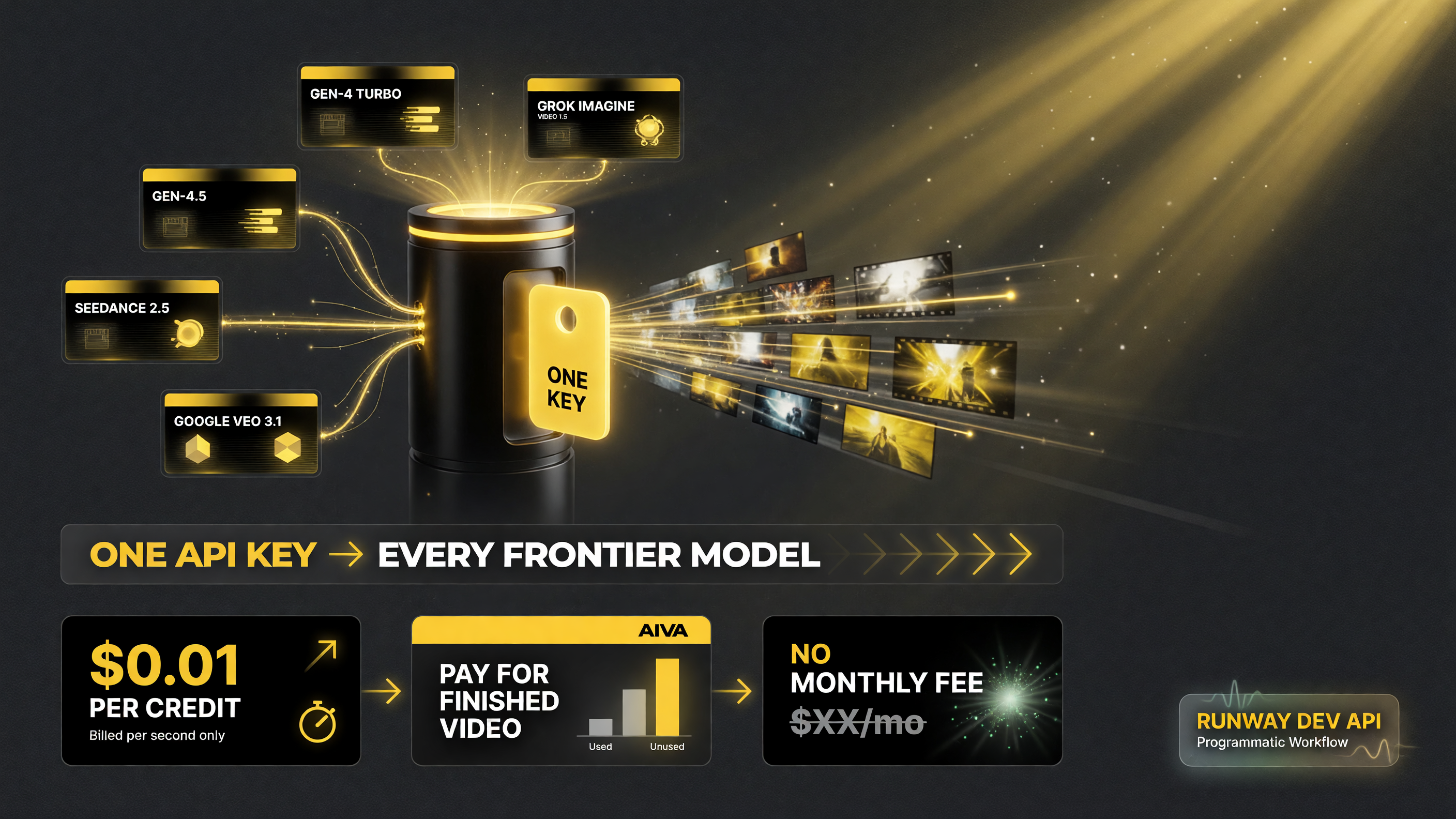
A single API key unlocks every frontier model. You route each shot to the cheapest model that fits the job and keep your average cost down automatically.
Runway Dev vs. the Consumer Subscription: Which Should You Use?
The smart move for most US creators is not one or the other — it is both, used for different jobs. The consumer subscription makes sense when you are exploring, learning the models, and rendering occasionally at a predictable monthly rate. The API makes sense the moment your volume becomes uneven, your needs are batch-shaped, or you are building any kind of automated workflow. As a rule of thumb: if you render more than a few dozen clips a month or you want to automate, the API is cheaper and more flexible. If you are a casual user making the occasional social clip, the subscription is simpler.
There is no reason to lock yourself in. Start on the consumer plan to learn the tools, then shift your high-volume work to the API once you know which models and settings deliver the look you want. The overlap is the point — you use each where it earns its money.
First Steps: Your Go-Live Checklist
If you are ready to start, here is the shortest path from zero to your first generated clip.
Sign up for a dev.runwayml.com account and generate an API key. Buy a small batch of credits to test with — a $10 batch is 1,000 credits, enough for dozens of short test clips. Read the quickstart and go-live checklist in the official docs. Run one image-to-video request with a reference image you already own. Compare the output across a cheap model (Gen-4 Turbo) and the flagship (Gen-4.5) so you can see the quality-vs-cost tradeoff with your own footage. Then build your pipeline and scale from there.
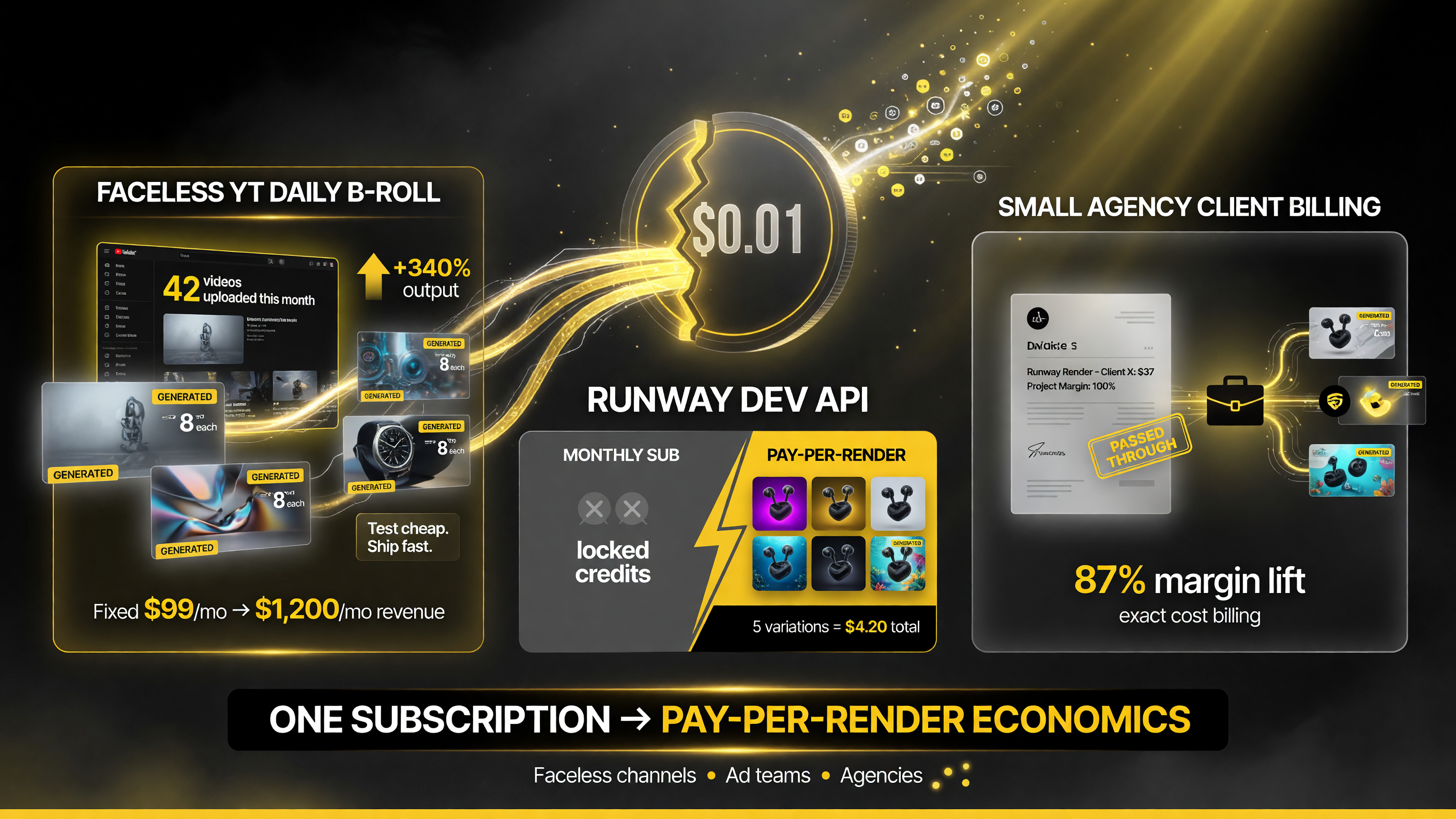
For volume creators, the API turns a fixed monthly subscription into pay-per-render economics. Test cheaply, scale fast, and only pay for the seconds you actually keep.
Frequently Asked Questions
Is the Runway Dev API cheaper than a Runway subscription? For volume, usually yes. Credits cost $0.01 each and you pay only for what you render, so a busy creator or agency typically spends less than a capped subscription at the same output volume.
What AI video models are available through the Runway API? Runway’s own Gen-4.5 and Gen-4 Turbo, plus third-party frontier models including Seedance, Grok Imagine Video, Hailuo, and Google Veo — all through one API key.
Do I need to be a developer to use the Runway API? Some scripting helps, but the official SDK and quickstart make it approachable for creators who can write basic code. You do not need a machine-learning background.
How much does a single AI video cost with the Runway API? It depends on the model, resolution, and duration. For example, a 5-second Gen-4.5 clip is about 60 credits, or roughly 60 cents.
Does the Runway API support image-to-video generation? Yes — image-to-video is one of the core endpoints, alongside text-to-video, video-to-video, upscaling, and audio integration.
Bottom Line
The Runway Dev API is the most practical way for US creators and small agencies to generate AI video at scale without burning a subscription. The credit-based pricing — $0.01 per credit, pay-as-you-go — and the single API that routes across Gen-4.5, Seedance, Grok Imagine Video, and Veo make it the flexible, cost-controlled foundation for any serious 2026 video workflow.

About Barak Schurr
Barak Schurr is a serial entrepreneur who built and exited a major ticketing platform before turning his attention to AI and content. He runs three AI-focused research sites and writes about the tools, workflows, and strategies that let solo creators build real channels — without a crew, a studio, or a Hollywood budget. Contact: [email protected]
More AI Video Resources