Runway API Adds Hailuo 3.0: How to Generate AI Video
Get The Faceless YouTube Blueprint — Free
The exact AI tool stack and workflow used to build a faceless YouTube channel from zero.
Runway API Adds Hailuo 3.0: How to Generate AI Video
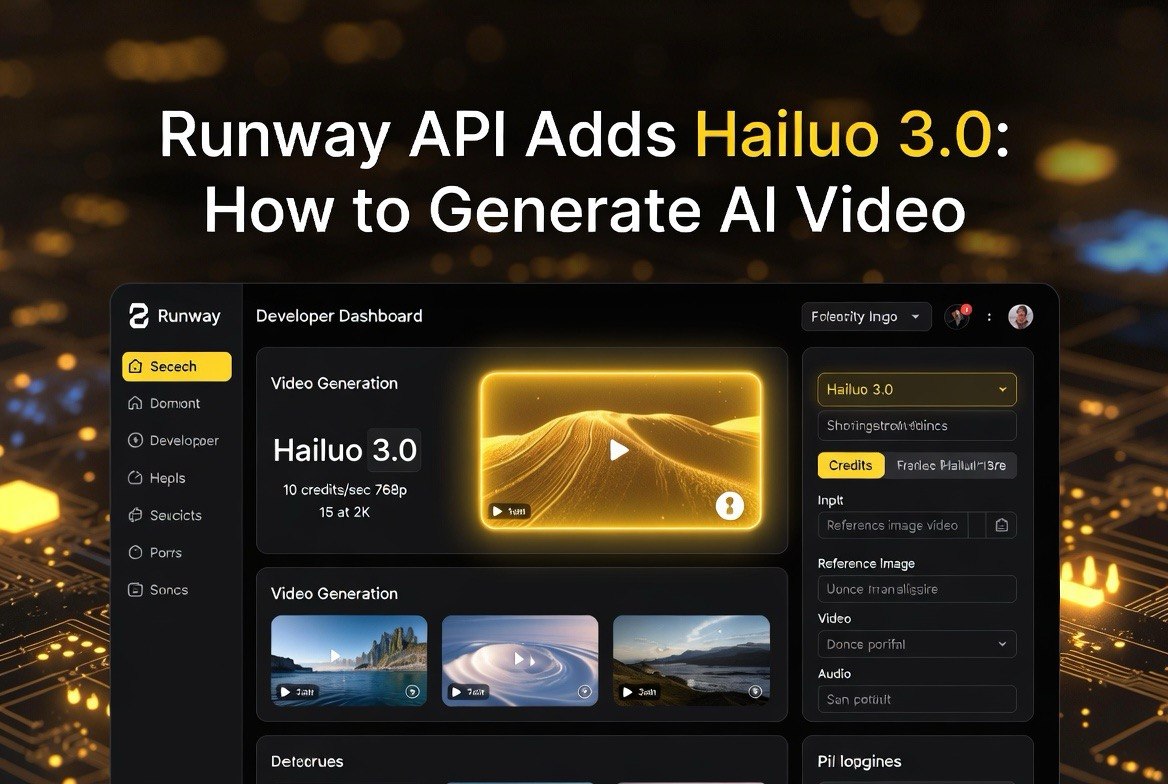
⚡ Expert Summary: Runway added MiniMax Hailuo 3.0 (hailuo3) to its API on August 5, 2026, giving developers text-to-video, image-to-video, and video-to-video generation with keyframe control, reference images, reference video, and reference audio in one endpoint. Output runs 5 to 15 seconds at 768p or 2K, priced at 10 Runway credits per second at 768p and 15 credits per second at 2K. The move turns Runway into a true model hub — one API key to route jobs across Runway’s own Gen models and third-party models like Hailuo 3.0. For agencies and businesses already paying Runway’s API fees, it removes the need to juggle a second MiniMax account for Hailuo’s strengths in realism and camera work.
You are already paying for a Runway API key. As of August 5, 2026, that single key now unlocks MiniMax Hailuo 3.0 — one of the strongest third-party video models on the market — without a separate MiniMax account, a second API integration, or a second billing setup. Runway announced support for hailuo3 across its text-to-video, image-to-video, and video-to-video endpoints, joining Runway’s own Gen series models under one roof. This is the kind of quiet API update that saves a U.S. video agency real money and real engineering hours, and it changes how you should think about your video tool stack in the second half of 2026.
This guide walks through exactly what Hailuo 3.0 does, what it costs inside Runway’s credit system, and how to build a simple workflow that uses it today. If you run a content agency, an ecommerce brand making product videos, or a marketing team producing short-form U.S. ad creative, this is the practical breakdown you need before you add another line to your AI stack.
Why This Runway API Update Matters More Than a New Model Name
The headline is “Hailuo 3.0 is on Runway.” The real story is what that says about Runway’s strategy. For most of 2026, Runway has been building a model hub inside its API. Adding Hailuo 3.0 is not a one-off. It follows the same pattern as Runway adding Seedance 2.0 Fast and Aleph 2.0, and it tells you the platform is betting that developers want choice behind a single sign-on and a single credit ledger.
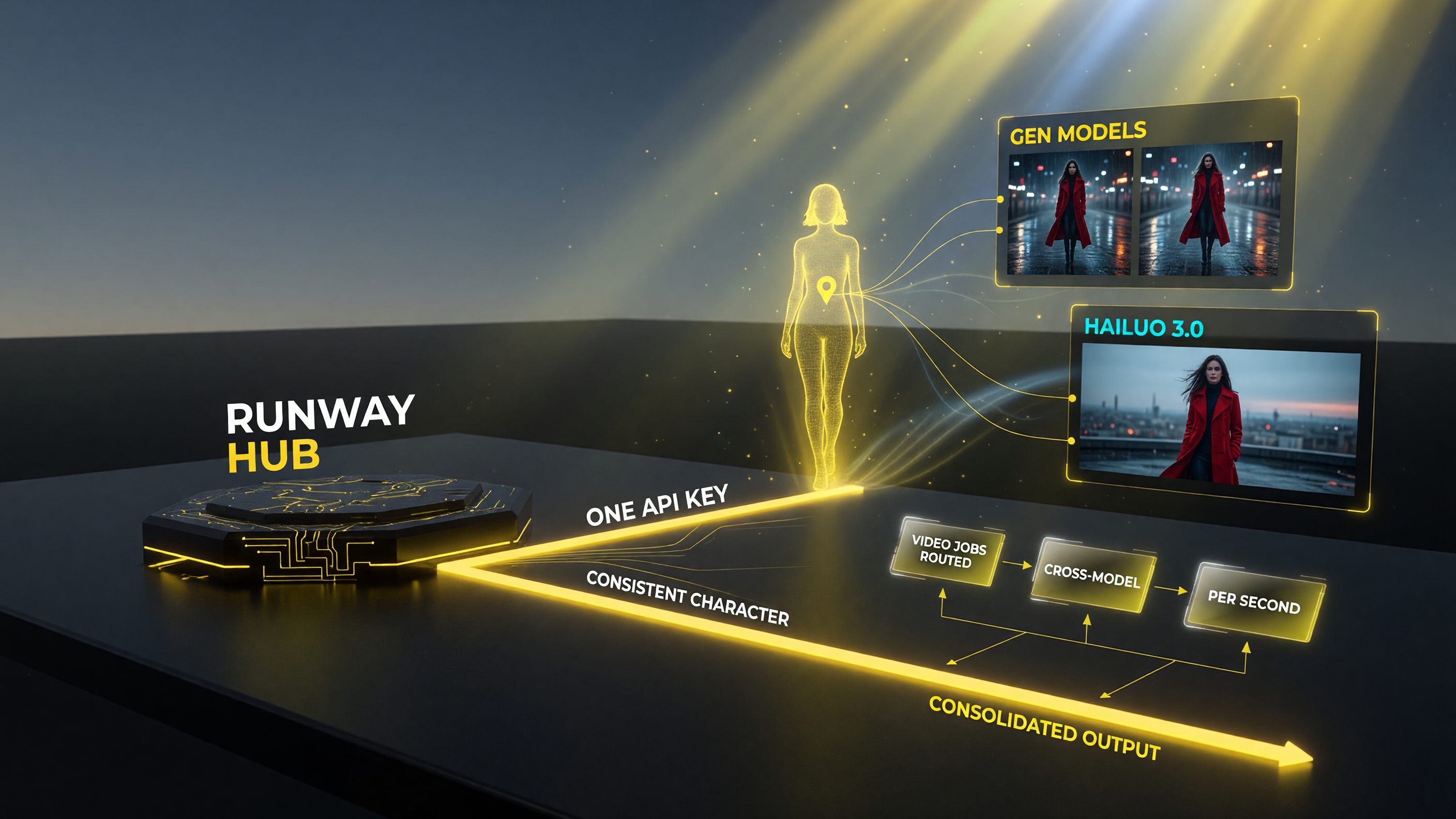
A single Runway API key routes generation across its own Gen models and third-party models like Hailuo 3.0, so a team can consolidate redundant subscriptions and pay per second of output instead of maintaining separate seats.
For a U.S. agency or an in-house creative team, that consolidation matters. Instead of maintaining separate API keys, separate rate limits, separate documentation pages, and separate invoices for every AI video model you use, you point every generation job at one Runway endpoint and let the platform route it. The practical win is simpler: you stop paying for idle subscriptions in tools you only use once a quarter, and you start paying per second of actual output you generate.
Hailuo 3.0 specifically is worth the attention because of where it is strong. MiniMax, the Chinese lab behind the Hailuo line, markets 3.0 as a natively multimodal model that handles text, image, video, and audio as first-class inputs. In practical terms, that shows up as better physics, more controlled camera movement, and the ability to carry a consistent subject across generations using reference images and reference video. Those are the exact pain points that plague most AI video output — jittery motion, unstoppable camera drift, and characters that change identity from shot to shot.
What Hailuo 3.0 Actually Does on the Runway API
Hailuo 3.0 is not a single trick. Through the Runway API, it supports generation from three input types:
- Text-to-video: type a prompt, get a video clip back with MiniMax’s physics and motion handling.
- Image-to-video: feed it a still image — a product shot, a location, an actor’s face — and animate that image into a moving scene.
- Video-to-video: pass in an existing clip and get a re-render, useful for style transfers and consistency passes.
The model also accepts reference inputs that steer generation. Keyframe control lets you lock specific frames so the model respects your composition between them. Reference images pin down a character or object’s identity so it stays consistent across shots. Reference video carries motion and style from an existing clip into a new generation. Reference audio is where Hailuo 3.0 stands out from many rivals — it can respect the rhythm and timing of an audio track, which matters when you are cutting to a voiceover or a licensed music bed for a U.S. ad campaign.
Output length runs from 5 to 15 seconds per generation, at either 768p or 2K resolution. For most short-form work — the 15-to-30-second vertical ads that dominate U.S. social — a couple of 10-to-15-second Hailuo clips stitched together cover a full asset. You rarely need one giant generation; you need several consistent ones, and that is exactly what reference inputs are built for.
Hailuo 3.0 Pricing on Runway: What It Really Costs
Here is the number that matters most to operators: cost. Runway prices Hailuo 3.0 in its own credit system, and the rates are clean:
| Input & Settings | Runway Credits |
|---|---|
| Video output, 768p | 10 credits per second |
| Video output, 2K | 15 credits per second |
| Reference image | 2 credits each |
| Reference video | Billed at output per-second rate (capped at 15 sec) |
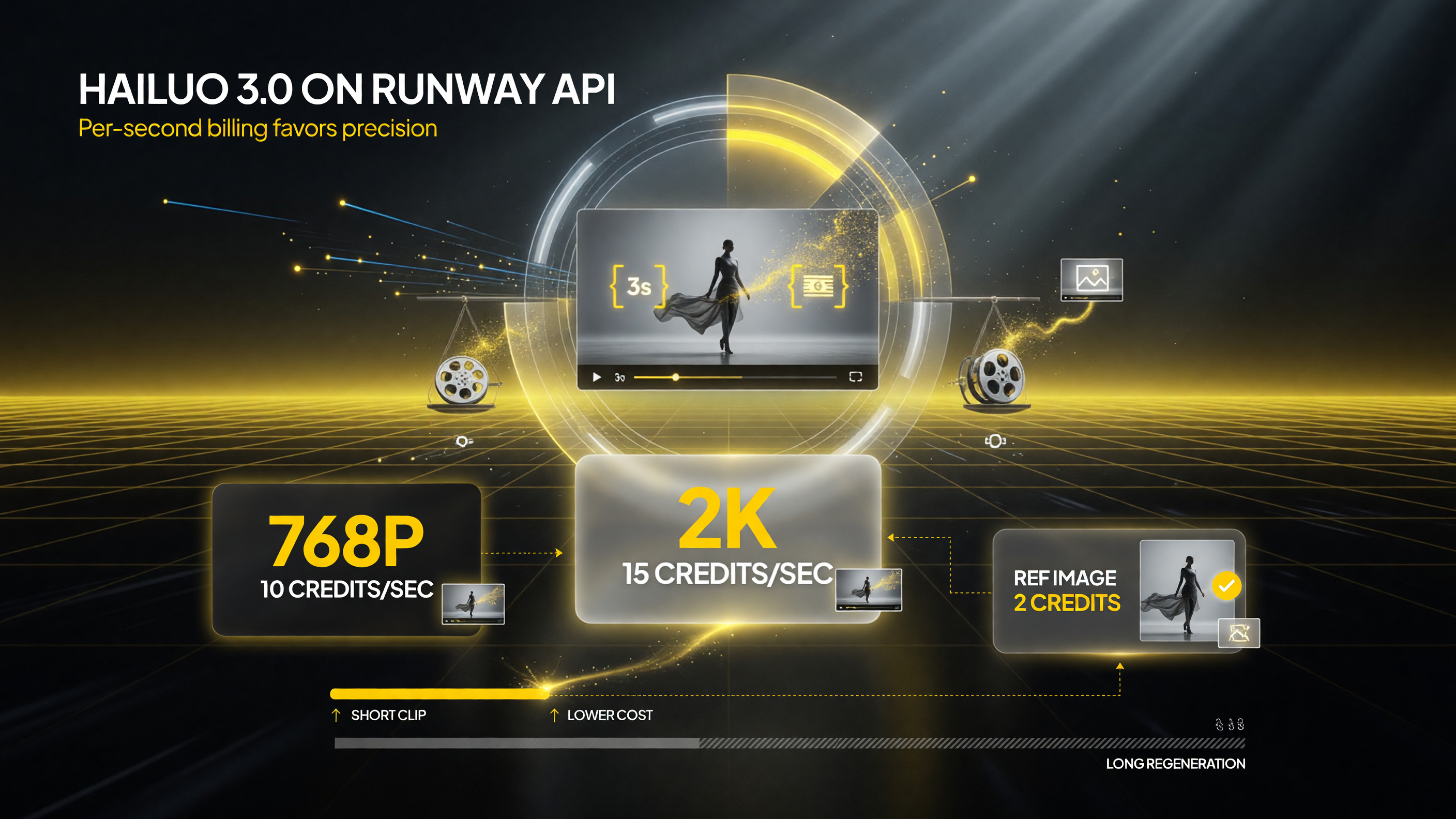
Hailuo 3.0 per-second cost on the Runway API: 10 credits at 768p, 15 credits at 2K, and 2 credits per reference image. Per-second billing rewards short clips and reference-image consistency over long regenerations.
Let’s put those numbers in a realistic workflow. A 10-second clip at 768p costs 100 Runway credits. At 2K, the same 10-second clip runs 150 credits. If you are generating a batch of twenty 10-second product clips at 768p for a weekly U.S. ecommerce drop, that is roughly 2,000 credits a week before you factor in a reference image per clip. Reference images are cheap at 2 credits each, so the cost driver is video length and resolution, not your consistency anchors.
The pricing structure rewards a specific behavior: lock your character or product with a reference image, keep resolution at 768p unless the delivery spec demands 2K, and resist the urge to generate 15-second clips when an 8-second clip plus an edit gets the same result. That discipline is the difference between a tool that pays for itself and one that quietly burns a credit balance on a slow Tuesday.
Per-second billing on Runway means short clips and reference-image consistency cost far less than long, sloppy regenerations — 10 credits/sec at 768p, 15 at 2K, 2 per reference image.
How the Hailuo 3.0 API Compares to Runway’s Own Gen Models
You now have a real choice inside a single Runway account: Hailuo 3.0 or Runway’s own Gen series. That is a new situation for developers, so it is worth being clear about when to reach for which one. Hailuo 3.0 tends to shine on realistic motion, camera control, and audio-aware generation. Runway’s Gen models remain strong choices for stylized looks, interface-native workflows, and output that leans on Runway’s broader editing suite.
For a U.S. brand shooting clean product visuals with natural physics — a jacket swinging in wind, a drink pouring, a car moving through a scene — Hailuo 3.0 is frequently the faster path to a believable clip. For heavily stylized, art-directed work where you want a distinctive cinematic look, Runway’s own models may still give you more control inside the platform. The efficient move is not to pick a favorite but to route the job: use reference inputs to keep one subject consistent while you let each model handle the shot it does best.
Because everything runs under one Runway API key, you can build a routing layer without migrating anything. Your existing Runway integration already speaks the same API contract; you are just choosing a model parameter on each request.
How to Build a Hailuo 3.0 Workflow on the Runway API Today
Getting started is a short list, not a project. Here is the sequence that works on the Runway API once Hailuo 3.0 is visible in your model list:
- Confirm jailuo3 is listed under your account’s available models in the Runway API dashboard. Runway’s changelog notes availability from August 5, 2026.
- Prepare a reference image first. For a product or character, upload a clean still of the subject. One good reference image up front costs 2 credits and saves multiple regenerations later.
- Set your generation parameters. Choose your input type (text, image, or video), resolution (768p or 2K), and duration (5 to 15 seconds). Add reference video or audio if your shot needs motion continuity or audio timing.
- Run a small test batch before scaling. Generate one or two clips, check physics and camera behavior, then adjust your prompt or reference input. Never spend a full weekly credit budget on an untested prompt.
- Build a repeatable prompt template. Your best prompts are reusable. Save the prompt, the reference image, and the settings that worked so your next asset is a copy-paste away.
If you are already running Runway’s API for other models, step one is the only real change. The integration, billing, and error handling all behave the same way. That is the quiet advantage of a model hub: your existing code does not need a rewrite to reach a new model.
What This Means for Your Video Tool Stack in August 2026
The broader lesson is about consolidation. For most of 2025 and early 2026, a serious AI video workflow meant juggling several subscriptions, each with its own strengths and its own monthly bill. Runway adding Hailuo 3.0 is another step toward a world where one platform covers the range and you pay only for the output you use.
If your current stack carries a MiniMax or Hailuo subscription you barely touch, this update is a reason to look at the overlap. You may be able to close that account, keep Hailuo 3.0 for the shots it is good at, and run it through the Runway key you already budget for. The same logic applies to any third-party model that Runway onboards — every one you can reach through your existing key is a subscription you can question.
That is not an argument to abandon specialized tools overnight. It is an argument to audit your stack with fresh eyes: list every video subscription you pay for in a month, mark which models and resolution tiers you actually use, and see how many of those calls your Runway key can now cover. 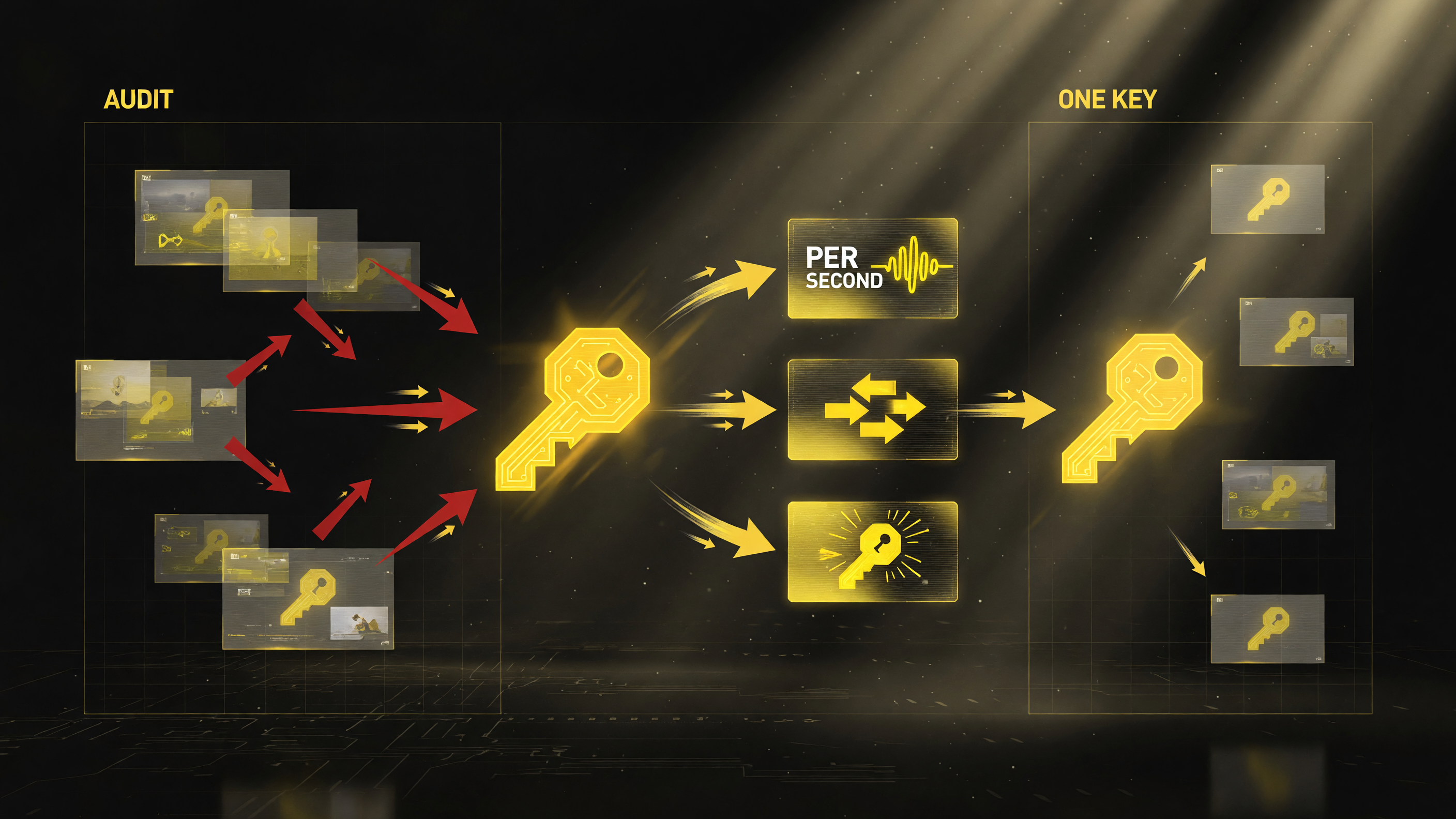
A monthly audit of your video stack: list every subscription you pay for, mark which models and tiers you actually use, then see how many of those calls one Runway API key with Hailuo 3.0 can cover on a pay-per-second basis.
For a small U.S. team, cutting even one redundant seat is a real line item.
Should You Switch Your Pipeline to Hailuo 3.0?
Runway does not require you to move any workload. Hailuo 3.0 is an addition, not a replacement, and your existing Gen-model jobs keep working exactly as they did. That makes the decision low-risk and reversible: test Hailuo 3.0 on a single client brief, compare the output against what you shipped last week, and let the results decide.
Start with a use case where Hailuo 3.0’s strengths show up fast — realistic product motion or audio-timed video. If the clip reads more believable than your last model’s attempt, you have found your new default for that asset type. If it does not, you have lost nothing but a few credits and a test slot.
The Bottom Line for U.S. Creators and Agencies
Runway adding MiniMax Hailuo 3.0 to its API is a practical upgrade disguised as a model announcement. It gives you access to one of the strongest realism-focused video models without a second account, a second integration, or a second invoice. The pricing is transparent — 10 credits per second at 768p, 15 credits per second at 2K, 2 credits per reference image — and the workflow slots into the Runway key you already pay for.
The play is to test on one brief, lock your subjects with reference images, keep resolution honest to the delivery spec, and let the per-second cost model reward discipline. In a market where AI video subscriptions multiply faster than your credit card statement, having one key that routes across Runway and Hailuo 3.0 is a genuine edge — and it is live in your Runway API today.
Frequently Asked Questions
Is Hailuo 3.0 available on the Runway API?
Yes. Runway added MiniMax Hailuo 3.0 (hailuo3) to its API on August 5, 2026. It is accessible through text-to-video, image-to-video, and video-to-video endpoints.
How much does Hailuo 3.0 cost on Runway?
Hailuo 3.0 is billed in Runway credits: 10 credits per second of video at 768p and 15 credits per second at 2K. Reference images cost 2 credits each, and reference video is billed at the output’s per-second rate, capped at 15 seconds.
What resolution and length does Hailuo 3.0 support?
Hailuo 3.0 generates clips of 5 to 15 seconds at either 768p or 2K resolution through the Runway API.
Does Hailuo 3.0 support reference images and audio?
Yes. Hailuo 3.0 supports keyframe control, reference images, reference video, and reference audio, which helps keep subjects consistent and lets generation respect audio timing.
Do I need a separate MiniMax account to use Hailuo 3.0 on Runway?
No. Because Hailuo 3.0 is available through Runway’s API, you use your existing Runway key and credit balance. No separate MiniMax account or integration is required.

About Barak Schurr
Barak Schurr is a serial entrepreneur who built and exited a major ticketing platform before turning his attention to AI and content. He runs three AI-focused research sites and writes about the tools, workflows, and strategies that let solo creators build real channels — without a crew, a studio, or a Hollywood budget. Contact: [email protected]
More AI Video Resources