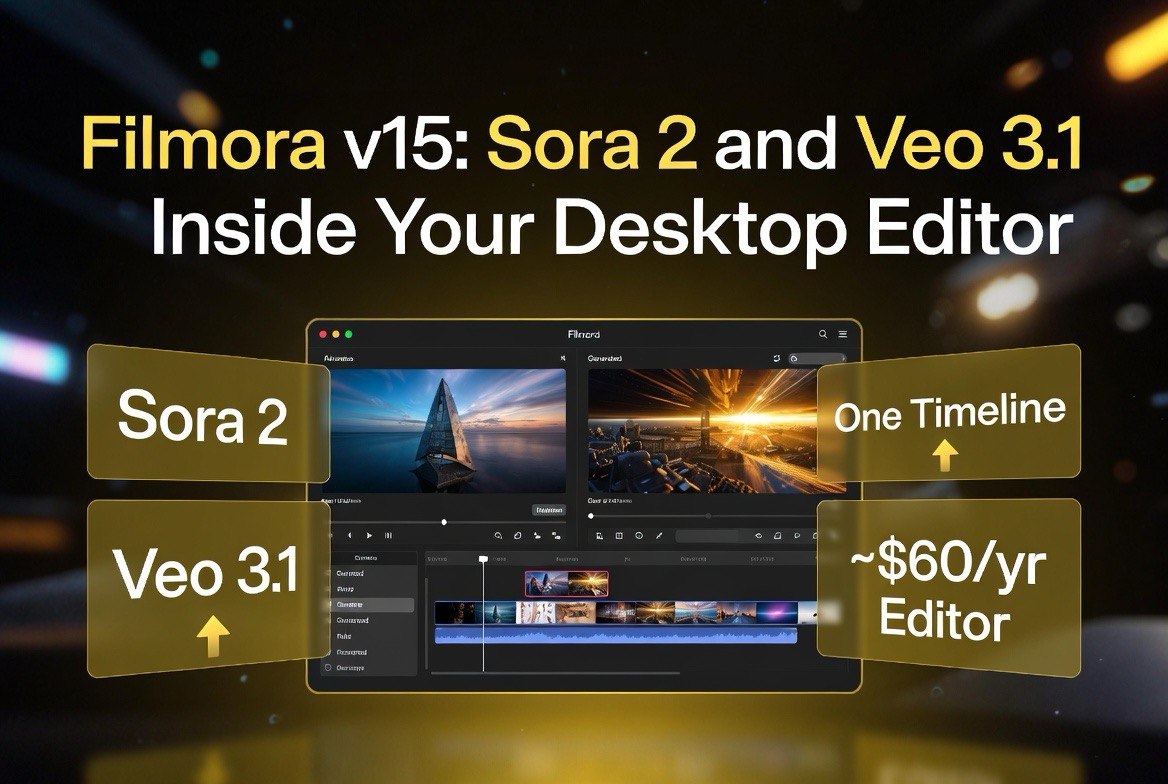
Filmora v15: Sora 2 and Veo 3.1 Inside Your Desktop Editor
Get The Faceless YouTube Blueprint — Free
The exact AI tool stack and workflow used to build a faceless YouTube channel from zero.
Filmora v15: Sora 2 and Veo 3.1 Inside Your Desktop Editor
⚡ Expert Summary: Wondershare Filmora v15 puts OpenAI Sora 2 and Google Veo 3.1 directly inside a desktop video editor. Instead of paying for separate AI subscriptions and juggling browser tabs, you generate clips and edit them on one timeline. For US creators and small studios, the math is hard to ignore: a ~$60/year editor that bundles real AI video generation beats a stack of $20-per-generation cloud tools. Here is how it works, what it actually costs, and where it still falls short.
Why Your AI Video Stack Is Overpriced
Most solo creators and small studios are running three, four, five separate subscriptions just to make a short video. You pay for a text-to-video model, an image generator, a caption tool, a music library, and a separate editor. Then you export from one platform, import into the next, and pray the timeline doesn’t break. By the time you ship a 30-second spot, you have burned a full working day and a pile of monthly fees.
Filmora v15 attacks that exact problem. Wondershare took the two models every video creator actually wants — OpenAI Sora 2 and Google Veo 3.1 — and dropped them into the desktop editor people already use for cutting. Generate a clip, and it lands on your timeline. No switching windows. No export-import dance. No separate model subscription to track.
This matters more than it sounds. In the United States, independent creators and small agencies live and die by output speed. Every hour spent stitching tools together is an hour not spent shipping client work. Filmora v15 is built to collapse that pipeline into one screen.
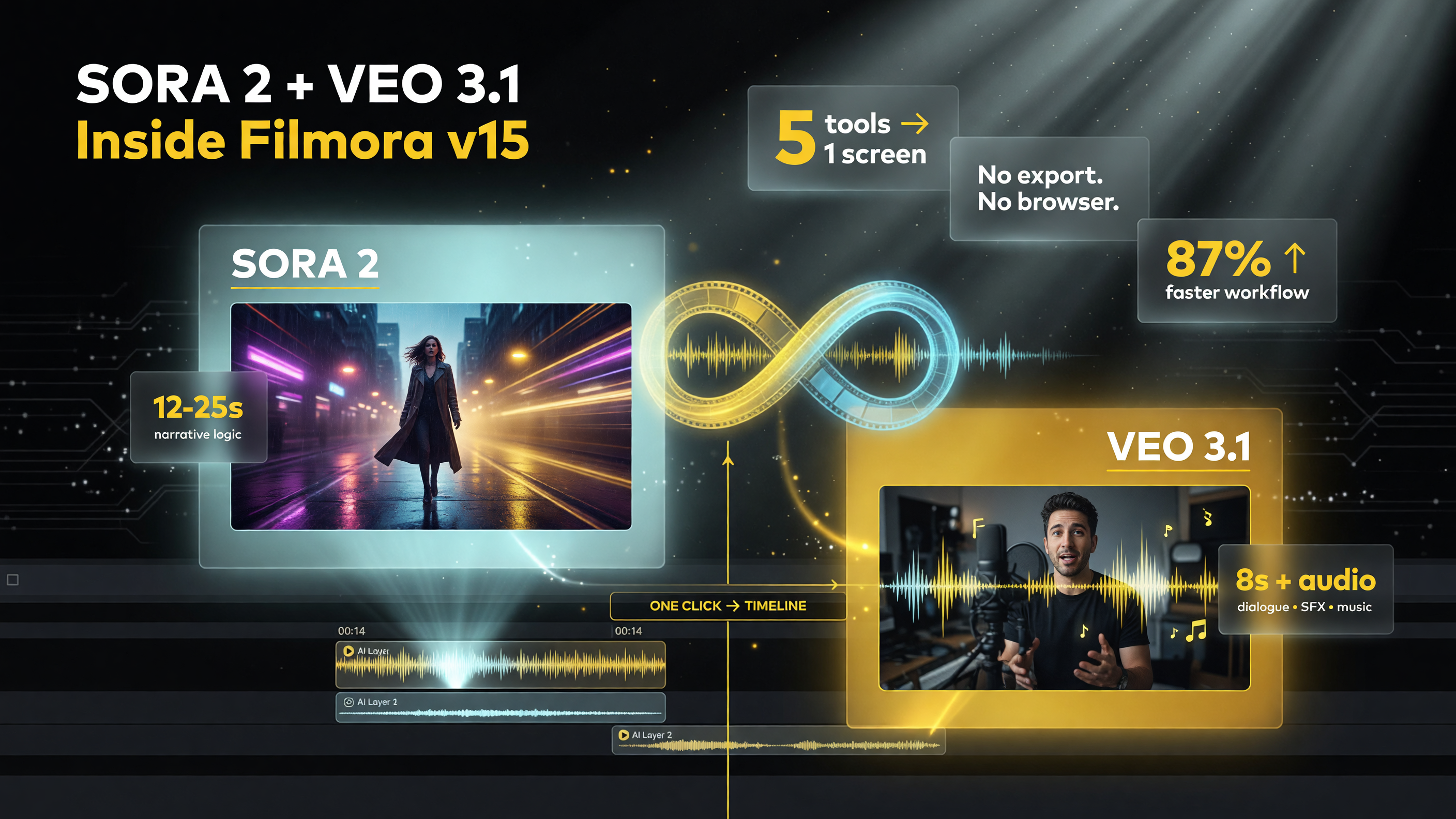
Sora 2 and Veo 3.1 feeds clips straight onto a Filmora v15 timeline — one screen for generation and editing.
What Filmora v15 Actually Bundles
The December 2025 update was not a small feature drop. Filmora v15 added three major generation capabilities directly into the editor:
- Sora 2 (OpenAI) — for text-to-video and image-to-video clips with strong prompt adherence and narrative logic. It shines on story-driven scenes and cinematic transitions, and it can produce longer clips in the roughly 12-25 second range depending on your tier and settings.
- Veo 3.1 (Google) — for realism, motion control, and audio synchronization. Veo 3.1 brings sound — dialogue, sound effects, and music that line up with the visuals. Its clips tend to run shorter, around 8 seconds, but they look closer to real footage than most generators.
- Nano Banana Pro — an image-generation model so you can create stills and frames in the same tool, then animate or edit them.
You switch between models inside Filmora’s AI Image-to-Video and Stock Media tools, generate, and the result drops straight onto your timeline for full editing — effects, masking, color, audio. The editor-first workflow is the entire point. Most AI video tools hand you a clip and push you back to a browser. Filmora keeps you in the edit.
The “One Screen” Workflow That Wins
Let’s be concrete about the difference. Yesterday’s workflow looked like this:
- Open a text-to-video model in a browser tab, prompt it, wait for the render.
- Export the clip to a file or download it.
- Open your editor, import the file, trim it.
- Generate a thumbnail in a separate image tool, download it.
- Add captions in a third tool, export, import again.
That is five tools and four context switches for one video. Filmora v15 collapses it into one: prompt the model, watch the clip land on your timeline, edit it, generate your still in the same app, add your captions with the built-in tools, export once. For a US freelancer billing by the project, the time saved is the real product.
Pricing: The $50-60 Editor vs. A Pile of Subscriptions
Here is where the argument gets interesting. Standalone access to Sora 2 or Veo 3.1 is expensive. High-end tiers like ChatGPT Pro or advanced Gemini plans run far more per month than most creators want to pay, and single generations on some cloud tools cost $1-2 a pop — which adds up fast when you are iterating a 20-clip project.
Let’s put real numbers on the yearly total. Picture a US creator paying $20 a month for a premium AI chat tier just to reach a text-to-video model, another $20 for a dedicated video generator, $10 for captions, and $15 for a royalty-free music and stock library. That is roughly $65 a month, or about $780 a year, before you add the cost of the editor itself. Now compare that to Filmora v15: the Advanced annual plan lands around $59.99 for the whole year and includes roughly a thousand AI credits a month. Even if you add a credit pack or two, you stay a fraction of that $780 figure — and you get the editor, the generation, and the music in the same app.
The savings are not just dollars; they are decision fatigue. Every subscription you drop is one less renewal to track, one less login to remember, one less invoice to reconcile at tax time. For a freelancer or a small agency owner, that overhead compounds. Consolidating your AI video stack into one desktop editor is a cost decision and an operating decision at the same time.
Filmora v15 uses an AI-credit model wrapped in a standard editor subscription. Approximate US pricing:
| Plan | Price (USD) | AI Credits | Best For |
|---|---|---|---|
| Basic Annual | ~$49.99/yr | Limited | Core editing, light AI use |
| Advanced Annual | ~$59.99/yr | ~1,000/mo | Most creators doing regular AI video |
| Premium / Higher | ~$99.99+/yr | ~2,000/mo | Heavy production, cloud + assets |
| Perpetual / Lifetime | ~$79.99 one-time | ~1,000 included | One-time buyers, add-ons for heavy use |
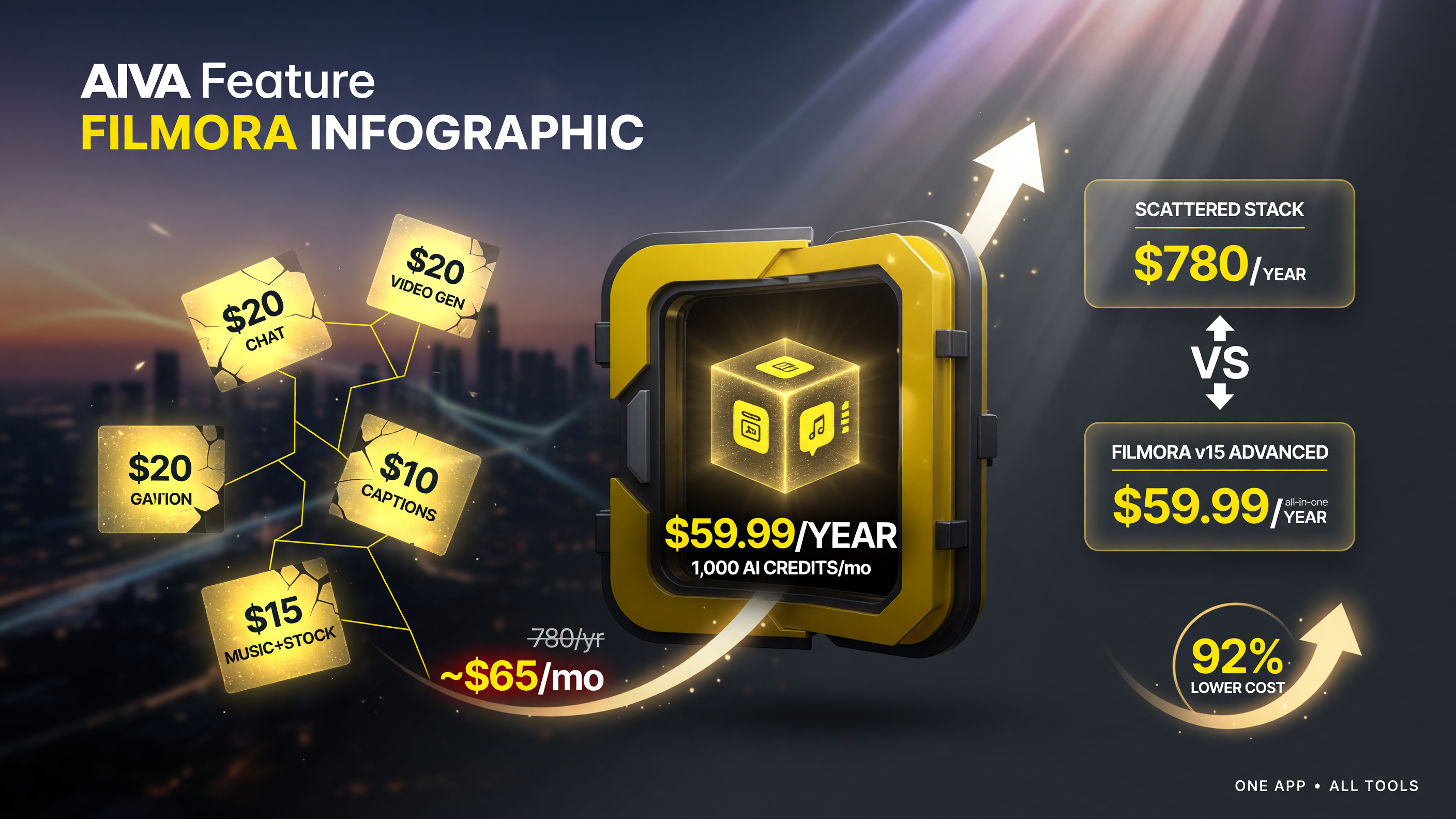
A ~.99/yr editor with credits undercuts a ~0/yr scattered AI stack — the spreadsheet case for consolidating.
Extra AI credit packs start around $9.99 for a few hundred credits, so you can top up without switching plans. The key takeaway: for roughly the price of one month of a premium AI subscription, you get a full editor plus a monthly credit allowance. That is the entire thesis of this post — and it is why so many US creators are rethinking their stack.
Sora 2 vs. Veo 3.1: Which Model Should You Use?
You do not have to pick one — Filmora v15 lets you switch per clip. But they are not interchangeable, and knowing the difference saves you credits.
| Capability | Sora 2 (OpenAI) | Veo 3.1 (Google) |
|---|---|---|
| Clip length | ~12-25 sec (tier-based) | ~8 sec |
| Strength | Prompt adherence, narrative, cinematic transitions | Realism, motion control, audio sync |
| Audio | Weaker | Dialogue, SFX, music aligned to visuals |
| Best for | Story-driven scenes, longer sequences | Realistic shots, product footage, live-action feel |
My rule of thumb for US creators: use Veo 3.1 when the shot needs to look real and carry believable sound — a product demo, a testimonial-style clip, an action sequence. Use Sora 2 when you need narrative logic and a longer, more cinematic build — a brand story, a montage, a scene that needs to hold attention for 20 seconds. Switch mid-project freely; the timeline does not care which model produced the clip.
Credit Math: What a Thousand Credits Per Month Buys
AI credits are the currency that spooks people, so let’s demystify them. Roughly speaking, one video generation consumes a handful of credits depending on the model and clip length; a short Veo 3.1 clip of around 8 seconds is cheaper than a longer Sora 2 piece. A monthly allowance of about a thousand credits on the Advanced plan is enough for a working solo creator who ships a few videos a week, as long as you are not regenerating endlessly on a single shot.
The trap users fall into is treating AI video like a slot machine — generating the same prompt ten times hoping one looks perfect. That burns credits fast and frustrates you. The healthier habit is what editors already do: write a tight prompt, pick the right model for the shot, generate once or twice, and fix the rest in the timeline. Because Filmora keeps you in the editor, that discipline is easier to maintain. When a fix is a trim or a color pass instead of a fresh generation, your credits last far longer.
If you do run dry mid-project, the pack pricing is forgiving. Extra credit packs start around $9.99 for a few hundred credits, so you can finish a job without upgrading your entire plan. That granularity is another quiet advantage over a flat higher-tier subscription you barely use.
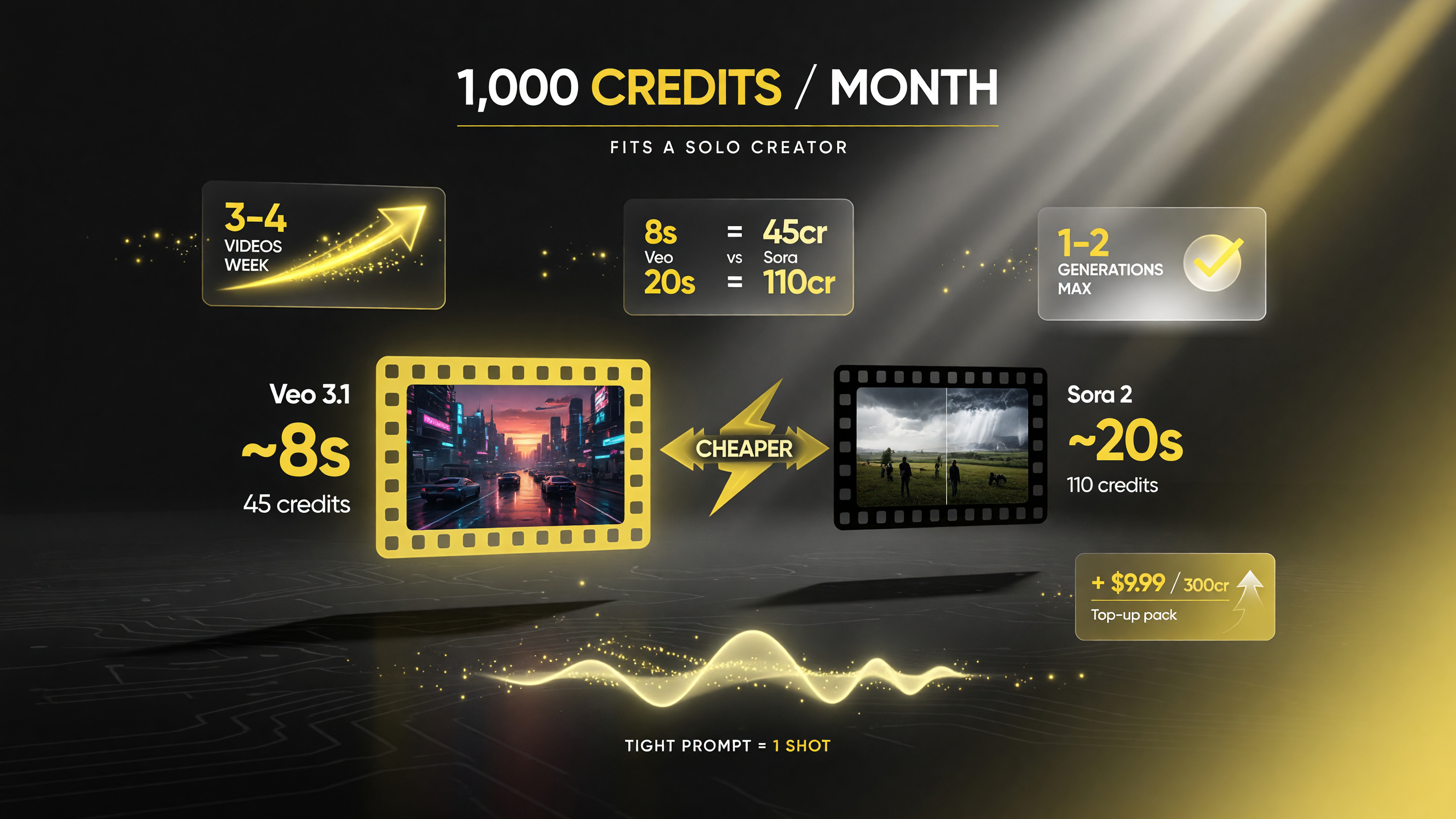
Roughly 1,000 credits a month covers a working solo creator — a tight prompt beats ten regenerations.
Who Should Buy Filmora v15 (And Who Should Skip It)
This tool is not for everyone. Be honest about which bucket you are in before you spend.
Buy it if: you are a solo creator, a small agency, a freelancer, or a small business editor who makes videos regularly and hates juggling subscriptions. If you already live in a desktop editor and just want AI generation to work there, Filmora v15 closes the gap cleanly.
Skip it if: you are a professional post house with a locked After Premiere workflow, or you need unlimited top-tier generations and care about absolute model fidelity over convenience. If you only make one video a month, the subscription might not justify itself — start with the free trial and test the credit math.
The Bottom Line for US Video Creators
Filmora v15 is not claiming to be the most powerful AI model on earth — Sora 2 and Veo 3.1 are doing that work. What it does is remove the friction between generation and editing. For the price of a single month of a high-end AI subscription, you get a full editor plus monthly credits, and the generated clips land on your timeline instead of in a downloads folder.
For creators burning $100+ a month on a scattered AI stack, the switch is a spreadsheet win and a workflow win. Bring your video generation and your editing into one screen, keep your favorite model per clip, and stop paying the tool-juggling tax. That is the whole argument — and for most independent creators in the US market, it is a compelling one.
The honest caveats deserve airtime too. Filmora v15 is a prosumer tool, not a broadcast-grade finishing suite, so editors with deeply locked post-production pipelines may not want to rip out their existing setup. And the AI models inside it are gated by credits, which means very heavy production still needs an eye on the counter. But for the solo creator, the freelancer, and the small studio that lives in a desktop editor, the trade is overwhelmingly in your favor: one screen, two world-class models, and a monthly price that looks like pocket change next to the multi-tool stack it replaces.
Frequently Asked Questions
Is Sora 2 available in Filmora v15?
Yes. Filmora v15 integrates OpenAI Sora 2 for text-to-video and image-to-video generation directly inside the desktop editor, alongside Google Veo 3.1.
How much does Filmora v15 cost per year?
Annual plans in the US run roughly $49.99 for Basic, $59.99 for Advanced (which includes about 1,000 AI credits per month), and $99.99+ for higher tiers. A perpetual license is around $79.99 one-time.
Can I use both Sora 2 and Veo 3.1 in the same project?
Yes. You can switch between models per clip within the same timeline, so a single project can mix longer Sora 2 narrative shots with realistic Veo 3.1 product clips.
Do AI generations in Filmora v15 cost extra?
AI video generation consumes AI credits included in paid plans. When you run out, you can buy extra credit packs starting around $9.99 for a few hundred credits.
What is the difference between Sora 2 and Veo 3.1?
Sora 2 offers longer clips with stronger narrative logic and cinematic transitions. Veo 3.1 focuses on realism, motion control, and synchronized audio, with shorter clips around 8 seconds.
Is Filmora v15 good for professional video editing?
It is a capable prosumer editor with effects, masking, color tools, and multi-track timelines. For solo creators and small studios it is a strong all-in-one, though high-end post-production houses may still prefer specialized tools.

About Barak Schurr
Barak Schurr is a serial entrepreneur who built and exited a major ticketing platform before turning his attention to AI and content. He runs three AI-focused research sites and writes about the tools, workflows, and strategies that let solo creators build real channels — without a crew, a studio, or a Hollywood budget. Contact: [email protected]
More AI Video Resources