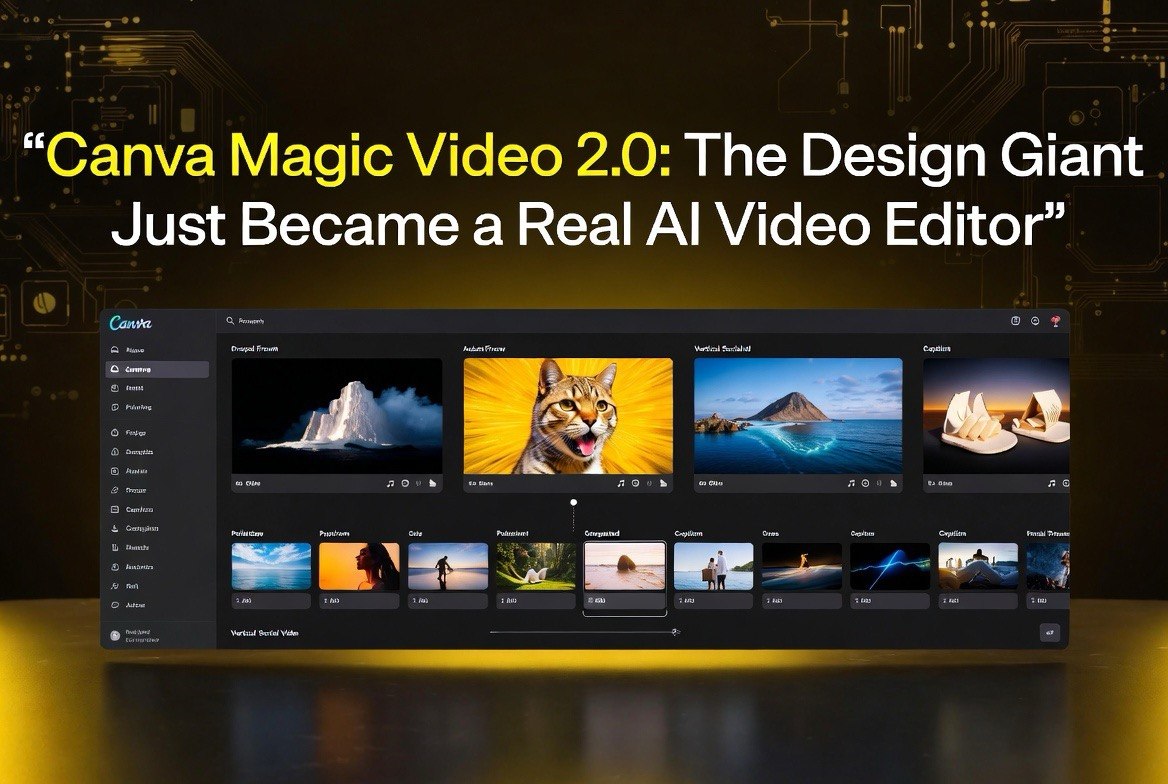
Canva Magic Video 2.0: The Design Giant Just Became a Real AI Video Editor
Get The Faceless YouTube Blueprint — Free
The exact AI tool stack and workflow used to build a faceless YouTube channel from zero.
Canva Magic Video 2.0: The Design Giant Just Became a Real AI Video Editor
⚡ Expert Summary: Canva Create 2026 turned the design giant into a genuine AI video editor. Magic Video 2.0 auto-assembles your clips and photos into a polished ~60-second social video from a single prompt, and the upgraded Image-to-Video now animates human faces naturally from one still. It runs on Canva’s AI credit model (Free plan gets limited monthly credits; Pro at roughly $13-15/month unlocks far more) — not per-feature pricing. If you’re already paying for Canva, this could replace an entire video tool subscription. For US creators editing shorts and reels, this is the biggest cost consolidation play of 2026.
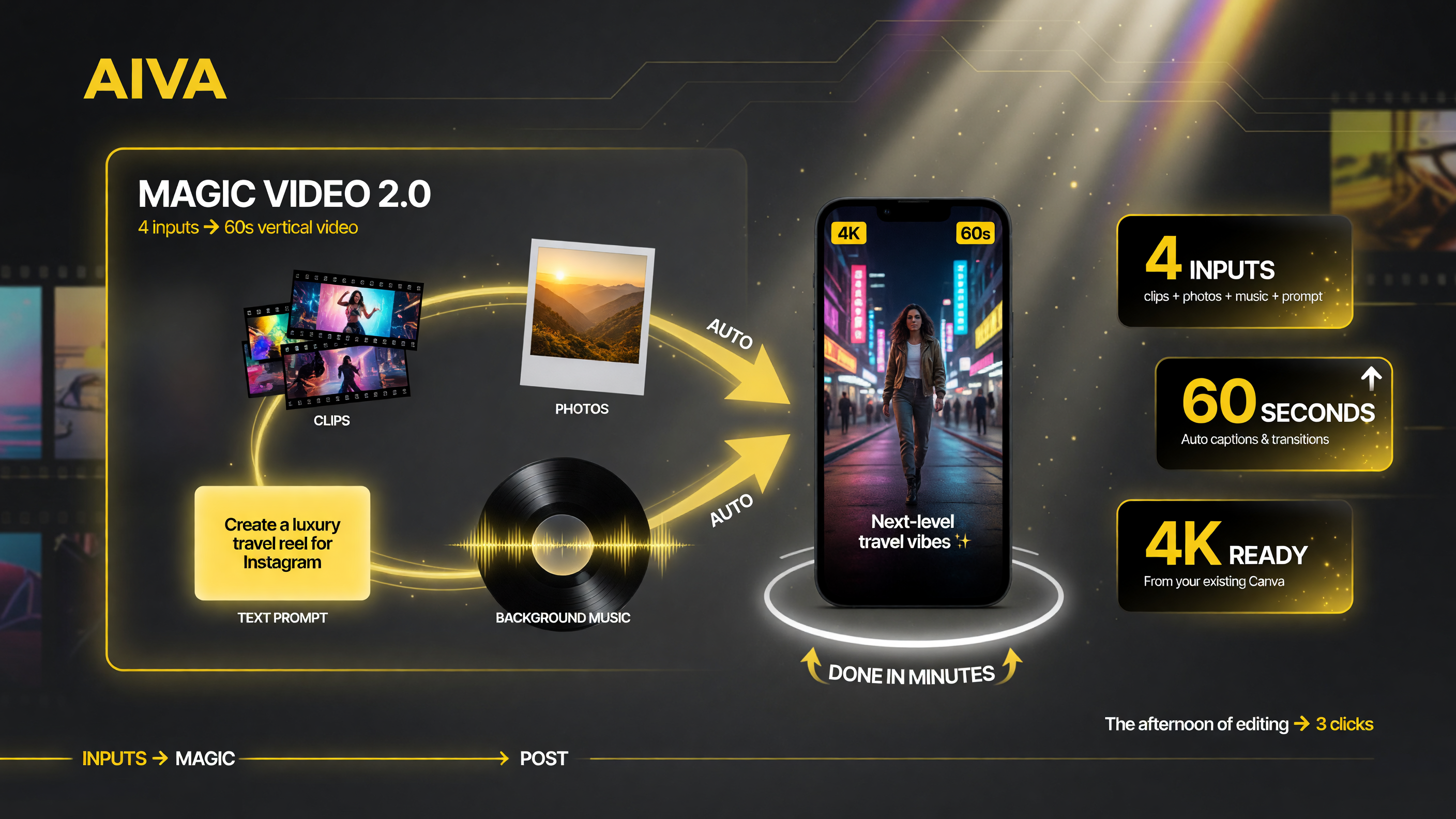
Magic Video 2.0 pipeline: four inputs (clips, photos, music, prompt) flow through the engine and come out as a ready-to-post 60-second vertical video with auto-captions.
Why a Design App Entering Video Editing Actually Matters
Most AI video launches are from startups you’ve never heard of. Canva is different. It has over 200 million monthly users, and it just turned its entire design ecosystem into a video production machine. That changes the math for anyone creating content in the United States.
Here’s what most creators miss: you don’t need a 4K cinematic generator for every video. The bulk of what US small businesses and creators publish is short-form social content — clips, promos, talking-head cutdowns. That’s exactly the lane Canva is attacking. Magic Video 2.0 and Image-to-Video 2.0 aren’t trying to beat Runway at photorealism. They’re trying to make a 60-second branded video stupidly fast.
And they’re doing it inside a tool you already have. That’s the real story. You don’t bolt a video editor onto your workflow — Canva is the workflow.
What Actually Launched at Canva Create 2026
At Canva Create 2026 (April 15-16, 2026), the company rolled out its biggest AI upgrade yet: Canva AI 2.0, an agentic, conversational platform for design, editing, and workflows. Within that, three video-specific tools matter to creators:
Magic Video 2.0
This is the headline feature. Drop in a handful of clips and photos, type one prompt describing the vibe or format (“chill aesthetic,” “product launch,” “video diary”), and Magic Video 2.0 assembles a ready-to-post video — typically around 60 seconds, vertical and social-optimized. It handles the dynamic templates, transitions, background music, and styling automatically. It outputs up to 4K and supports multiple languages.
The point isn’t that it’s more powerful than a dedicated AI video generator. It’s that the assembly work — the part that eats your afternoon — is gone. For a US creator juggling three platforms, that’s the difference between shipping five videos a week and shipping zero.
Image-to-Video 2.0
The upgraded Image-to-Video converts a single still photo into a short animated clip with one click. The May 2026 update improved quality and added a big one for creators: natural, realistic animation of human faces. Now you can animate a headshot or a portrait without the uncanny-valley jank that used to kill these edits. Output is short clips (~5 seconds) that you combine or extend inside the Video 2.0 editor.
This is a sleeper feature for US businesses. Product shots, team photos, testimonial stills — all of them can now become motion content without hiring anyone.
The Video 2.0 Editor
Underneath all of it sits a rebuilt timeline editor: trimming, layering, syncing, plus AI-assisted trimming and video building blocks. The message is clear — Canva wants to own the whole edit, not just the template step.
How Much Does Canva Video Actually Cost?
Here’s the part most roundups gloss over: Canva does not charge per feature. Magic Video and Image-to-Video run on a monthly AI credit allowance, not on per-video pricing. That’s a meaningful difference from subscription tools like Runway or Pika that meter by generation.
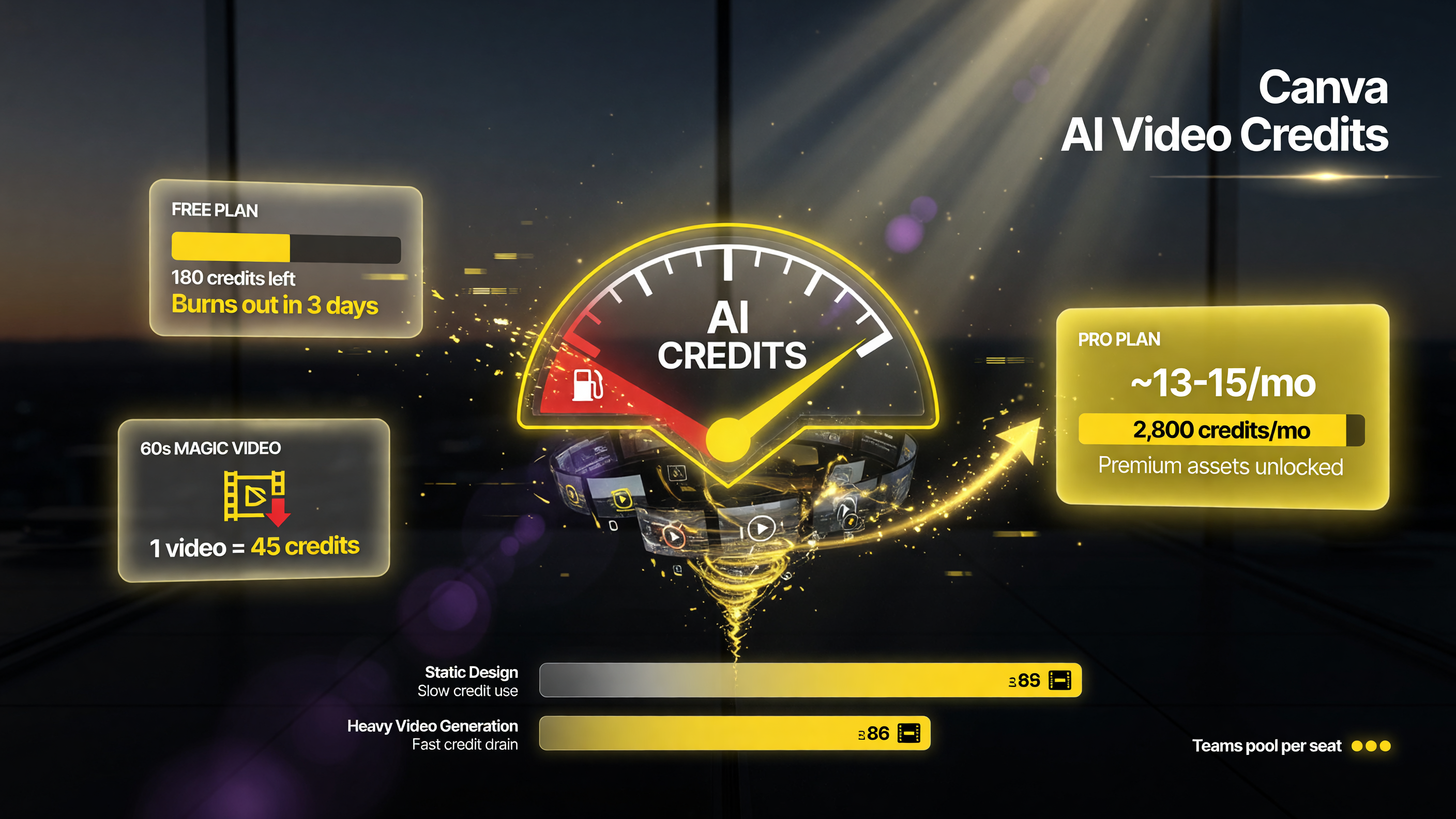
AI video burns credits fast: Free users are bottlenecked at a tiny allowance, while Pro (around -15/mo) and Teams scale the allowance for heavier production.
| Plan | Approx. Price / Month | AI Video Access | Who It’s For |
|---|---|---|---|
| Free | $0 | Image-to-Video + basic Magic tools with limited monthly AI credits | Light, occasional use |
| Pro | ~$13-15 (annual typical) | Higher AI credit allowance, premium assets, priority access to advanced models | Active creators & small businesses |
| Teams / Enterprise | Per-seat (varies) | Team credit pools + more storage, admin controls | Agencies & larger teams |
Key nuance: heavy video generation burns credits faster than static design work. A frequent 60-second Magic Video workflow will chew through a Free plan’s monthly allowance in days. That’s the deliberate push to Pro. For a US creator producing consistently, the ~$13-15/month Pro tier is the realistic entry point.
Magic Video 2.0 vs. Dedicated AI Video Tools
Should you drop your Runway or Pika subscription for Canva? Depends on what you’re making. Watch this comparison closely — it’s the decision framework I use:
| Dimension | Canva Magic Video 2.0 | Dedicated AI Video (Runway/Pika) |
|---|---|---|
| Core strength | Fast assembly of short social content | Photorealistic scene generation & camera control |
| Typical output | ~60-sec vertical, template-driven | 5-30 sec clips, text-to-video, cinematic |
| Pricing model | Monthly AI credit allowance (Free / Pro ~$13-15) | Plan-based with meter by generation |
| Human-face animation | Yes (May 2026 Image-to-Video upgrade) | Varies by model |
| Skill needed | Minimal — prompt-guided | Higher — prompt/parameter expertise |
The honest answer: for marketing and social cutdowns, Canva wins on speed and cost. For cinematic, concept-driven generation, a dedicated tool still wins. Most creators should run both — Canva for the 80% of day-to-day content, a dedicated generator for the hero pieces.
How AI Video Model Fatigue Makes Canva More Appealing
Here’s the uncomfortable truth I write about constantly: the AI video tool space is a subscription trap. Creators stack 8 tools at $10-30/month each, use half of them, and burn hundreds monthly. Canva collapses that. One subscription covers design, short-form video, image animation, and captions.
This ties directly into the broader trend we cover in AI Video Model Fatigue: How to Cut Your Tool Stack From 8 Subscriptions to 2. Canva is the strongest single-tool consolidation candidate in 2026 because it already owns the design layer your content lives in.
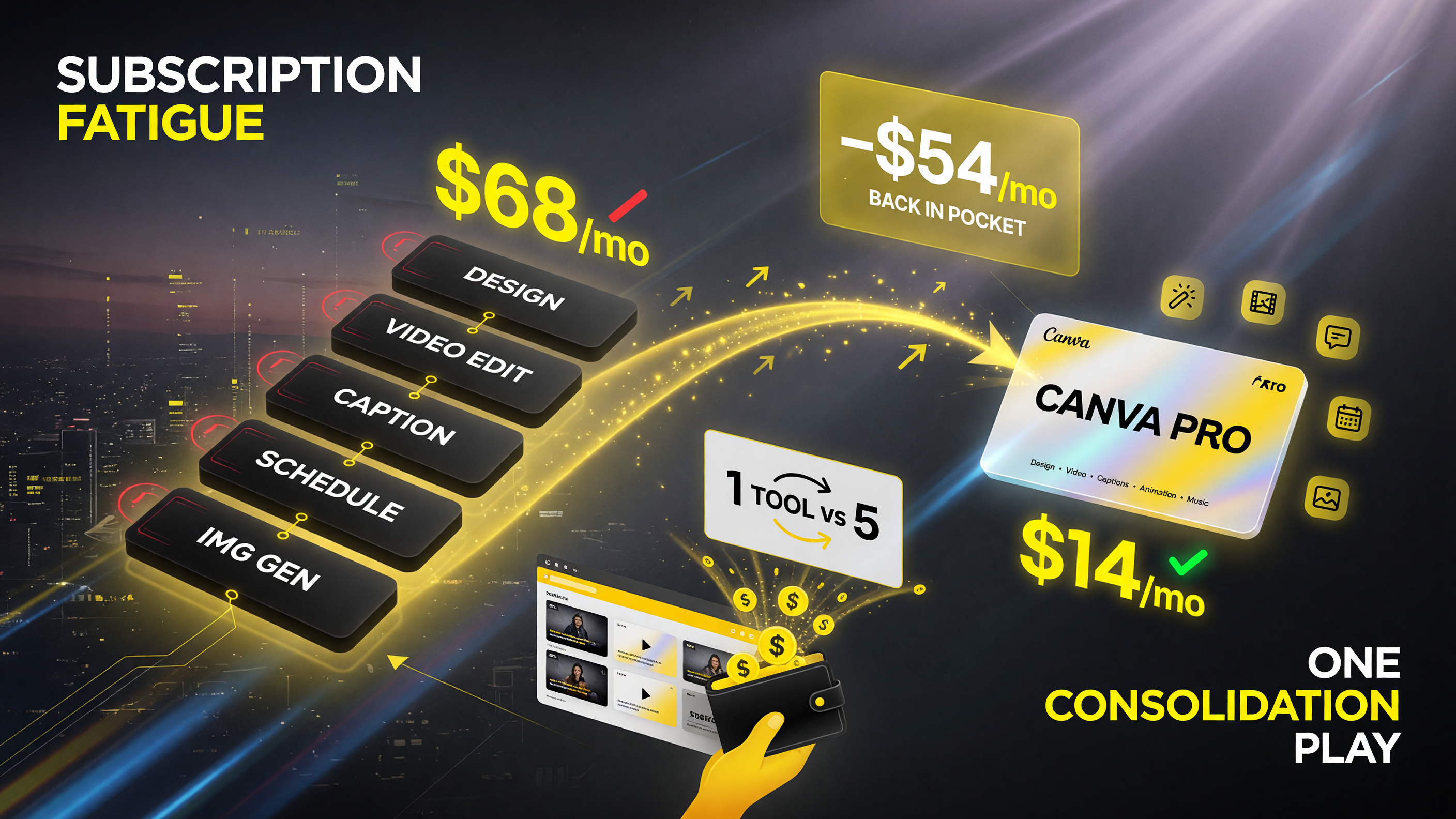
Consolidation math: a ~/mo stack of separate design, video, caption, image and music tools collapses to ~-15/mo with Canva Pro — over a month back in your pocket.
Who Actually Wins With Magic Video 2.0
Not every creator benefits equally. Let’s be precise about who this tool is built for, because that determines whether it’s worth a subscription or a pass.
The winners: repurposing-heavy creators
If you record long videos and cut them into clips, or you shoot product/behind-the-scenes footage and need social cutdowns, Canva is a genuine time-saver. The assembly automation replaces the most tedious part of the job. A US agency handling client content, a coach posting daily shorts, a local business turning phone-shot footage into promos — all of these are squarely in Magic Video 2.0’s lane.
The losers: cinematic storytellers
If your whole brand is visually authored, scene-by-scene, shot-designed video — the kind you’d craft in Runway or Pika with precise camera choreography — Canva is not a replacement. It’s a template engine with an AI veneer. It will not give you the control or the photorealistic generation quality of a dedicated model. Trying to force it there is how you waste an afternoon.
That clarity matters. Most tool-fatigue complaints start with people using the wrong tool for the job and blaming the vendor.
How Image-to-Video’s Face Animation Changes Product Content
The May 2026 face-animation upgrade deserves more attention than it’s gotten. For US businesses, this is the feature that quietly solves a real content bottleneck: you have photos, but no video of people.
Think about what most small businesses sit on: testimonial stills, team photos, owner headshots, product shots with a person holding the item. Historically, converting those into motion content meant reshoots or hiring a video editor. Image-to-Video 2.0 now animates a single portrait into a short, natural clip. The use cases are concrete:
- Testimonials — take a client quote with their photo and make a motion clip that holds attention longer in a feed.
- About pages — animate an owner headshot so the site isn’t a static photo grid.
- Product demos — animate a product photo into a subtle motion shot for ads.
The realistic-face part matters because it’s what killed earlier tools — the uncanny valley made the clip worse than the still. Canva’s May 2026 update addressed exactly that. It’s not a gimmick feature; it’s a content multiplier for teams that can’t afford video production.
The Real Cost Play: Consolidation, Not Just the Plan
Here’s where Canva’s economics get interesting beyond the $13-15/month price tag. The value isn’t the plan cost — it’s the tools you can cancel.
A typical US creator or small-business marketer in 2026 carries subscriptions for: a design tool (Canva), a video editor, a captioning tool, a scheduling/social tool, and often an image-generation add-on. That’s easily $60-100/month stacked. Canva already covers design, and now it’s swallowing short-form video assembly, image-to-video animation, text-to-video, captions, and music generation into that same subscription.
When the AI video space is pushing everyone toward tool fatigue — a problem we’ve written about extensively — a single consolidator that does 80% of the daily job at one plan price is a legitimate cost play, not a hype story.
What Creators Should Actually Do With It
Stop reading. Here’s the practical, 3-step plan a US content creator should execute this week:
- Audit your current stack. List every video tool you pay for and what you actually use it for. Flag anything you use less than twice a week.
- Test Magic Video 2.0 for your cutdown work. Feed it the clips and photos you’d normally hand to a dedicated editor. See if the assembly quality is good enough for your social channels.
- Consolidate the winners. Keep Canva for short-form assembly and repurposing. Keep one dedicated generator only if you genuinely produce hero cinematic pieces. Cancel the rest.
The bottom line for 2026 is frustration-free: you don’t need more tools. You need fewer tools that do more. Canva Magic Video 2.0 is the strongest candidate to be that consolidation point for short-form creators.
Test it against your real workload this week. Drop your actual clips in, let it assemble one video, and compare the output to what you’d ship today. If the quality clears your bar, the only rational move is to cancel the redundant subscriptions and let Canva carry the short-form load. That’s the output play. That’s what separates operators who cut costs from creators who keep paying for tools they barely touch.
Frequently Asked Questions
Is Canva Magic Video 2.0 free to use?
Magic Video 2.0 and Image-to-Video are available on the Free plan, but they consume a limited monthly AI credit allowance. Heavy or frequent video generation quickly exhausts the Free allowance, which pushes active creators toward the Pro plan (roughly $13-15/month on annual billing).
How long are Canva Magic Video 2.0 videos?
Magic Video 2.0 typically produces videos around 60 seconds, optimized for vertical social formats. Image-to-Video generates shorter clips (~5 seconds) that you can combine or extend inside the Video 2.0 editor.
Can Canva animate a human face from a photo?
Yes. The May 2026 Image-to-Video upgrade added natural, realistic animation of human faces, so you can turn a headshot or portrait into a lifelike animated clip without the uncanny-valley effect that plagued earlier tools.
Does Canva Magic Video 2.0 replace Runway or Pika?
For short-form assembly, repurposing, and social cutdowns, yes — Canva is faster and cheaper. For cinematic, text-to-video scene generation with camera control, dedicated tools like Runway or Pika still have an edge. Most creators should keep one of each.
What resolution does Canva Magic Video 2.0 output?
Magic Video 2.0 supports up to 4K output, with playback and performance varying by device and plan. The Video 2.0 editor allows you to trim, layer, and sync clips before export.
How does Canva’s AI credit system work for video?
Canva’s AI video tools (Magic Video, Image-to-Video, and text-to-video) draw from a monthly AI credit allowance rather than charging per video. Video generation consumes credits faster than static design work, so the Free tier’s monthly allowance is limited and heavier use requires a paid plan.

About Barak Schurr
Barak Schurr is a serial entrepreneur who built and exited a major ticketing platform before turning his attention to AI and content. He runs three AI-focused research sites and writes about the tools, workflows, and strategies that let solo creators build real channels — without a crew, a studio, or a Hollywood budget. Contact: [email protected]
More AI Video Resources