Seedance 2.5 in CapCut — 30-Second 4K AI Video With 50 References
Get The Faceless YouTube Blueprint — Free
The exact AI tool stack and workflow used to build a faceless YouTube channel from zero.
Seedance 2.5 in CapCut — 30-Second 4K AI Video With 50 References
⚡ Expert Summary: ByteDance just dropped Seedance 2.5 inside CapCut — native 30-second 4K AI video generation with up to 50 reference images for brand consistency. For content creators, this is the most accessible high-end AI video tool that’s landed in 2026. Here is exactly what changed, what it costs, and how to use it.
CapCut Just Got the Best AI Video Generator You Can Actually Use
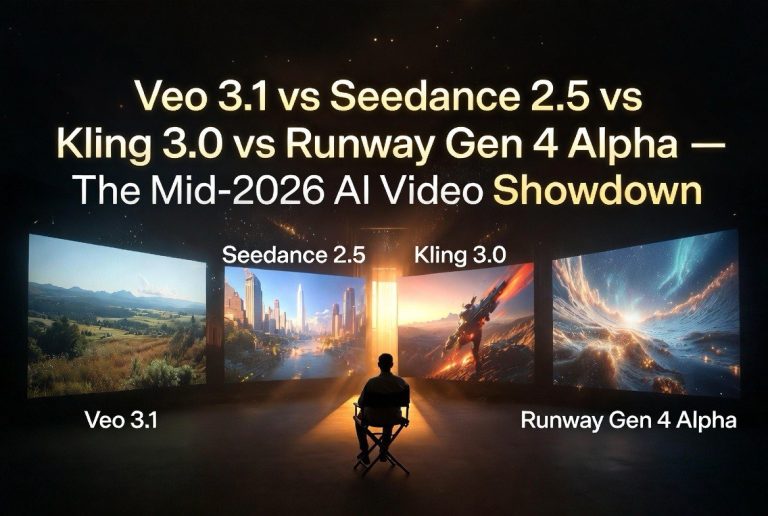
Here is the state of AI video in mid-2026. The top models — Veo 3.1, Kling 3.0, Seedance 2.5 — all produce stunning clips. But accessing them means navigating separate platforms, credit systems, and pricing tiers that vary wildly. For the average content creator, the friction is real.
Then ByteDance dropped Seedance 2.5 directly into CapCut. Not as an integration. Not as a plugin. As a native feature in the most popular free video editor on the planet.
Seedance 2.5 in CapCut generates up to 30 seconds of 4K AI video with 50 reference images for character and product consistency. That is longer clips, higher resolution, and more brand control than any other AI video generator offers at a consumer price point. And it costs nothing extra if you’re already on CapCut Pro.
For content creators making YouTube videos, social content, ads, or product demos, this changes the math on whether to use AI video at all.
What Changed: Seedance 2.5 vs Seedance 2.0
Seedance 2.0 launched earlier in 2026 and was already competitive with Kling and Runway. Seedance 2.5 closes the remaining gaps:
| Feature | Seedance 2.0 | Seedance 2.5 |
|---|---|---|
| Max clip length | 15 seconds | 30 seconds |
| Max resolution | 1080p | 4K |
| Reference images | 5-10 images | Up to 50 images |
| Native audio | No | Yes — synchronized |
| Pixel-level editing | No | Yes |
| Access point | Dreamina platform | Dreamina + CapCut |
The 30-second clip length is the headline feature. Most AI video generators in 2026 — including Veo 3.1 and Kling 3.0 — cap at 8-15 seconds per generation. Seedance 2.5’s 30-second clips mean creators can generate full social videos, ad spots, and short-form content in a single generation instead of stitching 3-4 clips together.
The 50-reference-image capability is the sleeper feature. For creators who need character consistency across a campaign — a recurring host, a product shot, a branded environment — Seedance 2.5 maintains visual coherence across every frame. This was the #1 complaint about AI video in 2025 and 2026, and Seedance 2.5 is the first consumer-grade tool to solve it at scale.
How to Use Seedance 2.5 in CapCut
Step 1: Update CapCut to the latest version (June 2026 build or later). Seedance 2.5 is available in the Text-to-Video and Image-to-Video modules.
Step 2: Write your prompt. Be specific about scene, mood, motion, and camera movement. Seedance 2.5 handles detailed camera direction — pan, zoom, dolly, crane — better than any previous version.
Step 3: Upload reference images. For character consistency, include 5-10 images of the same person or character from different angles. For product consistency, include shots of the product in different lighting. The AI maps the visual features across the entire 30-second clip.
Step 4: Select 4K output and enable native audio. Seedance 2.5 generates synchronized sound — ambient noise, environmental audio, and basic foley. For dialogue-driven clips, add voiceover separately in CapCut’s audio tools.
Step 5: Generate and refine. Use CapCut’s pixel-level editing tools to adjust specific frames after generation. This is new in 2.5 — you can fix an awkward hand position or a weird lighting artifact without regenerating the entire clip, saving both credits and time.
What This Means for Content Creators
The Seedance 2.5 + CapCut combination changes three things for creators:
1. AI video is now in your existing workflow. You don’t need to learn Dreamina, Kling, or Veo. You open CapCut — the tool you already use for editing — and generate AI video from the same interface. The friction of switching platforms disappears.
2. 30-second clips open new use cases. At 15 seconds, AI video was limited to social clips, transitions, and B-roll. At 30 seconds, creators can generate full YouTube Shorts, Instagram Reels, TikTok videos, ad spots, and product demos in a single generation. The 30-second format is the standard for short-form content on every platform.
3. 50 references solve the consistency problem. The biggest barrier to using AI video for branded content was the “character drift” problem — the same character looking different in every clip. Seedance 2.5’s 50-reference system locks visual consistency across an entire campaign. A creator running a YouTube channel with an AI-generated host can now maintain the same face across every video.
Pricing: What It Actually Costs
Seedance 2.5 in CapCut Pro costs nothing extra — it’s included in your existing CapCut Pro subscription at $7.99/month. Each generation consumes credits from your monthly allowance.
For comparison:
| Platform | Monthly Cost | Max Clip Length | Max Res | References |
|---|---|---|---|---|
| CapCut Pro + Seedance 2.5 | $7.99/mo | 30 seconds | 4K | 50 |
| Dreamina (standalone) | $15/mo (Free tier available) | 30 seconds | 4K | 50 |
| Veo 3.1 (via Google) | $30/mo (Google One AI Premium) | 8 seconds | 1080p | Limited |
| Kling 3.0 | $22/mo (Standard) | 15 seconds | 4K | 10-20 |
| Access point | Dreamina platform | Dreamina + CapCut |
At $7.99/month via CapCut Pro, Seedance 2.5 is the cheapest high-end AI video option by a wide margin. The trade-off is that CapCut Pro’s credit system limits how many generations you can do per month compared to standalone Dreamina. Heavy users should consider the Dreamina standalone plan at $15/month for more credits.
The Technical Edge: Why 50 References Matters
Most AI video generators in 2026 accept 1-10 reference images. Seedance 2.5 accepts 50. Here is why that number matters for real content production.
When you generate a 30-second AI video at 30fps, the model creates 900 individual frames. Each frame needs to maintain visual consistency with the last. With 5 reference images, the AI has limited visual anchors — and character drift appears within 5-10 seconds as the model fills gaps with inference.
With 50 reference images covering a character from different angles, in different lighting, with different expressions, and in different poses, the AI has enough visual anchors to maintain consistency across all 900 frames. The drift is eliminated because the model never has to infer a facial feature or product detail — it has a direct reference for every angle the scene requires.
Practical workflow: Record a 30-second video of your human host or product from multiple angles. Extract 50 frames as PNG images. Upload as references. The AI generates new footage with the same character or product in any setting, from any angle, in any lighting — and it looks like the same thing.
This workflow alone — reference extraction + Seedance 2.5 generation — is replacing traditional reshoots for product companies and content studios. One product shoot generates enough reference material for months of AI video content.
5 Best Use Cases for Seedance 2.5 in CapCut
1. YouTube Shorts with a Consistent Host
Generate a 30-second talking-head video with an AI-generated host using 10 reference images. The host looks the same in every Short. Add voiceover in CapCut. Publish directly. One creator reported cutting Short production time from 4 hours to 30 minutes using this workflow.
2. Product Demos for E-Commerce
Upload 10-15 product images from different angles. Seedance 2.5 generates a 30-second product demo showing the item in use, with motion, lighting, and environmental context. No studio, no camera, no photographer required.
3. Social Ad Creatives
Generate 3-4 variations of a 30-second ad spot in one session. Different angles, different backgrounds, different calls to action. Test them against each other and run the winner. Ad production goes from days to hours.
4. B-Roll for Long-Form Video
Need establishing shots, transition footage, or atmospheric clips for your YouTube video? Generate 4K B-roll in 30 seconds instead of spending hours filming or buying stock footage. Seedance 2.5’s visual quality matches mid-tier stock footage libraries.
5. Music Visualizers
Creators covering music or podcast content can generate abstract visuals synced to audio. Seedance 2.5’s native audio support means the visual pulse matches the audio track. Upload directly as a YouTube video or Instagram Reel.
Frequently Asked Questions
Is Seedance 2.5 available in the free version of CapCut?
No. Seedance 2.5 is available in CapCut Pro ($7.99/month) and via the standalone Dreamina platform ($15/month).
How does Seedance 2.5 compare to Veo 3.1 and Kling 3.0?
Seedance 2.5 offers longer clips (30 seconds), 4K resolution with 50 reference images, and the lowest price at $7.99/month via CapCut. Veo 3.1 has superior photorealism. Kling 3.0 excels at stylized storytelling. Seedance 2.5 wins on accessibility and consistency.
Can I use my own voice or audio with Seedance 2.5 videos?
Yes, Seedance 2.5 generates native synchronized audio. For dialogue or voiceover, add your own audio track in CapCut’s editing interface after generation.
Does Seedance 2.5 maintain character consistency across multiple videos?
Yes, when you use the same reference images. Maintain a consistent set of reference images across all videos and the AI produces the same character, product, or environment each time.
What hardware do I need to run Seedance 2.5 in CapCut?
Only a stable internet connection and a device that can run CapCut. Mac, Windows, iOS, and Android are all supported since generation runs on ByteDance’s servers.

About Barak Schurr
Barak Schurr is a serial entrepreneur who built and exited a major ticketing platform before turning his attention to AI and content. He runs three AI-focused research sites and writes about the tools, workflows, and strategies that let solo creators build real channels — without a crew, a studio, or a Hollywood budget.
Email: [email protected]