Runway API Adds Seedance 2.0 Fast and Aleph 2.0: 2026 Guide
Get The Faceless YouTube Blueprint — Free
The exact AI tool stack and workflow used to build a faceless YouTube channel from zero.
Runway API Adds Seedance 2.0 Fast and Aleph 2.0: 2026 Guide
⚡ Expert Summary: Runway added Seedance 2.0 Fast (faster generation mode) and Aleph 2.0 (in-context video editing) to its API on June 2, 2026. This means creators can now programmatically generate cinematic video with ByteDance’s top model and edit existing footage frame-by-frame with consistent propagation — all through API calls instead of the web interface. For American creators building automated video production pipelines, this is the unlock: the same AI models used in Runway’s web app are now embeddable into custom workflows, batch processing systems, and client delivery tools.
Until June 2026, if you wanted to use Runway’s best models, you opened the web app, typed into a text box, and waited. That’s fine for a single video. For anyone producing video at scale — agencies, marketing teams, content studios, freelancers managing multiple clients — the web interface is a bottleneck.
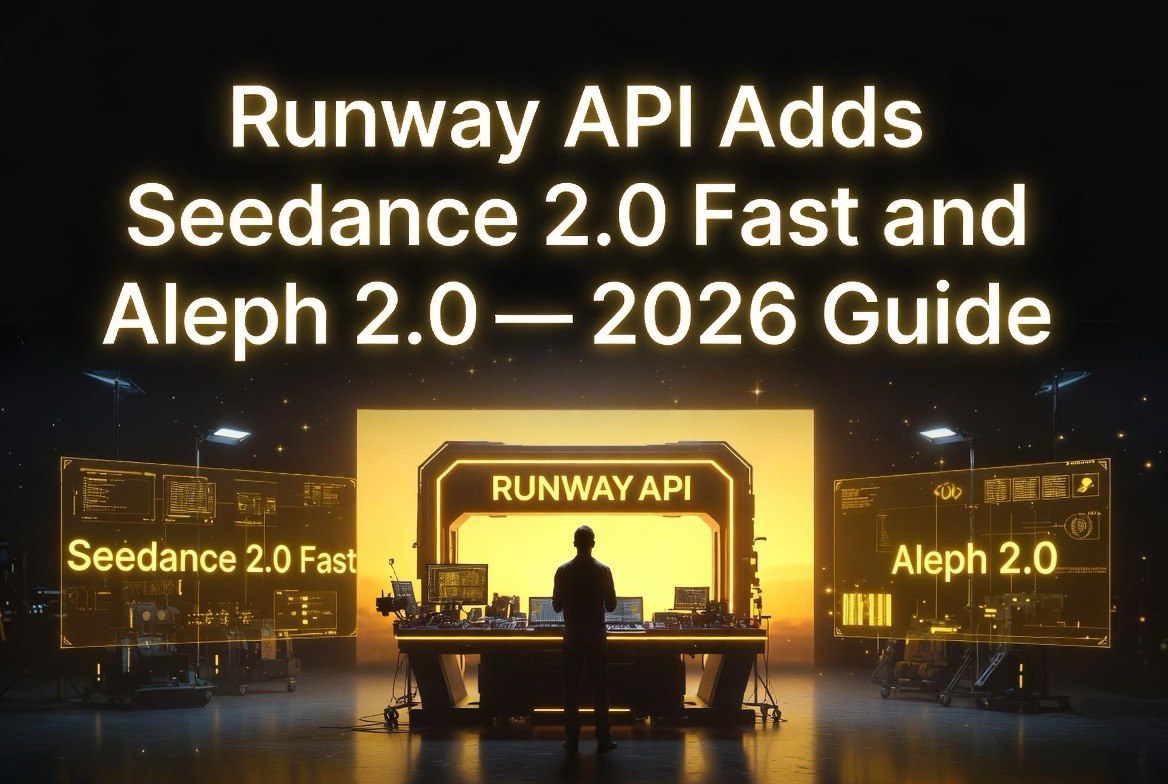
Runway changed that on June 2, 2026, by adding two of its most powerful models to the Runway API: Seedance 2.0 Fast for faster generation, and Aleph 2.0 for precise in-context video editing. These aren’t stripped-down versions. They’re the same models running in the web app, accessible through REST endpoints.
This matters because the API unlocks workflows that the web interface can’t support: automated batch rendering, programmatic video pipelines, integration with editing software, and scalable production that doesn’t require someone clicking “Generate” for every single clip.
Seedance 2.0 Fast: Faster Generation for Iterative Workflows
Seedance 2.0, ByteDance’s flagship AI video model, has been available on Runway since early 2026. It produces cinematic, multi-shot video with strong character consistency, realistic motion, and synchronized audio. The trade-off has been generation time: high-quality video takes time to render.
Seedance 2.0 Fast is a dedicated generation mode that prioritizes speed while maintaining the same model architecture. The Fast variant uses relaxed quality settings to deliver results in roughly half the time of standard generation. For the creator running 20 iterations to nail a specific shot, the difference between 4 minutes and 2 minutes per generation changes how many experiments you can run in a session.
The API gives access to the same input options as the web app: text prompts plus up to 9 reference images, 3 short reference videos, and 3 audio files for synchronized sound. You can pass a motion reference, a camera movement reference, character reference shots, scene references, lighting references, and style references — all in a single API call.
For an American content creator with a structured production pipeline, the difference is night and day. Instead of logging into Runway’s web app, prompting manually, downloading the result, and organizing files by hand, you can write a script that takes a spreadsheet of shot descriptions and generates them all in sequence. The API handles the queue. You handle the creative decisions.
Aleph 2.0 via API: Video Editing Without the App
Aleph 2.0 is Runway’s in-context video editing model, and it solves the problem that traditional AI video generation can’t touch: precise edits to existing footage.
Here’s the workflow that Aleph 2.0 unlocks through the API. You submit a source video — any clip from 2 to 30 seconds at up to 1080p. You provide a text prompt describing the edit: “Change the product in the actor’s hands from the blue box to the red box.” Optionally, you submit up to 5 keyframe images placed at specific timestamps showing exactly what the edit should look like at those points.
The model processes the video, applies the edit to the target frames, and propagates the change consistently across the entire clip. Motion, composition, and any elements you didn’t touch remain exactly as they were.
What makes the API version of Aleph 2.0 powerful is that it can be chained. A script can load a commercial, run Aleph 2.0 to change the product shot, run it again to adjust the lighting, run it a third time to replace the background — all without a human touching a timeline. Each API call is an edit pass, and the results compound.
For a US video production agency producing 50 product variation videos per month, each requiring different packaging, different backgrounds, and different overlays, Aleph 2.0 via API turns a week of rotoscoping and color grading into an automated pipeline that runs overnight.
What Creators and Developers Can Actually Build with This
The combination of Seedance 2.0 Fast for generation and Aleph 2.0 for editing in a single API creates capabilities that neither model offers alone.
Automated product video creation: A script receives product images and specifications as input. Seedance 2.0 Fast generates a lifestyle video of the product in use. Aleph 2.0 adjusts the product color to match seasonal variations. The system outputs 10 versions of the same video with different product variants. Done in hours, not days.
Batch social content pipelines: A social media manager uploads a reference video and a spreadsheet of different voiceover scripts. The API generates multiple versions with consistent visuals and varied audio tracks. Each version is optimized for a different platform’s aspect ratio and duration constraints.
Template-based video editing service: A freelance video editor builds a system where clients submit their raw footage and a style preference. The API processes the footage through Aleph 2.0 to apply the chosen color grading, add motion graphics keyframes, and output a polished edit — all programmatically.
Iterative creative exploration: An AI video artist generates 50 variations of a single concept using Seedance 2.0 Fast, selects the best 5, and uses Aleph 2.0 to refine them with targeted edits. The whole process runs as a script, freeing the artist to make creative decisions instead of clicking buttons.
Why the API Matters More Than the Web App
Runway’s web app is great for one-off projects. You log in, generate a video, download it, move on. But for anyone doing video production as a repeatable business process, the web app is a bottleneck in the same way that manual rendering was a bottleneck before cloud computing.
Consider a typical US freelance video editor producing client deliverables. Every week, they generate 15-20 AI video clips for social ads, product demos, and brand content. In the web app workflow, they log in, write prompts, wait for generation, download each clip, rename files, organize by client, and assemble in Premiere or DaVinci. The AI generation is the fastest part. The manual orchestration is the drag.
With the API, that same editor can build a script that reads client briefs from a folder, generates matching video clips with Seedance 2.0 Fast, applies consistent color grading with Aleph 2.0, and outputs organized, named files ready for timeline assembly. The editor reviews results instead of managing downloads. Creative judgment replaces file management.
This shift from tool-user to pipeline-builder is where API access changes the economics of AI video production. A creator who can script a video generation pipeline is effectively operating at 3-5x the output of someone clicking buttons in a browser.
Cost and Efficiency: The API vs Web App Math
The economics of API usage favor automated workflows. Runway’s Unlimited plan gives you a fixed number of API credits per month. Each Seedance 2.0 Fast generation costs fewer credits than standard Seedance 2.0, making it the default choice for high-volume work where quality requirements allow faster turnaround.
A realistic comparison: 100 video generations per month at standard Seedance 2.0 quality might consume 75% of your available API credits. The same 100 generations using Seedance 2.0 Fast might consume 40%. The saved credits can go to Aleph 2.0 editing passes and refinements — creating a more complete pipeline for the same monthly cost.
The API also eliminates the soft cost of context switching. Each time a creator switches from their editing software to Runway’s web app, they lose focus time. A pipeline that triggers an API call, waits for completion, and places the result directly into a project folder removes that friction entirely. Over a week of production, the time savings from uninterrupted creative work can add up to 4-6 hours of recovered focus time.
API Integration: What You Need to Know
The Runway API uses a standard REST architecture with JSON payloads. The model IDs for the new capabilities are straightforward: `seedance2_fast` for the faster generation mode and `aleph2` for the in-context editing model (the `aleph2_alpha` alias is deprecated).
Input video for Aleph 2.0 must be between 2 and 30 seconds, up to 1080p resolution. Seedance 2.0 Fast accepts text prompts, up to 9 images, 3 short video references (totaling roughly 15 seconds), and 3 audio files. Both models return completed video files through the API’s standard output handling.
Runway charges API usage on a per-second or per-generation basis, depending on the model and resolution. Seedance 2.0 Fast is billed at a lower rate than standard Seedance 2.0 generation, reflecting the reduced processing time. Aleph 2.0 pricing depends on video length and edit complexity.
Importantly, the API requires a Runway account with API access enabled. The Unlimited plans include API credits; Enterprise plans provide dedicated API capacity for higher-volume production.
For an American video creator or small studio producing 10-20 client deliverables per month, the API effectively doubles your production capacity without adding tooling cost — because you’re using the same plan credits more efficiently by choosing the right model for each task.
How This Compares to Other API Offerings
Runway’s API move with Seedance 2.0 Fast and Aleph 2.0 puts it ahead of most competitors in the AI video space when it comes to editing capability. Kling’s API offers strong generation but limited editing. Pika’s API is generation-focused with basic editing. Veo’s API through Google Cloud is powerful but requires GCP infrastructure and enterprise-level commitment.
The unique advantage of Runway’s API stack is the combination: generate with Seedance 2.0 Fast, edit with Aleph 2.0, and build a pipeline that moves from one to the other programmatically. For a solo creator or small studio building automated production tools, that’s a complete AI video toolkit in one API.
The practical difference is speed of iteration. A creator using the web app to edit a scene with Aleph 2.0: export the video, upload to Runway, apply edit, download, check result, re-upload with refined prompt. Each cycle is 5-10 minutes of context switching plus generation time. A creator using the API: the script applies the edit, checks the output against quality parameters, and re-submits with refined prompts automatically. The loop runs without human attention until quality thresholds are met.
For more on building AI video production pipelines, check out our AI video production guide.
Frequently Asked Questions
Is Seedance 2.0 Fast available to all Runway API users?
Yes. Seedance 2.0 Fast is available to any Runway account with API access enabled. It requires an Unlimited or Enterprise plan.
Does Aleph 2.0 via the API support multi-shot editing?
Yes. Aleph 2.0 can propagate edits across scene changes and cuts, maintaining visual consistency across multiple shots in the same source video. This is a significant upgrade from earlier video editing models that required each shot to be processed independently.
Can I use Seedance 2.0 Fast and Aleph 2.0 in the same API workflow?
Yes. You can chain API calls — generate video with Seedance 2.0 Fast, then pass the output to Aleph 2.0 for editing. This is a primary use case for automated production pipelines.
How fast is Seedance 2.0 Fast compared to standard Seedance 2.0?
Seedance 2.0 Fast generates video in roughly half the time of standard generation. Exact speeds depend on video length, resolution, and complexity of the prompt.
Does the Aleph 2.0 API support keyframe-based editing?
Yes. You can submit up to 5 keyframe images at specific timestamps to guide the edit. This gives you precise control over what changes and where.
What video formats does the Runway API support for Aleph 2.0 input?
The API accepts standard video formats up to 1080p, between 2 and 30 seconds in length. Output format matches the input format.

About Barak Schurr
Barak Schurr is a serial entrepreneur who built and exited a major ticketing platform before turning his attention to AI and content. He runs three AI-focused research sites and writes about the tools, workflows, and strategies that let solo creators build real channels — without a crew, a studio, or a Hollywood budget.
Email: [email protected]
More AI Resources for Your Business