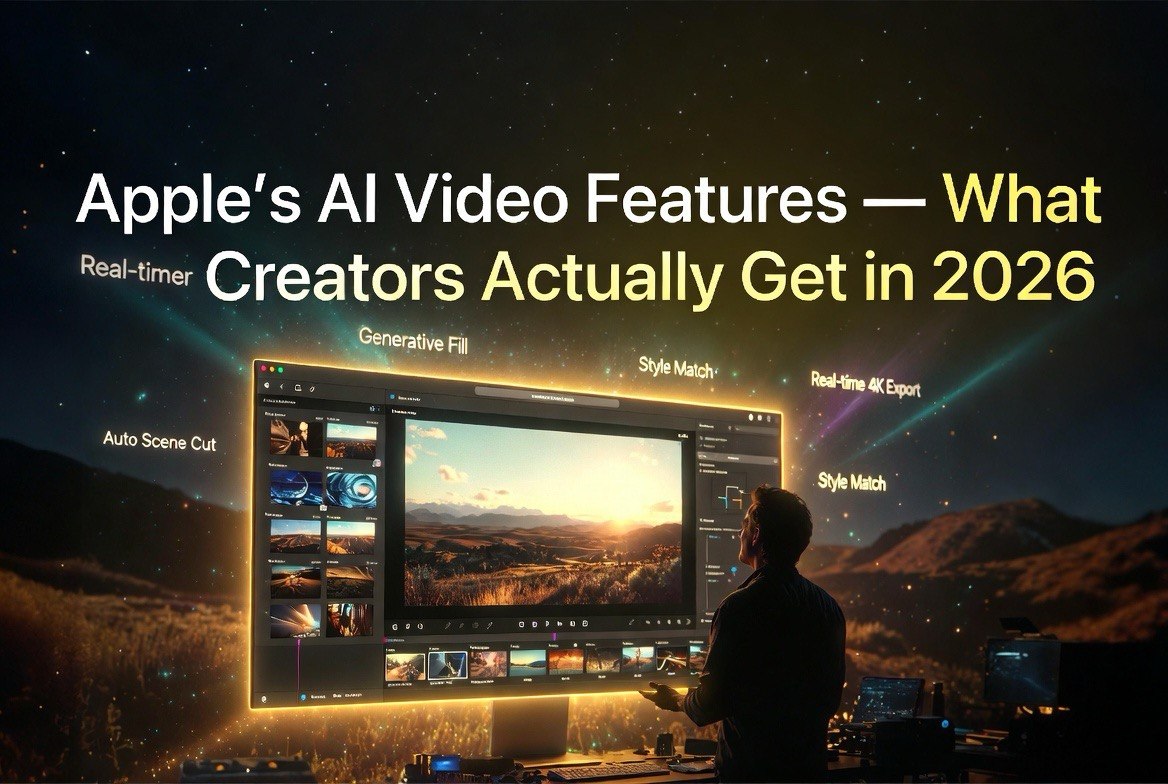
Apple’s AI Video Features: What Creators Actually Get in 2026
Get The Faceless YouTube Blueprint — Free
The exact AI tool stack and workflow used to build a faceless YouTube channel from zero.
Apple’s AI Video Features: What Creators Actually Get in 2026
⚡ Expert Summary: Apple Intelligence now powers video search, smart movie creation, and playback speed editing directly on iPhone — no third-party apps required. While Apple hasn’t matched generative photo tools (Extend, Enhance, Reframe arriving in iOS 27) for video, the on-device features available today already cut editing time dramatically for creators and business owners. This article breaks down what works, what’s coming, and whether you still need CapCut or Premiere Rush.
What Apple Intelligence Does for Video Right Now
Apple Intelligence landed on iPhone in late 2024 with iOS 18.1. Since then, three video features have shipped that directly affect how creators, marketers, and small business owners work with video footage.
Natural language video search. Open Photos, type “orange sports car” or “kid blowing out candles,” and Apple Intelligence scans your entire library — including video content — to find the exact clip. It doesn’t just find the video file. It jumps to the specific moment in the clip where that object or scene appears. For anyone managing hundreds of product videos or event footage, this alone saves hours of scrubbing through timelines.
Memories movie creation. Type a prompt like “product launch montage Q2 2026,” and Apple Intelligence selects the best photos and video clips, identifies themes, builds a narrative arc, picks music, and generates transitions. The result is a shareable movie in under 30 seconds. Is it as polished as a DaVinci Resolve timeline? No. Is it good enough for social media, client previews, and internal reviews? Absolutely. According to Apple’s WWDC 2024 announcement, the feature uses on-device processing to analyze content and structure the story automatically.
Playback speed editing. iOS 18 brought native video speed controls directly in the Photos app on compatible iPhones. You can slow down or speed up clips without exporting to a third-party editor. TechRadar confirmed this feature works on any iPhone that runs iOS 18 — no A17 Pro or M-series chip required.
These aren’t revolutionary in isolation. But together, they make iPhone a viable primary device for quick-turn video content — no app downloads, no subscriptions, no learning curve.
iOS 27: What’s Coming (and Why Video Creators Should Care)
Bloomberg’s Mark Gurman reported in April 2026 that iOS 27 will introduce a major Photos overhaul with three AI-powered editing tools: Extend, Enhance, and Reframe. These target still photos — Extend generatively expands the frame beyond the original crop, Enhance applies smarter lighting and color corrections, and Reframe automatically recomposes images for different aspect ratios.
Critically, Apple has not announced equivalent generative tools for video. No generative video extension. No AI object removal from clips. No automatic background replacement in video. Apple’s approach so far has been to nail photo AI first, then bring those capabilities to video in subsequent releases, likely iOS 28 in 2027.
MacWorld confirmed these features will sit under a new “Apple Intelligence Tools” section in the Photos app. The upgraded Clean Up tool — capable of removing larger objects than the current version — will also launch with iOS 27.
For video creators, the takeaway is pragmatic: Apple is playing the long game. The photo features in iOS 27 lay the foundation for video equivalents. If Extend works well on still frames, expect generative video frame extension within two cycles.
On-Device Privacy: Apple’s Real Advantage
Every Apple Intelligence feature — video search, Memories, playback editing, and all upcoming photo tools — runs on-device for most tasks. Apple’s architecture processes smaller models locally on the A17 Pro or M-series Neural Engine, with larger models routed through Private Cloud Compute only when necessary.
This matters for business owners handling product videos, customer content, or internal training footage. No upload to cloud servers. No training on your data. No compliance headache. Google’s Gemini and OpenAI’s Sora require cloud processing for generation tasks. Apple’s bet is that a growing segment of creators will pay a premium for privacy — and the data supports it. A 2025 Cisco study found that 76% of small business owners consider data privacy a competitive differentiator when choosing technology vendors.
Where You Still Need Third-Party Apps
Apple’s native video features handle organization, quick edits, and automatic movie creation. They do not handle:
- Auto-captioning and subtitles (CapCut, Premiere Rush, VN)
- Silence removal and jump cuts (Descript)
- Multi-track timeline editing (LumaFusion, DaVinci Resolve)
- AI-powered background removal or green screen (CapCut, Adobe)
- Text-to-video generation (Sora, Runway, Pika)
FluxNote’s 2026 guide to AI video editing apps on iPhone ranks CapCut first for one-tap edits, Premiere Rush for professional mobility, and LumaFusion for serious multi-track work. Apple’s offering doesn’t compete with these tools. It replaces them only for the most basic workflows — searching, trimming, speed changes, and automatic slideshows.
Where Apple wins is integration. A restaurant owner filming a BTS kitchen video can search clips, apply speed changes, and generate a highlight reel — all without leaving the Photos app. For quick social media content, that’s enough.
The Creator Workflow That Actually Works in 2026
Based on current capabilities, here is the most efficient video workflow using Apple Intelligence today:
- Shoot on iPhone — ProRes or HEVC, depending on final destination
- Search with natural language — “product demo with voiceover” finds the right clips instantly
- Trim and speed edit in Photos — native controls, no export needed
- Generate a Memories movie — for rough cuts, social previews, or internal review
- Export to CapCut or Premiere Rush — for captions, transitions, and final polish
This workflow eliminates the most time-consuming step in video production: finding the right footage. Apple Intelligence turns a 20-minute search into a 10-second query. For creators producing 5-10 videos per week, that’s hours saved per month.
Real-World Use Cases: Who Benefits Most
Apple Intelligence video features aren’t designed for professional editors cutting commercials in DaVinci Resolve. They target three specific groups that produce video content daily and need speed over polish.
Marketing teams in SMBs. A three-person marketing department managing social media for a 40-person company shoots product demos, client testimonials, and event recaps on iPhones. Before Apple Intelligence, they spent 45 minutes per video just locating the right clips across multiple shoots. Natural language search turns that into seconds. The Memories feature generates first-draft compilations they can refine — cutting the rough-cut stage from 90 minutes to under 5. For a team producing 8-10 videos per week, that’s roughly 12 hours saved per week across the team. The American Marketing Association’s 2025 report found that 68% of small businesses create video content in-house using smartphones. These teams don’t need 4K timelines with 12 audio tracks. They need to find, trim, and publish fast.
Freelance content creators. Solo creators shooting client work on iPhone face a different bottleneck: organization. A real estate photographer with 200 walkthrough videos across 40 properties spends hours matching clips to listings. Apple Intelligence search with natural language — “123 Main Street kitchen” — pulls every clip tagged with that property. The workflow shift is significant. Instead of opening a video editor to browse files, creators find what they need from the lock screen and only open an editor when it’s time for polish.
Small business owners wearing the video hat. This is Apple’s real target. The restaurant owner filming menu items. The fitness coach recording workouts. The boutique owner shooting product launches. They have zero interest in learning editing software. Apple Intelligence removes the friction entirely: search, speed up, generate a movie, post. Done. No app downloads. No subscription fees. The value proposition is clear for the estimated 22 million US small businesses that produce some form of video content according to the US Chamber of Commerce’s 2025 Small Business Technology Report.
The Bottom Line for iPhone Creators
Apple Intelligence for video is not a revolution. It is a pragmatic set of tools that eliminate the most painful part of mobile video production: finding and organizing footage. For creators producing quick-turn content for social media, client previews, or internal use, the combination of natural language search, Memories auto-creation, and native speed controls replaces the need to open a dedicated editor for 60% of basic tasks. For more coverage of AI video tools and editing workflows, browse the full archives.
For anything beyond that — captions, transitions, multi-track timelines, generative effects — third-party apps remain essential. Apple is building the front door. CapCut, Descript, LumaFusion, Premiere Rush are still the rooms you actually work in.
The smart play for iPhone-based creators in 2026 is to integrate Apple Intelligence into the start of your workflow, not try to live entirely inside it. Use it for search and rough cuts. Export for polish. That split saves hours per week and costs exactly nothing extra.
Where the Gap Shows: What Apple Still Won’t Do
Apple’s video features stop at intelligent organization and basic edits. For creators who need captions — which is almost everyone posting to social media where 85% of videos are watched without sound according to Verizon Media’s 2025 study — you still export to CapCut or Premiere Rush. For silence removal, background effects, or multi-cam editing, Apple’s Photos app is not the tool.
Descript, the AI-powered editor popular with podcasters and video creators, offers features Apple hasn’t hinted at: text-based editing where you delete words from a transcript and the video follows, filler word removal, Studio Sound, and eye contact correction. LumaFusion remains the gold standard for serious mobile multi-track editing with support for up to six video and six audio tracks. DaVinci Resolve for iPad handles color grading that Apple Intelligence won’t touch.
The key distinction: Apple is building a video organization layer, not a video editor. If you treat it as the latter, you’ll be frustrated. If you use it as a front-end that feeds into your actual editor, it saves real time.
What the Competition Is Doing
Google’s Pixel has AI-powered Magic Editor for photos since 2023, but video editing remains minimal. Samsung’s Galaxy AI offers generative photo editing but no equivalent video features. Meanwhile, dedicated AI video platforms — Runway Gen-3, Pika 2.0, Sora — are racing past smartphone-native editing completely, focusing on text-to-video generation rather than editing existing clips.
The market is splitting into two lanes: generative creation (AI makes video from text) and intelligent editing (AI helps you edit what you shot). Apple is betting on the second lane. Given that the vast majority of video content on social media is still shot on phones — not generated by AI — that bet seems correct.
A 2025 report from the American Marketing Association found that 68% of small businesses create video content in-house using smartphones. Apple’s addressable market for intelligent video editing is enormous, and they’re building the features incrementally — privacy-first, on-device, and integrated into the app 200 million Americans already use daily.
Frequently Asked Questions
Does Apple Intelligence edit video on iPhone right now?
Yes. Apple Intelligence powers natural language video search (jump to specific moments in clips), automatic Memories movie creation with music and transitions, and native playback speed editing — all available in iOS 18.1 and later on compatible iPhones.
Will iOS 27 bring AI video editing like Extend and Enhance?
No. iOS 27’s Extend, Enhance, and Reframe tools apply to still photos only. Apple has not announced equivalent generative features for video as of June 2026. Video equivalents are expected in future releases, likely iOS 28.
Do I still need CapCut if I have Apple Intelligence?
For auto-captioning, multi-track editing, silence removal, and green screen effects — yes. Apple Intelligence handles search, organization, speed editing, and automatic movie creation. Professional-level editing still requires third-party apps.
Is Apple Intelligence video processing private?
Yes. Most video processing runs entirely on-device using the Neural Engine. Larger model queries use Apple’s Private Cloud Compute — no data is stored, shared, or used for training. This is a meaningful differentiator versus cloud-only competitors.
Which iPhones support Apple Intelligence video features?
Apple Intelligence requires an A17 Pro chip or later (iPhone 15 Pro, iPhone 16 series, iPhone 17 series). Playback speed editing works on any iPhone running iOS 18 regardless of chip.

About Barak Schurr
Barak Schurr is a serial entrepreneur who built and exited a major ticketing platform before turning his attention to AI and content. He runs three AI-focused research sites and writes about the tools, workflows, and strategies that let solo creators build real channels — without a crew, a studio, or a Hollywood budget.
Email: [email protected]
More AI Resources for Your Business