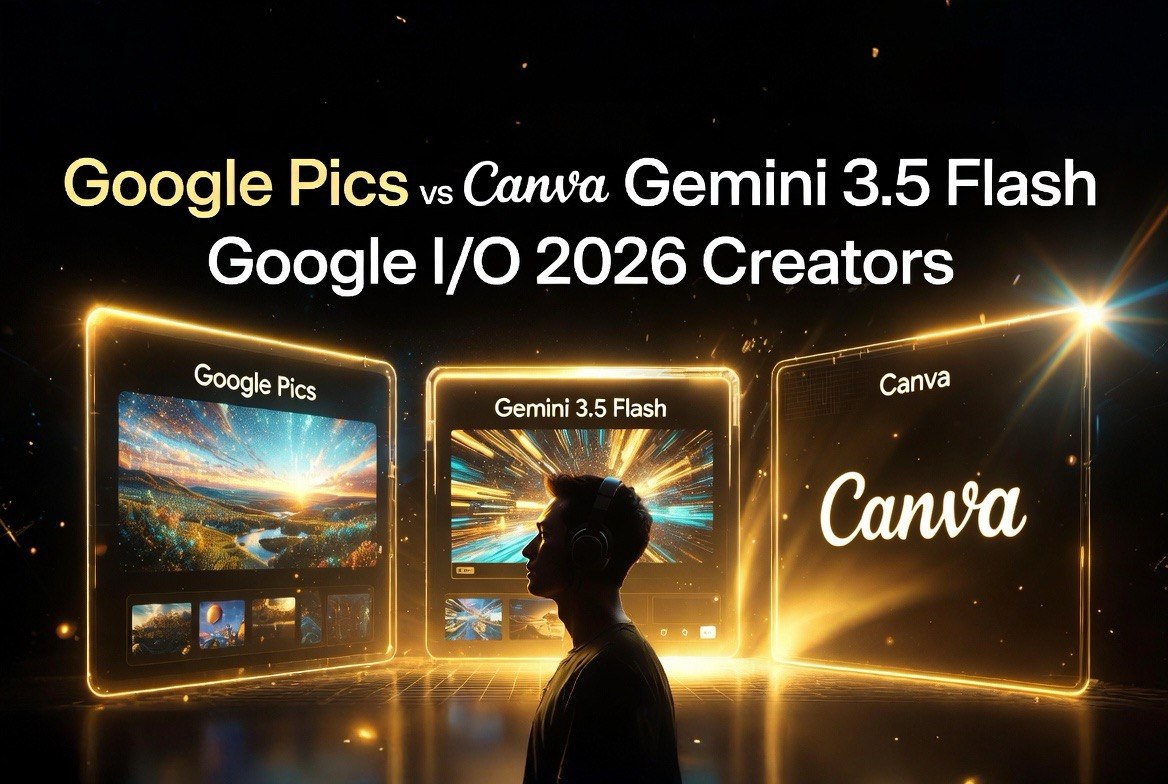
Google Pics vs Canva + Gemini 3.5 Flash 4x Faster: What Google I/O 2026 Means for Content Creators
Get The Faceless YouTube Blueprint — Free
The exact AI tool stack and workflow used to build a faceless YouTube channel from zero.
Google Pics vs Canva + Gemini 3.5 Flash 4x Faster: What Google I/O 2026 Means for Content Creators
⚡ Expert Summary: Key Takeaways
- Google launched Pics — a new AI design app inside Google Workspace that competes directly with Canva and Claude Design. Powered by the Nano Banana 2 model, it generates editable images from text prompts.
- Gemini 3.5 Flash is now 4x faster than competing frontier models and rolling out across Search, Gemini app, and the API. For creators, this means near-instant script generation, image analysis, and content research.
- Gemini Spark — a 24/7 personal AI agent with Gmail and Google Docs integration — launches next week for AI Ultra subscribers ($100/month). It monitors your inbox, drafts replies, and runs on Google Cloud without your laptop being on.
Bottom line: Google just made a serious play for the creator economy. Pics challenges Canva for design work. Gemini 3.5 Flash challenges Claude and GPT-5.5 for speed. And Spark competes with the persistent agent workflows from Anthropic. Creators on Google’s ecosystem just got a massive upgrade.
Google I/O 2026 was its most AI-dense developer conference ever. And for content creators who make videos, thumbnails, and social content for a living, three announcements from the keynote matter more than anything else Google showed off across the two-day event.
The short version: Google is coming for Canva, it’s speeding up its AI 4x, and it’s giving you a 24/7 AI assistant that lives inside Gmail. Here’s what each of those means for how you create video content, manage your channel, and design thumbnails.
Google Pics: Canva Finally Has a Real Competitor
Google announced Pics, a new AI-powered design and image-generation app built directly into Google Workspace. The concept is simple: type a text prompt, get a design. But the execution is where it gets interesting and where Google’s years of AI research actually pay off for everyday creators.
Unlike Canva, where you still spend 20 minutes dragging and dropping elements to get the layout right, Pics lets you edit individual elements inside a generated design without starting over. Want to change the text on a YouTube thumbnail without regenerating the whole image? Click the text, type the new text, done. Want to swap the background color without losing the subject positioned in the foreground? Click and change. This is fundamentally different from the “generate and pray” approach of most AI design tools right now, where changing one element means starting from scratch.
Pics is powered by Nano Banana 2, which Google says excels at precise text rendering and detailed visual output. For creators, that matters a lot more than it sounds like. AI-generated text in images has been notoriously bad across every major platform — blurry letters, misspelled words, wrong font sizes, text that wraps awkwardly or just looks wrong at thumbnail scale. If you’ve tried generating thumbnail text with Midjourney or DALL-E, you know exactly what I mean. Nano Banana 2 claims to solve that with what Google calls “semantic text rendering” — the model understands that the text in your YouTube thumbnail needs to be readable at 50 pixels wide and adjusts the font weight, size, and contrast accordingly.
The pricing is the real story. Pics is included in Google’s AI Ultra tier ($100/month), which also gives you Gemini 3.5 Flash, Gemini Spark, and enhanced Google Workspace features. Compare that to Canva Pro at $12.99/month per user plus separate subscriptions for AI features like Magic Studio, and the math starts to tilt in Google’s favor — especially if you’re already on Google Workspace for email, docs, and storage.
For a creator making YouTube thumbnails, channel art, social media graphics, and sponsor pitch decks, Pics replaces at least two tools in your current stack. The question isn’t whether Pics is better than Canva today. It’s whether Google’s distribution advantage — 3 billion users across Workspace, Android, and Chrome — will make Pics improve faster than Canva can respond. History says yes. Google has a track record of iterating rapidly on products with massive user bases.
Gemini 3.5 Flash: 4x Faster Changes the Workflow
Speed doesn’t sound sexy, but it’s the single biggest productivity unlock for creators who use AI daily. Gemini 3.5 Flash runs at 4x the output speed of competing frontier models — meaning the script that takes 30 seconds on GPT-5.5 takes 7-8 seconds on Gemini 3.5 Flash. That doesn’t sound dramatic for one query, but it compounds fast.
When you’re editing a video and need to rewrite a section of the script, generate title options, analyze competitor thumbnails, or research trending topics — shaving 20-30 seconds off every interaction adds up to hours saved per week. For a creator who does 50-100 AI queries a day (script writing, thumbnail A/B testing, caption generation, SEO research), that’s 15-50 minutes saved per day. Over a month, that’s a full workday recovered.
Gemini 3.5 Flash is rolling out across Search, the Gemini app, and the API. If you use Google’s ecosystem for scripting or research, the speed upgrade is noticeable immediately. But the real unlock is workflow integration. When AI responses come back in 7 seconds instead of 30, you don’t wait — you iterate. You try three different video title options instead of settling for the first one. You run competitor analysis on five channels instead of one. You rewrite a weak section of the script instead of keeping it because you don’t want to wait another 30 seconds. The speed changes the creative behavior, not just the clock.
The benchmark positioning matters too: Gemini 3.5 Flash lands roughly at GPT-5.5 capability level on most reasoning and language benchmarks. You’re not trading quality for speed — it’s genuinely faster at the same output quality. For creators who have been using GPT-5.5 and wishing it were faster, this is a direct upgrade path.
Gemini Spark: Your 24/7 Production Assistant
Gemini Spark is the most interesting announcement for creators who manage their channel operations through email — which is nearly all of them, whether they realize it or not.
Here’s how it works: you email Spark at its dedicated Gmail address, and it runs as a 24/7 agent on Google Cloud — no laptop required. No app to install. No browser tab to keep open. It can read your emails, pull data from your Google Docs and Sheets, draft replies, and take actions based on your instructions. It never sleeps, never takes a day off, and never loses track of a thread. It doesn’t slow down when your inbox spikes during a product launch.
For a content creator, the use cases are obvious and numerous:
- Sponsorship inbox management — Spark reads incoming sponsorship emails, checks your rate card in Google Sheets, and drafts a response with your availability and pricing. No more digging through inbox clutter to find the $500 brand deal buried under 47 newsletters and spam.
- Comment triage — Spark monitors your channel email for collaboration requests, feature requests, and brand deals, then categorizes them by priority and drafts initial responses. You review and hit send instead of writing from scratch.
- Production coordination — “Spark, check my calendar and find three 2-hour blocks this week for recording.” It reads your Google Calendar, finds the gaps that match your energy patterns, and sends you options with conflicts noted.
- Research — “Spark, research the top 5 trending video formats in the faceless channels niche this month and save them to my Briefing Doc.” Spark pulls from your saved sources, scans recent data, and structures the output as a formatted doc.
- Expense tracking — Forward receipt emails to Spark and it logs them to your expense sheet with category tags for tax season.
The key advantage over competitors: Spark is deeply integrated into Google’s ecosystem. It doesn’t need to learn your tools. It already has access to your Gmail, Docs, Sheets, and Calendar as part of your Workspace account. The setup friction is zero — you just toggle it on in settings and it’s working within minutes. Anthropic’s equivalent requires connecting through APIs and setting up permissions manually. OpenAI’s equivalent doesn’t have persistent memory across sessions. Spark has both integration and memory out of the box.
Should You Switch?
If you’re already on Google Workspace (most creators are on Gmail at minimum), the AI Ultra tier at $100/month starts to look like a bargain when you add up what you’d pay separately for Canva Pro at $13/month, a ChatGPT subscription at $20/month, and dedicated automation tools at $30-50/month. That’s potentially three subscriptions replaced by one.
If you’re heavily invested in Canva’s ecosystem with years of templates, brand kits, and established workflows, Pics isn’t urgent — but don’t ignore it. Google’s distribution advantage means Pics features will improve faster than Canva’s, because Google has 3 billion users generating real-world feedback data. Canva has 200 million. That’s a 15x data advantage that compounds every quarter.
The play for creators: use Pics for thumbnail and channel art design, Gemini 3.5 Flash for scripting and research, and Spark for email management and production coordination. That’s three tools replaced by one $100/month subscription. Do the math on your current tool stack and see what you come up with. For most creators spending $50-$80/month on individual tools, the upgrade to AI Ultra is a net savings with more capabilities bundled in.
FAQ
When will Pics be available?
Pics is in testing as of Google I/O (May 19, 2026) and rolling out to AI Ultra subscribers this summer. No exact date yet, but Google typically ships I/O announcements within 60-90 days.
Is Pics better than Canva?
Different tools for different stages. Canva has more templates and a mature design ecosystem. Pics has AI-native editing that’s faster and more intuitive for single-image tasks. For thumbnails and simple graphics, Pics is faster. For complex multi-page designs, Canva still wins.
Do I need the $100/month AI Ultra tier to use these features?
Pics and Gemini Spark are exclusive to AI Ultra. Gemini 3.5 Flash is available across all Google AI tiers including the free tier in Gemini app.
Will this affect my existing YouTube workflow?
Not unless you want it to. These are additional tools, not replacements for anything you currently use. You can keep your existing workflow and layer these on top.
Does Google train on creator data?
Google’s Workspace data policies state that your content is not used for model training. Review the specific terms for AI Ultra when you subscribe, as they may differ from free-tier data handling.
Can I use Pics without switching from Canva entirely?
Absolutely. Many creators will use Pics for fast AI-native generation and Canva for template-heavy designs where they have established brand kits. They’re complementary tools.
When does Gemini Spark launch?
Google announced Spark at I/O with a “next week” rollout for AI Ultra subscribers. It should be live by the end of May 2026.

About Barak Schurr
Barak Schurr is a serial entrepreneur who built and exited a major ticketing platform before turning his attention to AI and content. He runs three AI-focused research sites and writes about the tools, workflows, and strategies that let solo creators build real channels — without a crew, a studio, or a Hollywood budget.
Email: [email protected]
What To Do This Week
The Google I/O 2026 announcements are not theoretical products on a distant roadmap. Gemini 3.5 Flash is rolling out now across Google’s products. Gemini Spark launches next week for AI Ultra subscribers. Pics begins rolling out to subscribers this summer. The timeline for each of these is measured in weeks, not quarters — unusual for Google, which typically takes 6-12 months to ship I/O announcements at scale. This accelerated rollout timeline itself signals how seriously Google is treating the creator economy opportunity. They are not building ahead of the market. They are responding to market demand that is already here.
Three actions to take this week. First, if you already subscribe to Google One AI Premium or any Google paid tier, check whether your plan includes the upcoming AI Ultra features. The $100/month AI Ultra tier bundles all three products, and early subscribers often lock in pricing before demand-driven increases. Second, test Gemini 3.5 Flash against your current AI tool for scripting and research. Run the same prompt through both and measure not just output quality but time to first response. The 4x speed advantage is most noticeable when you are iterating rapidly through creative options, not just asking a single question. Third, audit your current tool stack. If you are paying for Canva Pro, a separate AI writing tool, and any email automation service, add up what you are spending monthly. If it approaches $75-100, the AI Ultra bundle likely saves you money while consolidating your workflow into a single ecosystem. The savings may not be dramatic month to month, but over a year the difference adds up to real money that can go back into production budget or channel growth.
More AI Resources for Your Business