Fliki Review 2026: Script-to-Video With AI Voiceovers for Solo Creators
Get The Faceless YouTube Blueprint — Free
The exact AI tool stack and workflow used to build a faceless YouTube channel from zero.
Fliki Review 2026: Script-to-Video With AI Voiceovers for Solo Creators
⚡ Expert Summary: Fliki turns text into a finished video — script, voiceover, visuals, music, and subtitles — without you opening an editing timeline. Paste a blog post, a script, or a one-line prompt and it returns a publish-ready file in minutes. The free tier gives you 3 credits a month, 300 voices, and 720p with a watermark; Standard unlocks 1080p, 15-minute exports, 1,000 voices (500 ultra-realistic), and voice cloning. It has produced over 100 million videos for more than 12 million users, and for a solo creator it solves the single hardest problem in the workflow: getting from a written idea to an actual uploaded file without a crew.
Every solo creator hits the same wall, and it is not the idea. You can write. You have the hook, you have the script, you have the thing you want to say. What stops you is everything after the writing: narrating it, finding footage, matching clips to sentences, adding music, burning in subtitles, exporting, resizing, and then doing it again tomorrow because the algorithm wants consistency.
That gap — between a script that exists and a video that is published — is where most content channels die. Not from lack of creativity. From the sheer mechanical weight of production. Fliki is one of the clearest attempts to close that gap, and the numbers around it suggest the approach is landing: 100 million-plus videos created, 12 million-plus users, trusted by 50,000+ companies.
What Fliki Actually Is
Fliki is a text-to-video platform built around voiceover. That distinction matters, because it separates it from the wave of AI video tools that generate dreamlike footage from a prompt and leave you to figure out what to do with it.
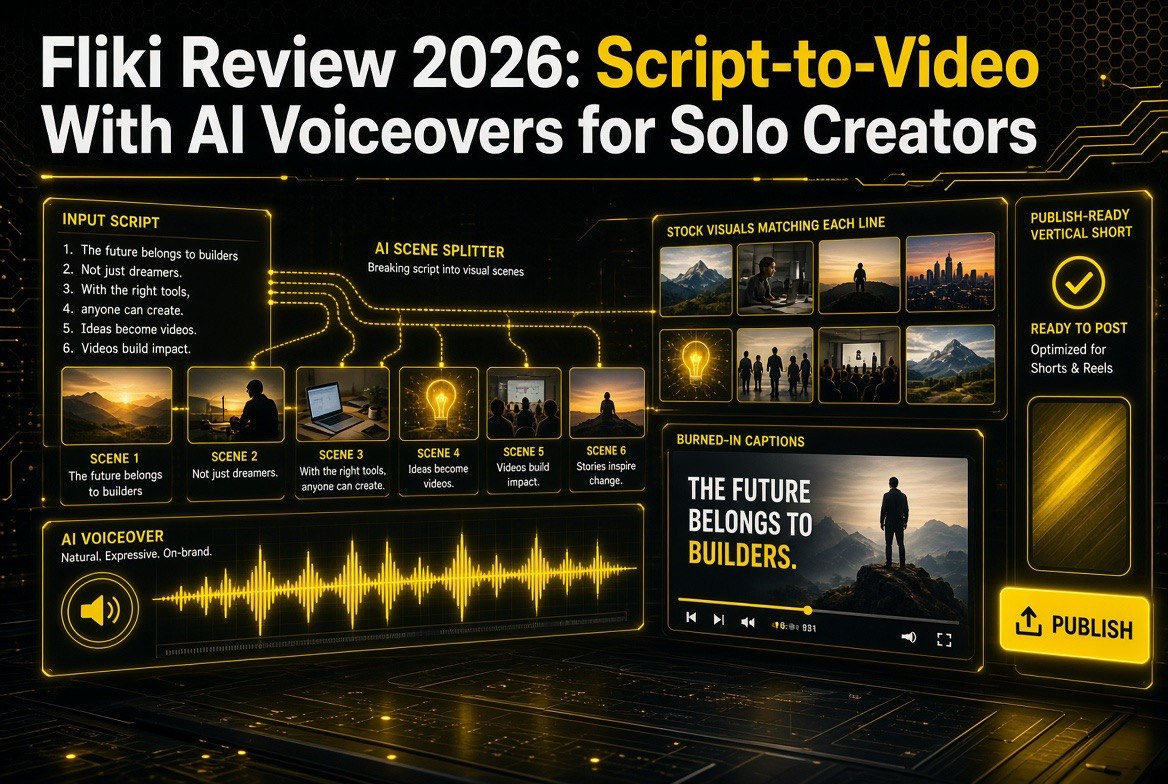
Fliki’s starting point is words. You paste a script, a blog post, a PowerPoint deck, or just a one-line idea. The system writes the script if you do not have one, breaks it into scenes, picks visuals for each scene, adds an AI voiceover, layers music, and burns in subtitles. What comes out the other end is a finished video with consistent characters — not a raw clip library.
Four capabilities define the product:
Text to video. Paste a script, blog post, or prompt. Fliki writes the script, selects visuals, adds voiceover, music, and subtitles, and returns a publish-ready video. The workflow list is unusually broad for this price point: idea to video, script to video, blog post to video, PPT to video, edit video, recording to polished video, idea to audio, script to audio, blog to audio, idea to thumbnail, idea to social carousel, and idea to presentation.
Text to speech at scale. Over 2,000 lifelike AI voices across 80+ languages and dialects, with emotion, pacing, and emphasis control. You can generate a voiceover, dub an existing video into another language, or clone your own voice from a short sample. Voice cloning is limited to one clone on Standard and three on Premium, which is a real constraint worth reading twice before you plan around it.
Series. This is the feature most creators underrate. You tell Fliki your topic, style, and posting schedule, and it plans upcoming videos, writes the scripts, and has them ready when you need them. It is the consistency engine — the answer to the daily “what do I post today” stall that kills channels in month three.
Digital twin. Record yourself once and Fliki builds an AI version of you that presents and speaks in 80+ languages, with the same face and voice in every scene. This is the closest thing on the market to scaling a personal brand without standing in front of a camera for every upload.
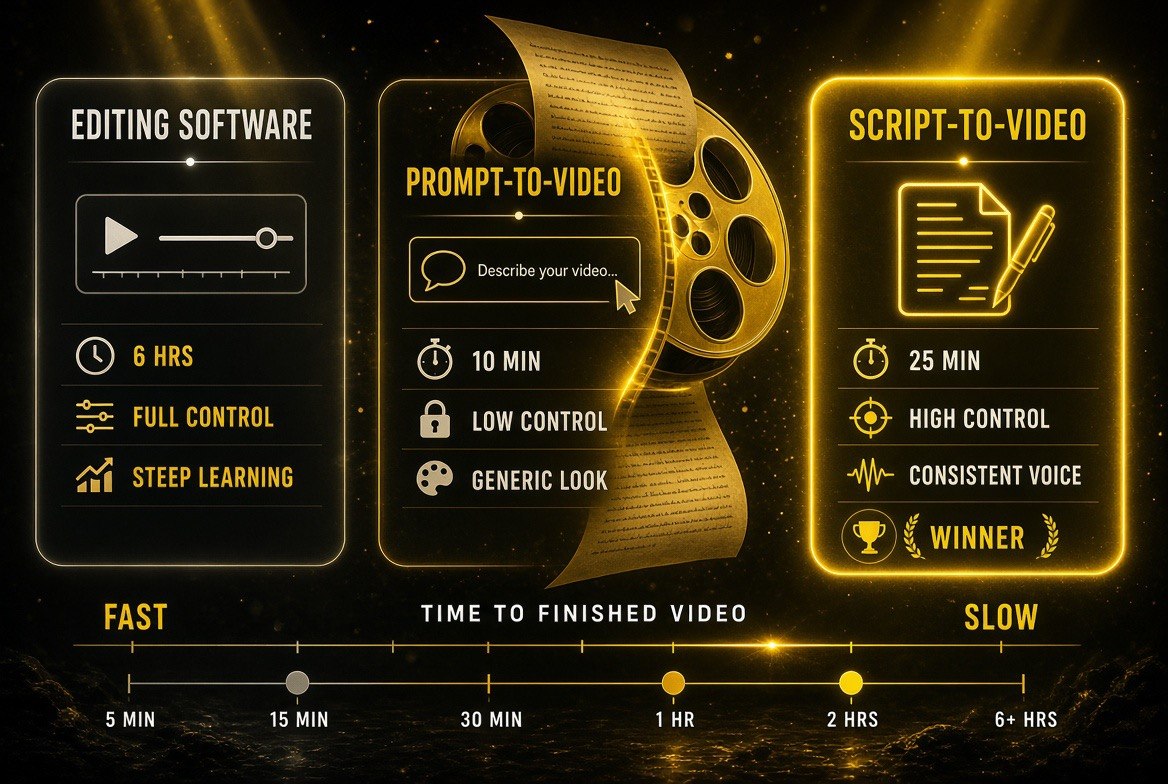
Why script-to-video is the balanced middle: a full editing suite eats 6 hours, a prompt-only generator hands over control and returns a generic look, while starting from your own written script finishes in roughly 25 minutes with a consistent narration.
Fliki’s Workflow vs Editing Software vs Prompt-to-Video Tools
Three approaches exist in 2026, and they suit very different creators. Picking the wrong one costs weeks, so the comparison is worth making explicitly.
| Factor | Traditional Editing Software | Prompt-to-Video Generators | Fliki |
|---|---|---|---|
| Starting point | Footage you shot or sourced | A visual description prompt | A script, blog post, or idea |
| Voiceover | Record yourself or hire talent | Usually added separately | Built in — 2,000+ voices, 80+ languages |
| Time to first draft | Hours per video, more with revisions | Minutes, but clips come back raw | Minutes, assembled with voice and captions |
| Skill required | Real editing skill and a learning curve | Prompt writing, plus assembly work | Paste text, review, export |
| Consistency at volume | Manual — every video is a new project | Character drift, scene by scene | Series mode plans and queues episodes |
| Cost model | Software licence, often annual | Credits that burn per generation attempt | Credits per output, monthly or annual |
Read that honestly and the positioning gets clear. If you shoot your own footage and the edit is the craft, Fliki is not for you. If you want cinematic generated footage and you enjoy directing a model, prompt-to-video is the better fit. Fliki is for the creator whose bottleneck is the assembly — the narration, the clip matching, the captions — and whose real skill is in the writing.
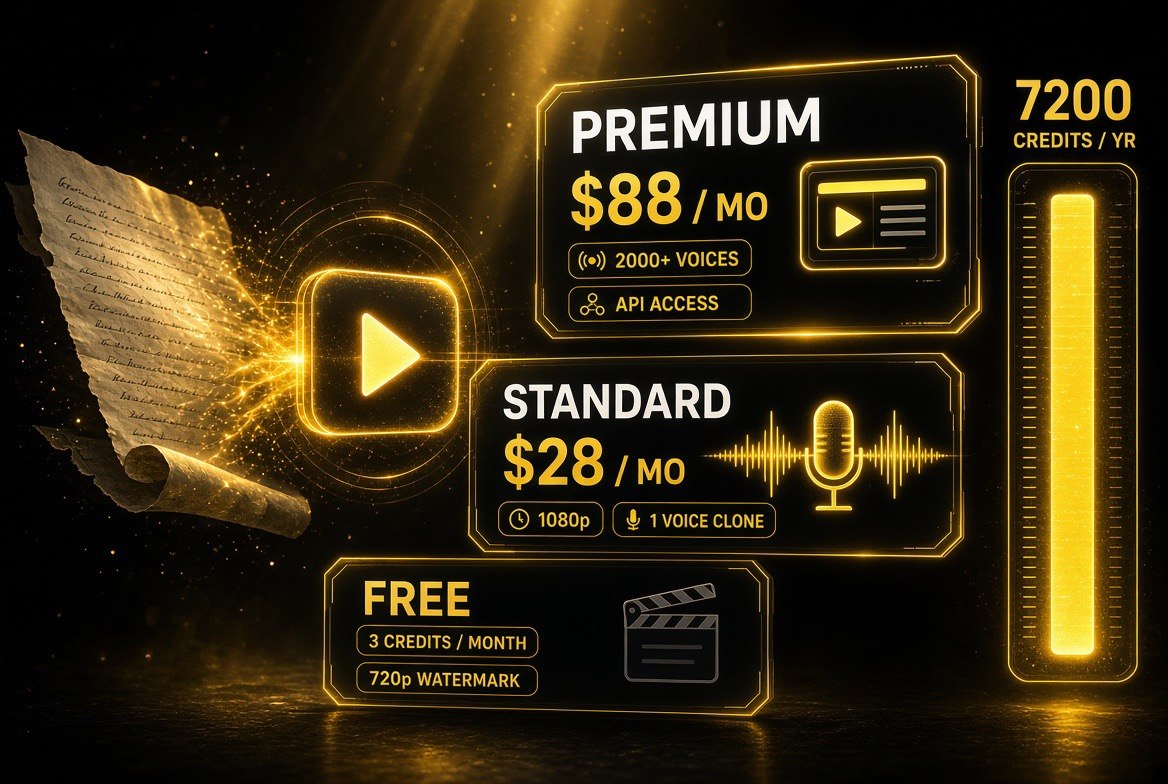
What each Fliki tier actually unlocks: the free plan caps at 3 credits a month with a watermark and 720p exports, while Standard and Premium buyers are paying for resolution, voice cloning, export length, and API access.
Pricing: What the Tiers Actually Unlock
The free tier is real, and worth understanding precisely because most AI video tools bait you with a demo that cannot export anything usable.
Free — $0 forever. 3 credits per month, 300 voices across 80+ languages, videos from ideas, scripts, blog posts, or PPTs, stock images and clips and music, AI images and thumbnails, and 720p HD export. It carries a Fliki watermark and a 1-minute export limit. No credit card required. Three credits a month is enough to learn the tool and produce one short test video — not enough to run a channel.
Standard. 2,160 credits per year, 1,000 voices including 500 ultra-realistic, Full HD 1080p export, videos up to 15 minutes, translation into 80+ languages, voice cloning plus limited stock avatars, custom characters, 1 Series, AI Playground, 50 publications per month, YouTube publishing, and commercial rights. Watermark removed. This is the tier a working solo creator lives on.
Premium. 7,200 credits per year, 2,000+ voices with 1,000+ ultra-realistic and multilingual expressive voices, videos up to 40 minutes, AI video clips and photo avatars, all AI avatars, multiple voice clones, multiple brand kits, custom fonts, priority support, and API access. Premium is where agencies and multi-channel operations land.
Enterprise. Custom pricing billed yearly with custom credits, bulk discounts, invoiced billing, personalized avatars, professional voice cloning, branded templates, team collaboration, and a dedicated account manager.
Two numbers deserve attention. First, the credits-per-minute of output varies by how you build: stock footage versus AI-generated clips, and whether you add an avatar, changes the burn rate. Second, the free plan’s 1-minute export ceiling and watermark mean the free tier is a trial, not a business. Budget for Standard from day one.
| What You Get | Free | Standard | Premium |
|---|---|---|---|
| Export length | 1 minute | 15 minutes | 40 minutes |
| Resolution | 720p | 1080p | 1080p |
| Voices | 300 | 1,000 (500 ultra-realistic) | 2,000+ (1,000+ ultra-realistic) |
| Credits | 3 per month | 2,160 per year | 7,200 per year |
| Watermark | Yes | No | No |
| Voice cloning | No | 1 clone | 3 clones |
| Commercial rights | No | Yes | Yes |
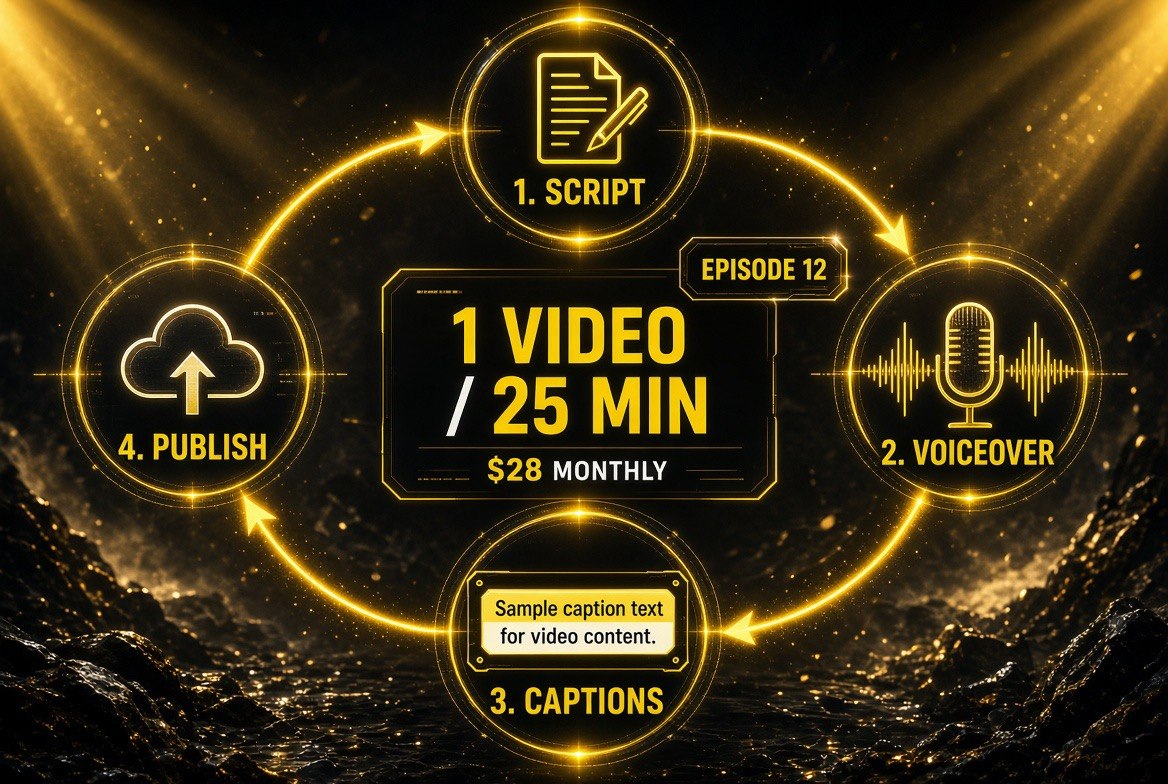
The repeatable loop that makes a faceless channel viable: the same four stages run every episode in about 25 minutes at a fixed monthly cost, which is what lets one person publish consistently without a crew.
The Faceless Channel Playbook
The most common use case for Fliki is the faceless short-form channel: TikTok, Reels, YouTube Shorts, no camera, no presenter. That is a legitimate business model in 2026 and the tool fits it precisely. Here is how it actually runs.
Step 1 — Pick a narrow topic and a posting cadence you can hold. Series mode wants a topic and a schedule. Daily is ideal for shorts; three a week is survivable. The tool can queue the work, but it cannot manufacture the niche decision — that is still yours.
Step 2 — Feed it source text, not blank-page prompts. The strongest Fliki output comes from real input: a blog post you already wrote, a script you already drafted, a listicle you already made. Paste that in and it segments the script, matches visuals, and adds voiceover. Starting from a one-line prompt works, but the output is thinner and needs more revision.
Step 3 — Choose a voice that fits the niche and stop second-guessing it. Voice consistency is a brand asset. Pick once from the 1,000-voice Standard library, use the same voice across the series, and let recognition build. Switching voices between uploads resets that familiarity every time.
Step 4 — Review the voiceover against the visuals before export. This is where human judgment earns its keep. AI scene matching is good, not perfect. A clip that undercuts your point is worse than a generic clip that supports it. Thirty seconds of review per video is enough.
Step 5 — Batch and schedule. The economics only work at volume. Produce a week of shorts in one sitting, queue them, and let the schedule run. A channel posting once a week from a perfect workflow underperforms a channel posting daily from a good one.
Where Fliki Falls Short
Three limitations are worth knowing before you commit a workflow to it.
Credit burn is variable. Output length is not the only thing that costs credits. Stock footage versus AI-generated clips and the addition of avatars change how fast your balance moves. Creators who plan on “15 minutes of video equals a fixed number of credits” get surprised. Check the estimator before committing to a format.
Voice cloning is capped low. One clone on Standard, three on Premium. If your plan involves multiple brand voices or a rotating cast of presenters, you will hit that ceiling quickly, and the only fix is Enterprise.
It optimizes for assembly, not originality. A Fliki video is a well-built video. It is not a distinctive one, unless your script was distinctive going in. Creators who paste generic text get generic output that looks exactly like everyone else’s generic output. The tool removes production friction; it does not remove the need to have something worth saying.
The free tier will not run a channel. Three credits a month with a 1-minute cap and a watermark is a demo. Treat it as a test drive with a clear end date.
The Bottom Line for Solo Creators
The creators who win in 2026 are not the ones with the best equipment. They are the ones who ship consistently while everyone else is still researching the perfect setup. The entire constraint on a solo channel has always been the ratio of published videos to written ideas, and that ratio has historically been brutal — a great script becoming one video a week because production is slow.
Fliki changes that ratio. Paste the script, review the voiceover, export. Series mode then handles the planning layer so a bad week does not break the schedule. For a creator with more to say than time to produce, that is the entire ballgame, and the free tier lets you test it before you pay a cent.
If you want to see how this fits the wider creator stack, our guide to AI video tools for solo creators covers the alternatives, and our AI video tools hub indexes every platform we have reviewed.
Frequently Asked Questions
What is Fliki used for?
Fliki turns text into finished videos. You paste a script, blog post, PowerPoint, or idea prompt, and it writes or segments the script, selects visuals, adds an AI voiceover, layers music, and burns in subtitles. It is used most by solo creators building faceless short-form channels and businesses producing training or promo video at volume.
Is Fliki free to use?
Yes, there is a free forever tier with no credit card required: 3 credits per month, 300 voices across 80+ languages, 720p HD export, and access to stock assets. It includes a Fliki watermark and caps exports at 1 minute. For real channel output you need Standard, which adds 1080p, 15-minute videos, 1,000 voices, voice cloning, and commercial rights.
How much does Fliki cost?
Fliki runs four tiers. Free is $0 forever with 3 credits a month. Standard includes 2,160 credits per year, 1,000 voices with 500 ultra-realistic, 1080p export, videos up to 15 minutes, and 1 voice clone. Premium includes 7,200 credits per year, 2,000+ voices, videos up to 40 minutes, 3 voice clones, and API access. Enterprise is custom-priced. Standard and Premium are billed per user with no commitment.
Can I make faceless YouTube Shorts with Fliki?
Yes, that is its most common use. You paste a script or idea, choose a voice, let it match visuals and add captions, review the scene matching, and export a vertical short. Series mode extends this by letting you set a topic, style, and posting schedule so it plans and prepares upcoming videos for you rather than you starting from scratch each day.
Does Fliki clone my voice?
It can, with limits. Voice cloning is available from the Standard tier, which allows 1 clone. Premium allows 3. If you need multiple brand voices or several presenters, you will need the Enterprise plan. You can also use any of the 2,000+ stock voices with emotion, pacing, and emphasis control without cloning anything.
What are Fliki’s main limitations?
Credit consumption varies with the media you use — stock footage, AI-generated clips, and avatars all burn credits at different rates, so output length alone does not determine cost. Voice cloning is capped at 1 on Standard and 3 on Premium. And because it optimizes for assembly rather than originality, generic input produces generic output that resembles everything else on the platform.

About Barak Schurr
Barak Schurr is a serial entrepreneur who built and exited a major ticketing platform before turning his attention to AI and content. He runs three AI-focused research sites and writes about the tools, workflows, and strategies that let solo creators build real channels — without a crew, a studio, or a Hollywood budget.
Email: [email protected]
More AI Video Resources