Klap: Turn Long YouTube Videos Into Viral Shorts Automatically
Get The Faceless YouTube Blueprint — Free
The exact AI tool stack and workflow used to build a faceless YouTube channel from zero.
Klap: Turn Long YouTube Videos Into Viral Shorts Automatically
You recorded a 40-minute video, and maybe 3,000 people watched it. Somewhere inside that recording are six or eight clips that could reach 200,000 — if you had the time to find them, cut them, caption them, and reframe them for Shorts and Reels. That manual work is why most creators never repurpose. The editing is the bottleneck, not the content.
Klap is built to remove that bottleneck in one pass. It’s an AI video repurposing tool that watches your long-form video, finds the highest-energy, most quotable moments, and turns them into a batch of ready-to-publish short clips — with animated captions, vertical reframing, and a virality score on every cut. You paste a YouTube link, and instead of an hour of editing, you get a queue of Shorts to review and ship.
This review is for US-based YouTube creators and podcasters who publish long-form but keep losing the short-form audience because repurposing is tedious. I’ll break down how Klap works, what the cuts actually look like, what it costs, how it compares to the big rival (OpusClip), and the honest catch you need to know before you paste your first link.
What Klap Actually Does
Klap is a long-form-to-shorts engine. You upload a video or paste a YouTube link, and its AI analyzes the whole timeline — the transcript, topic changes, energy levels, speaker emphasis, and sentiment — to identify the moments that work as standalone clips. From one upload it typically generates a batch of self-contained shorts, usually 15 to 90 seconds each, often 10 to 30-plus clips per video depending on length and density of content.

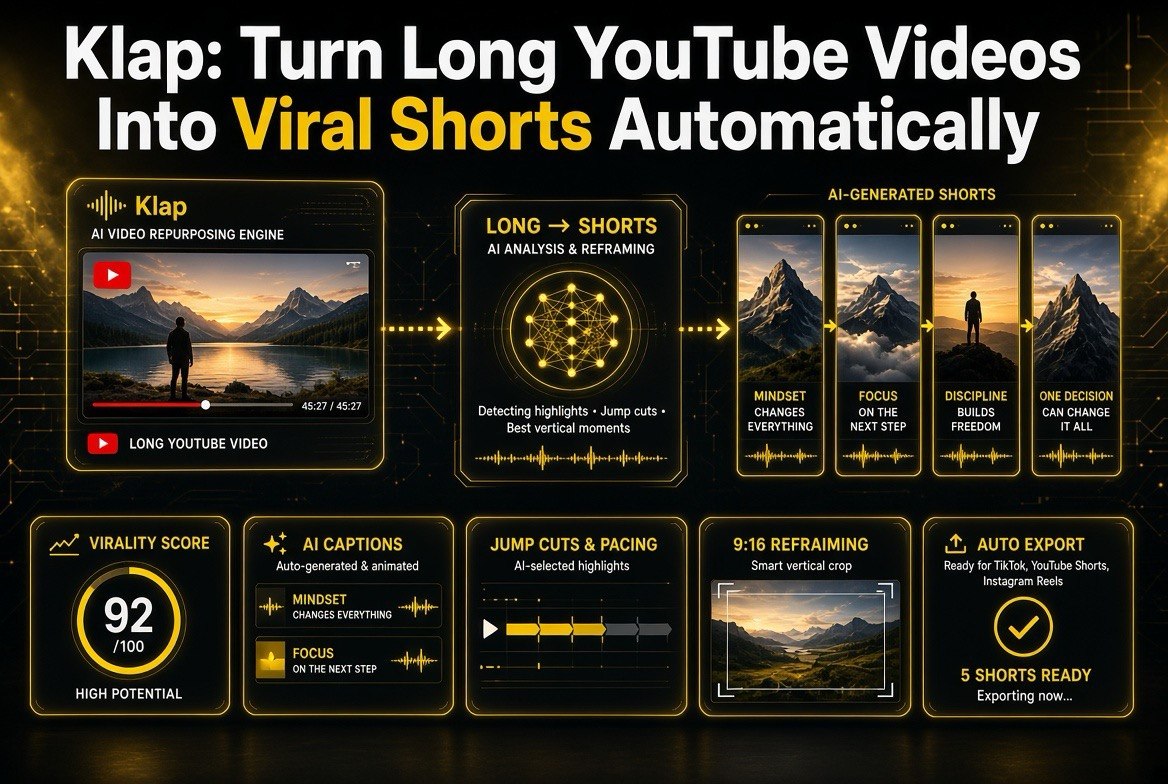
Klap collapses the repurposing bottleneck: paste a long-form link and one AI pass turns it into a queue of ready-to-publish vertical Shorts — captioned, reframed, and ranked by virality score for quick review.
Every clip comes out as a finished short, not a raw cut. Klap handles the pieces you’d otherwise do manually:
- Animated captions — speech recognition builds synced, word-level highlighted captions in 52 languages, accurate to roughly 98% on clean audio. You can style them with fonts, colors, sizes, and templates — tuned for muted viewing, which is how most people watch Shorts.
- Intelligent jump cuts — it cuts at natural topic and speech boundaries so clips feel clean and self-contained, not like a chunk ripped out mid-sentence.
- AI Reframe 2 — content-aware reframing from horizontal or square to vertical 9:16, tracking the speaker and keeping faces centered, even in multi-speaker interviews or screencasts.
- Virality Score — every clip gets a 0-to-100 score ranking how likely it is to perform, so you know which cuts to publish first.
That final point is the quiet differentiator. Klap doesn’t just hand you clips — it tells you which one is most likely to pop. For a creator shipping multiple shorts a week, that prioritization is worth real money in time saved. Instead of guessing which moment to lead with, you let the model rank them and spend your attention where it compounds. Over a month of daily publishing, a consistent ordering signal like that meaningfully raises your hit rate per short.
It also handles the export and delivery side that usually eats your afternoon. Once clips are ready, you can export in HD (or 4K on higher tiers) and push straight to TikTok, YouTube Shorts, Instagram Reels, or LinkedIn — including scheduling, so you can line up a week of posts in one sitting. For anyone running a faceless channel, a podcast feed, or a client content operation, that finishing step is where the tool stops being a time-saver and starts being a replacement for an assistant.
Why “Just Clip It” Is the Whole Game
The reason repurposing tools like Klap matter is math, not features. A long video you already made has zero marginal production cost to repurpose — the footage, the voice, and the ideas are all sitting there. The only cost is the editing time to find the good parts and package them. Klap collapses that cost to near zero, which changes what’s possible:
Think about what most creators actually do with a finished long video: they upload it, promote it once, and move on. The short-form potential of that same content is left on the table, usually because the manual work of cutting, captioning, and reframing feels like a second production run. Repurposing tools flip that math. The expensive part — making the content — is already paid for. Klap only monetizes the cheap part, which shifts the whole economics of your output. You stop treating Shorts as a separate content stream and start treating them as a byproduct of the long-form you were making anyway.
- Volume without burnout. A single podcast or deep-dive video can feed a week of Shorts. You stop rationing shorts because each one cost you 20 minutes of editing.
- The algorithm lottery, played more often. Shorts are discovery engines. Every extra short is another ticket to a new audience. Publishing 10 shorts a week instead of 2 is a fundamentally different strategy.
- One source, every format. Clips export ready for YouTube Shorts, TikTok, Reels, and LinkedIn — square, vertical, or landscape — from the same source upload.
This is where Klap shines compared to the general-purpose editors I’ve reviewed on this site. Descript and CapCut make editing better. Klap makes repurposing a solved problem — you’re not editing, you’re curating machine-suggested cuts. The distinction matters because it changes what you’re actually doing with your time. In a traditional editor, the work is building something frame by frame. With Klap, the work is judgment: approving good suggestions, trimming the edges of a great one, and deciding the publishing order. That’s a fundamentally cheaper skill to apply at volume, and it’s why a solo creator can run a Shorts operation that would normally need a dedicated clip editor.
Honest Cost Breakdown
Klap is subscription-based, metered by clips per month rather than raw video minutes, and it bills annually by default (roughly half the monthly rate). Pricing as of mid-to-late 2026:
| Plan | Cost (annual billing) | Clips per Month | Best For |
|---|---|---|---|
| Basic | $14/mo | 100 clips | Individual creators, one channel |
| Pro | $39/mo | 300 clips | Active creators who post daily |
| Pro+ | $94/mo | 1,000 clips | Teams and multi-channel operations |
Features scale with the plan: 4K export and AI dubbing in 29 languages ride on the Pro tier and up, while Pro and above unlock batch processing of longer source videos per day. A one-video free trial is available (no credit card), but there’s no permanent free tier.
Let me put the numbers in context. The Pro plan at $39/month for 300 clips works out to about 13 cents per finished short. If you were paying an editor (or a VA) to cut, caption, and reframe 300 shorts a month, you’d be looking at a four-figure invoice. For a creator treating Shorts as a growth engine rather than a side hobby, that math is decisive.
Klap vs. OpusClip: Which Should You Pick?
Klap’s biggest rival in the repurposing space is OpusClip, an
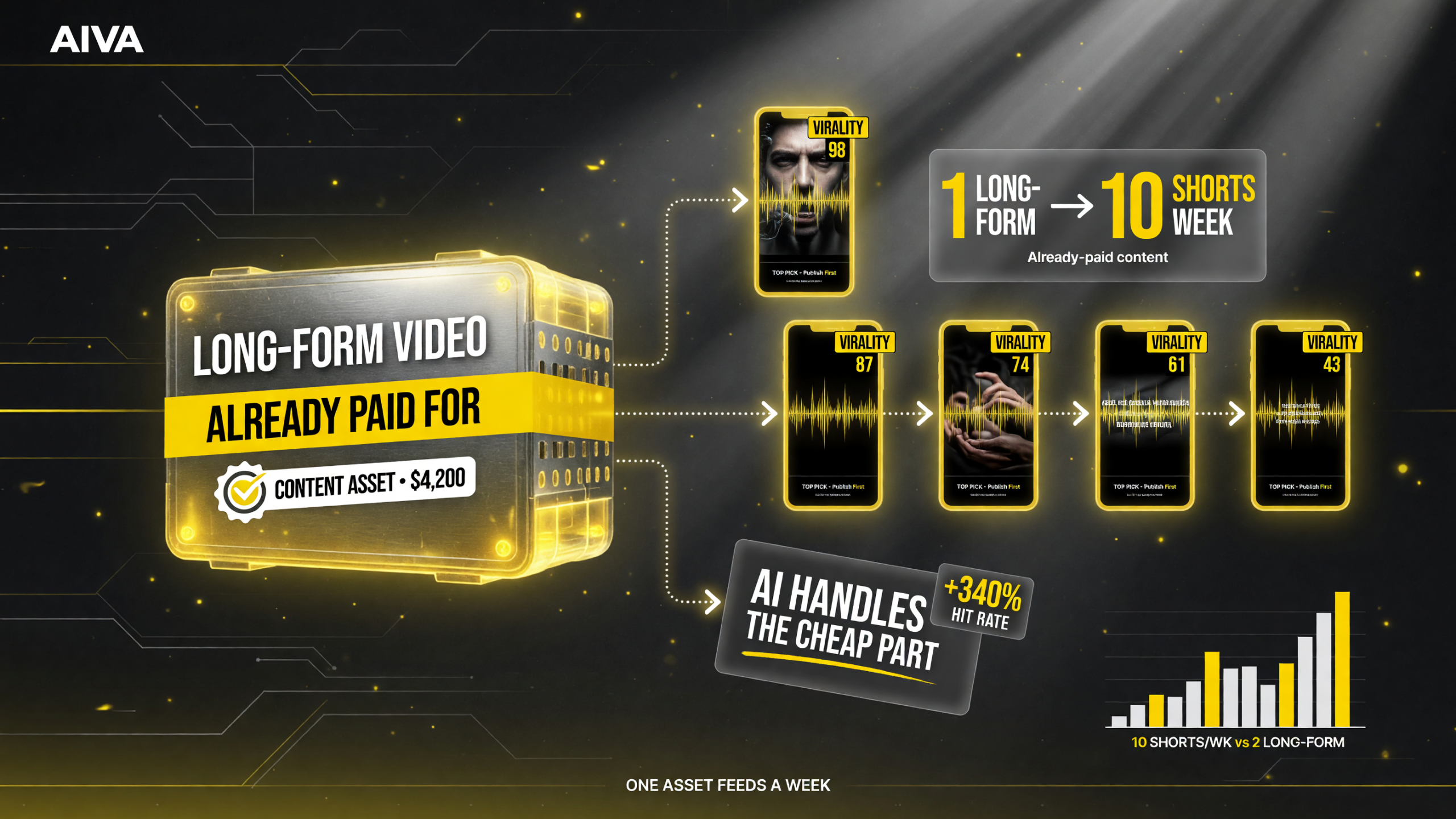
The expensive part is already paid for. Because Klap only monetizes the cheap part — cutting and packaging — one long video feeds a week of Shorts, and a virality score tells you which cut to lead with instead of guessing.
d the two get compared constantly. Here’s the honest side-by-side that actually matters for your decision:
| Factor | Klap | OpusClip |
|---|---|---|
| Core strength | Caption polish + intelligent reframing (AI Reframe 2) | Long track record, broad ecosystem, auto-posting |
| Caption languages | 52 languages | 60+ languages |
| Dubbing | 29 languages on Pro and up | 40+ languages on higher tiers |
| Pricing entry | $14/mo (100 clips, annual) | Typically ~$15+/mo entry |
| Selection priority | Virality Score (0-100) on every clip | Clip score + interactive selection |
| Best fit | Creators obsessed with caption quality and clean vertical reframing | Creators wanting the most established, feature-broad pipeline |
The short version: both replicate the core “long to short” magic competently. Klap leans into making each clip look polished — cleaner captions, smarter reframing, strong dubbing value on mid-tier plans. OpusClip leans into breadth and ecosystem. If caption aesthetics and vertical framing are what decide whether a clip holds attention, Klap is the sharper pick; if you want the biggest feature spread and longest track record, OpusClip is the safe bet.
A practical way to decide: run the same source video through both tools’ free trials and compare the same moment in each clip. Look at three things — whether the caption timing is clean at the cut points, whether the speaker stays centered during rapid movement, and whether the clip feels like a deliberate edit rather than a random chunk. How each tool handles those three moments will tell you more than any feature list. In my experience, Klap tends to win the caption-timing and reframing polish on talking-head content, which is exactly the format most podcast and education creators feed it.
The Honest Catch
I’ll give you the flip side, because no tool this good is free of trade-offs.
It’s not a free plan tool. There’s a one-video trial, but no ongoing free tier. If you’re a casual creator who posts a short every few weeks, the subscription might not justify itself. This is a tool for volume — it pays for itself when you’re shipping consistently.
Quality depends on your source. Klap works best on speech-heavy content — podcasts, interviews, educational videos, talking-head segments. If your long-form is heavily visual (fast cuts, gameplay, music), the AI has less to latch onto and the clips will be less magical. Garbage in, mediocre shorts out.
You still curate. The AI finds and ranks; you still pick and ship. Most creators will review the suggested clips, keep the best 20-30%, and skip the rest. That’s a huge time save — but it’s not “publish and forget.” You’re delegating the editing, not the judgment.
Frame it honestly: if your goal is to feed a steady stream of polished Shorts from content you already made, Klap is one of the strongest tools in the space in 2026. If you repurpose once a month and don’t care about volume, it’s overkill.
Getting Started
If the profile fits — you make speech-heavy long-form and you want a Shorts engine, not another editor — here’s the fastest path to a verdict:
- Claim your free trial at klap.app — one video, no credit card.
- Paste your best-performing long video’s YouTube link.
- Review the suggested clips by Virality Score — don’t publish anything yet, just feel the selection quality.
- Open one clip in the editor and tweak a caption style to test how much control you have.
- Publish one short and see if it holds retention vs. your manual cuts.
That’s the whole test. If the clip quality and caption polish impress you on video #1, the $14/month entry point is a no-brainer for an active channel.
And if you’re worried about the tool’s clips feeling too similar to your own editing style, remember that Klap is a starting point, not an endpoint. The best workflows treat its output as a strong first dr
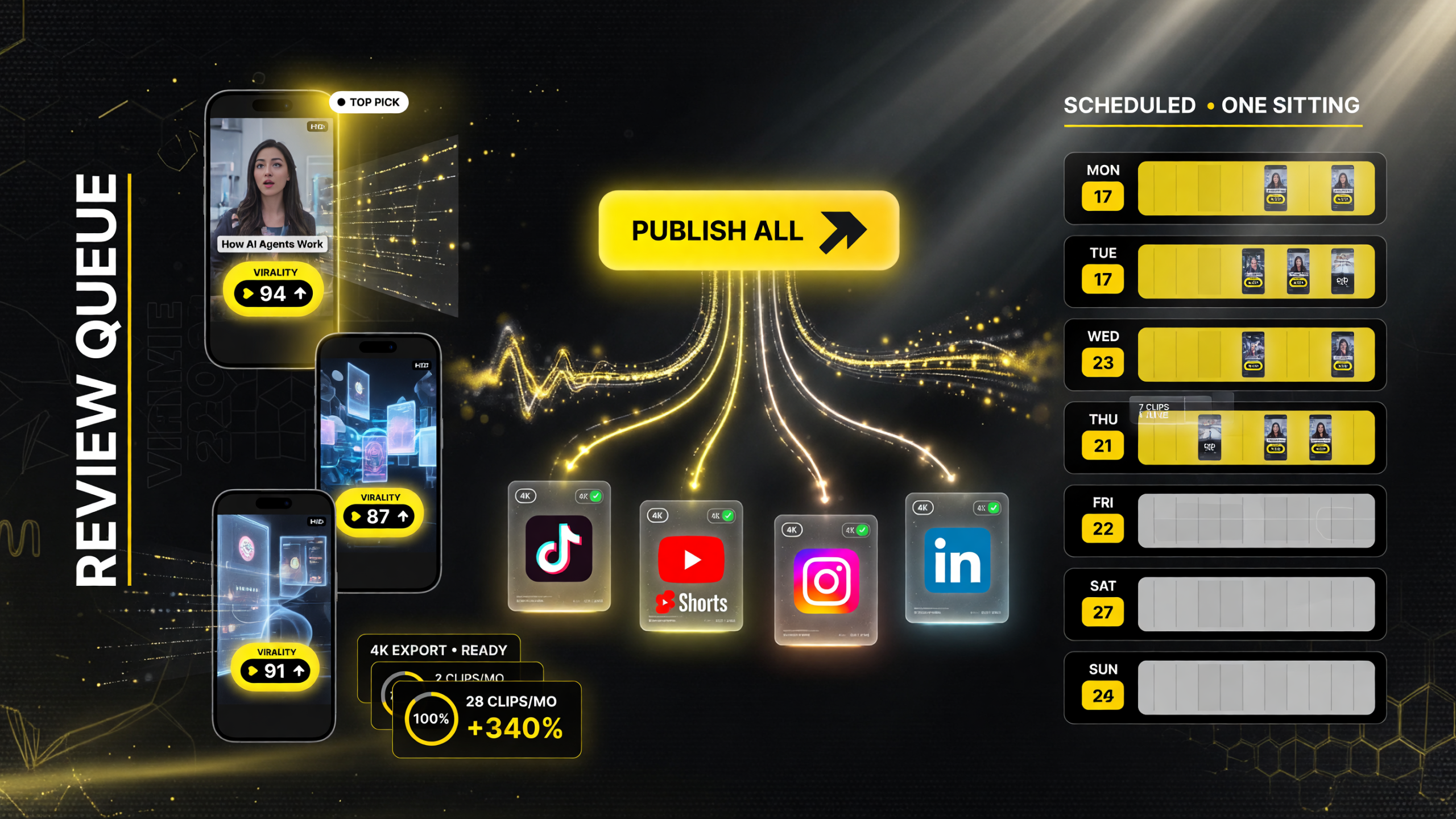
At the finishing step Klap stops being a time-saver and starts replacing an assistant: review the ranked queue, and one action exports HD or 4K clips and schedules them across TikTok, Shorts, Reels, and LinkedIn — a week of posts lined up in a single sitting.
aft you can refine — apply your brand’s caption style, tighten the hook in a second pass, or regenerate a clip with different settings until it matches your voice. The point isn’t that AI replaces your taste; it’s that the machine does the drudge work of finding, cutting, and captioning, and you bring the judgment that turns a good clip into a great one. Used that way, Klap stops being a shortcut and becomes a permanent part of how you ship content.
| Question | Short Answer |
|---|---|
| Is there a free plan? | No ongoing free tier, but there’s a one-video free trial with no credit card. |
| What content works best? | Speech-heavy videos — podcasts, interviews, educational, talking head. |
| How many clips per video? | Typically 10-30+ clips, 15-90 seconds each, ranked by Virality Score. |
| Does it reframe for vertical? | Yes — AI Reframe 2 turns horizontal/square into 9:16 with face tracking. |
| What does it cost monthly? | From $14/mo (100 clips) on annual billing, depending on plan. |

About Barak Schurr
Barak Schurr is a serial entrepreneur who built and exited a major ticketing platform before turning his attention to AI and content. He runs three AI-focused research sites and writes about the tools, workflows, and strategies that let solo creators build real channels — without a crew, a studio, or a Hollywood budget. Contact: [email protected]
More AI Video Resources