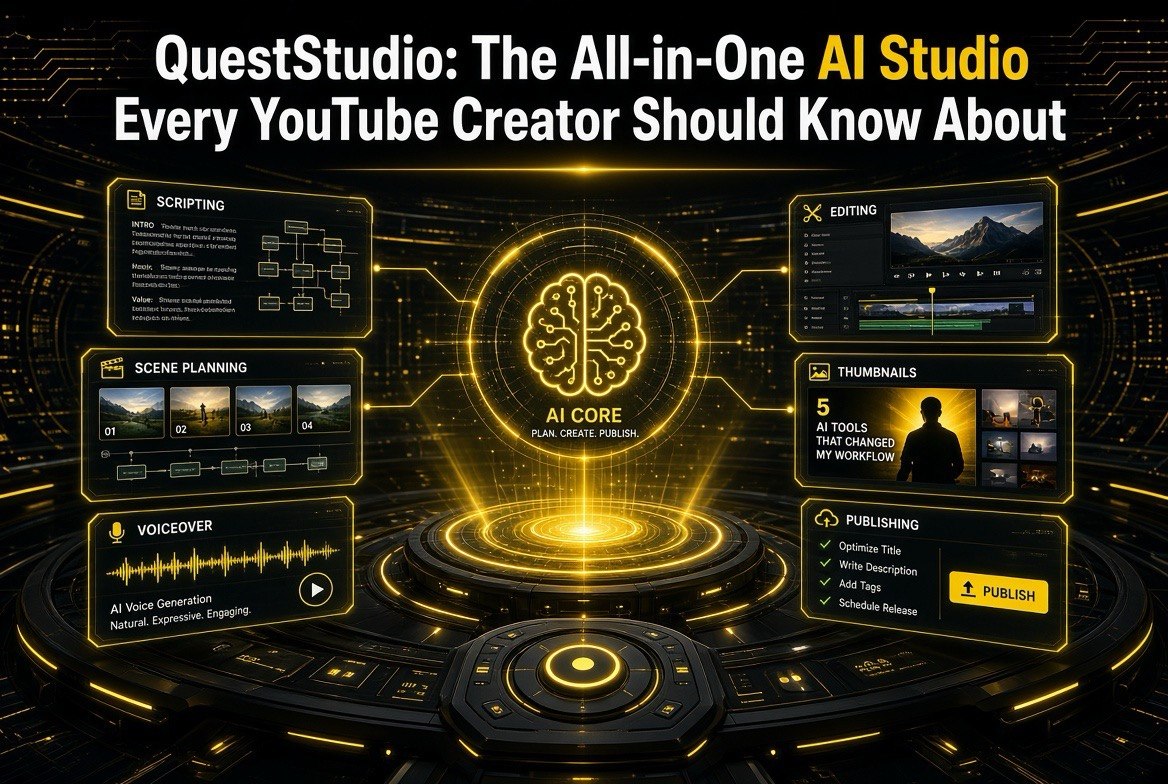
QuestStudio: The All-in-One AI Studio Every YouTube Creator Should Know About
Get The Faceless YouTube Blueprint — Free
The exact AI tool stack and workflow used to build a faceless YouTube channel from zero.
QuestStudio: The All-in-One AI Studio Every YouTube Creator Should Know About
⚡ Expert Summary: QuestStudio is an all-in-one generative AI studio built for creators — it handles images, video, voice, and music in a single workspace with shared credits, project organization, and consistent-character tools, so a YouTube creator doesn’t need five subscriptions and five logins to publish. For US creators producing multi-format content, the pitch is consolidation: plan in one lab, generate your video, add the voiceover and music, keep the same character across videos, and export — all with one credit balance. Plans start free, with paid tiers from about $15/month including commercial rights.
Here’s the friction every serious YouTube creator knows by heart: producing one video means juggling a text-to-video tool, a separate voiceover tool, a music generator, an image model for thumbnails, and some way to keep your on-screen character consistent from video to video. That’s four or five logins, four or five credit systems, and a whole lot of copy-paste exporting. The overhead eats time you could be spending on publishing — and for US creators running a real channel, time is the constraint that actually limits growth.
QuestStudio (queststudio.io) is built to collapse that stack into one place. It’s an all-in-one generative AI studio that bundles image, video, voice, and music generation under a shared credit system with specialized “Labs” — so you can move from video clip to voiceover to background track to consistent character without leaving the workspace. Here’s what it actually does, how it compares to the single-purpose tools you’re probably using now, and whether it’s worth replacing your stack.
What QuestStudio Actually Includes
QuestStudio organizes everything into purpose-built Labs, each handling one slice of the creator workflow, all drawing from a single shared credit balance.
- Video Lab. Text-to-video and image-to-video generation across models like Sora 2 (Pro), Veo 3.1, Kling Turbo, Seedance Pro, and Runway Gen-4 Turbo — with a focus on motion, camera work, and connecting output to your voice and music tracks.
- Voice Lab. Text-to-speech, voice cloning (e.g., XTTS v2), speech-to-speech conversion, and multilingual support, with models like MiniMax 02 HD for realistic narration.
- Music Lab. Text-to-music, lyric input, reference audio, stems, and loops using models like Google Lyria 2 and MiniMax Music — so your background track and video come from the same workspace.
- Image Lab. Image generation with models like Flux, Nano Banana, and Stable Diffusion for thumbnails, stills, and scene references, including prompt testing and model comparison.
- Character Forge + LoRA training. Tools to create and keep a consistent character across videos, and train custom LoRAs for a distinctive style.
- Planning, Prompt, and Editor tools. Organize content, refine prompts, and edit or upscale what you generate — with project history and remixing built in.
The key idea: outputs from one Lab flow into another. Generate your video clip, run it into the Voice Lab for narration, drop the Music Lab track underneath, keep the character consistent with Character Forge, and export — all without juggling separate tools or re-uploading files between platforms.
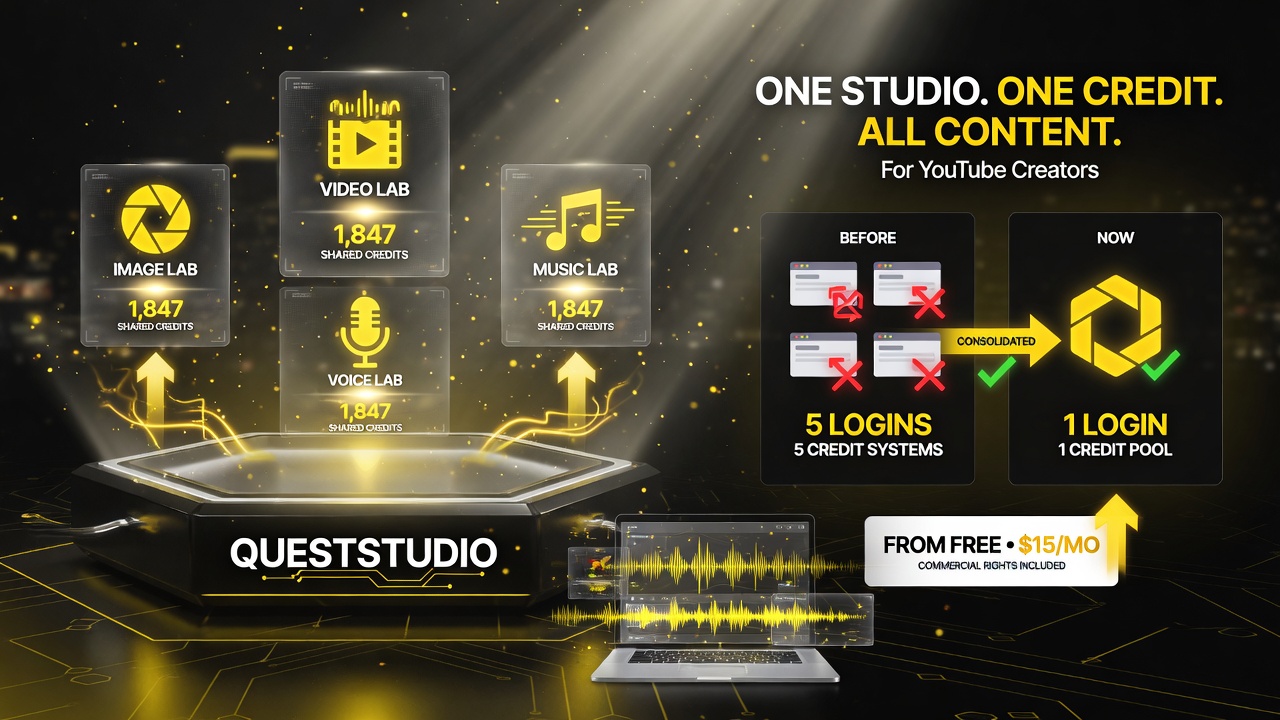
QuestStudio bundles image, video, voice, and music generation into purpose-built Labs under one login and one shared credit pool — collapsing the five-tools-and-five-credit-systems juggling act into a single workflow.
The “One Studio vs. Five Tools” Trade-Off
The all-in-one argument is genuinely strong for a certain kind of creator, but it’s not right for everyone. Here’s the honest comparison.
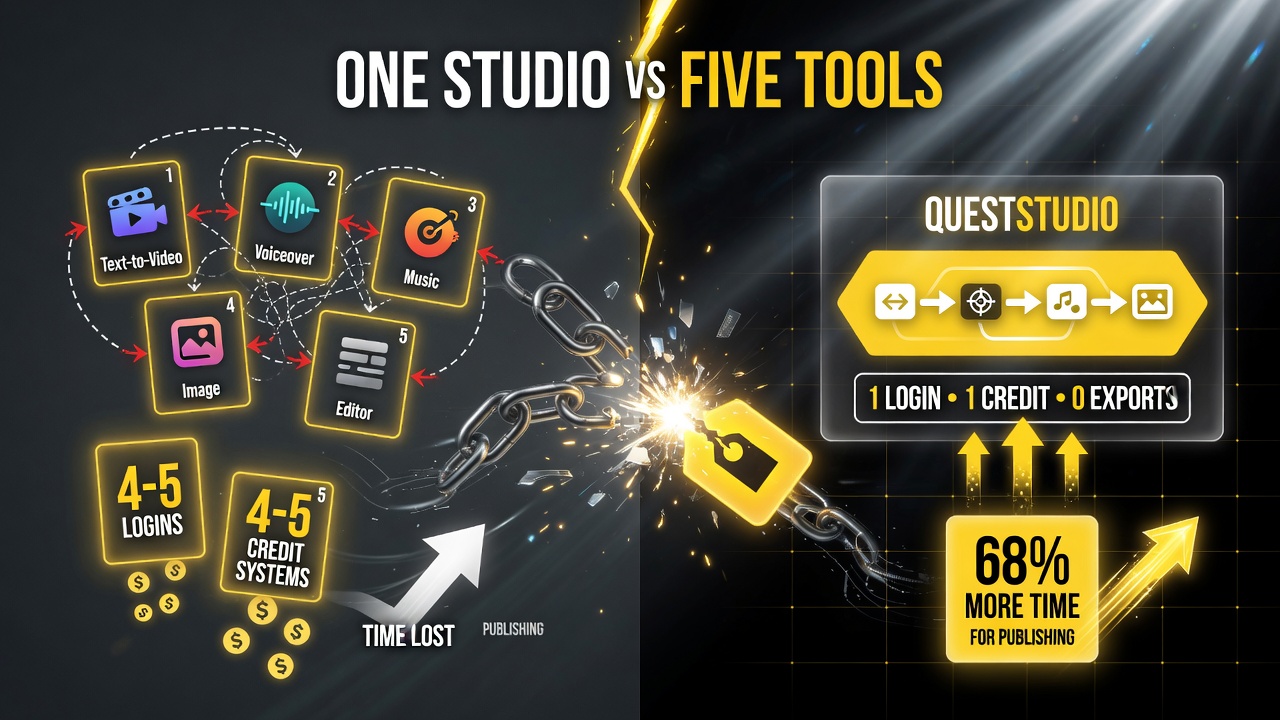
Consolidation is genuinely strong for a certain kind of creator — one login, one credit pool, no exports — the trade-off being best-in-class-per-step versus a single streamlined workflow.
| Factor | QuestStudio (All-in-One) | Best-in-Class Separate Tools |
|---|---|---|
| Subscriptions / logins | One login, one credit balance | Multiple logins, multiple credit systems |
| Asset flow between formats | Video → voice → music in one workspace | Manual export + re-import between tools |
| Character consistency | Built-in Character Forge + LoRA training | Separate, often manual, per tool |
| Single-format ceiling | Good across formats, may top out vs. specialist | Best-in-class per format (e.g. Runway for video) |
| Learning curve | One interface to learn | Five different UIs to master |
The decision comes down to what dominates your workflow. If you produce a variety of content across formats — video plus voiceover plus music plus thumbnails — the consolidation saves real time and cash. If you’re laser-focused on one thing (say, cinematic video only), a specialized tool like Runway or Midjourney might still edge it out, and QuestStudio on its own blog acknowledges this positioning — it’s strongest where you’re combining planning + consistency + video/voice/music together.
How QuestStudio Fits the 2026 AI Video Wave
QuestStudio arrives as part of the broader shift toward agentic and all-in-one AI video that’s reshaping the creator stack (the same direction we’ve seen from scene-planning agents like CreatView, Higgsfield’s agentic focus, and MiniMax Hub’s multi-agent studio). What distinguishes the all-in-one studio category is that it competes on the whole pipeline rather than any single render engine.
For a creator, that’s meaningful because consistency is where most AI video falls apart. A character that changes face between videos, or a background track that clashes with the narration, undermines a channel faster than any one tool’s output quality. QuestStudio’s value is that it keeps the character, the voice, and the music in one coordinated space — which is precisely the consistency problem independent creators wrestle with.
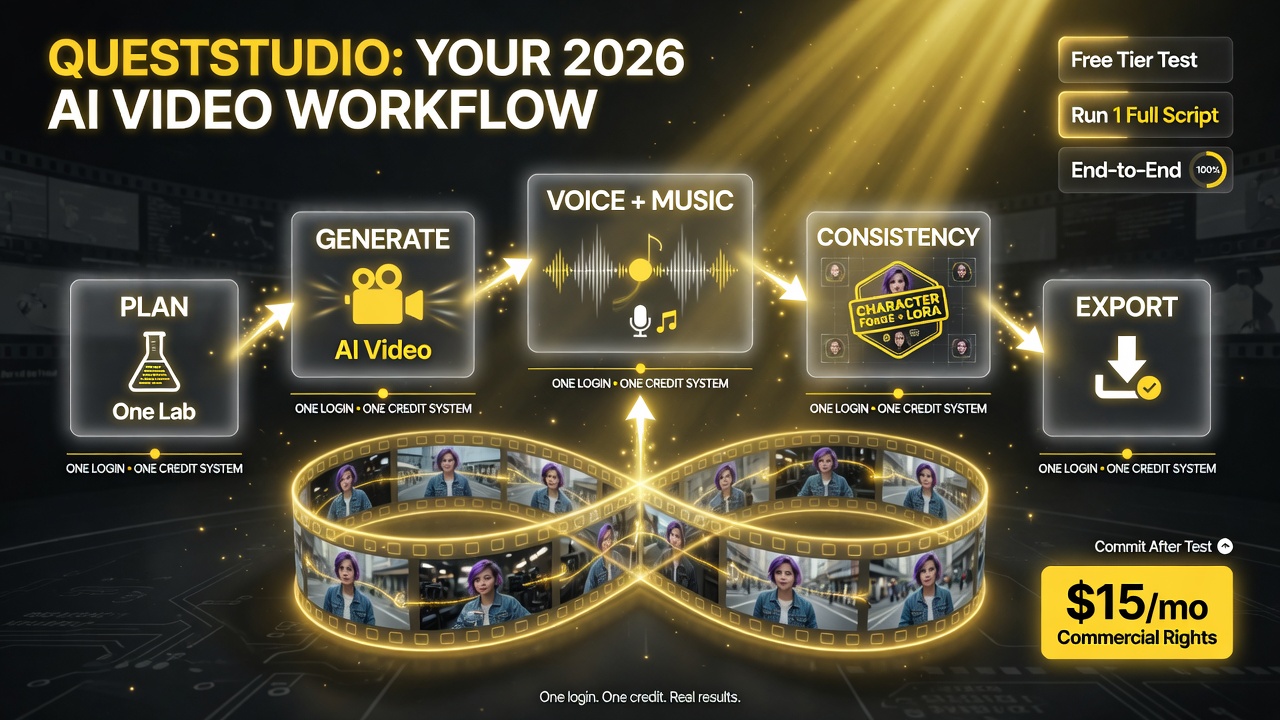
QuestStudio keeps character, voice, and music in one coordinated space — a five-stage workflow under one login and one credit system that solves the consistency problem independent creators wrestle with every week.
Who Should Move to QuestStudio (and Who Should Stay Put)
| Creator Profile | Switch to QuestStudio? | Reason |
|---|---|---|
| Multi-format creator (video + voice + music) | Yes — strong fit | Consolidates subscriptions and keeps assets flowing between formats in one workspace. |
| Recurring-character channel (faceless / animated) | Yes | Character Forge + LoRA training keep your on-screen persona consistent across videos. |
| Single-format specialist (cinematic video only) | Maybe | A dedicated video model might still outspec it; only switch if you want the bundle + credits. |
| Occasional / hobby creator | Start on the free tier | The free plan is enough to test; upgrade (Starter ~$15/mo) only when you hit its limits. |
QuestStudio’s own pricing starts with a free plan (some image/voice/music access with limited storage and earned video credits) and scales up: Starter at $14.99/month (1,000 credits, all Labs, 10 GB storage, commercial rights), Pro at $34.99/month (2,500 credits, priority queue, 50 GB), and Studio at $79.99/month (5,500 credits, 150 GB, dedicated support). Credits are shared across all Labs, so your balance is one number, not five.
How to Test It the Smart Way
Before you migrate your whole workflow, run a focused trial on one real video you’d actually publish.
- Recreate one recent video end-to-end. Take a video you already made and redo it in QuestStudio — image → video → voice → music. If it matches or beats your usual stack on time and quality, that’s your answer.
- Stress the character consistency. This is QuestStudio’s biggest differentiator. Make two videos with the same character and see if it stays recognizable. If that holds, the bundle earns its keep.
- Compare cost against your current subscriptions. Add up what you pay across separate tools. If QuestStudio’s all-in covers them at a similar or lower total, the consolidation is a win even before you factor the time saved.
- Test the commercial-rights angle. If you monetize, confirm commercial usage rights on the plan you’d actually pick (paid tiers include them) so you can publish without a licensing headache.
- Start on the free tier. Use the free plan to validate the workflow before spending anything; upgrade once you’ve confirmed it fits.
A Practical Creator Workflow Inside QuestStudio
To see whether the all-in-one model actually saves time, it helps to walk a real YouTube workflow through it. You start in the Planning tools with a content idea and outline. The Prompt and Image Labs handle your thumbnails and scene references — you can even test a few image models side by side before picking the frames that hook a viewer in the feed. From there the Video Lab generates your clips; because it sits in the same workspace as the Voice and Music Labs, you feed the finished cut straight into the narration, drop a track underneath from the Music Lab, and keep the same character working across every scene through Character Forge.
That seamless hand-off is the real-time saver. In a five-tool stack, every step between tools is a download, a re-upload, and a fresh login — and each of those interruptions is a place where consistency breaks down. In QuestStudio, the assets stay in one project with one history, so a change to the video clips can be re-voiced and re-scored without rebuilding anything from scratch. For a creator who publishes multiple videos a week, that’s not a minor convenience; it’s the difference between sustaining a schedule and getting buried in file management.
The Bottom Line for YouTube Creators
QuestStudio’s pitch is simple and it works for the right creator: one workspace, one credit balance, and a full pipeline — images, video, voice, and music, with consistent-character tools built in. For US YouTube creators producing multi-format content, the consolidation is the real value: fewer subscriptions, fewer logins, and assets that flow between formats instead of getting stuck in file-exports.
You don’t need QuestStudio if you’re a single-format specialist or an occasional poster. But if your channel runs on variety — video plus narration plus music plus thumbnails, especially with a recurring character — an all-in-one studio is the kind of stack simplification that pays for itself in recovered hours. Start free, recreate one real video, and let the consistency test decide. For more on how the creator stack is evolving, browse our AI video tools coverage.
Frequently Asked Questions
What is QuestStudio?
QuestStudio is an all-in-one generative AI studio for creators that bundles image, video, voice, and music generation in one workspace with a shared credit system. It organizes everything into specialized Labs (Image, Video, Voice, Music, Character Forge) so outputs flow between formats without juggling separate subscriptions or logins.
Is QuestStudio good for YouTube creators?
Yes, especially for multi-format US creators who need video, voiceover, music, and thumbnails in one place. Its Character Forge and LoRA training help keep a recurring on-screen character consistent across videos, and the shared credit balance simplifies budgeting. Paid tiers include commercial rights for monetized channels.
How much does QuestStudio cost?
It has a free plan plus paid tiers: Starter at $14.99/month (1,000 credits, all Labs, 10 GB storage, commercial rights), Pro at $34.99/month (2,500 credits, priority queue, 50 GB), and Studio at $79.99/month (5,500 credits, 150 GB, dedicated support). Credits are shared across all Labs.
Is QuestStudio better than using separate tools like Runway and Midjourney?
It depends on your workflow. If you produce a variety of content across formats, QuestStudio’s consolidation (one login, one credit balance, smooth asset flow) saves time and money. If you’re laser-focused on a single format, a specialist tool like Runway for video may still edge it out. QuestStudio is strongest for creators combining planning, consistency, and video/voice/music together.
Does QuestStudio come with commercial rights?
Yes. Paid plans (Starter and above) include commercial usage rights, which matters if you monetize your channel. The free plan is for exploration and testing your workflow before you commit.

About Barak Schurr
Barak Schurr is a serial entrepreneur who built and exited a major ticketing platform before turning his attention to AI and content. He runs three AI-focused research sites and writes about the tools, workflows, and strategies that let solo creators build real channels — without a crew, a studio, or a Hollywood budget.
Contact: [email protected]
More AI Video Resources