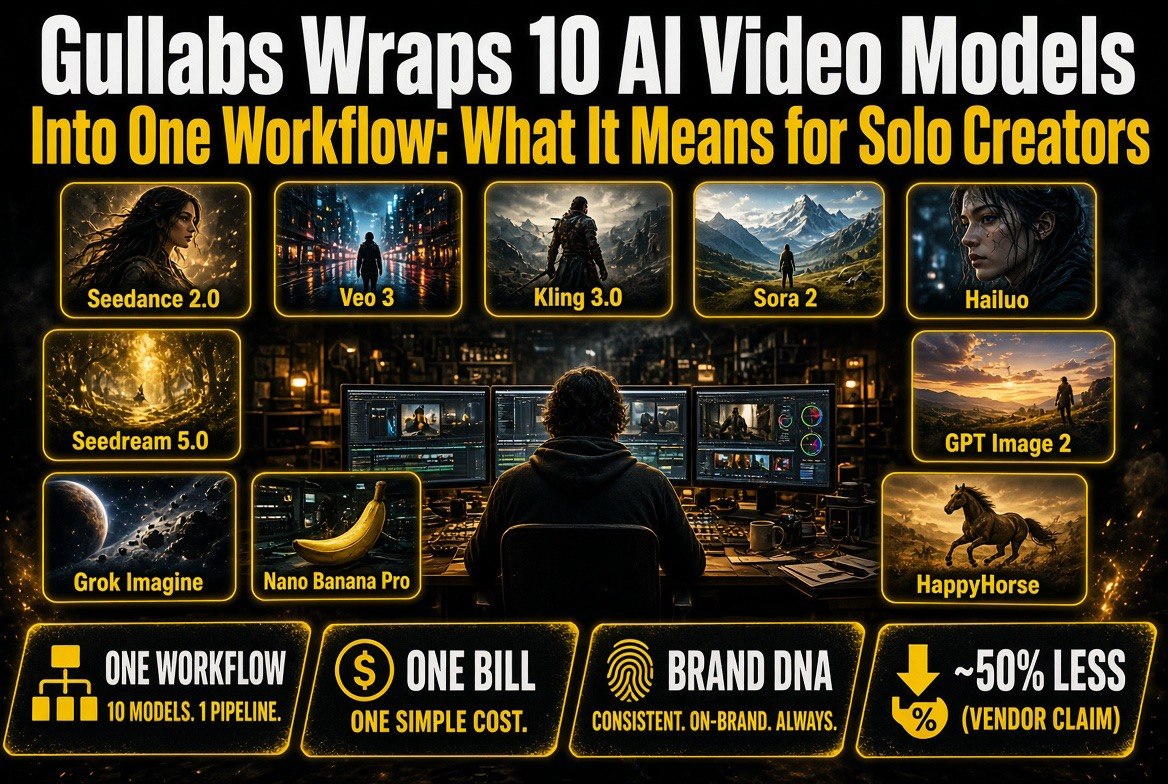
Gullabs Wraps 10 AI Video Models Into One Workflow: What It Means for Solo Creators
Get The Faceless YouTube Blueprint — Free
The exact AI tool stack and workflow used to build a faceless YouTube channel from zero.
Gullabs Wraps 10 AI Video Models Into One Workflow: What It Means for Solo Creators
⚡ Expert Summary
A new platform called Gullabs is betting that creators don’t want another AI video model — they want the ten models they already use, orchestrated in one place. It connects Seedance 2.0, Google Veo 3, Kling 3.0, Sora 2, MiniMax Hailuo, and others behind a single workflow with a brand-consistency layer. Gullabs says it produces publish-ready video at roughly 50% less than stitching tools together — a vendor claim, not an audited number. Here’s the honest assessment for solo creators.
If you’ve built any kind of AI video workflow in 2026, you know the problem isn’t finding a model. It’s that you’re using six of them.
A typical solo creator’s stack looks something like this: one model for establishing shots because it handles landscapes well, another for character consistency because the first one drifts, a third for motion because the second one produces that tell-tale warping, and a fourth for upscaling the output. Then you pay for all of them separately, learn four different interfaces, and manually stitch the results together in an editor anyway.
That’s the gap Gullabs is targeting. Instead of launching model number eleven, it’s positioning itself as the orchestration layer on top of the models that already won.
What Gullabs Actually Is
Gullabs describes itself with a single line: “Stop stitching clips. Create publish-ready videos.” The product is a unified generation environment where the model choice happens inside the workflow rather than in your bookmarks bar.
The named roster on Gullabs’ own site is unusually broad, which is the most interesting detail about the company. It lists Seedance 2.0, Seedream 5.0, Google Veo 3, Nano Banana Pro, HappyHorse, MiniMax Hailuo, GPT Image 2, Grok Imagine, Sora 2, and Kling 3.0 as available models.
That list is worth reading twice. It spans Chinese frontier video models, Google’s video stack, OpenAI’s video model, and image-generation models from multiple labs. Very few platforms license that breadth. Most pick a lane — either a single proprietary model, or a wrapper around one provider’s API family.
The two features that matter beyond raw model access are:
- Brand DNA — a consistency layer that holds visual identity (palette, look, character treatment) across generated clips, so output looks like it came from one channel rather than ten different tools.
- MCP Connect — integration via Model Context Protocol, meaning Gullabs plugs into agentic and automated workflows rather than requiring manual operation.
Brand DNA is the more consequential of the two. For a solo creator, visual consistency is the single hardest thing to maintain across a channel — and it’s what separates a channel that looks professional from one that looks like a model showcase. If a platform can genuinely enforce it across multiple underlying models, that’s a real problem being solved.
The Models Gullabs Bundles
Here’s how the bundled roster maps to what creators actually use each model for.
| Model | Typical Creator Use | Why It’s in the Mix |
|---|---|---|
| Google Veo 3 | Cinematic b-roll, scene establishing | Strong physics and coherent motion in longer clips |
| Kling 3.0 | Character movement, action sequences | Reliable human motion, popular for short-form |
| Seedance 2.0 | Stylized sequences, rapid iteration | Fast generation for testing multiple takes |
| Sora 2 | Concept shots, unusual compositions | Distinctive output that reads as intentional |
| MiniMax Hailuo | Social-first short clips | Fast, economical for high-volume posting |
| Seedream 5.0 / GPT Image 2 / Nano Banana Pro | Thumbnails, reference frames, stills | Image layers that feed video and cover art |
| Grok Imagine / HappyHorse | Experimental and rapid concepting | Speed over polish for early idea passes |
Read that table and the logic of the product becomes obvious. Gullabs isn’t claiming any single one of these models is best. It’s claiming that the value is in not having to choose — and that’s a materially different pitch from every model vendor on the market.
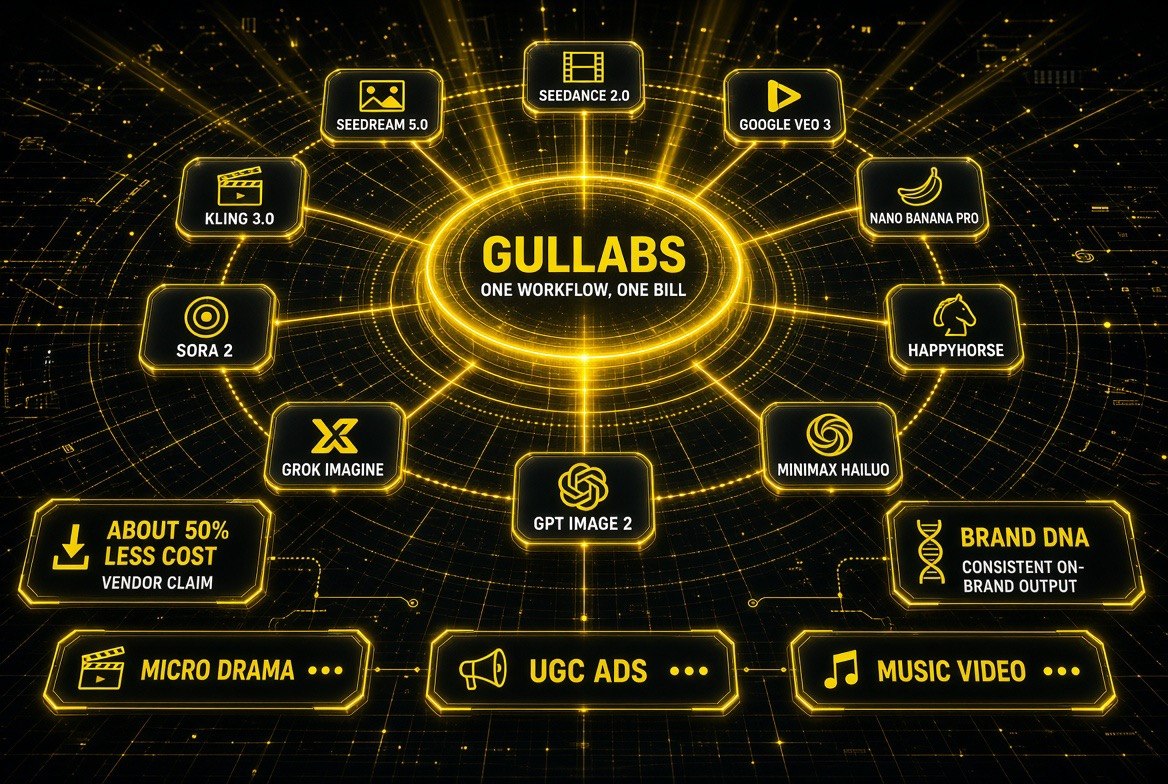
Ten models, one orchestration core. Gullabs sits in the middle and routes your job to whichever model fits — Seedance and Veo for motion, Seedream and GPT Image for stills, Kling and Sora for cinematic sequences.
The Real Trade-Off: Orchestration vs. Direct Access
The honest question isn’t whether Gullabs is good. It’s whether an orchestration layer earns its cost versus going direct.
| Factor | Orchestration Platform (Gullabs model) | Direct Model Subscriptions |
|---|---|---|
| Number of accounts | One | One per model — often six or more |
| Cost structure | Single bill; Gullabs claims ~50% less (vendor-reported) | Stacked subscriptions, each with its own overage rules |
| Visual consistency | Brand DNA layer enforces identity across models | Manual — you hold consistency in your head and your edit |
| New model releases | Added by the platform | You discover, evaluate, and subscribe separately |
| Access to latest features | Lag possible — depends on platform’s integration cycle | Immediate on day one |
| Control and granularity | Reduced — you work inside their abstraction | Full — every parameter exposed |
| Lock-in risk | Platform is the single point of failure | Diversified — no single vendor is critical |
That trade-off is real in both directions, and anyone telling you one side wins outright is selling something.
Orchestration wins when you’re optimizing for time and simplicity. One login, one bill, one consistent look, no integration work. For a solo creator producing several videos a week, the hours saved on tool-switching and stitching are the actual product.
Direct access wins when you’re optimizing for control and currency. Latest features land with the model vendor first. Advanced parameters stay exposed. And you’re never stranded if the platform changes pricing or shuts down.
The historical pattern with aggregation layers is that they’re strongest early, when model fragmentation is high, and weaker later, when the market consolidates. Right now, with at least ten viable video models shipping, fragmentation is at a peak — which is the most favorable environment this kind of platform will ever have.
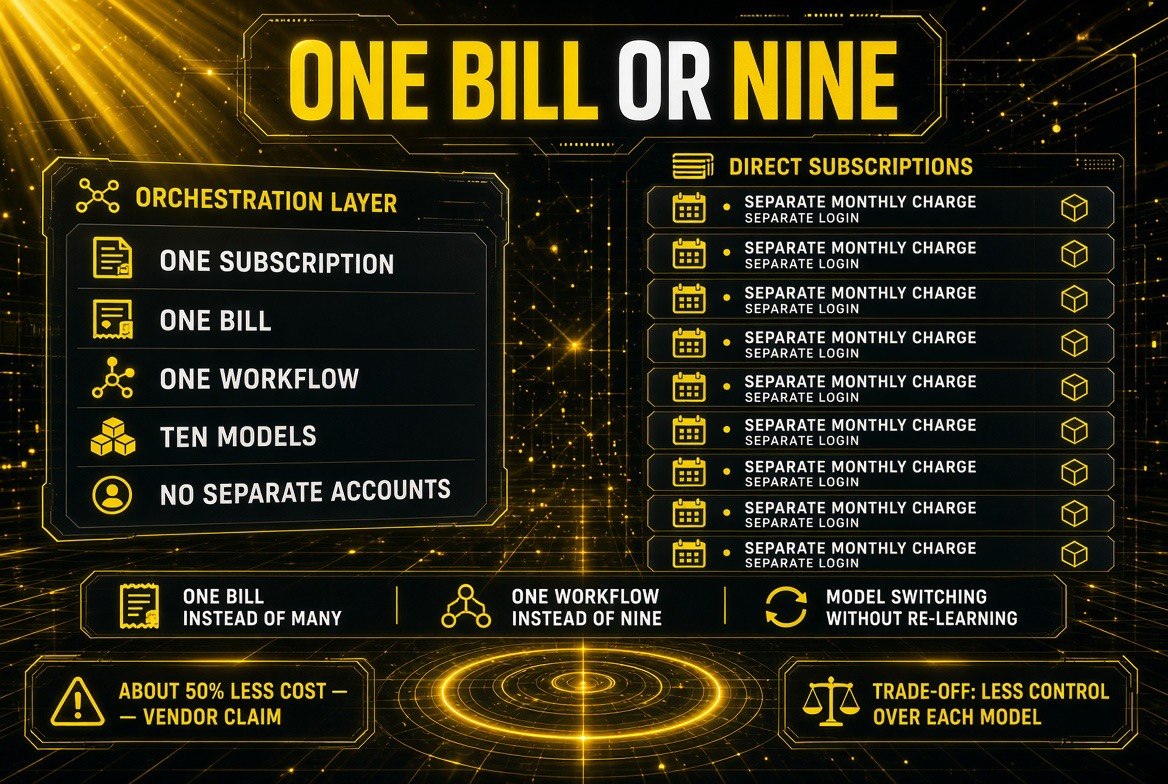
One subscription against nine. The orchestration pitch is simple — one bill, one workflow, ten models — but you trade away per-model control. The roughly 50% cheaper figure is the vendor’s claim, not a measured result.
What to Watch Before You Commit
If you’re considering moving your workflow onto an orchestration platform, these are the checks that actually matter.
- Model version transparency. Confirm which exact model versions you’re getting and whether they update automatically. “Kling 3.0” on a logo doesn’t tell you which snapshot is running.
- Output rights and commercial use. Each underlying model carries its own licensing terms. Confirm the platform passes through commercial rights cleanly for monetized content — this is where creator surprises happen.
- Export quality. Check whether you can export at the resolution and codec you need for your platform, or whether you’re capped at the platform’s choice.
- Generation credit economics. Understand whether your plan meters by generation, by second of output, or by model tier. A single bill is simpler, but the meter determines your real cost.
- Exit path. Make sure your source assets and generations are downloadable. An orchestration layer should be a workflow, not a vault.
And treat the 50% cheaper claim as a vendor claim, because that’s what it is. Gullabs states its workflow produces publish-ready video at roughly half the cost of the alternative. That math depends entirely on which subscriptions you’re currently paying for and how much you actually use each one. If you’re paying for four video models and using two, the savings are real. If you’re paying for one and using it well, the comparison doesn’t hold.
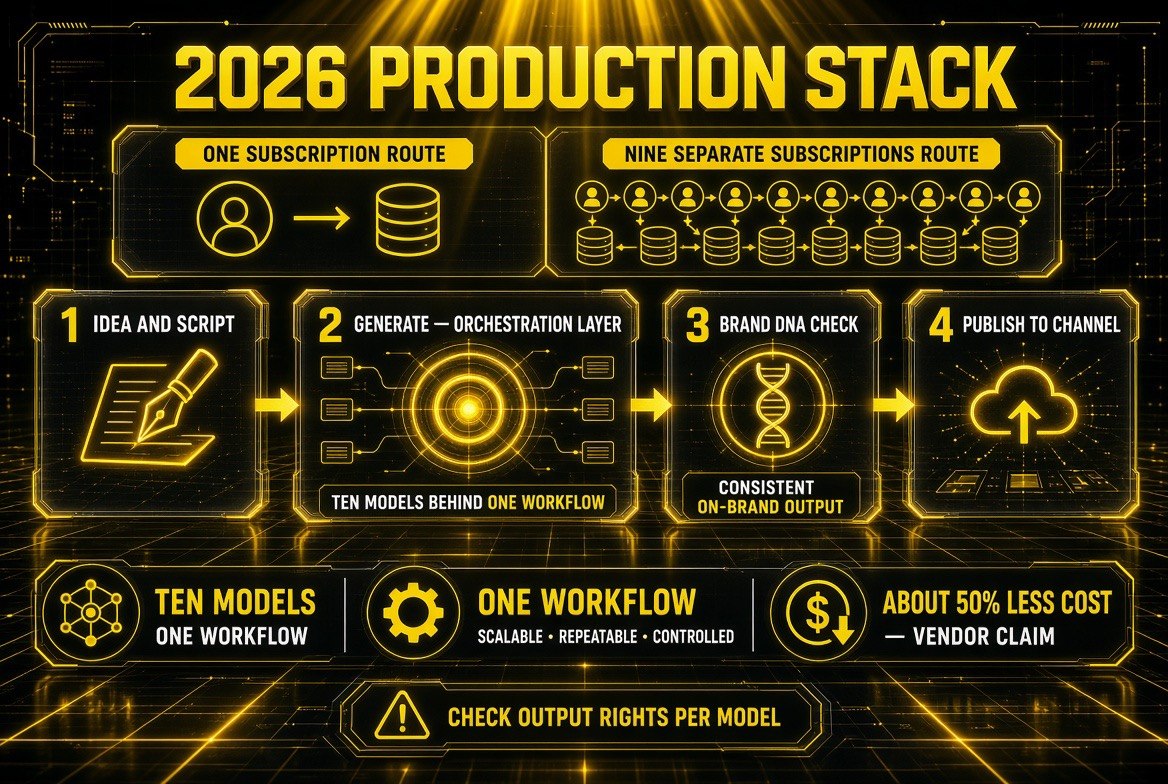
Where the orchestration layer actually sits in a solo creator’s stack: between the script and the brand check. It replaces the juggling, not the creativity — and you still have to check output rights per model.
Where This Fits in 2026’s Creator Stack
The broader shift here isn’t about Gullabs specifically. It’s about where value is accumulating in the AI video stack.
Two years ago, the model was the product. Creators picked the best model and built around it. That assumption is breaking down for a simple reason: no single model is best across every shot type, and the rate of new model releases means any winner has a shelf life measured in months.
When models commoditize, the durable value moves up to the layer that routes between them, holds your brand identity, and automates the workflow. That’s the layer Gullabs, and several others, are now fighting for. It’s the same pattern that played out in cloud infrastructure, in payment processing, and more recently in AI coding tools — the abstraction tends to outlast the components underneath it.
Whether Gullabs is the platform that wins that layer is genuinely unknown. It’s a new entrant competing against well-funded tools and against the model vendors themselves, some of whom would prefer you stay in their ecosystem. But the problem it’s solving — too many models, too many bills, too little consistency — is the real bottleneck for solo creators in 2026, and that’s worth watching regardless of which company solves it.
For now, the practical move is straightforward: if tool-switching and stitching are eating your production time, test an orchestration layer. If you’re getting what you need from one or two models and you value full control, stay direct. Both are defensible. Just make the choice deliberately rather than defaulting to another subscription.
Frequently Asked Questions
What is Gullabs?
Gullabs is an AI video platform that bundles multiple frontier video and image models into a single workflow, positioning itself as an orchestration layer rather than a single model. Its stated aim is to let creators produce publish-ready video without stitching clips from separate tools together.
Which AI video models does Gullabs include?
Gullabs lists Seedance 2.0, Seedream 5.0, Google Veo 3, Nano Banana Pro, HappyHorse, MiniMax Hailuo, GPT Image 2, Grok Imagine, Sora 2, and Kling 3.0 on its own site. That breadth across multiple providers is unusual for a single platform.
Is Gullabs really 50% cheaper?
That figure is Gullabs’ own vendor claim, not an independently audited number. Whether it holds for you depends on how many model subscriptions you currently pay for and how much of each you actually use. Creators paying for several models and using only a few are the most likely to see real savings.
What is Brand DNA in Gullabs?
Brand DNA is Gullabs’ consistency layer. It applies a defined visual identity — palette, look, and character treatment — across clips generated by different underlying models, with the goal of making output look like it came from one channel rather than several tools.
Should solo creators use an orchestration platform or subscribe directly?
It depends on what you’re optimizing for. Orchestration platforms save time, consolidate billing, and enforce consistency. Direct subscriptions give you immediate access to new features, full parameter control, and no single point of failure. High-volume solo creators usually benefit most from orchestration.
What is MCP Connect?
MCP Connect refers to Gullabs integrating through Model Context Protocol, which allows the platform to be driven by automated and agentic workflows rather than only through manual operation in a browser interface.

About Barak Schurr
Barak Schurr is a serial entrepreneur who built and exited a major ticketing platform before turning his attention to AI and content. He runs three AI-focused research sites and writes about the tools, workflows, and strategies that let solo creators build real channels — without a crew, a studio, or a Hollywood budget.
Email: [email protected]
More AI Video Resources