Runway API: Automating AI Video for Your Business
Get The Faceless YouTube Blueprint — Free
The exact AI tool stack and workflow used to build a faceless YouTube channel from zero.
Runway API: Automating AI Video for Your Business
⚡ Expert Summary: Runway’s API lets businesses and developers plug generative video directly into their own products, workflows, and automations, moving AI video from a manual tool to a programmable asset. Instead of opening an app and generating clips one at a time, an API lets you queue generations, trigger them from your own software, and feed results into your pipeline automatically. For teams that produce video at scale, an API changes the economics: you can generate hundreds of clips on demand, integrate with your CRM, CMS, or ad platform, and keep everything inside your existing stack. This is the difference between using AI video occasionally and making it a repeatable part of your operation.
What the Runway API Actually Gives You
Runway is best known for its creative tools, but the API is a different product aimed at a different user. Where the app is built for a human to type a prompt and watch a clip render, the API is built for software to do that at scale and automatically. You send a request with your prompt, parameters, and configuration, and the API returns video generations you can manage programmatically.
The practical value is in what you can build around it. A marketing team can create a tool that turns every product SKU into a short promotional clip. An agency can offer automated video drafts to clients. A content platform can let users generate videos without leaving the app. In each case, the API turns video generation into a building block rather than a one-off task, and that is what makes it interesting for business rather than just for individual creators.
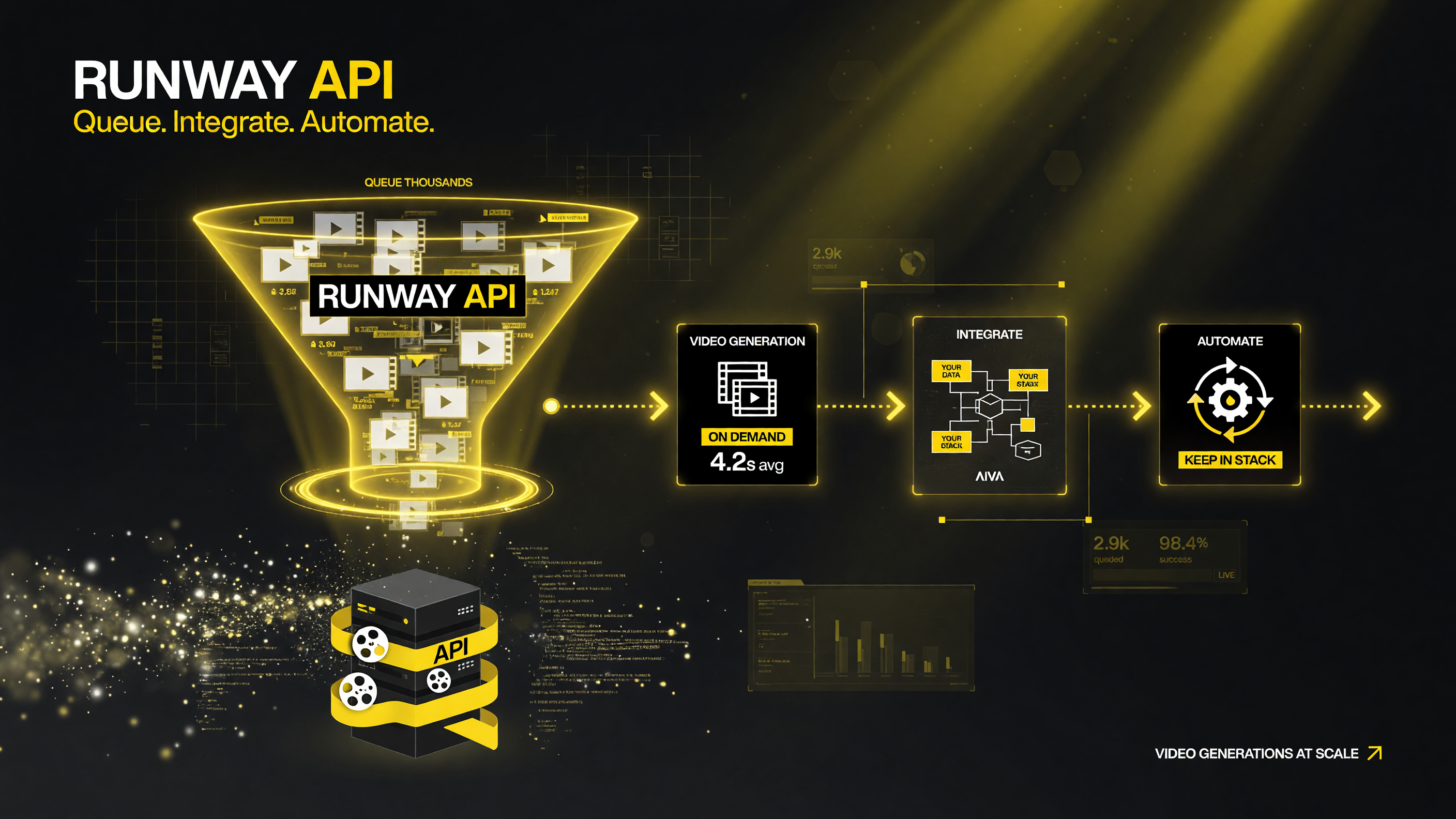
The Runway API moves video generation from a manual app into your own software, so clips become a programmable output instead of a one-off task.
Who Builds With the Runway API
The Runway API is not for everyone, and knowing who it fits saves you from building on the wrong tool. The clear fits are:
- Developers and product teams building generative video features into an app or SaaS product.
- Marketing operations that need video at scale — product clips, ad variants, localization, or template-based content.
- Automation builders wiring AI video into internal workflows, CRMs, or content pipelines.
- Agencies and freelancers who want to offer clients repeatable, volume video services.
If you are an individual creator who just wants to make a few clips a week, the app is probably the right tool and the API is overkill. If you are a business that needs video produced inside a system, on a schedule, or in volume, the API is where the leverage lives.
What You Can Automate
Once you think of AI video as a programmable output, the applications multiply. Common automation patterns include:
- Batch product videos: feed every new SKU into a generation job and produce a short clip for each.
- Ad creative variants: generate multiple versions of a hook, angle, or call-to-action to test in paid campaigns.
- Social pipeline: turn blog posts, news, or content calendar entries into short-form video automatically.
- Localization: regenerate or adapt clips for different markets and languages as part of a delivery workflow.
- On-demand generation: let customers or internal users trigger video creation from your own interface.
Each of these turns a manual, repetitive job into a system that runs itself, which is the core promise of the API approach.
| Use Case | Without API | With Runway API |
|---|---|---|
| Product video at scale | Manual, clip by clip | Automated, batched |
| Ad variant testing | Slow to produce options | Generate many fast |
| Content pipeline | Manual uploads | Programmatic triggers |
| Internal tooling | No integration | Fits your stack |
| Net effect | Video is a task | Video is a feature |
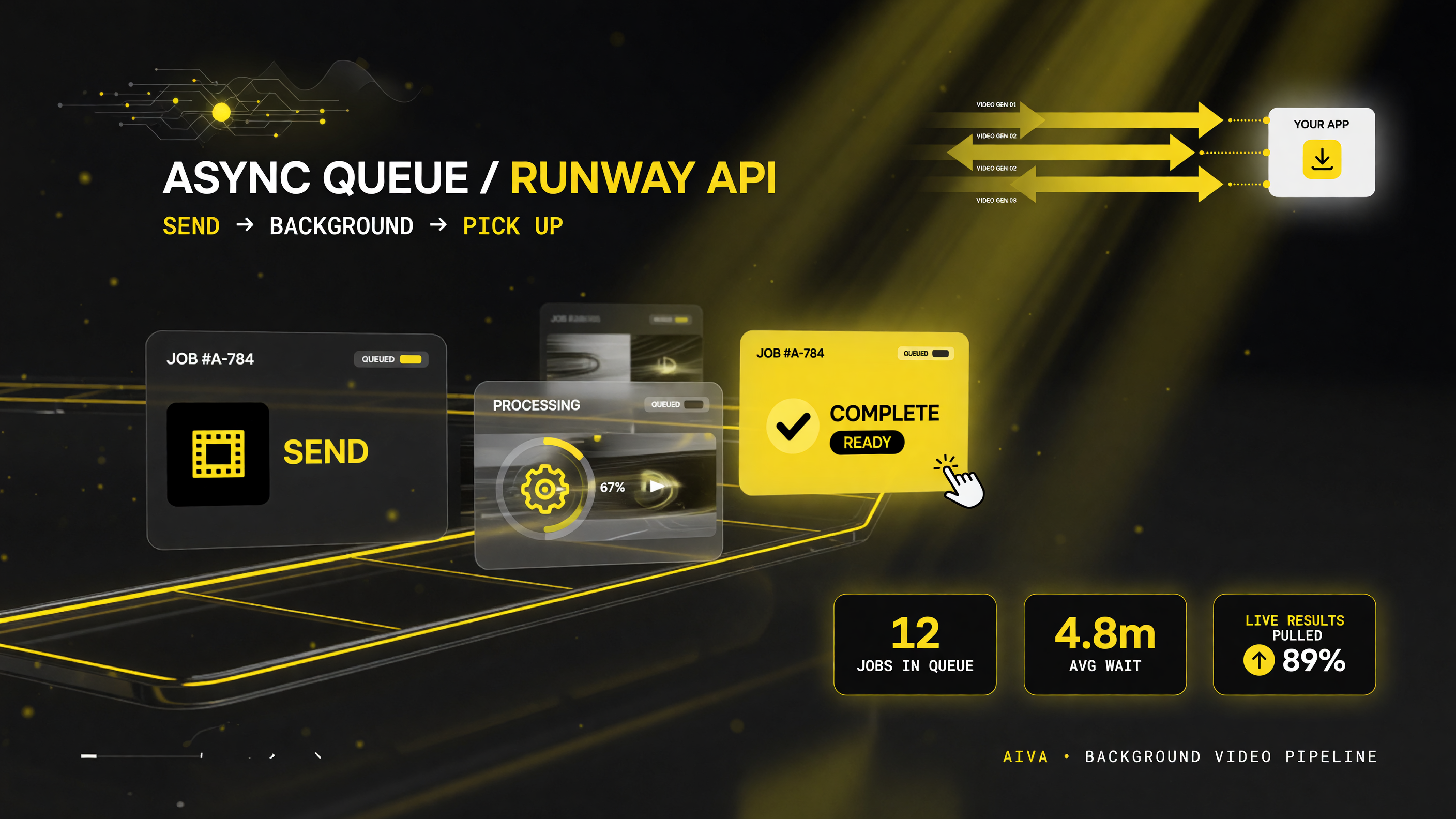
The asynchronous queue is what makes volume realistic: queue a batch, jobs process in the background, and your app collects results as they finish.
How It Works: The Integration Pattern
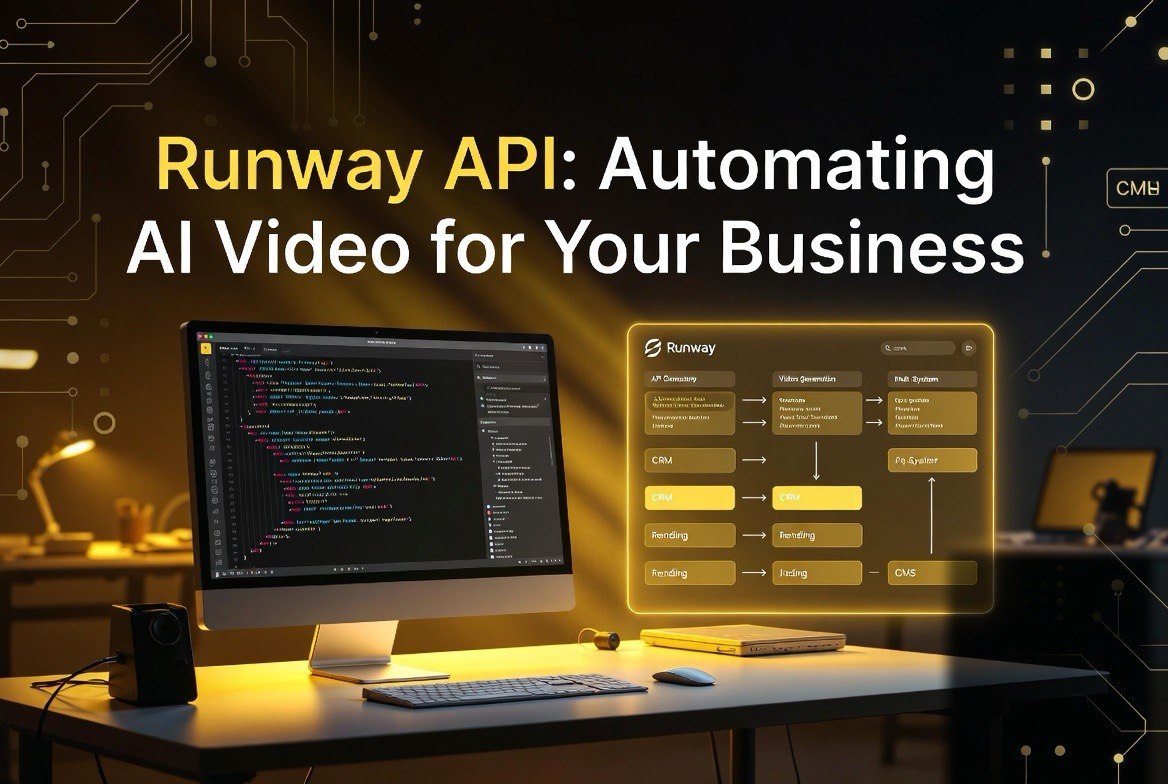
The API follows a familiar pattern for anyone who has built on a cloud service. You authenticate with a key, make requests to the Runway endpoint with your prompt and settings, and the service asynchronously processes and returns your generation when it is ready. Because generation is asynchronous, your system can queue many requests, poll for results, and collect the finished videos without blocking.
That asynchronous model is what makes volume realistic. Rather than a user waiting on a single render, the system accepts a batch of jobs and processes them, and your application picks up results as they complete. For a marketing team generating a month of social content in one pass, or a platform queuing user requests, this design is exactly what you want.
Cost and Practical Considerations
Companies pricing APIs on usage, and video generation is compute-heavy, so budgets scale with volume. The practical approach is to match the tool to the job: use the API where automation and scale justify the spend, and use the app for one-off creative work.
There are also quality and consistency considerations. AI video is improving quickly, but it is still important to build review into your workflow rather than assuming every generated clip is usable. Smart teams generate candidates, filter for quality, and use human review for anything that goes in front of customers. The API is a powerful tool, but the discipline of a review pass is what keeps output professional.
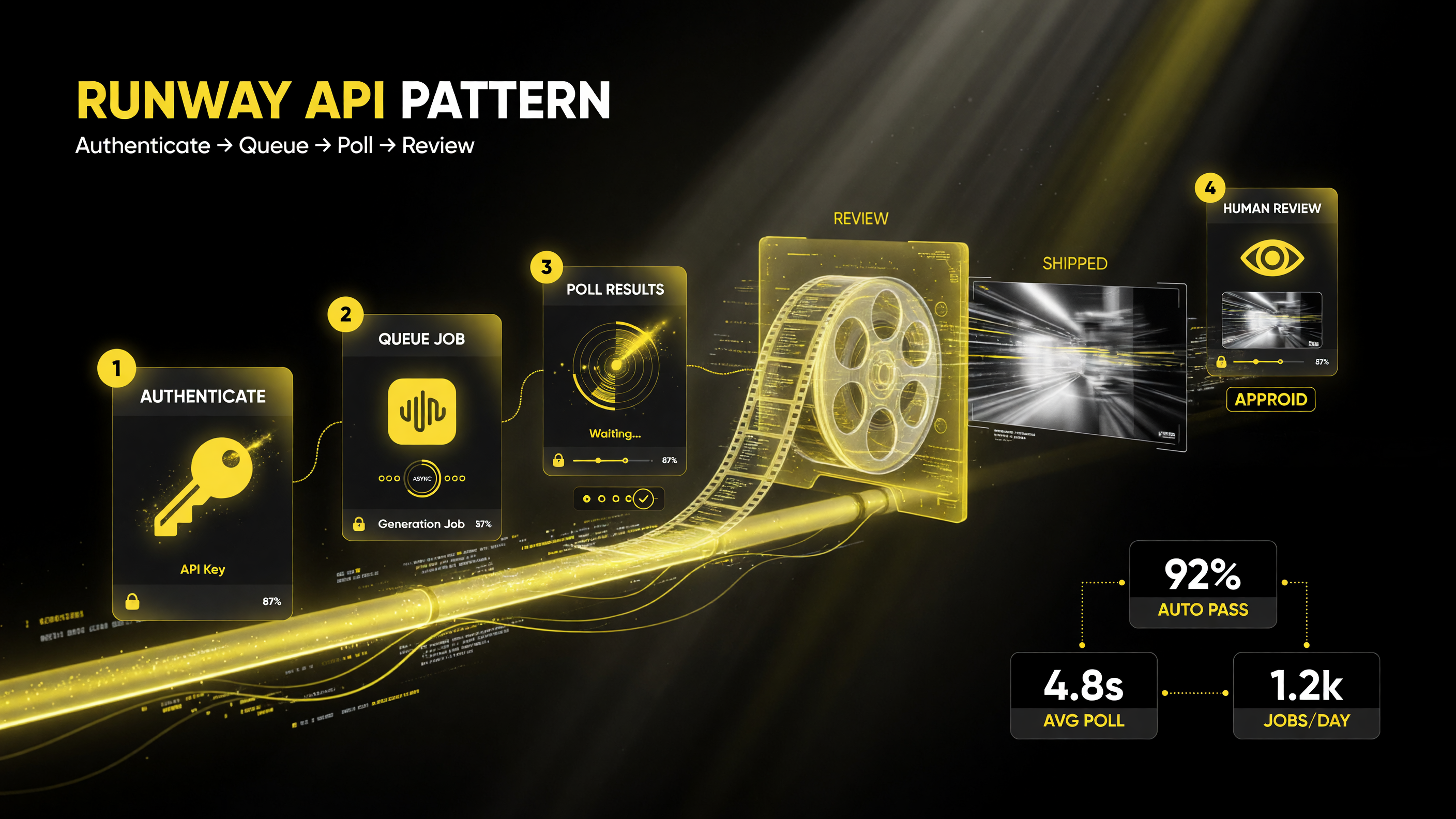
A practical integration loop: queue generations asynchronously, collect results, review for quality, and ship only what clears the bar.
Named Source on Runway and the Generative Video Market
Runway publishes API documentation and developer resources describing the endpoints, authentication, and generation workflows developers can use, and their platform release notes track capabilities as the product evolves. Industry analysis of the generative video market this year has emphasized the shift toward developer-facing APIs and enterprise workflows, reflecting demand from teams that want AI video embedded in their own systems rather than confined to a standalone creative app.
The trend is consistent across the category: the first wave of AI video tools proved the technology works, and the current wave is about making it programmable and integrable. An API like Runway’s is the expression of that second phase, and for businesses the question is not just whether the video quality is good but whether the tool fits into how the organization actually produces content.
The Bottom Line
Runway’s API is a meaningful step for businesses that want to make AI video a repeatable part of their operations rather than a manual task. It enables batch generation, integration with existing systems, and automation patterns that the standalone app cannot match. For developers building video features and teams producing video at scale, the API is worth evaluating. For individual creators doing occasional clips, the app remains the simpler path.
For more AI video tooling and integration strategy, see our AI video tools hub.
Real-World Example: An E-commerce Product Video Pipeline
To make the abstract idea concrete, consider a mid-size e-commerce brand that sells hundreds of SKUs and needs a short video for each product page and for its social feed. Doing this manually is not realistic: at even a few minutes per product, the workload swells into weeks of production, and the cost per clip makes it impossible to keep the catalog covered.
With a generative video API, the brand can build a simple pipeline. When a new product is added to the catalog, the system constructs a prompt from the product data — name, category, key features, and a description — and queues a video generation automatically. As the clips finish, they are collected into the content management system and routed for review. An editor approves the ones that meet the bar and discards or re-rolls the rest. Over time, the team can refine the prompt templates based on which clips perform well, creating a feedback loop where the video quality keeps improving without adding headcount.
This is the kind of workflow that is only possible with an API. The standalone app is great for a designer making a hero video, but it does not scale to hundreds of routine clips tied to an external catalog. The API connects generative video to the systems where the products live, which is precisely the leverage a business needs.
Integration Concerns: Reliability, Review, and Guardrails
Building on any third-party API comes with real considerations beyond the code. Reliability matters because your pipeline depends on an external service, so teams should plan for rate limits, occasional failures, and retries rather than assuming every call succeeds. Understanding the asynchronous model and building a results-collection step that can pick up where it left off is part of a production-ready integration.
Review is equally important. Generative video is powerful but not infallible, and clips destined for customer-facing use should pass a quality and brand-consistency check before they ship. A pragmatic design builds in a human-in-the-loop step for anything important, while letting lower-stakes, high-volume content flow more automatically. The right balance depends on the use case, but the discipline of a review gate protects the brand.
Finally, teams should keep prompts and templates organized. Because generation is cheap at the API layer, it is tempting to fire prompts loosely, but structured templates produce more consistent on-brand output. Versioning your prompt templates the way you version code lets you improve systematically and roll back when a change does not work, turning AI video from a creative gamble into a managed process.
Comparing the App and the API
It is worth being explicit about the difference, because a common mistake is reaching for an API before understanding whether the app already solves the problem. The Runway app is interactive, visual, and designed for a person in the loop, making it ideal for one-off creative work, exploration, and polished individual pieces where human judgment drives each step. The API is built for systems, volume, and repeatability, ideal for automations and products that generate video on their own.
A useful mental model: use the app to define and validate what good looks like, then encode that into API templates and automation once you know the direction works. This staged approach — discover in the app, scale with the API — gets the best of both and avoids the trap of automating a workflow that has not been proven yet. For most teams, moving in that order is the fastest, lowest-risk path.
Whichever way you approach it, the direction of the market is clear. Generative video is becoming a programmable resource, and the teams that treat it as one will produce more, faster, and more consistently than those that keep it stuck in manual, per-clip workflows.
Frequently Asked Questions
What is the Runway API?
The Runway API is a developer interface that lets software programs request, queue, and manage generative video tasks, turning AI video into a programmable feature rather than a manual app workflow.
Who should use the Runway API?
Developers building video features, marketing operations producing video at scale, automation builders wiring video into workflows, and agencies offering volume video services.
What can I automate with the Runway API?
Batch product videos, ad creative variants, social content pipelines, localization, and on-demand generation triggered from your own interface.
How does the Runway API work?
Authenticate with a key, send requests with prompts and settings, and the service processes generations asynchronously, letting your system queue jobs and collect results as they complete.
Is the Runway API worth the cost?
For automation and scale, the API justifies its usage-based cost by producing video programmatically. For occasional one-off clips, the app is simpler and cheaper.
Do I need human review with the Runway API?
Yes. AI video quality is improving, but a review pass is still important to ensure anything that reaches customers is professional and on-brand.

About Barak Schurr
Barak Schurr is a serial entrepreneur who built and exited a major ticketing platform before turning his attention to AI and content. He runs three AI-focused research sites and writes about the tools, workflows, and strategies that let solo creators build real channels — without a crew, a studio, or a Hollywood budget.
Email: [email protected]
More AI Resources