VEED vs Descript 2026: Which AI Video Editor Wins for Content?
Get The Faceless YouTube Blueprint — Free
The exact AI tool stack and workflow used to build a faceless YouTube channel from zero.
VEED vs Descript 2026: Which AI Video Editor Wins for Content?
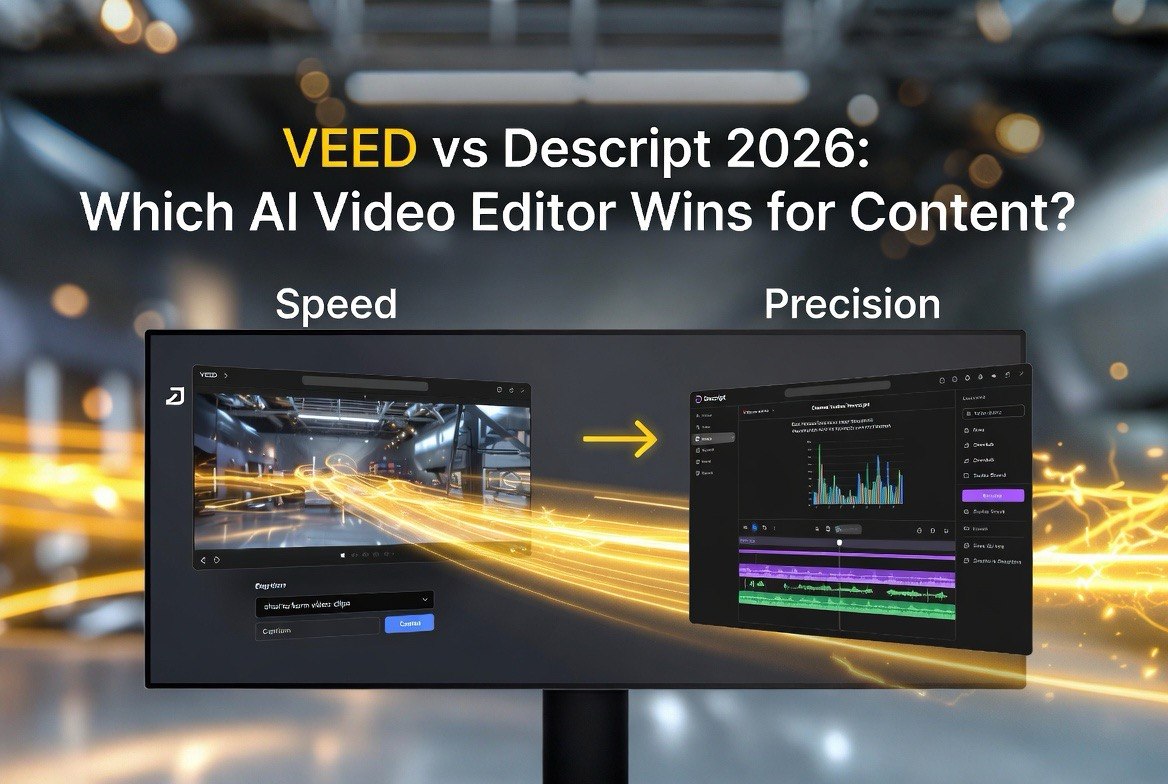
⚡ Expert Summary: VEED and Descript are both serious AI video editors, but they edit in completely different ways — and that difference decides which one you should buy. VEED is a browser-based, visual editor built for fast captions, templates, and turning long videos into platform-ready social clips. Descript is a text-based editor where you edit the transcript like a document and your video updates automatically — a workflow built for podcasts and precise, dialogue-heavy editing. For most US creators who repurpose video for social, VEED ships faster and costs slightly less at the mid tier. If you edit a lot of audio-first content like podcasts, Descript’s transcript workflow saves you hours no visual editor can match. The honest answer: test both free tiers, but match the tool to how you work, not the brand.
You’ve got hours of raw footage or a full podcast episode sitting in front of you, and you need finished video — fast. In 2026, two AI editors dominate that job: VEED and Descript. They look like competitors on the surface, both promising AI-powered editing without the steep learning curve of Premiere or Resolve. But the moment you open both, you realize they take fundamentally different approaches. VEED gives you a familiar timeline with turbocharged AI assists. Descript throws the timeline away and lets you edit by deleting words from a transcript.
Your choice comes down to which editing philosophy matches your brain and your workload. I’ve run both on real US content pipelines — podcast repurposing, YouTube shorts, client marketing clips — and I’ll lay out exactly where each one wins, what they cost in 2026, and the workflow question that settles the decision.
VEED vs Descript at a Glance: The 2026 Stats Table
| Feature | VEED | Descript |
|---|---|---|
| Editing style | Visual timeline + AI assists | Text/transcript-based |
| Entry paid tier | ~$10-12/mo (yearly) | ~$16/mo (yearly) |
| Mid tier | ~$24-29/mo (yearly) | ~$24/mo (yearly) |
| Works on | Web + mobile | Desktop + web |
| Strength | Captions + social repurposing | Dialogue editing + audio |
| Best for | Marketers, social clips, shorts | Podcasts, interviews, long-form |
Both platforms lean on AI credits or media hours rather than true unlimited plans, so your real cost scales with how much content you process. That’s worth re-reading: the monthly sticker price is only half the story. Descript is more generous on media hours in some tiers, while VEED bundles more visual features into its Pro tier. Let me break down each tool on its own terms before comparing them head to head.
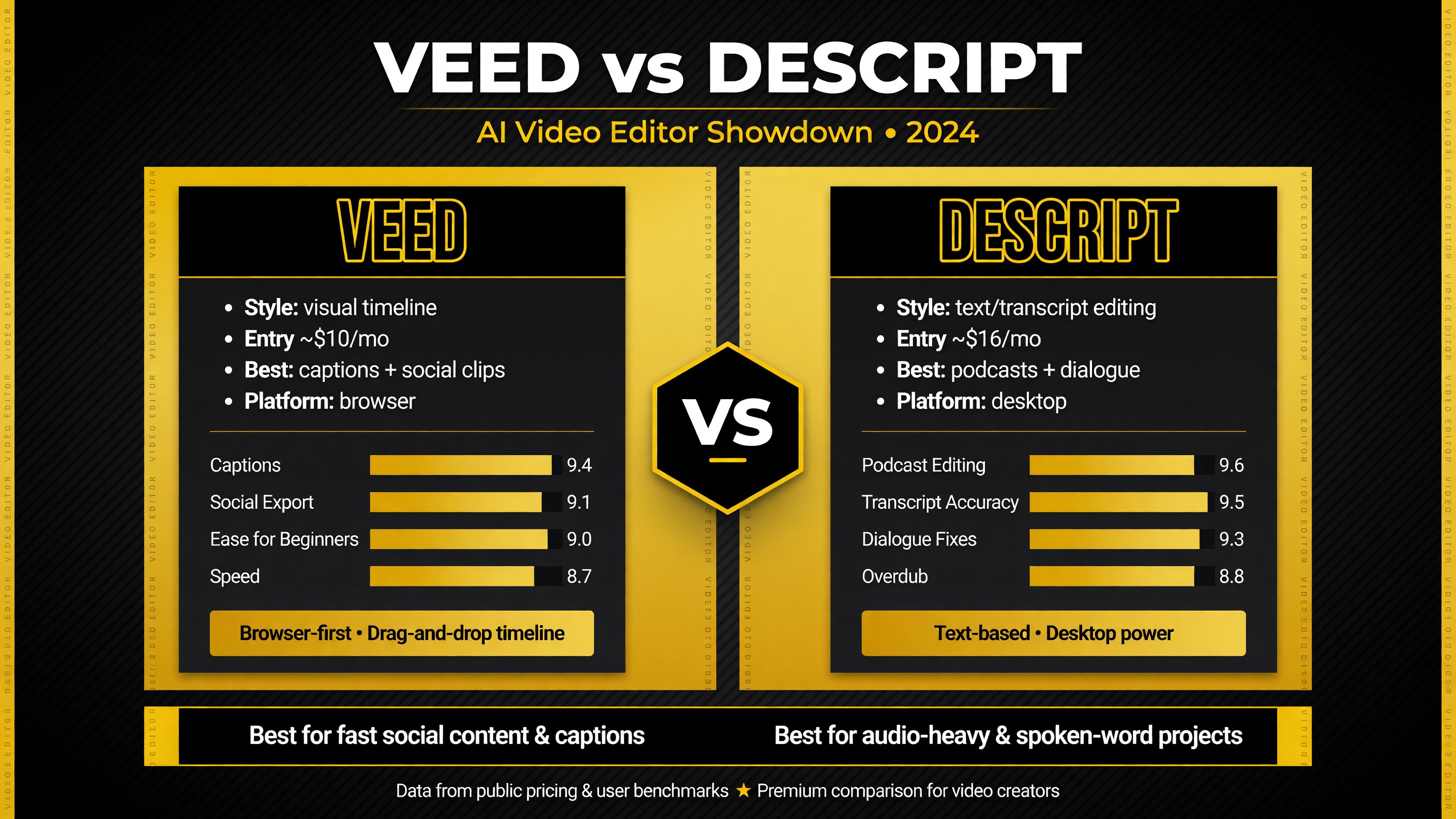
The capability table makes the core split obvious: VEED is the faster browser tool for visual and social content, while Descript’s transcript workflow wins for audio-first editing.
VEED: The Browser Editor Built for Fast Social Content
VEED’s whole pitch is speed and accessibility. It runs entirely in your browser — no download, no render farm, no timeline anxiety — which makes it the easiest AI video editor for a creator or small marketing team to just start using. You upload your footage, and the AI handles the heavy lifting: auto-captions, Magic Cut to trim dead air, background removal, eye-contact correction, and one-click reformatting for TikTok, Reels, or Shorts.
The subtitle engine is VEED’s standout feature for 2026. Captions aren’t an afterthought here — they’re the core product, with strong styling, multilingual translation, and platform-optimized output baked in. For US creators who know that captioned short-form video is the single biggest driver of watch time on social, VEED turns audio into a fully captioned, shareable clip in minutes. Its template library and brand kit let you keep a consistent onboarding lookage without touching design software.
VEED’s pricing is friendly at the creator level. The entry paid tier runs roughly $10-12 a month billed yearly, and Pro — which unlocks 4K, avatars, translations, and the full brand kit — sits around $24-29 a month yearly. That’s competitive with what you’d pay for a single stock-video subscription, and it bundles far more. flowith.io’s pricing breakdown and checkthat.ai both confirm VEED undercuts Descript at the mid tier for individual creators.
The trade-off: VEED is a visual editor, so precise, word-level dialogue edits are clunkier than Descript’s transcript approach. If you need to fix a single mispronounced word in a 40-minute recording, VEED makes you dig into the timeline. For pure short-form marketing and social clips, that’s rarely a problem. For podcast-style content, it’s a real friction point.
VEED’s Strengths
- Browser-based, no install, fast to learn
- Best-in-class auto-captions and multilingual subtitles
- One-click repurposing for TikTok, Reels, and Shorts
- Lower cost at the entry and mid tiers
Descript: The Text-Based Editor for Dialogue-Heavy Work
Descript flips the editing model entirely. Instead of dragging clips on a timeline, you edit the transcript like a Word document. Delete words, cut sentences, rearrange paragraphs — and the video and audio update automatically. It’s a genuinely different way to edit, and for the right content, it’s dramatically faster than any visual editor.
That workflow is tailor-made for podcasts, interviews, and long-form talking-head content. If your raw material is two people talking for an hour, Descript turns the entire cleanup job — removing fillers, tightening rambling answers, restructuring segments — into a copyediting task instead of a video-editing task. You finish an edit in a fraction of the time a timeline would demand.
Descript’s AI layer adds Underlord for prompted edits and viral-clip extraction, plus Overdub for voice cloning to fix mistakes without re-recording. For audio-first creators, the Studio Sound cleaning and multicam support round out a deeply capable production suite. sonix.ai and meetgeek.ai both note Descript’s Creator plan at roughly $24 a month yearly for about 30 media hours — generous volume for active podcasters.
Where Descript falls short is visual polish. Its transcript-first interface isn’t built for styling captions, applying brand templates, or rapidly producing visually rich social clips the way VEED is. The subtitle styling and template options are thinner, and it leans desktop-first, so it’s less convenient if you work primarily in a browser or on mobile. Descript is the better editing tool for audio-heavy work, but the weaker social-production tool.
Descript’s Strengths
- Text-based editing is fastest for dialogue cleanups
- Strong podcast, interview, and long-form workflow
- Overdub voice cloning to fix audio without re-records
- High media-hour volume on Creator plan
Repurposing: Turning One Video Into Many Clips
Almost every serious creator in 2026 is repurposing — recording one long video or podcast and slicing it into social clips, email content, and platform posts. Both tools do this, but they route it differently.
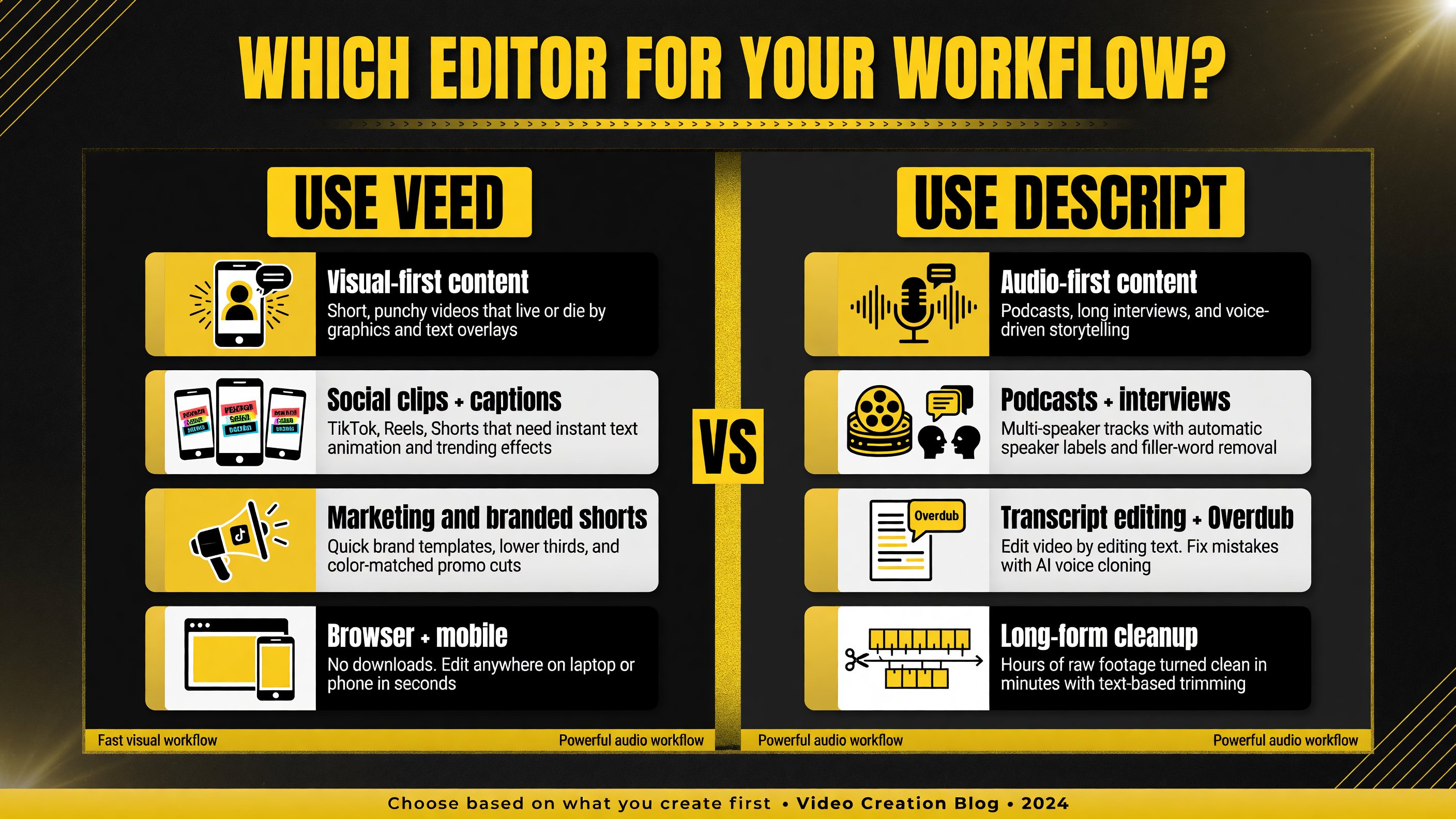
The workflow split is the fastest deciding factor: visual-first, social content leans VEED, while audio-first, long-form content leans Descript.
VEED approaches repurposing as a production task. You drop in your footage, let auto-captions run, then use templates and aspect-ratio presets to cut multiple polished shorts with branded styling in one session. For a marketing team that needs a week’s worth of social clips from one webinar, VEED is the faster assembly line. Its strength is turning content into visually consistent, captioned shorts efficiently.
Descript approaches repurposing as a discovery task. Its AI scans your transcript or long-form media and picks out the strongest moments — the viral-worthy soundbites — then generates clips and even show notes or social captions from the text. For a podcaster who records weekly and needs to find the best highlight to shop around, Descript’s transcript-first clip extraction is a smarter fit.
The practical rule: if you already know which moments you want and need them polished fast, VEED wins. If you have a mountain of long-form content and need help finding the best clips in the first place, Descript’s AI does the discovery work for you.
Teams, Collaboration, and Workflow Fit
If you’re a solo creator, either tool works. But the moment you bring editors, reviewers, or clients into the loop, the two platforms diverge on team workflow, and that’s worth weighing before you commit a whole team to one platform.
VEED’s strength is low-friction access. Because it lives in the browser, sharing a project with a client or a freelancer is as simple as sending a link — no software install, no file transfer, no version confusion. For a US marketing team that collaborates with outside editors or sends drafts to clients for quick review, that browser access is a real advantage. The template and brand-kit libraries also keep multiple people producing on-brand output without a design handoff step.
Descript’s strength is depth on a single project. Its desktop apps on macOS and Windows give advanced editors more control over large, complex recordings, with multicam and Studio Sound handling demanding audio production. For a podcast team that all live inside Descript, the text-based editing is so fast that a full episode cleanup becomes a shared, collaborative editing session rather than one person grinding through a timeline. Descript’s higher-volume plans and media-hour quotas also scale better for a team producing hours of content weekly.
Neither team model is objectively better — it comes down to whether your collaboration is mostly quick handoffs and reviews (VEED) or deep co-editing of long-form projects (Descript). Solo creators don’t need to think about this much; teams should test collaboration before choosing.
The Bottom Line for 2026
Here’s the honest verdict after years of running both. VEED is the better default for most creators and marketers because it’s cheaper at the mid tier, easier to pick up, and built specifically for the captioned short-form content that dominates social distribution in 2026. Descript is the better specialist tool for anyone whose workload is audio-first — podcasters, interviewers, and long-form commentators who would rather edit text than fiddle with a timeline.
Your best move is not to agonize over which is “the winner.” Run one real project through each free tier — a podcast episode in Descript, a social repurposing job in VEED — and see which one feels like less work for your actual content. For most creators that test ends the debate. And if you’re doing both, the Descript-then-VEED combo we covered is the highest-leverage setup in AI video editing right now.
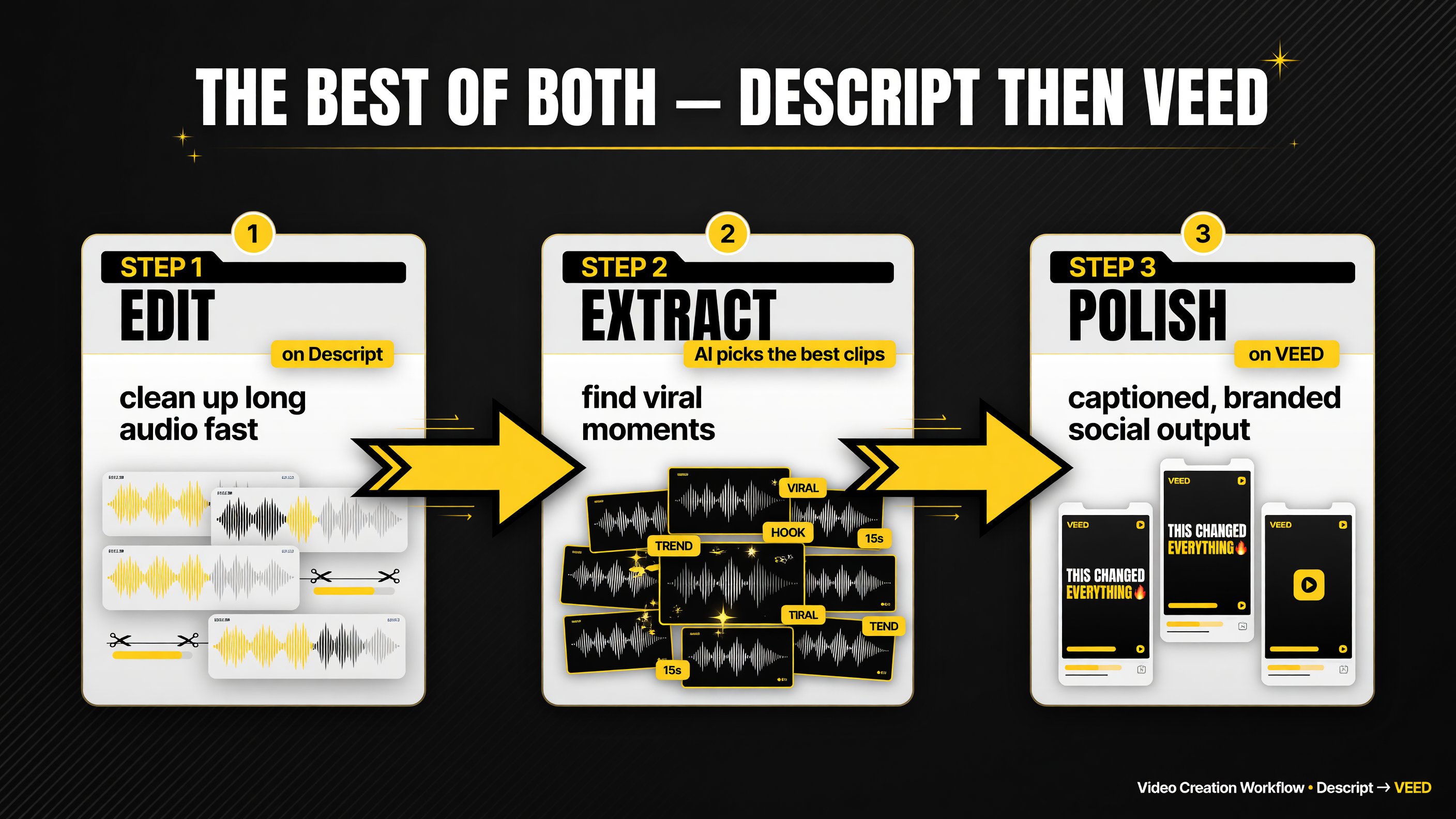
The Descript-then-VEED combination gives you Descrip’s editorial speed on long audio and VEED’s production polish on the final social clips.
The One Question That Decides It: Is Your Content Audio-First or Visual-First?
Strip away the marketing and the decision comes down to a single question about your content type:
Do you spend most of your time editing people talking, or slicing up visuals?
- Audio-first (podcasts, interviews, talking heads, long-form commentary) → Descript. The transcript-based workflow is dramatically faster for dialogue-heavy editing, and the AI clip discovery is built for long-form audio. This is the workflow where Descript pays for itself in hours saved.
- Visual-first (marketing videos, social clips, tutorials, branded shorts) → VEED. The captions, templates, brand kit, and one-click platform formats are built for turning visual content into engaging social output fast. Lower cost at the mid tier seals it for most creators.
And if your work is genuinely both — say you publish a weekly podcast AND repurpose it into social shorts — the strongest setup in 2026 is Descript for the raw edit and cleanup, then VEED for the polished, captioned social exports. You get the best of both: Descript’s editorial speed on the long audio, VEED’s production polish on the shorts. Start with both free tiers, run one real project through each, and let your actual workflow pick the winner. In most US content pipelines I’ve seen, that test resolves the debate faster than any spec sheet.
Frequently Asked Questions
Which is better, VEED or Descript?
It depends on your content. VEED is better for visual editing, captions, and rapid social clip production. Descript is better for audio-first work like podcasts and interviews, where text-based editing of the transcript is much faster. Many creators use both.
Is VEED cheaper than Descript?
Generally yes at the entry and mid tiers for individual creators. VEED’s paid plans start around $10-12/month yearly with Pro near $24-29, while Descript starts around $16/month and its Creator plan sits near $24. Descript’s value shifts when you need high media-hour volume.
Is Descript good for making short-form social clips?
Yes — Descript’s AI scans long-form content and extracts strong viral moments, then generates clips and captions from the transcript. But VEED offers richer visual templates and subtitle styling for polished branded shorts. It depends on how much visual polish you need.
Can VEED and Descript be used together?
Yes, and it’s a strong workflow. Use Descript to edit and clean up long audio or interview content quickly, then use VEED to restyle and repurpose it into polished, captioned social clips. This combines Descript’s editorial speed with VEED’s production output.
Which AI video editor is easiest for beginners?
VEED is generally easier for beginners because it runs in the browser with a familiar timeline, automatic captions, and drag-and-drop templates. Descript has a unique text-based workflow that’s fast once learned but has a steeper initial learning curve.

About Barak Schurr
Barak Schurr is a serial entrepreneur who built and exited a major ticketing platform before turning his attention to AI and content. He runs three AI-focused research sites and writes about the tools, workflows, and strategies that let solo creators build real channels — without a crew, a studio, or a Hollywood budget. Contact: [email protected]
More AI Video Resources