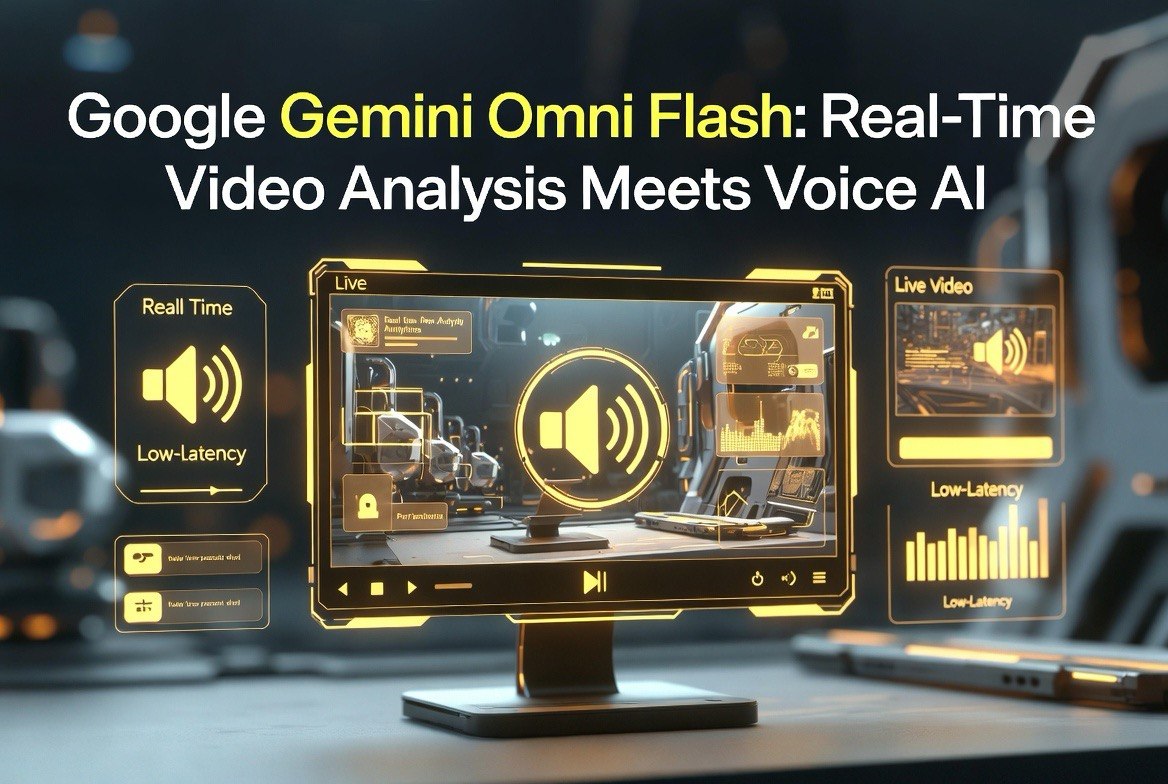
Google Gemini Omni Flash: Real-Time Video Analysis Meets Voice AI
Get The Faceless YouTube Blueprint — Free
The exact AI tool stack and workflow used to build a faceless YouTube channel from zero.
Google Gemini Omni Flash: Real-Time Video Analysis Meets Voice AI
⚡ Expert Summary: Google’s Gemini Omni Flash, released in July 2026, combines real-time video analysis with voice interaction capabilities in a single model. The system can watch a video feed, listen to audio, process natural language instructions, and respond verbally — all in real time. For US video creators and businesses, this opens up live video editing, real-time content moderation, and interactive AI-powered video production workflows that were not possible with previous-generation tools.
What Makes Gemini Omni Flash Different
Most AI video tools fall into two categories: generation tools that create video from text prompts, and analysis tools that extract information from uploaded footage. Gemini Omni Flash occupies a third category that has not existed before — real-time multimodal perception with voice interaction.
This distinction matters because it changes the workflow. Instead of record-then-analyze, creators can now work in an analyze-while-recording paradigm. A live streamer can get real-time feedback on their content quality. A video editor can ask questions about footage without stopping to type. A production team can monitor multiple feeds simultaneously with AI-assisted attention.
Google built Gemini Omni Flash on the same architecture as Gemini 3.6 Flash but added dedicated video processing pipelines and speech synthesis modules. The result is a model that costs slightly more than Gemini Flash on a per-token basis but delivers capabilities that no other model currently matches at any price.
Most AI video tools analyze footage after it is recorded. You upload a file, wait for processing, and review the results. Gemini Omni Flash operates differently — it processes video streams in real time, combining visual analysis with voice interaction.
It watches and listens simultaneously. Gemini Omni Flash accepts live video input, audio input, and text prompts in a single stream. This trilateral processing means it can watch a live video feed and respond to questions about what it sees while also listening for verbal instructions. For a creator editing a video, this means asking “highlight the parts where the product appears in frame” while the AI watches the entire timeline.
It responds in natural speech. The model generates spoken responses in addition to text output. When you ask it a question about a video, it can answer aloud — useful for hands-free workflows where the creator is working with physical equipment or needs to keep their eyes on the monitor.
It processes locally or via cloud. Gemini Omni Flash offers both on-device processing for low-latency applications and cloud-based processing for complex analysis. The on-device model handles basic tasks like object detection and scene classification instantly. The cloud model handles deeper analysis like sentiment detection, narrative structure understanding, and multi-modal search.
| Capability | Gemini Omni Flash | Claude 3.5 Video | GPT-5.6 Vision |
|---|---|---|---|
| Real-time video analysis | ✅ Yes — live stream | ❌ Upload only | ❌ Upload only |
| Voice interaction | ✅ Yes — speak and respond | ❌ Text only | ✅ Yes |
| On-device processing | ✅ Available | ❌ Cloud only | ⚠️ Limited |
| Latency | Sub-second (on-device) | Seconds | Seconds |
| Scene understanding | Excellent — real-time | Very good — post-upload | Very good — post-upload |
| API pricing | $2.50/M video tokens | $15/M video tokens | $10/M video tokens |
Practical Applications for Video Creators
The combination of real-time video analysis and voice interaction makes Gemini Omni Flash useful in ways that upload-based models cannot match.
Live content moderation during streams. A US creator going live on YouTube or Twitch can use Gemini Omni Flash to monitor chat and video content in real time. The model can flag problematic segments, identify copyright issues in background audio, and even suggest alternative camera angles or content pivots based on viewer engagement metrics.
Real-time editing assistance. While reviewing recorded footage, a creator can ask “show me every frame where the lighting dropped below acceptable levels” or “find the segments where the background noise exceeds -20dB” and Gemini Omni Flash processes the entire timeline instantly. This turns hours of manual review into seconds of AI-assisted analysis.
Voice-controlled production studio. For solo creators working without a production team, Gemini Omni Flash serves as a voice-controlled production assistant. “Mark this clip as a B-roll candidate” or “note the timestamp where the subject introduced the product” — the model listens, processes the request against the video feed, and returns results in real time without the creator touching a keyboard.
Automated closed captioning with context. Gemini Omni Flash generates captions that understand context, not just transcribe audio. It distinguishes between speakers, identifies technical terms accurately, and can even flag when the spoken words do not match the visual content on screen — a feature that matters for accessibility compliance in US markets.
Content repurposing at scale. For creators managing multiple platforms, Gemini Omni Flash can analyze a single long-form video and identify segments suitable for different formats — shorts, reels, highlight clips, and social media teasers. It detects natural break points, identifies high-engagement moments based on visual and audio cues, and generates timestamped segment recommendations. A 30-minute podcast episode can be broken into 8-12 reusable clips in minutes rather than hours of manual review.
Brand compliance checking. For agency producers and brand content teams, the model can scan video feeds against brand guidelines in real time. It flags incorrect logo placement, off-brand color usage, problematic language, and visual elements that do not match the approved creative brief. This catches brand compliance issues during production rather than in the review stage, saving significant rework costs.
What Gemini Omni Flash Gets Wrong
No model is perfect, and Gemini Omni Flash has limitations that matter for professional video production.
Video generation is not included. Gemini Omni Flash analyzes and understands video — it does not generate it. If you need AI video generation, you still need a separate tool like Seedance, Runway, or Pika. This is a perception model, not a creation model.
On-device accuracy drops on complex scenes. The local processing mode handles basic scene analysis well but struggles with complex multi-subject scenes, rapid motion, and low-light footage. For critical analysis work, the cloud processing tier delivers significantly better results.
Voice interaction requires clear audio. The model’s speech recognition degrades noticeably in noisy environments. A creator working in a busy production space with equipment noise, background conversation, or ambient music will find the voice interaction feature less reliable than in quiet studio conditions.
Bandwidth requirements are real. Real-time video streaming to a cloud AI model requires stable, high-bandwidth internet connectivity. For creators working in areas with unreliable connections or on location without dedicated upload capacity, the cloud processing tier will produce laggy or inconsistent results. The on-device tier helps but with reduced capability.
Language support is English-first. While Gemini supports multiple languages, the real-time video + voice pipeline is optimized for English. Non-English content may experience higher latency and reduced accuracy in the on-device tier.
Pricing and Accessibility
Gemini Omni Flash is available through Google’s Vertex AI platform and the Gemini API. Pricing starts at $2.50 per million video tokens for real-time analysis, making it significantly cheaper than competing multimodal models from Anthropic and OpenAI.
The on-device tier is free through Google’s AI Edge runtime, but limited to basic analysis capabilities. For professional video production work requiring deep scene understanding, the cloud API tier is necessary.
For US video creators and businesses, the pricing is accessible enough to use as a production tool rather than a special-occasion resource. A creator processing 50 hours of video footage per month in the cloud tier would spend roughly $30-50 in API costs — negligible compared to the time savings. Google also offers a free tier with 10 hours of processing per month, enough for a creator to evaluate the tool against their specific workflow before committing.
Enterprise pricing is available through Vertex AI with volume discounts, dedicated instance options, and SLA guarantees for production deployments. For agencies and production houses processing thousands of hours of footage monthly, enterprise agreements can reduce per-token costs by an additional 30-50%.
Gemini Omni Flash is available through Google’s Vertex AI platform and the Gemini API. Pricing starts at $2.50 per million video tokens for real-time analysis, making it significantly cheaper than competing multimodal models from Anthropic and OpenAI.
The on-device tier is free through Google’s AI Edge runtime, but limited to basic analysis capabilities. For professional video production work requiring deep scene understanding, the cloud API tier is necessary.
For US video creators and businesses, the pricing is accessible enough to use as a production tool rather than a special-occasion resource. A creator processing 50 hours of video footage per month in the cloud tier would spend roughly $30-50 in API costs — negligible compared to the time savings.
The Bottom Line for Video Creators
Gemini Omni Flash is not a video generation tool. It is a video understanding tool that happens to be the first one capable of real-time processing with voice interaction. For US video creators, the practical applications in post-production workflow, live content moderation, and accessibility compliance make it a valuable addition to the toolkit — even though it does not replace dedicated video generation platforms.
The combination of on-device processing for speed and cloud processing for depth gives creators flexibility that no other multimodal model currently matches. At $2.50 per million video tokens, the cost of entry is low enough that every video creator should test it against their production workflow.
FAQ
What is Google Gemini Omni Flash?
Google Gemini Omni Flash is a multimodal AI model released July 2026 that combines real-time video analysis with voice interaction. It can watch live video, listen to audio, and respond verbally — all simultaneously.
Can Gemini Omni Flash generate video?
No. Gemini Omni Flash analyzes and understands video but does not generate it. It is a perception model, not a creation model. For video generation, use Seedance, Runway, or Pika.
How much does Gemini Omni Flash cost?
Cloud API pricing starts at $2.50 per million video tokens. On-device processing through Google’s AI Edge runtime is free for basic analysis. Professional workloads typically cost $30-50 per month for 50 hours of footage.
What can Gemini Omni Flash do for video creators?
Live content moderation, real-time editing assistance, voice-controlled production workflows, automated contextual captioning, and instant scene analysis — all without uploading files to process.
Does Gemini Omni Flash work offline?
The on-device tier works with reduced accuracy for basic analysis. Complex scene understanding requires the cloud API tier for full capability.
How does Gemini Omni Flash compare to Claude 3.5 Video?
Gemini supports real-time processing with voice interaction and costs $2.50/M tokens versus Claude’s $15/M tokens. Claude has better depth on post-upload analysis but lacks real-time and voice features.

About Barak Schurr
Barak Schurr is a serial entrepreneur who built and exited a major ticketing platform before turning his attention to AI and content. He runs three AI-focused research sites and writes about the tools, workflows, and strategies that let solo creators build real channels — without a crew, a studio, or a Hollywood budget. Contact: [email protected]
More AI Video Resources