Adobe Just Made Its AI a Production Orchestrator — What the Creative Cloud Agent Means for Video Creators
Get The Faceless YouTube Blueprint — Free
The exact AI tool stack and workflow used to build a faceless YouTube channel from zero.
Adobe Just Made Its AI a Production Orchestrator — What the Creative Cloud Agent Means for Video Creators
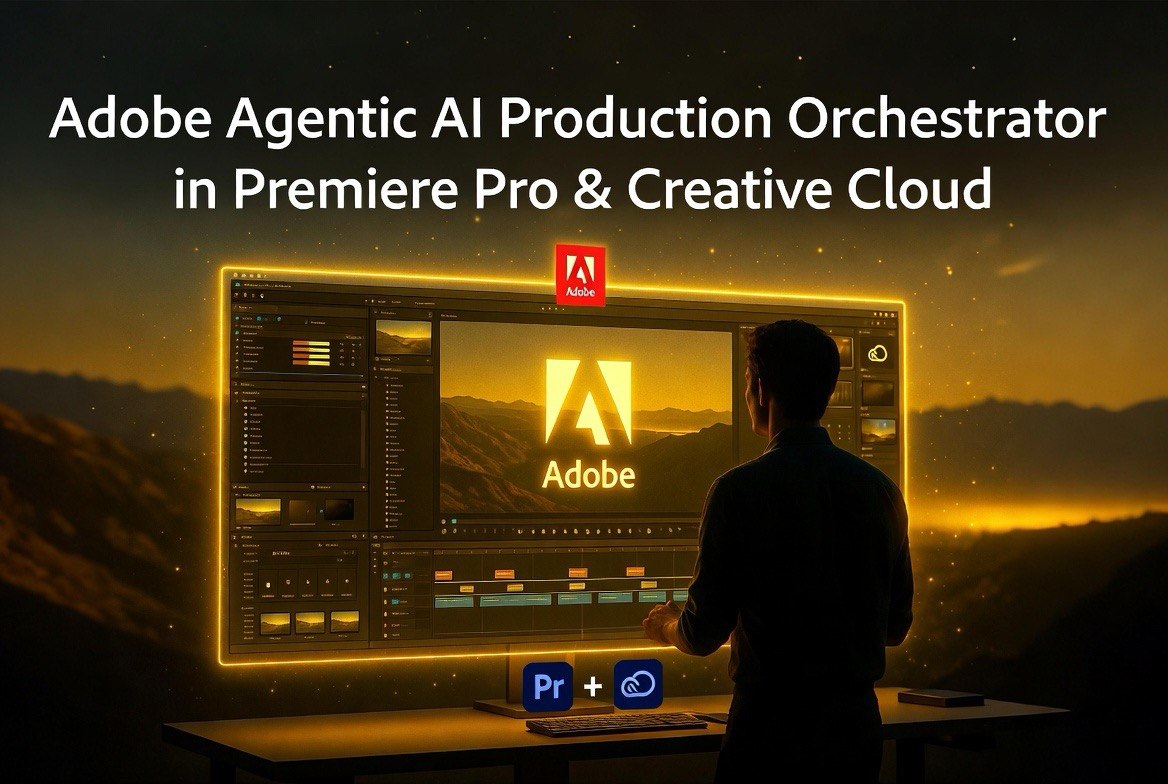
⚡ Expert Summary: Adobe shipped a major upgrade to its Creative Cloud AI on June 18, shifting from a simple assistant that generates content to an agentic orchestration layer that controls the software’s tools directly. The new agent can batch-rename and sort clips in Premiere Pro, execute multi-step design tasks in Illustrator, apply brand updates across InDesign layouts, and more — all from natural language prompts. For video creators, this isn’t just another AI feature. It’s the first time Adobe’s AI operates inside the actual application toolset rather than generating output through a separate interface. The beta is live today across Premiere Pro, Photoshop, Illustrator, InDesign, and Frame.io.
The AI That Actually Uses Your Tools Instead of Making Separate Content
On June 18, 2026, Adobe announced a fundamental shift in how its AI assistant works inside Creative Cloud. The new agentic AI layer — available in public beta starting today across Premiere Pro, Photoshop, Illustrator, InDesign, and the Frame.io collaboration platform — doesn’t just generate content through a chat interface. It directly manipulates the software’s own tools and APIs.
This distinction matters more than it sounds like. First-generation generative AI tools in creative software worked like separate translators: you described what you wanted, the AI generated it in a separate window, and you imported the result back into your project. That workflow — prompt, generate, export, import — added steps instead of removing them. The Adobe creative agent takes a radically different approach. It operates inside your project file. It accesses the application’s actual feature set — the same tools you use manually — and executes complex multi-step workflows by directly calling the software’s underlying APIs.
“Adobe’s Creative Agent can leverage the decades of powerful features, workflows, APIs that we’ve brought into our application and exposed through tooling that can now be invoked through a creative agent,” an Adobe representative explained in the announcement.
For video creators, this is the feature that changes the workflow fundamentally.
What the Agent Actually Does Inside Premiere Pro
Adobe’s agent rollout includes specialist agents tuned to each application’s workflow. For Premiere Pro specifically, the agent handles the most time-consuming parts of video production:
Project setup and media organization: The agent sorts raw footage into bins automatically based on content analysis — not just file metadata but actual scene detection, speaker identification, and content type classification. Premiere Pro can analyze your source media, identify interview questions and answers, group related clips, and assemble a rough working sequence before you’ve touched a single edit point.
Batch renaming and marker generation: Instead of manually renaming 200 clips or placing markers at every cut point, you tell the agent what you need. “Rename all interview clips with the speaker name and timestamp.” “Add markers at every question in the A-roll.” “Create subclips from every labeled take in this multicam sequence.” The agent executes these operations directly inside the Premiere Pro timeline without leaving the application.
Rough cut assembly: The agent can build a rough working edit from selected clips based on timing parameters you define. This isn’t an automated editor making creative decisions — it’s an organizational assistant that lays out the structure so you can focus on the creative choices that actually matter. Adobe is positioning the human user as a “creative director” who delegates repetitive tasks to the AI while making the final aesthetic decisions.
Why This Is Different From Every Other AI Video Tool
There are plenty of AI video tools that generate content from prompts. Runway, Pika, and Synthesia all generate video from text descriptions. That’s useful, but it’s a fundamentally different use case from what Adobe is doing.
The Adobe creative agent doesn’t generate video. It manipulates video projects. That’s the critical distinction.
When you use a text-to-video tool, you’re creating new content in a separate system. When you ask Adobe’s agent to “sort all interview clips into labeled bins and add markers at every question,” the agent is working inside your existing Premiere Pro project, with your actual footage, using the software’s real organizational tools. The output isn’t a generated video — it’s a structured, organized project file that’s ready for you to edit.
This matters for creators who produce large volumes of content. A social media creator producing 10 short-form videos per week might spend 3-4 hours on media organization alone — ingesting footage, creating bins, renaming clips, placing markers, building rough sequences. The Adobe agent can collapse that into minutes. The creator then spends the saved time on actual creative editing, color grading, and sound design — the work that determines video quality.
The differentiation also matters for brand consistency. A text-to-video tool that generates a new commercial from a prompt produces content that may or may not match your existing brand guidelines. Adobe’s agent, working inside your existing project templates, enforces your established project structure, naming conventions, and organizational standards. For creators producing content for brands or agencies, this consistency is worth more than the time savings.
The Specialist Agents: Why Adobe Trained Different AI for Each Application
A notable detail in Adobe’s rollout is that the agent is not one general-purpose assistant — it’s a collection of specialist agents tuned to each application’s unique workflow logic. The Premiere Pro agent understands timeline operations, sequence structure, and media management. The Illustrator agent understands vector math, color spaces, and print requirements. The Photoshop agent understands layers, masks, and composite operations.
This specialization matters for practical use. A general-purpose AI that “knows everything but masters nothing” would produce different quality results in each application. By training application-specific agents, Adobe ensures that the Prompt Pro agent doesn’t just understand what a video clip is — it understands how Premiere Pro’s bin structure, sequence workflow, and marker system actually work.
The Illustrator agent illustrates the depth of this specialization. It can “generate 50 versioned files from a spreadsheet” — dynamically pulling data from external sources and laying it into design templates. It can run pre-flight checks to flag color mode errors before a file goes to print. It can programmatically duplicate a vector shape 100 times, randomize its position, and adjust its size based on z-depth and transparency. These are not general-purpose AI tasks. They’re application-specific workflows that require deep knowledge of each tool’s feature set.
For video creators, the practical takeaway is that the agent will improve faster for specific use cases than a general AI assistant would. Adobe can iteratively improve the Premiere Pro agent’s understanding of video production workflows without the improvements being diluted across unrelated applications.
Contextual Memory: Elements and Projects Change the Game
Beyond the agentic capabilities, Adobe announced two architectural upgrades to its Firefly AI engine that matter for video creators who work on campaigns or series.
Elements functions as a visual variables library. Characters, locations, and objects can be saved and reused across multiple generations, ensuring visual consistency. For creators producing a branded video series, this means the AI can maintain consistent character appearance, environment design, and object placement across episodes without being re-prompted.
Projects acts as the contextual memory layer. It stores assets, generations, and session history in a unified workspace. If you’re working on a week-long video project, you can step away and return without rebuilding your prompt context from scratch. The AI remembers where you left off, what assets you were using, and what workflow steps you had completed.
For video creators, Elements alone is worth paying attention to. One of the biggest pain points in AI-assisted video production is maintaining visual consistency across multiple generations. If you create a character thumbnail, a scene background, and an intro animation in separate sessions, each one can look noticeably different simply because the prompt context shifted. Elements eliminates that problem by anchoring visual variables across the entire project lifecycle.
What the Adobe Agentic Shift Means for Your Production Workflow
The practical implications of Adobe’s agentic AI upgrade depend on the type of video work you do:
Daily content creators: If you produce short-form video daily, the Premiere Pro agent’s organizational features will save you more time per video than any generation tool. Media management — sorting, renaming, marking, binning — is the hidden time sink that most creators don’t measure. Adobe’s agent automates that layer. Expect 30-50% reduction in pre-production time for content creators who adopt the agentic workflow aggressively.
Post-production houses: For teams handling multiple client projects simultaneously, the agent’s ability to set up project structures and enforce organizational standards across editors is valuable. Standardized bin structures, consistent naming conventions, and pre-built rough sequences reduce handoff friction between team members.
Marketing video teams: The integration with Frame.io means the agent can also handle review and approval workflows — flagging version discrepancies, notifying reviewers, and managing feedback across distributed teams. For in-house marketing teams producing multiple video variants per campaign, this consolidation of organizational tasks into one AI layer is where the time savings compound.
The Limits of Agentic AI in Creative Work
Adobe’s own research provides useful context for where this technology fits. The company’s Creators’ Toolkit Report, surveying over 16,000 creators globally, found that 85% emphasized the final creative decision must always remain in human hands. Only 75% described AI as integrated or essential to their current workflows.
Adobe is positioning the agent to serve the 85% — the creators who want AI as an operational assistant, not an autonomous creator. The agent’s focus on file organization, layer management, and project setup directly addresses the “tedious parts of workflow” that creatives universally dislike, while leaving the creative decisions — what to cut, what to keep, how to color, how to pace — entirely up to the human editor.
This positioning gives the agent a clear space: it handles everything you automatically do without thinking, so you can focus on the conscious creative decisions. For video creators who spend 40% of their production time on project organization, that’s a meaningful upgrade.
The Bottom Line for Video Creators
Adobe’s agentic AI upgrade represents a shift from task automation to workflow automation in creative software. Before this release, AI tools for Premiere Pro saved you seconds per task. The agent saves you hours per project. That’s the difference between a faster way to do what you already do and a fundamentally different way of working.
Adobe’s 16,000-person survey found that 75% of creators already consider AI integrated or essential to their workflows. The agentic layer addresses the 85% who insist the final creative decisions must stay human — by automating everything that happens before the creative decisions get made. For creators who hate project setup and love editing, that’s the right tradeoff.
The beta is live today. The features that matter most — Premiere Pro media organization, batch operations, and rough sequence assembly — work now. The private beta features (Elements for visual consistency, Projects for contextual memory) will expand the capability further when they reach general availability later this year.
Frequently Asked Questions
How is Adobe’s new creative agent different from the existing AI assistant?
The existing Adobe AI assistant generates content through a chat interface. The new agentic layer directly accesses the application’s tools and APIs to execute multi-step workflows inside your project files. It doesn’t just generate — it organizes, sorts, batches, and modifies project structures.
What can the agent do in Premiere Pro specifically?
The Premiere Pro agent can sort source media into bins by content analysis, batch rename clips, generate markers based on scene detection or speaker identification, build rough sequence assemblies, and set up project organization structures — all from natural language prompts.
Is the Adobe creative agent available now?
Yes, the agentic capabilities are in public beta starting June 18, 2026, across Premiere Pro, Photoshop, Illustrator, InDesign, and Frame.io. You need an active Creative Cloud commercial license. The upgraded Firefly AI studio with Elements and Projects features is in private beta.
Does the Adobe agent work with other AI tools?
Adobe is actively integrating the creative agent into third-party platforms including OpenAI’s ChatGPT, Anthropic’s Claude, Microsoft 365 Copilot, and soon Google Gemini and Slack. This enables creators to trigger Adobe workflows from other AI tools.
Will the agent replace video editors?
No. Adobe’s positioning and the company’s own research (85% of creators say final creative decisions must stay in human hands) confirm the agent is designed as an operational assistant. It handles project organization, media management, and repetitive setup tasks while the human editor makes all creative decisions.

About Barak Schurr
Barak Schurr is a serial entrepreneur who built and exited a major ticketing platform before turning his attention to AI and content. He runs three AI-focused research sites and writes about the tools, workflows, and strategies that let solo creators build real channels — without a crew, a studio, or a Hollywood budget.
Email: [email protected]