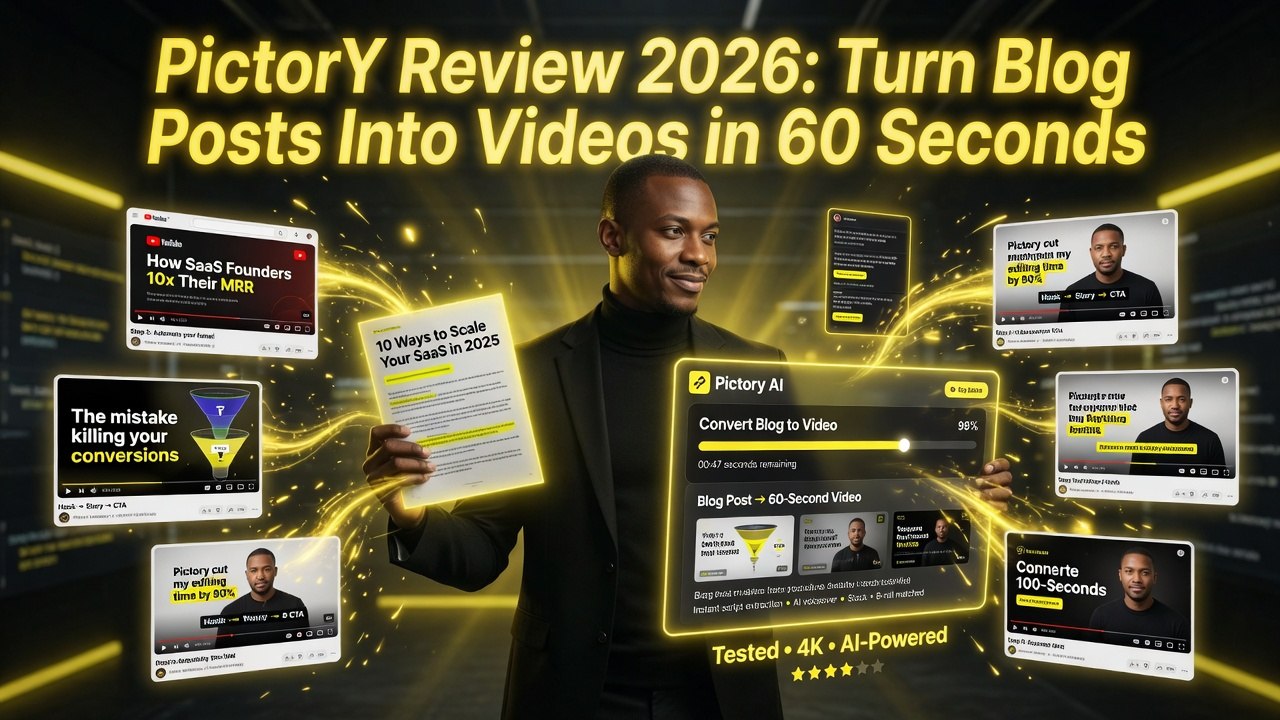
Pictory Review 2026: Turn Blog Posts Into Videos in 60 Seconds
Get The Faceless YouTube Blueprint — Free
The exact AI tool stack and workflow used to build a faceless YouTube channel from zero.
Pictory Review 2026: Turn Blog Posts Into Videos in 60 Seconds
⚡ Expert Summary: Key Takeaways
- Pictory turns blog posts into narrated videos in under 60 seconds — paste a URL, and the AI extracts key points, matches stock footage, and generates a complete video with AI voiceover.
- Best for repurposing written content — if you publish blog articles, news posts, or long-form guides, Pictory transforms them into social videos, shorts, and promotional clips with minimal effort.
- No learning curve — unlike traditional video editors or avatar platforms, Pictory requires zero training. The output is usable immediately for social media and blog embeds.
- Pricing from $23/month (billed annually) — the most affordable AI video repurposing tool on the market, with a free plan that exports 3 videos per month.
- Bottom line: Pictory is the best tool for turning text into video at speed, but it is not a replacement for avatar platforms like HeyGen or full editors like InVideo AI.
Most AI video tools want you to shoot in a studio. Learn the interface. Build scenes. Choose avatars. Edit timelines. Pictory says the hell with all that — paste a URL, get a video.
Pictory is the fastest way I’ve found to convert written content into narrated video. You drop in a blog post, an article, or a script. The AI extracts the key points, matches footage from a massive stock library, adds captions, and generates a voiceover. Total time: under 60 seconds. Total effort: paste and click.
I’ve been using Pictory for 18 months. It’s not a replacement for avatar-driven platforms like HeyGen or Synthesia. It’s a different tool for a different job. If you’re repurposing content — blog to video, article to social clip, script to short — Pictory saves you hours per video. Here’s the full breakdown.
What Is Pictory?
Pictory is an AI-powered video creation platform that converts text into video. It uses natural language processing to analyze written content, identify key themes and visual cues, and assemble a video with relevant stock footage, text overlays, and AI-generated narration.
The platform supports three workflows: Blog to Video (paste a URL or article text), Script to Video (write or paste a script), and Edit Video Using Text (upload a video and edit it by editing the transcript, like a text-based video editor). Pictory also offers automatic captioning, brand kit management, and social media format optimization.
Founded in 2020 and based in the UK, Pictory has grown to serve over 5 million users. Their focus is content repurposing — taking existing written content and turning it into video assets for social media, blogs, YouTube, and paid advertising.
Key Features Breakdown
1. Blog to Video
This is Pictory’s flagship feature. You paste a blog post URL or article text. Pictory’s AI reads the content, extracts the main points, generates a video script, and assembles a video with stock footage, text overlays, and narration. The process takes 30-60 seconds for a standard-length blog post (1,000-2,000 words).
The AI handles content segmentation well. It breaks your article into logical sections, identifies visual cues (e.g., “marketing statistics” triggers a chart graphic), and creates scene transitions. You can edit every element before rendering — swap footage, change text, adjust timing, replace the voice.
Accuracy depends on the source content. Well-structured articles with clear headings and bullet points produce better videos. Dense, academic, or poorly formatted text requires more manual editing.
2. Script to Video
You write or paste a script. Pictory converts it into a video. The workflow is similar to Blog to Video but without the AI parsing — you control the script directly. This is my preferred method for social media content. I write short, punchy scripts (60-90 seconds) and let Pictory handle the visuals.
3. AI-Powered Video Editing (Edit Video Using Text)
Upload a video file. Pictory transcribes it. You edit the transcript — delete words, rearrange sentences, remove filler — and the video updates automatically. It’s the same approach Descript popularized, but integrated into Pictory’s content repurposing workflow.
This feature is useful for polishing existing video content before republishing. I use it to clean up recorded presentations and webinar recordings before posting them to YouTube.
4. Automatic Captioning
Pictory automatically generates captions for all videos. The AI handles timing, word breaks, and line length. You can customize caption styles — font, size, color, background, position, animation — and save them as part of your brand kit.
Caption accuracy is solid for clear audio. Heavily accented speech or background noise causes occasional errors. You can edit captions manually before exporting.
5. Stock Media Library
Pictory gives you access to over 3 million stock video clips and images from Storyblocks. The AI automatically selects footage based on your content. You can override the selection and search the library manually.
The footage quality is solid. It’s not cinematic, but it works for social media, blog embeds, and YouTube content. You can upload your own footage and images if you prefer custom visuals.
6. Brand Kits
Save your brand colors, fonts, logo, caption styles, and intro/outro clips as a brand kit. Apply it to any video with one click. Brand kits ensure consistency across your video content without manual setup for each new project.
7. Social Media Format Presets
Pictory supports square (1:1), portrait (9:16), landscape (16:9), and story (9:16) formats. You can create one video and export it in multiple formats for different platforms — YouTube (16:9), Instagram (1:1 or 9:16), TikTok (9:16), LinkedIn (1:1 or 16:9). Each format adjusts captions, text overlays, and visual layout automatically.
Pricing Breakdown
| Plan | Price | Videos/Month | Max Video Length | Stock Videos | Brand Kits |
|---|---|---|---|---|---|
| Starter | $19/mo | 10 videos | 10 min | Yes | 1 brand kit |
| Professional | $29/mo | 25 videos | 20 min | Yes | 3 brand kits |
| Teams | $49/mo | 50 videos | 30 min | Yes | 5 brand kits |
All plans include the full feature set — Blog to Video, Script to Video, AI editing, automatic captions, and social media format presets. The main differences are video volume, length limits, and brand kit count. Annual billing saves roughly 20%.
The Starter plan at $19/month is a no-brainer for solopreneurs. The Professional plan at $29/month covers most content marketing needs. The Teams plan at $49/month works for small marketing teams producing consistent daily content.
Pictory vs. Competitors
Pictory vs. HeyGen
These are different tools. HeyGen uses AI avatars to create presenter-led videos. Pictory creates narrated video slideshows from text. If you need a talking head, choose HeyGen. If you’re repurposing blog posts and articles, choose Pictory. The overlap is minimal.
Pictory vs. InVideo
This is a closer competition. Both platforms offer text-to-video, templates, and stock media. InVideo has 5,000+ templates vs. Pictory’s smaller library. InVideo has a more traditional video editor with a timeline, while Pictory focuses on automated creation from text.
Pictory wins on speed — paste a URL and get a video in 60 seconds. InVideo wins on creative control — more templates, more editing options, more flexibility. I use Pictory for bulk content repurposing and InVideo for custom social media content.
Pictory vs. Descript
Descript is a full video/audio editing suite with AI transcription, voice cloning, screen recording, and collaboration. Pictory is a text-to-video repurposing tool. Descript edits existing content. Pictory creates new content from text. If you’re editing podcasts or recorded videos, Descript is the tool. If you’re turning blog posts into videos, Pictory wins.
Who Should Use Pictory?
- Content marketers: Repurpose blog posts, articles, and guides into video content for social media, newsletters, and blogs. One blog post becomes 3-5 video assets with Pictory.
- SEO teams: Add video to blog posts. Google ranks pages with video higher. Pictory makes it fast enough that you can add video to every post.
- Social media managers: Create platform-specific video versions from one source. Pictory’s format presets handle the resizing and layout adjustments.
- Agencies: Produce client content at scale. The Teams plan ($49/month) covers 50 videos per month — enough for multiple clients.
- Course creators: Turn lesson scripts into video lectures with stock footage and narration.
What Pictory Doesn’t Do Well
- No AI avatars: Pictory doesn’t have presenters. It’s voiceover + stock footage. If you need a human face in your videos, you need a different tool.
- AI footage matching isn’t perfect: The AI occasionally selects footage that doesn’t match the content. I spend 10-15 minutes per video swapping clips to improve relevance.
- Voice quality: The AI voices are good but robotic on longer videos. I recommend upgrading to premium voices or recording custom voiceovers for videos over 3 minutes.
- Limited editing: You can swap footage, edit text, and adjust timing. You can’t add keyframes, split clips, layer effects, or do frame-level editing. It’s a creation tool, not a precision editor.
Final Verdict
Pictory is the best tool for turning written content into video, period. It’s not the flashiest platform on this list, and it won’t replace your editing software. But if you’re producing content and need video versions of your written work, Pictory saves you 2-3 hours per video compared to manual editing.
At $19/month for the Starter plan, the ROI is immediate. A single repurposed video can drive enough traffic or engagement to cover a year of subscription costs. For content marketers, SEO teams, and social media managers, Pictory belongs in your tool stack.
Frequently Asked Questions
Frequently Asked Questions
Can Pictory create AI avatar videos?
No. Pictory does not have AI avatars or digital presenters. It creates narrated video slideshows from text content using stock footage, text overlays, and voiceover.
How fast is Pictory?
Under 60 seconds for a standard blog post or script conversion. The AI parses your text, selects footage, and generates a rough video. Manual editing takes additional time depending on your quality requirements.
Can I use my own footage?
Yes. Pictory supports uploading your own video clips, images, and audio. You can replace any stock footage the AI selects with your own assets.
Does Pictory support multiple languages?
Yes. Pictory supports AI narration in multiple languages and accents. The Blog to Video feature works with English content most effectively. Other languages may need more manual editing.
What video formats can I export?
Pictory supports 16:9 (landscape), 1:1 (square), 9:16 (portrait), and story formats. You can export in multiple formats from a single video.
Is Pictory good for social media?
Yes. The format presets and automatic captioning make Pictory ideal for social media video production. One source video generates platform-optimized versions for YouTube, Instagram, TikTok, and LinkedIn.
How does Pictory compare to InVideo?
Pictory is faster for text-to-video conversion. InVideo has more templates (5,000+) and a more powerful editor. Pictory wins on speed; InVideo wins on creative control and template variety.
Can I remove the Pictory watermark?
Yes. All paid plans remove the Pictory watermark. The free version includes a watermark.
2. How fast is Pictory?
Under 60 seconds for a standard blog post or script conversion. The AI parses your text, selects footage, and generates a rough video. Manual editing takes additional time depending on your quality requirements.
3. Can I use my own footage?
Yes. Pictory supports uploading your own video clips, images, and audio. You can replace any stock footage the AI selects with your own assets.
4. Does Pictory support multiple languages?
Yes. Pictory supports AI narration in multiple languages and accents. The Blog to Video feature works with English content most effectively. Other languages may need more manual editing.
5. What video formats can I export?
Pictory supports 16:9 (landscape), 1:1 (square), 9:16 (portrait), and story formats. You can export in multiple formats from a single video.
6. Is Pictory good for social media?
Yes. The format presets and automatic captioning make Pictory ideal for social media video production. One source video generates platform-optimized versions for YouTube, Instagram, TikTok, and LinkedIn.
7. How does Pictory compare to InVideo?
Pictory is faster for text-to-video conversion. InVideo has more templates (5,000+) and a more powerful editor. Pictory wins on speed; InVideo wins on creative control and template variety.
8. Can I remove the Pictory watermark?
Yes. All paid plans remove the Pictory watermark. The free version includes a watermark.

About Barak Schurr
Barak Schurr is a serial entrepreneur who built and exited a major ticketing platform before turning his attention to AI and content. He runs three AI-focused research sites and writes about the tools, workflows, and strategies that let solo creators build real channels — without a crew, a studio, or a Hollywood budget.
Email: [email protected]
More AI Resources for Your Business