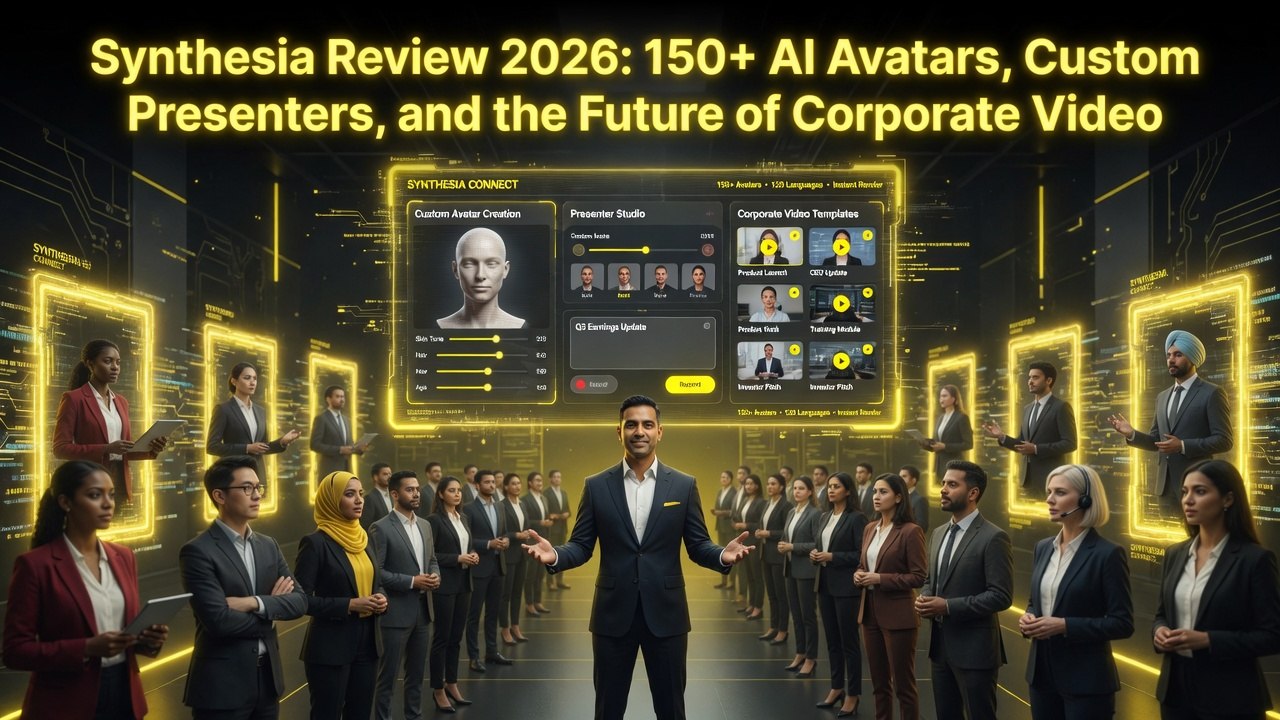
Synthesia Review 2026: 150+ AI Avatars, Custom Presenters, and the Future of Corporate Video
Get The Faceless YouTube Blueprint — Free
The exact AI tool stack and workflow used to build a faceless YouTube channel from zero.
Synthesia Review 2026: 150+ AI Avatars, Custom Presenters, and the Future of Corporate Video
⚡ Expert Summary: Key Takeaways
- Synthesia offers 150+ avatars and the largest corporate video infrastructure — no competitor matches its template library, team collaboration features, and enterprise-grade security for internal communications.
- Custom presenter avatars are a game-changer for branding — record yourself once and generate corporate videos with your own on-screen presenter delivering scripts in any language.
- Consistent, reliable output at scale — for teams producing 50+ videos per month, Synthesia delivers predictable quality that most AI avatar platforms still cannot guarantee.
- Pricing from $29/month for the Starter plan — scales to $89/month for Business with custom avatars, brand kits, and full team access.
- Bottom line: Synthesia is the safest enterprise choice for corporate video at scale, but creators seeking the most realistic avatars should compare with HeyGen.
Synthesia isn’t the prettiest AI avatar platform. HeyGen’s avatars look more realistic. Colossyan has better hand gestures. But Synthesia has something neither of them matches: scale. 150+ avatars, 120+ languages, enterprise-grade infrastructure, and a platform that handles everything from a 2-person marketing team to a 5,000-person organization.
I’ve used Synthesia since version 1.0. I watched it evolve from a basic avatar tool into a full video production platform. In 2026, it’s the safest bet for any company that needs reliable, consistent AI video at scale. Here’s the complete breakdown.
What Is Synthesia?
Synthesia is an AI video generation platform built for business use. You write a script, pick an avatar, and the platform generates a video with a digital presenter speaking your words. Founded in 2017 and headquartered in London, Synthesia has raised over $90 million from investors including Accel and GV. They serve 55,000+ companies, including half of the Fortune 100.
The platform covers the full video production workflow: script writing, avatar selection, voice customization, multi-language translation, and team collaboration. It’s not a toy. It’s a production tool designed to replace studio shoots for corporate video content.
Key Features Breakdown
1. AI Avatars (150+)
Synthesia offers 150+ pre-built avatars. The library covers a broad range of ethnicities, ages, and styles. Each avatar is available in multiple languages and voice variants. The avatars render at up to 4K resolution on higher-tier plans.
Avatar quality is good — not great. The facial rendering is smooth, and lip-sync accuracy is solid. But the avatars lack the fine detail you see in HeyGen’s top-tier output. Skin texture is slightly too smooth. Eye movements are slightly robotic. It’s fine for internal training videos and corporate communications. It’s noticeable for customer-facing marketing content, especially on large screens.
2. Custom Avatar Creator
Synthesia allows custom avatar creation from a video recording. You record yourself speaking for 5-10 minutes. Synthesia processes the footage and generates a digital version of you. The quality depends on your recording setup — good lighting, clean background, and clear audio produce the best results.
Custom avatars are available on the Enterprise plan. The processing takes 24-48 hours, and Synthesia’s team reviews each submission for quality before activation. The output is solid for internal use but shows artifacts in fast movements and side angles.
3. AI Script Assistant
Synthesia’s AI script assistant is one of the best in the category. You feed it a topic, audience, and tone preference. It generates a full script with scene breaks, pause markers, and emphasis cues. The assistant understands video pacing — it knows where to insert pauses, when to change scenes, and how to structure information for retention.
The script assistant handles rewriting, expansion, and summarization. It’s particularly strong at adapting existing content — blog posts, slide decks, PDFs — into video scripts. I fed it a 10-page product spec document and got a solid 3-minute explainer script in under 30 seconds.
4. Multi-Language Support (120+)
This is Synthesia’s biggest competitive advantage. 120+ languages with automatic translation and lip-sync adaptation. You create one video in English, select your target languages, and Synthesia generates localized versions. The avatar’s lip movements adjust to match each language’s phonetics.
Translation quality depends on the language pair. Major languages (Spanish, French, German, Japanese, Mandarin) are excellent. Smaller languages show occasional translation errors. Synthesia allows manual editing of translated scripts before rendering, so you can fix issues before committing to video.
5. Video Templates and Scenes
Synthesia includes a template library organized by use case: training, onboarding, sales, marketing, internal comms, and more. Each template contains multiple scenes with pre-configured layouts, background options, and text overlay positions.
You can build multi-scene videos with transitions between the avatar, screen recordings, slides, and B-roll. The scene editor is intuitive — drag and drop elements, adjust timing, and preview before rendering.
6. Team Collaboration
Synthesia’s workspace features support real team production. You create a workspace, invite team members, assign roles (admin, editor, viewer), and manage video projects through review and approval workflows. Brand assets — logos, colors, fonts — live in a shared brand kit that applies across all videos.
The approval system is particularly useful. Editors create videos, reviewers provide feedback via comments on specific timestamps, and admins approve before publication. It mirrors the workflow of professional video production studios, minus the cost.
7. Screen Recording and Screen Capture
Synthesia includes a screen recording feature that captures your screen, webcam, and audio simultaneously. You can combine screen recordings with AI avatars in the same video — the avatar introduces the topic, then transitions to a screen recording for the demonstration.
Pricing Breakdown
| Plan | Price | Video Credits | Max Duration | Avatars | Custom Avatar |
|---|---|---|---|---|---|
| Starter | $22/mo | 10 credits | 5 min | Stock only | No |
| Creator | $67/mo | 30 credits | 15 min | Stock + 1 custom | 1 avatar |
| Enterprise | $89+/mo | Custom | 30 min | All stock + unlimited custom | Unlimited |
A credit equals one minute of generated video. Annual billing saves roughly 15%. Enterprise plans include API access, dedicated support, and custom training for team members.
The Starter plan at $22/month is the cheapest entry point among major AI avatar platforms. It’s enough for testing and small projects. The Creator plan at $67/month is where you get real production capability. Enterprise pricing at $89+/month scales with your organization.
Synthesia vs. HeyGen
Avatar quality: HeyGen wins. Synthesia’s avatars are good. HeyGen’s are better — more realistic facial rendering, tighter lip-sync, better skin detail.
Language support: Synthesia wins decisively. 120+ languages vs. HeyGen’s 40+. For global companies producing content in multiple markets, Synthesia is the clear choice.
Enterprise features: Synthesia wins. Workspace management, approval workflows, custom brand kits, and role-based permissions are more mature. HeyGen is catching up, but Synthesia built for enterprise from day one.
Pricing: Synthesia starts lower ($22 vs. $29) but the Creator plan ($67) is steeper than HeyGen’s Business plan ($89 vs. $67 is hard to compare directly due to different credit allocations). Run your numbers based on monthly video volume.
Best fit: Choose Synthesia for enterprise-scale video production, deep localization needs, and team collaboration at scale. Choose HeyGen for premium avatar quality in sales and marketing content.
Use Cases for Synthesia
- Corporate training: Create consistent training videos for global teams. Update content by editing the script — no reshoots. Synthesia supports SCORM export for LMS integration.
- Sales enablement: Produce product demo videos, pitch decks, and customer testimonials (with consent) in multiple languages. Sales teams access videos through shared libraries.
- Internal communications: CEO updates, policy changes, quarterly results — all delivered consistently across the organization. Synthesia’s branded templates ensure every video follows company guidelines.
- Marketing content: Social media ads, YouTube explainers, landing page videos. Synthesia’s template library speeds up production for recurring content formats.
- Customer education: Product walkthroughs, FAQ videos, and onboarding sequences. Update your video library as your product changes — no need to reshoot anything.
What Synthesia Doesn’t Do Well
No platform is perfect. Here are Synthesia’s weak spots:
- Avatar realism: Synthesia’s avatars are visibly AI. The uncanny valley is narrower than it was in 2023, but it’s still there. HeyGen and Colossyan have more natural-looking avatars.
- Gesture variety: Limited hand and body movements. Avatars mostly stand and talk. Gestures repeat across scenes. You won’t see natural pointing, leaning, or prop interaction.
- Rendering speed: 4K videos take a while. A 10-minute video at 4K can take 30-45 minutes during peak hours. Enterprise customers get priority rendering queues.
- Custom avatar limitations: Custom avatars require professional-grade recording setups for the best results. Poor lighting or background noise degrades output quality significantly.
Final Verdict
Synthesia is the enterprise standard for AI video in 2026. It’s not the flashiest platform, and its avatars aren’t the most realistic. But it’s the most complete solution for organizations that need to produce video at scale with team collaboration, multi-language support, and consistent branding.
If you’re a solopreneur producing sales outreach videos, HeyGen’s avatar quality will serve you better. If you’re a marketing team of two making social content, InVideo’s template library might be a better fit. But if you’re an organization with multiple stakeholders, multiple languages, and a need for consistent video output, Synthesia is the safest investment you can make.
Frequently Asked Questions
Frequently Asked Questions
Is Synthesia good for beginners?
Yes. The interface is intuitive, and the AI script assistant handles the heavy lifting. You can create a professional-looking video within 30 minutes of signing up. The Starter plan ($22/month) is a low-risk entry point.
Can I create a custom avatar with Synthesia?
Yes, on the Creator and Enterprise plans. You record a 5-10 minute video, submit it for processing, and Synthesia builds your digital twin. Processing takes 24-48 hours.
How many languages does Synthesia support?
120+ languages. This is Synthesia’s biggest differentiator from competitors like HeyGen (40+ languages). Translation and lip-sync adaption are automatic.
Does Synthesia work for enterprise teams?
Yes. Synthesia was built for enterprise. It offers workspace management, role-based permissions, brand kits, approval workflows, SSO integration, and API access on Enterprise plans.
How does Synthesia compare to HeyGen?
Synthesia has broader language support (120+ vs 40+), better enterprise features, and lower starting pricing ($22 vs $29). HeyGen has better avatar quality and more natural-looking presenters. Choose Synthesia for scale; choose HeyGen for quality.
Can I remove the Synthesia watermark?
Yes. The watermark is removed on all paid plans. The free plan includes a watermark.
Does Synthesia support 4K video?
Yes. 4K rendering is available on Creator and Enterprise plans. Rendering 4K takes longer than 1080p — plan for 2-3x rendering time.
Is there a free trial?
Synthesia offers a free trial with limited features and a watermark. You get one or two video credits to test the platform before committing to a paid plan.
2. Can I create a custom avatar with Synthesia?
Yes, on the Creator and Enterprise plans. You record a 5-10 minute video, submit it for processing, and Synthesia builds your digital twin. Processing takes 24-48 hours.
3. How many languages does Synthesia support?
120+ languages. This is Synthesia’s biggest differentiator from competitors like HeyGen (40+ languages). Translation and lip-sync adaption are automatic.
4. Does Synthesia work for enterprise teams?
Yes. Synthesia was built for enterprise. It offers workspace management, role-based permissions, brand kits, approval workflows, SSO integration, and API access on Enterprise plans.
5. How does Synthesia compare to HeyGen?
Synthesia has broader language support (120+ vs 40+), better enterprise features, and lower starting pricing ($22 vs $29). HeyGen has better avatar quality and more natural-looking presenters. Choose Synthesia for scale; choose HeyGen for quality.
6. Can I remove the Synthesia watermark?
Yes. The watermark is removed on all paid plans. The free plan includes a watermark.
7. Does Synthesia support 4K video?
Yes. 4K rendering is available on Creator and Enterprise plans. Rendering 4K takes longer than 1080p — plan for 2-3x rendering time.
8. Is there a free trial?
Synthesia offers a free trial with limited features and a watermark. You get one or two video credits to test the platform before committing to a paid plan.

About Barak Schurr
Barak Schurr is a serial entrepreneur who built and exited a major ticketing platform before turning his attention to AI and content. He runs three AI-focused research sites and writes about the tools, workflows, and strategies that let solo creators build real channels — without a crew, a studio, or a Hollywood budget.
Email: [email protected]
More AI Resources for Your Business